lights CHEVROLET VOLT 2011 User Guide
[x] Cancel search | Manufacturer: CHEVROLET, Model Year: 2011, Model line: VOLT, Model: CHEVROLET VOLT 2011Pages: 516, PDF Size: 6.61 MB
Page 177 of 516

Black plate (57,1)Chevrolet Volt Owner Manual - 2011
Instruments and Controls 5-57
Languages
This allows the selection of a
language:
1. Press the Vehicle menu.
2. Select Languages.
3. Select English, French,or Spanish.
4. Press Back to return to the previous menu.
Lighting
Select the Lighting menu and the
following will be displayed:
.Exit Lighting
.Vehicle Locator Lights Exit Lighting
This allows the selection of how
long the exterior headlamps stay on
when leaving the vehicle and it is
dark outside.
The available options are:
.OFF
.30 seconds
.1 minute
.2 minutes
To select the length of time the
exterior lamps will remain on:
1. Press the Vehicle menu.
2. Select Lighting.
3. Select Exit Lighting.
4. Select the length of time the exterior lamps will remain on.
5. Press Back to return to the previous menu. Vehicle Locator Lights
This allows the vehicle locator lights
to be turned on or off. When on, the
headlamps, parklamps, taillamps,
license plate lamps, and back-up
lamps will illuminate when
Kis
pressed on the RKE transmitter.
To turn the vehicle locator lights on
or off:
1. Press the Vehicle menu.
2. Select Lighting.
3. Turn the vehicle locator lights on or off.
4. Press Back to return to the previous menu.
Power Door Locks
Select Power Door Locks and the
following will be displayed:
.Auto Door Unlock
.Unlocked Door Anti Lock Out
.Delayed Door Lock
Page 179 of 516
Black plate (59,1)Chevrolet Volt Owner Manual - 2011
Instruments and Controls 5-59
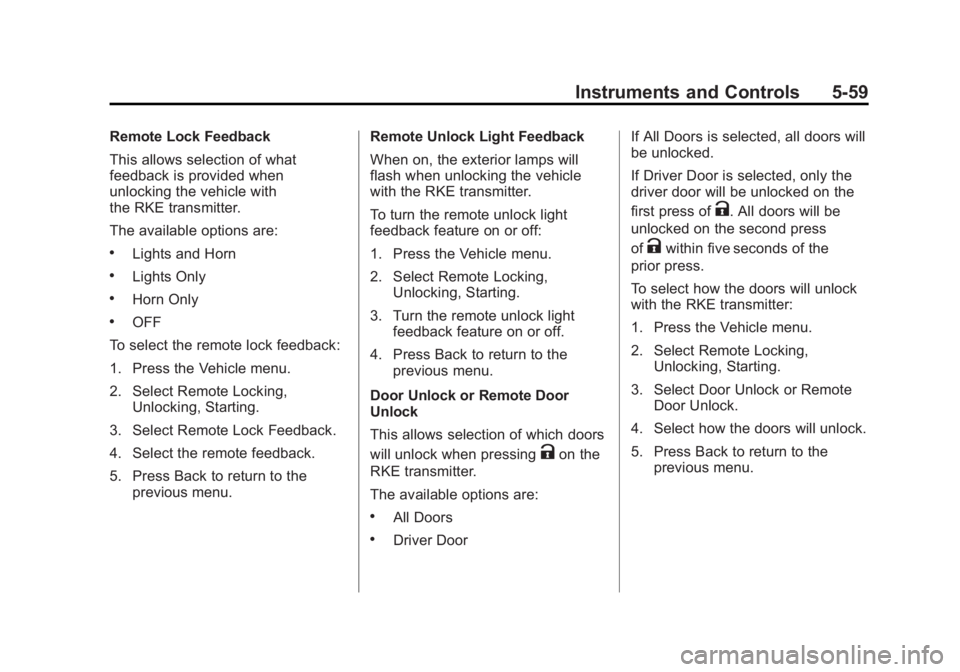
Remote Lock Feedback
This allows selection of what
feedback is provided when
unlocking the vehicle with
the RKE transmitter.
The available options are:
.Lights and Horn
.Lights Only
.Horn Only
.OFF
To select the remote lock feedback:
1. Press the Vehicle menu.
2. Select Remote Locking, Unlocking, Starting.
3. Select Remote Lock Feedback.
4. Select the remote feedback.
5. Press Back to return to the previous menu. Remote Unlock Light Feedback
When on, the exterior lamps will
flash when unlocking the vehicle
with the RKE transmitter.
To turn the remote unlock light
feedback feature on or off:
1. Press the Vehicle menu.
2. Select Remote Locking,
Unlocking, Starting.
3. Turn the remote unlock light feedback feature on or off.
4. Press Back to return to the previous menu.
Door Unlock or Remote Door
Unlock
This allows selection of which doors
will unlock when pressing
Kon the
RKE transmitter.
The available options are:
.All Doors
.Driver Door If All Doors is selected, all doors will
be unlocked.
If Driver Door is selected, only the
driver door will be unlocked on the
first press of
K. All doors will be
unlocked on the second press
of
Kwithin five seconds of the
prior press.
To select how the doors will unlock
with the RKE transmitter:
1. Press the Vehicle menu.
2. Select Remote Locking, Unlocking, Starting.
3. Select Door Unlock or Remote Door Unlock.
4. Select how the doors will unlock.
5. Press Back to return to the previous menu.
Page 185 of 516
Black plate (1,1)Chevrolet Volt Owner Manual - 2011
Lighting 6-1
Lighting
Exterior Lighting
Exterior Lamp Controls . . . . . . . . 6-1
Headlamp High/Low-BeamChanger . . . . . . . . . . . . . . . . . . . . . 6-2
Flash-to-Pass . . . . . . . . . . . . . . . . . 6-2
Pedestrian Friendly Alert . . . . . . 6-2
Daytime Running Lamps (DRL) . . . . . . . . . . . . . . . . 6-3
Hazard Warning Flashers . . . . . 6-4
Turn and Lane-Change Signals . . . . . . . . . . . . . . . . . . . . . . 6-4
Interior Lighting
Instrument Panel IlluminationControl . . . . . . . . . . . . . . . . . . . . . . 6-5
Dome Lamps . . . . . . . . . . . . . . . . . 6-5
Reading Lamps . . . . . . . . . . . . . . . 6-5
Lighting Features
Entry Lighting . . . . . . . . . . . . . . . . . 6-5
Exit Lighting . . . . . . . . . . . . . . . . . . . 6-6
Battery Power Protection . . . . . . 6-6
Exterior Lighting
Exterior Lamp Controls
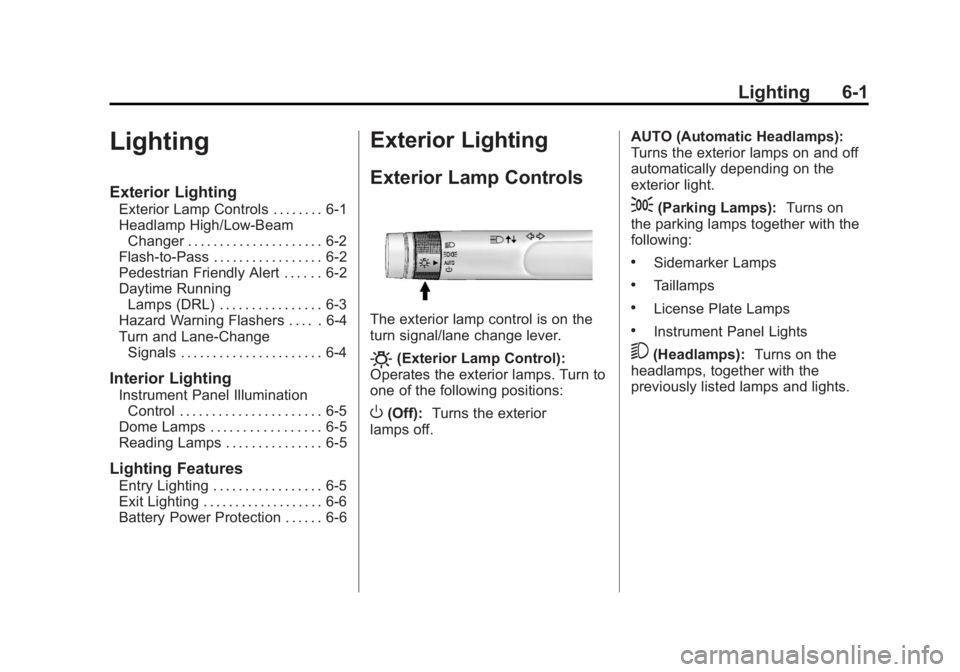
The exterior lamp control is on the
turn signal/lane change lever.
O(Exterior Lamp Control):
Operates the exterior lamps. Turn to
one of the following positions:
O(Off): Turns the exterior
lamps off. AUTO (Automatic Headlamps):
Turns the exterior lamps on and off
automatically depending on the
exterior light.
;(Parking Lamps):
Turns on
the parking lamps together with the
following:
.Sidemarker Lamps
.Taillamps
.License Plate Lamps
.Instrument Panel Lights
5(Headlamps): Turns on the
headlamps, together with the
previously listed lamps and lights.
Page 187 of 516

Black plate (3,1)Chevrolet Volt Owner Manual - 2011
Lighting 6-3
Daytime Running
Lamps (DRL)
The Daytime Running Lamps (DRL)
system comes on in daylight when
the following conditions are met:
.The vehicle is on.
.The exterior lamp control is in
the automatic position.
.The electric drive unit is not in
P (Park).
.The light sensor determines it is
daytime.A light sensor on top of the
instrument panel makes the DRL
work, so be sure it is not covered.
Fully functional DRL are required on
all vehicles first sold in Canada.When the DRL are on, the taillamps,
sidemarker lamps, instrument panel
lights, and other lamps will not be
on. The instrument cluster will be lit.
When the exterior lamp control band
is turned to the headlamp position,
the low-beam headlamps come on.
The other lamps that come on with
the headlamps will also come on.
When the vehicle is on and you are
stopped, the DRL can be turned off
by moving the shift lever to P (Park).
The DRL will stay off until the shift
lever is moved out of the P (Park)
position.
The regular headlamp system
should be turned on when needed.
Page 189 of 516

Black plate (5,1)Chevrolet Volt Owner Manual - 2011
Lighting 6-5
Interior Lighting
Instrument Panel
Illumination Control
The brightness of the instrument
panel cluster display, infotainment
display and controls, steering wheel
controls, and all other illuminated
controls, as well as feature status
indicators can be adjusted.The thumbwheel is on the
instrument panel to the left
of the steering column.
Move the thumbwheel up or down to
brighten or dim the lights.
Dome Lamps
The dome lamp controls are in the
overhead console.
To operate, press the following
buttons:
+(On):
Press to turn on the
dome lamps.
1(Door): Press to turn the lamps
on automatically when a door is
opened.
*(Off): Press to turn the lamps
off, even when a door is open.
Reading Lamps
The front reading lamps are in the
overhead console.
# $: Press to turn each lamp on
or off.
Lighting Features
Entry Lighting
The headlamps, parking lamps,
taillamps, back‐up lamps, and the
interior lights turn on briefly, when
the Remote Keyless Entry (RKE)
transmitter
Kis pressed. The lights
turn off immediately when the
POWER
Obutton is pressed or
automatically after a brief period.
Page 190 of 516

Black plate (6,1)Chevrolet Volt Owner Manual - 2011
6-6 Lighting
Exit Lighting
The headlamps, parking lamps,
taillamps, back‐up lamps, and
license plate lamps come on
when the vehicle is turned off.
Some interior lights also come
on when the vehicle is turned off.
The exterior lamps and interior
lights remain on after the door
is closed for a brief period and
then turn off.
The exit lighting feature
can be changed. SeeVehicle
Personalization on page 5‑53.
Battery Power Protection
The battery saver feature is
designed to protect the vehicle's
12‐volt battery.
If the exterior lamps or any interior
lamp is left on and the vehicle is
turned off, the battery rundown
protection system automatically
turns the lamps off after about
10 minutes.
Page 198 of 516
Black plate (8,1)Chevrolet Volt Owner Manual - 2011
7-8 Infotainment System
Entering a Point of Interest (POI)
To set a destination by entering a
Point of Interest (POI):
1. Press VOL/
Oto turn the
system on.
2. A caution could appear. Press OK to proceed.
3. Press the DEST button.
4. Press the Point of Interest screen button.
5. Enter the specific title of the POI in the POI name space
(e.g., Washington Monument).
If four or fewer names are
available, a list displays. If more
than four are available, there is a
match counter with a number in
it, representing the number of
available POI names. Press the
List screen button to view the
list. Select the POI. 6. Press the Go screen button.
The system calculates the route.
7. Select the route preference for Fastest, Shortest, or Easiest.
The system highlights the route.
8. Press the Start Guidance screen button. The route is now ready
to be started.
See Destination on page 7‑51 for
more information on how to enter
a POI.
Storing Preset Destinations
1. Press VOL/Oto turn the
system on.
2. If a caution appears, press the OK screen button to proceed.
3. Press the DEST button.
4. Enter a destination. See Destination on page 7‑51
for information on how to
enter a destination. 5. Press Save from the map
screen to add the current final
destination to the address book.
6. Press the Edit screen button and then press the Change
Name field on the screen.
An alpha-keyboard displays.
Enter the name.
7. Press and hold one of the screen buttons at the bottom
of the screen until the text in
the button changes.
The address book entry
name appears in that preset
destination screen button and
is now available to select from
the Select Destination screen.
See “Using the Stored Preset
Destinations” following to select
it as a destination.
See Destination on page 7‑51
for more information on how to
add preset destinations.
Page 199 of 516
Black plate (9,1)Chevrolet Volt Owner Manual - 2011
Infotainment System 7-9
Using the Stored Preset
Destinations
These destinations are available for
selection while driving.
1. Press VOL/
Oto turn the
system on.
2. A caution could appear. Press the OK screen button
to proceed.
3. Press the DEST button.
4. Press one of the available preset destination screen
buttons. The system calculates
the route.
5. Select the route preference for Fastest, Shortest, or Easiest.
The system highlights the route.
6. Press the Start Guidance screen button. The route is now ready
to be started.
See “Preset Destinations” under
Destination on page 7‑51 for more
information.
Canceling Guidance
Guidance is canceled at the final
destination. To cancel guidance
prior to reaching the final
destination:
1. Press the DEST button.
2. Press the Cancel Guidance screen button.
3. Press the Yes screen button to confirm cancellation.
Voice Guidance
To adjust the volume of voice
guidance prompts:
1. Press the CONFIG button toenter the menu features. Turn
the TUNE/MENU knob until Nav
displays. Press the TUNE/MENU
knob to select Nav or press the
Nav screen button to display
more options within that feature.
2. Press Voice Prompt. 3. Press Voice Volume.
4. Press the + or
–screen buttons
to increase or to decrease the
volume of the voice prompts.
See Using the Navigation System
on page 7‑39 for more information.
Cleaning the Display
If the center stack or the display is
stained, wipe it with a dry, soft cloth.
Notice:Using abrasive cleaners
when cleaning glass surfaces,
could scratch the glass. When
cleaning the glass, use only a
soft cloth and do not spray
cleaner directly on the system.
Do not wipe the center stack with
a hard cloth or use a volatile liquid
such as paint thinner; it could
scratch the surface or erase
the characters on the buttons.
Page 232 of 516
Black plate (42,1)Chevrolet Volt Owner Manual - 2011
7-42 Infotainment System
Touch Screen Buttons
Touch screen buttons are on the
screen and are highlighted when a
feature is available. Some screen
buttons highlight when active and
grey out when inactive.
Alpha-Numeric Keyboard
Letters of the alphabet, symbols,
punctuation, and numbers, when
available, display on the navigation
screen as an alpha or numeric
keyboard. The alpha keyboard
displays when data needs to be
entered.
All characters are touch screen
buttons. Touch to select.
À-Ý (Accent Alphabet):To select
letters with accent symbols. A-Z (Alphabet):
To select letters
from the alphabet.
Symbols: To select symbols.
U(Space):To enter a space
between characters or the words
of a name.
q(Backspace): To delete an
incorrect character that has been
selected.
To make name selection easier,
the system highlights only
characters that are available after
the previously entered one.
If a name does not display after
entry, try entering it differently.
The map database may not contain
all information.
Navigation Settings
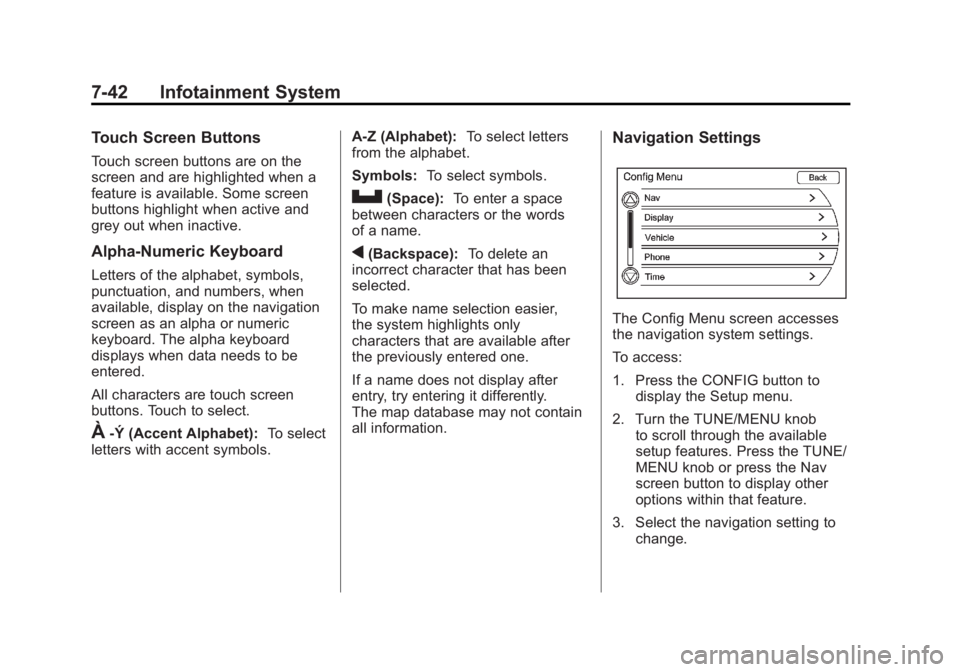
The Config Menu screen accesses
the navigation system settings.
To access:
1. Press the CONFIG button to display the Setup menu.
2. Turn the TUNE/MENU knob to scroll through the available
setup features. Press the TUNE/
MENU knob or press the Nav
screen button to display other
options within that feature.
3. Select the navigation setting to change.
Page 242 of 516
Black plate (52,1)Chevrolet Volt Owner Manual - 2011
7-52 Infotainment System
Cross Street Name:Enter a street
name that intersects with the
selected street.
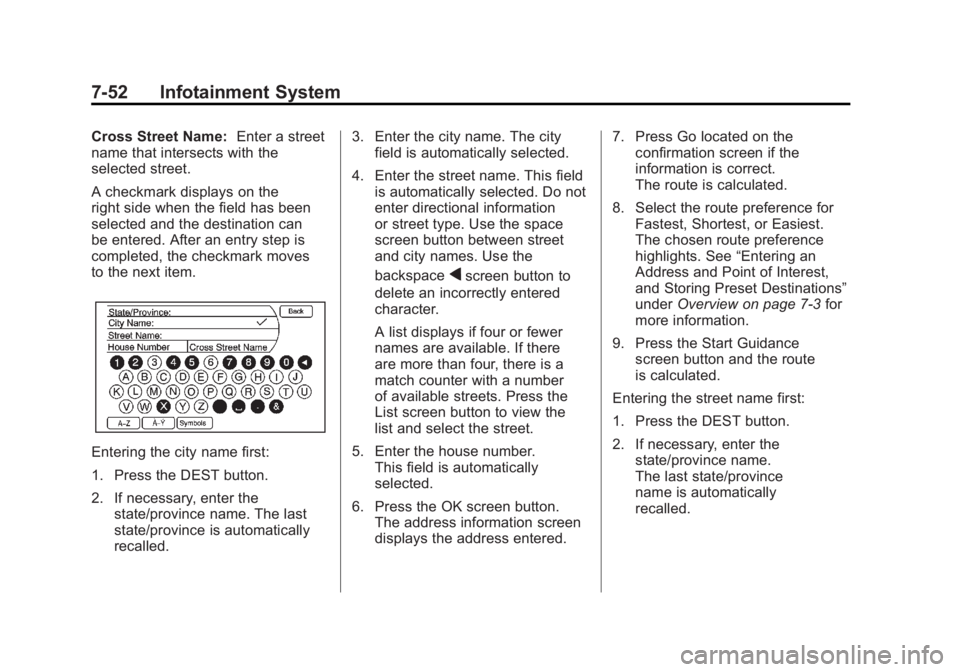
A checkmark displays on the
right side when the field has been
selected and the destination can
be entered. After an entry step is
completed, the checkmark moves
to the next item.
Entering the city name first:
1. Press the DEST button.
2. If necessary, enter the
state/province name. The last
state/province is automatically
recalled. 3. Enter the city name. The city
field is automatically selected.
4. Enter the street name. This field is automatically selected. Do not
enter directional information
or street type. Use the space
screen button between street
and city names. Use the
backspace
qscreen button to
delete an incorrectly entered
character.
A list displays if four or fewer
names are available. If there
are more than four, there is a
match counter with a number
of available streets. Press the
List screen button to view the
list and select the street.
5. Enter the house number. This field is automatically
selected.
6. Press the OK screen button. The address information screen
displays the address entered. 7. Press Go located on the
confirmation screen if the
information is correct.
The route is calculated.
8. Select the route preference for Fastest, Shortest, or Easiest.
The chosen route preference
highlights. See “Entering an
Address and Point of Interest,
and Storing Preset Destinations”
under Overview on page 7‑3 for
more information.
9. Press the Start Guidance screen button and the route
is calculated.
Entering the street name first:
1. Press the DEST button.
2. If necessary, enter the state/province name.
The last state/province
name is automatically
recalled.