audio CHEVROLET VOLT 2011 Owner's Guide
[x] Cancel search | Manufacturer: CHEVROLET, Model Year: 2011, Model line: VOLT, Model: CHEVROLET VOLT 2011Pages: 516, PDF Size: 6.61 MB
Page 211 of 516
Black plate (21,1)Chevrolet Volt Owner Manual - 2011
Infotainment System 7-21
Playing an Audio and
Video DVD
To view the DVD video, the vehicle
must be in P (Park) or the parking
brake must be engaged.
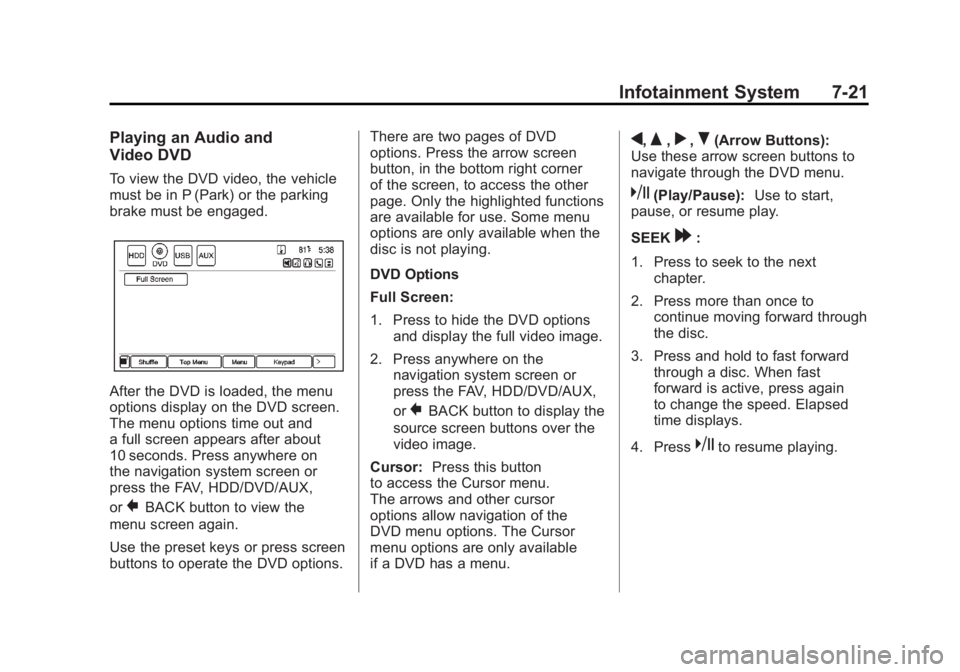
After the DVD is loaded, the menu
options display on the DVD screen.
The menu options time out and
a full screen appears after about
10 seconds. Press anywhere on
the navigation system screen or
press the FAV, HDD/DVD/AUX,
or
}BACK button to view the
menu screen again.
Use the preset keys or press screen
buttons to operate the DVD options. There are two pages of DVD
options. Press the arrow screen
button, in the bottom right corner
of the screen, to access the other
page. Only the highlighted functions
are available for use. Some menu
options are only available when the
disc is not playing.
DVD Options
Full Screen:
1. Press to hide the DVD options
and display the full video image.
2. Press anywhere on the navigation system screen or
press the FAV, HDD/DVD/AUX,
or
}BACK button to display the
source screen buttons over the
video image.
Cursor: Press this button
to access the Cursor menu.
The arrows and other cursor
options allow navigation of the
DVD menu options. The Cursor
menu options are only available
if a DVD has a menu.
q,Q,r,R(Arrow Buttons):
Use these arrow screen buttons to
navigate through the DVD menu.
k(Play/Pause): Use to start,
pause, or resume play.
SEEK
[:
1. Press to seek to the next chapter.
2. Press more than once to continue moving forward through
the disc.
3. Press and hold to fast forward through a disc. When fast
forward is active, press again
to change the speed. Elapsed
time displays.
4. Press
kto resume playing.
Page 212 of 516
Black plate (22,1)Chevrolet Volt Owner Manual - 2011
7-22 Infotainment System
rSEEK:
1. Press to seek to the beginning of the current or previous chapter.
If the chapter has played for
less than five seconds, it goes
to the previous chapter. If the
chapter has played longer than
five seconds, the current chapter
is restarted. More than one
press continues moving back
through the disc.
2. Press and hold to fast reverse through a disc. When fast
reverse is active, press again
to change the speed. Elapsed
time displays.
3. Press
kto resume playing.
TUNE/MENU: Press
rSEEK/
SEEK
[to go to the next or
previous chapter. You can also
change chapters by turning the
TUNE/MENU knob after touching
the screen. Stop:
1. Press on the display screen
to show the available buttons.
Press the stop button to stop
the DVD.
2. To resume playing the DVD from where it stopped, press
k.
3. Press
ktwice to start the DVD
from the beginning.
Z(Shuffle):
1. Press to play the tracks randomly rather than in
sequence.
2. Press again to play sequentially. This button is available for DVD
audio discs.
Top Menu: Press to display the
first menu of the DVD. Availability
of this feature is dependent on
the DVD. Menu:
Press to display the menu
for the part of the DVD currently
playing. Availability of this feature
is dependent on the DVD and is
not available for audio DVDs.
Keypad: Press to display and
search through the chapter, track,
or menu number screen. On the
keypad, enter the title/chapter
number or the group/track number.
Search: Press to perform a title
search.
Angle: Press to adjust the viewing
angle of the DVD, depending on
the DVD, while the DVD is playing.
Continue pressing to cycle through
the viewing angles.
Audio: Press to change the audio
stream and the audio language
heard, while the DVD is playing.
Continue pressing to cycle through
the available audio streams or
languages, depending on the DVD.
Page 214 of 516
Black plate (24,1)Chevrolet Volt Owner Manual - 2011
7-24 Infotainment System
.The Artist/Album/Song Titles/
Genre information requires a
CD to be fully scanned before
the music navigator works with
these menus. Disc scanning
does not occur when the disc
is being played.
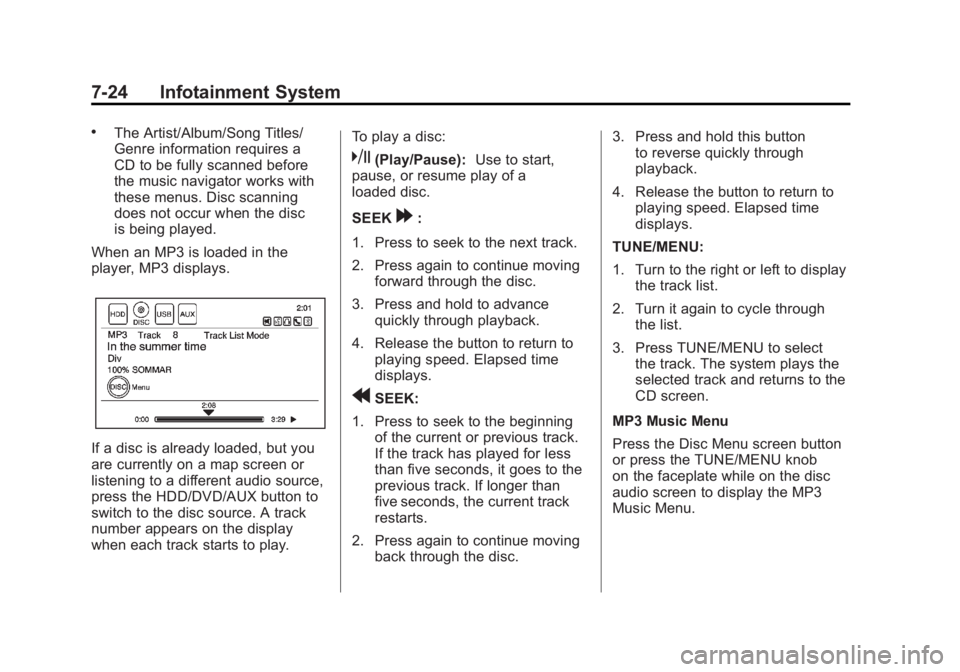
When an MP3 is loaded in the
player, MP3 displays.
If a disc is already loaded, but you
are currently on a map screen or
listening to a different audio source,
press the HDD/DVD/AUX button to
switch to the disc source. A track
number appears on the display
when each track starts to play. To play a disc:
k(Play/Pause):
Use to start,
pause, or resume play of a
loaded disc.
SEEK
[:
1. Press to seek to the next track.
2. Press again to continue moving forward through the disc.
3. Press and hold to advance quickly through playback.
4. Release the button to return to playing speed. Elapsed time
displays.
rSEEK:
1. Press to seek to the beginning of the current or previous track.
If the track has played for less
than five seconds, it goes to the
previous track. If longer than
five seconds, the current track
restarts.
2. Press again to continue moving back through the disc. 3. Press and hold this button
to reverse quickly through
playback.
4. Release the button to return to playing speed. Elapsed time
displays.
TUNE/MENU:
1. Turn to the right or left to display the track list.
2. Turn it again to cycle through the list.
3. Press TUNE/MENU to select the track. The system plays the
selected track and returns to the
CD screen.
MP3 Music Menu
Press the Disc Menu screen button
or press the TUNE/MENU knob
on the faceplate while on the disc
audio screen to display the MP3
Music Menu.
Page 216 of 516
Black plate (26,1)Chevrolet Volt Owner Manual - 2011
7-26 Infotainment System
Empty Directory or Folder
If a root directory or folder is empty
or contains only folders, the player
advances to the next folder in
the file structure that contains a
compressed audio file. The empty
folder(s) are not displayed or
numbered.
No Folder
When the CD only contains
compressed audio files without
any folders or playlists, all files
are under the root folder.
File System and Naming
The displayed song title is taken
from the file's ID3 tag. If a song
title is not present in the ID3 tag,
the radio displays the file name
as the track name.Preprogrammed Playlists
The radio recognizes
preprogrammed playlists;
however, there is no editing
capability. These playlists are
treated as special folders containing
compressed audio song files.
Hard Drive Device (HDD)
With a Hard Drive Device (HDD),
songs can be recorded.
The types of formats supported by
the HDD are:
.MP3
.MP3-Pro
.WMA
.Audible.com
.M4A
Songs can be recorded from
a CD player or a mass media
storage device connected by a
USB connector. The hard drive has
30 GB memory capacity for storage
of media files. For optimal recording performance,
make sure the disc is clean with
no damage; otherwise the system
might partially record the track.
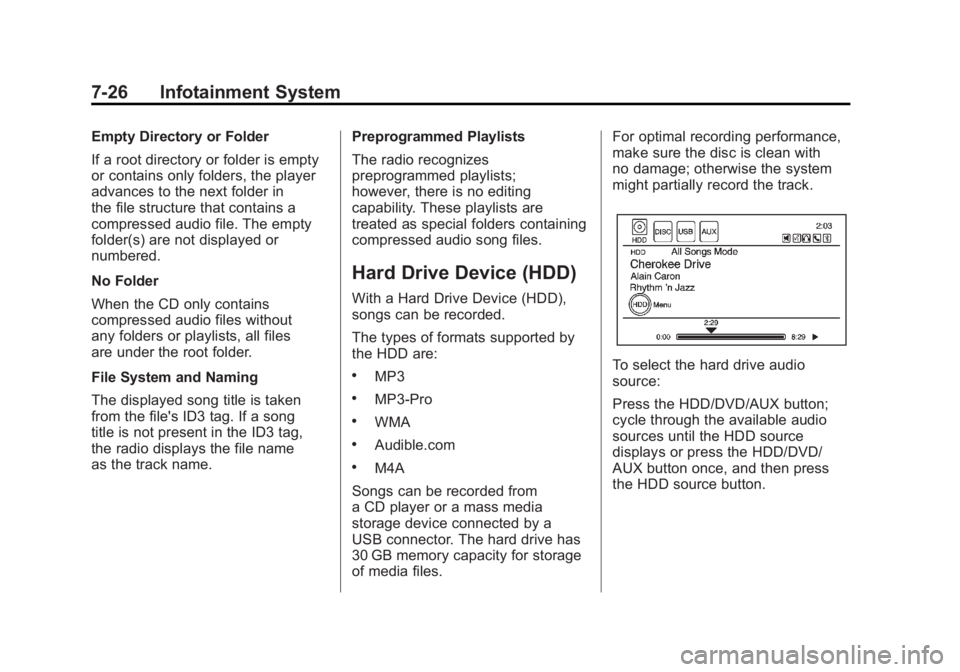
To select the hard drive audio
source:
Press the HDD/DVD/AUX button;
cycle through the available audio
sources until the HDD source
displays or press the HDD/DVD/
AUX button once, and then press
the HDD source button.
Page 219 of 516
Black plate (29,1)Chevrolet Volt Owner Manual - 2011
Infotainment System 7-29
TUNE/MENU:
1. Turn to the right or left to displayAll Songs.
2. Turn it again to cycle through the list.
3. Press the TUNE/MENU knob to select the song. The system
plays the selected song and
returns to the CD screen.
DEL (Delete):
1. Select the song from the HDD Music Menu screen to delete.
2. Press the DEL button.
To delete an entire list of Artists,
Albums, or Genres, select the
category from the HDD Music Menu
screen. Press the DEL button.
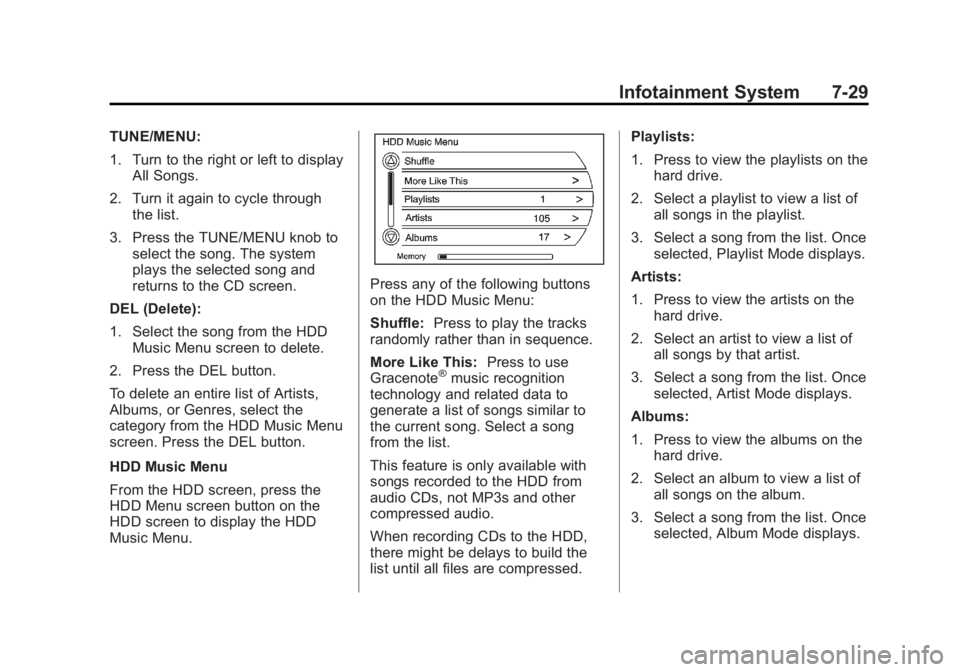
HDD Music Menu
From the HDD screen, press the
HDD Menu screen button on the
HDD screen to display the HDD
Music Menu.
Press any of the following buttons
on the HDD Music Menu:
Shuffle: Press to play the tracks
randomly rather than in sequence.
More Like This: Press to use
Gracenote
®music recognition
technology and related data to
generate a list of songs similar to
the current song. Select a song
from the list.
This feature is only available with
songs recorded to the HDD from
audio CDs, not MP3s and other
compressed audio.
When recording CDs to the HDD,
there might be delays to build the
list until all files are compressed. Playlists:
1. Press to view the playlists on the
hard drive.
2. Select a playlist to view a list of all songs in the playlist.
3. Select a song from the list. Once selected, Playlist Mode displays.
Artists:
1. Press to view the artists on the hard drive.
2. Select an artist to view a list of all songs by that artist.
3. Select a song from the list. Once selected, Artist Mode displays.
Albums:
1. Press to view the albums on the hard drive.
2. Select an album to view a list of all songs on the album.
3. Select a song from the list. Once selected, Album Mode displays.
Page 221 of 516
Black plate (31,1)Chevrolet Volt Owner Manual - 2011
Infotainment System 7-31
USB-Supported Devices
The USB connector uses the
following:
.USB 2.0.
.USB flash sticks or pen drives.
.Portable USB Hard Drives.
Special care needs to be taken
related to the power source
of these devices (USB bus
powered vs. external power).
.Portable media adapters that
support SD Flash, Compact
Flash, or SD Micro.
Depending on the USB mass
storage device, some devices
might not be recognized.
Music can be played directly from
the USB device and controlled
through the MP3 control functions
and menu.
Playing from a USB
A USB mass storage device can be
connected to the USB port to copy
compressed audio files onto the
hard drive. Content can also be
played directly from the USB
device.
The USB port is in the center
console.
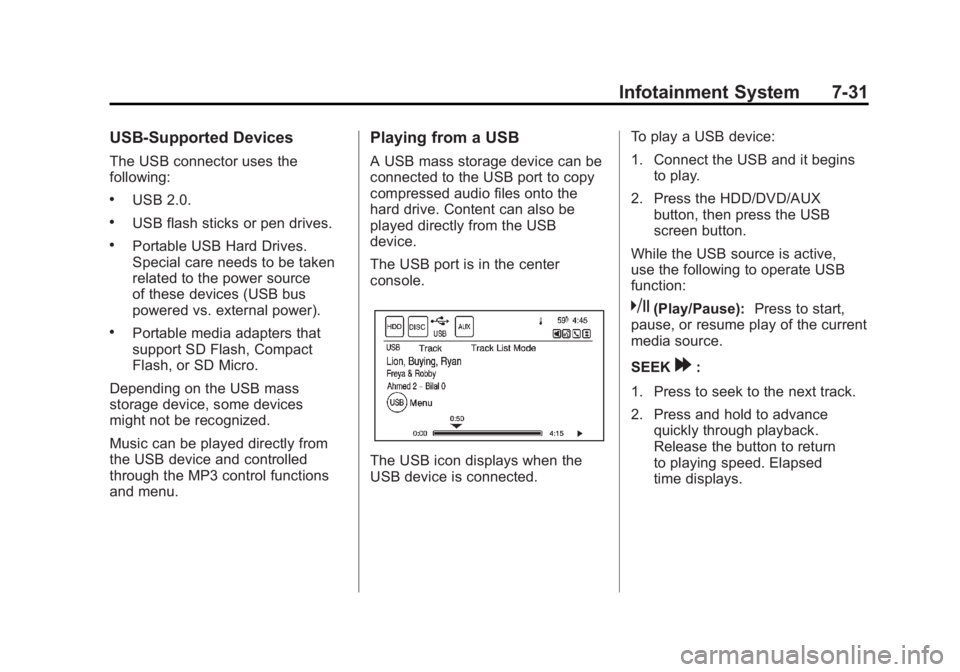
The USB icon displays when the
USB device is connected. To play a USB device:
1. Connect the USB and it begins
to play.
2. Press the HDD/DVD/AUX button, then press the USB
screen button.
While the USB source is active,
use the following to operate USB
function:
k(Play/Pause): Press to start,
pause, or resume play of the current
media source.
SEEK
[:
1. Press to seek to the next track.
2. Press and hold to advance quickly through playback.
Release the button to return
to playing speed. Elapsed
time displays.
Page 222 of 516
Black plate (32,1)Chevrolet Volt Owner Manual - 2011
7-32 Infotainment System
rSEEK:
1. Press to seek to the beginning of the current or previous track.
If the track has been playing
for less than five seconds, the
previous track plays. If playing
longer than five seconds, the
current track restarts.
2. Press and hold to reverse quickly through playback.
3. Release the button to return to playing speed. Elapsed time
displays.
TUNE/MENU:
1. Turn to the right or left to display the track list.
2. Turn it again to cycle through the list.
3. Press the TUNE/MENU knob to select the track. The system
plays the selected track and
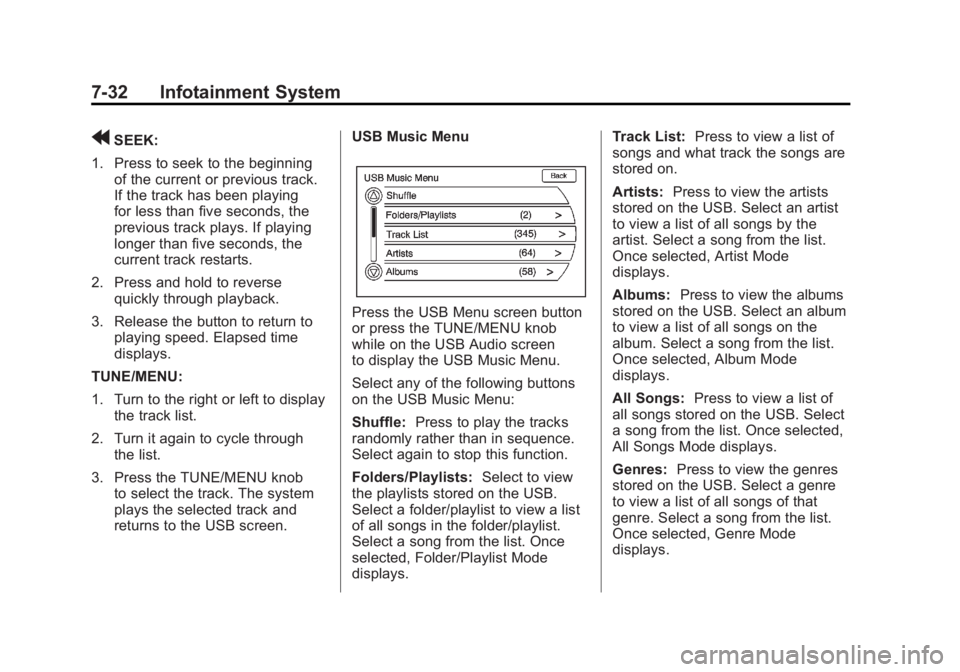
returns to the USB screen. USB Music Menu
Press the USB Menu screen button
or press the TUNE/MENU knob
while on the USB Audio screen
to display the USB Music Menu.
Select any of the following buttons
on the USB Music Menu:
Shuffle:
Press to play the tracks
randomly rather than in sequence.
Select again to stop this function.
Folders/Playlists: Select to view
the playlists stored on the USB.
Select a folder/playlist to view a list
of all songs in the folder/playlist.
Select a song from the list. Once
selected, Folder/Playlist Mode
displays. Track List:
Press to view a list of
songs and what track the songs are
stored on.
Artists: Press to view the artists
stored on the USB. Select an artist
to view a list of all songs by the
artist. Select a song from the list.
Once selected, Artist Mode
displays.
Albums: Press to view the albums
stored on the USB. Select an album
to view a list of all songs on the
album. Select a song from the list.
Once selected, Album Mode
displays.
All Songs: Press to view a list of
all songs stored on the USB. Select
a song from the list. Once selected,
All Songs Mode displays.
Genres: Press to view the genres
stored on the USB. Select a genre
to view a list of all songs of that
genre. Select a song from the list.
Once selected, Genre Mode
displays.
Page 223 of 516
Black plate (33,1)Chevrolet Volt Owner Manual - 2011
Infotainment System 7-33
Eject USB:Press when the USB
is to be removed. If the USB is
disconnected without selecting
Eject USB, the files could become
corrupted.
Playing from an iPod®
This feature supports the following
iPod models:
.iPod (fifth generation or later)
.iPod nano (first, second, third,
fourth, and fifth generation)
.iPod classic
.iPod touch (first and second
generation) For proper operation, make sure
the iPod has the latest firmware
from Apple
®. iPod firmware can be
updated using the latest iTunes®
application. For more information,
visit www.apple.com/itunes.
Recording from the iPod to the
HDD is not supported. Media must
be recorded using a USB mass
storage device.
To connect and control an iPod,
connect one end of the standard
iPod USB cable to the iPod's dock
connector. Connect the other end to
the USB port in the center console.
iPod music information displays
on the radio’s display and begins
playing through the vehicle’s audio
system.
The iPod battery recharges
automatically while the vehicle
is on. When the vehicle is off while
an iPod is connected using the iPod
USB cable, the iPod battery stops
charging and the iPod automatically
turns off. If the iPod is an unsupported
model, it can still be listened to
in the vehicle by connecting to
the auxiliary input jack using a
standard 3.5 mm (1/8 in) stereo
cable. See
Auxiliary Devices on
page 7‑38 for more information.
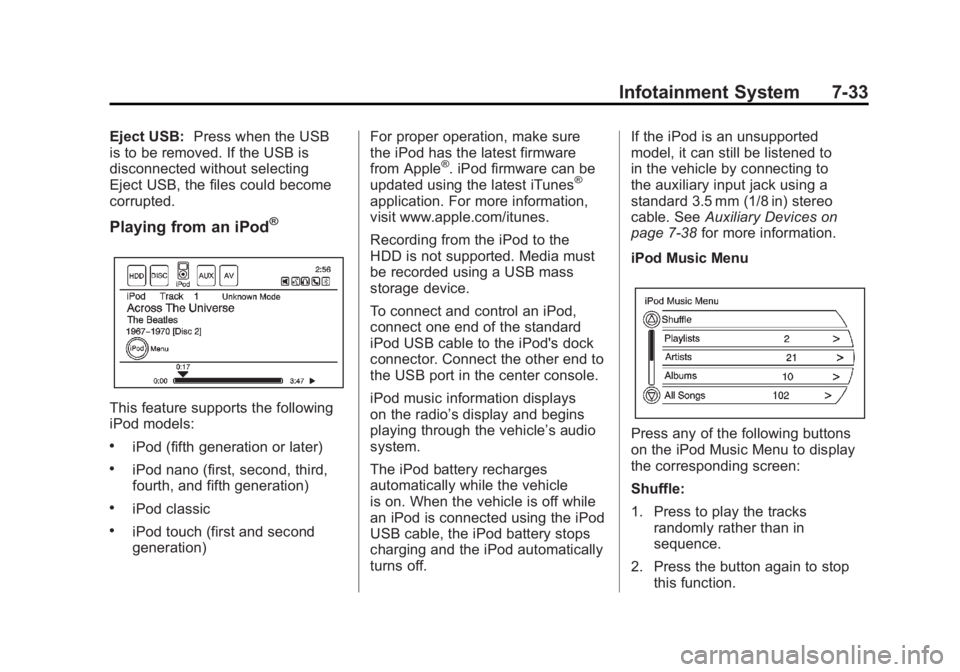
iPod Music Menu
Press any of the following buttons
on the iPod Music Menu to display
the corresponding screen:
Shuffle:
1. Press to play the tracks randomly rather than in
sequence.
2. Press the button again to stop this function.
Page 225 of 516
Black plate (35,1)Chevrolet Volt Owner Manual - 2011
Infotainment System 7-35
Audio Books:
1. Press to view the audio booksstored on the iPod.
2. Select the audio book from the list. Once an audio book has
been selected, Audio Book
Mode appears on the iPod
main screen.
Podcasts appear with the general
music. They do not have their own
category. Like the other music files,
they are searchable by title, artist,
and album.
Eject iPod: Press to remove the
iPod. If the iPod is disconnected
without selecting this button, the
files on the iPod could be corrupted.Audio Book
The system can play back audio
book content downloaded from
Audible.com by either burning it
to a CD or recording it to a USB
storage device.
Audible.com is a provider of
spoken word audio entertainment,
information, and educational
programming. The use of the
Audible.com playback feature
requires that the Audible.com
account be activated with the radio.
For more information on creating
an account or how to activate the
radio with an existing account,
visit www.audible.com/caraudio.
The activation process requires the
Vehicle Identification Number (VIN)
of the vehicle.
Once activated, files can be
transferred by burning them to a CD
or by using a USB storage device. After inserting the USB or CD
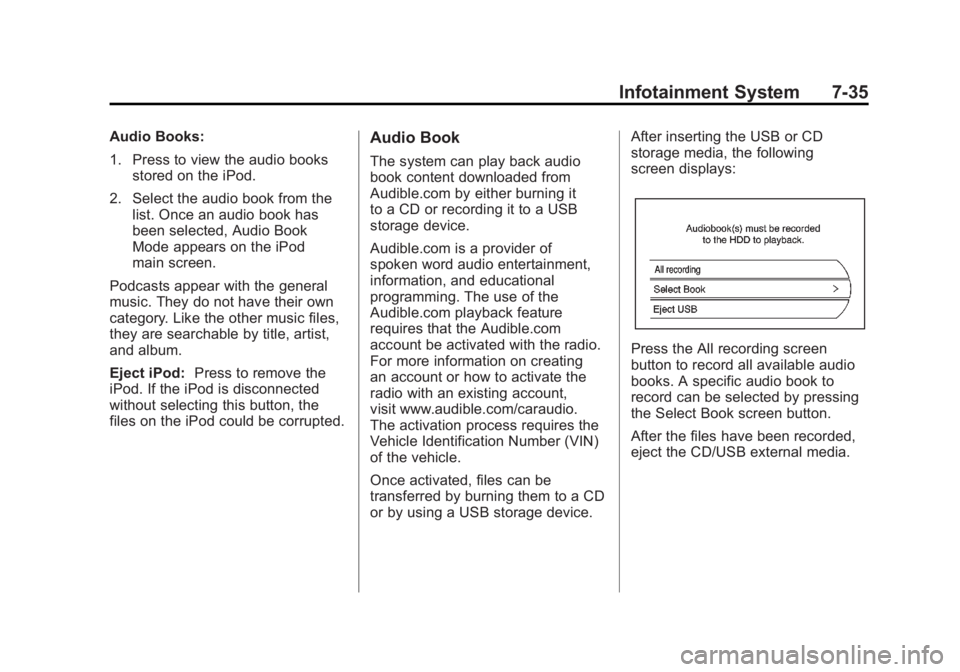
storage media, the following
screen displays:
Press the All recording screen
button to record all available audio
books. A specific audio book to
record can be selected by pressing
the Select Book screen button.
After the files have been recorded,
eject the CD/USB external media.
Page 226 of 516
Black plate (36,1)Chevrolet Volt Owner Manual - 2011
7-36 Infotainment System
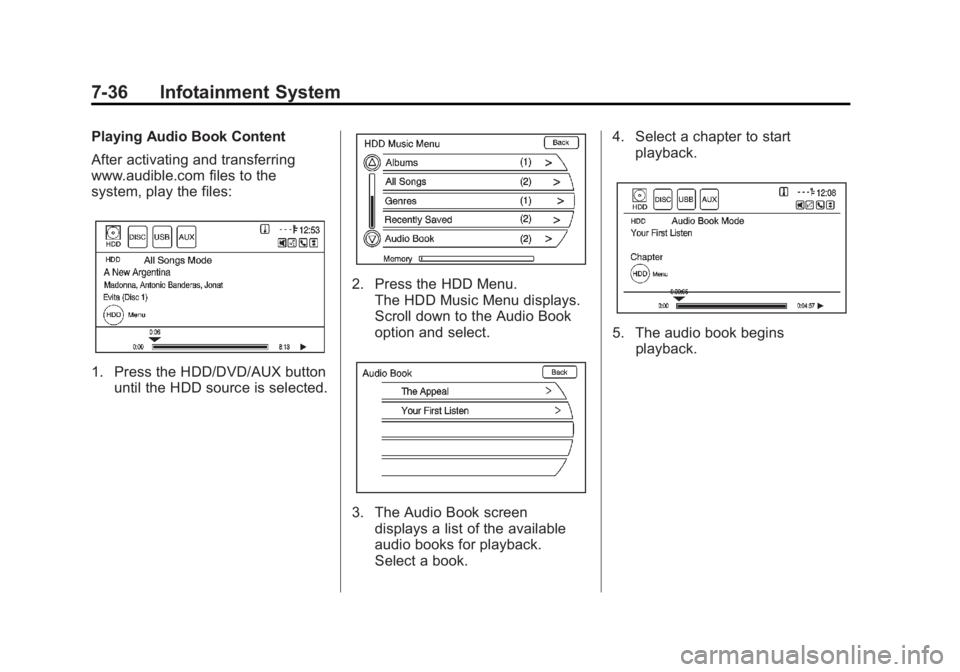
Playing Audio Book Content
After activating and transferring
www.audible.com files to the
system, play the files:
1. Press the HDD/DVD/AUX buttonuntil the HDD source is selected.
2. Press the HDD Menu.
The HDD Music Menu displays.
Scroll down to the Audio Book
option and select.
3. The Audio Book screendisplays a list of the available
audio books for playback.
Select a book. 4. Select a chapter to start
playback.
5. The audio book beginsplayback.