wheel CHEVROLET VOLT 2011 Owner's Guide
[x] Cancel search | Manufacturer: CHEVROLET, Model Year: 2011, Model line: VOLT, Model: CHEVROLET VOLT 2011Pages: 516, PDF Size: 6.61 MB
Page 269 of 516
Black plate (79,1)Chevrolet Volt Owner Manual - 2011
Infotainment System 7-79
.This system is able to recognize
commands in different
languages, such as English,
French Canadian, and Spanish.
The system only recognizes
commands based on the
language selected.
.To increase or decrease the
voice volume during a voice
recognition session, turn
the volume knob of the radio,
or press the volume steering
wheel buttons. If the volume
is adjusted during a voice
recognition session, a Voice
Volume bar appears on the
screen showing the voice
volume level as it is being
adjusted. This also changes
the volume of the guidance
prompts.
Voice Recognition Help
To enter the help playback session,
clearly speak one of the help
commands.
Help:The system plays back
more specific help commands
(such as Radio Help, Display Help,
Navigation Help) for the user to
choose from.
Radio (help): The system plays
back helpful advice about radio
commands, and some common
radio commands which are
available. Use this command
to learn about how to select a
band (AM, FM, or XM), and how
to change radio stations (by
speaking frequency numbers).
(CD/DVD/Disc) (help): The system
plays back helpful advice about
disc commands, and some common
disc commands which are available.
Use this command to learn about
how to select Disc mode playback,
and how to change track numbers. Display (help):
The system plays
back helpful advice about display
commands, and some common
display commands which are
available to adjust the display
setting.
Navigation (help): The system
plays back helpful advice about
navigation commands, and some
common navigation commands
which are available.
Voice Recognition Commands
The following list shows the
voice commands available for
the navigation system with a brief
description of each. The commands
are listed with the optional words
in brackets. To use the voice
commands, see the instructions
listed previously.
Page 272 of 516
Black plate (82,1)Chevrolet Volt Owner Manual - 2011
7-82 Infotainment System
Destination and Guidance
Commands
Navigation (go to) preset
destination (number) (one, two,
three, four, five, or six):These
commands instruct the system to
set one of the preset destinations
one through six as the new
destination.
Navigation delete: This command
instructs the system to delete the
destination, route, or next waypoint.
The system requests a confirmation
of which item should be deleted
(destination, route, or next
waypoint).
Destination (available for English
language only): This command
instructs the system that the
user wants to enter a destination
using voice recognition. After this
command is stated, the system
displays a state abbreviation
(such as NY for New York). If the destination to be entered is in
the displayed state, then say the
desired city name. Otherwise, say
“Change State”
and say the state
name the search should take place
in. Then, say the desired city name
when prompted, and say the desired
street name and house number
when prompted.
To set a destination using voice
recognition:
1. Press and release the
b g
steering wheel control.
The audio system mutes,
and a beep is heard.
2. Say the command “Destination.”
The system replies with “Please
say city name or change state,”
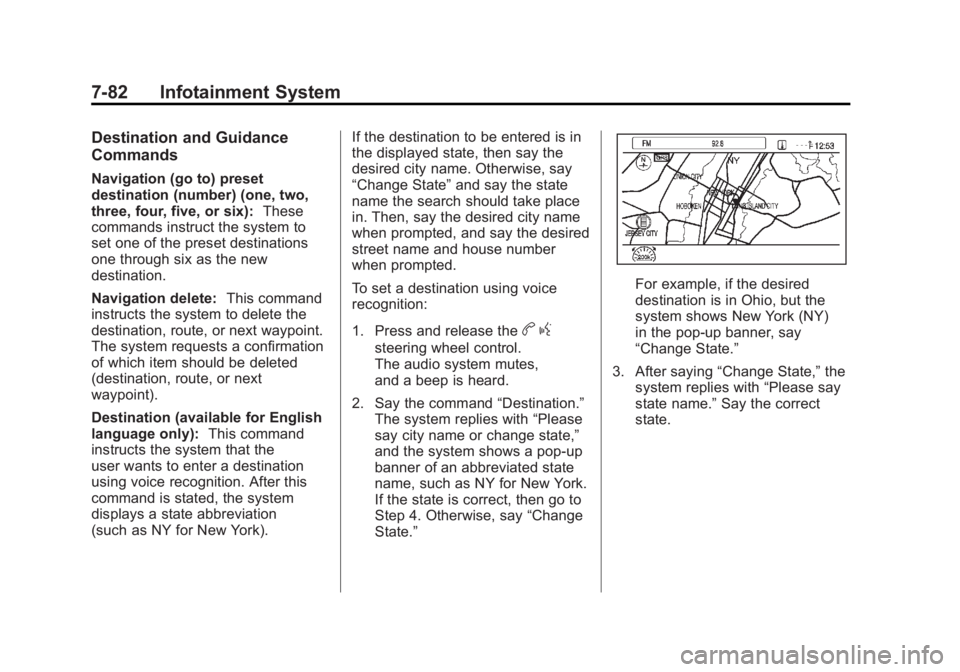
and the system shows a pop-up
banner of an abbreviated state
name, such as NY for New York.
If the state is correct, then go to
Step 4. Otherwise, say “Change
State.”
For example, if the desired
destination is in Ohio, but the
system shows New York (NY)
in the pop-up banner, say
“Change State.”
3. After saying “Change State,” the
system replies with “Please say
state name.” Say the correct
state.
Page 276 of 516
Black plate (86,1)Chevrolet Volt Owner Manual - 2011
7-86 Infotainment System
Using Voice Recognition
To use voice recognition, press thebgbutton on the steering wheel.
The system responds with a tone.
After the tone say “Hands Free”to
use the Bluetooth voice recognition
system. The system then responds
with “Ready,” followed by a tone.
After the tone, say a command.
For additional information say
“Help” while you are in a voice
recognition menu.
Pairing a Phone
1. Press
b g. Say “Hands Free”
after the tone.
2. Say “Bluetooth.”
3. Say “Pair.”The system responds
with instructions and a four‐digit
Personal Identification Number
(PIN). The PIN is used in Step 5. 4. Start the pairing process on the
cell phone that you want to pair.
For help with this process, see
your cell phone manufacturer's
user guide.
5. Locate the device named “Your
Vehicle” in the list on the cell
phone. Follow the instructions
on the cell phone to enter the
PIN that was provided in Step 3.
After the PIN is successfully
entered, the system prompts you
to provide a name for the paired
cell phone. This name will be
used to indicate which phones
are paired and connected to the
vehicle. See “Listing All Paired
and Connected Phones” later in
this section for more information.
6. Repeat Steps 1 through 5 to pair additional phones. Listing All Paired and Connected
Phones
The system can list all cell phones
paired to it. If a paired cell phone is
also connected to the vehicle, the
system responds with
“is connected”
after that phone name.
1. Press
b g. Say “Hands Free”
after the tone.
2. Say “Bluetooth.”
3. Say “List.”
Deleting a Paired Phone
If the phone name you want to
delete is unknown, see “Listing All
Paired and Connected Phones.”
1. Press
b g. Say “Hands Free”
after the tone.
2. Say “Bluetooth.”
3. Say “Delete.” The system asks
for which phone to delete.
4. Say the name of the phone you want to delete.
Page 301 of 516
Black plate (9,1)Chevrolet Volt Owner Manual - 2011
Climate Controls 8-9
Sensors
Solar Sensor
The solar sensor is located on top
of the instrument panel, near the
windshield, where it monitors solar
intensity.
The climate control system
uses the sensor information to
adjust the temperature, fan speed,
recirculation, and air delivery
mode for best comfort.
Do not cover the sensor; otherwise
the automatic climate control system
may not work properly.Humidity Sensor
The humidity sensor is near the
base of the inside rearview mirror.
The climate control system uses
the sensor information to adjust the
temperature and recirculation for
best comfort.
Outside Air Temperature Sensor
The outside air temperature sensor
is located behind the front grille
of the vehicle. The vehicle uses
the sensor information to display
outside air temperature. The climate
control system uses the information
to adjust the climate system
operation.
Air Vents
Use the louvers on the air vents to
change the direction of the airflow.
Use the thumbwheels near each
vent to open and close off the
airflow.
Operation Tips
.Keep all outlets open whenever
possible for best system
performance.
.Keep the path under all seats
clear of objects to help circulate
the air inside the vehicle more
effectively.
.Use of non-GM approved hood
deflectors can adversely affect
the performance of the system.
Page 309 of 516
Black plate (7,1)Chevrolet Volt Owner Manual - 2011
Driving and Operating 9-7
Steering Tips
It is important to take curves at a
reasonable speed.
Traction in a curve depends on the
condition of the tires and the road
surface, the angle at which the
curve is banked, and vehicle speed.
While in a curve, speed is the one
factor that can be controlled.
If there is a need to reduce speed,
do it before entering the curve, while
the front wheels are straight.
Try to adjust the speed so you can
drive through the curve. Maintain a
reasonable, steady speed. Wait to
accelerate until out of the curve,
and then accelerate gently into the
straightaway.
Steering in Emergencies
There are times when steering can
be more effective than braking.
For example, you come over a hill
and find a truck stopped in your
lane, or a car suddenly pulls out
from nowhere, or a child darts out
from between parked cars and stops
right in front of you. These problems
can be avoided by braking—if you
can stop in time. But sometimes
you cannot stop in time because
there is no room. That is the time
for evasive action —steering
around the problem.
The vehicle can perform very
well in emergencies like these.
First apply the brakes. See Braking
on page 9‑5. It is better to remove
as much speed as possible from
a collision. Then steer around
the problem, to the left or right
depending on the space available.
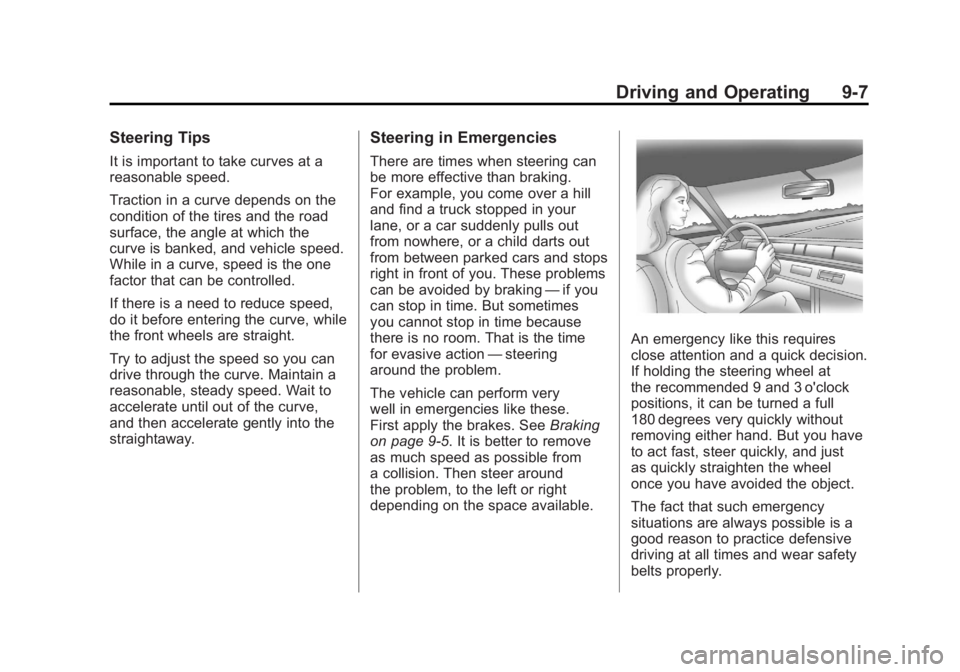
An emergency like this requires
close attention and a quick decision.
If holding the steering wheel at
the recommended 9 and 3 o'clock
positions, it can be turned a full
180 degrees very quickly without
removing either hand. But you have
to act fast, steer quickly, and just
as quickly straighten the wheel
once you have avoided the object.
The fact that such emergency
situations are always possible is a
good reason to practice defensive
driving at all times and wear safety
belts properly.
Page 310 of 516
Black plate (8,1)Chevrolet Volt Owner Manual - 2011
9-8 Driving and Operating
Off-Road Recovery
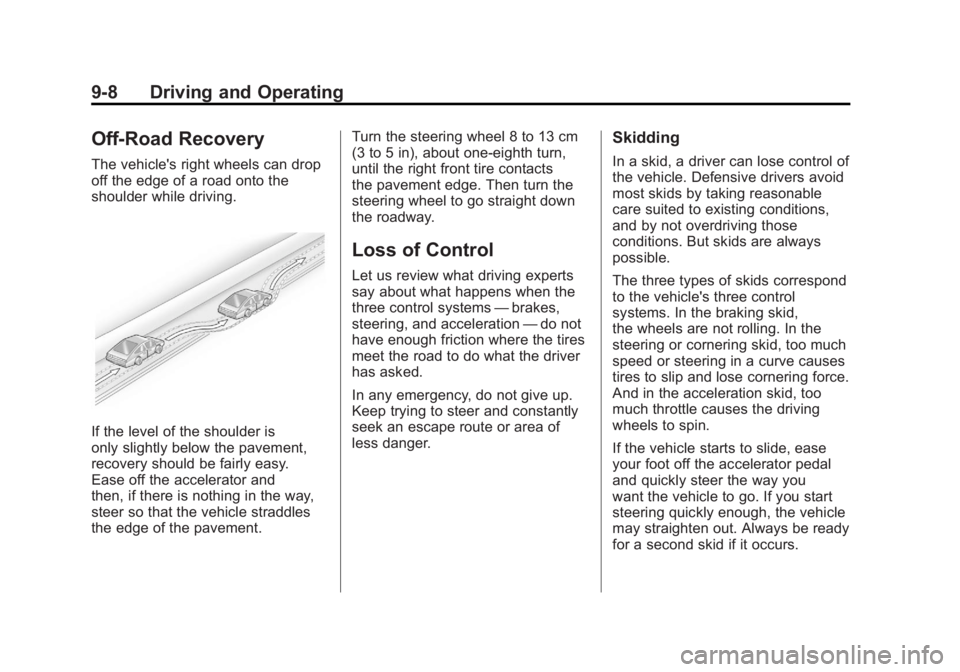
The vehicle's right wheels can drop
off the edge of a road onto the
shoulder while driving.
If the level of the shoulder is
only slightly below the pavement,
recovery should be fairly easy.
Ease off the accelerator and
then, if there is nothing in the way,
steer so that the vehicle straddles
the edge of the pavement.Turn the steering wheel 8 to 13 cm
(3 to 5 in), about one-eighth turn,
until the right front tire contacts
the pavement edge. Then turn the
steering wheel to go straight down
the roadway.
Loss of Control
Let us review what driving experts
say about what happens when the
three control systems
—brakes,
steering, and acceleration —do not
have enough friction where the tires
meet the road to do what the driver
has asked.
In any emergency, do not give up.
Keep trying to steer and constantly
seek an escape route or area of
less danger.
Skidding
In a skid, a driver can lose control of
the vehicle. Defensive drivers avoid
most skids by taking reasonable
care suited to existing conditions,
and by not overdriving those
conditions. But skids are always
possible.
The three types of skids correspond
to the vehicle's three control
systems. In the braking skid,
the wheels are not rolling. In the
steering or cornering skid, too much
speed or steering in a curve causes
tires to slip and lose cornering force.
And in the acceleration skid, too
much throttle causes the driving
wheels to spin.
If the vehicle starts to slide, ease
your foot off the accelerator pedal
and quickly steer the way you
want the vehicle to go. If you start
steering quickly enough, the vehicle
may straighten out. Always be ready
for a second skid if it occurs.
Page 313 of 516
Black plate (11,1)Chevrolet Volt Owner Manual - 2011
Driving and Operating 9-11
WARNING (Continued)
to slow the vehicle enough to
maintain speed and control.
You could crash. Always have
the vehicle running and in gear
(preferably LOW range) when
going downhill. This will allow
the electric drive unit to assist in
slowing and maintaining speed.
.Stay in your own lane. Do not
swing wide or cut across the
center of the road. Drive at
speeds that let you stay in
your own lane.
.Top of hills: Be
alert—something could
be in your lane (stalled car,
accident).
.Pay attention to special road
signs (falling rocks area, winding
roads, long grades, passing or
no-passing zones) and take
appropriate action.
Winter Driving
Driving on Snow or Ice
Drive carefully when there is
snow or ice between the tires
and the road, creating less traction
or grip. Wet ice can occur at about
0°C (32°F) when freezing rain
begins to fall, resulting in even less
traction. Avoid driving on wet ice or
in freezing rain until roads can be
treated with salt or sand.
Drive with caution, whatever the
condition. Accelerate gently so
traction is not lost. Accelerating
too quickly causes the wheels to
spin and makes the surface under
the tires slick, so there is even less
traction.
Try not to break the fragile traction.
If you accelerate too fast, the drive
wheels will spin and polish the
surface under the tires even more. The Antilock Brake System (ABS)
improves vehicle stability during
hard stops on slippery roads, but
apply the brakes sooner than when
on dry pavement.
Allow greater following distance
on any slippery road and watch
for slippery spots. Icy patches can
occur on otherwise clear roads in
shaded areas. The surface of a
curve or an overpass can remain
icy when the surrounding roads
are clear. Avoid sudden steering
maneuvers and braking while
on ice.
Turn off cruise control on slippery
surfaces.
Page 315 of 516
Black plate (13,1)Chevrolet Volt Owner Manual - 2011
Driving and Operating 9-13
If the Vehicle Is Stuck
Slowly and cautiously spin the
wheels to free the vehicle when
stuck in sand, mud, ice, or snow.
Shifting the vehicle into L will allow
the driver to achieve more wheel
spin. The wheel spin will still be
limited by the traction control
system to prevent any driveline
damage. The increase in allowable
wheel spin is only active at low
speeds.{WARNING
If the vehicle's tires spin at high
speed, they can explode, and
you or others could be injured.
The vehicle can overheat,
causing an engine compartment
fire or other damage. Spin the
wheels as little as possible and
avoid going above 55 km/h
(35 mph).
For information about using tire
chains on the vehicle, see Tire
Chains on page 10‑69.
Rocking the Vehicle to Get
it Out
Turn the steering wheel left and
right to clear the area around the
front wheels. Shift back and forth
between R (Reverse) and a forward
gear, spinning the wheels as little
as possible. The Traction Control
System prevents the tires from
spinning at high speeds. To prevent
electric drive unit wear, wait until the
wheels stop spinning before shifting
gears. Release the accelerator
pedal while shifting, and press
lightly on the accelerator pedal
when the electric drive unit is in
gear. Slowly spinning the wheels in
the forward and reverse directions
causes a rocking motion that could
free the vehicle. If that does not get
the vehicle out after a few tries, it
might need to be towed out. If the
vehicle does need to be towed out,
see Towing the Vehicle on
page 10‑84.
Page 326 of 516
Black plate (24,1)Chevrolet Volt Owner Manual - 2011
9-24 Driving and Operating
If the console shift lever cannot be
moved out of P (Park):
1. Apply and maintain the regularbrakes.
2. Turn the vehicle on using the POWER
Obutton. See Power
Button on page 9‑18.
3. Let up on the shift lever and make sure the shift lever is
pushed all the way into P (Park).
4. Press the shift lever button.
5. Move the shift lever into the desired gear.
If you still cannot move the shift
lever from P (Park), see your dealer
or a professional towing service.
Parking over Things
That Burn
{WARNING
Things that can burn could touch
hot exhaust parts under the
vehicle and ignite. Do not park
over papers, leaves, dry grass,
or other things that can burn.
Electric Vehicle
Operating Modes
System Operation
This vehicle is an Extended Range
Electric Vehicle (EREV). It uses an
electric propulsion system to drive
the vehicle at all times. Electricity
is the vehicle's primary source of
energy, while gasoline is the
secondary source.
The vehicle has two modes of
operation: Electric and Extended
Range. In both modes, the vehicle
is propelled by its electric drive unit.
It converts electrical energy into
mechanical energy to drive the
wheels. The vehicle's performance
remains the same in either mode.
See Driving for Better Energy
Efficiency on page 9‑2.
Page 334 of 516
Black plate (32,1)Chevrolet Volt Owner Manual - 2011
9-32 Driving and Operating
Electric Drive Unit
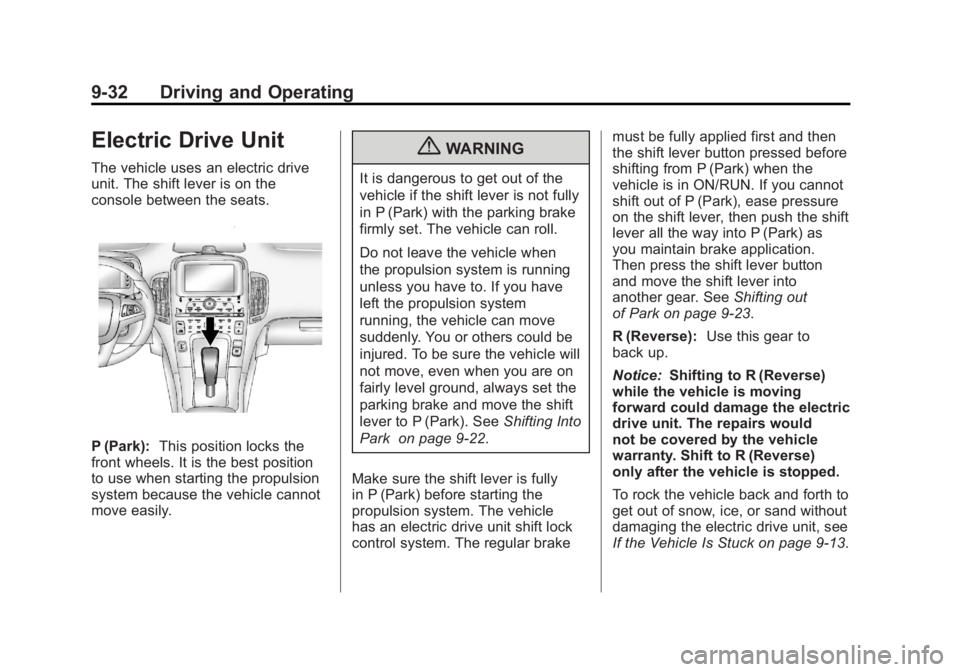
The vehicle uses an electric drive
unit. The shift lever is on the
console between the seats.
P (Park):This position locks the
front wheels. It is the best position
to use when starting the propulsion
system because the vehicle cannot
move easily.
{WARNING
It is dangerous to get out of the
vehicle if the shift lever is not fully
in P (Park) with the parking brake
firmly set. The vehicle can roll.
Do not leave the vehicle when
the propulsion system is running
unless you have to. If you have
left the propulsion system
running, the vehicle can move
suddenly. You or others could be
injured. To be sure the vehicle will
not move, even when you are on
fairly level ground, always set the
parking brake and move the shift
lever to P (Park). See Shifting Into
Park on page 9‑22.
Make sure the shift lever is fully
in P (Park) before starting the
propulsion system. The vehicle
has an electric drive unit shift lock
control system. The regular brake must be fully applied first and then
the shift lever button pressed before
shifting from P (Park) when the
vehicle is in ON/RUN. If you cannot
shift out of P (Park), ease pressure
on the shift lever, then push the shift
lever all the way into P (Park) as
you maintain brake application.
Then press the shift lever button
and move the shift lever into
another gear. See
Shifting out
of Park on page 9‑23.
R (Reverse): Use this gear to
back up.
Notice: Shifting to R (Reverse)
while the vehicle is moving
forward could damage the electric
drive unit. The repairs would
not be covered by the vehicle
warranty. Shift to R (Reverse)
only after the vehicle is stopped.
To rock the vehicle back and forth to
get out of snow, ice, or sand without
damaging the electric drive unit, see
If the Vehicle Is Stuck on page 9‑13.