lights CHEVROLET VOLT 2012 1.G User Guide
[x] Cancel search | Manufacturer: CHEVROLET, Model Year: 2012, Model line: VOLT, Model: CHEVROLET VOLT 2012 1.GPages: 454, PDF Size: 7.89 MB
Page 139 of 454
Black plate (23,1)Chevrolet Volt Owner Manual - 2012
Instruments and Controls 5-23
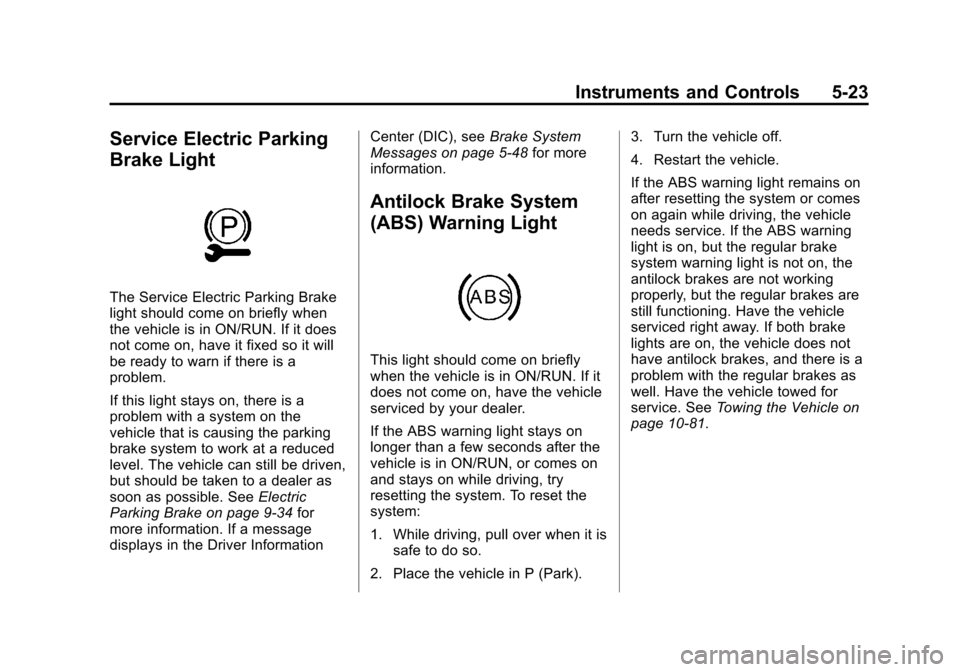
Service Electric Parking
Brake Light
The Service Electric Parking Brake
light should come on briefly when
the vehicle is in ON/RUN. If it does
not come on, have it fixed so it will
be ready to warn if there is a
problem.
If this light stays on, there is a
problem with a system on the
vehicle that is causing the parking
brake system to work at a reduced
level. The vehicle can still be driven,
but should be taken to a dealer as
soon as possible. SeeElectric
Parking Brake on page 9‑34 for
more information. If a message
displays in the Driver Information Center (DIC), see
Brake System
Messages on page 5‑48 for more
information.
Antilock Brake System
(ABS) Warning Light
This light should come on briefly
when the vehicle is in ON/RUN. If it
does not come on, have the vehicle
serviced by your dealer.
If the ABS warning light stays on
longer than a few seconds after the
vehicle is in ON/RUN, or comes on
and stays on while driving, try
resetting the system. To reset the
system:
1. While driving, pull over when it is safe to do so.
2. Place the vehicle in P (Park). 3. Turn the vehicle off.
4. Restart the vehicle.
If the ABS warning light remains on
after resetting the system or comes
on again while driving, the vehicle
needs service. If the ABS warning
light is on, but the regular brake
system warning light is not on, the
antilock brakes are not working
properly, but the regular brakes are
still functioning. Have the vehicle
serviced right away. If both brake
lights are on, the vehicle does not
have antilock brakes, and there is a
problem with the regular brakes as
well. Have the vehicle towed for
service. See
Towing the Vehicle on
page 10‑81.
Page 177 of 454
Black plate (61,1)Chevrolet Volt Owner Manual - 2012
Instruments and Controls 5-61
3. Select English, French,or Spanish.
4. Press Back to return to the previous menu.
Lighting
Select the Lighting menu and the
following will be displayed:
.Exit Lighting
.Vehicle Locator Lights
Exit Lighting
This allows the selection of how
long the exterior lamps stay on
when leaving the vehicle and it is
dark outside.
The available options are:
.OFF
.30 seconds
.1 minute
.2 minutes To select the length of time the
exterior lamps will remain on:
1. Press the Vehicle
Settings menu.
2. Select Lighting.
3. Select Exit Lighting.
4. Select the length of time the exterior lamps will remain on.
5. Press Back to return to the previous menu.
Vehicle Locator Lights
This allows the vehicle locator lights
to be turned on or off. When on, the
headlamps, parking lamps,
taillamps, license plate lamps, and
back-up lamps will illuminate when
Kis pressed on the RKE
transmitter. To turn the vehicle locator lights on
or off:
1. Press the Vehicle
Settings menu.
2. Select Lighting.
3. Select Vehicle Locator Lights.
4. Turn the vehicle locator lights on or off.
5. Press Back to return to the previous menu.
Power Door Locks
Select Power Door Locks and the
following will be displayed:
.Auto Door Unlock
.Unlocked Door Anti Lock Out
.Delayed Door Lock
Page 179 of 454
Black plate (63,1)Chevrolet Volt Owner Manual - 2012
Instruments and Controls 5-63
Remote Lock Feedback
This allows selection of what
feedback is provided when
unlocking the vehicle with the RKE
transmitter.
The available options are:
.Lights and Horn
.Lights Only
.Horn Only
.OFF
To select the remote lock feedback:
1. Press the Vehicle Settings menu.
2. Select Remote Locking, Unlocking, Starting.
3. Select Remote Lock Feedback.
4. Select the remote feedback.
5. Press Back to return to the previous menu. Remote Unlock Light Feedback
When on, the exterior lamps will
flash when unlocking the vehicle
with the RKE transmitter.
To turn the remote unlock light
feedback feature on or off:
1. Press the Vehicle
Settings menu.
2. Select Remote Locking, Unlocking, Starting.
3. Select Remote Unlock Light Feedback.
4. Turn the remote unlock light feedback feature on or off.
5. Press Back to return to the previous menu. Door Unlock or Remote Door
Unlock
This allows selection of which doors
will unlock when pressing
Kon the
RKE transmitter.
The available options are:
.All Doors
.Driver Door
If All Doors is selected, all doors will
be unlocked.
If Driver Door is selected, only the
driver door will be unlocked on the
first press of
K. All doors will be
unlocked on the second press of
K
within five seconds of the prior
press.
To select how the doors will unlock
with the RKE transmitter:
1. Press the Vehicle Settings menu.
2. Select Remote Locking, Unlocking, Starting.
Page 187 of 454
Black plate (1,1)Chevrolet Volt Owner Manual - 2012
Lighting 6-1
Lighting
Exterior Lighting
Exterior Lamp Controls . . . . . . . . 6-1
Headlamp High/Low-BeamChanger . . . . . . . . . . . . . . . . . . . . . 6-2
Flash-to-Pass . . . . . . . . . . . . . . . . . 6-2
Daytime Running Lamps (DRL) . . . . . . . . . . . . . . . . 6-2
Hazard Warning Flashers . . . . . 6-3
Turn and Lane-Change Signals . . . . . . . . . . . . . . . . . . . . . . 6-4
Interior Lighting
Instrument Panel IlluminationControl . . . . . . . . . . . . . . . . . . . . . . 6-4
Dome Lamps . . . . . . . . . . . . . . . . . 6-5
Reading Lamps . . . . . . . . . . . . . . . 6-5
Lighting Features
Entry Lighting . . . . . . . . . . . . . . . . . 6-6
Exit Lighting . . . . . . . . . . . . . . . . . . . 6-6
Battery Power Protection . . . . . . 6-6
Exterior Lighting
Exterior Lamp Controls
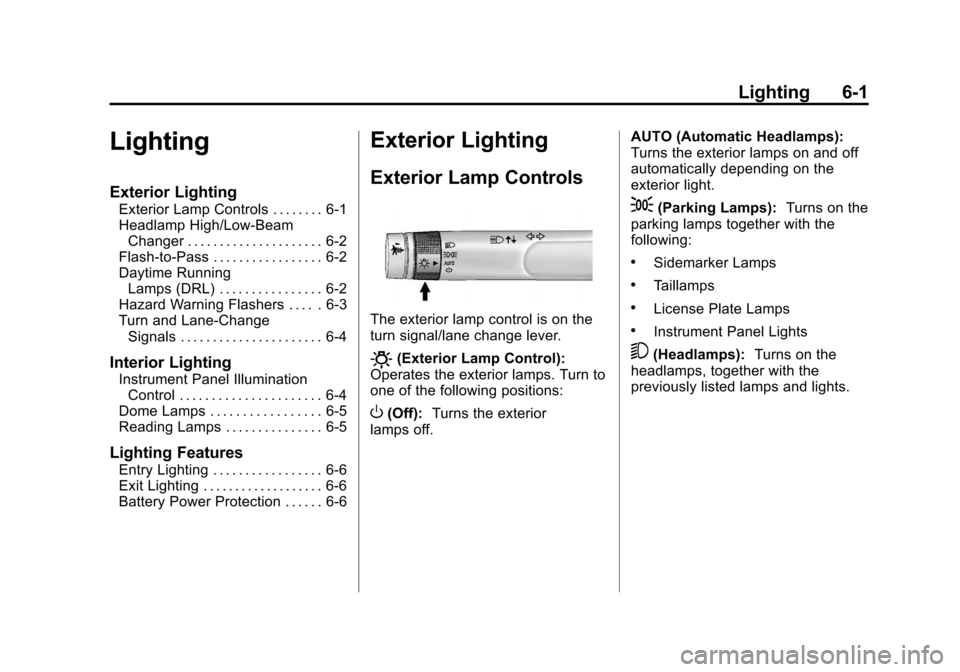
The exterior lamp control is on the
turn signal/lane change lever.
O(Exterior Lamp Control):
Operates the exterior lamps. Turn to
one of the following positions:
O(Off): Turns the exterior
lamps off. AUTO (Automatic Headlamps):
Turns the exterior lamps on and off
automatically depending on the
exterior light.
;(Parking Lamps):
Turns on the
parking lamps together with the
following:
.Sidemarker Lamps
.Taillamps
.License Plate Lamps
.Instrument Panel Lights
5(Headlamps): Turns on the
headlamps, together with the
previously listed lamps and lights.
Page 189 of 454
Black plate (3,1)Chevrolet Volt Owner Manual - 2012
Lighting 6-3
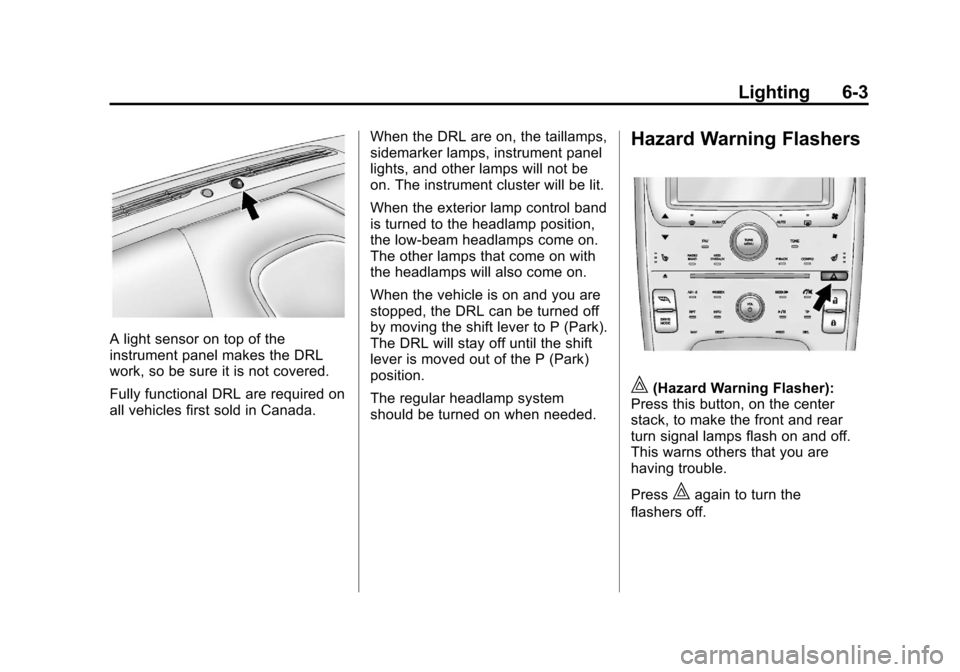
A light sensor on top of the
instrument panel makes the DRL
work, so be sure it is not covered.
Fully functional DRL are required on
all vehicles first sold in Canada.When the DRL are on, the taillamps,
sidemarker lamps, instrument panel
lights, and other lamps will not be
on. The instrument cluster will be lit.
When the exterior lamp control band
is turned to the headlamp position,
the low-beam headlamps come on.
The other lamps that come on with
the headlamps will also come on.
When the vehicle is on and you are
stopped, the DRL can be turned off
by moving the shift lever to P (Park).
The DRL will stay off until the shift
lever is moved out of the P (Park)
position.
The regular headlamp system
should be turned on when needed.
Hazard Warning Flashers
|(Hazard Warning Flasher):
Press this button, on the center
stack, to make the front and rear
turn signal lamps flash on and off.
This warns others that you are
having trouble.
Press
|again to turn the
flashers off.
Page 190 of 454
Black plate (4,1)Chevrolet Volt Owner Manual - 2012
6-4 Lighting
Turn and Lane-Change
Signals
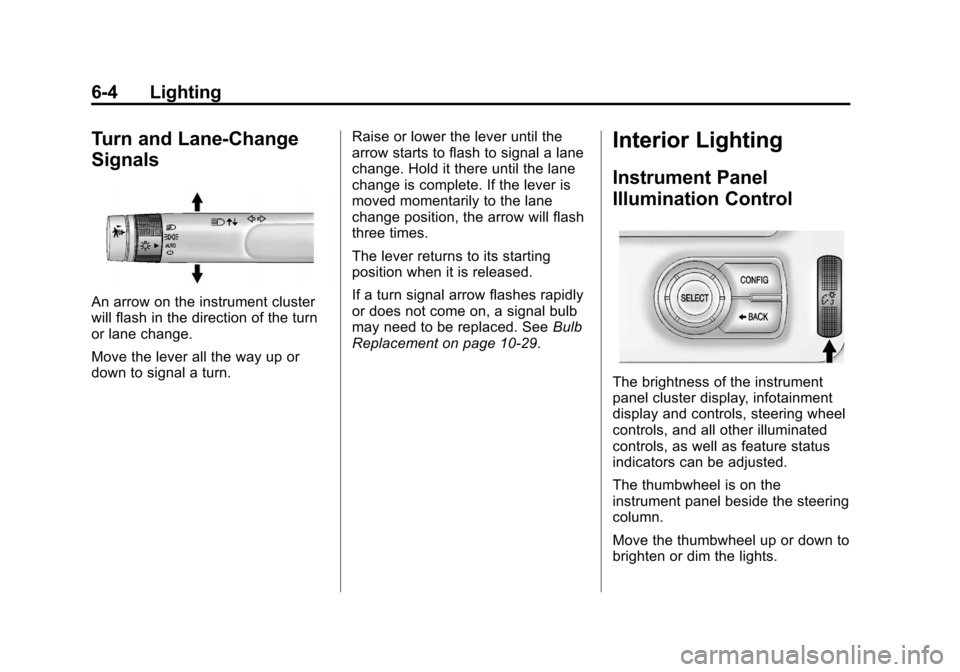
An arrow on the instrument cluster
will flash in the direction of the turn
or lane change.
Move the lever all the way up or
down to signal a turn.Raise or lower the lever until the
arrow starts to flash to signal a lane
change. Hold it there until the lane
change is complete. If the lever is
moved momentarily to the lane
change position, the arrow will flash
three times.
The lever returns to its starting
position when it is released.
If a turn signal arrow flashes rapidly
or does not come on, a signal bulb
may need to be replaced. See
Bulb
Replacement on page 10‑29.
Interior Lighting
Instrument Panel
Illumination Control
The brightness of the instrument
panel cluster display, infotainment
display and controls, steering wheel
controls, and all other illuminated
controls, as well as feature status
indicators can be adjusted.
The thumbwheel is on the
instrument panel beside the steering
column.
Move the thumbwheel up or down to
brighten or dim the lights.
Page 192 of 454
Black plate (6,1)Chevrolet Volt Owner Manual - 2012
6-6 Lighting
Lighting Features
Entry Lighting
The headlamps, parking lamps,
taillamps, back‐up lamps, and the
interior lights turn on briefly when
the Remote Keyless Entry (RKE)
transmitter
Kis pressed. The lights
turn off immediately when the
POWER
Obutton is pressed or
automatically after a brief period.
Exit Lighting
The headlamps, parking lamps,
taillamps, back‐up lamps, and
license plate lamps come on when
the vehicle is turned off. Some
interior lights also come on when
the vehicle is turned off. The
exterior lamps and interior lights
remain on after the door is closed
for a brief period and then turn off.
The exit lighting feature can be
changed. See Vehicle
Personalization on page 5‑56.
Battery Power Protection
The battery saver feature is
designed to protect the vehicle's
12‐volt battery.
If the exterior lamps or any interior
lamp is left on and the vehicle is
turned off, the battery rundown
protection system automatically
turns the lamps off after about
10 minutes.
Page 236 of 454

Black plate (6,1)Chevrolet Volt Owner Manual - 2012
8-6 Climate Controls
Air Delivery Mode Control:Press
CLIMATE to select the Climate
touch screen. Press the air delivery
mode touch screen button to
change the direction of the airflow.
The selected air delivery mode
button is lit. Pressing any of the air
delivery buttons cancels automatic
air delivery control and the direction
of the airflow can be controlled
manually. Press AUTO to return to
automatic operation.
To change the current mode, select
one of the following:
Y(Vent): Air is directed to the
instrument panel outlets.
\(Bi-Level): Air is divided
between the instrument panel
outlets and the floor outlets.
[(Floor): Air is directed to the
floor outlets.
-(Defog): Air is directed to the
windshield and floor outlets. Clears
the windows of fog or moisture.
0(Defrost): Air is directed to the
windshield. The windshield is
cleared of fog or frost more quickly.
Selecting
0will disable automatic
control and the AUTO button
indicator will not be lit.
Selecting
0again will return to the
previous climate settings.
For best results, clear all snow and
ice from the windshield before
defrosting.
If
0is selected in Fan Only or
ECO mode, air conditioning or
electric heat may turn on and have
a noticeable effect on vehicle
electric range and fuel economy.
AUTO
h(Auto Recirculation):
Press to allow the system to
automatically choose the air supply
mode for best performance in terms
of comfort, efficiency, and
defogging. Air is recirculated or
outside air is pulled into the vehicle.
The touch screen button is lit.
h(Manual Recirculation):
Press to alternate between
recirculating air inside the vehicle or
pulling in outside air. When
selected, the touch screen button
lights up to indicate that air is being
recirculated. This helps to quickly
cool the air inside the vehicle or
prevent outside air and odors from
entering.
Pressing this button cancels
automatic recirculation. Press AUTO
or AUTO
hto return to automatic
operation; recirculation runs
automatically as needed.
Manual recirculation mode is not
available when in Defrost or Defog
modes.
M/L(Manual Heated Seats): If
available, the controls are on the
center stack. To operate, the vehicle
must be on.
Press
MorLto heat the driver or
passenger seat cushion and
seatback. For more information, see
Heated Front Seats on page 3‑6.
Page 237 of 454
Black plate (7,1)Chevrolet Volt Owner Manual - 2012
Climate Controls 8-7
MAUTO/LAUTO (Auto Heated
Seats): If available, the controls
are on the touch screen on the
center stack.
Press the touch screen
LAUTO or
MAUTO button. The button color
will change to green when this
feature is on. When the vehicle is
on, this feature will automatically
activate the heated seats at the
level required by the vehicle's
interior temperature. The active
high, medium, low, or off heated
seat level will be indicated by the
manual heated seat button lights on
the center stack. Use the touch
screen buttons or the manual
heated seat buttons on the center
stack to turn auto heated seats off.
For more information, see Heated
Front Seats on page 3‑6.
Rear Window Defogger
=(Rear Window Defogger):
Press to turn the rear window
defogger on or off.
The rear window defogger turns off
automatically after about
five minutes. If turned on again, it
runs for about five minutes before
turning off. The defogger can also
be turned off by turning the
vehicle off.
For vehicles with heated outside
rearview mirrors, they turn on when
the rear window defogger button is
on and help to clear fog or frost from
the surface of the mirror. See
Heated Mirrors on page 2‑17.
Notice: Do not try to clear frost
or other material from the inside
of the front windshield and rear
window with a razor blade or
anything else that is sharp. This
may damage the rear window
defogger grid and affect the
radio's ability to pick up stations
clearly. The repairs would not be
covered by the vehicle warranty. Remote Start:
For vehicles with
this feature, the climate control
system may be started by using the
Remote Keyless Entry (RKE)
transmitter. The climate control
system will default to an appropriate
heating or cooling mode. See
Remote Start on page 2‑8.
The rear window defogger turns on
if it is cold outside.
Compressor
The vehicle has an electric powered
air conditioning compressor. This
allows for continuous air
conditioning and/or high voltage
battery cooling operation, without
running the engine.
The compressor operating speed is
not tied to the engine speed, so
some noise may be heard from the
compressor, especially when air
conditioning use is high and the
engine has turned off. This is
normal.
Page 274 of 454
Black plate (36,1)Chevrolet Volt Owner Manual - 2012
9-36 Driving and Operating
Regenerative Braking
Regenerative braking takes some of
the energy from the moving vehicle
and turns it back into electrical
energy. This energy is then stored
back into the high voltage battery
system, contributing to increased
energy efficiency.
The hydraulic disc brakes work with
the regenerative braking to ensure
effective braking, such as when a
high braking demand is requested.
The braking system is computer
controlled and blends the
regenerative braking with the
conventional hydraulic disc brakes
to meet any requirements for
deceleration. The controllerinterprets the braking request and
uses regenerative braking,
conventional hydraulic braking, or a
combination of both as necessary.
Because the controller applies the
hydraulic brakes through its high
pressure accumulator, you may
occasionally hear the motor‐driven
pump when it recharges the system.
This is normal.
See
Warning Lights, Gauges, and
Indicators on page 5‑8 andDriver
Information Center (DIC) on
page 5‑45. In the event of a
controller problem, the brake pedal
may be harder to push and the
stopping distance may be longer.
Ride Control Systems
Traction Control
System (TCS)
The vehicle has a Traction Control
System (TCS) that limits wheel spin.
The system operates if it senses
that one or both of the drive wheels
are slipping or beginning to lose
traction. When this happens, the
system brakes the spinning wheel(s)
and/or reduces power to limit
wheel spin.
The system may be heard or felt
while it is working, but this is
normal.
To assist with directional control of
the vehicle, TCS automatically
comes on whenever the vehicle is
turned on. To limit wheel spin,
especially in slippery road
conditions, the system should
always be left on. But, TCS can be
turned off if needed.