reset CHEVROLET VOLT 2012 1.G User Guide
[x] Cancel search | Manufacturer: CHEVROLET, Model Year: 2012, Model line: VOLT, Model: CHEVROLET VOLT 2012 1.GPages: 454, PDF Size: 7.89 MB
Page 197 of 454
Black plate (5,1)Chevrolet Volt Owner Manual - 2012
Infotainment System 7-5
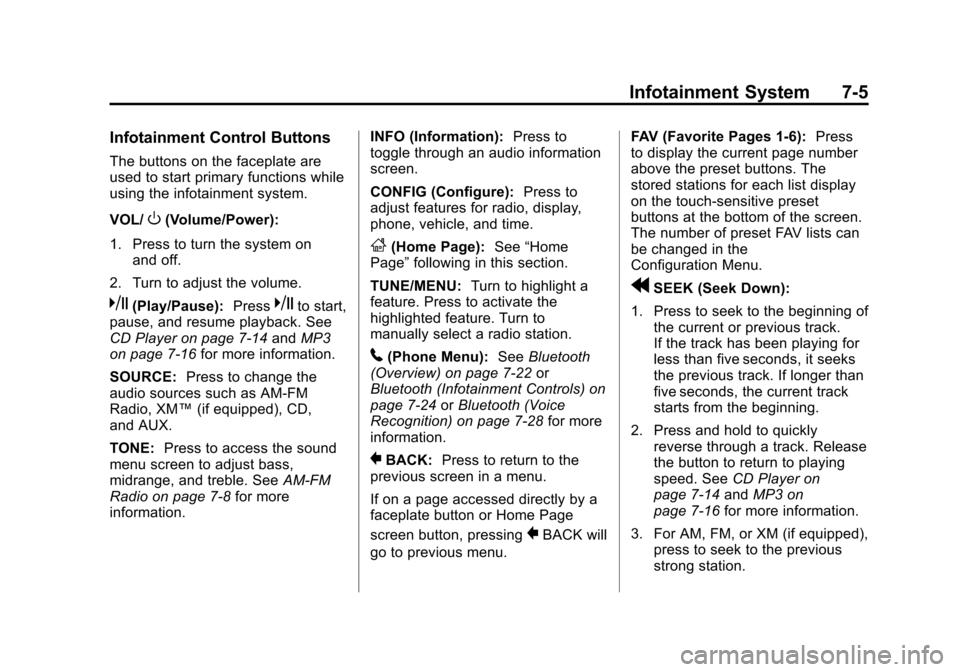
Infotainment Control Buttons
The buttons on the faceplate are
used to start primary functions while
using the infotainment system.
VOL/
O(Volume/Power):
1. Press to turn the system on and off.
2. Turn to adjust the volume.
k(Play/Pause): Presskto start,
pause, and resume playback. See
CD Player on page 7‑14 andMP3
on page 7‑16 for more information.
SOURCE: Press to change the
audio sources such as AM-FM
Radio, XM™ (if equipped), CD,
and AUX.
TONE: Press to access the sound
menu screen to adjust bass,
midrange, and treble. See AM-FM
Radio on page 7‑8 for more
information. INFO (Information):
Press to
toggle through an audio information
screen.
CONFIG (Configure): Press to
adjust features for radio, display,
phone, vehicle, and time.
F(Home Page): See“Home
Page” following in this section.
TUNE/MENU: Turn to highlight a
feature. Press to activate the
highlighted feature. Turn to
manually select a radio station.
5(Phone Menu): SeeBluetooth
(Overview) on page 7‑22 or
Bluetooth (Infotainment Controls) on
page 7‑24 orBluetooth (Voice
Recognition) on page 7‑28 for more
information.
}BACK: Press to return to the
previous screen in a menu.
If on a page accessed directly by a
faceplate button or Home Page
screen button, pressing
}BACK will
go to previous menu. FAV (Favorite Pages 1-6):
Press
to display the current page number
above the preset buttons. The
stored stations for each list display
on the touch-sensitive preset
buttons at the bottom of the screen.
The number of preset FAV lists can
be changed in the
Configuration Menu.
rSEEK (Seek Down):
1. Press to seek to the beginning of the current or previous track.
If the track has been playing for
less than five seconds, it seeks
the previous track. If longer than
five seconds, the current track
starts from the beginning.
2. Press and hold to quickly reverse through a track. Release
the button to return to playing
speed. See CD Player on
page 7‑14 andMP3 on
page 7‑16 for more information.
3. For AM, FM, or XM (if equipped), press to seek to the previous
strong station.
Page 198 of 454
Black plate (6,1)Chevrolet Volt Owner Manual - 2012
7-6 Infotainment System
SEEK[(Seek Up):
1. Press to seek the next track.
2. Press and hold to fast forward through a track.
3. Release the button to return to playing speed. See CD Player
on page 7‑14 andMP3 on
page 7‑16 for more information.
4. For AM, FM, or XM (if equipped), press to seek to the next strong
station.
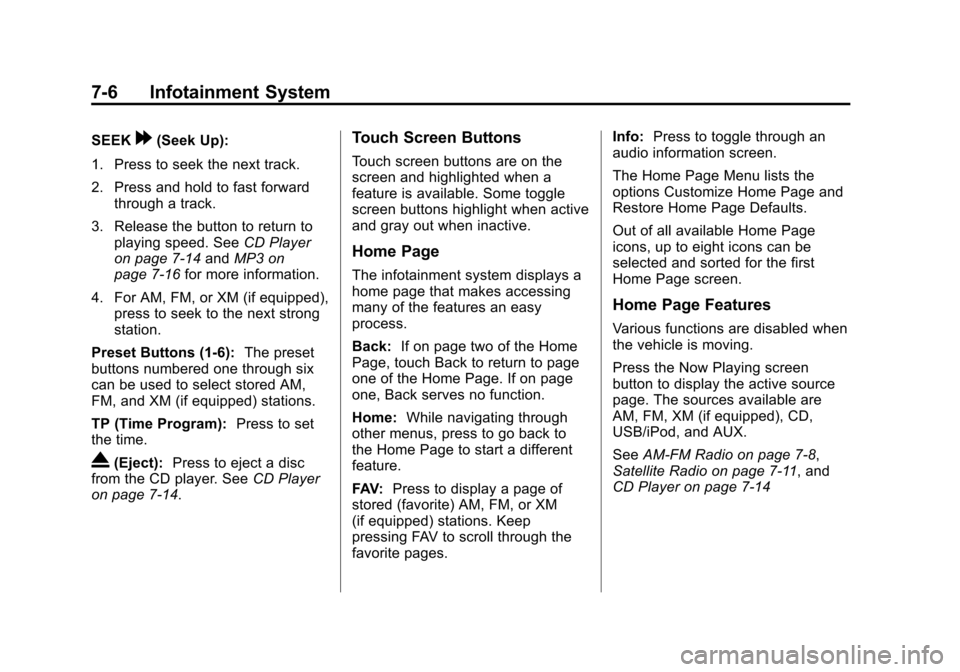
Preset Buttons (1-6): The preset
buttons numbered one through six
can be used to select stored AM,
FM, and XM (if equipped) stations.
TP (Time Program): Press to set
the time.
X(Eject): Press to eject a disc
from the CD player. See CD Player
on page 7‑14.
Touch Screen Buttons
Touch screen buttons are on the
screen and highlighted when a
feature is available. Some toggle
screen buttons highlight when active
and gray out when inactive.
Home Page
The infotainment system displays a
home page that makes accessing
many of the features an easy
process.
Back: If on page two of the Home
Page, touch Back to return to page
one of the Home Page. If on page
one, Back serves no function.
Home: While navigating through
other menus, press to go back to
the Home Page to start a different
feature.
FAV: Press to display a page of
stored (favorite) AM, FM, or XM
(if equipped) stations. Keep
pressing FAV to scroll through the
favorite pages. Info:
Press to toggle through an
audio information screen.
The Home Page Menu lists the
options Customize Home Page and
Restore Home Page Defaults.
Out of all available Home Page
icons, up to eight icons can be
selected and sorted for the first
Home Page screen.
Home Page Features
Various functions are disabled when
the vehicle is moving.
Press the Now Playing screen
button to display the active source
page. The sources available are
AM, FM, XM (if equipped), CD,
USB/iPod, and AUX.
See AM-FM Radio on page 7‑8,
Satellite Radio on page 7‑11, and
CD Player on page 7‑14
Page 201 of 454
Black plate (9,1)Chevrolet Volt Owner Manual - 2012
Infotainment System 7-9
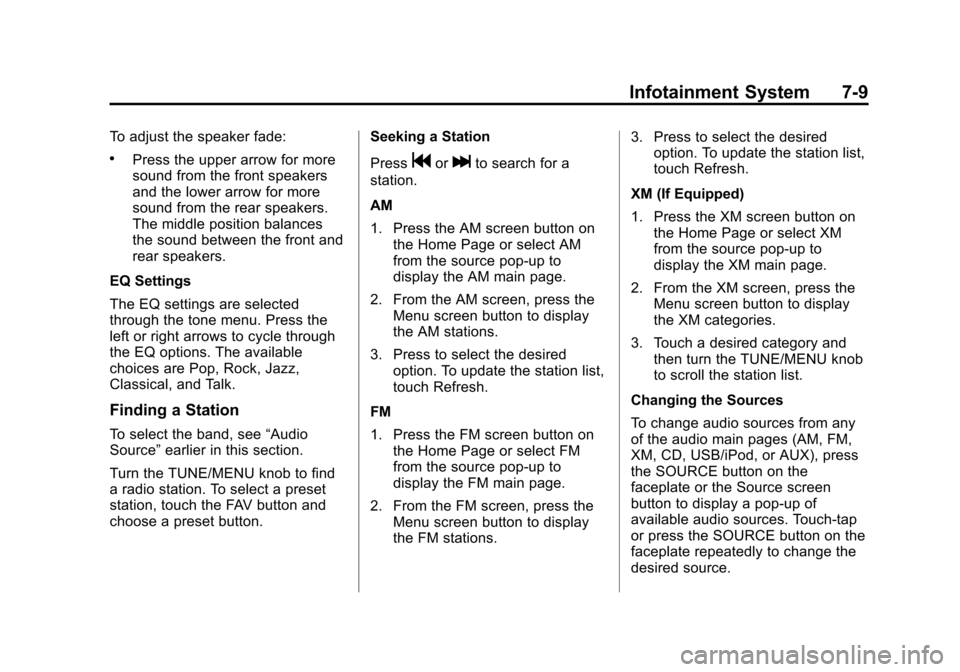
To adjust the speaker fade:
.Press the upper arrow for more
sound from the front speakers
and the lower arrow for more
sound from the rear speakers.
The middle position balances
the sound between the front and
rear speakers.
EQ Settings
The EQ settings are selected
through the tone menu. Press the
left or right arrows to cycle through
the EQ options. The available
choices are Pop, Rock, Jazz,
Classical, and Talk.
Finding a Station
To select the band, see “Audio
Source” earlier in this section.
Turn the TUNE/MENU knob to find
a radio station. To select a preset
station, touch the FAV button and
choose a preset button. Seeking a Station
Press
gorlto search for a
station.
AM
1. Press the AM screen button on the Home Page or select AM
from the source pop-up to
display the AM main page.
2. From the AM screen, press the Menu screen button to display
the AM stations.
3. Press to select the desired option. To update the station list,
touch Refresh.
FM
1. Press the FM screen button on the Home Page or select FM
from the source pop-up to
display the FM main page.
2. From the FM screen, press the Menu screen button to display
the FM stations. 3. Press to select the desired
option. To update the station list,
touch Refresh.
XM (If Equipped)
1. Press the XM screen button on the Home Page or select XM
from the source pop-up to
display the XM main page.
2. From the XM screen, press the Menu screen button to display
the XM categories.
3. Touch a desired category and then turn the TUNE/MENU knob
to scroll the station list.
Changing the Sources
To change audio sources from any
of the audio main pages (AM, FM,
XM, CD, USB/iPod, or AUX), press
the SOURCE button on the
faceplate or the Source screen
button to display a pop-up of
available audio sources. Touch-tap
or press the SOURCE button on the
faceplate repeatedly to change the
desired source.
Page 202 of 454
Black plate (10,1)Chevrolet Volt Owner Manual - 2012
7-10 Infotainment System
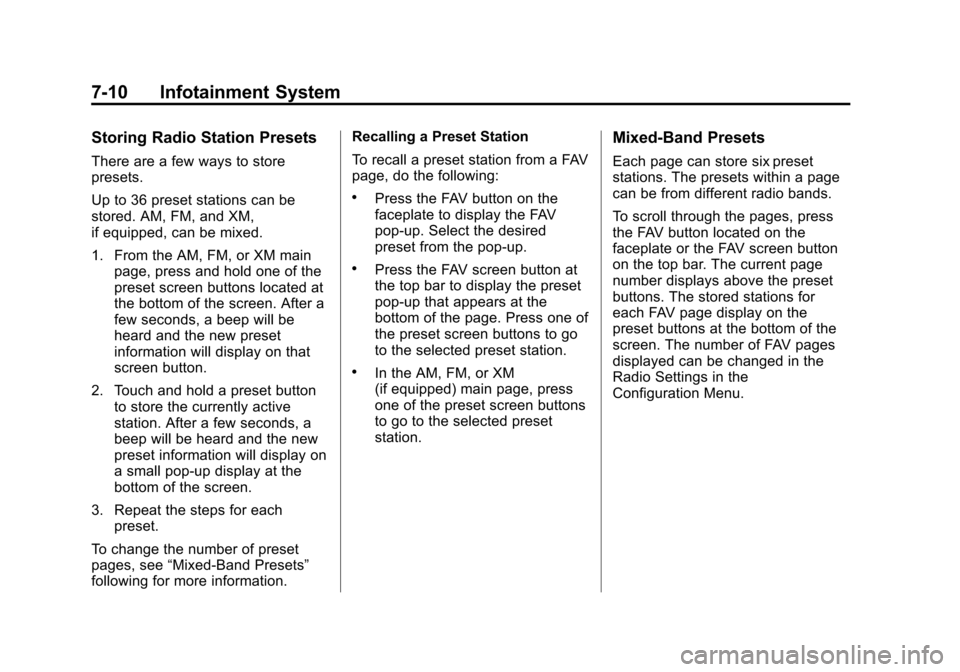
Storing Radio Station Presets
There are a few ways to store
presets.
Up to 36 preset stations can be
stored. AM, FM, and XM,
if equipped, can be mixed.
1. From the AM, FM, or XM mainpage, press and hold one of the
preset screen buttons located at
the bottom of the screen. After a
few seconds, a beep will be
heard and the new preset
information will display on that
screen button.
2. Touch and hold a preset button to store the currently active
station. After a few seconds, a
beep will be heard and the new
preset information will display on
a small pop-up display at the
bottom of the screen.
3. Repeat the steps for each preset.
To change the number of preset
pages, see “Mixed-Band Presets”
following for more information. Recalling a Preset Station
To recall a preset station from a FAV
page, do the following:
.Press the FAV button on the
faceplate to display the FAV
pop-up. Select the desired
preset from the pop-up.
.Press the FAV screen button at
the top bar to display the preset
pop-up that appears at the
bottom of the page. Press one of
the preset screen buttons to go
to the selected preset station.
.In the AM, FM, or XM
(if equipped) main page, press
one of the preset screen buttons
to go to the selected preset
station.
Mixed-Band Presets
Each page can store six preset
stations. The presets within a page
can be from different radio bands.
To scroll through the pages, press
the FAV button located on the
faceplate or the FAV screen button
on the top bar. The current page
number displays above the preset
buttons. The stored stations for
each FAV page display on the
preset buttons at the bottom of the
screen. The number of FAV pages
displayed can be changed in the
Radio Settings in the
Configuration Menu.
Page 275 of 454
Black plate (37,1)Chevrolet Volt Owner Manual - 2012
Driving and Operating 9-37
When the vehicle is started and
begins to move, the system
performs several diagnostic checks
to ensure there are no problems.
The system may be heard or felt
while it is working. This is normal
and does not mean there is a
problem with the vehicle. The
system should initialize before the
vehicle reaches 32 km/h (20 mph).
In some cases, it may take
approximately 3.2 km (2 mi) of
driving before the system initializes.
The TCS may activate on dry or
rough roads or under conditions
such as heavy acceleration while
turning or abrupt changes in output
from the electric drive unit. When
this happens, a reduction in
acceleration may be noticed, or a
noise or vibration may be heard.
This is normal.dflashes to indicate that TCS is
active. See Traction Control System
(TCS)/StabiliTrak
®Light on
page 5‑25 for more information.
If there is a problem detected with
TCS, SERVICE TRACTION
CONTROL is displayed on the
Driver Information Center (DIC).
See Ride Control System Messages
on page 5‑53. When this message
is displayed and
dcomes on and
stays on, the vehicle is safe to drive
but the system is not operational.
Driving should be adjusted
accordingly.
If
dcomes on and stays on, reset
the system:
1. Stop the vehicle.
2. Turn the engine off and wait 15 seconds.
3. Start the engine.
If
dstill comes on and stays on, the
vehicle needs service. Notice:
Do not repeatedly brake
or accelerate heavily when TCS is
off. The vehicle's driveline could
be damaged.
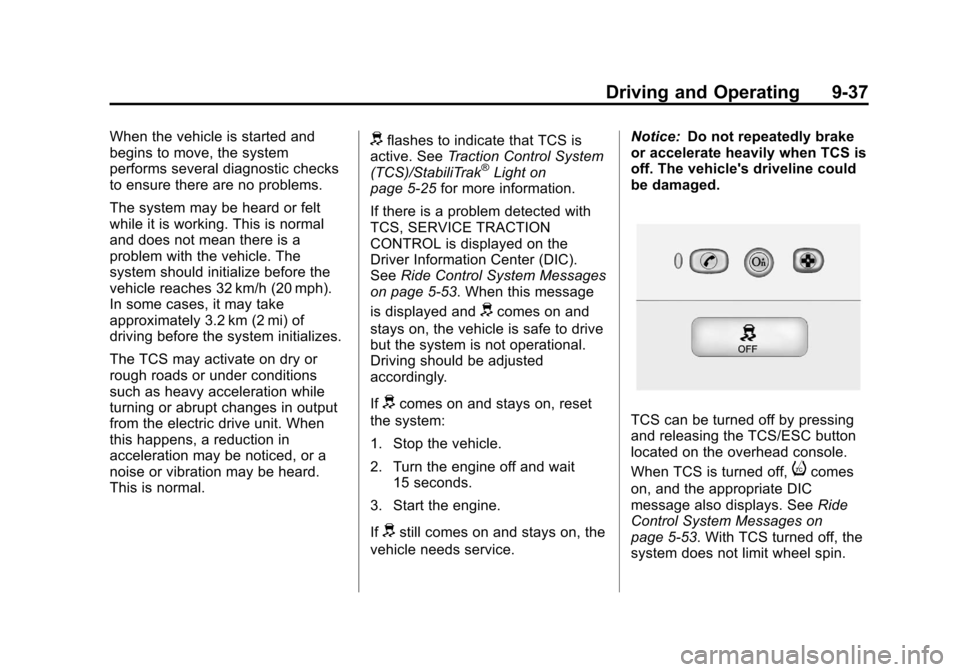
TCS can be turned off by pressing
and releasing the TCS/ESC button
located on the overhead console.
When TCS is turned off,
icomes
on, and the appropriate DIC
message also displays. See Ride
Control System Messages on
page 5‑53. With TCS turned off, the
system does not limit wheel spin.
Page 277 of 454
Black plate (39,1)Chevrolet Volt Owner Manual - 2012
Driving and Operating 9-39
If a problem is detected with
StabiliTrak, SERVICE
STABILITRAK is displayed on the
Driver Information Center (DIC).
SeeRide Control System Messages
on page 5‑53. When this message
is displayed and
dcomes on and
stays on, the vehicle is safe to drive
but the system is not operational.
Driving should be adjusted
accordingly.
If
dcomes on and stays on, reset
the system:
1. Stop the vehicle.
2. Turn the engine off and wait 15 seconds.
3. Start the engine.
If
dstill comes on and stays on, the
vehicle needs service.
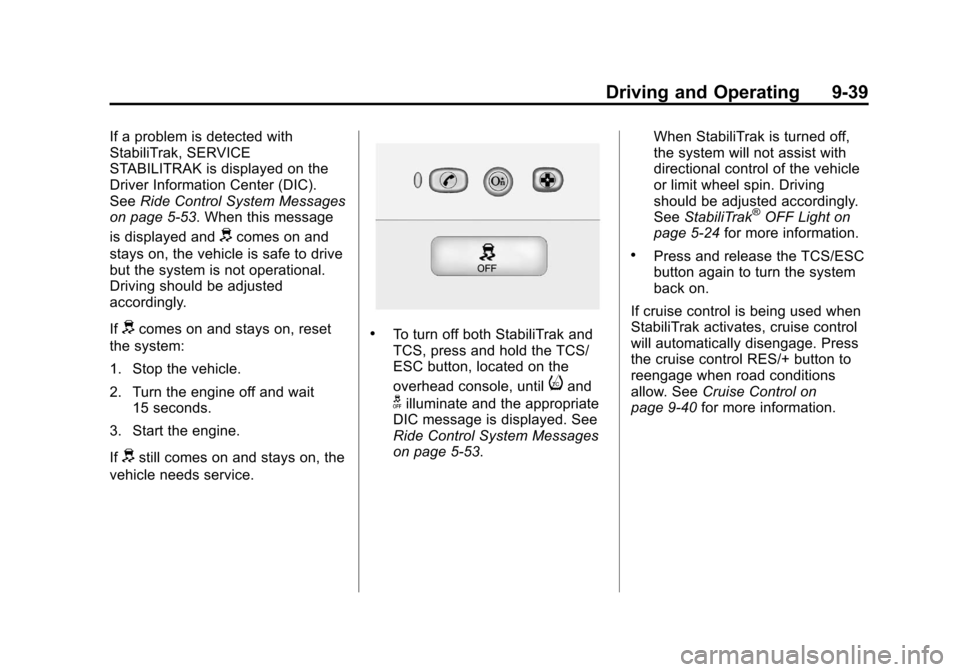
.To turn off both StabiliTrak and
TCS, press and hold the TCS/
ESC button, located on the
overhead console, until
iand
gilluminate and the appropriate
DIC message is displayed. See
Ride Control System Messages
on page 5‑53. When StabiliTrak is turned off,
the system will not assist with
directional control of the vehicle
or limit wheel spin. Driving
should be adjusted accordingly.
See
StabiliTrak
®OFF Light on
page 5‑24 for more information.
.Press and release the TCS/ESC
button again to turn the system
back on.
If cruise control is being used when
StabiliTrak activates, cruise control
will automatically disengage. Press
the cruise control RES/+ button to
reengage when road conditions
allow. See Cruise Control on
page 9‑40 for more information.
Page 294 of 454
Black plate (56,1)Chevrolet Volt Owner Manual - 2012
9-56 Driving and Operating
{WARNING
An extension cord should not be
used to charge the vehicle. Use
of an extension cord may
increase the risk of electric shock
or other hazards.
If an extension cord is used
because of limited access to
120V AC power, use the following
safeguards:
The 120V AC outlet should be
GFCI protected.
The extension cord should be:
.GFCI protected.
.12 or 14 gage, 3 conductor.
.Rated for outdoor.
{WARNING
Multi‐outlet power strips, surge
protectors, or similar devices
could increase the risk of
electrical shock or other hazards.
Do not use these types of devices
with the charge cord.
Charge Cord Status Indicators
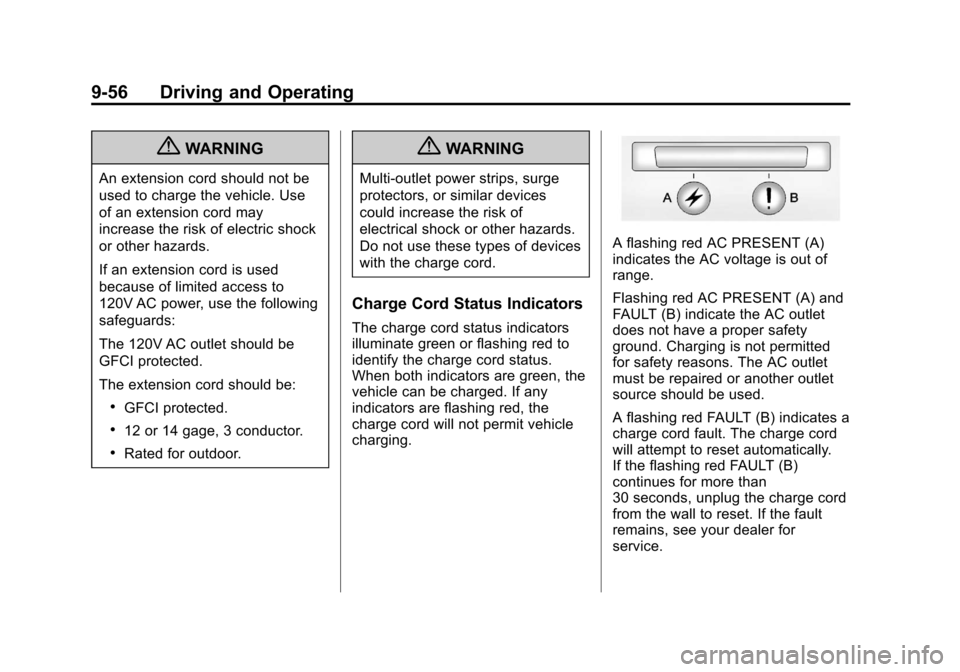
The charge cord status indicators
illuminate green or flashing red to
identify the charge cord status.
When both indicators are green, the
vehicle can be charged. If any
indicators are flashing red, the
charge cord will not permit vehicle
charging.
A flashing red AC PRESENT (A)
indicates the AC voltage is out of
range.
Flashing red AC PRESENT (A) and
FAULT (B) indicate the AC outlet
does not have a proper safety
ground. Charging is not permitted
for safety reasons. The AC outlet
must be repaired or another outlet
source should be used.
A flashing red FAULT (B) indicates a
charge cord fault. The charge cord
will attempt to reset automatically.
If the flashing red FAULT (B)
continues for more than
30 seconds, unplug the charge cord
from the wall to reset. If the fault
remains, see your dealer for
service.
Page 316 of 454
Black plate (12,1)Chevrolet Volt Owner Manual - 2012
10-12 Vehicle Care
What to Do with Used Oil
Used engine oil contains certain
elements that can be unhealthy for
your skin and could even cause
cancer. Do not let used oil stay on
your skin for very long. Clean your
skin and nails with soap and water,
or a good hand cleaner. Wash or
properly dispose of clothing or rags
containing used engine oil. See the
manufacturer's warnings about the
use and disposal of oil products.
Used oil can be a threat to the
environment. If you change your
own oil, be sure to drain all the oil
from the filter before disposal. Never
dispose of oil by putting it in the
trash or pouring it on the ground,
into sewers, or into streams or
bodies of water. Recycle it by taking
it to a place that collects used oil.
Engine Oil Life System
When to Change Engine Oil
This vehicle has a computer system
that indicates when to change the
engine oil and filter. This is based
on a combination of factors which
include engine revolutions, engine
temperature, and miles driven.
Based on driving conditions, the
mileage at which an oil change is
indicated can vary considerably. For
the oil life system to work properly,
the system must be reset every time
the oil is changed.
When the system has calculated
that oil life has been diminished, it
indicates that an oil change is
necessary. A CHANGE ENGINE
OIL SOON message comes on.
Change the oil as soon as possible
within the next 1 000 km (600 mi).It is possible that, if driving under
the best conditions, the oil life
system might indicate that an oil
change is not necessary for up to
two years. The engine oil and filter
must be changed at least once
every two years and, at this time,
the system must be reset. Your
dealer has trained service people
who will perform this work and reset
the system. It is also important to
check the oil regularly over the
course of an oil drain interval and
keep it at the proper level.
If the system is ever reset
accidentally, the oil must be
changed at 5 000 km (3,000 mi)
since the last oil change.
Remember to reset the oil life
system whenever the oil is changed.
Page 317 of 454

Black plate (13,1)Chevrolet Volt Owner Manual - 2012
Vehicle Care 10-13
How to Reset the Engine Oil
Life System
Reset the system whenever the
engine oil is changed so that the
system can calculate the next
engine oil change. To reset the
system:
1. Use the SELECT knob to selectOIL LIFE on the DIC menu.
2. Press SELECT to start the OIL LIFE reset procedure.
3. The DIC menu will display “Are
you sure that you want to reset?”
Use SELECT to choose YES to
reset oil life or NO to exit and
return to the previous menu.
4. If YES is selected, the DIC menu will display RESET OIL LIFE for
a short time and then 100% OIL
LIFE will be displayed when OIL
LIFE is successfully reset.
If the CHANGE ENGINE OIL SOON
message comes back on when the
vehicle is started, the engine oil life
system has not reset. Repeat the
procedure.
Engine Air Cleaner/Filter
See Engine Compartment Overview
on page 10‑8 for the location of the
engine air cleaner/filter.
When to Inspect the Engine Air
Filter
Inspect the air filter at the scheduled
maintenance intervals and replace it
at the first oil change after each
80 000 km (50,000 mi) interval. See
Maintenance Schedule on
page 11‑3 for more information.
If driving in dusty/dirty conditions,
inspect the air filter at each engine
oil change.
How to Inspect the Engine Air
Filter
To inspect the air filter, remove it
from the engine air cleaner/filter
assembly and lightly shake to
release loose dust and dirt. If the air
filter remains covered with dirt, a
new air filter is required.
To inspect or replace the air filter:
1. Open the hood. See Hood on
page 10‑7.
2. Locate the engine air cleaner/ filter assembly on the passenger
side of the engine compartment.
See Engine Compartment
Overview on page 10‑8.
Page 332 of 454
Black plate (28,1)Chevrolet Volt Owner Manual - 2012
10-28 Vehicle Care
Wiper Blade Replacement
Windshield wiper blades should be
inspected for wear and cracking.
SeeMaintenance Schedule on
page 11‑3 for more information.
Replacement blades come in
different types and are removed in
different ways. For proper type and
length, see Maintenance
Replacement Parts on page 11‑13.
Notice: Allowing the wiper arm to
touch the windshield when no
wiper blade is installed could
damage the windshield. Any
damage that occurs would not be
covered by your warranty. Do not
allow the wiper arm to touch the
windshield. To replace the windshield wiper
blade:
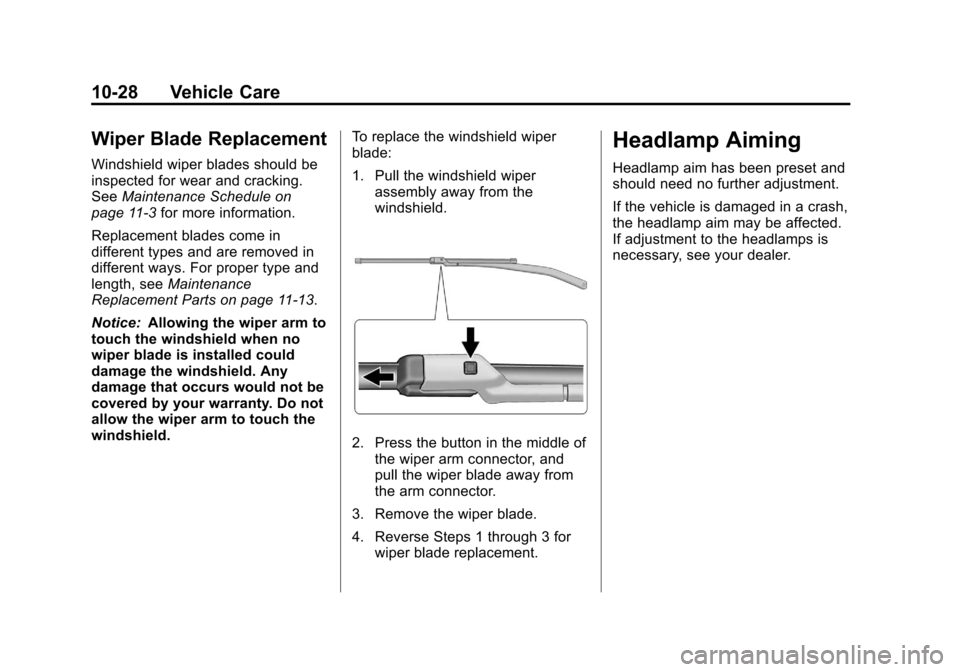
1. Pull the windshield wiper
assembly away from the
windshield.
2. Press the button in the middle ofthe wiper arm connector, and
pull the wiper blade away from
the arm connector.
3. Remove the wiper blade.
4. Reverse Steps 1 through 3 for wiper blade replacement.
Headlamp Aiming
Headlamp aim has been preset and
should need no further adjustment.
If the vehicle is damaged in a crash,
the headlamp aim may be affected.
If adjustment to the headlamps is
necessary, see your dealer.