battery CHEVROLET VOLT 2012 1.G Owner's Manual
[x] Cancel search | Manufacturer: CHEVROLET, Model Year: 2012, Model line: VOLT, Model: CHEVROLET VOLT 2012 1.GPages: 454, PDF Size: 7.89 MB
Page 130 of 454
Black plate (14,1)Chevrolet Volt Owner Manual - 2012
5-14 Instruments and Controls
Speedometer
The speedometer shows the vehicle
speed in both kilometers per hour
(km/h) and miles per hour (mph).
The DIC menu can be used to
change the units.
SeeDriver Information Center (DIC)
on page 5‑45.
Odometer
The odometer shows how far the
vehicle has been driven, in either
kilometers or miles.
Trip Odometer
The trip odometer is within the
Driver Information Center. See
Driver Information Center (DIC) on
page 5‑45 for more information.
Compass
The vehicle has a compass display
in the instrument cluster above the
speedometer. The compass
receives its heading and other
information from the Global
Positioning System (GPS) antenna
and vehicle speed information.
The compass system has automatic
calibration and zone adjustment
features.
Avoid covering the GPS antenna for
long periods of time with objects
that may interfere with the antenna's
ability to receive a satellite signal.
SeeMulti-Band Antenna on
page 7‑13 for the location of the
vehicle's antenna. The compass
system is designed to operate for a
certain number of miles or degrees
of turn before needing a signal from
the GPS satellites. The compass
system will automatically determine
when a GPS signal is restored and
provide a heading.
Battery Gauge (High
Voltage)
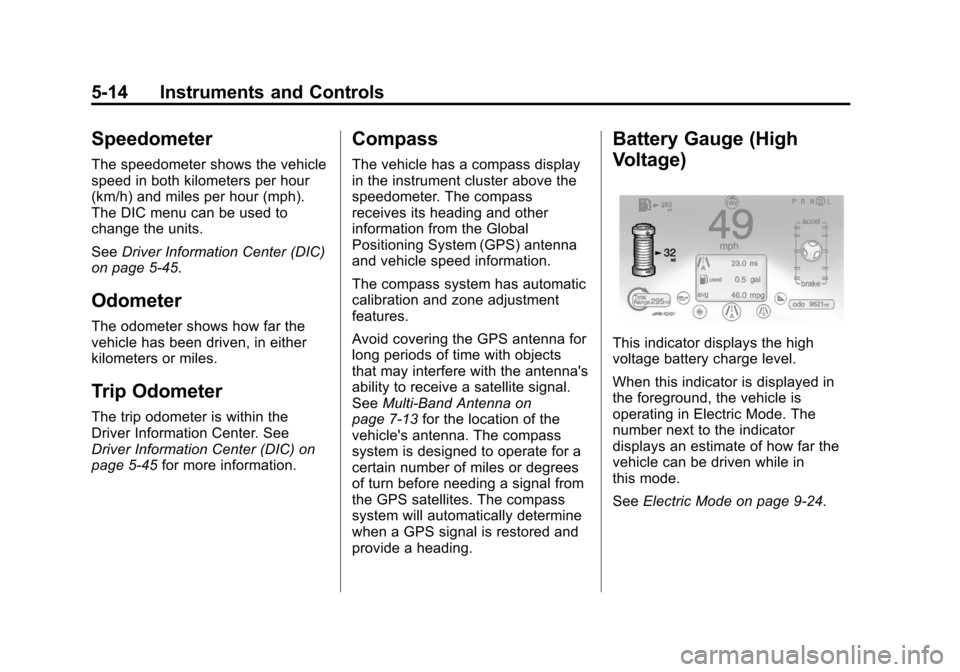
This indicator displays the high
voltage battery charge level.
When this indicator is displayed in
the foreground, the vehicle is
operating in Electric Mode. The
number next to the indicator
displays an estimate of how far the
vehicle can be driven while in
this mode.
See Electric Mode on page 9‑24.
Page 135 of 454
Black plate (19,1)Chevrolet Volt Owner Manual - 2012
Instruments and Controls 5-19
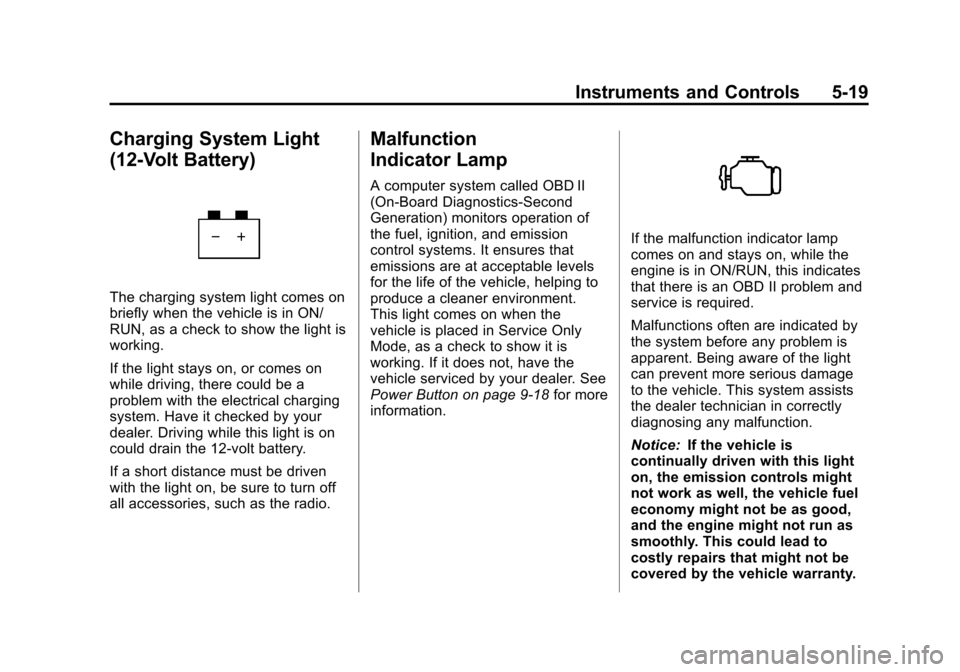
Charging System Light
(12-Volt Battery)
The charging system light comes on
briefly when the vehicle is in ON/
RUN, as a check to show the light is
working.
If the light stays on, or comes on
while driving, there could be a
problem with the electrical charging
system. Have it checked by your
dealer. Driving while this light is on
could drain the 12‐volt battery.
If a short distance must be driven
with the light on, be sure to turn off
all accessories, such as the radio.
Malfunction
Indicator Lamp
A computer system called OBD II
(On-Board Diagnostics-Second
Generation) monitors operation of
the fuel, ignition, and emission
control systems. It ensures that
emissions are at acceptable levels
for the life of the vehicle, helping to
produce a cleaner environment.
This light comes on when the
vehicle is placed in Service Only
Mode, as a check to show it is
working. If it does not, have the
vehicle serviced by your dealer. See
Power Button on page 9‑18for more
information.
If the malfunction indicator lamp
comes on and stays on, while the
engine is in ON/RUN, this indicates
that there is an OBD II problem and
service is required.
Malfunctions often are indicated by
the system before any problem is
apparent. Being aware of the light
can prevent more serious damage
to the vehicle. This system assists
the dealer technician in correctly
diagnosing any malfunction.
Notice: If the vehicle is
continually driven with this light
on, the emission controls might
not work as well, the vehicle fuel
economy might not be as good,
and the engine might not run as
smoothly. This could lead to
costly repairs that might not be
covered by the vehicle warranty.
Page 137 of 454
Black plate (21,1)Chevrolet Volt Owner Manual - 2012
Instruments and Controls 5-21
If none of the above have made the
light turn off, your dealer can check
the vehicle. The dealer has the
proper test equipment and
diagnostic tools to fix any
mechanical or electrical problems
that might have developed.
Emissions Inspection and
Maintenance Programs
Some state and local governments
have or might begin programs to
inspect the emission control
equipment on the vehicle. Failure to
pass this inspection could prevent
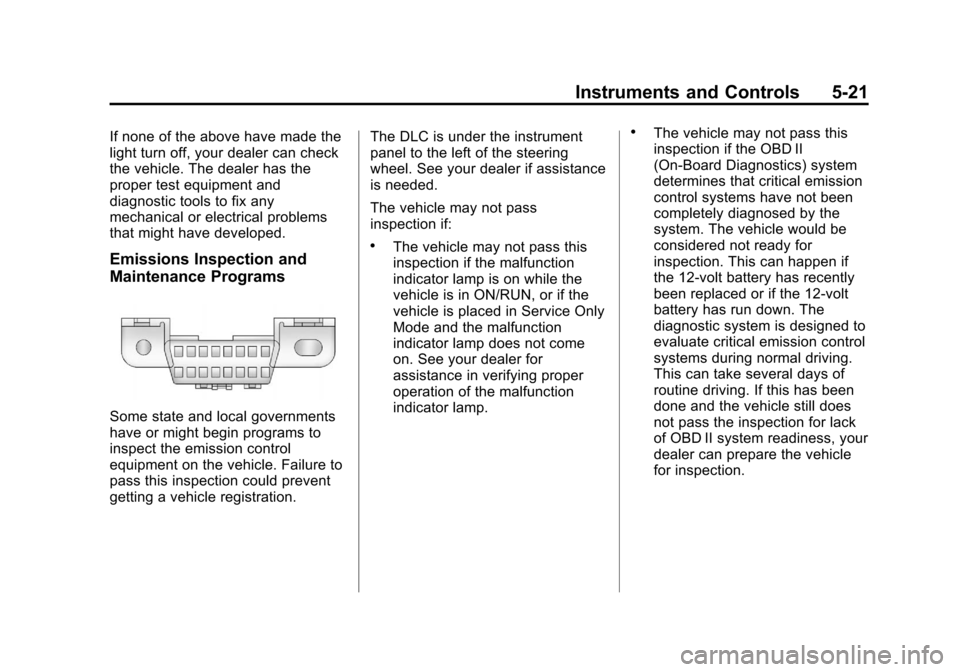
getting a vehicle registration.The DLC is under the instrument
panel to the left of the steering
wheel. See your dealer if assistance
is needed.
The vehicle may not pass
inspection if:
.The vehicle may not pass this
inspection if the malfunction
indicator lamp is on while the
vehicle is in ON/RUN, or if the
vehicle is placed in Service Only
Mode and the malfunction
indicator lamp does not come
on. See your dealer for
assistance in verifying proper
operation of the malfunction
indicator lamp.
.The vehicle may not pass this
inspection if the OBD II
(On-Board Diagnostics) system
determines that critical emission
control systems have not been
completely diagnosed by the
system. The vehicle would be
considered not ready for
inspection. This can happen if
the 12‐volt battery has recently
been replaced or if the 12‐volt
battery has run down. The
diagnostic system is designed to
evaluate critical emission control
systems during normal driving.
This can take several days of
routine driving. If this has been
done and the vehicle still does
not pass the inspection for lack
of OBD II system readiness, your
dealer can prepare the vehicle
for inspection.
Page 146 of 454
Black plate (30,1)Chevrolet Volt Owner Manual - 2012
5-30 Instruments and Controls
The center stack controls only need
a light touch to operate and work
best with bare hands. The controls
will work with most gloves although
they may take longer to respond.
Use the finger pad rather than the
finger tip to minimize response time.
If the controls are not responding,
remove the gloves.
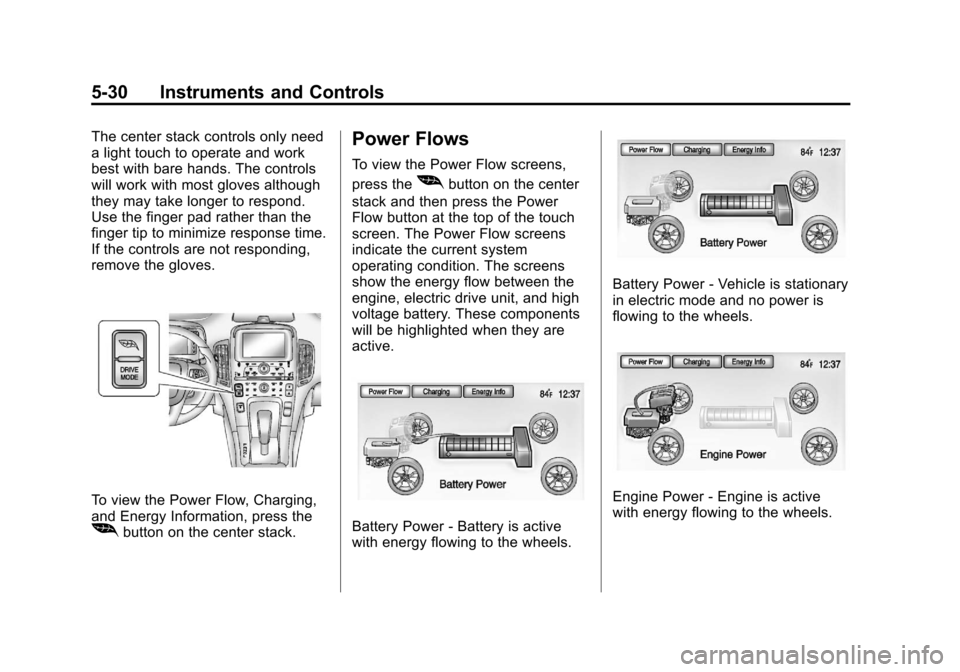
To view the Power Flow, Charging,
and Energy Information, press the
[button on the center stack.
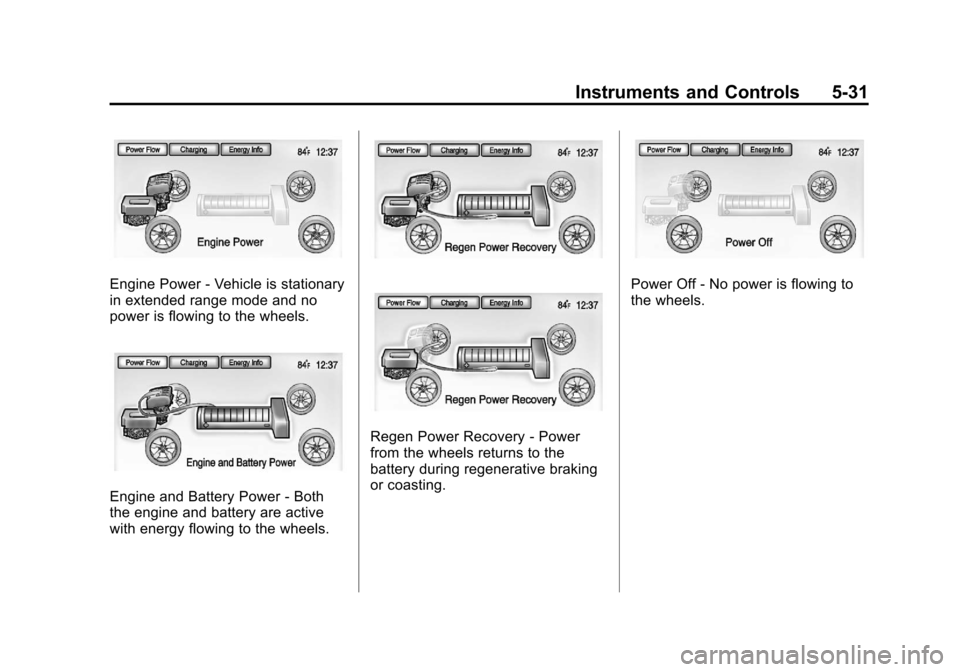
Power Flows
To view the Power Flow screens,
press the
[button on the center
stack and then press the Power
Flow button at the top of the touch
screen. The Power Flow screens
indicate the current system
operating condition. The screens
show the energy flow between the
engine, electric drive unit, and high
voltage battery. These components
will be highlighted when they are
active.
Battery Power ‐Battery is active
with energy flowing to the wheels.
Battery Power ‐Vehicle is stationary
in electric mode and no power is
flowing to the wheels.
Engine Power ‐Engine is active
with energy flowing to the wheels.
Page 147 of 454
Black plate (31,1)Chevrolet Volt Owner Manual - 2012
Instruments and Controls 5-31
Engine Power‐Vehicle is stationary
in extended range mode and no
power is flowing to the wheels.
Engine and Battery Power ‐Both
the engine and battery are active
with energy flowing to the wheels.
Regen Power Recovery ‐Power
from the wheels returns to the
battery during regenerative braking
or coasting.
Power Off ‐No power is flowing to
the wheels.
Page 149 of 454
Black plate (33,1)Chevrolet Volt Owner Manual - 2012
Instruments and Controls 5-33
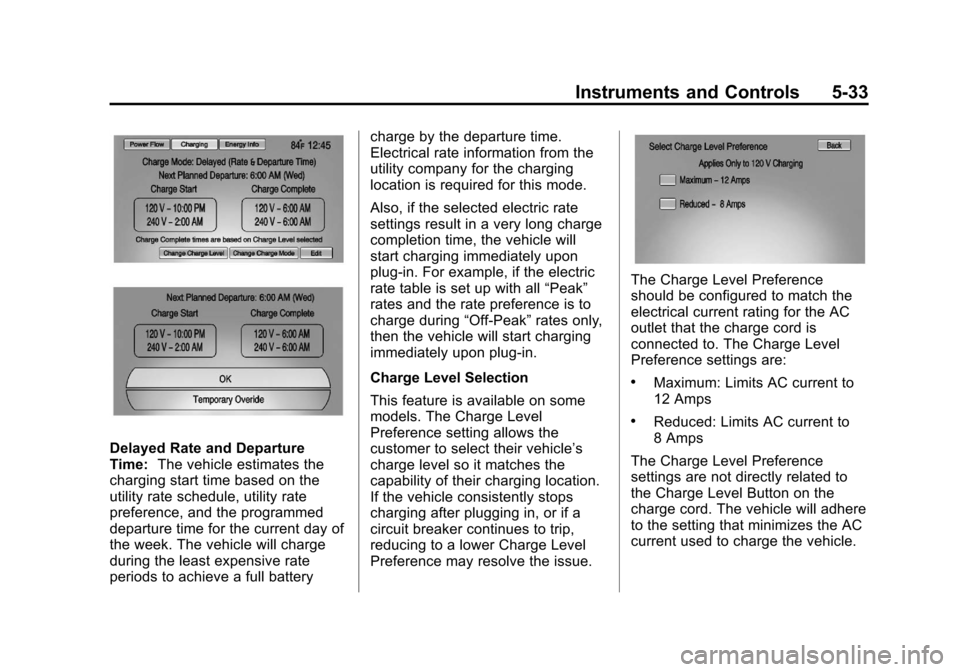
Delayed Rate and Departure
Time:The vehicle estimates the
charging start time based on the
utility rate schedule, utility rate
preference, and the programmed
departure time for the current day of
the week. The vehicle will charge
during the least expensive rate
periods to achieve a full battery charge by the departure time.
Electrical rate information from the
utility company for the charging
location is required for this mode.
Also, if the selected electric rate
settings result in a very long charge
completion time, the vehicle will
start charging immediately upon
plug-in. For example, if the electric
rate table is set up with all
“Peak”
rates and the rate preference is to
charge during “Off-Peak”rates only,
then the vehicle will start charging
immediately upon plug-in.
Charge Level Selection
This feature is available on some
models. The Charge Level
Preference setting allows the
customer to select their vehicle’s
charge level so it matches the
capability of their charging location.
If the vehicle consistently stops
charging after plugging in, or if a
circuit breaker continues to trip,
reducing to a lower Charge Level
Preference may resolve the issue.
The Charge Level Preference
should be configured to match the
electrical current rating for the AC
outlet that the charge cord is
connected to. The Charge Level
Preference settings are:
.Maximum: Limits AC current to
12 Amps
.Reduced: Limits AC current to
8 Amps
The Charge Level Preference
settings are not directly related to
the Charge Level Button on the
charge cord. The vehicle will adhere
to the setting that minimizes the AC
current used to charge the vehicle.
Page 151 of 454
Black plate (35,1)Chevrolet Volt Owner Manual - 2012
Instruments and Controls 5-35
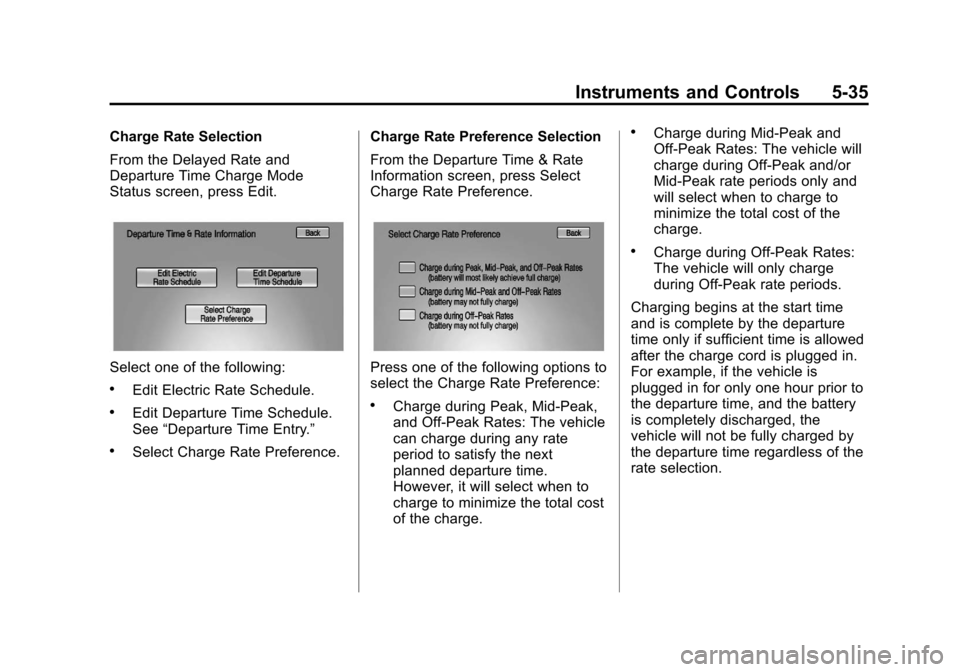
Charge Rate Selection
From the Delayed Rate and
Departure Time Charge Mode
Status screen, press Edit.
Select one of the following:
.Edit Electric Rate Schedule.
.Edit Departure Time Schedule.
See“Departure Time Entry.”
.Select Charge Rate Preference. Charge Rate Preference Selection
From the Departure Time & Rate
Information screen, press Select
Charge Rate Preference.
Press one of the following options to
select the Charge Rate Preference:
.Charge during Peak, Mid‐Peak,
and Off‐Peak Rates: The vehicle
can charge during any rate
period to satisfy the next
planned departure time.
However, it will select when to
charge to minimize the total cost
of the charge.
.Charge during Mid‐Peak and
Off‐Peak Rates: The vehicle will
charge during Off-Peak and/or
Mid-Peak rate periods only and
will select when to charge to
minimize the total cost of the
charge.
.Charge during Off
‐Peak Rates:
The vehicle will only charge
during Off-Peak rate periods.
Charging begins at the start time
and is complete by the departure
time only if sufficient time is allowed
after the charge cord is plugged in.
For example, if the vehicle is
plugged in for only one hour prior to
the departure time, and the battery
is completely discharged, the
vehicle will not be fully charged by
the departure time regardless of the
rate selection.
Page 159 of 454
Black plate (43,1)Chevrolet Volt Owner Manual - 2012
Instruments and Controls 5-43
Energy Information
To view the Energy Usage, Energy
Efficiency, and Efficiency Tips, press
the
[button on the center stack
and then press the Energy Info
button at the top of the touch
screen.
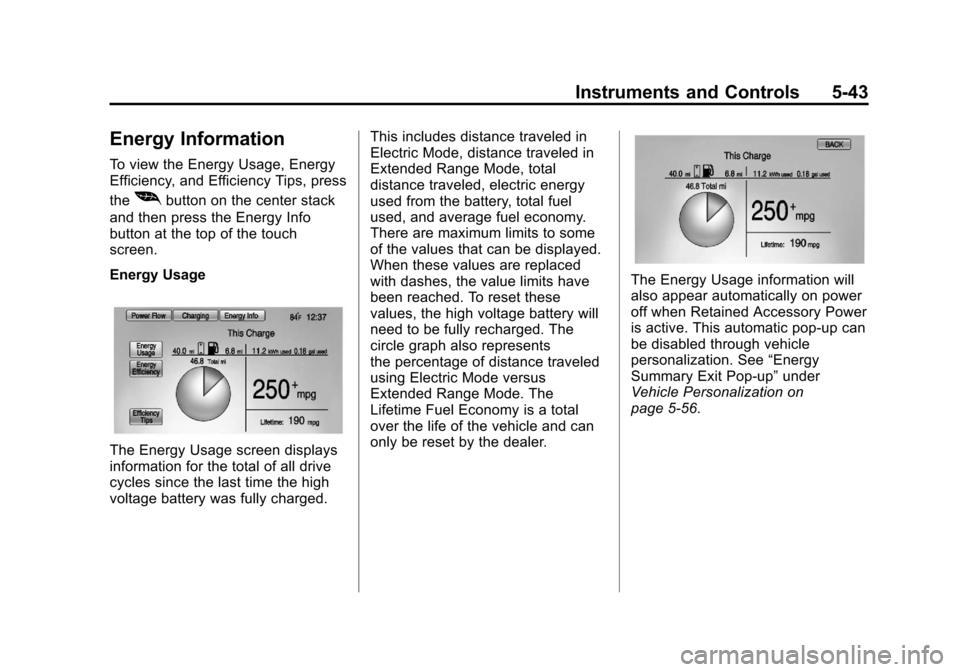
Energy Usage
The Energy Usage screen displays
information for the total of all drive
cycles since the last time the high
voltage battery was fully charged. This includes distance traveled in
Electric Mode, distance traveled in
Extended Range Mode, total
distance traveled, electric energy
used from the battery, total fuel
used, and average fuel economy.
There are maximum limits to some
of the values that can be displayed.
When these values are replaced
with dashes, the value limits have
been reached. To reset these
values, the high voltage battery will
need to be fully recharged. The
circle graph also represents
the percentage of distance traveled
using Electric Mode versus
Extended Range Mode. The
Lifetime Fuel Economy is a total
over the life of the vehicle and can
only be reset by the dealer.
The Energy Usage information will
also appear automatically on power
off when Retained Accessory Power
is active. This automatic pop-up can
be disabled through vehicle
personalization. See
“Energy
Summary Exit Pop-up” under
Vehicle Personalization on
page 5‑56.
Page 163 of 454
Black plate (47,1)Chevrolet Volt Owner Manual - 2012
Instruments and Controls 5-47
Tutorial Mode
Select this menu item to view a
screen that explains some of the
unique features of the cluster.
Tutorial mode is only available when
the vehicle is in P (Park).
Turn-by-Turn
Select this menu item to view the
OnStar or Navigation System
Turn-by-Turn guidance. SeeOnStar
Overview on page 14‑1 or the
navigation manual, if the vehicle has
navigation, for more information.Vehicle Messages
Messages displayed in the DIC
indicate the status of the vehicle or
some action that may be needed to
correct a condition. Multiple
messages may display one after the
other.
Messages that do not require
immediate action can be
acknowledged and cleared by
pressing the SELECT knob. The
messages requiring immediate
action cannot be cleared until that
action is performed. All messages
should be taken seriously. Clearing
the messages does not correct the
problem.
Battery and Charging
Messages
BATTERY SAVER ACTIVE
This message displays when the
vehicle has detected that the 12-volt
battery voltage has dropped and
vehicle features are being disabled.
The 12-volt battery saver system
starts reducing certain features
trying to save the charge of the
12-volt battery. Turn off unnecessary
features to allow the battery to
recharge.
BATTERY TOO COLD, PLUG IN
TO WARM
This message displays during
extremely cold temperatures, when
the vehicle will not start until the
high voltage battery is warm
enough.
Plug the vehicle in to allow the
charging system to warm the high
voltage battery, then the vehicle can
be started.
Page 164 of 454
Black plate (48,1)Chevrolet Volt Owner Manual - 2012
5-48 Instruments and Controls
CHARGE CORD CONNECTED
This message displays when the
charge cord is connected to the
vehicle. The vehicle cannot be
shifted out of P (Park) with the
charge cord connected.
CHARGE DOOR OPEN
This message displays when the
charge door is open and the vehicle
is shifted out of P (Park).
LOW BATTERY
This message displays when the
12-volt battery voltage is low. See
Battery on page 10‑25for more
information.
SERVICE BATTERY
CHARGING SYSTEM
This message displays when there
is a fault in the 12-volt battery
charging system. Take the vehicle to
your dealer for service.
SERVICE HIGH VOLTAGE
CHARGING SYSTEM
This message displays when there
is a problem with the high voltage
charging system. See your dealer
for service.
Brake System Messages
BRAKE FLUID LOW
This message displays when the
brake fluid level is low. See Brake
Fluid on page 10‑23.
RELEASE PARKING BRAKE
This message displays if the electric
parking brake is on while the vehicle
is in motion. Release it before
attempting to drive. See Electric
Parking Brake on page 9‑34 for
more information.
SERVICE BRAKE ASSIST
This message displays when there
is a problem with the brake boost
assist system. When this message
displays, the brake boost assist
motor might be heard operating and
a pulsation may be felt in the brake
pedal. Take the vehicle to your
dealer for service.
SERVICE PARKING BRAKE
This message displays when there
is a problem with the parking brake.
Take the vehicle to your dealer for
service.
STEP ON BRAKE TO
RELEASE PARK BRAKE
This message displays when
attempting to release the electric
parking brake without the brake
pedal applied. See Electric Parking
Brake on page 9‑34 for more
information.