remote control CHEVROLET VOLT 2012 1.G Owner's Manual
[x] Cancel search | Manufacturer: CHEVROLET, Model Year: 2012, Model line: VOLT, Model: CHEVROLET VOLT 2012 1.GPages: 454, PDF Size: 7.89 MB
Page 183 of 454
Black plate (67,1)Chevrolet Volt Owner Manual - 2012
Instruments and Controls 5-67
3. Press and hold for five secondsthe newly trained Universal
Remote system button (the
button selected in Step 2) while
observing the indicator light and
garage door activation.
.If the indicator light stays on
continuously or the garage
door starts to move when
the Universal Remote
system button is pressed
and released, then the
programming is complete.
There is no need to
continue programming
Steps 4 through 6.
.If the Universal Remote
system indicator light blinks
rapidly for two seconds,
then turns to a constant
light and the garage door
does not move, continue
with programming Steps 4
through 6. It may be helpful to have
another person assist with
the remaining Steps 4
through 6.
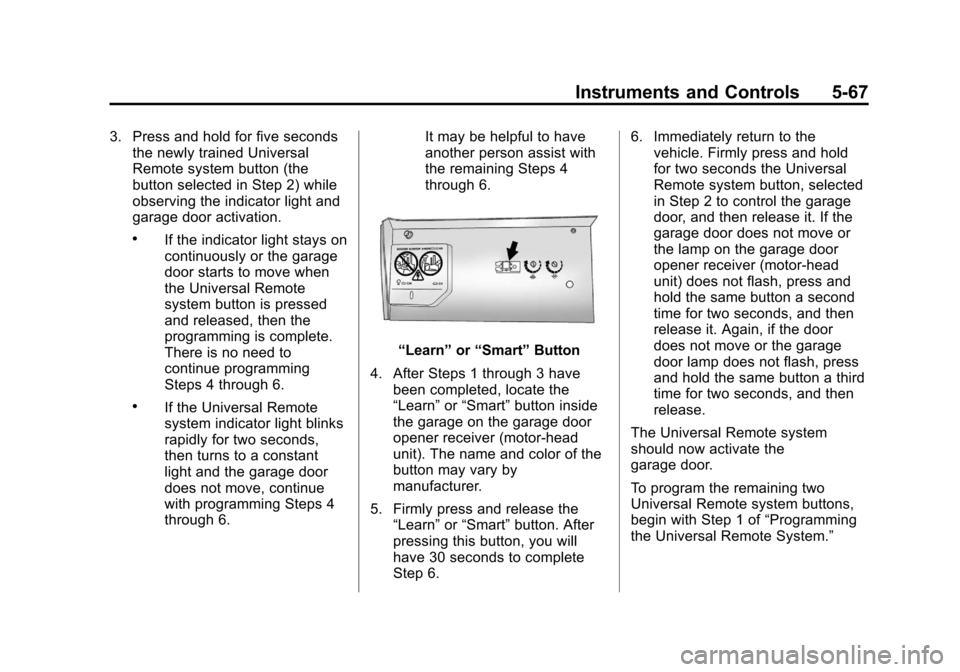
“Learn”
or“Smart” Button
4. After Steps 1 through 3 have been completed, locate the
“Learn” or“Smart” button inside
the garage on the garage door
opener receiver (motor-head
unit). The name and color of the
button may vary by
manufacturer.
5. Firmly press and release the “Learn” or“Smart” button. After
pressing this button, you will
have 30 seconds to complete
Step 6. 6. Immediately return to the
vehicle. Firmly press and hold
for two seconds the Universal
Remote system button, selected
in Step 2 to control the garage
door, and then release it. If the
garage door does not move or
the lamp on the garage door
opener receiver (motor-head
unit) does not flash, press and
hold the same button a second
time for two seconds, and then
release it. Again, if the door
does not move or the garage
door lamp does not flash, press
and hold the same button a third
time for two seconds, and then
release.
The Universal Remote system
should now activate the
garage door.
To program the remaining two
Universal Remote system buttons,
begin with Step 1 of “Programming
the Universal Remote System.”
Page 184 of 454
Black plate (68,1)Chevrolet Volt Owner Manual - 2012
5-68 Instruments and Controls
Gate Operator and Canadian
Programming
If you have questions or need help
programming the Universal Remote
system, call 1‐800‐355‐3515 or go
to www.homelink.com.
Canadian radio-frequency laws
require transmitter signals to time
out or quit after several seconds of
transmission. This may not be long
enough for the Universal Remote
system to pick up the signal during
programming. Similarly, some U.S.
gate operators are manufactured to
time out in the same manner.If you live in Canada, or you are
having difficulty programming a gate
operator or garage door opener by
using the
“Programming the
Universal Remote System”
procedures, regardless of where
you live, replace Step 2 under
“Programming the Universal Remote
System” with the following:
Continue to press and hold the
Universal Remote system button
while you press and release every
two seconds (cycle) the hand-held
transmitter button until the
frequency signal has been
successfully accepted by the
Universal Remote system. The
Universal Remote system indicator
light will flash slowly at first and then
rapidly. Proceed with Step 3 under
“Programming the Universal Remote
System” to complete.
Universal Remote System
Operation
Using the Universal Remote
System
Press and hold the appropriate
Universal Remote system button for
at least half of a second. The
indicator light will come on while the
signal is being transmitted.
Page 185 of 454
Black plate (69,1)Chevrolet Volt Owner Manual - 2012
Instruments and Controls 5-69
Erasing Universal Remote
System Buttons
All programmed buttons should be
erased when the vehicle is sold or
the lease ends.
To erase all programmed buttons on
the Universal Remote system
device:
1. Press and hold down the twooutside buttons until the
indicator light begins to flash.
This should take about
10 seconds.
2. Release both buttons.
Reprogramming a Single
Universal Remote System
Button
To reprogram any of the three
Universal Remote system buttons:
1. Press and hold the desired Universal Remote system
button. Do not release the
button.
2. The indicator light will begin to flash after 20 seconds. Without
releasing the button, proceed
with Step 1 of the section
“Programming the Universal
Remote System.” If you have questions or need help
programming the Universal Remote
system, call 1‐800‐355‐3515 or go
to www.homelink.com. You may
also call the customer assistance
phone number under
Customer
Assistance Offices on page 13‑3.
Page 237 of 454
Black plate (7,1)Chevrolet Volt Owner Manual - 2012
Climate Controls 8-7
MAUTO/LAUTO (Auto Heated
Seats): If available, the controls
are on the touch screen on the
center stack.
Press the touch screen
LAUTO or
MAUTO button. The button color
will change to green when this
feature is on. When the vehicle is
on, this feature will automatically
activate the heated seats at the
level required by the vehicle's
interior temperature. The active
high, medium, low, or off heated
seat level will be indicated by the
manual heated seat button lights on
the center stack. Use the touch
screen buttons or the manual
heated seat buttons on the center
stack to turn auto heated seats off.
For more information, see Heated
Front Seats on page 3‑6.
Rear Window Defogger
=(Rear Window Defogger):
Press to turn the rear window
defogger on or off.
The rear window defogger turns off
automatically after about
five minutes. If turned on again, it
runs for about five minutes before
turning off. The defogger can also
be turned off by turning the
vehicle off.
For vehicles with heated outside
rearview mirrors, they turn on when
the rear window defogger button is
on and help to clear fog or frost from
the surface of the mirror. See
Heated Mirrors on page 2‑17.
Notice: Do not try to clear frost
or other material from the inside
of the front windshield and rear
window with a razor blade or
anything else that is sharp. This
may damage the rear window
defogger grid and affect the
radio's ability to pick up stations
clearly. The repairs would not be
covered by the vehicle warranty. Remote Start:
For vehicles with
this feature, the climate control
system may be started by using the
Remote Keyless Entry (RKE)
transmitter. The climate control
system will default to an appropriate
heating or cooling mode. See
Remote Start on page 2‑8.
The rear window defogger turns on
if it is cold outside.
Compressor
The vehicle has an electric powered
air conditioning compressor. This
allows for continuous air
conditioning and/or high voltage
battery cooling operation, without
running the engine.
The compressor operating speed is
not tied to the engine speed, so
some noise may be heard from the
compressor, especially when air
conditioning use is high and the
engine has turned off. This is
normal.
Page 241 of 454
Black plate (3,1)Chevrolet Volt Owner Manual - 2012
Driving and Operating 9-3
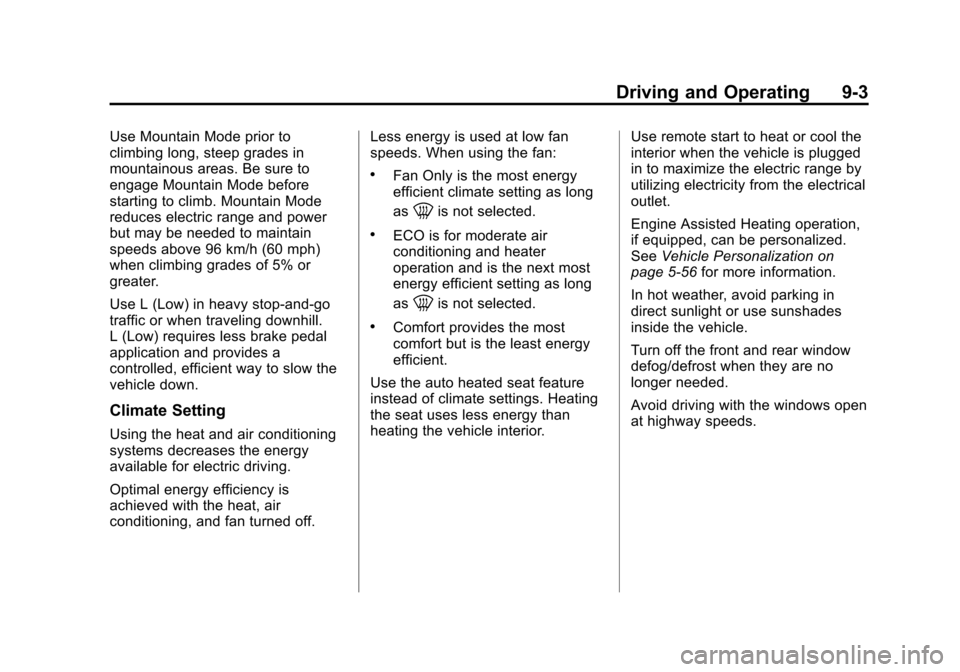
Use Mountain Mode prior to
climbing long, steep grades in
mountainous areas. Be sure to
engage Mountain Mode before
starting to climb. Mountain Mode
reduces electric range and power
but may be needed to maintain
speeds above 96 km/h (60 mph)
when climbing grades of 5% or
greater.
Use L (Low) in heavy stop‐and‐go
traffic or when traveling downhill.
L (Low) requires less brake pedal
application and provides a
controlled, efficient way to slow the
vehicle down.
Climate Setting
Using the heat and air conditioning
systems decreases the energy
available for electric driving.
Optimal energy efficiency is
achieved with the heat, air
conditioning, and fan turned off.Less energy is used at low fan
speeds. When using the fan:
.Fan Only is the most energy
efficient climate setting as long
as
0is not selected.
.ECO is for moderate air
conditioning and heater
operation and is the next most
energy efficient setting as long
as
0is not selected.
.Comfort provides the most
comfort but is the least energy
efficient.
Use the auto heated seat feature
instead of climate settings. Heating
the seat uses less energy than
heating the vehicle interior. Use remote start to heat or cool the
interior when the vehicle is plugged
in to maximize the electric range by
utilizing electricity from the electrical
outlet.
Engine Assisted Heating operation,
if equipped, can be personalized.
See
Vehicle Personalization on
page 5‑56 for more information.
In hot weather, avoid parking in
direct sunlight or use sunshades
inside the vehicle.
Turn off the front and rear window
defog/defrost when they are no
longer needed.
Avoid driving with the windows open
at highway speeds.
Page 345 of 454
Black plate (41,1)Chevrolet Volt Owner Manual - 2012
Vehicle Care 10-41
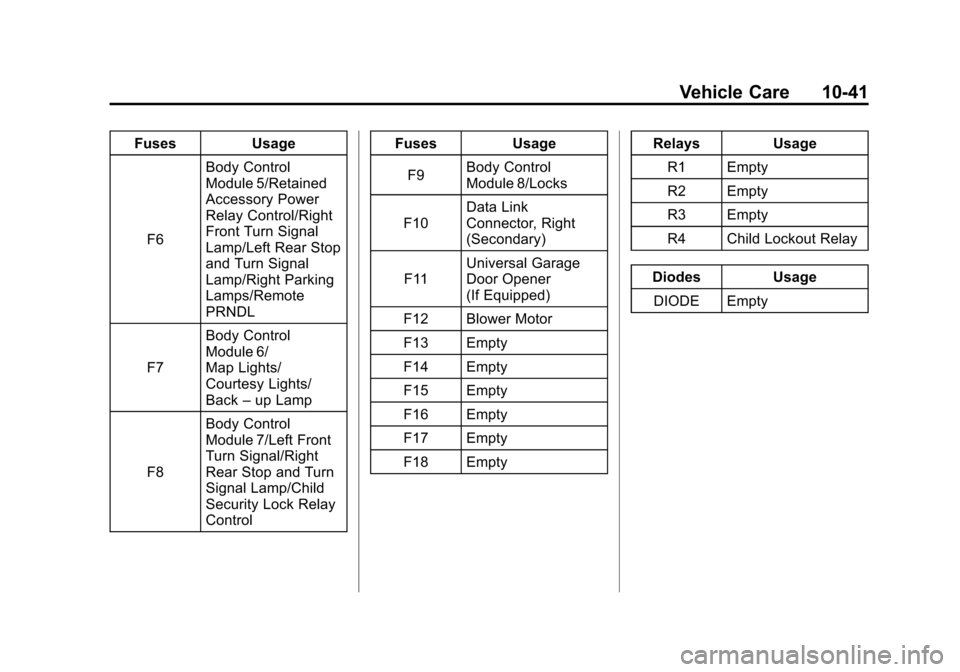
FusesUsage
F6 Body Control
Module 5/Retained
Accessory Power
Relay Control/Right
Front Turn Signal
Lamp/Left Rear Stop
and Turn Signal
Lamp/Right Parking
Lamps/Remote
PRNDL
F7 Body Control
Module 6/
Map Lights/
Courtesy Lights/
Back
–up Lamp
F8 Body Control
Module 7/Left Front
Turn Signal/Right
Rear Stop and Turn
Signal Lamp/Child
Security Lock Relay
Control Fuses
Usage
F9 Body Control
Module 8/Locks
F10 Data Link
Connector, Right
(Secondary)
F11 Universal Garage
Door Opener
(If Equipped)
F12 Blower Motor
F13 Empty
F14 Empty
F15 Empty
F16 Empty
F17 Empty
F18 Empty Relays
Usage
R1 Empty
R2 Empty
R3 Empty
R4 Child Lockout Relay
Diodes Usage DIODE Empty
Page 438 of 454
Black plate (4,1)Chevrolet Volt Owner Manual - 2012
14-4 OnStar
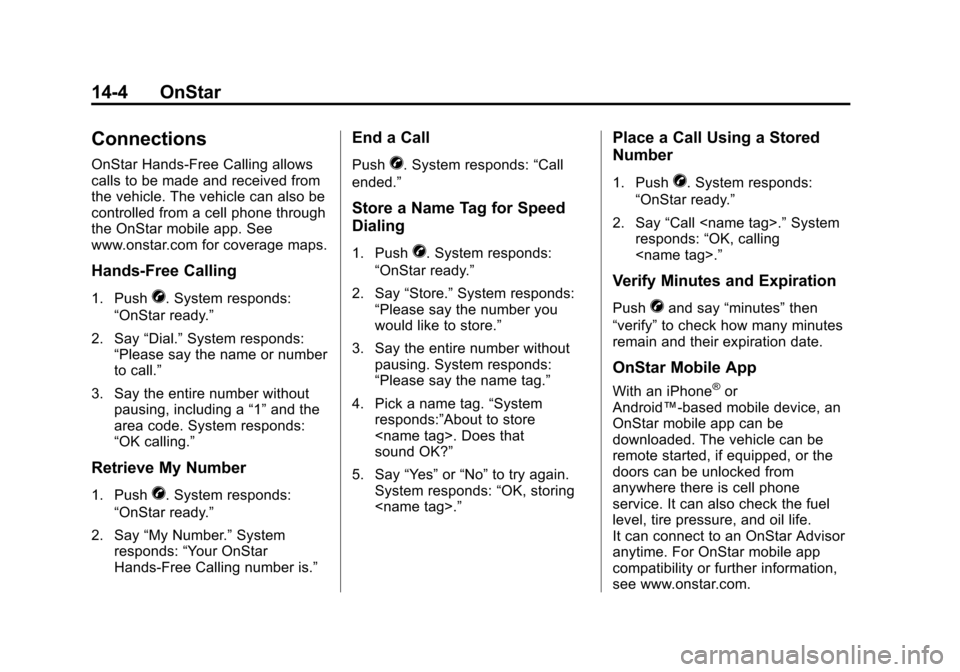
Connections
OnStar Hands-Free Calling allows
calls to be made and received from
the vehicle. The vehicle can also be
controlled from a cell phone through
the OnStar mobile app. See
www.onstar.com for coverage maps.
Hands-Free Calling
1. PushX. System responds:
“OnStar ready.”
2. Say “Dial.”System responds:
“Please say the name or number
to call.”
3. Say the entire number without pausing, including a “1”and the
area code. System responds:
“OK calling.”
Retrieve My Number
1. PushX. System responds:
“OnStar ready.”
2. Say “My Number.” System
responds: “Your OnStar
Hands-Free Calling number is.”
End a Call
PushX. System responds: “Call
ended.”
Store a Name Tag for Speed
Dialing
1. PushX. System responds:
“OnStar ready.”
2. Say “Store.” System responds:
“Please say the number you
would like to store.”
3. Say the entire number without pausing. System responds:
“Please say the name tag.”
4. Pick a name tag. “System
responds:”About to store
sound OK?”
5. Say “Yes”or“No” to try again.
System responds: “OK, storing
Place a Call Using a Stored
Number
1. PushX. System responds:
“OnStar ready.”
2. Say “Call
responds: “OK, calling
Verify Minutes and Expiration
PushXand say “minutes” then
“verify” to check how many minutes
remain and their expiration date.
OnStar Mobile App
With an iPhone®or
Android™-based mobile device, an
OnStar mobile app can be
downloaded. The vehicle can be
remote started, if equipped, or the
doors can be unlocked from
anywhere there is cell phone
service. It can also check the fuel
level, tire pressure, and oil life.
It can connect to an OnStar Advisor
anytime. For OnStar mobile app
compatibility or further information,
see www.onstar.com.
Page 448 of 454

Black plate (6,1)Chevrolet Volt Owner Manual - 2012
i-6 INDEX
K
Key and Lock Messages . . . . . . . 5-51
Keyless EntryRemote (RKE) System . . . . . . . . 2-3
Keys . . . . . . . . . . . . . . . . . . . . . . . . . . . . 2-2
L
Labeling, Tire Sidewall . . . . . . . . 10-45
Lamps Daytime Running (DRL) . . . . . . . 6-2
Dome . . . . . . . . . . . . . . . . . . . . . . . . . . 6-5
Exterior Controls . . . . . . . . . . . . . . . 6-1
License Plate . . . . . . . . . . . . . . . 10-31
Malfunction Indicator . . . . . . . . . 5-19
Messages . . . . . . . . . . . . . . . . . . . . 5-51
On Reminder . . . . . . . . . . . . . . . . . 5-28
Reading . . . . . . . . . . . . . . . . . . . . . . . 6-5
Lap-Shoulder Belt . . . . . . . . . . . . . 3-13
LATCH System
Replacing Parts after aCrash . . . . . . . . . . . . . . . . . . . . . . . 3-50
LATCH, Lower Anchors and Tethers for Children . . . . . . . . . . 3-42
LED Lighting . . . . . . . . . . . . . . . . . . 10-29
Lifting the Vehicle, Tires . . . . . . . 10-3 Light
Ready Indicator . . . . . . . . . . . . . . . 5-27
Vehicle Ready . . . . . . . . . . . . . . . . 5-27
Lighting Entry . . . . . . . . . . . . . . . . . . . . . . . . . . 6-6
Exit . . . . . . . . . . . . . . . . . . . . . . . . . . . . 6-6
Illumination Control . . . . . . . . . . . . 6-4
LED . . . . . . . . . . . . . . . . . . . . . . . . 10-29
Lights Airbag Readiness . . . . . . . . . . . . . 5-17
Antilock Brake System(ABS) Warning . . . . . . . . . . . . . . 5-23
Brake System Warning . . . . . . . 5-22
Charging System . . . . . . . . . . . . . 5-19
Cruise Control . . . . . . . . . . . . . . . . 5-28
Electric Parking Brake . . . . . . . . 5-22
Engine Coolant Temperature Warning . . . . . . . 5-25
Engine Oil Pressure . . . . . . . . . . 5-26
Flash-to-Pass . . . . . . . . . . . . . . . . . . 6-2
High-Beam On . . . . . . . . . . . . . . . . 5-27
High/Low Beam Changer . . . . . . 6-2
Hood, Door, Hatch Open . . . . . 5-28
Low Fuel Warning . . . . . . . . . . . . 5-27
Mountain Mode . . . . . . . . . . . . . . . 5-24
Safety Belt Reminders . . . . . . . . 5-16 Lights (cont'd)
Security . . . . . . . . . . . . . . . . . . . . . . 5-27
Service Electric Parking
Brake . . . . . . . . . . . . . . . . . . . . . . . 5-23
Sport Mode . . . . . . . . . . . . . . . . . . . 5-24
StabiliTrak
®OFF . . . . . . . . . . . . . 5-24
Tire Pressure . . . . . . . . . . . . . . . . . 5-25
Traction Control System (TCS)/StabiliTrak
®. . . . . . . . . . 5-25
Traction Off . . . . . . . . . . . . . . . . . . . 5-24
Locks Automatic Door . . . . . . . . . . . . . . . 2-13
Delayed Locking . . . . . . . . . . . . . . 2-13
Door . . . . . . . . . . . . . . . . . . . . . . . . . . 2-11
Lockout Protection . . . . . . . . . . . . 2-13
Power Door . . . . . . . . . . . . . . . . . . . 2-12
Safety . . . . . . . . . . . . . . . . . . . . . . . . 2-13
Loss of Control . . . . . . . . . . . . . . . . . 9-7
Low Fuel Warning Light . . . . . . . . 5-27
Lower Anchors and Tethers
for Children (LATCH
System) . . . . . . . . . . . . . . . . . . . . . . 3-42
Page 451 of 454

Black plate (9,1)Chevrolet Volt Owner Manual - 2012
INDEX i-9
R
Radio FrequencyIdentification (RFID) . . . . . . . . 13-17
Statement . . . . . . . . . . . . . . . . . . 13-17
Radios AM-FM Radio . . . . . . . . . . . . . . . . . . 7-8
Reception . . . . . . . . . . . . . . . . . . . . 7-13
Satellite . . . . . . . . . . . . . . . . . . . . . . . 7-11
Reading Lamps . . . . . . . . . . . . . . . . . 6-5
Ready Indicator . . . . . . . . . . . . . . . . 5-27
Rear Seats . . . . . . . . . . . . . . . . . . . . . 3-8
Rear Vision Camera (RVC) . . . . 9-45
Rearview Mirrors Automatic Dimming . . . . . . . . . . . 2-18
Reclining Seatbacks . . . . . . . . . . . . 3-5
Recommended Fluids and Lubricants . . . . . . . . . . . . . . . . . . . 11-12
Records Maintenance . . . . . . . . . . . . . . . . .11-14
Recreational Vehicle
Towing . . . . . . . . . . . . . . . . . . . . . . 10-83
Regenerative Braking . . . . . . . . . . 9-36 Reimbursement Program,
GM Mobility . . . . . . . . . . . . . . . . . . 13-6
Remote Keyless Entry (RKE) System . . . . . . . . . . . . . 2-2, 2-3
Remote Start . . . . . . . . . . . . . . . . . . . 2-8
Replacement Bulbs . . . . . . . . . . . 10-32
Replacement Parts Airbags . . . . . . . . . . . . . . . . . . . . . . . 3-33
Maintenance . . . . . . . . . . . . . . . . .11-13
Replacing Airbag System . . . . . . 3-33
Replacing LATCH System Parts after a Crash . . . . . . . . . . . 3-50
Replacing Safety Belt System Parts after a Crash . . . 3-18
Reporting Safety Defects Canadian Government . . . . . . 13-15
General Motors . . . . . . . . . . . . . 13-15
U.S. Government . . . . . . . . . . . 13-14
Requirements Electrical Battery Charging . . . 9-58
Restraints
Where to Put . . . . . . . . . . . . . . . . . 3-41
Retained Accessory Power (RAP) . . . . . . . . . . . . . . . . . 9-21 Ride Control Systems . . . . . . . . . 9-38
Electronic Stability (ESC) . . . . . 9-38
Messages . . . . . . . . . . . . . . . . . . . . 5-53
Roads Driving, Wet . . . . . . . . . . . . . . . . . . . 9-8
Roadside Assistance Program . . . . . . . . . . . . . . . . . . . . . . 13-6
Rotation, Tires . . . . . . . . . . . . . . . . 10-57
Routing, Engine Drive Belt . . . . . 12-3
Running the Vehicle While Parked . . . . . . . . . . . . . . . . . . . . . . . 9-30
S
Safety Belts . . . . . . . . . . . . . . . . . . . 3-10
Care . . . . . . . . . . . . . . . . . . . . . . . . . . 3-18
Extender . . . . . . . . . . . . . . . . . . . . . . 3-17
How to Wear Safety BeltsProperly . . . . . . . . . . . . . . . . . . . . . 3-12
Lap-Shoulder Belt . . . . . . . . . . . . 3-13
Reminders . . . . . . . . . . . . . . . . . . . . 5-16
Replacing after a Crash . . . . . . 3-18
Use During Pregnancy . . . . . . . . 3-17
Page 452 of 454

Black plate (10,1)Chevrolet Volt Owner Manual - 2012
i-10 INDEX
Safety Defects ReportingCanadian Government . . . . . . 13-15
General Motors . . . . . . . . . . . . . 13-15
U.S. Government . . . . . . . . . . . 13-14
Safety Locks . . . . . . . . . . . . . . . . . . . 2-13
Safety System Check . . . . . . . . . . 3-17
Satellite Radio . . . . . . . . . . . . . . . . . 7-11
Scheduling Appointments . . . . . . 13-8
Sealant Kit, Tire . . . . . . . . . . . . . . 10-67
Seats Adjustment, Front . . . . . . . . . . . . . . 3-4
Head Restraints . . . . . . . . . . . . . . . 3-2
Heated Front . . . . . . . . . . . . . . . . . . 3-6
Rear . . . . . . . . . . . . . . . . . . . . . . . . . . . 3-8
Reclining Seatbacks . . . . . . . . . . . 3-5
Securing Child
Restraints . . . . . . . . . . . . . . 3-50, 3-53
Security Light . . . . . . . . . . . . . . . . . . . . . . . . . . 5-27
OnStar
®. . . . . . . . . . . . . . . . . . . . . . 14-2
Vehicle . . . . . . . . . . . . . . . . . . . . . . . 2-15
Service Accessories andModifications . . . . . . . . . . . . . . . . 10-3
Doing Your Own Work . . . . . . . . 10-6
Engine Soon Light . . . . . . . . . . . . 5-19 Service (cont'd)
Maintenance Records . . . . . . .11-14
Maintenance, General
Information . . . . . . . . . . . . . . . . . . 11-1
Parts Identification Label . . . . . 12-1
Publications Ordering Information . . . . . . . . . . . . . . . . 13-13
Scheduling Appointments . . . . . 13-8
Vehicle Messages . . . . . . . . . . . . 5-54
Service Electric Parking Brake Light . . . . . . . . . . . . . . . . . . . 5-23
Servicing the Airbag . . . . . . . . . . . 3-31
Shifting Into Park . . . . . . . . . . . . . . . . . . . . . . 9-22
Out of Park . . . . . . . . . . . . . . . . . . . 9-23
Signals, Turn and Lane-Change . . . . . . . . . . . . . . . . . 6-4
Specifications and
Capacities . . . . . . . . . . . . . . . . . . . . 12-2
Speedometer . . . . . . . . . . . . . . . . . . 5-14
Sport Mode Light . . . . . . . . . . . . . . 5-24
StabiliTrak OFF Light . . . . . . . . . . . . . . . . . . . . . 5-24
Start Remote . . . . . . . . . . . . . . . . . . . . . . . . 2-8 Starting and Stopping the
Vehicle . . . . . . . . . . . . . . . . . . . . . . . 9-20
Starting the Vehicle Messsages . . . . . . . . . . . . . . . . . . . 5-54
Status Screens Charging . . . . . . . . . . . . . . . . . . . . . 9-52
Steering . . . . . . . . . . . . . . . . . . . . . . . . 9-6
Wheel Adjustment . . . . . . . . . . . . . 5-5
Wheel Controls . . . . . . . . . . . . . . . . 5-5
Storage Areas Cargo Cover . . . . . . . . . . . . . . . . . . . 4-2
Floor Console . . . . . . . . . . . . . . . . . 4-1
Glove Box . . . . . . . . . . . . . . . . . . . . . 4-1
Instrument Panel . . . . . . . . . . . . . . 4-1
Umbrella . . . . . . . . . . . . . . . . . . . . . . . 4-2
Storing the Tire Sealant
and Compressor Kit . . . . . . . . . 10-74
Stuck Vehicle . . . . . . . . . . . . . . . . . . 9-12
Sun Visors . . . . . . . . . . . . . . . . . . . . . 2-21
Symbols . . . . . . . . . . . . . . . . . . . . . . . . . . iv
System Infotainment . . . . . . . . . . . . . . . . . . . 7-1
System Operation . . . . . . . . . . . . . 9-24