ECO mode CHEVROLET VOLT 2012 1.G Owner's Guide
[x] Cancel search | Manufacturer: CHEVROLET, Model Year: 2012, Model line: VOLT, Model: CHEVROLET VOLT 2012 1.GPages: 454, PDF Size: 7.89 MB
Page 262 of 454
Black plate (24,1)Chevrolet Volt Owner Manual - 2012
9-24 Driving and Operating
Electric Vehicle
Operating Modes
System Operation
This vehicle is an Extended Range
Electric Vehicle (EREV). It uses an
electric propulsion system to drive
the vehicle at all times. Electricity is
the vehicle's primary source of
energy, while gasoline is the
secondary source.
The vehicle has two modes of
operation: Electric and Extended
Range. In both modes, the vehicle
is propelled by its electric drive unit.
It converts electrical energy into
mechanical energy to drive the
wheels. The vehicle's performance
remains the same in either mode.
SeeDriving for Better Energy
Efficiency on page 9‑2.
Electric Mode
In Electric Mode, the vehicle does
not use fuel or produce tailpipe
emissions. During this primary
mode, the vehicle is powered by
electrical energy stored in the high
voltage battery. The vehicle can
operate in this mode until the
battery has reached a low charge.
There are some conditions when the
battery charge is high enough to
provide Electric Mode operation, but
the engine still runs. They are:
.Cold ambient temperatures.
.Hot or cold high voltage battery
temperatures.
.The hood being open or not
completely closed and latched.
.Certain high voltage battery fault
conditions.
.Engine Maintenance Mode or
Fuel Maintenance Mode
being run.
Extended Range Mode
When the vehicle reaches the end
of its electric range, it switches to
Extended Range Mode (ERM). In
this secondary mode, electricity is
produced by the fuel‐powered
engine. This secondary source of
electric power extends the vehicle
range. Operation will continue in
ERM until the vehicle can be
plugged in to recharge the high
voltage battery and restore
Electric Mode.
The high voltage battery will
continue to provide some power and
work together with the engine to
provide peak performance when it is
required, such as driving up a steep
incline or for high acceleration
maneuvers. The battery will not be
charged nor will electric vehicle
range be restored by the engine.
Page 263 of 454
Black plate (25,1)Chevrolet Volt Owner Manual - 2012
Driving and Operating 9-25
In either Electric Mode or Extended
Range Mode, when the hood is
open, the engine will run without
turning off if the vehicle is on. The
high voltage battery is neither
charged nor discharged when this
occurs.
In either Electric Mode or Extended
Range Mode, if there is a high
voltage battery fault, the engine may
run without turning off to generate
needed electricity. The malfunction
indicator lamp will turn on. See
Malfunction Indicator Lamp on
page 5‑19.Driver Selected Operating
Modes
While driving in Electric or Extended
Range Mode, additional operating
modes can be selected.
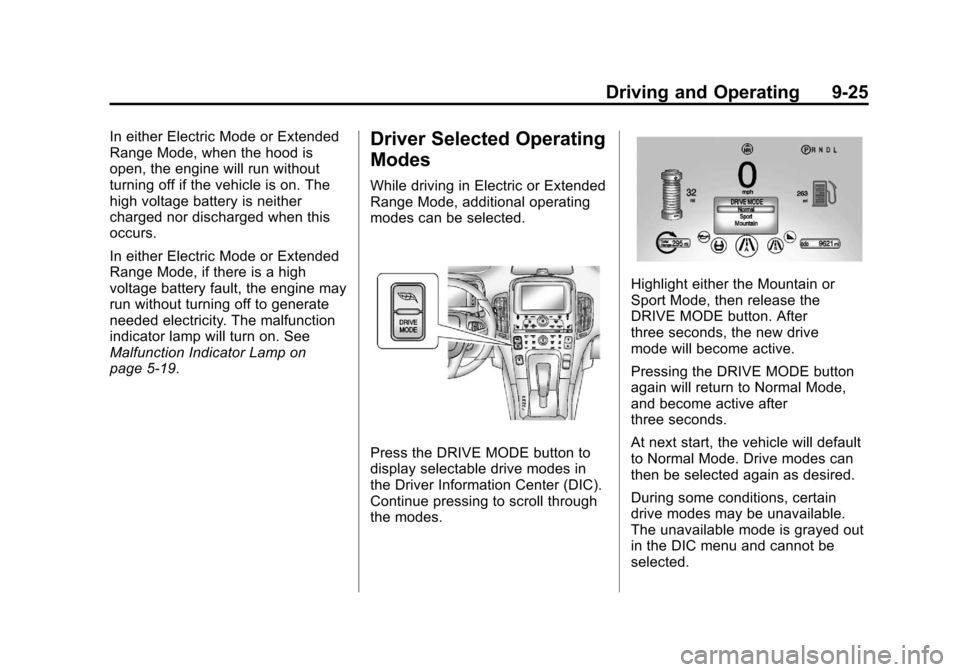
Press the DRIVE MODE button to
display selectable drive modes in
the Driver Information Center (DIC).
Continue pressing to scroll through
the modes.
Highlight either the Mountain or
Sport Mode, then release the
DRIVE MODE button. After
three seconds, the new drive
mode will become active.
Pressing the DRIVE MODE button
again will return to Normal Mode,
and become active after
three seconds.
At next start, the vehicle will default
to Normal Mode. Drive modes can
then be selected again as desired.
During some conditions, certain
drive modes may be unavailable.
The unavailable mode is grayed out
in the DIC menu and cannot be
selected.
Page 264 of 454
Black plate (26,1)Chevrolet Volt Owner Manual - 2012
9-26 Driving and Operating
If in Sport or Mountain Mode, either
may become unavailable and the
vehicle will return to Normal Mode.
The indicator light goes off and a
DIC message displays. See
Propulsion Power Messages on
page 5‑52.
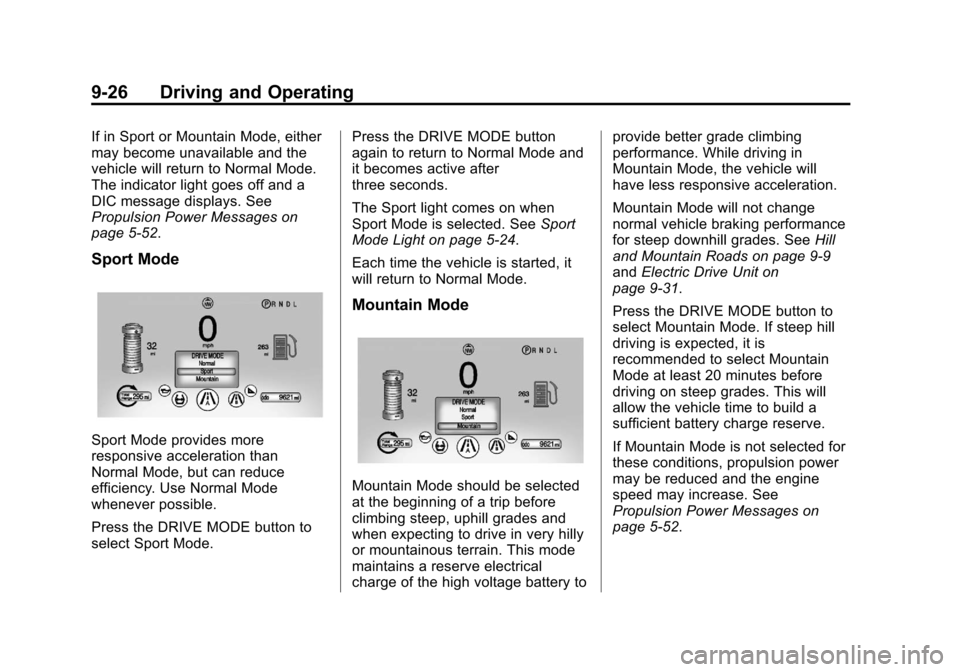
Sport Mode
Sport Mode provides more
responsive acceleration than
Normal Mode, but can reduce
efficiency. Use Normal Mode
whenever possible.
Press the DRIVE MODE button to
select Sport Mode.Press the DRIVE MODE button
again to return to Normal Mode and
it becomes active after
three seconds.
The Sport light comes on when
Sport Mode is selected. See
Sport
Mode Light on page 5‑24.
Each time the vehicle is started, it
will return to Normal Mode.
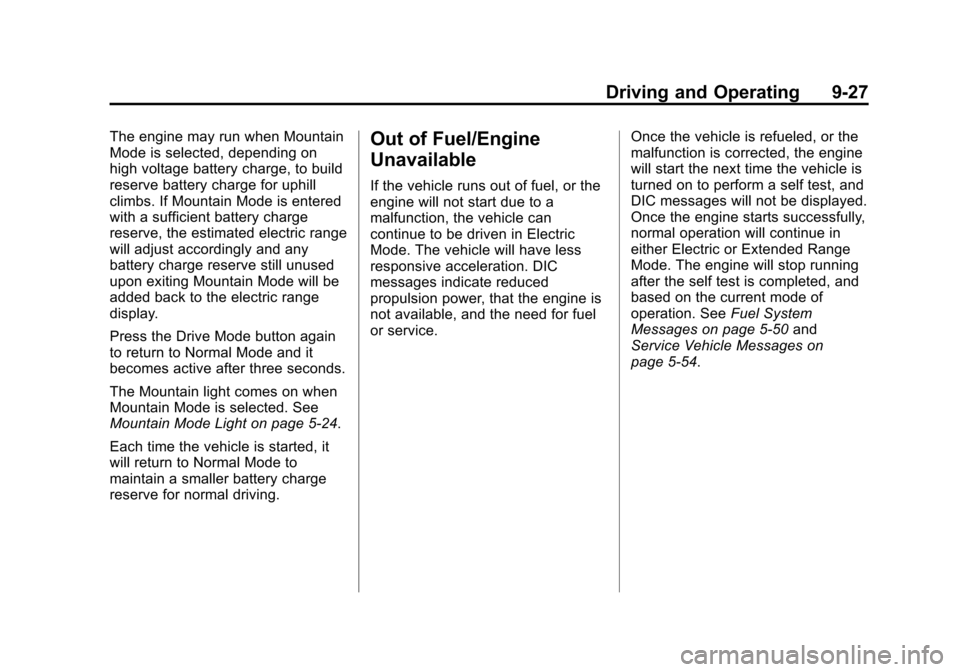
Mountain Mode
Mountain Mode should be selected
at the beginning of a trip before
climbing steep, uphill grades and
when expecting to drive in very hilly
or mountainous terrain. This mode
maintains a reserve electrical
charge of the high voltage battery to provide better grade climbing
performance. While driving in
Mountain Mode, the vehicle will
have less responsive acceleration.
Mountain Mode will not change
normal vehicle braking performance
for steep downhill grades. See
Hill
and Mountain Roads on page 9‑9
and Electric Drive Unit on
page 9‑31.
Press the DRIVE MODE button to
select Mountain Mode. If steep hill
driving is expected, it is
recommended to select Mountain
Mode at least 20 minutes before
driving on steep grades. This will
allow the vehicle time to build a
sufficient battery charge reserve.
If Mountain Mode is not selected for
these conditions, propulsion power
may be reduced and the engine
speed may increase. See
Propulsion Power Messages on
page 5‑52.
Page 265 of 454
Black plate (27,1)Chevrolet Volt Owner Manual - 2012
Driving and Operating 9-27
The engine may run when Mountain
Mode is selected, depending on
high voltage battery charge, to build
reserve battery charge for uphill
climbs. If Mountain Mode is entered
with a sufficient battery charge
reserve, the estimated electric range
will adjust accordingly and any
battery charge reserve still unused
upon exiting Mountain Mode will be
added back to the electric range
display.
Press the Drive Mode button again
to return to Normal Mode and it
becomes active after three seconds.
The Mountain light comes on when
Mountain Mode is selected. See
Mountain Mode Light on page 5‑24.
Each time the vehicle is started, it
will return to Normal Mode to
maintain a smaller battery charge
reserve for normal driving.Out of Fuel/Engine
Unavailable
If the vehicle runs out of fuel, or the
engine will not start due to a
malfunction, the vehicle can
continue to be driven in Electric
Mode. The vehicle will have less
responsive acceleration. DIC
messages indicate reduced
propulsion power, that the engine is
not available, and the need for fuel
or service.Once the vehicle is refueled, or the
malfunction is corrected, the engine
will start the next time the vehicle is
turned on to perform a self test, and
DIC messages will not be displayed.
Once the engine starts successfully,
normal operation will continue in
either Electric or Extended Range
Mode. The engine will stop running
after the self test is completed, and
based on the current mode of
operation. See
Fuel System
Messages on page 5‑50 and
Service Vehicle Messages on
page 5‑54.
Page 287 of 454
Black plate (49,1)Chevrolet Volt Owner Manual - 2012
Driving and Operating 9-49
Charging
Start Charge
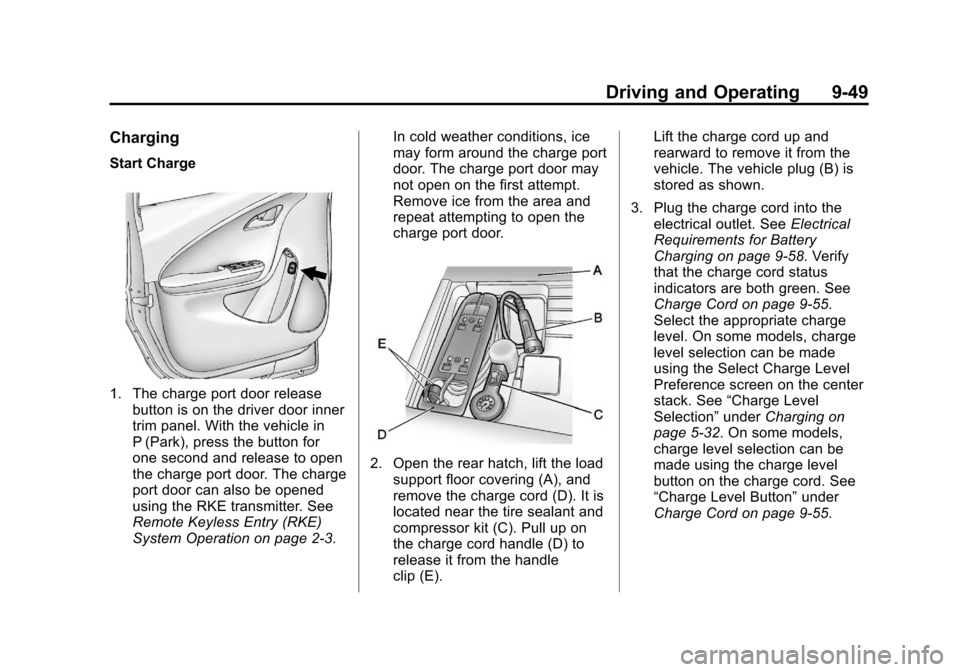
1. The charge port door releasebutton is on the driver door inner
trim panel. With the vehicle in
P (Park), press the button for
one second and release to open
the charge port door. The charge
port door can also be opened
using the RKE transmitter. See
Remote Keyless Entry (RKE)
System Operation on page 2‑3. In cold weather conditions, ice
may form around the charge port
door. The charge port door may
not open on the first attempt.
Remove ice from the area and
repeat attempting to open the
charge port door.
2. Open the rear hatch, lift the load
support floor covering (A), and
remove the charge cord (D). It is
located near the tire sealant and
compressor kit (C). Pull up on
the charge cord handle (D) to
release it from the handle
clip (E). Lift the charge cord up and
rearward to remove it from the
vehicle. The vehicle plug (B) is
stored as shown.
3. Plug the charge cord into the electrical outlet. See Electrical
Requirements for Battery
Charging on page 9‑58. Verify
that the charge cord status
indicators are both green. See
Charge Cord on page 9‑55.
Select the appropriate charge
level. On some models, charge
level selection can be made
using the Select Charge Level
Preference screen on the center
stack. See “Charge Level
Selection” underCharging on
page 5‑32. On some models,
charge level selection can be
made using the charge level
button on the charge cord. See
“Charge Level Button” under
Charge Cord on page 9‑55.
Page 295 of 454
Black plate (57,1)Chevrolet Volt Owner Manual - 2012
Driving and Operating 9-57
Charge Level Button
On some models, charge level
selection can be made using the
Select Charge Level Preference
screen on the center stack. See
“Charge Level Selection”under
Charging on page 5‑32.
On some models, charge level
selection can be made using the
charge level button on the charge
cord as described in the following.
{WARNING
Using a charge level that exceeds
the electrical circuit or socket
capacity may start a fire or
damage the electrical circuit. Use
the lowest charge level until a
qualified electrician inspects your
electrical circuit capacity. Use the
lowest charge level if the
electrical circuit or socket
capacity is not known. Two charge levels are available by
pressing the charge level button.
Select reduced or normal level.
The charge level cannot be
changed when the vehicle plug is
plugged into the charge port on the
vehicle. If the charge level button is
pressed while the vehicle plug is
plugged into the charge port on the
vehicle, the charge level indicators
will flash briefly. To change the
charge level, unplug the vehicle
plug from the charge port on the
vehicle and select the desired
charge level.
Normal Level:
This level is
recommended. All four charge level
indicators will be lit.
Reduced Level: Use when the
electrical current is limited. Two
charge level indicators will be lit.
Vehicle Plug
The vehicle plug attaches to the
charge port on the vehicle. There is
a flashlight built into the vehicle plug
that can be used by squeezing the
vehicle plug lever. The flashlight will
turn off when the connection is
complete and the lever is released.
Page 311 of 454
Black plate (7,1)Chevrolet Volt Owner Manual - 2012
Vehicle Care 10-7
Keep a record with all parts receipts
and list the mileage and the date of
any service work performed. See
Maintenance Records on
page 11‑14.
Hood
To open the hood:
1. Turn the vehicle off beforeopening the hood. If the vehicle
is on, the engine will start when
the hood is opened. See Electric
Mode on page 9‑24 and
Extended Range Mode on
page 9‑24.
2. Pull the release handle with this symbol. It is below the
instrument panel to the left of the
steering wheel.
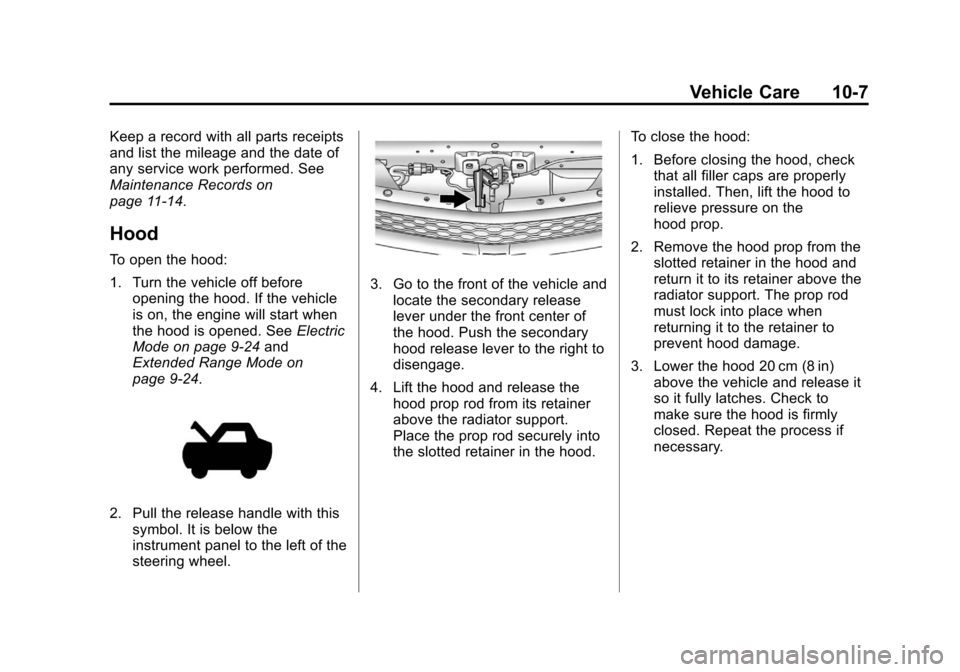
3. Go to the front of the vehicle andlocate the secondary release
lever under the front center of
the hood. Push the secondary
hood release lever to the right to
disengage.
4. Lift the hood and release the hood prop rod from its retainer
above the radiator support.
Place the prop rod securely into
the slotted retainer in the hood. To close the hood:
1. Before closing the hood, check
that all filler caps are properly
installed. Then, lift the hood to
relieve pressure on the
hood prop.
2. Remove the hood prop from the slotted retainer in the hood and
return it to its retainer above the
radiator support. The prop rod
must lock into place when
returning it to the retainer to
prevent hood damage.
3. Lower the hood 20 cm (8 in) above the vehicle and release it
so it fully latches. Check to
make sure the hood is firmly
closed. Repeat the process if
necessary.
Page 331 of 454
Black plate (27,1)Chevrolet Volt Owner Manual - 2012
Vehicle Care 10-27
Electric Drive Unit Shift
Lock Control Function
Check
{WARNING
When you are doing this
inspection, the vehicle could
move suddenly. If the vehicle
moves, you or others could be
injured.
1. Before starting this check, be sure there is enough room
around the vehicle. It should be
parked on a level surface.
2. Firmly apply the parking brake. See Electric Parking Brake on
page 9‑34.
Be ready to apply the regular
brake immediately if the vehicle
begins to move.
3. With the vehicle off and the brake not applied, press and
hold the POWER
Obutton for more than five seconds to place
the vehicle in Service Only
Mode. See
Power Button on
page 9‑18. Without applying the
regular brake, try to move the
shift lever out of P (Park) with
normal effort. If the shift lever
moves out of P (Park), contact
your dealer for service.
Park Brake and P (Park)
Mechanism Check
{WARNING
When you are doing this check,
the vehicle could begin to move.
You or others could be injured
and property could be damaged.
Make sure there is room in front
of the vehicle in case it begins to
roll. Be ready to apply the regular
brake at once should the vehicle
begin to move. Park on a fairly steep hill, with the
vehicle facing downhill. Keeping
your foot on the regular brake, set
the electric parking brake.
.To check the electric parking
brake's holding ability: With the
propulsion system active and the
electric drive unit in N (Neutral),
slowly remove foot pressure
from the regular brake pedal. Do
this until the vehicle is held by
the electric parking brake only.
.To check the P (Park)
mechanism's holding ability:
With the propulsion system
active, shift to P (Park). Then
release the electric parking
brake followed by the regular
brake.
Contact your dealer if service is
required.
Page 353 of 454

Black plate (49,1)Chevrolet Volt Owner Manual - 2012
Vehicle Care 10-49
Outward Facing Sidewall:The
side of an asymmetrical tire that
has a particular side that faces
outward when mounted on a
vehicle. The side of the tire that
contains a whitewall, bears
white lettering, or bears
manufacturer, brand, and/or
model name molding that is
higher or deeper than the same
moldings on the other sidewall
of the tire.
Passenger (P-Metric) Tire
:A
tire used on passenger cars and
some light duty trucks and
multipurpose vehicles.
Recommended Inflation
Pressure
:Vehicle
manufacturer's recommended
tire inflation pressure as shown
on the tire placard. See Tire
Pressure on page 10‑50 and
Vehicle Load Limits on
page 9‑12. Radial Ply Tire
:A pneumatic
tire in which the ply cords that
extend to the beads are laid at
90 degrees to the centerline of
the tread.
Rim
:A metal support for a tire
and upon which the tire beads
are seated.
Sidewall
:The portion of a tire
between the tread and the bead.
Speed Rating
:An
alphanumeric code assigned to
a tire indicating the maximum
speed at which a tire can
operate.
Traction
:The friction between
the tire and the road surface.
The amount of grip provided.
Tread
:The portion of a tire that
comes into contact with
the road. Treadwear Indicators
:Narrow
bands, sometimes called wear
bars, that show across the tread
of a tire when only 1.6 mm
(1/16 in) of tread remains. See
When It Is Time for New Tires
on page 10‑58.
UTQGS (Uniform Tire Quality
Grading Standards)
:A tire
information system that provides
consumers with ratings for a
tire's traction, temperature,
and treadwear. Ratings
are determined by tire
manufacturers using
government testing procedures.
The ratings are molded into the
sidewall of the tire. See Uniform
Tire Quality Grading on
page 10‑61.
Page 360 of 454

Black plate (56,1)Chevrolet Volt Owner Manual - 2012
10-56 Vehicle Care
Follow the TPMS sensor matching
process:
1. Set the parking brake.
2. Put the vehicle in ON/RUN andplace the vehicle in P (Park).
3. If the DIC display is minimized, press the SELECT knob to
maximize it.
4. Use the SELECT knob to scroll to the Tire Pressure display
screen.
5. Press and hold the SELECT knob for five seconds to begin
the sensor matching process.
A message displays confirming
to begin the process.
6. Use the SELECT knob to select YES with the highlighted
selection, and press the
SELECT knob again to confirm
the selection. The horn sounds twice to signal
the receiver is in relearn mode
and the TIRE LEARNING
ACTIVE message displays on
the DIC screen.
7. Start with the driver side front tire.
8. Place the relearn tool against the tire sidewall, near the valve
stem. Then press the button to
activate the TPMS sensor.
A horn chirp confirms that the
sensor identification code has
been matched to this tire and
wheel position.
9. Proceed to the passenger side front tire, and repeat the
procedure in Step 8.
10. Proceed to the passenger side rear tire, and repeat the
procedure in Step 8. 11. Proceed to the driver side rear
tire, and repeat the procedure
in Step 8. The horn sounds
two times to indicate the
sensor identification code has
been matched to the driver
side rear tire, and the TPMS
sensor matching process is no
longer active. The TIRE
LEARNING ACTIVE message
on the DIC display screen
goes off.
12. Turn the vehicle off.
13. Set all four tires to the recommended air pressure
level as indicated on the Tire
and Loading Information label.