radio CHEVROLET VOLT 2013 1.G Infotainment Manual
[x] Cancel search | Manufacturer: CHEVROLET, Model Year: 2013, Model line: VOLT, Model: CHEVROLET VOLT 2013 1.GPages: 92, PDF Size: 0.97 MB
Page 14 of 92
Black plate (14,1)Chevrolet Volt Infotainment System - 2013 - CRC - 5/16/12
14 Infotainment System
Press the Movies screen button (if
equipped) to show detailed of local
movie theater listings, start times,
and ratings if available. See“Movie
Listings” inSatellite Radio on
page 18.
Press the Quick Info screen button
to access information on Audio
playing, OnStar Turn-by-Turn route
(if equipped), 5-day forecast,
Nearby Fuel Stations, and Movie
Showtimes. See Quick Info on
page 25.
Cleaning High Gloss Surfaces
and Vehicle Information and
Radio Displays
For vehicles with high gloss
surfaces or vehicle displays, use a
microfiber cloth to wipe surfaces.
Before wiping the surface with the
microfiber cloth, use a soft bristle
brush to remove dirt that could
scratch the surface. Then use the
microfiber cloth by gently rubbing to
clean. Never use window cleaners
or solvents. Periodically hand wash
the microfiber cloth separately,
using mild soap. Do not use bleach
or fabric softener. Rinse thoroughly
and air dry before next use.
Notice: Do not attach a device
with a suction cup to the display.
This may cause damage and
would not be covered by the
warranty.
Software Updates
See the website for more
information.
Website Information
In the U.S., see www.chevrolet.com
In Canada, see
www.chevrolet.gm.ca
Page 15 of 92
Black plate (15,1)Chevrolet Volt Infotainment System - 2013 - CRC - 5/16/12
Infotainment System 15
Radio
AM-FM Radio
Playing the Radio
VOL/O(Volume/Power):
.Press to turn the radio on or off.
.Turn to increase or decrease the
volume of the active source.
The steering wheel controls can
also be used to adjust the volume.
See Steering Wheel Controls on
page 9.
Radio Operation
The radio will work when the key is
in ON/RUN or ACC/
ACCESSORY. When the key is
turned from ON/RUN to LOCK/OFF,
the radio will continue to work for
10 minutes or until the driver door is
opened.
The radio can be turned on by
pressing the power button on the
radio and will stay on for 10 minutes. Opening the driver door
will not turn the radio off when
pressing the power button.
Some radios may stay on longer
and reset the time for 10 minutes if
there are any additional presses of
any radio button.
The radio can be turned off at any
time by pressing the power button.
Audio Source
Press SOURCE or SRC on the
steering wheel controls to display
and scroll through the available
sources AM, FM, XM (if equipped),
Pandora (if equipped), Stitcher, CD,
USB, AUX, and Bluetooth Audio.
Infotainment System Settings
Tone Settings
To access the tone settings, press
TONE or the Tone Settings button
on the Home Page. Tone settings
are specific to each source.
To adjust the settings:
.Bass: Press + or
−to change
the level.
.Mid (Midrange): Press + or −to
change the level.
.Treble: Press + or −to change
the level.
.EQ: Press or turn the TUNE/
MENU knob to cycle through the
preset EQ options.
.Fade: Press the F or R button
for more sound from the front or
rear speakers. The middle
position balances the sound
between the front and rear
speakers.
Page 16 of 92
Black plate (16,1)Chevrolet Volt Infotainment System - 2013 - CRC - 5/16/12
16 Infotainment System
.Balance: Press the L or R button
for more sound from the left or
right speakers. The middle
position balances the sound
between the left and right
speakers.
Finding a Station
Press SOURCE or SRC on the
steering wheel controls to select
AM, FM, XM (if equipped), Pandora
(if equipped), Stitcher, CD, USB,
AUX, and Bluetooth Audio.
Turn the TUNE/MENU knob to find
a radio station. To select a preset
station, press FAV to scroll through
the favorite pages and then press a
preset button on the radio or the
screen button.
Seeking a Station
Press
rSEEK or SEEK[to
search for a station.
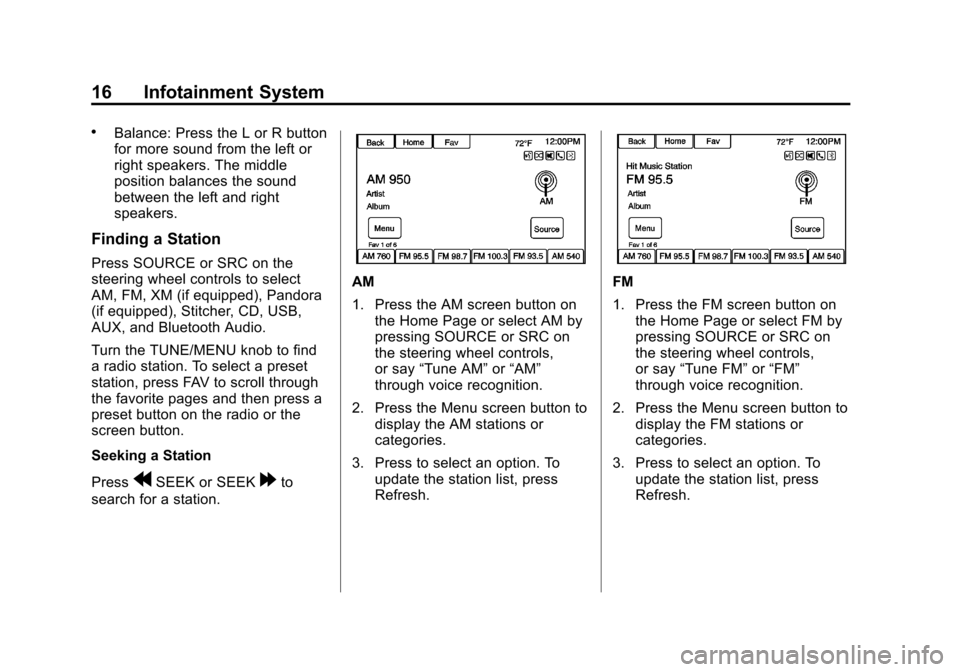
AM
1. Press the AM screen button on the Home Page or select AM by
pressing SOURCE or SRC on
the steering wheel controls,
or say “Tune AM” or“AM”
through voice recognition.
2. Press the Menu screen button to display the AM stations or
categories.
3. Press to select an option. To update the station list, press
Refresh.FM
1. Press the FM screen button onthe Home Page or select FM by
pressing SOURCE or SRC on
the steering wheel controls,
or say “Tune FM” or“FM”
through voice recognition.
2. Press the Menu screen button to display the FM stations or
categories.
3. Press to select an option. To update the station list, press
Refresh.
Page 17 of 92
Black plate (17,1)Chevrolet Volt Infotainment System - 2013 - CRC - 5/16/12
Infotainment System 17
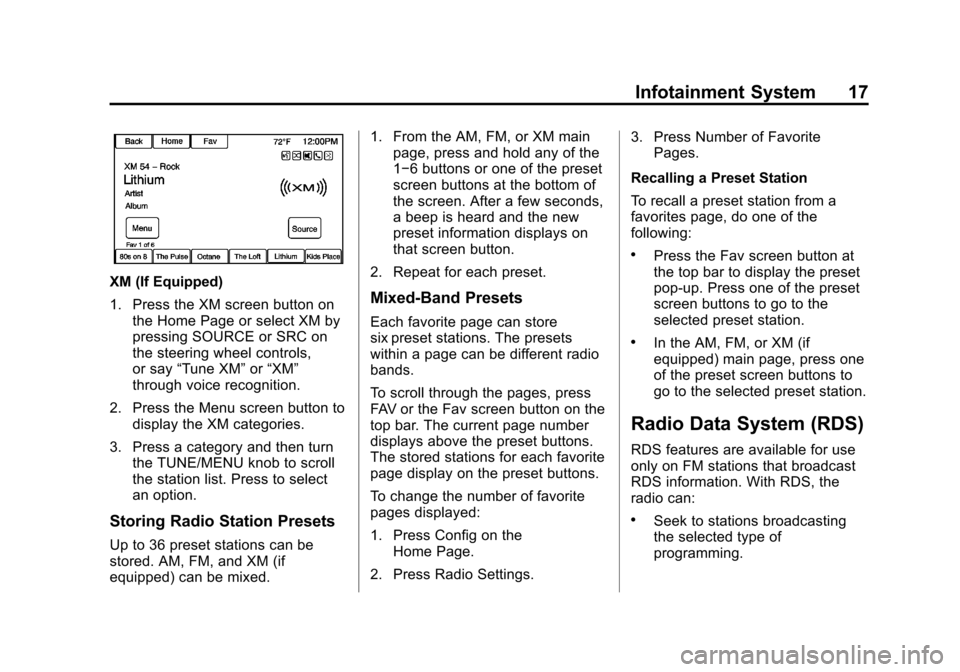
XM (If Equipped)
1. Press the XM screen button onthe Home Page or select XM by
pressing SOURCE or SRC on
the steering wheel controls,
or say “Tune XM” or“XM”
through voice recognition.
2. Press the Menu screen button to display the XM categories.
3. Press a category and then turn the TUNE/MENU knob to scroll
the station list. Press to select
an option.
Storing Radio Station Presets
Up to 36 preset stations can be
stored. AM, FM, and XM (if
equipped) can be mixed. 1. From the AM, FM, or XM main
page, press and hold any of the
1−6 buttons or one of the preset
screen buttons at the bottom of
the screen. After a few seconds,
a beep is heard and the new
preset information displays on
that screen button.
2. Repeat for each preset.
Mixed-Band Presets
Each favorite page can store
six preset stations. The presets
within a page can be different radio
bands.
To scroll through the pages, press
FAV or the Fav screen button on the
top bar. The current page number
displays above the preset buttons.
The stored stations for each favorite
page display on the preset buttons.
To change the number of favorite
pages displayed:
1. Press Config on the Home Page.
2. Press Radio Settings. 3. Press Number of Favorite
Pages.
Recalling a Preset Station
To recall a preset station from a
favorites page, do one of the
following:
.Press the Fav screen button at
the top bar to display the preset
pop-up. Press one of the preset
screen buttons to go to the
selected preset station.
.In the AM, FM, or XM (if
equipped) main page, press one
of the preset screen buttons to
go to the selected preset station.
Radio Data System (RDS)
RDS features are available for use
only on FM stations that broadcast
RDS information. With RDS, the
radio can:
.Seek to stations broadcasting
the selected type of
programming.
Page 18 of 92
Black plate (18,1)Chevrolet Volt Infotainment System - 2013 - CRC - 5/16/12
18 Infotainment System
.Receive announcements
concerning local and national
emergencies.
.Display messages from radio
stations.
This system relies on receiving
specific information from these
stations and only works when the
information is available. It is
possible that a radio station could
broadcast incorrect information that
causes the radio features to work
improperly. If this happens, contact
the radio station.
When information is broadcast from
the current FM station, the station
name or call letters display on the
audio screen. RDS can provide a
program type (PTY) for current
programming and the name of the
program being broadcasted.
Satellite Radio
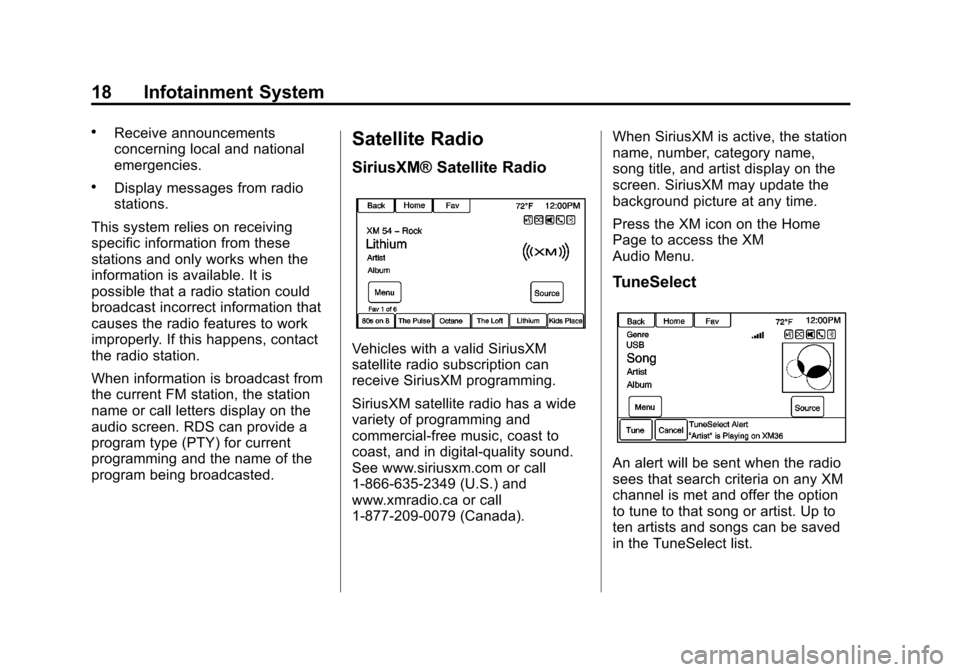
SiriusXM® Satellite Radio
Vehicles with a valid SiriusXM
satellite radio subscription can
receive SiriusXM programming.
SiriusXM satellite radio has a wide
variety of programming and
commercial-free music, coast to
coast, and in digital-quality sound.
See www.siriusxm.com or call
1-866-635-2349 (U.S.) and
www.xmradio.ca or call
1-877-209-0079 (Canada). When SiriusXM is active, the station
name, number, category name,
song title, and artist display on the
screen. SiriusXM may update the
background picture at any time.
Press the XM icon on the Home
Page to access the XM
Audio Menu.
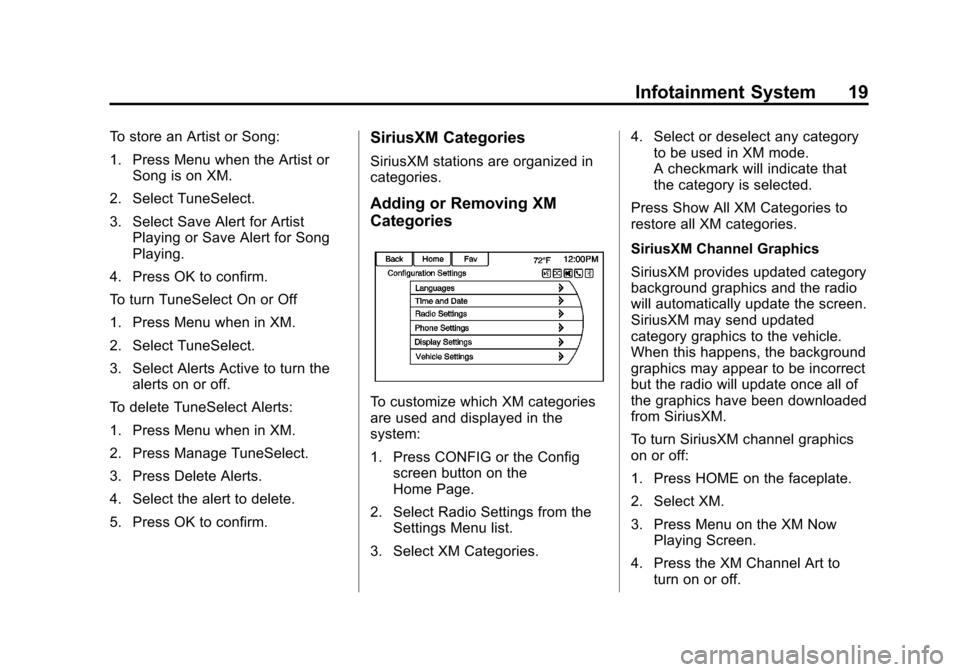
TuneSelect
An alert will be sent when the radio
sees that search criteria on any XM
channel is met and offer the option
to tune to that song or artist. Up to
ten artists and songs can be saved
in the TuneSelect list.
Page 19 of 92
Black plate (19,1)Chevrolet Volt Infotainment System - 2013 - CRC - 5/16/12
Infotainment System 19
To store an Artist or Song:
1. Press Menu when the Artist orSong is on XM.
2. Select TuneSelect.
3. Select Save Alert for Artist Playing or Save Alert for Song
Playing.
4. Press OK to confirm.
To turn TuneSelect On or Off
1. Press Menu when in XM.
2. Select TuneSelect.
3. Select Alerts Active to turn the alerts on or off.
To delete TuneSelect Alerts:
1. Press Menu when in XM.
2. Press Manage TuneSelect.
3. Press Delete Alerts.
4. Select the alert to delete.
5. Press OK to confirm.SiriusXM Categories
SiriusXM stations are organized in
categories.
Adding or Removing XM
Categories
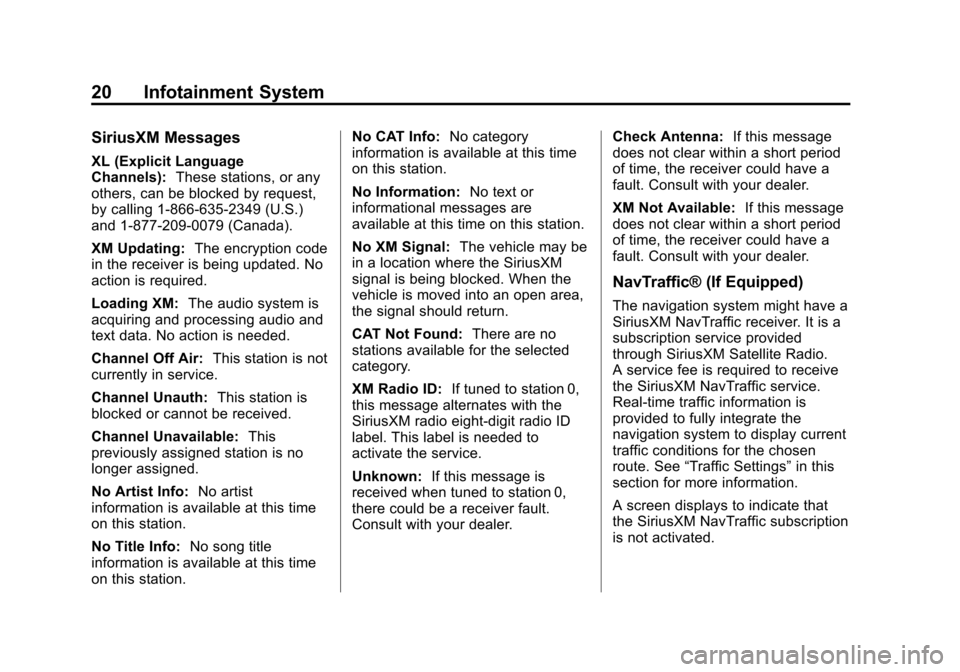
To customize which XM categories
are used and displayed in the
system:
1. Press CONFIG or the Config screen button on the
Home Page.
2. Select Radio Settings from the Settings Menu list.
3. Select XM Categories. 4. Select or deselect any category
to be used in XM mode.
A checkmark will indicate that
the category is selected.
Press Show All XM Categories to
restore all XM categories.
SiriusXM Channel Graphics
SiriusXM provides updated category
background graphics and the radio
will automatically update the screen.
SiriusXM may send updated
category graphics to the vehicle.
When this happens, the background
graphics may appear to be incorrect
but the radio will update once all of
the graphics have been downloaded
from SiriusXM.
To turn SiriusXM channel graphics
on or off:
1. Press HOME on the faceplate.
2. Select XM.
3. Press Menu on the XM Now Playing Screen.
4. Press the XM Channel Art to turn on or off.
Page 20 of 92
Black plate (20,1)Chevrolet Volt Infotainment System - 2013 - CRC - 5/16/12
20 Infotainment System
SiriusXM Messages
XL (Explicit Language
Channels):These stations, or any
others, can be blocked by request,
by calling 1-866-635-2349 (U.S.)
and 1-877-209-0079 (Canada).
XM Updating: The encryption code
in the receiver is being updated. No
action is required.
Loading XM: The audio system is
acquiring and processing audio and
text data. No action is needed.
Channel Off Air: This station is not
currently in service.
Channel Unauth: This station is
blocked or cannot be received.
Channel Unavailable: This
previously assigned station is no
longer assigned.
No Artist Info: No artist
information is available at this time
on this station.
No Title Info: No song title
information is available at this time
on this station. No CAT Info:
No category
information is available at this time
on this station.
No Information: No text or
informational messages are
available at this time on this station.
No XM Signal: The vehicle may be
in a location where the SiriusXM
signal is being blocked. When the
vehicle is moved into an open area,
the signal should return.
CAT Not Found: There are no
stations available for the selected
category.
XM Radio ID: If tuned to station 0,
this message alternates with the
SiriusXM radio eight-digit radio ID
label. This label is needed to
activate the service.
Unknown: If this message is
received when tuned to station 0,
there could be a receiver fault.
Consult with your dealer. Check Antenna:
If this message
does not clear within a short period
of time, the receiver could have a
fault. Consult with your dealer.
XM Not Available: If this message
does not clear within a short period
of time, the receiver could have a
fault. Consult with your dealer.
NavTraffic® (If Equipped)
The navigation system might have a
SiriusXM NavTraffic receiver. It is a
subscription service provided
through SiriusXM Satellite Radio.
A service fee is required to receive
the SiriusXM NavTraffic service.
Real-time traffic information is
provided to fully integrate the
navigation system to display current
traffic conditions for the chosen
route. See “Traffic Settings” in this
section for more information.
A screen displays to indicate that
the SiriusXM NavTraffic subscription
is not activated.
Page 21 of 92
Black plate (21,1)Chevrolet Volt Infotainment System - 2013 - CRC - 5/16/12
Infotainment System 21
If activated, traffic information
displays:
.Unscheduled traffic incident
data, such as accidents and
disabled vehicles.
.Scheduled traffic incident data,
such as road construction and
road closures.
.Traffic flow information (rate of
speed data). Flow data might not
be available in all markets.
Traffic information is delivered to the
vehicle by the SiriusXM Radio
satellites. SiriusXM NavTraffic
provides continuously updated
traffic information.
SiriusXM NavTraffic currently
broadcasts the traffic information for
many markets nationally. The
service may be available in more
cities in the future. Visit
www.xmnavtraffic.com for more
details on local coverage.
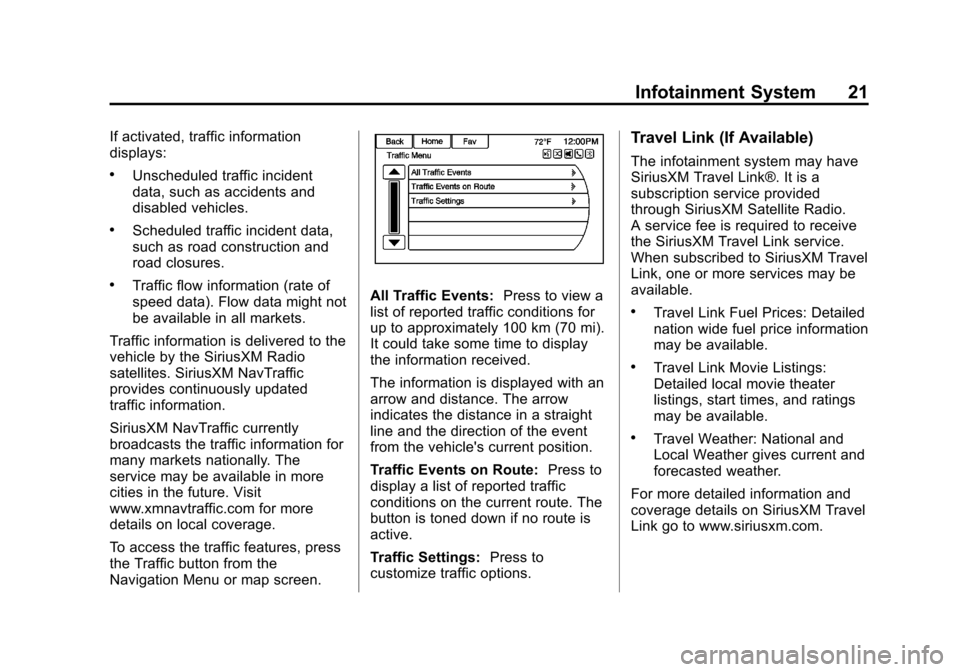
To access the traffic features, press
the Traffic button from the
Navigation Menu or map screen.All Traffic Events: Press to view a
list of reported traffic conditions for
up to approximately 100 km (70 mi).
It could take some time to display
the information received.
The information is displayed with an
arrow and distance. The arrow
indicates the distance in a straight
line and the direction of the event
from the vehicle's current position.
Traffic Events on Route: Press to
display a list of reported traffic
conditions on the current route. The
button is toned down if no route is
active.
Traffic Settings: Press to
customize traffic options.
Travel Link (If Available)
The infotainment system may have
SiriusXM Travel Link®. It is a
subscription service provided
through SiriusXM Satellite Radio.
A service fee is required to receive
the SiriusXM Travel Link service.
When subscribed to SiriusXM Travel
Link, one or more services may be
available.
.Travel Link Fuel Prices: Detailed
nation wide fuel price information
may be available.
.Travel Link Movie Listings:
Detailed local movie theater
listings, start times, and ratings
may be available.
.Travel Weather: National and
Local Weather gives current and
forecasted weather.
For more detailed information and
coverage details on SiriusXM Travel
Link go to www.siriusxm.com.
Page 24 of 92
Black plate (24,1)Chevrolet Volt Infotainment System - 2013 - CRC - 5/16/12
24 Infotainment System
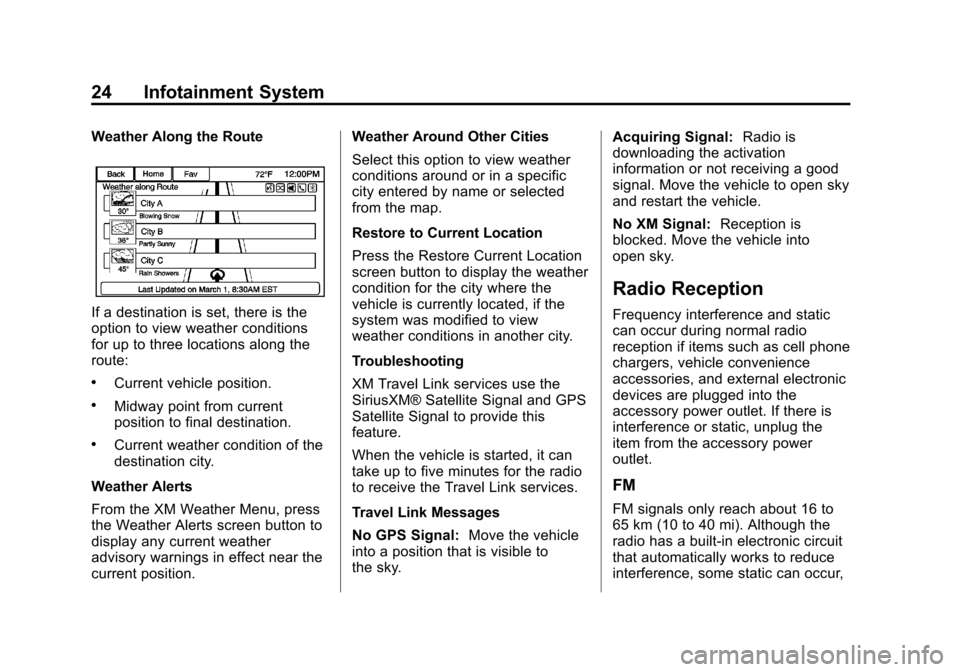
Weather Along the Route
If a destination is set, there is the
option to view weather conditions
for up to three locations along the
route:
.Current vehicle position.
.Midway point from current
position to final destination.
.Current weather condition of the
destination city.
Weather Alerts
From the XM Weather Menu, press
the Weather Alerts screen button to
display any current weather
advisory warnings in effect near the
current position. Weather Around Other Cities
Select this option to view weather
conditions around or in a specific
city entered by name or selected
from the map.
Restore to Current Location
Press the Restore Current Location
screen button to display the weather
condition for the city where the
vehicle is currently located, if the
system was modified to view
weather conditions in another city.
Troubleshooting
XM Travel Link services use the
SiriusXM® Satellite Signal and GPS
Satellite Signal to provide this
feature.
When the vehicle is started, it can
take up to five minutes for the radio
to receive the Travel Link services.
Travel Link Messages
No GPS Signal:
Move the vehicle
into a position that is visible to
the sky. Acquiring Signal:
Radio is
downloading the activation
information or not receiving a good
signal. Move the vehicle to open sky
and restart the vehicle.
No XM Signal: Reception is
blocked. Move the vehicle into
open sky.
Radio Reception
Frequency interference and static
can occur during normal radio
reception if items such as cell phone
chargers, vehicle convenience
accessories, and external electronic
devices are plugged into the
accessory power outlet. If there is
interference or static, unplug the
item from the accessory power
outlet.
FM
FM signals only reach about 16 to
65 km (10 to 40 mi). Although the
radio has a built-in electronic circuit
that automatically works to reduce
interference, some static can occur,
Page 25 of 92
Black plate (25,1)Chevrolet Volt Infotainment System - 2013 - CRC - 5/16/12
Infotainment System 25
especially around tall buildings or
hills, causing the sound to fade in
and out.
AM
The range for most AM stations is
greater than for FM, especially at
night. The longer range can cause
station frequencies to interfere with
each other. Static can occur when
things like storms and power lines
interfere with radio reception. When
this happens, try reducing the treble
on the radio.
SiriusXM® Satellite Radio
Service
SiriusXM Satellite Radio Service
gives digital radio reception from
coast to coast in the 48 contiguous
United States, and in Canada. Just
as with FM, tall buildings or hills can
interfere with satellite radio signals,
causing the sound to fade in and
out. In addition, traveling or standing
under heavy foliage, bridges,garages, or tunnels may cause loss
of the SiriusXM signal for a period
of time.
Cellular Phone Usage
Cellular phone usage can cause
interference with the vehicle's radio.
Quick Info
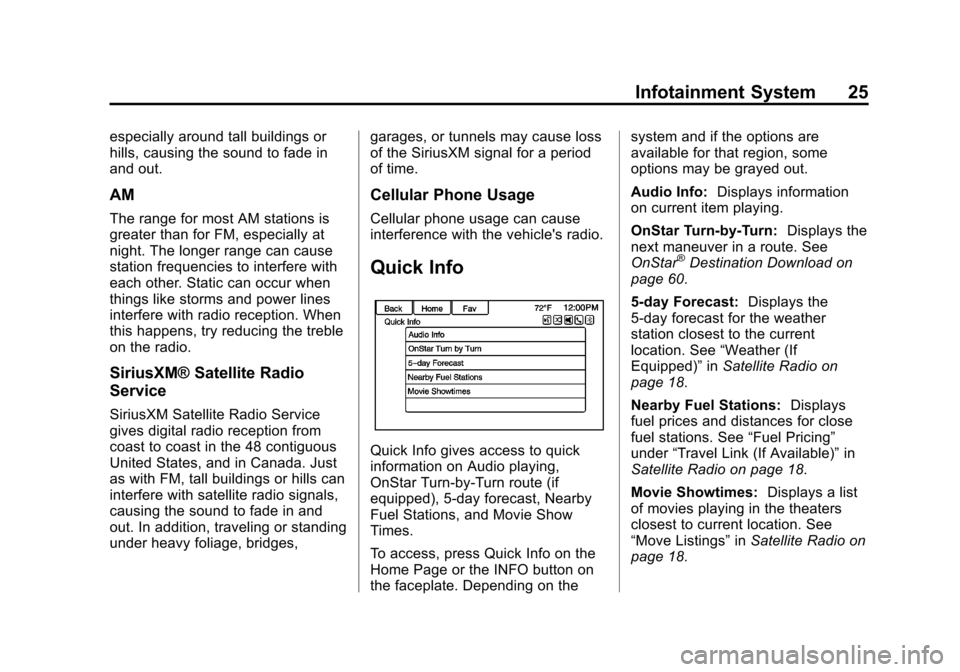
Quick Info gives access to quick
information on Audio playing,
OnStar Turn-by-Turn route (if
equipped), 5-day forecast, Nearby
Fuel Stations, and Movie Show
Times.
To access, press Quick Info on the
Home Page or the INFO button on
the faceplate. Depending on thesystem and if the options are
available for that region, some
options may be grayed out.
Audio Info:
Displays information
on current item playing.
OnStar Turn-by-Turn: Displays the
next maneuver in a route. See
OnStar
®Destination Download on
page 60.
5-day Forecast: Displays the
5-day forecast for the weather
station closest to the current
location. See “Weather (If
Equipped)” inSatellite Radio on
page 18.
Nearby Fuel Stations: Displays
fuel prices and distances for close
fuel stations. See “Fuel Pricing”
under “Travel Link (If Available)” in
Satellite Radio on page 18.
Movie Showtimes: Displays a list
of movies playing in the theaters
closest to current location. See
“Move Listings” inSatellite Radio on
page 18.