radio CHEVROLET VOLT 2013 1.G Infotainment Manual
[x] Cancel search | Manufacturer: CHEVROLET, Model Year: 2013, Model line: VOLT, Model: CHEVROLET VOLT 2013 1.GPages: 92, PDF Size: 0.97 MB
Page 39 of 92
Black plate (39,1)Chevrolet Volt Infotainment System - 2013 - CRC - 5/16/12
Infotainment System 39
cover art is found Gracenote will
use generic Genre graphics or
images of artists.
More Like This
The Gracenote database contains
attributes for Music, such as genre,
era of music, region, artist type,
mood, etc. Use this to create a
playlist of up to 30 songs "more like"
currently listened to song. This
playlist will be stored in the Playlist
Menu when the device is
reconnected. If songs are removed
from the device, the system will
simply skip over those songs and
play the next available song.
Use the touch screen or voice
recognition to create a More Like
This Playlist. See“Voice
Recognition Commands” inVoice
Recognition on page 68.
Gracenote Indexing
While Gracenote is indexing,
infotainment features are available
including selecting music from the
menu. Voice recognition music will not be available until the radio has
completed indexing the device.
Devices with more music may take
longer to index. The device will
index when plugged into the radio
for the first time. When Indexing is
removed from the screen, the radio
is ready to support music search.
On the next connection or ignition
cycle, Indexing will show briefly on
the screen. The radio is searching
for changes to the device and
preparing the music list. If there are
no changes, the voice recognition
music search will be available. The
radio will index and store two
devices with up to 10,000 songs on
each device.
USB MP3 Player and USB Drives
.The USB MP3 players and USB
drives connected must comply
with the USB Mass Storage
Class specification (USB MSC).
.Hard disk drives are not
supported.
.The radio will not be able to play
back write-protected music.
.File systems supported: FAT32,
NTFS, Linux, and HFS+.
.The following restrictions apply
for the data stored on a USB
MP3 player or USB device:
‐
Maximum folder structure
depth: 8 levels.
‐ Maximum number of MP3/
WMA files that can be
displayed: 10,000.
‐ Playlist entries must be in the
form of relative paths.
‐ The system attribute for
folders/files that contain audio
data must not be set.
To play a USB device, do one of the
following:
.Connect the USB and it begins
to play.
.Press the Now Playing screen
button on the Home Page.
.Press SOURCE to scroll until
the USB source screen is
available.
Page 40 of 92
Black plate (40,1)Chevrolet Volt Infotainment System - 2013 - CRC - 5/16/12
40 Infotainment System
.Pressb/gon the steering
wheel controls to play CD, Artist,
Album, Song Title, or Song
Genre. See Voice Recognition
on page 68.
The following playlist formats are
supported:
.M3U (Standard and Extended)
.iTunes
.PLS (Standard)
.WAX
.ASX
.RMP
The radio supports plugging a cell
phone in as a USB drive as long as
the cell phone supports USB mass
storage class or has USB disc drive
support enabled. While the USB source is active, use
the following to operate USB
function:
TUNE/MENU Knob:
Turn to scroll
through the list. Turn quickly to fast
scroll alphabetically through large
lists.
k(Play/Pause): Press to start,
pause, or resume play of the current
media source.
rSEEK (Previous/Reverse):
.Press to seek to the beginning of
the current or previous track.
If the track has been playing for
less than five seconds, the
previous track plays. If playing
longer than five seconds, the
current track restarts.
.Press and hold to reverse
quickly through playback.
Release to return to playing
speed. Elapsed time displays. SEEK
[(Next/Forward):
.Press to seek to the next track.
.Press and hold to advance
quickly through playback.
Release to return to playing
speed. Elapsed time displays.
USB Menu
The following are available through
the USB Menu:
Shuffle: Press to play the tracks
randomly. Press again to stop
shuffle.
Play More Like This:
1. Press to automatically create a playlist of songs that are like the
song currently playing.
2. The radio will show "Playlist Creation Succeeded" and
continue playing the
current song.
Playlist Creation Failed may
appear if a song is not found in
the Gracenote Database.
Page 41 of 92
Black plate (41,1)Chevrolet Volt Infotainment System - 2013 - CRC - 5/16/12
Infotainment System 41
Delete Automatic Playlist:Press
to delete a More Like This playlist.
Folders: Press to open a folder list
to access the files within the folder
structure.
Playlists:
1. Press to view the playlists on the USB.
2. Select a playlist to view the list of all songs in that playlist.
3. Select a song from the list to begin playback.
Artists:
1. Press to view the list of artists on the USB.
2. Select an artist name to view a list of all albums by the artist.
3. To select a song, press All Songs or press an album and
then select a song from the list. Albums:
1. Press to view the albums on
the USB.
2. Select the album to view a list of all songs on the album.
3. Select a song from the list to begin playback.
Genres:
1. Press to view the genres on the USB.
2. Select a genre to view a list of all songs of that genre.
3. Select a song from the list to begin playback.
Songs:
1. Press to display a list of all songs on the USB.
2. Songs are displayed as they are stored on the disc. To begin
playback, select a song from
the list. File System and Naming
The songs, artists, albums, and
genres are taken from the file’s
song information and are only
displayed if present. The radio
displays the file name as the track
name if the song information is not
available.
Playing from an iPod®
This feature supports the following
iPod models:
.iPod classic® (6th generation)
.iPod nano® (3G, 4G, 5G,
and 6G)
.iPod touch® (1G, 2G, 3G,
and 4G)
.iPhone® (2G, 3G, 3GS, 4,
and 4S)
.iPad®
Page 42 of 92
Black plate (42,1)Chevrolet Volt Infotainment System - 2013 - CRC - 5/16/12
42 Infotainment System
There may be problems with the
operation and function in the
following situations:
.When connecting an iPod on
which a more recent version of
the firmware is installed than is
supported by the infotainment
system.
.When connecting an iPod on
which firmware from other
providers is installed.
To connect an iPod:
1. Connect one end of the standard iPod USB cable to the iPod's
dock connector.
2. Connect the other end to the USB port in the center console.
iPod music information displays on
the radio’s display and begins
playing through the vehicle’s audio
system.
The iPod battery recharges
automatically while the vehicle is on.
The iPod shuts off and stops
charging when the vehicle is
shut off. If the iPod is an unsupported model,
it can still be listened to in the
vehicle by connecting to the
auxiliary input jack using a standard
3.5 mm (1/8 in) stereo cable.
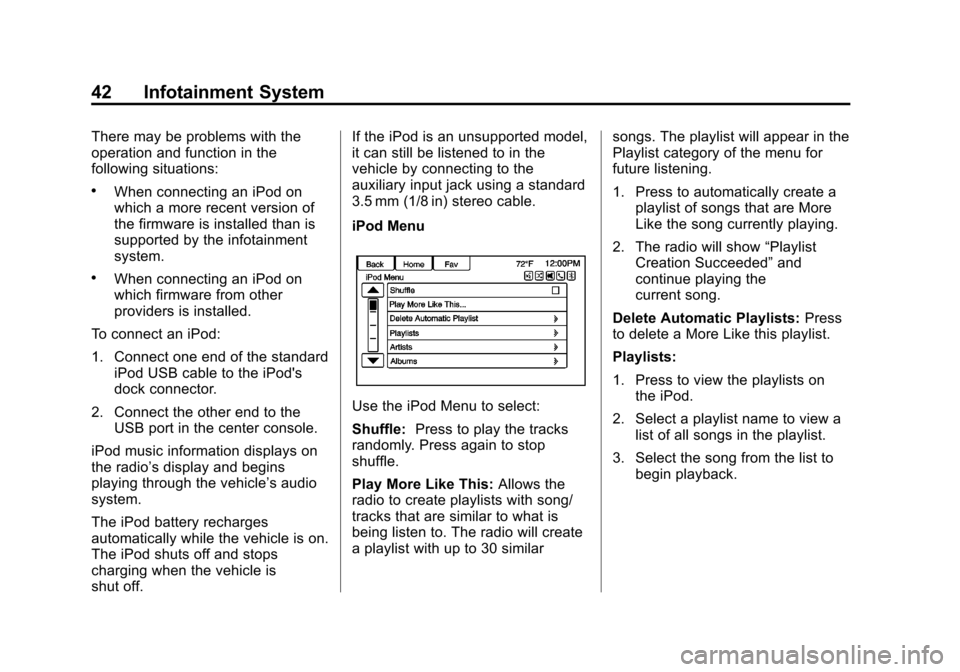
iPod Menu
Use the iPod Menu to select:
Shuffle:
Press to play the tracks
randomly. Press again to stop
shuffle.
Play More Like This: Allows the
radio to create playlists with song/
tracks that are similar to what is
being listen to. The radio will create
a playlist with up to 30 similar songs. The playlist will appear in the
Playlist category of the menu for
future listening.
1. Press to automatically create a
playlist of songs that are More
Like the song currently playing.
2. The radio will show “Playlist
Creation Succeeded” and
continue playing the
current song.
Delete Automatic Playlists: Press
to delete a More Like this playlist.
Playlists:
1. Press to view the playlists on the iPod.
2. Select a playlist name to view a list of all songs in the playlist.
3. Select the song from the list to begin playback.
Page 44 of 92
Black plate (44,1)Chevrolet Volt Infotainment System - 2013 - CRC - 5/16/12
44 Infotainment System
radio is selected. If a phone call is
received while listening to the iPod
source and there is no audio for the
iPod after the source, then go to the
Airplay icon on the device and
select dock connector or disconnect
and reconnect the dock connector
on the device.
Some functionality may differ based
on operating system version on
device.
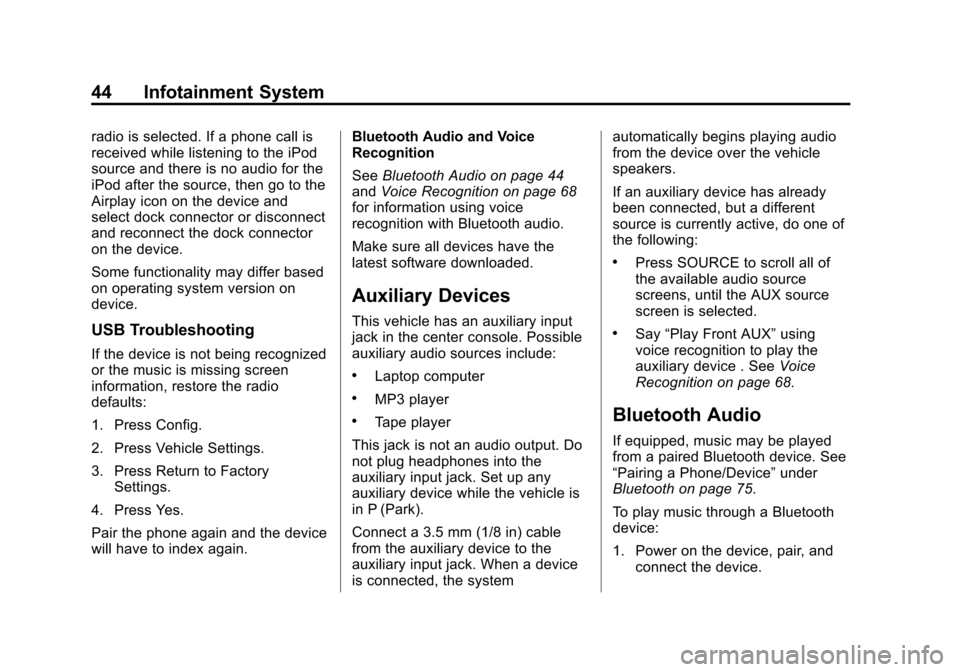
USB Troubleshooting
If the device is not being recognized
or the music is missing screen
information, restore the radio
defaults:
1. Press Config.
2. Press Vehicle Settings.
3. Press Return to FactorySettings.
4. Press Yes.
Pair the phone again and the device
will have to index again. Bluetooth Audio and Voice
Recognition
See
Bluetooth Audio on page 44
and Voice Recognition on page 68
for information using voice
recognition with Bluetooth audio.
Make sure all devices have the
latest software downloaded.
Auxiliary Devices
This vehicle has an auxiliary input
jack in the center console. Possible
auxiliary audio sources include:
.Laptop computer
.MP3 player
.Tape player
This jack is not an audio output. Do
not plug headphones into the
auxiliary input jack. Set up any
auxiliary device while the vehicle is
in P (Park).
Connect a 3.5 mm (1/8 in) cable
from the auxiliary device to the
auxiliary input jack. When a device
is connected, the system automatically begins playing audio
from the device over the vehicle
speakers.
If an auxiliary device has already
been connected, but a different
source is currently active, do one of
the following:
.Press SOURCE to scroll all of
the available audio source
screens, until the AUX source
screen is selected.
.Say
“Play Front AUX” using
voice recognition to play the
auxiliary device . See Voice
Recognition on page 68.
Bluetooth Audio
If equipped, music may be played
from a paired Bluetooth device. See
“Pairing a Phone/Device” under
Bluetooth on page 75.
To play music through a Bluetooth
device:
1. Power on the device, pair, and connect the device.
Page 45 of 92
Black plate (45,1)Chevrolet Volt Infotainment System - 2013 - CRC - 5/16/12
Infotainment System 45
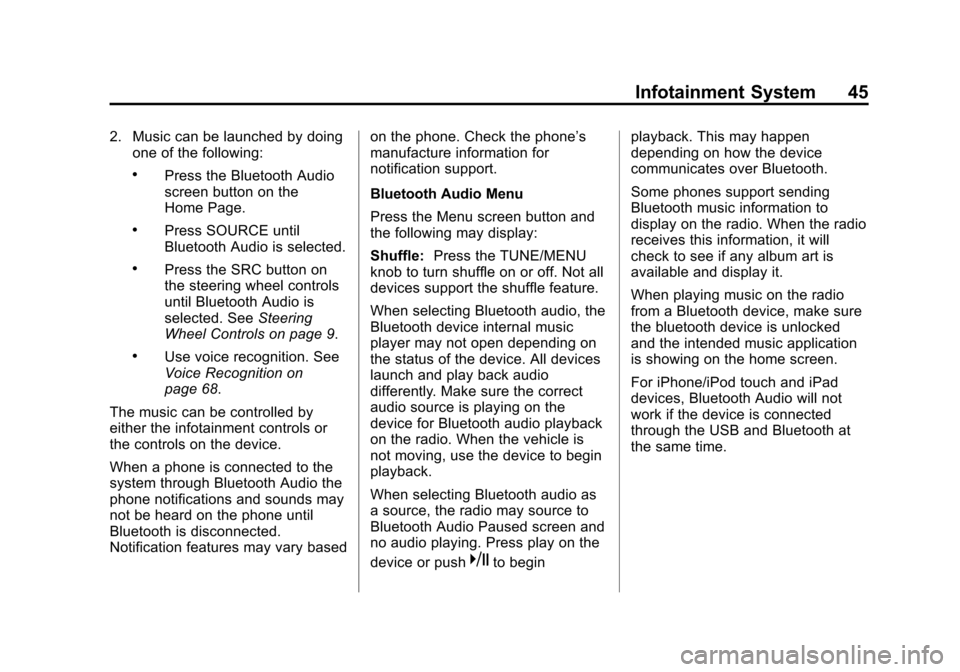
2. Music can be launched by doingone of the following:
.Press the Bluetooth Audio
screen button on the
Home Page.
.Press SOURCE until
Bluetooth Audio is selected.
.Press the SRC button on
the steering wheel controls
until Bluetooth Audio is
selected. See Steering
Wheel Controls on page 9.
.Use voice recognition. See
Voice Recognition on
page 68.
The music can be controlled by
either the infotainment controls or
the controls on the device.
When a phone is connected to the
system through Bluetooth Audio the
phone notifications and sounds may
not be heard on the phone until
Bluetooth is disconnected.
Notification features may vary based on the phone. Check the phone’s
manufacture information for
notification support.
Bluetooth Audio Menu
Press the Menu screen button and
the following may display:
Shuffle:
Press the TUNE/MENU
knob to turn shuffle on or off. Not all
devices support the shuffle feature.
When selecting Bluetooth audio, the
Bluetooth device internal music
player may not open depending on
the status of the device. All devices
launch and play back audio
differently. Make sure the correct
audio source is playing on the
device for Bluetooth audio playback
on the radio. When the vehicle is
not moving, use the device to begin
playback.
When selecting Bluetooth audio as
a source, the radio may source to
Bluetooth Audio Paused screen and
no audio playing. Press play on the
device or push
kto begin playback. This may happen
depending on how the device
communicates over Bluetooth.
Some phones support sending
Bluetooth music information to
display on the radio. When the radio
receives this information, it will
check to see if any album art is
available and display it.
When playing music on the radio
from a Bluetooth device, make sure
the bluetooth device is unlocked
and the intended music application
is showing on the home screen.
For iPhone/iPod touch and iPad
devices, Bluetooth Audio will not
work if the device is connected
through the USB and Bluetooth at
the same time.
Page 60 of 92
Black plate (60,1)Chevrolet Volt Infotainment System - 2013 - CRC - 5/16/12
60 Infotainment System
To save a destination list as a
favorite route, select Save as
Favorite Route.
OnStar®Destination
Download
The destination download lets an
OnStar® subscriber ask an OnStar
Advisor to download a destination to
the navigation system. OnStar will
send address information and
location coordinates of the
destination into the navigation
system.
Using Destination Download
If the navigation radio screen is
turned off before a download, the
system automatically turns the
screen on and displays a download
confirmation message. The radio
remains on after the download.
The navigation system displays
“Please wait” as the address is
searched within the map database. If the address is not found within the
map database, the system may use
latitude and longitude coordinates to
locate the destination.
If the system is unable to locate the
address, the Destination Not Found
screen displays.
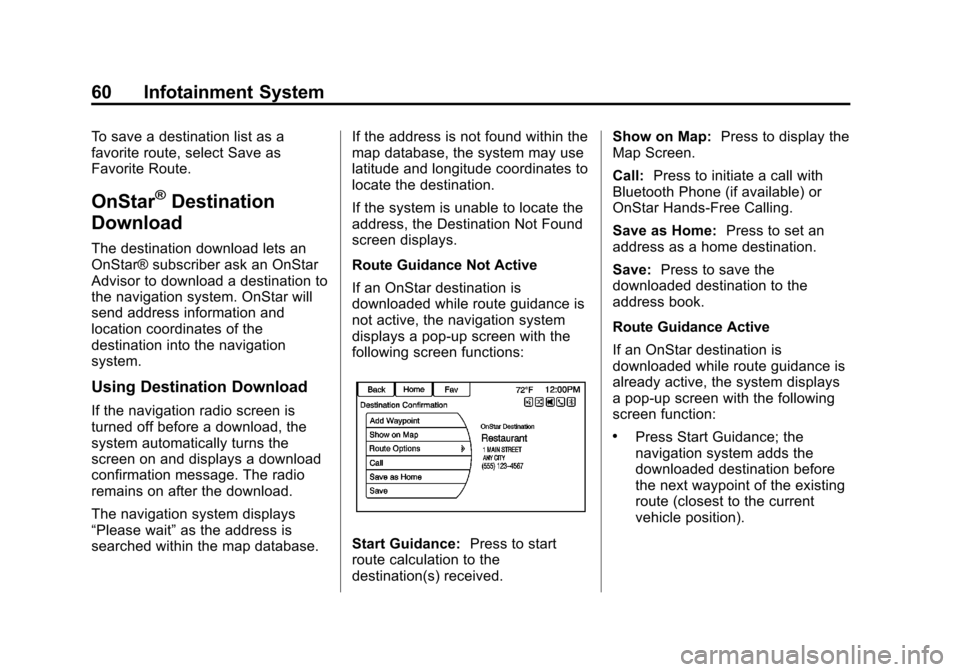
Route Guidance Not Active
If an OnStar destination is
downloaded while route guidance is
not active, the navigation system
displays a pop-up screen with the
following screen functions:
Start Guidance:
Press to start
route calculation to the
destination(s) received. Show on Map:
Press to display the
Map Screen.
Call: Press to initiate a call with
Bluetooth Phone (if available) or
OnStar Hands-Free Calling.
Save as Home: Press to set an
address as a home destination.
Save: Press to save the
downloaded destination to the
address book.
Route Guidance Active
If an OnStar destination is
downloaded while route guidance is
already active, the system displays
a pop-up screen with the following
screen function:
.Press Start Guidance; the
navigation system adds the
downloaded destination before
the next waypoint of the existing
route (closest to the current
vehicle position).
Page 61 of 92
Black plate (61,1)Chevrolet Volt Infotainment System - 2013 - CRC - 5/16/12
Infotainment System 61
.All other buttons on the pop-up
screen operate as described
under“Route Guidance Not
Active.”
Previous Destinations
Previously downloaded OnStar
destinations are saved under
Previous Destinations in the
navigation system, where they can
be accessed or saved to the
Address Book.
Configure Menu
The Configuration Menu is used to
adjust features and preferences,
such as Sound, Radio, Nav
(Navigation), Display, or Time
Settings.
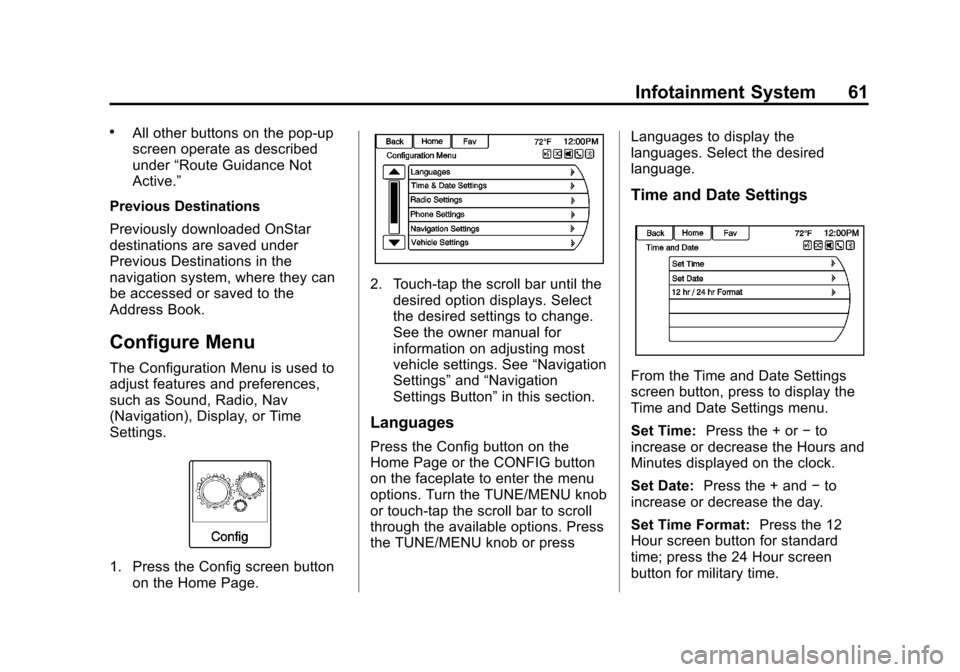
1. Press the Config screen button on the Home Page.
2. Touch-tap the scroll bar until thedesired option displays. Select
the desired settings to change.
See the owner manual for
information on adjusting most
vehicle settings. See “Navigation
Settings” and“Navigation
Settings Button” in this section.
Languages
Press the Config button on the
Home Page or the CONFIG button
on the faceplate to enter the menu
options. Turn the TUNE/MENU knob
or touch-tap the scroll bar to scroll
through the available options. Press
the TUNE/MENU knob or press Languages to display the
languages. Select the desired
language.
Time and Date Settings
From the Time and Date Settings
screen button, press to display the
Time and Date Settings menu.
Set Time:
Press the + or −to
increase or decrease the Hours and
Minutes displayed on the clock.
Set Date: Press the + and −to
increase or decrease the day.
Set Time Format: Press the 12
Hour screen button for standard
time; press the 24 Hour screen
button for military time.
Page 62 of 92
Black plate (62,1)Chevrolet Volt Infotainment System - 2013 - CRC - 5/16/12
62 Infotainment System
Press the Back screen button to
save the adjustments.
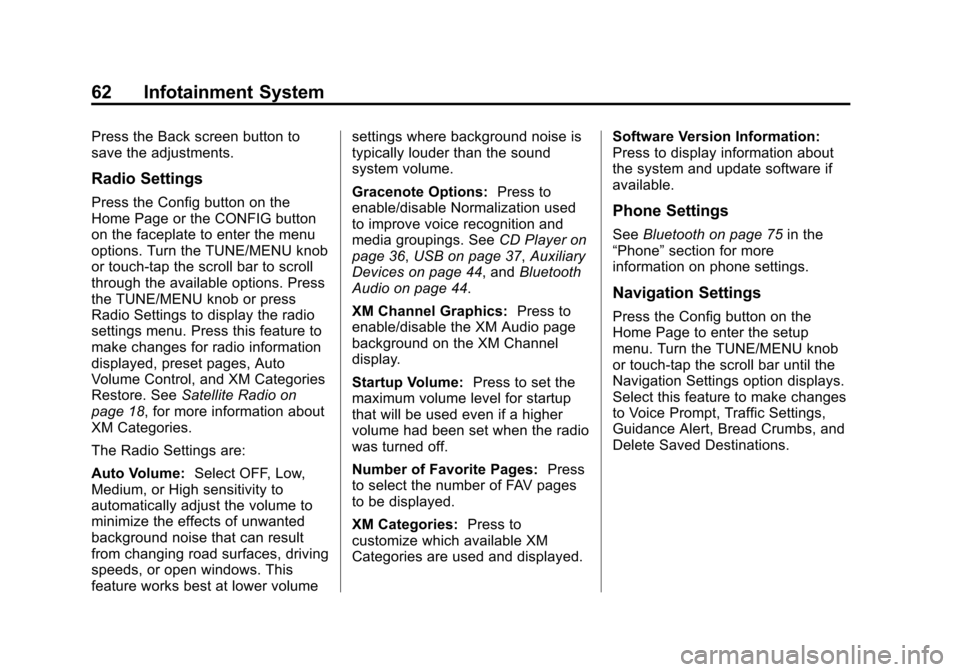
Radio Settings
Press the Config button on the
Home Page or the CONFIG button
on the faceplate to enter the menu
options. Turn the TUNE/MENU knob
or touch-tap the scroll bar to scroll
through the available options. Press
the TUNE/MENU knob or press
Radio Settings to display the radio
settings menu. Press this feature to
make changes for radio information
displayed, preset pages, Auto
Volume Control, and XM Categories
Restore. SeeSatellite Radio on
page 18, for more information about
XM Categories.
The Radio Settings are:
Auto Volume: Select OFF, Low,
Medium, or High sensitivity to
automatically adjust the volume to
minimize the effects of unwanted
background noise that can result
from changing road surfaces, driving
speeds, or open windows. This
feature works best at lower volume settings where background noise is
typically louder than the sound
system volume.
Gracenote Options:
Press to
enable/disable Normalization used
to improve voice recognition and
media groupings. See CD Player on
page 36, USB on page 37, Auxiliary
Devices on page 44, and Bluetooth
Audio on page 44.
XM Channel Graphics: Press to
enable/disable the XM Audio page
background on the XM Channel
display.
Startup Volume: Press to set the
maximum volume level for startup
that will be used even if a higher
volume had been set when the radio
was turned off.
Number of Favorite Pages: Press
to select the number of FAV pages
to be displayed.
XM Categories: Press to
customize which available XM
Categories are used and displayed. Software Version Information:
Press to display information about
the system and update software if
available.Phone Settings
See
Bluetooth on page 75 in the
“Phone” section for more
information on phone settings.
Navigation Settings
Press the Config button on the
Home Page to enter the setup
menu. Turn the TUNE/MENU knob
or touch-tap the scroll bar until the
Navigation Settings option displays.
Select this feature to make changes
to Voice Prompt, Traffic Settings,
Guidance Alert, Bread Crumbs, and
Delete Saved Destinations.
Page 65 of 92
Black plate (65,1)Chevrolet Volt Infotainment System - 2013 - CRC - 5/16/12
Infotainment System 65
AlertRoad Condition
Road VisibilityOther
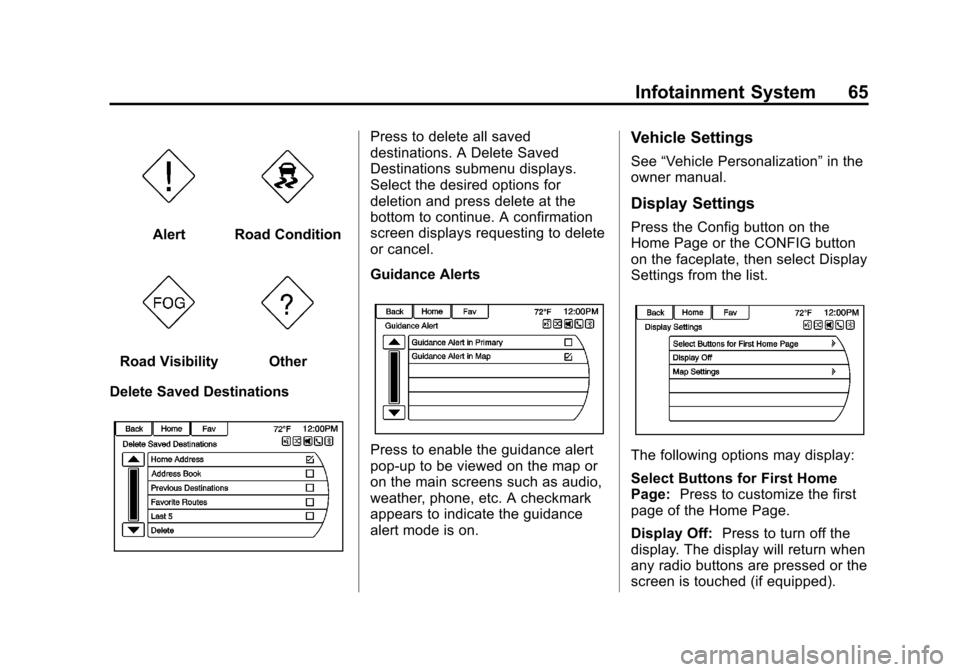
Delete Saved Destinations
Press to delete all saved
destinations. A Delete Saved
Destinations submenu displays.
Select the desired options for
deletion and press delete at the
bottom to continue. A confirmation
screen displays requesting to delete
or cancel.
Guidance Alerts
Press to enable the guidance alert
pop-up to be viewed on the map or
on the main screens such as audio,
weather, phone, etc. A checkmark
appears to indicate the guidance
alert mode is on.
Vehicle Settings
See “Vehicle Personalization” in the
owner manual.
Display Settings
Press the Config button on the
Home Page or the CONFIG button
on the faceplate, then select Display
Settings from the list.
The following options may display:
Select Buttons for First Home
Page: Press to customize the first
page of the Home Page.
Display Off: Press to turn off the
display. The display will return when
any radio buttons are pressed or the
screen is touched (if equipped).