display CHEVROLET VOLT 2014 1.G Repair Manual
[x] Cancel search | Manufacturer: CHEVROLET, Model Year: 2014, Model line: VOLT, Model: CHEVROLET VOLT 2014 1.GPages: 394, PDF Size: 5.86 MB
Page 219 of 394
(31,1)Chevrolet VOLT Owner Manual (GMNA-Localizing-U.S./Canada-6014139) -
2014 - CRC - 9/16/13
Driving and Operating 9-31
Electric Parking Brake
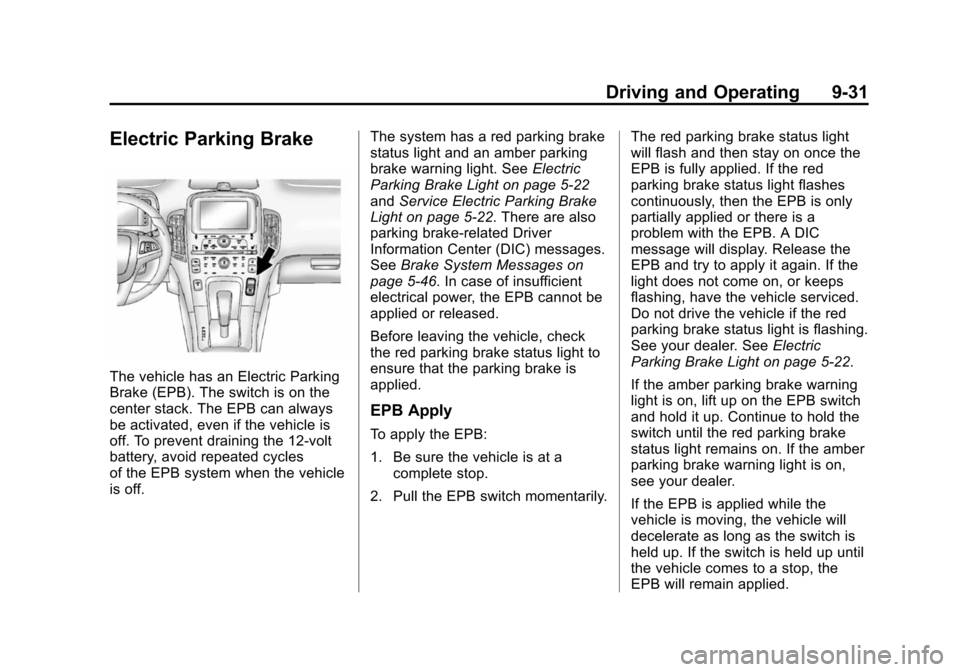
The vehicle has an Electric Parking
Brake (EPB). The switch is on the
center stack. The EPB can always
be activated, even if the vehicle is
off. To prevent draining the 12-volt
battery, avoid repeated cycles
of the EPB system when the vehicle
is off.The system has a red parking brake
status light and an amber parking
brake warning light. See
Electric
Parking Brake Light on page 5-22
and Service Electric Parking Brake
Light on page 5-22. There are also
parking brake-related Driver
Information Center (DIC) messages.
See Brake System Messages on
page 5-46. In case of insufficient
electrical power, the EPB cannot be
applied or released.
Before leaving the vehicle, check
the red parking brake status light to
ensure that the parking brake is
applied.
EPB Apply
To apply the EPB:
1. Be sure the vehicle is at a complete stop.
2. Pull the EPB switch momentarily. The red parking brake status light
will flash and then stay on once the
EPB is fully applied. If the red
parking brake status light flashes
continuously, then the EPB is only
partially applied or there is a
problem with the EPB. A DIC
message will display. Release the
EPB and try to apply it again. If the
light does not come on, or keeps
flashing, have the vehicle serviced.
Do not drive the vehicle if the red
parking brake status light is flashing.
See your dealer. See
Electric
Parking Brake Light on page 5-22.
If the amber parking brake warning
light is on, lift up on the EPB switch
and hold it up. Continue to hold the
switch until the red parking brake
status light remains on. If the amber
parking brake warning light is on,
see your dealer.
If the EPB is applied while the
vehicle is moving, the vehicle will
decelerate as long as the switch is
held up. If the switch is held up until
the vehicle comes to a stop, the
EPB will remain applied.
Page 221 of 394
(33,1)Chevrolet VOLT Owner Manual (GMNA-Localizing-U.S./Canada-6014139) -
2014 - CRC - 9/16/13
Driving and Operating 9-33
Ride Control Systems
Traction Control/
Electronic Stability
Control
The vehicle has a Traction Control
System (TCS) and an Electronic
Stability Control system called
StabiliTrak. These systems help
limit wheel slip and assist the driver
in maintaining control, especially on
slippery road conditions.
TCS activates if it senses that any
of the drive wheels are slipping or
beginning to lose traction. When this
happens, TCS applies the brakes to
the spinning wheels and reduces
engine power to limit wheel spin.
StabiliTrak activates when the
vehicle senses a difference between
the intended path and the direction
the vehicle is actually traveling.
StabiliTrak selectively applies
braking pressure to any of thevehicle wheel brakes to help assist
the driver in keeping the vehicle on
the intended path.
If cruise control is being used and
traction control or StabiliTrak begins
to limit wheel spin, cruise control will
disengage. Cruise control may be
turned back on when road
conditions allow.
Both systems come on
automatically when the vehicle is
started and begins to move. The
systems may be heard or felt while
they are operating or while
performing diagnostic checks. This
is normal and does not mean there
is a problem with the vehicle.
It is recommended to leave both
systems on for normal driving
conditions, but it may be necessary
to turn TCS off if the vehicle gets
stuck in sand, mud, ice, or snow.
See
If the Vehicle Is Stuck on
page 9-11 and“Turning the Systems
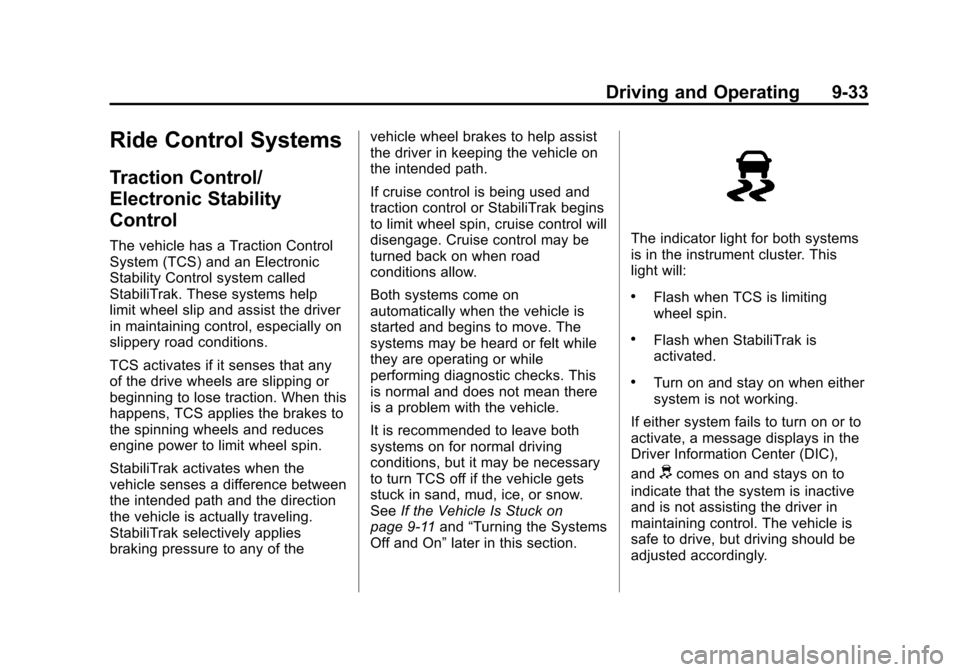
Off and On” later in this section.The indicator light for both systems
is in the instrument cluster. This
light will:
.Flash when TCS is limiting
wheel spin.
.Flash when StabiliTrak is
activated.
.Turn on and stay on when either
system is not working.
If either system fails to turn on or to
activate, a message displays in the
Driver Information Center (DIC),
and
dcomes on and stays on to
indicate that the system is inactive
and is not assisting the driver in
maintaining control. The vehicle is
safe to drive, but driving should be
adjusted accordingly.
Page 222 of 394
(34,1)Chevrolet VOLT Owner Manual (GMNA-Localizing-U.S./Canada-6014139) -
2014 - CRC - 9/16/13
9-34 Driving and Operating
Ifdcomes on and stays on:
1. Stop the vehicle.
2. Turn the engine off and wait 15 seconds.
3. Start the engine.
Drive the vehicle. If
dcomes on
and stays on, the vehicle may need
more time to diagnose the problem.
If the condition persists, see your
dealer.
Turning the Systems Off
and On
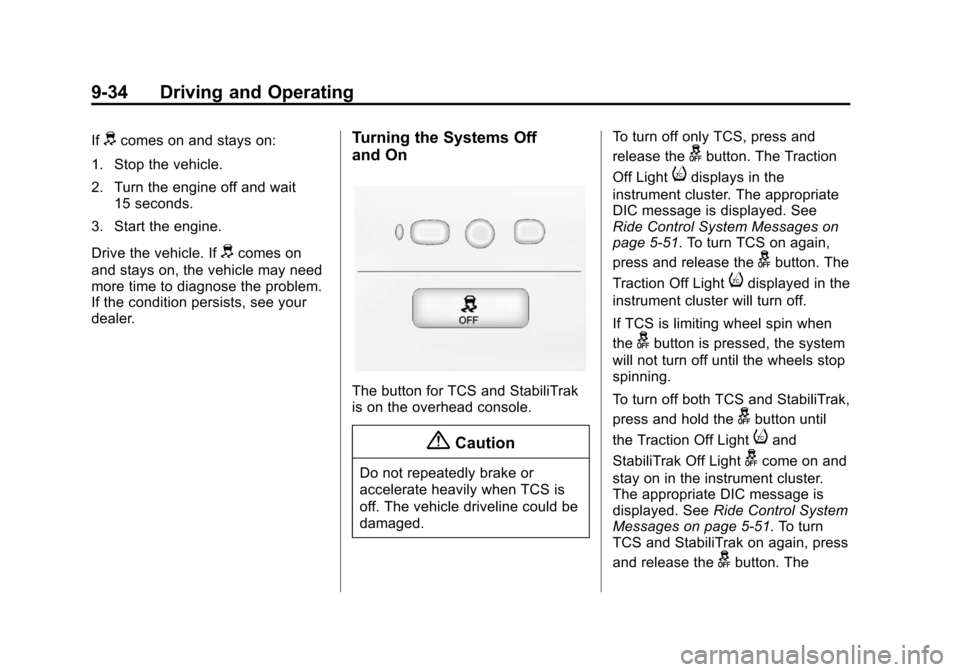
The button for TCS and StabiliTrak
is on the overhead console.
{Caution
Do not repeatedly brake or
accelerate heavily when TCS is
off. The vehicle driveline could be
damaged. To turn off only TCS, press and
release the
gbutton. The Traction
Off Light
idisplays in the
instrument cluster. The appropriate
DIC message is displayed. See
Ride Control System Messages on
page 5-51. To turn TCS on again,
press and release the
gbutton. The
Traction Off Light
idisplayed in the
instrument cluster will turn off.
If TCS is limiting wheel spin when
the
gbutton is pressed, the system
will not turn off until the wheels stop
spinning.
To turn off both TCS and StabiliTrak,
press and hold the
gbutton until
the Traction Off Light
iand
StabiliTrak Off Light
gcome on and
stay on in the instrument cluster.
The appropriate DIC message is
displayed. See Ride Control System
Messages on page 5-51. To turn
TCS and StabiliTrak on again, press
and release the
gbutton. The
Page 227 of 394
(39,1)Chevrolet VOLT Owner Manual (GMNA-Localizing-U.S./Canada-6014139) -
2014 - CRC - 9/16/13
Driving and Operating 9-39
{Warning
FCA does not provide a warning
to help avoid a crash, unless it
detects a vehicle. FCA may not
detect a vehicle ahead if the FCA
sensor is blocked by dirt, snow,
or ice, or if the windshield is
damaged. It may also not detect a
vehicle on winding or hilly roads,
or in conditions that can limit
visibility such as fog, rain,
or snow, or if the headlamps or
windshield are not cleaned or in
proper condition. Keep the
windshield, headlamps, and FCA
sensors clean and in good repair.
Tailgating Alert
The vehicle ahead indicator will
change to amber if following the
vehicle ahead much too closely. Collision Alert
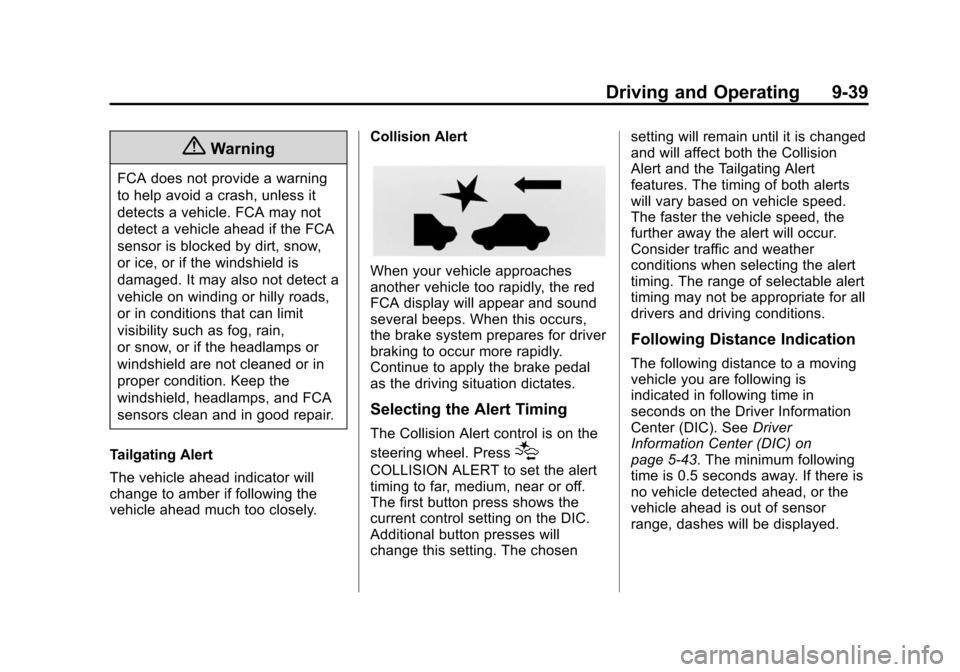
When your vehicle approaches
another vehicle too rapidly, the red
FCA display will appear and sound
several beeps. When this occurs,
the brake system prepares for driver
braking to occur more rapidly.
Continue to apply the brake pedal
as the driving situation dictates.
Selecting the Alert Timing
The Collision Alert control is on the
steering wheel. Press
[
COLLISION ALERT to set the alert
timing to far, medium, near or off.
The first button press shows the
current control setting on the DIC.
Additional button presses will
change this setting. The chosensetting will remain until it is changed
and will affect both the Collision
Alert and the Tailgating Alert
features. The timing of both alerts
will vary based on vehicle speed.
The faster the vehicle speed, the
further away the alert will occur.
Consider traffic and weather
conditions when selecting the alert
timing. The range of selectable alert
timing may not be appropriate for all
drivers and driving conditions.
Following Distance Indication
The following distance to a moving
vehicle you are following is
indicated in following time in
seconds on the Driver Information
Center (DIC). See
Driver
Information Center (DIC) on
page 5-43. The minimum following
time is 0.5 seconds away. If there is
no vehicle detected ahead, or the
vehicle ahead is out of sensor
range, dashes will be displayed.
Page 229 of 394
(41,1)Chevrolet VOLT Owner Manual (GMNA-Localizing-U.S./Canada-6014139) -
2014 - CRC - 9/16/13
Driving and Operating 9-41
When the vehicle is in N (Neutral),
the system may be active. The
Parking Assist system may need to
be turned off during a car wash to
avoid repeating alerts. See“Turning
the System On and Off” later in this
section to turn the system off.
For vehicles with UFRPA,
high-toned beeps from the front
speakers are for objects detected
near the front bumper. Low-toned
beeps from the rear speakers are
for objects detected near the rear
bumper. The interval between the
beeps becomes shorter as the
vehicle gets closer to the obstacle.
When the distance is less than
30 cm (12 in) the beeping is a
continuous tone for five seconds.
Objects Detected by Both the
Front and Rear Sensors (If
Equipped)
In general, if objects are detected at
the same time near both the front
and rear bumpers while backing up, the beeps only sound to indicate
that objects are close to the rear
bumper.
However, if an object comes within
0.3 m (1 ft) of the front bumper while
the vehicle is backing up and at the
same time there is another object
further than 0.3 m (1 ft) from the rear
bumper, then the beeps only sound
to indicate the object that is closer
to the front bumper.
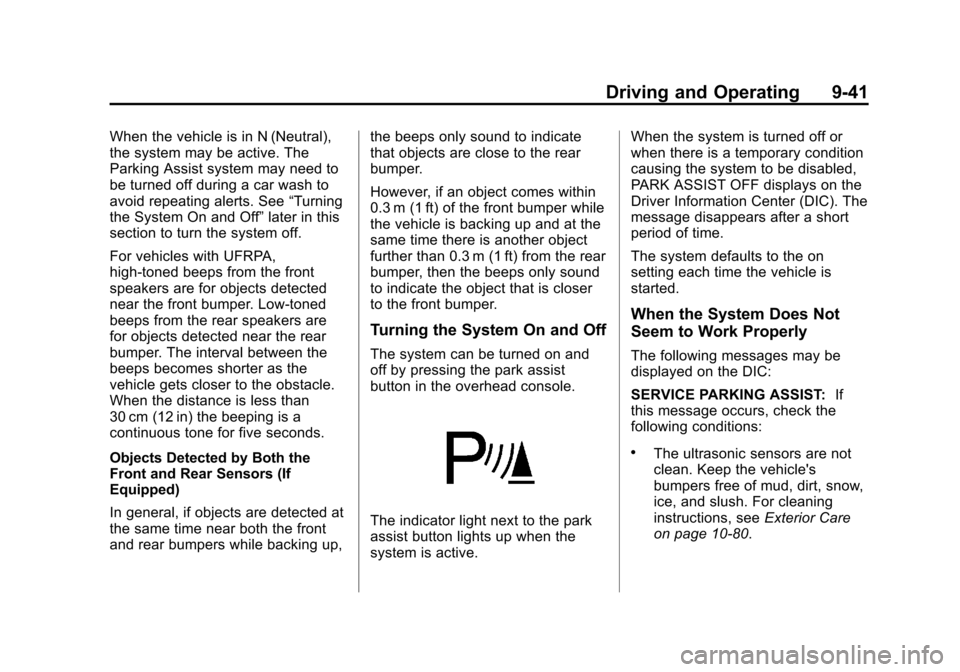
Turning the System On and Off
The system can be turned on and
off by pressing the park assist
button in the overhead console.
The indicator light next to the park
assist button lights up when the
system is active.When the system is turned off or
when there is a temporary condition
causing the system to be disabled,
PARK ASSIST OFF displays on the
Driver Information Center (DIC). The
message disappears after a short
period of time.
The system defaults to the on
setting each time the vehicle is
started.
When the System Does Not
Seem to Work Properly
The following messages may be
displayed on the DIC:
SERVICE PARKING ASSIST:
If
this message occurs, check the
following conditions:
.The ultrasonic sensors are not
clean. Keep the vehicle's
bumpers free of mud, dirt, snow,
ice, and slush. For cleaning
instructions, see Exterior Care
on page 10-80.
Page 230 of 394
(42,1)Chevrolet VOLT Owner Manual (GMNA-Localizing-U.S./Canada-6014139) -
2014 - CRC - 9/16/13
9-42 Driving and Operating
.The park assist sensors are
covered by frost or ice. Frost or
ice can form around and behind
the sensors and may not always
be seen; this can occur after
washing the vehicle in cold
weather. The message may not
clear until the frost or ice has
melted.
If the above conditions do not exist,
take the vehicle to your dealer to
repair the system.
PARK ASSIST OFF: If the system
does not activate due to a
temporary condition, the message
displays on the DIC. This can occur
under the following conditions:
.The driver has disabled the
system.
.An object was hanging out of the
hatch during the last drive cycle.
Once the object is removed, the
system will return to normal
operation.
.An object or cover is attached to
the front of the vehicle.
.The bumper is damaged. Take
the vehicle to your dealer to
repair the system.
.Other conditions, such as
vibrations from a jackhammer or
the compression of air brakes on
a very large truck, are affecting
system performance.
Rear Vision
Camera (RVC)
The vehicle may have a Rear Vision
Camera (RVC) system. Read this
entire section before using it.
The RVC system can assist the
driver when backing up by
displaying a view of the area behind
the vehicle.
{Warning
The RVC system does not display
children, pedestrians, bicyclists,
animals, or any other object
located outside the camera's field
(Continued)
Warning (Continued)
of view, below the bumper,
or under the vehicle. Perceived
distances may be different from
actual distances. Do not back the
vehicle using only the RVC
screen, during longer, higher
speed backing maneuvers,
or where there could be cross
traffic. Failure to use proper care
before backing may result in
injury, death, or vehicle damage.
Always check behind and around
the vehicle before backing.
How the System Works
When the vehicle is shifted into
R (Reverse), the image of the area
behind the vehicle appears in the
center stack display. The previous
screen displays when the vehicle is
shifted out of R (Reverse) after
approximately 10 seconds.
Page 231 of 394
(43,1)Chevrolet VOLT Owner Manual (GMNA-Localizing-U.S./Canada-6014139) -
2014 - CRC - 9/16/13
Driving and Operating 9-43
To see the previous screen sooner,
do one of the following:
.Press a button on the
infotainment system.
.Shift into P (Park).
.Reach a vehicle speed of
8 km/h (5 mph).
Turning the Rear Vision Camera
System On or Off
To turn the RVC system on or off:
1. Shift into P (Park).
2. Press the CONFIG button on the center stack.
3. Select Display.
4. Select Camera. When a checkmark appears next to
Camera, then the RVC system
is on. Symbols
The navigation system may have a
feature that lets the driver view
symbols on the navigation screen
while using the RVC. The Ultrasonic
Front and Rear Parking Assist
(UFRPA) or Ultrasonic Rear Parking
Assist (URPA) system must not be
disabled to use the caution symbols.
The error message REAR PARKING
ASSIST SYMBOLS UNAVAILABLE
may display if parking assist has
been disabled and the symbols
have been turned on. See
Ultrasonic Parking Assist on
page 9-40.
The symbols appear and may cover
an object when viewing the
navigation screen when an object is
detected by the parking assist
system.
To turn the symbols on or off:
1. Shift into P (Park).
2. Press the CONFIG button on the
center stack.
3. Select Display.
4. Select Symbols. When a checkmark appears next to
Symbols, symbols will appear.
Rear Vision Camera Error
Messages
SERVICE REAR VISION CAMERA
SYSTEM: If this message appears
in the center stack display, the
system may need service.
If any other problem occurs or if a
problem persists, see your dealer.
Page 232 of 394
(44,1)Chevrolet VOLT Owner Manual (GMNA-Localizing-U.S./Canada-6014139) -
2014 - CRC - 9/16/13
9-44 Driving and Operating
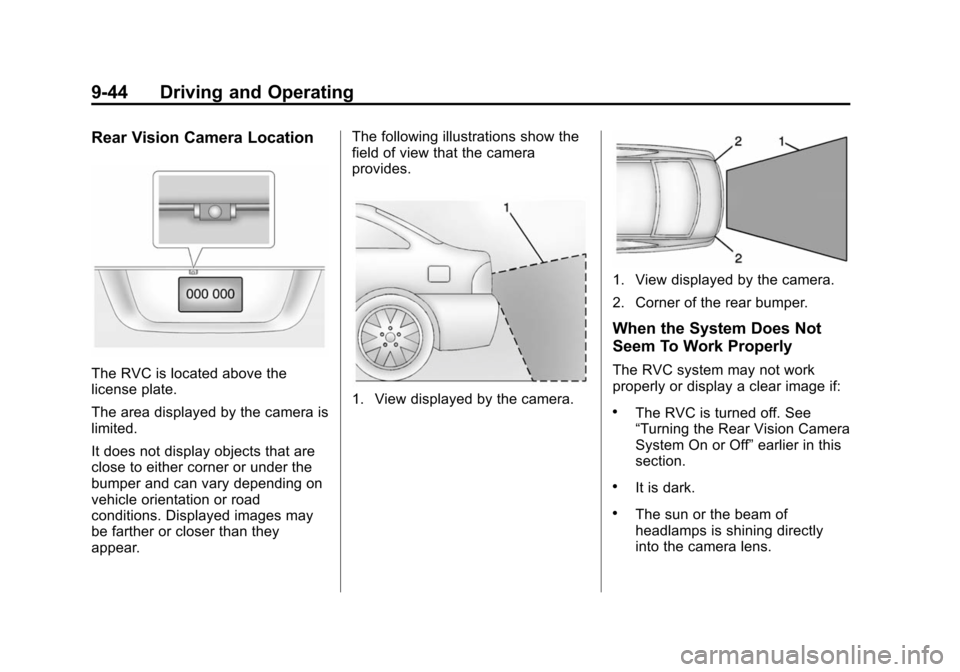
Rear Vision Camera Location
The RVC is located above the
license plate.
The area displayed by the camera is
limited.
It does not display objects that are
close to either corner or under the
bumper and can vary depending on
vehicle orientation or road
conditions. Displayed images may
be farther or closer than they
appear.The following illustrations show the
field of view that the camera
provides.
1. View displayed by the camera.
1. View displayed by the camera.
2. Corner of the rear bumper.
When the System Does Not
Seem To Work Properly
The RVC system may not work
properly or display a clear image if:
.The RVC is turned off. See
“Turning the Rear Vision Camera
System On or Off”
earlier in this
section.
.It is dark.
.The sun or the beam of
headlamps is shining directly
into the camera lens.
Page 242 of 394
(54,1)Chevrolet VOLT Owner Manual (GMNA-Localizing-U.S./Canada-6014139) -
2014 - CRC - 9/16/13
9-54 Driving and Operating
Charge Level Selection
Charge level selection can be made
using the Charge Level Preference
setting on the center stack. See
“Charge Level Selection”under
Programmable Charging on
page 5-31.
{Warning
Using a charge level that exceeds
the electrical circuit or electrical
outlet capacity may start a fire or
damage the electrical circuit. Use
the lowest charge level until a
qualified electrician inspects your
electrical circuit capacity. Use the
lowest charge level if the
electrical circuit or electrical outlet
capacity is not known.
Utility Interruption of
Charging
For participating customers using
AC charging, this vehicle will
respond to remote requests via OnStar to limit or completely block
electrical power grid usage for brief
time periods. A utility interruption of
charging may increase AC vehicle
charge times, but will not affect DC
charge times.
When electrical grid power is
completely blocked, the vehicle will
delay charging until the utility
interruption has expired. The vehicle
should be left plugged in so that,
when the utility interruption expires,
the vehicle can automatically begin
charging.
Changing the charge mode to
Immediate or performing a delayed
charging override will not disable a
utility interruption.
A pop-up will appear in the center
stack display during the key cycle
following any utility interruption. See
“Charging Override/Interruption
Pop-up”
underProgrammable
Charging on page 5-31. Text will be displayed on the
instrument cluster indicating that a
utility interruption has occurred. See
Instrument Cluster on page 5-9.
Electrical Requirements
for Battery Charging
This vehicle is capable of being
charged with most standard vehicle
charging equipment complying to
one or more of the following:
.SAE J1772
.SAE J2847-2
.IEC 61851-1
.IEC 61851-22
.IEC 61851-23
.IEC 61851-24
.IEC 62196-1
.IEC 62196-2
.IEC 62196-3
.ISO 15118
Page 245 of 394
(57,1)Chevrolet VOLT Owner Manual (GMNA-Localizing-U.S./Canada-6014139) -
2014 - CRC - 9/16/13
Driving and Operating 9-57
If TOP TIER Detergent Gasoline is
not available, one bottle of Fuel
System Treatment PLUS, part
number 88861013, added to the fuel
tank at every engine oil change, can
help. Fuel System Treatment PLUS
is the only gasoline additive
recommended by General Motors.
It is available at your dealer.
Filling the Tank
{Warning
Fuel vapors and fuel fires burn
violently and can cause injury or
death.
.To help avoid injuries to you
and others, read and follow
all the instructions on the fuel
pump island.
.Turn off the engine when
refueling.(Continued)
Warning (Continued)
.Keep sparks, flames, and
smoking materials away
from fuel.
.Do not leave the fuel pump
unattended.
.Do not reenter the vehicle
while pumping fuel.
.Keep children away from the
fuel pump and never let
children pump fuel.
.Fuel can spray out if the fuel
cap is opened too quickly.
This spray can happen if the
tank is nearly full, and is
more likely in hot weather.
Open the fuel cap slowly and
wait for any hiss noise to stop
then unscrew the cap all
the way. The fuel system on this vehicle
requires a refueling process to
control evaporative emissions. To
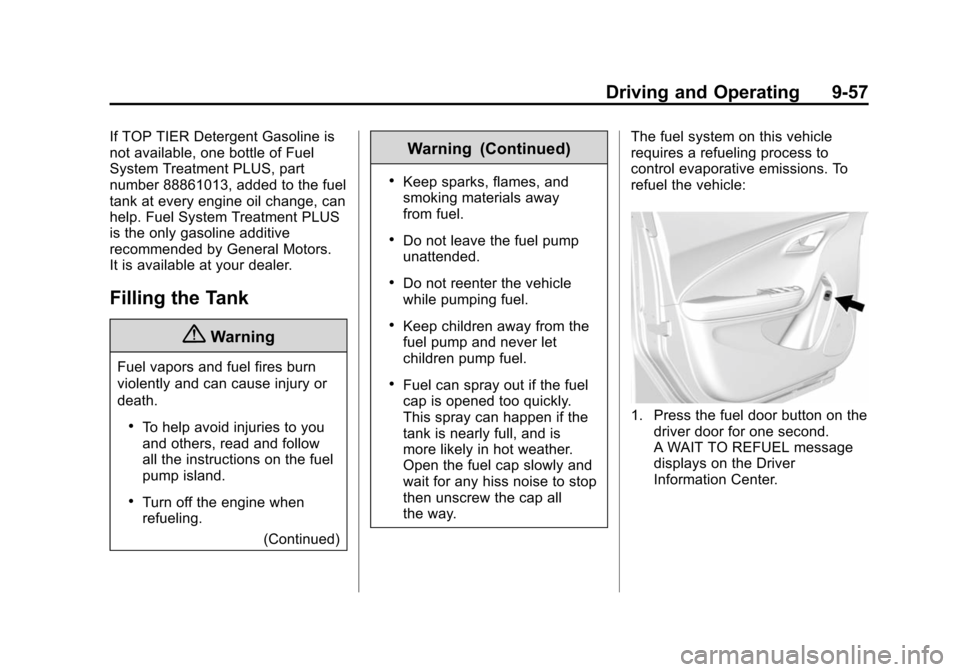
refuel the vehicle:
1. Press the fuel door button on the
driver door for one second.
A WAIT TO REFUEL message
displays on the Driver
Information Center.