headlamp CHEVROLET VOLT 2015 2.G User Guide
[x] Cancel search | Manufacturer: CHEVROLET, Model Year: 2015, Model line: VOLT, Model: CHEVROLET VOLT 2015 2.GPages: 387, PDF Size: 12.83 MB
Page 174 of 387
Black plate (5,1)Chevrolet VOLT Owner Manual (GMNA-Localizing-U.S./Canada-7695131) -
2015 - crc - 4/25/14
Lighting 6-5
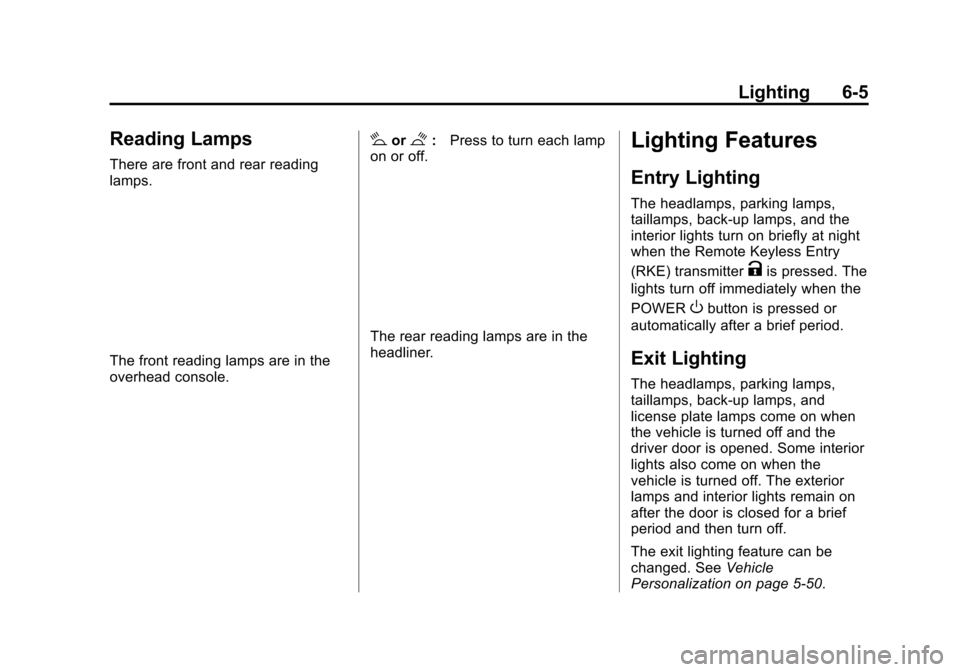
Reading Lamps
There are front and rear reading
lamps.
The front reading lamps are in the
overhead console.
#or$:Press to turn each lamp
on or off.
The rear reading lamps are in the
headliner.
Lighting Features
Entry Lighting
The headlamps, parking lamps,
taillamps, back-up lamps, and the
interior lights turn on briefly at night
when the Remote Keyless Entry
(RKE) transmitter
Kis pressed. The
lights turn off immediately when the
POWER
Obutton is pressed or
automatically after a brief period.
Exit Lighting
The headlamps, parking lamps,
taillamps, back-up lamps, and
license plate lamps come on when
the vehicle is turned off and the
driver door is opened. Some interior
lights also come on when the
vehicle is turned off. The exterior
lamps and interior lights remain on
after the door is closed for a brief
period and then turn off.
The exit lighting feature can be
changed. See Vehicle
Personalization on page 5-50.
Page 223 of 387
Black plate (38,1)Chevrolet VOLT Owner Manual (GMNA-Localizing-U.S./Canada-7695131) -
2015 - crc - 4/25/14
9-38 Driving and Operating
Warning (Continued)
or when following a vehicle too
closely, FCA may not provide a
warning with enough time to help
avoid a crash. FCA does not warn
of pedestrians, animals, signs,
guardrails, bridges, construction
barrels, or other objects. Be ready
to take action and apply the
brakes. For more information, see
Defensive Driving on page 9-5.
FCA can be disabled with the FCA
steering wheel control.
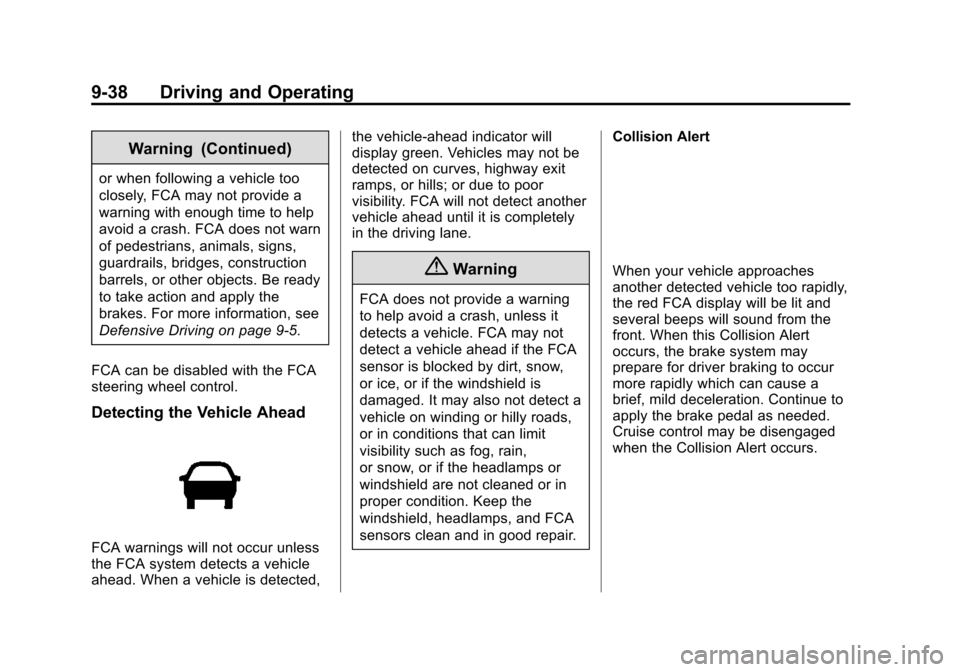
Detecting the Vehicle Ahead
FCA warnings will not occur unless
the FCA system detects a vehicle
ahead. When a vehicle is detected, the vehicle-ahead indicator will
display green. Vehicles may not be
detected on curves, highway exit
ramps, or hills; or due to poor
visibility. FCA will not detect another
vehicle ahead until it is completely
in the driving lane.
{Warning
FCA does not provide a warning
to help avoid a crash, unless it
detects a vehicle. FCA may not
detect a vehicle ahead if the FCA
sensor is blocked by dirt, snow,
or ice, or if the windshield is
damaged. It may also not detect a
vehicle on winding or hilly roads,
or in conditions that can limit
visibility such as fog, rain,
or snow, or if the headlamps or
windshield are not cleaned or in
proper condition. Keep the
windshield, headlamps, and FCA
sensors clean and in good repair.
Collision Alert
When your vehicle approaches
another detected vehicle too rapidly,
the red FCA display will be lit and
several beeps will sound from the
front. When this Collision Alert
occurs, the brake system may
prepare for driver braking to occur
more rapidly which can cause a
brief, mild deceleration. Continue to
apply the brake pedal as needed.
Cruise control may be disengaged
when the Collision Alert occurs.
Page 228 of 387
Black plate (43,1)Chevrolet VOLT Owner Manual (GMNA-Localizing-U.S./Canada-7695131) -
2015 - crc - 4/25/14
Driving and Operating 9-43
Rear Vision Camera Error
Messages
SERVICE REAR VISION CAMERA
SYSTEM:If this message appears
in the infotainment display, the
system may need service.
If any other problem occurs or if a
problem persists, see your dealer.
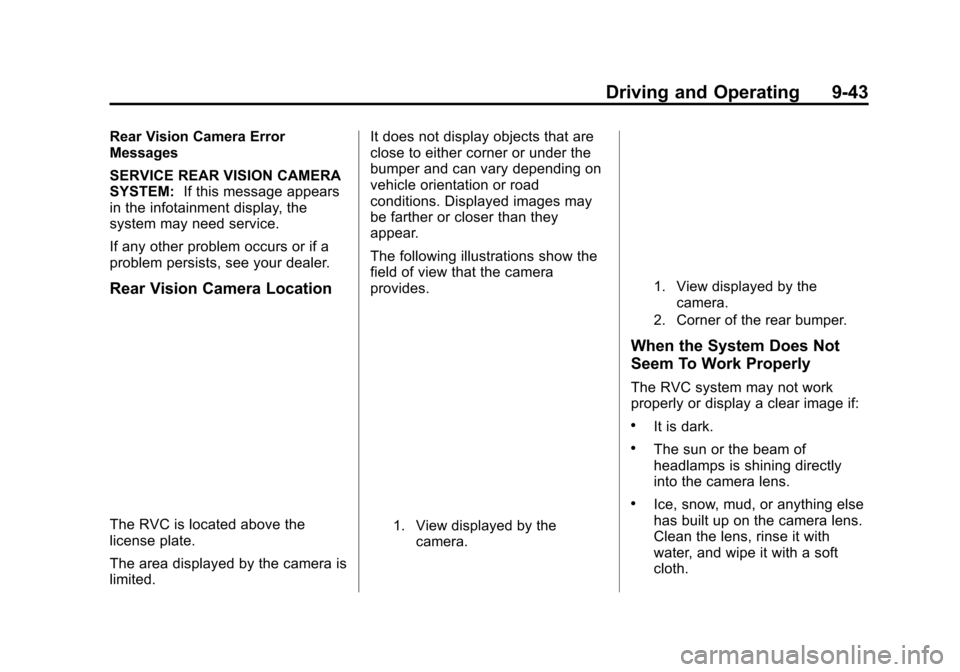
Rear Vision Camera Location
The RVC is located above the
license plate.
The area displayed by the camera is
limited. It does not display objects that are
close to either corner or under the
bumper and can vary depending on
vehicle orientation or road
conditions. Displayed images may
be farther or closer than they
appear.
The following illustrations show the
field of view that the camera
provides.1. View displayed by the
camera.
1. View displayed by the
camera.
2. Corner of the rear bumper.
When the System Does Not
Seem To Work Properly
The RVC system may not work
properly or display a clear image if:
.It is dark.
.The sun or the beam of
headlamps is shining directly
into the camera lens.
.Ice, snow, mud, or anything else
has built up on the camera lens.
Clean the lens, rinse it with
water, and wipe it with a soft
cloth.
Page 229 of 387
Black plate (44,1)Chevrolet VOLT Owner Manual (GMNA-Localizing-U.S./Canada-7695131) -
2015 - crc - 4/25/14
9-44 Driving and Operating
.The back of the vehicle was in
an accident. The position and
mounting angle of the camera
can change or the camera can
be affected. Be sure to have the
camera and its position and
mounting angle checked at your
dealer.
Lane Departure
Warning (LDW)
If equipped, LDW may help avoid
crashes due to unintentional lane
departures. It may provide an alert if
the vehicle is crossing a lane
without using a turn signal in that
direction. LDW uses a camera
sensor to detect the lane markings
at speeds of 56 km/h (35 mph) or
greater.
{Warning
The LDW system does not steer
the vehicle. The LDW system
may not:
.Provide enough time to avoid
a crash.
.Detect lane markings under
poor weather or visibility
conditions. This can occur if
the windshield or headlamps
are blocked by dirt, snow,
or ice; if they are not in
proper condition; or if the sun
shines directly into the
camera.
.Detect road edges.
.Detect lanes on winding or
hilly roads.
If LDW only detects lane
markings on one side of the road,
it will only warn you when
departing the lane on the side
where it has detected a lane (Continued)
Warning (Continued)
marking. Always keep your
attention on the road and
maintain proper vehicle position
within the lane, or vehicle
damage, injury, or death could
occur. Always keep the
windshield, headlamps, and
camera sensors clean and in
good repair. Do not use LDW in
bad weather conditions.
How the System Works
The LDW camera sensor is on the
windshield ahead of the rearview
mirror.
To turn LDW on and off, press the
@LANE DEPART button on the
steering wheel. The control indicator
will light when LDW is on.
Page 244 of 387
Black plate (1,1)Chevrolet VOLT Owner Manual (GMNA-Localizing-U.S./Canada-7695131) -
2015 - crc - 4/25/14
Vehicle Care 10-1
Vehicle Care
General Information
General Information . . . . . . . . . . 10-2
California Proposition65 Warning . . . . . . . . . . . . . . . . . 10-2
California Perchlorate Materials Requirements . . . . 10-2
Accessories and Modifications . . . . . . . . . . . . . . . 10-2
Lifting the Vehicle . . . . . . . . . . . . 10-3
Vehicle Checks
Doing Your Own Service Work . . . . . . . . . . . . . . . 10-5
Hood . . . . . . . . . . . . . . . . . . . . . . . . 10-6
Engine Compartment Overview . . . . . . . . . . . . . . . . . . . 10-8
Engine Oil . . . . . . . . . . . . . . . . . . . 10-9
Engine Oil Life System . . . . . 10-12
Engine Air Cleaner/Filter . . . . 10-13
Cooling System (Engine) . . . 10-14
Cooling System (High Voltage Battery) . . . . . . . . . . . 10-15
Cooling System (Power Electronics and Charger
Modules) . . . . . . . . . . . . . . . . . . 10-16
Engine Coolant . . . . . . . . . . . . . 10-17 Engine Overheating . . . . . . . . 10-19
Washer Fluid . . . . . . . . . . . . . . . 10-20
Brakes . . . . . . . . . . . . . . . . . . . . . 10-20
Brake Fluid . . . . . . . . . . . . . . . . . 10-21
Battery . . . . . . . . . . . . . . . . . . . . . 10-23
Electric Drive Unit Shift Lock
Control Function Check . . . 10-25
Park Brake and P (Park) Mechanism Check . . . . . . . . 10-25
Wiper Blade Replacement . . . . . . . . . . . . . . 10-26
Headlamp Aiming
Headlamp Aiming . . . . . . . . . . 10-27
Bulb Replacement
Bulb Replacement . . . . . . . . . . 10-27
Halogen Bulbs . . . . . . . . . . . . . . 10-27
LED Lighting . . . . . . . . . . . . . . . 10-27
Headlamps . . . . . . . . . . . . . . . . . 10-27
Back-Up Lamps . . . . . . . . . . . . 10-28
License Plate Lamp . . . . . . . . 10-29
Replacement Bulbs . . . . . . . . . 10-30
Electrical System
High Voltage Devices andWiring . . . . . . . . . . . . . . . . . . . . . 10-30
Electrical System Overload . . . . . . . . . . . . . . . . . . 10-30 Engine Compartment Fuse
Block . . . . . . . . . . . . . . . . . . . . . 10-31
Instrument Panel Fuse Block (Left Side) . . . . . . . . . . . . . . . . 10-35
Instrument Panel Fuse Block
(Right Side) . . . . . . . . . . . . . . . 10-36
Rear Compartment Fuse Block . . . . . . . . . . . . . . . . . . . . . 10-38
Wheels and Tires
Tires . . . . . . . . . . . . . . . . . . . . . . . . 10-40
All-Season Tires . . . . . . . . . . . . 10-41
Winter Tires . . . . . . . . . . . . . . . . 10-41
Summer Tires . . . . . . . . . . . . . . 10-41
Tire Sidewall Labeling . . . . . . 10-42
Tire Designations . . . . . . . . . . . 10-43
Tire Terminology andDefinitions . . . . . . . . . . . . . . . . 10-43
Tire Pressure . . . . . . . . . . . . . . . 10-46
Tire Pressure Monitor System . . . . . . . . . . . . . . . . . . . 10-47
Tire Pressure Monitor Operation . . . . . . . . . . . . . . . . . 10-48
Tire Inspection . . . . . . . . . . . . . . 10-52
Tire Rotation . . . . . . . . . . . . . . . 10-52
When It Is Time for New Tires . . . . . . . . . . . . . . . . . . . . . . 10-53
Buying New Tires . . . . . . . . . . . 10-54
Page 270 of 387
Black plate (27,1)Chevrolet VOLT Owner Manual (GMNA-Localizing-U.S./Canada-7695131) -
2015 - crc - 4/25/14
Vehicle Care 10-27
Headlamp Aiming
Headlamp aim has been preset and
should need no further adjustment.
If the vehicle is damaged in a crash,
the headlamp aim may be affected.
If adjustment to the headlamps is
necessary, see your dealer.
Bulb Replacement
For the proper type of replacement
bulbs, seeReplacement Bulbs on
page 10-30.
For any bulb‐changing procedure
not listed in this section, contact
your dealer.
Halogen Bulbs
{Warning
Halogen bulbs have pressurized
gas inside and can burst if you
drop or scratch the bulb. You or
others could be injured. Be sure
to read and follow the instructions
on the bulb package.
LED Lighting
This vehicle has several LED lamps.
For replacement of any LED lighting
assembly, contact your dealer.
Headlamps
Driver Side Headlamps
To replace the high/low‐beam
headlamp:
1. Open the hood. See Hood on
page 10-6.
2. Remove the cover from the back
of the headlamp assembly by
turning it counterclockwise.
3. Remove the bulb socket from the headlamp assembly by
turning it counterclockwise.
4. Remove the bulb from the socket.
5. Install the new bulb in the socket.
Page 271 of 387
Black plate (28,1)Chevrolet VOLT Owner Manual (GMNA-Localizing-U.S./Canada-7695131) -
2015 - crc - 4/25/14
10-28 Vehicle Care
6. Install the bulb socket by turningit clockwise.
7. Install the cover in the back of the headlamp assembly by
turning it clockwise.
Passenger Side Headlamps
To replace the high/low‐beam
headlamp:
1. Open the hood. See Hood on
page 10-6.
2. Remove the air cleaner cover. See Engine Air Cleaner/Filter on
page 10-13. 3. Remove the air cleaner
assembly by pulling up to
release the rear two retention
posts from the securing
grommets. Then pull it forward to
remove the remaining retention
post from the securing grommet.
4. Remove the cover from the back
of the headlamp assembly by
turning it counterclockwise.
5. Remove the bulb from the headlamp assembly by turning it
counterclockwise.
6. Disconnect the bulb from the wiring harness connector.
7. Install the new bulb in the headlamp assembly by turning it
clockwise. 8. Reconnect the wiring harness
connector.
9. Install the cover on the back of the headlamp assembly by
turning it clockwise.
10. Install the air cleaner assembly by lowering the three retention
posts into the grommets.
11. Install the engine air cleaner/ filter assembly cover. See
Engine Air Cleaner/Filter on
page 10-13.Back-Up Lamps
The back-up lamp is in the rear
fascia.
Page 273 of 387
Black plate (30,1)Chevrolet VOLT Owner Manual (GMNA-Localizing-U.S./Canada-7695131) -
2015 - crc - 4/25/14
10-30 Vehicle Care
7. Push the spring clip side intoplace.
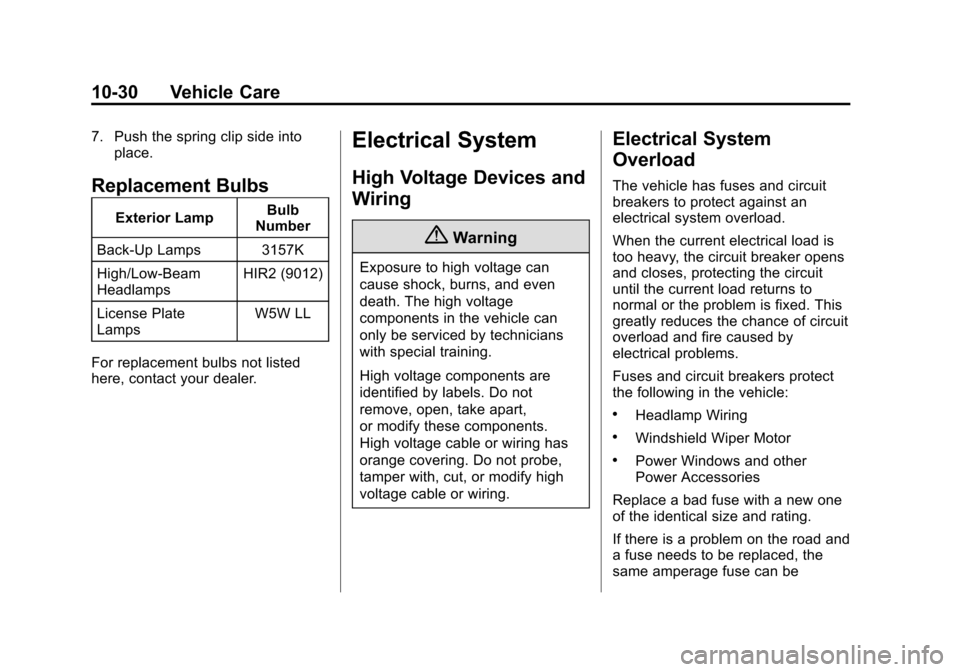
Replacement Bulbs
Exterior Lamp Bulb
Number
Back-Up Lamps 3157K
High/Low‐Beam
Headlamps HIR2 (9012)
License Plate
Lamps W5W LL
For replacement bulbs not listed
here, contact your dealer.
Electrical System
High Voltage Devices and
Wiring
{Warning
Exposure to high voltage can
cause shock, burns, and even
death. The high voltage
components in the vehicle can
only be serviced by technicians
with special training.
High voltage components are
identified by labels. Do not
remove, open, take apart,
or modify these components.
High voltage cable or wiring has
orange covering. Do not probe,
tamper with, cut, or modify high
voltage cable or wiring.
Electrical System
Overload
The vehicle has fuses and circuit
breakers to protect against an
electrical system overload.
When the current electrical load is
too heavy, the circuit breaker opens
and closes, protecting the circuit
until the current load returns to
normal or the problem is fixed. This
greatly reduces the chance of circuit
overload and fire caused by
electrical problems.
Fuses and circuit breakers protect
the following in the vehicle:
.Headlamp Wiring
.Windshield Wiper Motor
.Power Windows and other
Power Accessories
Replace a bad fuse with a new one
of the identical size and rating.
If there is a problem on the road and
a fuse needs to be replaced, the
same amperage fuse can be
Page 274 of 387
Black plate (31,1)Chevrolet VOLT Owner Manual (GMNA-Localizing-U.S./Canada-7695131) -
2015 - crc - 4/25/14
Vehicle Care 10-31
borrowed. Choose some feature of
the vehicle that is not needed to use
and replace it as soon as possible.
Headlamp Wiring
An electrical overload may cause
the lamps to go on and off, or in
some cases to remain off. Have the
headlamp wiring checked right away
if the lamps go on and off or
remain off.
Windshield Wipers
If the wiper motor overheats due to
heavy snow or ice, the windshield
wipers will stop until the motor cools
and the wiper control is turned off.
After removal of the blockage, the
wiper motor will restart when the
control is then moved to the desired
operating position.
Although the circuit is protected
from electrical overload, overload
due to heavy snow or ice, may
cause wiper damage. Always clear
ice and heavy snow from the
windshield before using the
windshield wipers.If the overload is caused by an
electrical problem and not snow or
ice, be sure to get it fixed.
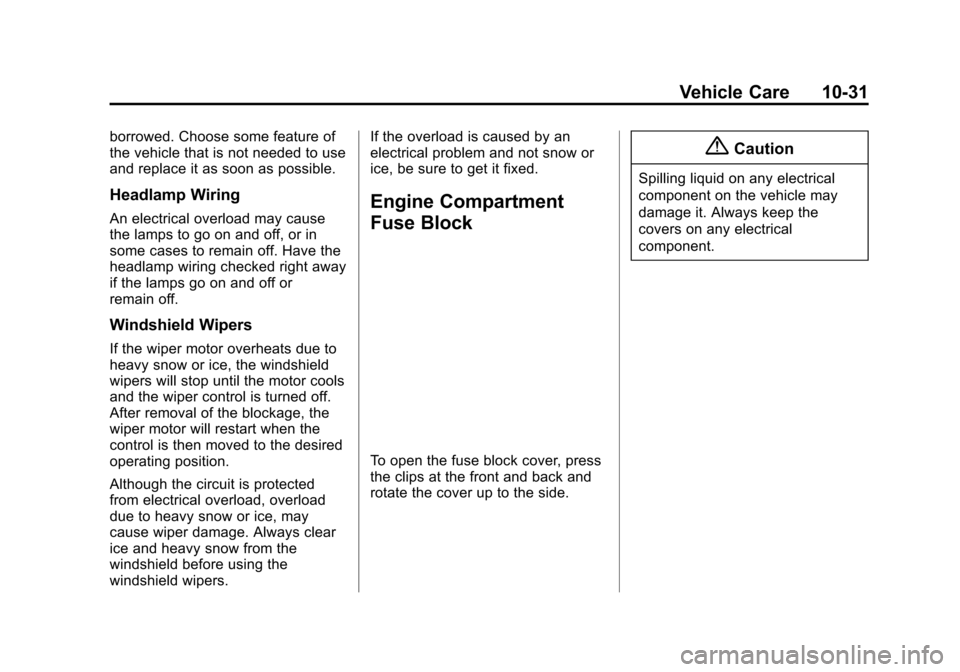
Engine Compartment
Fuse Block
To open the fuse block cover, press
the clips at the front and back and
rotate the cover up to the side.
{Caution
Spilling liquid on any electrical
component on the vehicle may
damage it. Always keep the
covers on any electrical
component.
Page 276 of 387
Black plate (33,1)Chevrolet VOLT Owner Manual (GMNA-Localizing-U.S./Canada-7695131) -
2015 - crc - 4/25/14
Vehicle Care 10-33
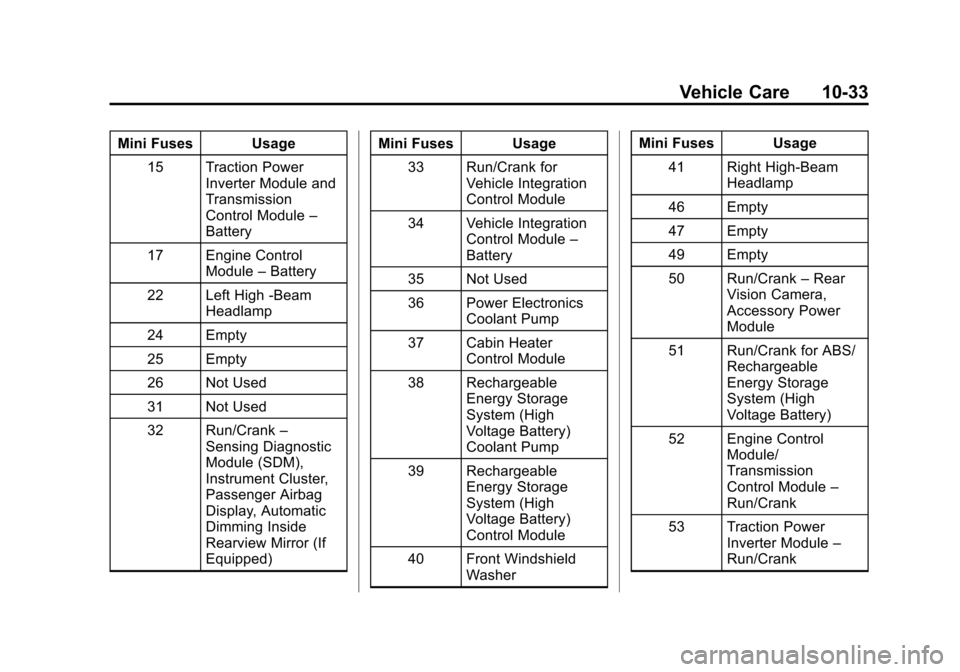
Mini Fuses Usage15 Traction Power Inverter Module and
Transmission
Control Module –
Battery
17 Engine Control Module–Battery
22 Left High -Beam Headlamp
24 Empty
25 Empty
26 Not Used
31 Not Used
32 Run/Crank –
Sensing Diagnostic
Module (SDM),
Instrument Cluster,
Passenger Airbag
Display, Automatic
Dimming Inside
Rearview Mirror (If
Equipped) Mini Fuses Usage
33 Run/Crank for Vehicle Integration
Control Module
34 Vehicle Integration Control Module –
Battery
35 Not Used
36 Power Electronics Coolant Pump
37 Cabin Heater Control Module
38 Rechargeable Energy Storage
System (High
Voltage Battery)
Coolant Pump
39 Rechargeable Energy Storage
System (High
Voltage Battery)
Control Module
40 Front Windshield Washer Mini Fuses Usage
41 Right High-Beam Headlamp
46 Empty
47 Empty
49 Empty
50 Run/Crank –Rear
Vision Camera,
Accessory Power
Module
51 Run/Crank for ABS/ Rechargeable
Energy Storage
System (High
Voltage Battery)
52 Engine Control Module/
Transmission
Control Module –
Run/Crank
53 Traction Power Inverter Module –
Run/Crank