fuel CHEVROLET VOLT 2017 2.G User Guide
[x] Cancel search | Manufacturer: CHEVROLET, Model Year: 2017, Model line: VOLT, Model: CHEVROLET VOLT 2017 2.GPages: 376, PDF Size: 6.75 MB
Page 96 of 376
Chevrolet VOLT Owner Manual (GMNA-Localizing-U.S./Canada/Mexico-
9807421) - 2017 - CRC - 11/18/15
Instruments and Controls 95
Instruments and
Controls
Controls
Steering Wheel Adjustment . . . . 96
Steering Wheel Controls . . . . . . . 96
Heated Steering Wheel . . . . . . . . 96
Horn . . . . . . . . . . . . . . . . . . . . . . . . . . . 97
Windshield Wiper/Washer . . . . . . 97
Compass . . . . . . . . . . . . . . . . . . . . . . 98
Clock . . . . . . . . . . . . . . . . . . . . . . . . . . 98
Power Outlets . . . . . . . . . . . . . . . . . 99
Wireless Charging . . . . . . . . . . . . . 99
Warning Lights, Gauges, and
Indicators
Warning Lights, Gauges, andIndicators . . . . . . . . . . . . . . . . . . . 101
Instrument Cluster . . . . . . . . . . . . 101
Speedometer . . . . . . . . . . . . . . . . . 105
Odometer . . . . . . . . . . . . . . . . . . . . . 105
Trip Odometer . . . . . . . . . . . . . . . . 105
Battery Gauge (High Voltage) . . . . . . . . . . . . . . . . . . . . . 105
Fuel Gauge . . . . . . . . . . . . . . . . . . . 105
Driver Efficiency Gauge . . . . . . 106
Power Indicator Gauge . . . . . . . 107
Safety Belt Reminders . . . . . . . . 107
Airbag Readiness Light . . . . . . . 108 Passenger Airbag Status
Indicator . . . . . . . . . . . . . . . . . . . . 108
Charging System Light (12-Volt Battery) . . . . . . . . . . . . . . . . . . . . . 109
Malfunction Indicator Lamp
(Check Engine Light) . . . . . . . . 109
Brake System Warning Light . . . . . . . . . . . . . . . . . . . . . . . . . 111
Electric Parking Brake Light . . . . . . . . . . . . . . . . . . . . . . . . . 111
Service Electric Parking Brake Light . . . . . . . . . . . . . . . . . . . . . . . . 112
Antilock Brake System (ABS) Warning Light . . . . . . . . . . . . . . . 112
Sport Mode Light . . . . . . . . . . . . . 112
Mountain Mode Light . . . . . . . . . 113
Hold Mode Light . . . . . . . . . . . . . . 113
Lane Keep Assist (LKA) Light . . . . . . . . . . . . . . . . . . . . . . . . 113
Vehicle Ahead Indicator . . . . . . . 113
Traction Off Light . . . . . . . . . . . . . 113
StabiliTrak
®OFF Light . . . . . . . . 114
Traction Control System (TCS)/ StabiliTrak
®Light . . . . . . . . . . . . 114
Engine Coolant Temperature Warning Light . . . . . . . . . . . . . . . 114
Tire Pressure Light . . . . . . . . . . . 115
Engine Oil Pressure Light . . . . . 115
Low Fuel Warning Light . . . . . . . 116
Security Light . . . . . . . . . . . . . . . . . 116
Vehicle Ready Light . . . . . . . . . . 116 High-Beam On Light . . . . . . . . . . 116
Lamps On Reminder . . . . . . . . . . 117
Cruise Control Light . . . . . . . . . . 117
Door Ajar Light . . . . . . . . . . . . . . . 117
Information Displays
Power Flows . . . . . . . . . . . . . . . . . . 117
Programmable Charging . . . . . . 119
Energy Information . . . . . . . . . . . 128
Driver Information
Center (DIC) . . . . . . . . . . . . . . . . 130
Vehicle Messages
Vehicle Messages . . . . . . . . . . . . 132
Battery and ChargingMessages . . . . . . . . . . . . . . . . . . . 132
Brake System Messages . . . . . 133
Compass Messages . . . . . . . . . . 133
Cruise Control Messages . . . . . 133
Door Ajar Messages . . . . . . . . . . 133
Electric Drive Unit Messages . . . . . . . . . . . . . . . . . . . 134
Engine Cooling System Messages . . . . . . . . . . . . . . . . . . . 134
Engine Oil Messages . . . . . . . . . 134
Fuel System Messages . . . . . . . 135
Key and Lock Messages . . . . . 135
Lamp Messages . . . . . . . . . . . . . . 136
Object Detection System Messages . . . . . . . . . . . . . . . . . . . 136
Page 106 of 376
Chevrolet VOLT Owner Manual (GMNA-Localizing-U.S./Canada/Mexico-
9807421) - 2017 - CRC - 11/18/15
Instruments and Controls 105
Speedometer
The speedometer shows the
vehicle's speed in either kilometers
per hour (km/h) or miles per
hour (mph).
Odometer
The odometer shows how far the
vehicle has been driven, in either
kilometers or miles.
Trip Odometer
The trip odometer shows how far
the vehicle has been driven since
the trip odometer was last reset.
The trip odometer is accessed and
reset through the Driver Information
Center (DIC). SeeDriver
Information Center (DIC) 0130.
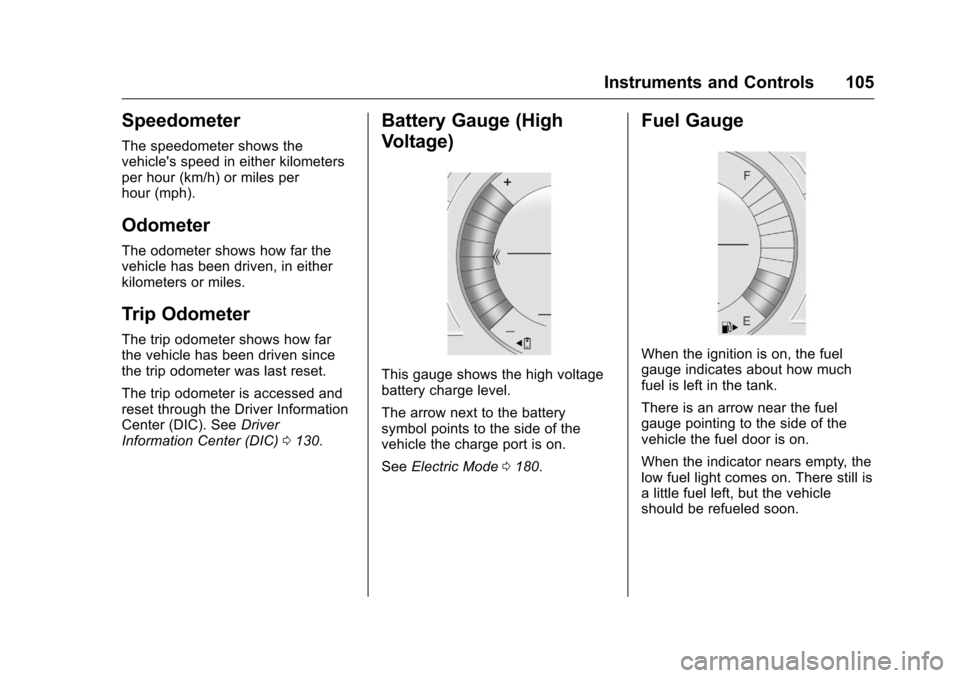
Battery Gauge (High
Voltage)
This gauge shows the high voltage
battery charge level.
The arrow next to the battery
symbol points to the side of the
vehicle the charge port is on.
See Electric Mode 0180.
Fuel Gauge
When the ignition is on, the fuel
gauge indicates about how much
fuel is left in the tank.
There is an arrow near the fuel
gauge pointing to the side of the
vehicle the fuel door is on.
When the indicator nears empty, the
low fuel light comes on. There still is
a little fuel left, but the vehicle
should be refueled soon.
Page 107 of 376
Chevrolet VOLT Owner Manual (GMNA-Localizing-U.S./Canada/Mexico-
9807421) - 2017 - CRC - 11/18/15
106 Instruments and Controls
Here are some things that owners
ask about. None of these show a
problem with the fuel gauge:
.At the service station, the fuel
pump shuts off before the gauge
reads full.
. It takes a little more or less fuel
to fill up than the gauge
indicated. For example, the
gauge may have indicated the
tank was half full, but it actually
took a little more or less than
half the tank's capacity to fill
the tank.
. The gauge takes a few seconds
to stabilize after the ignition is
turned on, and goes back to
empty when the ignition is
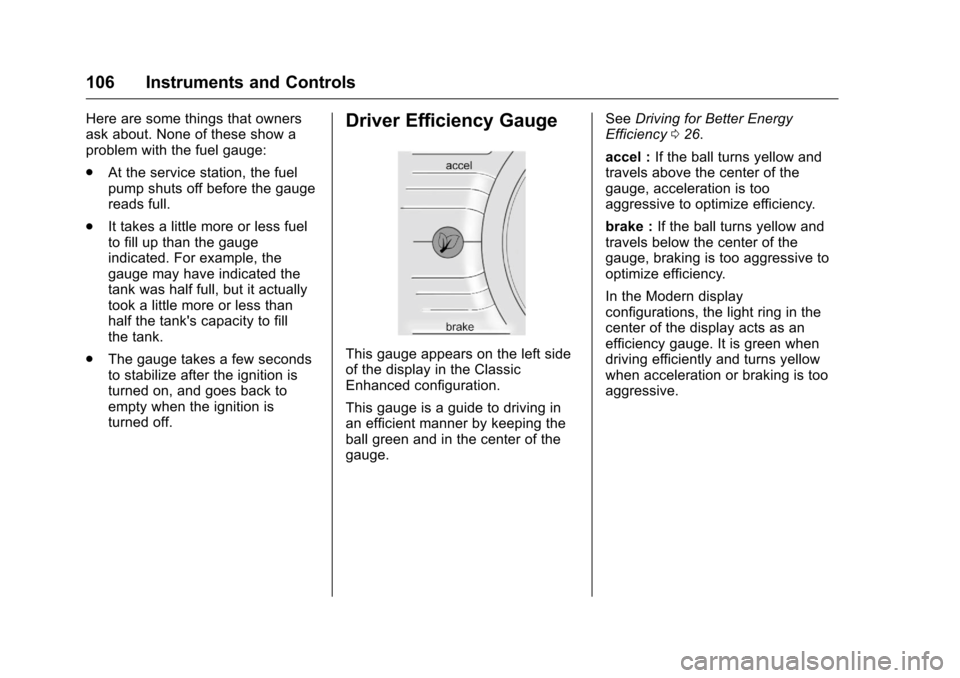
turned off.Driver Efficiency Gauge
This gauge appears on the left side
of the display in the Classic
Enhanced configuration.
This gauge is a guide to driving in
an efficient manner by keeping the
ball green and in the center of the
gauge. See
Driving for Better Energy
Efficiency 026.
accel : If the ball turns yellow and
travels above the center of the
gauge, acceleration is too
aggressive to optimize efficiency.
brake : If the ball turns yellow and
travels below the center of the
gauge, braking is too aggressive to
optimize efficiency.
In the Modern display
configurations, the light ring in the
center of the display acts as an
efficiency gauge. It is green when
driving efficiently and turns yellow
when acceleration or braking is too
aggressive.
Page 111 of 376
Chevrolet VOLT Owner Manual (GMNA-Localizing-U.S./Canada/Mexico-
9807421) - 2017 - CRC - 11/18/15
110 Instruments and Controls
Caution
If the vehicle is driven continually
with this light on, the emission
control system may not work as
well, the fuel economy may be
lower, and the vehicle may not
run smoothly. This could lead to
costly repairs that might not be
covered by the vehicle warranty.
Caution
Modifications to the engine,
electric drive unit, exhaust, intake,
or fuel system, or the use of
replacement tires that do not
meet the original tire
specifications, can cause this light
to come on. This could lead to
costly repairs not covered by the
vehicle warranty. This could also
affect the vehicle’s ability to pass
an Emissions Inspection/
Maintenance test. See
Accessories and
Modifications0237. If the light is flashing :
A
malfunction has been detected that
could damage the emission control
system and increase vehicle
emissions. Diagnosis and service
may be required.
To help prevent damage, reduce
vehicle speed and avoid hard
accelerations and uphill grades.
If the light continues to flash, find a
safe place to park. Turn the vehicle
off and wait at least 10 seconds
before restarting the engine. If the
light is still flashing, follow the
previous guidelines and see your
dealer for service as soon as
possible.
If the light is on steady : A
malfunction has been detected.
Diagnosis and service may be
required.
Check the following:
. A loose or missing fuel cap may
cause the light to come on. See
Filling the Tank 0231. A few
driving trips with the cap
properly installed may turn the
light off. .
Poor fuel quality can cause
inefficient engine operation and
poor driveability, which may go
away once the engine is warmed
up. If this occurs, change the
fuel brand. It may require at
least one full tank of the proper
fuel to turn the light off. See
Fuel 0230.
If the light remains on, see your
dealer.
Emissions Inspection and
Maintenance Programs
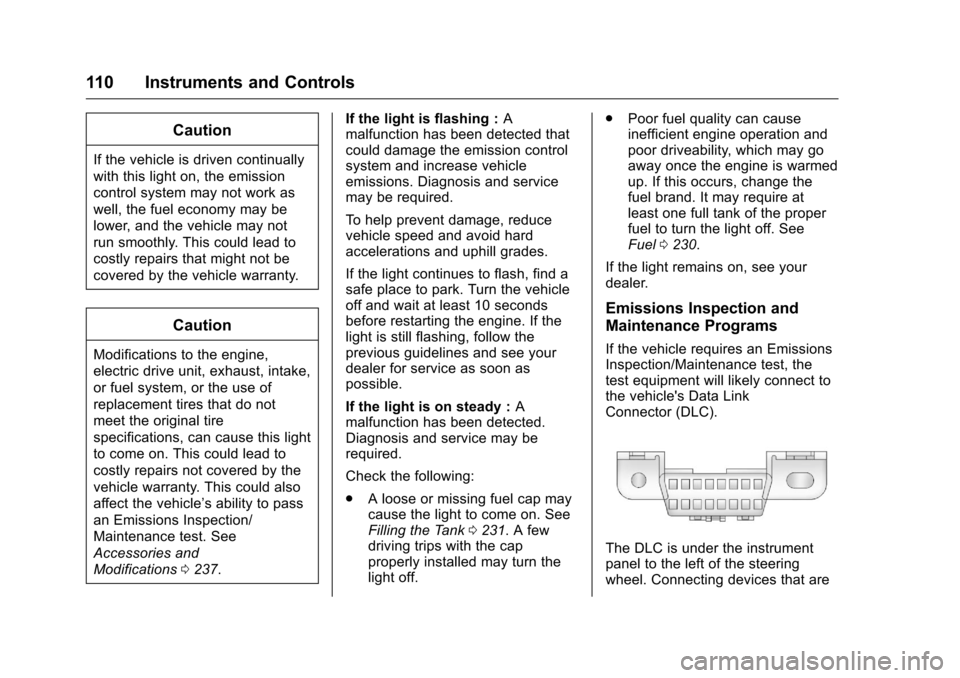
If the vehicle requires an Emissions
Inspection/Maintenance test, the
test equipment will likely connect to
the vehicle's Data Link
Connector (DLC).
The DLC is under the instrument
panel to the left of the steering
wheel. Connecting devices that are
Page 117 of 376
Chevrolet VOLT Owner Manual (GMNA-Localizing-U.S./Canada/Mexico-
9807421) - 2017 - CRC - 11/18/15
116 Instruments and Controls
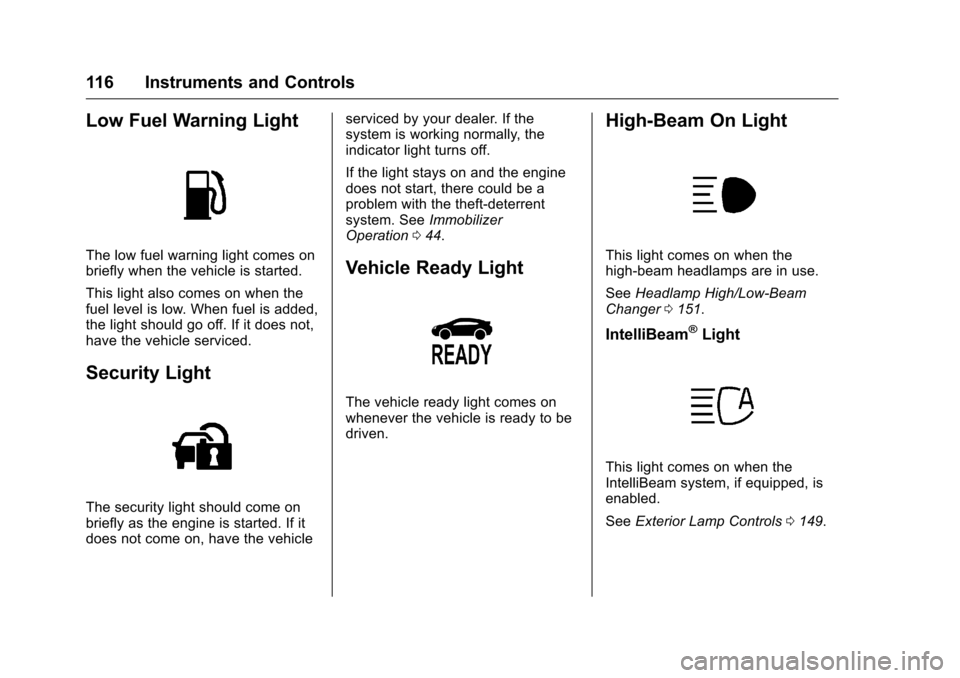
Low Fuel Warning Light
The low fuel warning light comes on
briefly when the vehicle is started.
This light also comes on when the
fuel level is low. When fuel is added,
the light should go off. If it does not,
have the vehicle serviced.
Security Light
The security light should come on
briefly as the engine is started. If it
does not come on, have the vehicleserviced by your dealer. If the
system is working normally, the
indicator light turns off.
If the light stays on and the engine
does not start, there could be a
problem with the theft-deterrent
system. See
Immobilizer
Operation 044.
Vehicle Ready Light
The vehicle ready light comes on
whenever the vehicle is ready to be
driven.
High-Beam On Light
This light comes on when the
high-beam headlamps are in use.
See Headlamp High/Low-Beam
Changer 0151.
IntelliBeam®Light
This light comes on when the
IntelliBeam system, if equipped, is
enabled.
See Exterior Lamp Controls 0149.
Page 129 of 376
Chevrolet VOLT Owner Manual (GMNA-Localizing-U.S./Canada/Mexico-
9807421) - 2017 - CRC - 11/18/15
128 Instruments and Controls
Charge Mode were updated
using the customer website
(available in select regions).
. There was an unintended loss of
AC power during the plug-in
charge event. For example,
there was a power outage or the
charge cord was unplugged from
the wall.
. The charge process was
interrupted by the utility
company via OnStar as
authorized by the vehicle owner
(available in select regions).
See Utility Interruption of
Charging 0228.
Programmable Charging
Disabled
When the Programmable Charging
system is disabled, the main
charging screen will display “- -:- -”
for the Charge Complete Time. The
Programmable Charging system will
be disabled if the Charge Complete
Time cannot be confidently
estimated. If the Programmable
Charging system is consistently
disabled, see your dealer.
Energy Information
To view Energy Usage, Energy
Usage Score, and Energy Details,
touch Energy on the infotainment
display, touch INFO, then touch
hor
k. To reset the values, the high
voltage battery needs to be fully
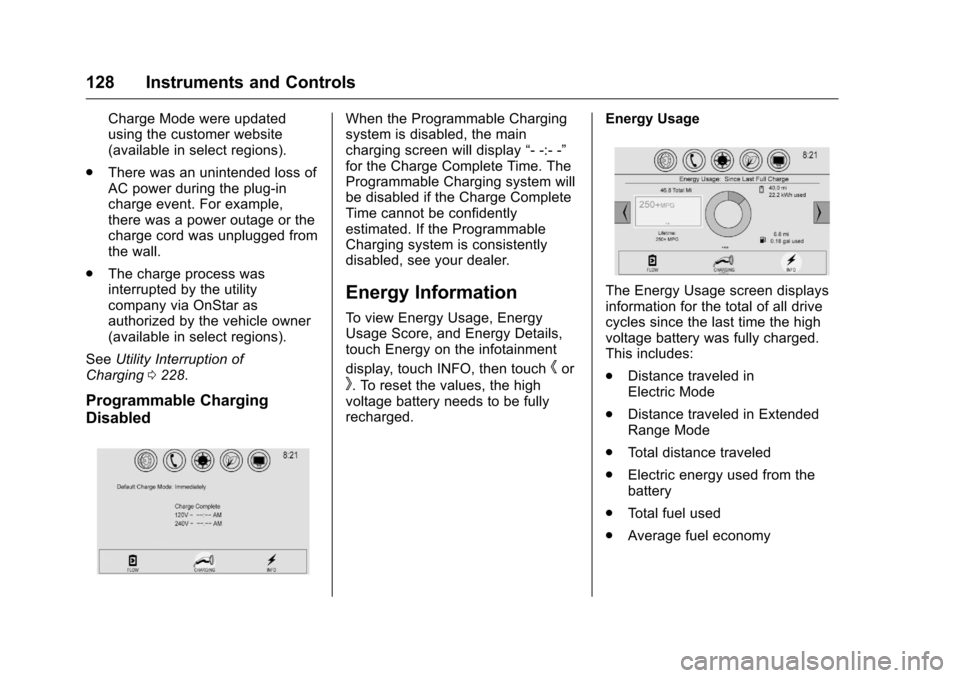
recharged. Energy Usage
The Energy Usage screen displays
information for the total of all drive
cycles since the last time the high
voltage battery was fully charged.
This includes:
.
Distance traveled in
Electric Mode
. Distance traveled in Extended
Range Mode
. Total distance traveled
. Electric energy used from the
battery
. Total fuel used
. Average fuel economy
Page 130 of 376
Chevrolet VOLT Owner Manual (GMNA-Localizing-U.S./Canada/Mexico-
9807421) - 2017 - CRC - 11/18/15
Instruments and Controls 129
The electric equivalent to fuel
economy is MPGe. Touch MPG on
the screen to view. When dashes
are displayed, the maximum limits to
some values have been reached.
The circle graph displays
the percentage of distance traveled
using Electric Mode versus
Extended Range Mode. The
Lifetime fuel economy is a total over
the life of the vehicle and can only
be reset by the dealer. The Energy
Usage information will also appear
automatically on power off when
Retained Accessory Power is
active. This pop-up can be disabled.
See“Energy Summary Pop-up”
under Vehicle
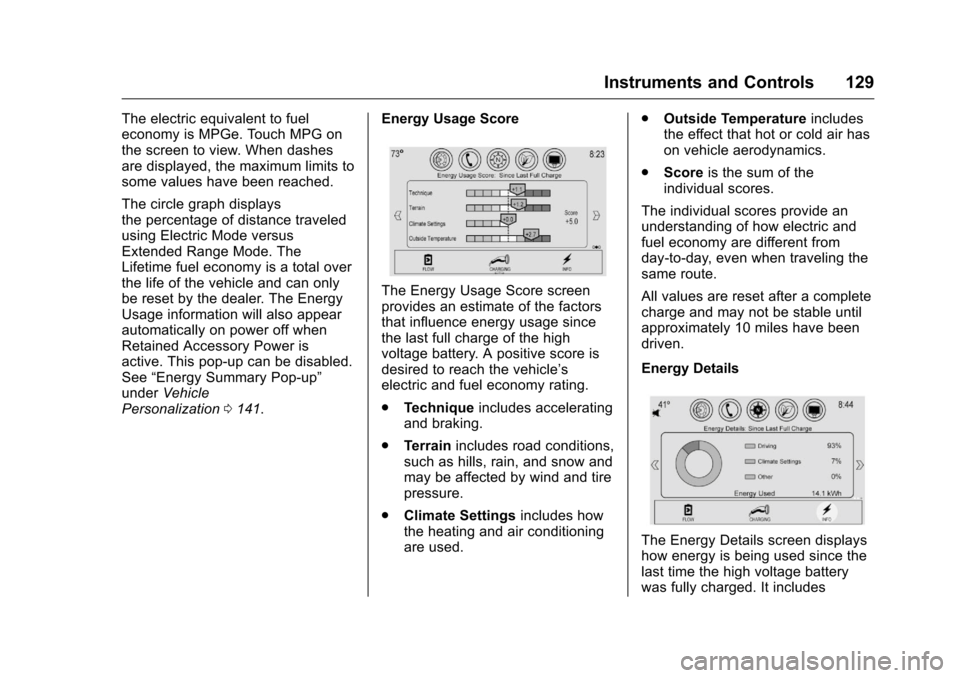
Personalization 0141. Energy Usage Score
The Energy Usage Score screen
provides an estimate of the factors
that influence energy usage since
the last full charge of the high
voltage battery. A positive score is
desired to reach the vehicle’s
electric and fuel economy rating.
.
Technique includes accelerating
and braking.
. Terrain includes road conditions,
such as hills, rain, and snow and
may be affected by wind and tire
pressure.
. Climate Settings includes how
the heating and air conditioning
are used. .
Outside Temperature includes
the effect that hot or cold air has
on vehicle aerodynamics.
. Score is the sum of the
individual scores.
The individual scores provide an
understanding of how electric and
fuel economy are different from
day-to-day, even when traveling the
same route.
All values are reset after a complete
charge and may not be stable until
approximately 10 miles have been
driven.
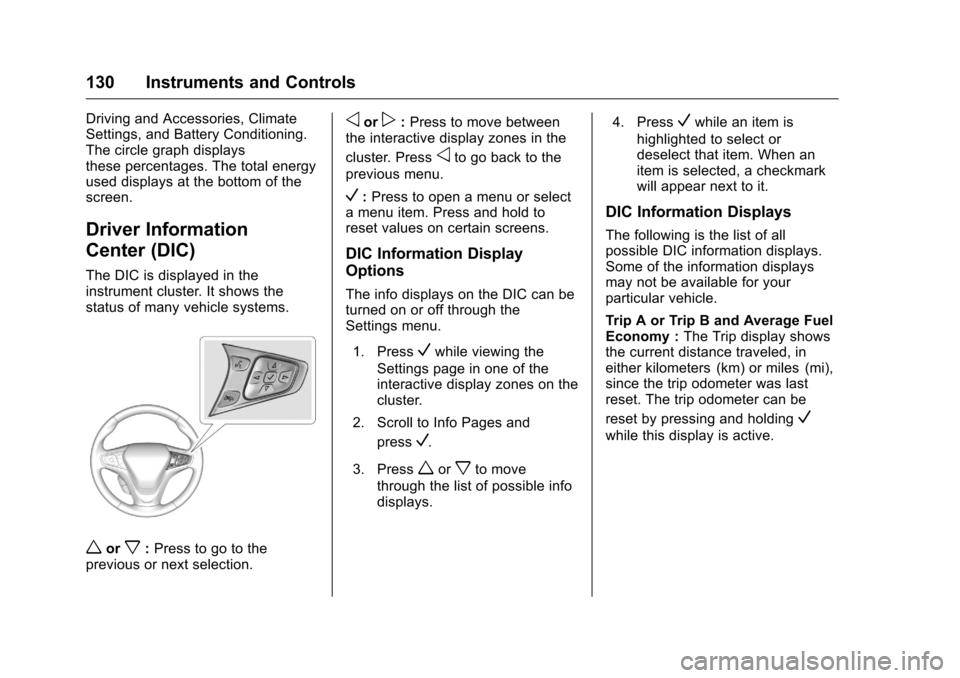
Energy Details
The Energy Details screen displays
how energy is being used since the
last time the high voltage battery
was fully charged. It includes
Page 131 of 376
Chevrolet VOLT Owner Manual (GMNA-Localizing-U.S./Canada/Mexico-
9807421) - 2017 - CRC - 11/18/15
130 Instruments and Controls
Driving and Accessories, Climate
Settings, and Battery Conditioning.
The circle graph displays
these percentages. The total energy
used displays at the bottom of the
screen.
Driver Information
Center (DIC)
The DIC is displayed in the
instrument cluster. It shows the
status of many vehicle systems.
worx:Press to go to the
previous or next selection.
oorp: Press to move between
the interactive display zones in the
cluster. Press
oto go back to the
previous menu.
V: Press to open a menu or select
a menu item. Press and hold to
reset values on certain screens.
DIC Information Display
Options
The info displays on the DIC can be
turned on or off through the
Settings menu.
1. Press
Vwhile viewing the
Settings page in one of the
interactive display zones on the
cluster.
2. Scroll to Info Pages and press
V.
3. Press
worxto move
through the list of possible info
displays. 4. Press
Vwhile an item is
highlighted to select or
deselect that item. When an
item is selected, a checkmark
will appear next to it.
DIC Information Displays
The following is the list of all
possible DIC information displays.
Some of the information displays
may not be available for your
particular vehicle.
Trip A or Trip B and Average Fuel
Economy : The Trip display shows
the current distance traveled, in
either kilometers (km) or miles (mi),
since the trip odometer was last
reset. The trip odometer can be
reset by pressing and holding
V
while this display is active.
Page 132 of 376
Chevrolet VOLT Owner Manual (GMNA-Localizing-U.S./Canada/Mexico-
9807421) - 2017 - CRC - 11/18/15
Instruments and Controls 131
The Average Fuel Economy display
shows the approximate average
liters per 100 kilometers (L/100 km)
or miles per gallon (mpg). This
number is calculated based on the
number of L/100 km (mpg) recorded
since the last time this menu item
was reset. This number reflects only
the approximate average fuel
economy that the vehicle has right
now, and will change as driving
conditions change. The Average
Fuel Economy can be reset along
with the trip odometer by pressing
and holding
Vwhile this display is
active.
Compass and Speed : Shows the
direction the vehicle is driving and
the vehicle speed in either
kilometers per hour (km/h) or miles
per hour (mph).
Total Range : Shows the remaining
distance the vehicle can be driven
combining the electric range and
fuel range. Oil Life :
The Oil Life display shows
an estimate of the oil's remaining
useful life. If REMAINING OIL LIFE
99% is displayed, that means 99%
of the current oil life remains.
When the remaining oil life is low,
the CHANGE ENGINE OIL SOON
message will appear on the display.
See Engine Oil Messages 0134.
The oil should be changed as soon
as possible. See Engine Oil0243.
In addition to the engine oil life
system monitoring the oil life,
additional maintenance is
recommended. See Maintenance
Schedule 0326.
Remember, the Oil Life display must
be reset after each oil change. It will
not reset itself. Also, be careful not
to reset the Oil Life display
accidentally at any time other than
when the oil has just been changed.
It cannot be reset accurately until
the next oil change. To reset the
engine oil life system, press and
hold
Vfor several seconds while
the Oil Life display is active. See
Engine Oil Life System 0245. Tire Pressure :
Shows the
approximate pressures of all four
tires. Tire pressure is displayed in
either kilopascal (kPa) or in pounds
per square inch (psi). If the pressure
is low, the value for that tire is
shown in amber. See Tire Pressure
Monitor System 0280 andTire
Pressure Monitor Operation 0281.
Average Speed : Shows the
average speed of the vehicle in
kilometers per hour (km/h) or miles
per hour (mph). This average is
calculated based on the various
vehicle speeds recorded since the
last reset of this value. The average
speed can be reset by pressing and
holding
Vwhile this display is
active.
Timer : This display can be used as
a timer. To start the timer, press
V
while this display is active. The
display will show the amount of
time that has passed since the timer
was last reset. To stop the timer,
press
Vbriefly while this display
is active and the timer is running.
Page 136 of 376
Chevrolet VOLT Owner Manual (GMNA-Localizing-U.S./Canada/Mexico-
9807421) - 2017 - CRC - 11/18/15
Instruments and Controls 135
Fuel System Messages
CLOSE FUEL DOOR
This message displays when the
fuel door is open and the vehicle is
moving.
ENGINE NOT AVAILABLE
ADD FUEL
This message displays when the
engine is not available due to
running out of fuel. The vehicle can
continue to be driven in Electric
Mode until the battery is depleted,
but will have reduced acceleration.
When this message is displayed,
refuel the vehicle. SeeOut of Fuel/
Engine Unavailable 0183.
FUEL LEVEL LOW
This message displays when the
vehicle is low on fuel. Refuel as
soon as possible.
READY TO REFUEL
This message displays when the
fuel system is depressurized and
the vehicle can be refueled.
TIGHTEN GAS CAP
This message displays when the
fuel cap is not on tight. Tighten the
fuel cap.
WAIT TO REFUEL
This message displays when the
fuel system is pressurized. You
must wait to refuel the vehicle until
this message goes off.
Key and Lock Messages
NO REMOTE KEY WAS
DETECTED PLACE KEY IN
TRANSMITTER POCKET THEN
START YOUR VEHICLE
This message displays when trying
to start the vehicle if an RKE
transmitter is not detected. The
transmitter battery may be weak.
See “Starting the Vehicle with a Low
Transmitter Battery” underRemote
Keyless Entry (RKE) System
Operation 030.
NO REMOTE DETECTED
This message displays when the
transmitter battery may be weak.
See “Starting the Vehicle with a Low
Transmitter Battery” underRemote
Keyless Entry (RKE) System
Operation 030.
NO REMOTE DETECTED
PRESS BRAKE TO RESTART
This message displays when
attempting to turn off the vehicle
and the RKE transmitter is no longer
detected. Restarting is allowed
without the RKE transmitter for
five minutes. Press the brake pedal
and ENGINE START/STOP to
restart the vehicle.
NUMBER OF KEYS
PROGRAMMED
This message displays when
programming new keys to the
vehicle.
REMOTE LEFT IN VEHICLE
This message displays when
leaving the vehicle with the RKE
transmitter still inside.