parking CHEVROLET VOLT 2017 2.G Service Manual
[x] Cancel search | Manufacturer: CHEVROLET, Model Year: 2017, Model line: VOLT, Model: CHEVROLET VOLT 2017 2.GPages: 376, PDF Size: 6.75 MB
Page 287 of 376
Chevrolet VOLT Owner Manual (GMNA-Localizing-U.S./Canada/Mexico-
9807421) - 2017 - CRC - 11/18/15
286 Vehicle Care
tire manufacture date is the last four
digits of the DOT Tire Identification
Number (TIN) which is molded into
one side of the tire sidewall. The
first two digits represent the week
(01–52) and the last two digits, the
year. For example, the third week of
the year 2010 would have a
four-digit DOT date of 0310.
Vehicle Storage
Tires age when stored normally
mounted on a parked vehicle. Park
a vehicle that will be stored for at
least a month in a cool, dry, clean
area away from direct sunlight to
slow aging. This area should be free
of grease, gasoline, or other
substances that can deteriorate
rubber.
Parking for an extended period can
cause flat spots on the tires that
may result in vibrations while
driving. When storing a vehicle for
at least a month, remove the tires or
raise the vehicle to reduce the
weight from the tires.
Buying New Tires
GM has developed and matched
specific tires for the vehicle. The
original equipment tires installed
were designed to meet General
Motors Tire Performance Criteria
Specification (TPC Spec)
system rating. When
replacement tires are needed,
GM strongly recommends
buying tires with the same TPC
Spec rating.
GM's exclusive TPC Spec
system considers over a dozen
critical specifications that impact
the overall performance of the
vehicle, including brake system
performance, ride and handling,
traction control, and tire
pressure monitoring
performance. GM's TPC Spec
number is molded onto the tire's
sidewall near the tire size. If the
tires have an all-season tread
design, the TPC spec numberwill be followed by MS, for mud
and snow. See
Tire Sidewall
Labeling 0273.
GM recommends replacing worn
tires in complete sets of four.
Uniform tread depth on all tires
will help to maintain the
performance of the vehicle.
Braking and handling
performance may be adversely
affected if all the tires are not
replaced at the same time.
If proper rotation and
maintenance have been done,
all four tires should wear out at
about the same time. See Tire
Rotation 0284. However, if it is
necessary to replace only one
axle set of worn tires, place the
new tires on the rear axle.
Winter tires with the same speed
rating as the original equipment
tires may not be available for H,
V, W, Y, and ZR speed rated
tires. Never exceed the winter
Page 293 of 376
Chevrolet VOLT Owner Manual (GMNA-Localizing-U.S./Canada/Mexico-
9807421) - 2017 - CRC - 11/18/15
292 Vehicle Care
{Warning
Lifting a vehicle and getting under
it to do maintenance or repairs is
dangerous without the
appropriate safety equipment and
training. If a jack is provided with
the vehicle, it is designed only for
changing a flat tire. If it is used for
anything else, you or others could
be badly injured or killed if the
vehicle slips off the jack. If a jack
is provided with the vehicle, only
use it for changing a flat tire.
If a tire goes flat, avoid further tire
and wheel damage by driving slowly
to a level place, well off the road,
if possible. Turn on the hazard
warning flashers. See Hazard
Warning Flashers 0152.
{Warning
Changing a tire can be
dangerous. The vehicle can slip
off the jack and roll over or fall
causing injury or death. Find a
level place to change the tire. To
help prevent the vehicle from
moving:
1. Set the parking brake firmly.
2. Put an automatictransmission in P (Park) or a
manual transmission in
1 (First) or R (Reverse).
3. Turn off the engine and do not restart while the vehicle
is raised.
4. Do not allow passengers to remain in the vehicle.
5. Place wheel blocks, if equipped, on both sides of
the tire at the opposite
corner of the tire being
changed. This vehicle may come with a jack
and spare tire or a tire sealant and
compressor kit. To use the jacking
equipment to change a spare tire
safely, follow the instructions below.
Then see
Tire Changing 0299. To
use the tire sealant and compressor
kit, see Tire Sealant and
Compressor Kit 0293.
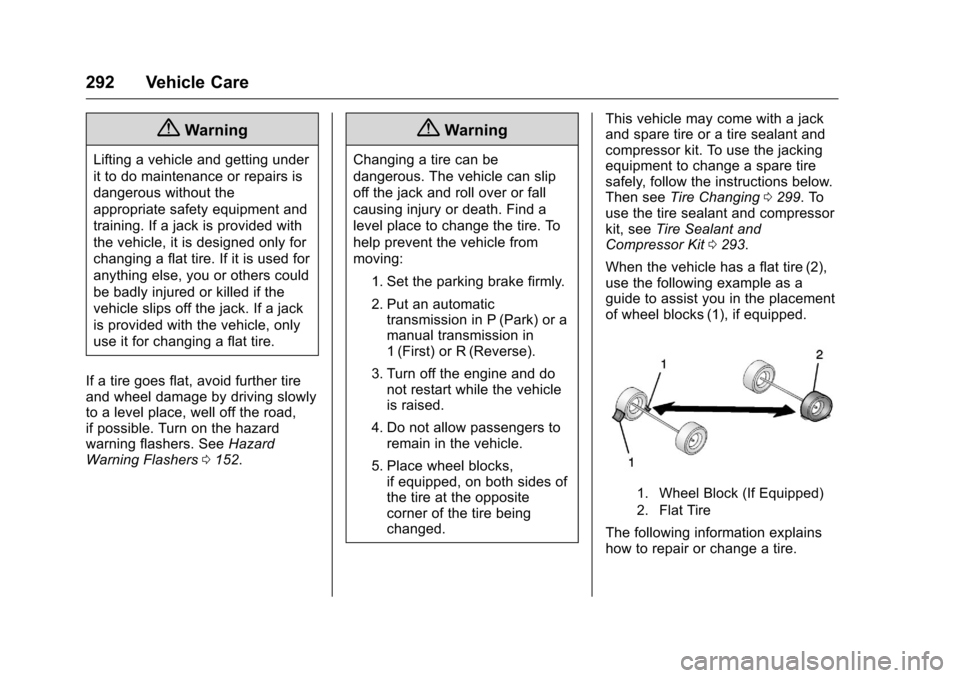
When the vehicle has a flat tire (2),
use the following example as a
guide to assist you in the placement
of wheel blocks (1), if equipped.
1. Wheel Block (If Equipped)
2. Flat Tire
The following information explains
how to repair or change a tire.
Page 307 of 376
Chevrolet VOLT Owner Manual (GMNA-Localizing-U.S./Canada/Mexico-
9807421) - 2017 - CRC - 11/18/15
306 Vehicle Care
Warning (Continued)
.They contain enough
electricity to burn you.
If you do not follow these steps
exactly, some or all of these
things can hurt you.
{Warning
Electric fans can start up even
when the engine is not running
and can cause injury. Keep
hands, clothing, and tools away
from any underhood electric fans.
Caution
Ignoring these steps could result
in costly damage to the vehicle
that would not be covered by the
vehicle warranty. Trying to start
the vehicle by pushing or pulling it
will not work, and it could damage
the vehicle.
Jump Starting the Volt
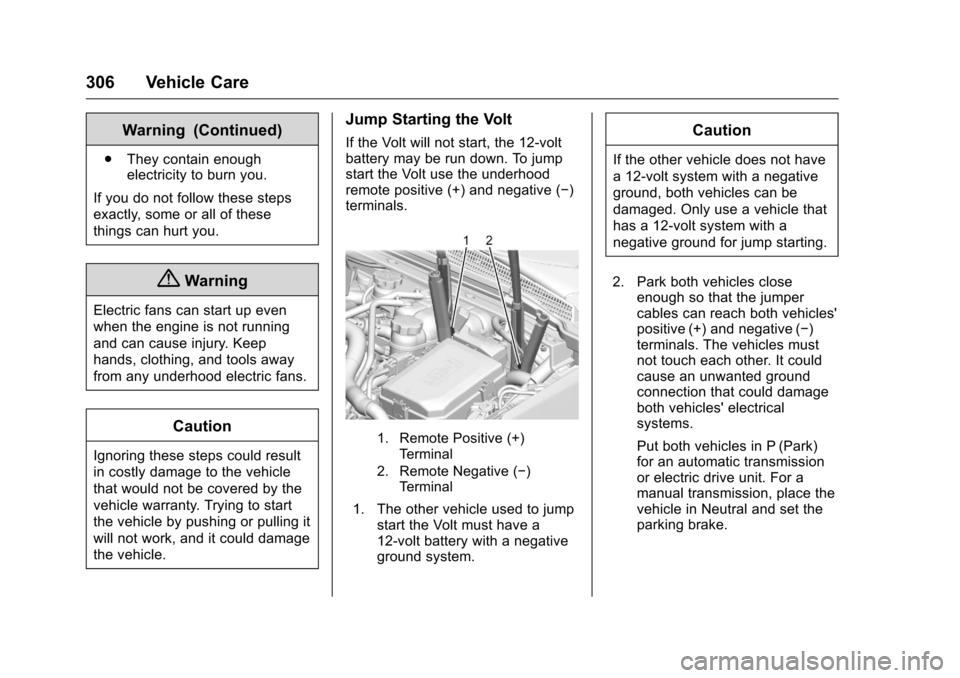
If the Volt will not start, the 12-volt
battery may be run down. To jump
start the Volt use the underhood
remote positive (+) and negative (−)
terminals.
1. Remote Positive (+) Terminal
2. Remote Negative (−) Terminal
1. The other vehicle used to jump start the Volt must have a
12-volt battery with a negative
ground system.
Caution
If the other vehicle does not have
a 12-volt system with a negative
ground, both vehicles can be
damaged. Only use a vehicle that
has a 12-volt system with a
negative ground for jump starting.
2. Park both vehicles close enough so that the jumper
cables can reach both vehicles'
positive (+) and negative (−)
terminals. The vehicles must
not touch each other. It could
cause an unwanted ground
connection that could damage
both vehicles' electrical
systems.
Put both vehicles in P (Park)
for an automatic transmission
or electric drive unit. For a
manual transmission, place the
vehicle in Neutral and set the
parking brake.
Page 310 of 376
Chevrolet VOLT Owner Manual (GMNA-Localizing-U.S./Canada/Mexico-
9807421) - 2017 - CRC - 11/18/15
Vehicle Care 309
2. Park both vehicles closeenough so that the jumper
cables can reach both vehicles'
positive (+) and negative (−)
terminals. The vehicles must
not touch each other. It could
cause an unwanted ground
connection that could damage
both vehicles' electrical
systems.
Put both vehicles in P (Park)
for an automatic transmission
or electric drive unit. For a
manual transmission, place the
vehicle in Neutral and set the
parking brake.
Caution
If any accessories are left on or
plugged in during the jump
starting procedure, they could be
damaged. The repairs would not
be covered by the vehicle
warranty. Whenever possible, turn
off or unplug all accessories on
either vehicle when jump starting. 3. Turn off both vehicles. Turn off
the radio, all lamps, and
accessories that are not
needed in both vehicles.
Unplug accessories from the
cigarette lighter or the
accessory power outlets. This
avoids sparks and helps save
both batteries and accessories.
4. Locate the positive (+) and negative (−) terminals on the
vehicle with the run-down
battery.
5. Locate the positive (+) and negative (−) battery terminals
on the Volt. The 12-volt battery
is under the load floor in the
rear cargo area. Open the
access covers for the
positive (+) terminal (1) and the
negative (−) terminal (2).
6. Check that the jumper cables do not have loose or missing
insulation or a shock could
result and the vehicles could
be damaged.
Before connecting the jumper
cables, here are some basic
things to know. Positive (+) jumper cable goes to
positive (+) battery terminal or
a remote positive (+) terminal if
available. Negative (−) jumper
cable goes to remote
negative (−) terminal if
available, or a heavy,
unpainted metal engine part or
a solid engine ground on the
vehicle with the run-down
battery.
Do not connect positive (+) to
negative (−) or there will be a
short that may damage the
battery or other parts of the
vehicle. Do not connect the
negative (−) cable to the
negative (−) terminal on the
run-down battery because this
can cause sparks.
Caution
If the jumper cables are
connected or removed in the
wrong order, electrical shorting
may occur and damage the
vehicle. The repairs would not be
(Continued)
Page 314 of 376
Chevrolet VOLT Owner Manual (GMNA-Localizing-U.S./Canada/Mexico-
9807421) - 2017 - CRC - 11/18/15
Vehicle Care 313
.How far the vehicle can be
towed. Some vehicles have
restrictions on how far and how
long they can tow.
. Whether the vehicle has the
proper towing equipment. See
your dealer or trailering
professional for additional advice
and equipment
recommendations.
. Whether the vehicle is ready to
be towed. Just as preparing the
vehicle for a long trip, make sure
the vehicle is prepared to be
towed.
Caution
Use of a shield mounted in front
of the vehicle grille could restrict
airflow and cause damage to the
electric drive unit. The repairs
would not be covered by the
vehicle warranty. If using a shield,
only use one that attaches to the
towing vehicle.
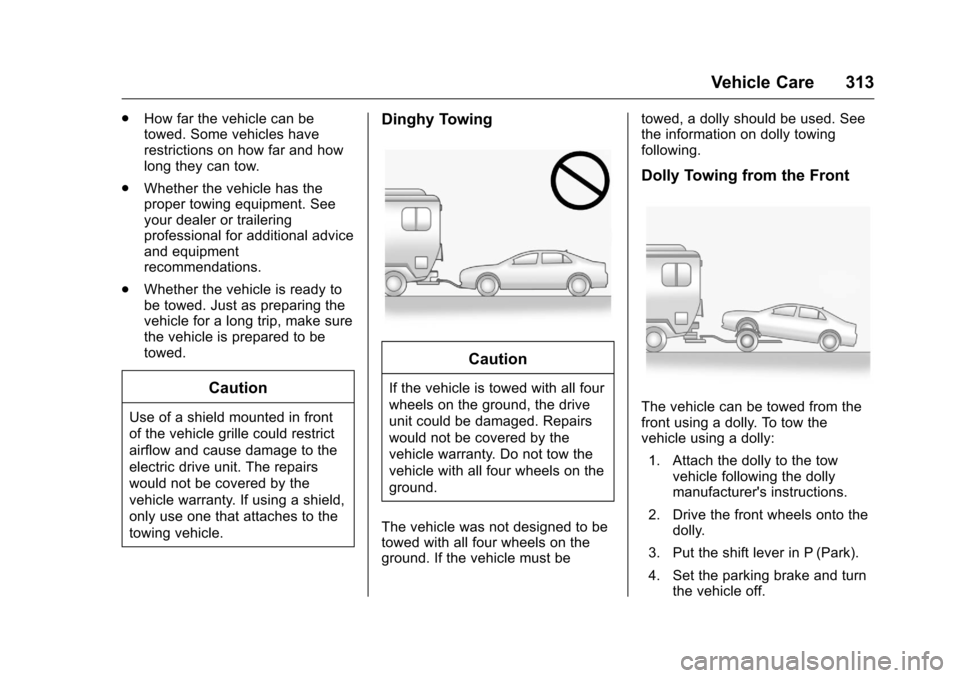
Dinghy Towing
Caution
If the vehicle is towed with all four
wheels on the ground, the drive
unit could be damaged. Repairs
would not be covered by the
vehicle warranty. Do not tow the
vehicle with all four wheels on the
ground.
The vehicle was not designed to be
towed with all four wheels on the
ground. If the vehicle must be towed, a dolly should be used. See
the information on dolly towing
following.
Dolly Towing from the Front
The vehicle can be towed from the
front using a dolly. To tow the
vehicle using a dolly:
1. Attach the dolly to the tow vehicle following the dolly
manufacturer's instructions.
2. Drive the front wheels onto the dolly.
3. Put the shift lever in P (Park).
4. Set the parking brake and turn the vehicle off.
Page 315 of 376
Chevrolet VOLT Owner Manual (GMNA-Localizing-U.S./Canada/Mexico-
9807421) - 2017 - CRC - 11/18/15
314 Vehicle Care
5. Clamp the steering wheel in astraight-ahead position with a
clamping device designed for
towing.
6. Secure the vehicle to the dolly
with a lash over the tire. Do not
lash though the wheel.
7. Release the parking brake.
8. Check for adequate rear fascia to ground clearance.
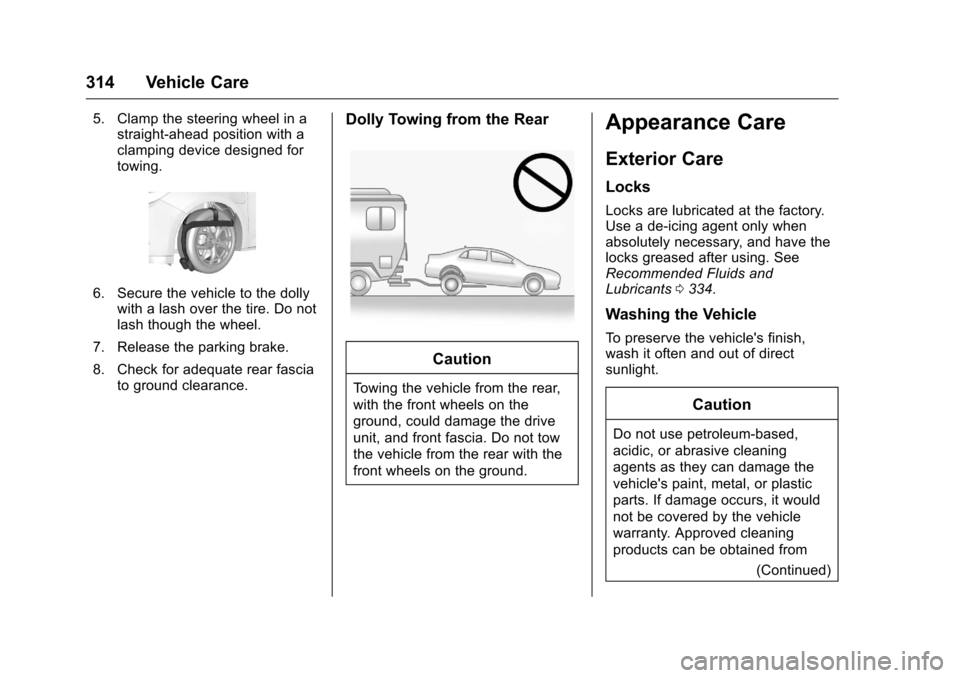
Dolly Towing from the Rear
Caution
Towing the vehicle from the rear,
with the front wheels on the
ground, could damage the drive
unit, and front fascia. Do not tow
the vehicle from the rear with the
front wheels on the ground.
Appearance Care
Exterior Care
Locks
Locks are lubricated at the factory.
Use a de-icing agent only when
absolutely necessary, and have the
locks greased after using. See
Recommended Fluids and
Lubricants 0334.
Washing the Vehicle
To preserve the vehicle's finish,
wash it often and out of direct
sunlight.
Caution
Do not use petroleum-based,
acidic, or abrasive cleaning
agents as they can damage the
vehicle's paint, metal, or plastic
parts. If damage occurs, it would
not be covered by the vehicle
warranty. Approved cleaning
products can be obtained from
(Continued)
Page 328 of 376
Chevrolet VOLT Owner Manual (GMNA-Localizing-U.S./Canada/Mexico-
9807421) - 2017 - CRC - 11/18/15
Service and Maintenance 327
.Inspect tire wear. See Tire
Inspection 0284.
. Visually check for fluid leaks.
. Inspect engine air cleaner filter.
See Engine Air Cleaner/
Filter 0246.
. Inspect brake system. See
Exterior Care 0314.
. Visually inspect steering,
suspension, and chassis
components for damaged, loose,
or missing parts or signs of
wear. See Exterior Care 0314.
. Check restraint system
components. See Safety System
Check 062. .
Visually inspect fuel system for
damage or leaks.
. Visually inspect exhaust system
and nearby heat shields for
loose or damaged parts.
. Lubricate body components. See
Exterior Care 0314.
. Check electric drive unit shift
lock control function. See
Electric Drive Unit Shift Lock
Control Function Check 0258.
. Check parking brake and electric
drive unit mechanism. See Park
Brake and P (Park) Mechanism
Check 0258. .
Check accelerator pedal for
damage, high effort, or binding.
Replace if needed.
. Visually inspect gas strut for
signs of wear, cracks, or other
damage. Check the hold open
ability of the strut. See your
dealer if service is required.
. Check tire sealant expiration
date, if equipped. See Tire
Sealant and Compressor
Kit 0293.
Page 362 of 376
Chevrolet VOLT Owner Manual (GMNA-Localizing-U.S./Canada/Mexico-
9807421) - 2017 - CRC - 11/18/15
OnStar 361
to the vehicle in a crash, or wireless
phone network congestion or
jamming—may prevent service.
See Radio Frequency
Statement 0351.
Services for People with
Disabilities
Advisors provide services to help
Subscribers with physical disabilities
and medical conditions.
Press
Qto help:
. Locate a gas station with an
attendant to pump gas.
. Find a hotel, restaurant, etc.,
that meets accessibility needs.
. Provide directions to the closest
hospital or pharmacy in urgent
situations.
TTY Users
OnStar has the ability to
communicate to deaf,
hard-of-hearing, or speech-impaired
customers while in the vehicle. The
available dealer-installed TTY
system can provide in-vehicle access to all OnStar services,
except Virtual Advisor and OnStar
Turn-by-Turn Navigation.
OnStar Personal Identification
Number (PIN)
A PIN is needed to access some
OnStar services. The PIN will need
to be changed the first time when
speaking with an Advisor. To
change the OnStar PIN, contact an
OnStar Advisor by pressing
Qor
calling 1-888-4ONSTAR.
Warranty
OnStar equipment may be
warranted as part of the vehicle
warranty.
Languages
The vehicle can be programmed to
respond in multiple languages.
Press
Qand ask for an Advisor.
Advisors are available in English,
Spanish, and French. Available
languages may vary by country.
Potential Issues
OnStar cannot perform Remote
Door Unlock or Stolen Vehicle
Assistance after the vehicle has
been off continuously for 10 days
without an ignition cycle. If the
vehicle has not been started for
five days, OnStar can contact
Roadside Assistance or a locksmith
to help gain access to the vehicle.
Global Positioning
System (GPS)
. Obstruction of the GPS can
occur in a large city with tall
buildings; in parking garages;
around airports; in tunnels and
underpasses; or in an area with
very dense trees. If GPS signals
are not available, the OnStar
system should still operate to
call OnStar. However, OnStar
could have difficulty identifying
the exact location.
. In emergency situations, OnStar
can use the last stored GPS
location to send to emergency
responders.
Page 366 of 376
Chevrolet VOLT Owner Manual (GMNA-Localizing-U.S./Canada/Mexico-
9807421) - 2017 - CRC - 11/18/15
Index 365
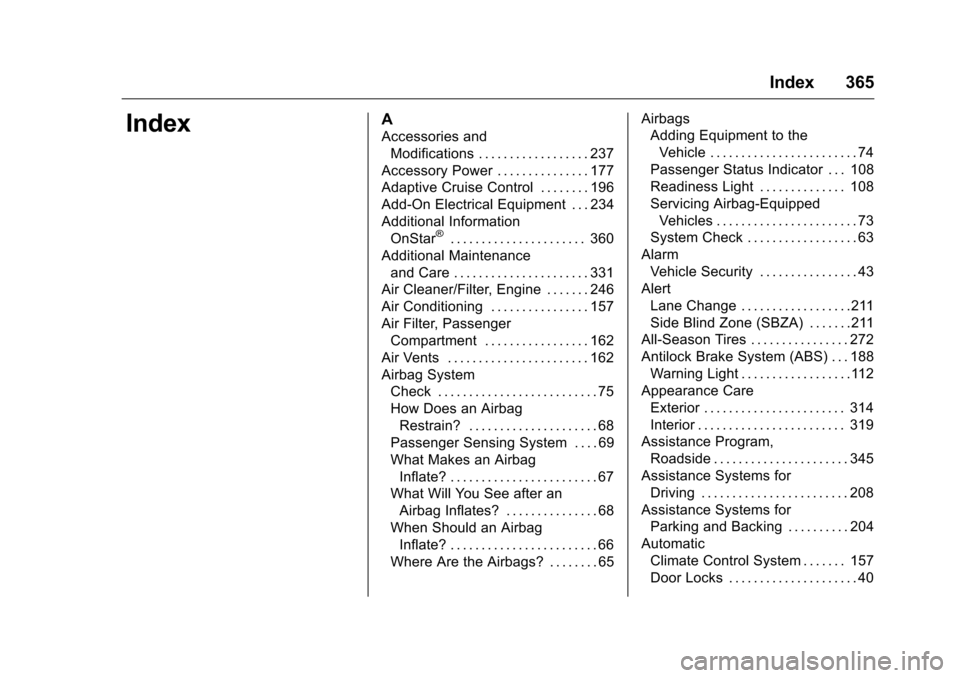
IndexA
Accessories andModifications . . . . . . . . . . . . . . . . . . 237
Accessory Power . . . . . . . . . . . . . . . 177
Adaptive Cruise Control . . . . . . . . 196
Add-On Electrical Equipment . . . 234
Additional Information OnStar
®. . . . . . . . . . . . . . . . . . . . . . 360
Additional Maintenance and Care . . . . . . . . . . . . . . . . . . . . . . 331
Air Cleaner/Filter, Engine . . . . . . . 246
Air Conditioning . . . . . . . . . . . . . . . . 157
Air Filter, Passenger Compartment . . . . . . . . . . . . . . . . . 162
Air Vents . . . . . . . . . . . . . . . . . . . . . . . 162
Airbag System Check . . . . . . . . . . . . . . . . . . . . . . . . . . 75
How Does an AirbagRestrain? . . . . . . . . . . . . . . . . . . . . . 68
Passenger Sensing System . . . . 69
What Makes an Airbag Inflate? . . . . . . . . . . . . . . . . . . . . . . . . 67
What Will You See after an Airbag Inflates? . . . . . . . . . . . . . . . 68
When Should an Airbag Inflate? . . . . . . . . . . . . . . . . . . . . . . . . 66
Where Are the Airbags? . . . . . . . . 65 Airbags
Adding Equipment to the
Vehicle . . . . . . . . . . . . . . . . . . . . . . . . 74
Passenger Status Indicator . . . 108
Readiness Light . . . . . . . . . . . . . . 108
Servicing Airbag-Equipped Vehicles . . . . . . . . . . . . . . . . . . . . . . . 73
System Check . . . . . . . . . . . . . . . . . . 63
Alarm Vehicle Security . . . . . . . . . . . . . . . . 43
Alert
Lane Change . . . . . . . . . . . . . . . . . .211
Side Blind Zone (SBZA) . . . . . . .211
All-Season Tires . . . . . . . . . . . . . . . . 272
Antilock Brake System (ABS) . . . 188 Warning Light . . . . . . . . . . . . . . . . . .112
Appearance Care Exterior . . . . . . . . . . . . . . . . . . . . . . . 314
Interior . . . . . . . . . . . . . . . . . . . . . . . . 319
Assistance Program, Roadside . . . . . . . . . . . . . . . . . . . . . . 345
Assistance Systems for Driving . . . . . . . . . . . . . . . . . . . . . . . . 208
Assistance Systems for Parking and Backing . . . . . . . . . . 204
Automatic Climate Control System . . . . . . . 157
Door Locks . . . . . . . . . . . . . . . . . . . . . 40
Page 367 of 376
Chevrolet VOLT Owner Manual (GMNA-Localizing-U.S./Canada/Mexico-
9807421) - 2017 - CRC - 11/18/15
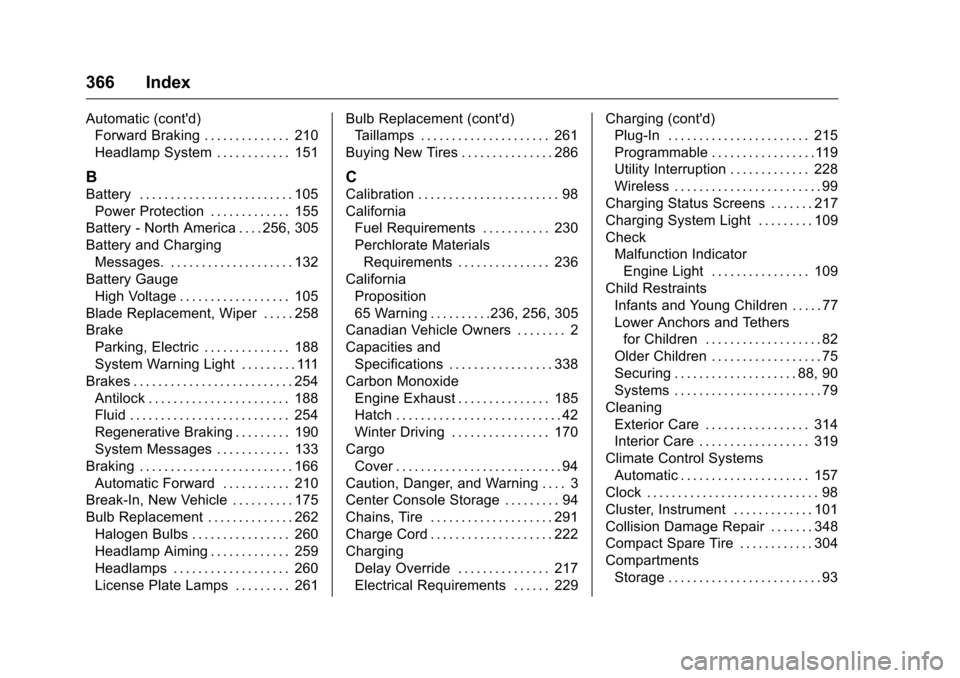
366 Index
Automatic (cont'd)Forward Braking . . . . . . . . . . . . . . 210
Headlamp System . . . . . . . . . . . . 151
B
Battery . . . . . . . . . . . . . . . . . . . . . . . . . 105
Power Protection . . . . . . . . . . . . . 155
Battery - North America . . . . 256, 305
Battery and Charging Messages. . . . . . . . . . . . . . . . . . . . . 132
Battery Gauge High Voltage . . . . . . . . . . . . . . . . . . 105
Blade Replacement, Wiper . . . . . 258
Brake Parking, Electric . . . . . . . . . . . . . . 188
System Warning Light . . . . . . . . . 111
Brakes . . . . . . . . . . . . . . . . . . . . . . . . . . 254 Antilock . . . . . . . . . . . . . . . . . . . . . . . 188
Fluid . . . . . . . . . . . . . . . . . . . . . . . . . . 254
Regenerative Braking . . . . . . . . . 190
System Messages . . . . . . . . . . . . 133
Braking . . . . . . . . . . . . . . . . . . . . . . . . . 166 Automatic Forward . . . . . . . . . . . 210
Break-In, New Vehicle . . . . . . . . . . 175
Bulb Replacement . . . . . . . . . . . . . . 262
Halogen Bulbs . . . . . . . . . . . . . . . . 260
Headlamp Aiming . . . . . . . . . . . . . 259
Headlamps . . . . . . . . . . . . . . . . . . . 260
License Plate Lamps . . . . . . . . . 261 Bulb Replacement (cont'd)
Taillamps . . . . . . . . . . . . . . . . . . . . . 261
Buying New Tires . . . . . . . . . . . . . . . 286
C
Calibration . . . . . . . . . . . . . . . . . . . . . . . 98
California Fuel Requirements . . . . . . . . . . . 230
Perchlorate MaterialsRequirements . . . . . . . . . . . . . . . 236
California Proposition
65 Warning . . . . . . . . . .236, 256, 305
Canadian Vehicle Owners . . . . . . . . 2
Capacities and
Specifications . . . . . . . . . . . . . . . . . 338
Carbon Monoxide Engine Exhaust . . . . . . . . . . . . . . . 185
Hatch . . . . . . . . . . . . . . . . . . . . . . . . . . . 42
Winter Driving . . . . . . . . . . . . . . . . 170
Cargo Cover . . . . . . . . . . . . . . . . . . . . . . . . . . . 94
Caution, Danger, and Warning . . . . 3
Center Console Storage . . . . . . . . . 94
Chains, Tire . . . . . . . . . . . . . . . . . . . . 291
Charge Cord . . . . . . . . . . . . . . . . . . . . 222
Charging Delay Override . . . . . . . . . . . . . . . 217
Electrical Requirements . . . . . . 229 Charging (cont'd)
Plug-In . . . . . . . . . . . . . . . . . . . . . . . 215
Programmable . . . . . . . . . . . . . . . . .119
Utility Interruption . . . . . . . . . . . . . 228
Wireless . . . . . . . . . . . . . . . . . . . . . . . . 99
Charging Status Screens . . . . . . . 217
Charging System Light . . . . . . . . . 109
Check Malfunction Indicator
Engine Light . . . . . . . . . . . . . . . . 109
Child Restraints Infants and Young Children . . . . . 77
Lower Anchors and Tethersfor Children . . . . . . . . . . . . . . . . . . . 82
Older Children . . . . . . . . . . . . . . . . . . 75
Securing . . . . . . . . . . . . . . . . . . . . 88, 90
Systems . . . . . . . . . . . . . . . . . . . . . . . . 79
Cleaning
Exterior Care . . . . . . . . . . . . . . . . . 314
Interior Care . . . . . . . . . . . . . . . . . . 319
Climate Control Systems Automatic . . . . . . . . . . . . . . . . . . . . . 157
Clock . . . . . . . . . . . . . . . . . . . . . . . . . . . . 98
Cluster, Instrument . . . . . . . . . . . . . 101
Collision Damage Repair . . . . . . . 348
Compact Spare Tire . . . . . . . . . . . . 304
Compartments Storage . . . . . . . . . . . . . . . . . . . . . . . . . 93