warning light CHEVROLET VOLT 2019 User Guide
[x] Cancel search | Manufacturer: CHEVROLET, Model Year: 2019, Model line: VOLT, Model: CHEVROLET VOLT 2019Pages: 373, PDF Size: 5.66 MB
Page 75 of 373
Chevrolet VOLT Owner Manual (GMNA-Localizing-U.S./Canada/Mexico-
12163007) - 2019 - CRC - 11/5/18
74 Seats and Restraints
.Airbags are designed to inflate
only once. After an airbag
inflates, you will need some new
parts for the airbag system.
If you do not get them, the
airbag system will not be there
to help protect you in another
crash. A new system will include
airbag modules and possibly
other parts. The service manual
for the vehicle covers the need
to replace other parts.
. The vehicle has a crash sensing
and diagnostic module which
records information after a
crash. See Vehicle Data
Recording and Privacy 0347
and Event Data Recorders
0 347.
. Let only qualified technicians
work on the airbag systems.
Improper service can mean that
an airbag system will not work
properly. See your dealer for
service.Passenger Sensing
System
The vehicle has a passenger
sensing system for the front
outboard passenger position. The
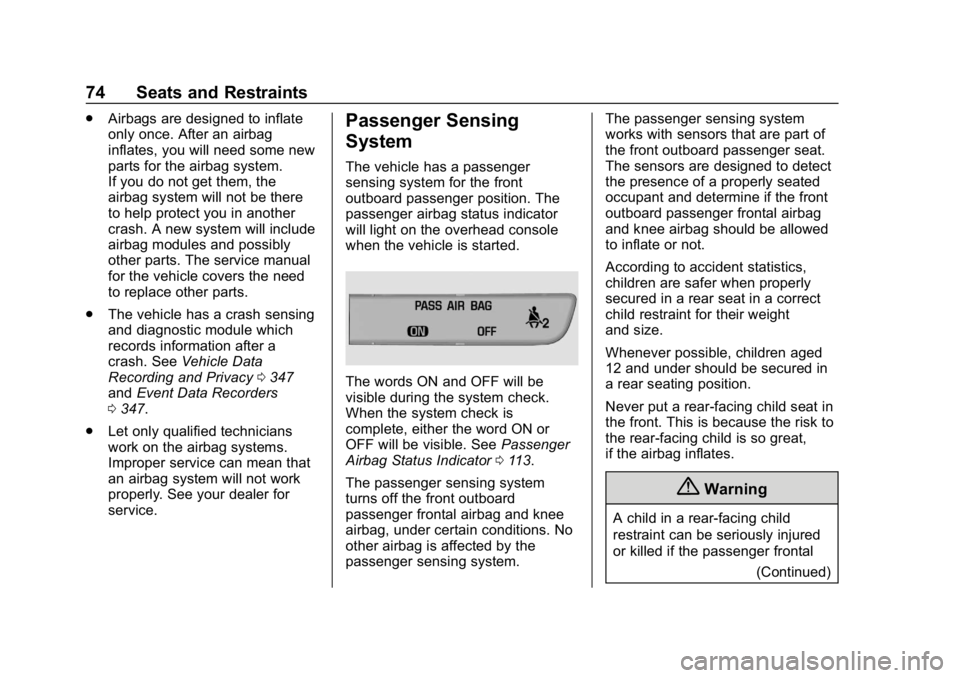
passenger airbag status indicator
will light on the overhead console
when the vehicle is started.
The words ON and OFF will be
visible during the system check.
When the system check is
complete, either the word ON or
OFF will be visible. See Passenger
Airbag Status Indicator 0113.
The passenger sensing system
turns off the front outboard
passenger frontal airbag and knee
airbag, under certain conditions. No
other airbag is affected by the
passenger sensing system. The passenger sensing system
works with sensors that are part of
the front outboard passenger seat.
The sensors are designed to detect
the presence of a properly seated
occupant and determine if the front
outboard passenger frontal airbag
and knee airbag should be allowed
to inflate or not.
According to accident statistics,
children are safer when properly
secured in a rear seat in a correct
child restraint for their weight
and size.
Whenever possible, children aged
12 and under should be secured in
a rear seating position.
Never put a rear-facing child seat in
the front. This is because the risk to
the rear-facing child is so great,
if the airbag inflates.
{Warning
A child in a rear-facing child
restraint can be seriously injured
or killed if the passenger frontal
(Continued)
Page 76 of 373
Chevrolet VOLT Owner Manual (GMNA-Localizing-U.S./Canada/Mexico-
12163007) - 2019 - CRC - 11/5/18
Seats and Restraints 75
Warning (Continued)
airbag inflates. This is because
the back of the rear-facing child
restraint would be very close to
the inflating airbag. A child in a
forward-facing child restraint can
be seriously injured or killed if the
passenger frontal airbag inflates
and the passenger seat is in a
forward position.
Even if the passenger sensing
system has turned off the front
outboard passenger airbag(s), no
system is fail-safe. No one can
guarantee that an airbag will not
deploy under some unusual
circumstance, even though the
airbag(s) are off.
Never put a rear-facing child
restraint in the front seat, even if
the airbag is off. If securing a
forward-facing child restraint in
the front outboard passenger
seat, always move the seat as far
back as it will go. It is better to(Continued)
Warning (Continued)
secure child restraints in the rear
seat. Consider using another
vehicle to transport the child
when a rear seat is not available.
The passenger sensing system is
designed to turn off the front
outboard passenger frontal airbag
and knee airbag if:
. The front outboard passenger
seat is unoccupied.
. The system determines that an
infant is present in a child
restraint.
. A front outboard passenger
takes his/her weight off of the
seat for a period of time.
. There is a critical problem with
the airbag system or the
passenger sensing system.
When the passenger sensing
system has turned off the front
outboard passenger frontal airbag
and knee airbag, the OFF indicator
will light and stay lit to remind you that the airbags are off. See
Passenger Airbag Status Indicator
0
113.
The passenger sensing system is
designed to turn on the front
outboard passenger frontal airbag
and knee airbag anytime the system
senses that a person of adult size is
sitting properly in the front outboard
passenger seat.
When the passenger sensing
system has allowed the airbags to
be enabled, the ON indicator will
light and stay lit as a reminder that
the airbags are active.
For some children, including
children in child restraints, and for
very small adults, the passenger
sensing system may or may not turn
off the front outboard passenger
frontal airbag and knee airbag,
depending upon the person’s
seating posture and body build.
Everyone in the vehicle who has
outgrown child restraints should
wear a seat belt properly —whether
or not there is an airbag for that
person.
Page 77 of 373
Chevrolet VOLT Owner Manual (GMNA-Localizing-U.S./Canada/Mexico-
12163007) - 2019 - CRC - 11/5/18
76 Seats and Restraints
{Warning
If the airbag readiness light ever
comes on and stays on, it means
that something may be wrong
with the airbag system. To help
avoid injury to yourself or others,
have the vehicle serviced right
away. SeeAirbag Readiness
Light 0113 for more information,
including important safety
information.
If the On Indicator Is Lit for a
Child Restraint
The passenger sensing system is
designed to turn off the front
outboard passenger frontal airbag
and knee airbag if the system
determines that an infant is present
in a child restraint. If a child restraint
has been installed and the ON
indicator is lit:
1. Turn the vehicle off.
2. Remove the child restraint from the vehicle. 3. Remove any additional items
from the seat such as blankets,
cushions, seat covers, seat
heaters, or seat massagers.
4. Reinstall the child restraint following the directions
provided by the child restraint
manufacturer and refer to
Securing Child Restraints (With
the Seat Belt in the Rear Seat)
093 orSecuring Child
Restraints (With the Seat Belt
in the Front Seat) 095.
5. If, after reinstalling the child restraint and restarting the
vehicle, the ON indicator is still
lit, turn the vehicle off. Then
slightly recline the vehicle
seatback and adjust the seat
cushion, if adjustable, to make
sure that the vehicle seatback
is not pushing the child
restraint into the seat cushion.
Also make sure the child
restraint is not trapped under
the vehicle head restraint.
If this happens, adjust the head
restraint. See Head Restraints
0 53. 6. Restart the vehicle.
The passenger sensing system
may or may not turn off the
airbags for a child in a child
restraint depending upon the
child’s size. It is better to
secure the child restraint in a
rear seat. Never put a
rear-facing child restraint in the
front seat, even if the ON
indicator is not lit.
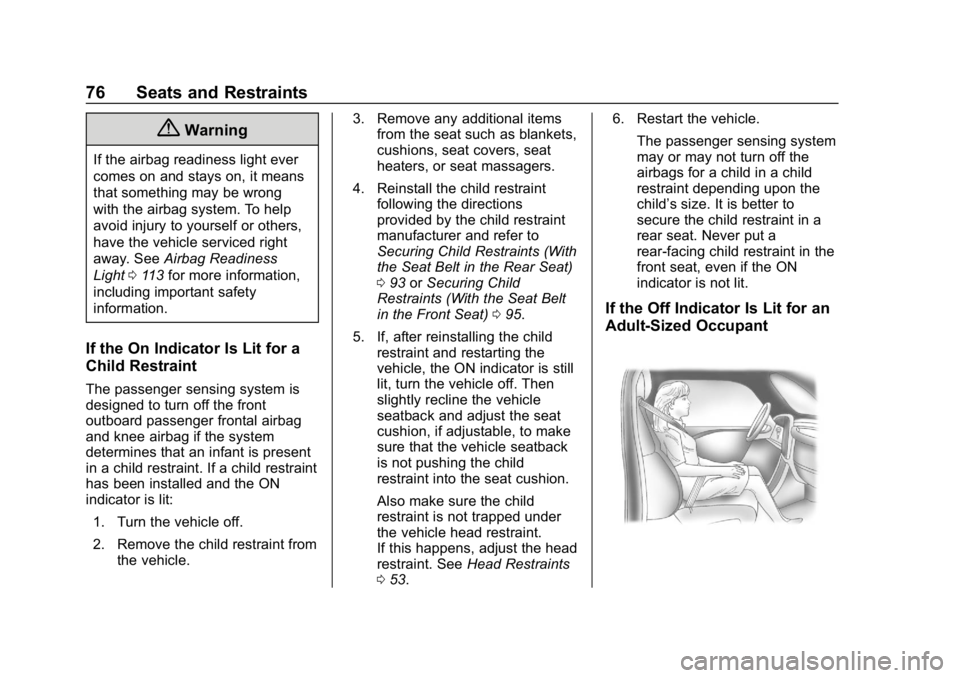
If the Off Indicator Is Lit for an
Adult-Sized Occupant
Page 78 of 373
Chevrolet VOLT Owner Manual (GMNA-Localizing-U.S./Canada/Mexico-
12163007) - 2019 - CRC - 11/5/18
Seats and Restraints 77
If a person of adult size is sitting in
the front outboard passenger seat,
but the OFF indicator is lit, it could
be because that person is not sitting
properly in the seat. Use the
following steps to allow the system
to detect that person and enable the
front outboard passenger frontal
airbag and knee airbag:1. Turn the vehicle off.
2. Remove any additional material from the seat, such as
blankets, cushions, seat
covers, seat heaters, or seat
massagers. Also, remove
laptops, or other electronic
devices.
3. Place the seatback in the fully upright position.
4. Have the person sit upright in the seat, centered on the seat
cushion, with legs comfortably
extended.
5. Restart the vehicle and have the person remain in this
position for two to
three minutes after the ON
indicator is lit.{Warning
If the front outboard passenger
airbag is turned off for an
adult-sized occupant, the airbag
will not be able to inflate and help
protect that person in a crash,
resulting in an increased risk of
serious injury or even death. An
adult-sized occupant should not
ride in the front outboard
passenger seat, if the passenger
airbag OFF indicator is lit.
Additional Factors Affecting
System Operation
Seat belts help keep the passenger
in position on the seat during
vehicle maneuvers and braking,
which helps the passenger sensing
system maintain the passenger
airbag status. See “Seat Belts”and
“Child Restraints” in the Index for
additional information about the
importance of proper restraint use. A thick layer of additional material,
such as a blanket or cushion,
or aftermarket equipment such as
seat covers, seat heaters, and seat
massagers can affect how well the
passenger sensing system
operates. We recommend that you
not use seat covers or other
aftermarket equipment except when
approved by GM for your specific
vehicle. See
Adding Equipment to
the Airbag-Equipped Vehicle 078
for more information about
modifications that can affect how
the system operates.
A wet seat can affect the
performance of the passenger
sensing system. Here is how:
. The passenger sensing system
may turn off the passenger
frontal airbag and passenger
knee airbag when liquid is
soaked into the seat. If this
happens, the OFF indicator will
be lit, and the airbag readiness
light on the instrument panel will
also be lit.
Page 79 of 373
Chevrolet VOLT Owner Manual (GMNA-Localizing-U.S./Canada/Mexico-
12163007) - 2019 - CRC - 11/5/18
78 Seats and Restraints
.Liquid pooled on the seat that
has not soaked in may make it
more likely that the passenger
sensing system will turn on the
passenger frontal airbag and
passenger knee airbag while a
child restraint or child occupant
is on the seat. If the passenger
frontal airbag and passenger
knee airbag are turned on, the
ON indicator will be lit.
If the front passenger seat gets wet,
dry the seat immediately. If the
airbag readiness light is lit, do not
install a child restraint or allow
anyone to occupy the seat. See
Airbag Readiness Light 0113 for
important safety information.
The ON indicator may be lit if an
object, such as a briefcase,
handbag, grocery bag, laptop,
or other electronic device, is put on
an unoccupied seat. If this is not
desired, remove the object from
the seat.{Warning
Stowing articles under the
passenger seat or between the
passenger seat cushion and
seatback may interfere with the
proper operation of the passenger
sensing system.
Servicing the
Airbag-Equipped Vehicle
Airbags affect how the vehicle
should be serviced. There are parts
of the airbag system in several
places around the vehicle. Your
dealer and the service manual have
information about servicing the
vehicle and the airbag system. To
purchase a service manual, see
Publication Ordering Information
0 345.
{Warning
For up to 10 seconds after the
vehicle is turned off and the 12‐
volt battery is disconnected, an
airbag can still inflate during
improper service. You can be
injured if you are close to an
airbag when it inflates. Avoid
yellow connectors. They are
probably part of the airbag
system. Be sure to follow proper
service procedures, and make
sure the person performing work
for you is qualified to do so.
Adding Equipment to the
Airbag-Equipped Vehicle
Adding accessories that change the
vehicle's frame, bumper system,
height, front end, or side sheet
metal may keep the airbag system
from working properly.
Page 81 of 373
Chevrolet VOLT Owner Manual (GMNA-Localizing-U.S./Canada/Mexico-
12163007) - 2019 - CRC - 11/5/18
80 Seats and Restraints
Replacing Airbag System
Parts after a Crash
{Warning
A crash can damage the airbag
systems in the vehicle.
A damaged airbag system may
not properly protect you and your
passenger(s) in a crash, resulting
in serious injury or even death. To
help make sure the airbag
systems are working properly
after a crash, have them
inspected and any necessary
replacements made as soon as
possible.
If an airbag inflates, you will need to
replace airbag system parts. See
your dealer for service.
If the airbag readiness light stays on
after the vehicle is started or comes
on when you are driving, the airbag
system may not work properly. Have
the vehicle serviced right away. See
Airbag Readiness Light 0113.
Child Restraints
Older Children
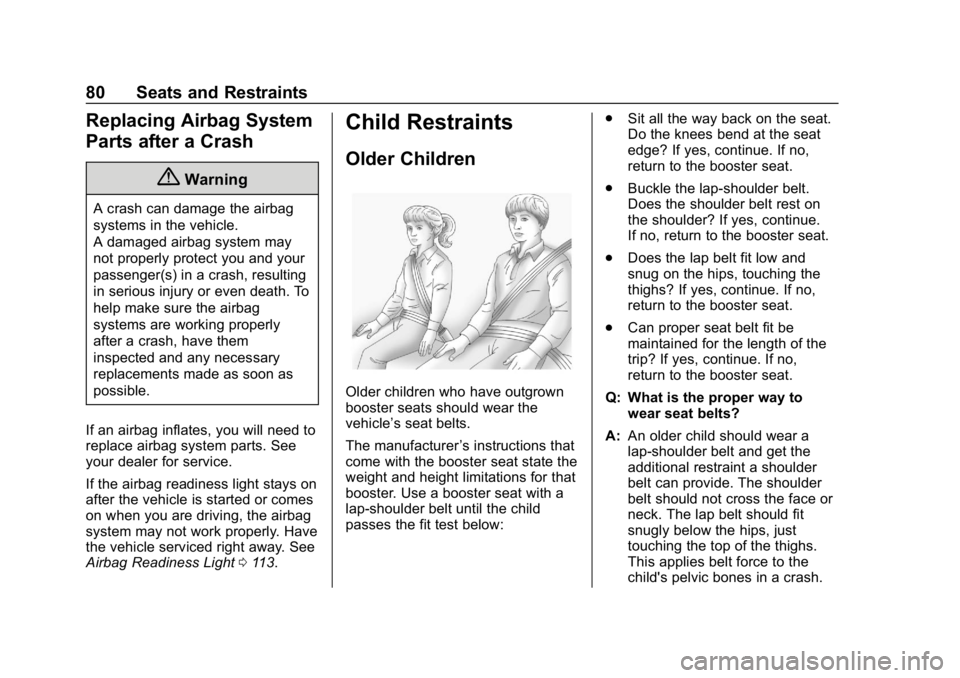
Older children who have outgrown
booster seats should wear the
vehicle’s seat belts.
The manufacturer ’s instructions that
come with the booster seat state the
weight and height limitations for that
booster. Use a booster seat with a
lap-shoulder belt until the child
passes the fit test below: .
Sit all the way back on the seat.
Do the knees bend at the seat
edge? If yes, continue. If no,
return to the booster seat.
. Buckle the lap-shoulder belt.
Does the shoulder belt rest on
the shoulder? If yes, continue.
If no, return to the booster seat.
. Does the lap belt fit low and
snug on the hips, touching the
thighs? If yes, continue. If no,
return to the booster seat.
. Can proper seat belt fit be
maintained for the length of the
trip? If yes, continue. If no,
return to the booster seat.
Q: What is the proper way to wear seat belts?
A: An older child should wear a
lap-shoulder belt and get the
additional restraint a shoulder
belt can provide. The shoulder
belt should not cross the face or
neck. The lap belt should fit
snugly below the hips, just
touching the top of the thighs.
This applies belt force to the
child's pelvic bones in a crash.
Page 102 of 373
Chevrolet VOLT Owner Manual (GMNA-Localizing-U.S./Canada/Mexico-
12163007) - 2019 - CRC - 11/5/18
Instruments and Controls 101
Instruments and
Controls
Controls
Steering Wheel Adjustment . . . 102
Steering Wheel Controls . . . . . . 102
Heated Steering Wheel . . . . . . . 102
Horn . . . . . . . . . . . . . . . . . . . . . . . . . . 102
Pedestrian Safety Signal . . . . . 102
Windshield Wiper/Washer . . . . 103
Compass . . . . . . . . . . . . . . . . . . . . . 104
Clock . . . . . . . . . . . . . . . . . . . . . . . . . 104
Power Outlets . . . . . . . . . . . . . . . . 104
Wireless Charging . . . . . . . . . . . . 105
Warning Lights, Gauges, and
Indicators
Warning Lights, Gauges, andIndicators . . . . . . . . . . . . . . . . . . . 107
Instrument Cluster . . . . . . . . . . . . 107
Speedometer . . . . . . . . . . . . . . . . . 110
Odometer . . . . . . . . . . . . . . . . . . . . . 110
Trip Odometer . . . . . . . . . . . . . . . . 110
Battery Gauge (High Voltage) . . . . . . . . . . . . . . . . . . . . . 110
Fuel Gauge . . . . . . . . . . . . . . . . . . . 111
Driver Efficiency Gauge . . . . . . . 111
Power Indicator Gauge . . . . . . . 112 Seat Belt Reminders . . . . . . . . . . 112
Airbag Readiness Light . . . . . . . 113
Passenger Airbag Status
Indicator . . . . . . . . . . . . . . . . . . . . . 113
Charging System Light (12-Volt
Battery) . . . . . . . . . . . . . . . . . . . . . 114
Malfunction Indicator Lamp (Check Engine Light) . . . . . . . . 114
Brake System Warning Light . . . . . . . . . . . . . . . . . . . . . . . . 116
Electric Parking Brake Light . . . . . . . . . . . . . . . . . . . . . . . . 117
Service Electric Parking Brake Light . . . . . . . . . . . . . . . . . . . . . . . . 117
Antilock Brake System (ABS) Warning Light . . . . . . . . . . . . . . . 117
Sport Mode Light . . . . . . . . . . . . . 118
Mountain Mode Light . . . . . . . . . 118
Hold Mode Light . . . . . . . . . . . . . . 118
Lane Keep Assist (LKA) Light . . . . . . . . . . . . . . . . . . . . . . . . 118
Vehicle Ahead Indicator . . . . . . . 119
Traction Off Light . . . . . . . . . . . . . 119
StabiliTrak OFF Light . . . . . . . . . 119
Traction Control System (TCS)/ StabiliTrak Light . . . . . . . . . . . . . 119
Engine Coolant Temperature Warning Light . . . . . . . . . . . . . . . 120
Tire Pressure Light . . . . . . . . . . . 120
Engine Oil Pressure Light . . . . 121 Low Fuel Warning Light . . . . . . 121
Security Light . . . . . . . . . . . . . . . . . 121
Vehicle Ready Light . . . . . . . . . . 122
High-Beam On Light . . . . . . . . . . 122
Lamps On Reminder . . . . . . . . . 122
Cruise Control Light . . . . . . . . . . 122
Door Ajar Light . . . . . . . . . . . . . . . 123
Information Displays
Power Flows . . . . . . . . . . . . . . . . . 123
Programmable Charging . . . . . . 123
Energy Information . . . . . . . . . . . 131
Driver Information
Center (DIC) . . . . . . . . . . . . . . . . 133
Vehicle Messages
Vehicle Messages . . . . . . . . . . . . 135
Propulsion PowerMessages . . . . . . . . . . . . . . . . . . . 136
Vehicle Speed Messages . . . . . 136
Vehicle Personalization
Vehicle Personalization . . . . . . . 137
Page 108 of 373
Chevrolet VOLT Owner Manual (GMNA-Localizing-U.S./Canada/Mexico-
12163007) - 2019 - CRC - 11/5/18
Instruments and Controls 107
EXEMPLARY, OR
CONSEQUENTIAL DAMAGES
(INCLUDING, BUT NOT LIMITED
TO, PROCUREMENT OF
SUBSTITUTE GOODS OR
SERVICES; LOSS OF USE, DATA,
OR PROFITS; OR BUSINESS
INTERRUPTION) HOWEVER
CAUSED AND ON ANY THEORY
OF LIABILITY, WHETHER IN
CONTRACT, STRICT LIABILITY,
OR TORT (INCLUDING
NEGLIGENCE OR OTHERWISE)
ARISING IN ANY WAY OUT OF
THE USE OF THIS SOFTWARE,
EVEN IF ADVISED OF THE
POSSIBILITY OF SUCH DAMAGE.Warning Lights,
Gauges, and
Indicators
Warning lights and gauges can
signal that something is wrong
before it becomes serious enough
to cause an expensive repair or
replacement. Paying attention to the
warning lights and gauges could
prevent injury.
Some warning lights come on briefly
when the propulsion system is
started to indicate they are working.
When one of the warning lights
comes on and stays on while
driving, or when one of the gauges
shows there may be a problem,
check the section that explains what
to do. Waiting to do repairs can be
costly and even dangerous.
Instrument Cluster
The instrument cluster displays a
preview of information that includes
electric range, charging, odometer,
and battery status. This happens
upon entry when the driver door is
opened before starting the vehicle.
The CHARGING OVERRIDE/
INTERRUPTION OCCURRED
message may display to indicate
that a charging override or
interruption has occurred due to one
or more of the following events:
.Override of the charge settings
by the owner.
. Unintended interruption of AC
power at the vehicle's
charge port.
. Interruption of charging by the
utility company.
Page 110 of 373
Chevrolet VOLT Owner Manual (GMNA-Localizing-U.S./Canada/Mexico-
12163007) - 2019 - CRC - 11/5/18
Instruments and Controls 109
Cluster Menu
There is an interactive display area
in the center of the instrument
cluster.
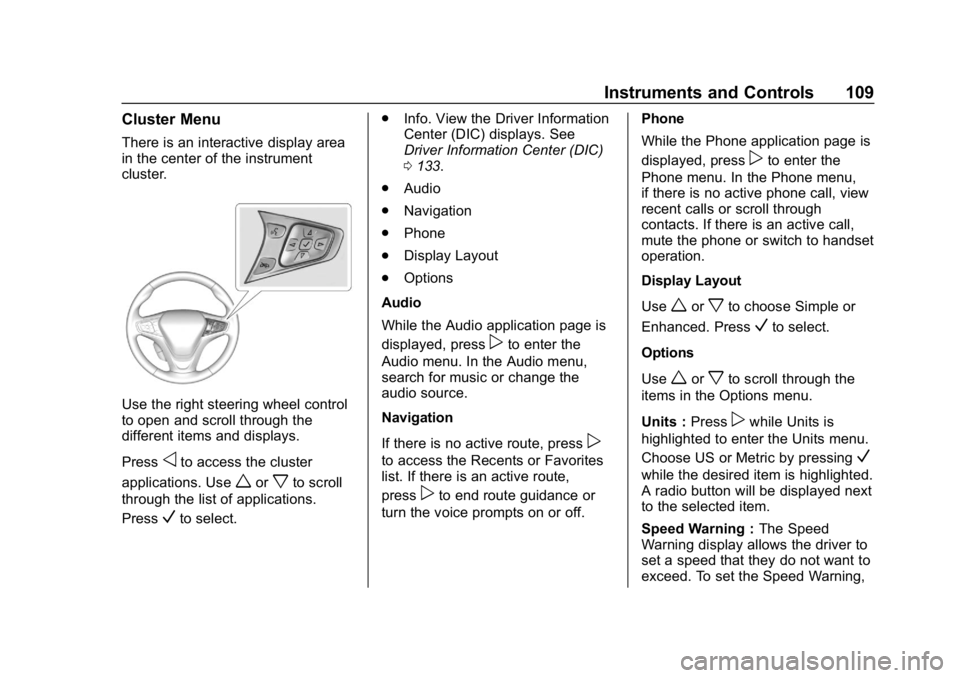
Use the right steering wheel control
to open and scroll through the
different items and displays.
Press
oto access the cluster
applications. Use
worxto scroll
through the list of applications.
Press
Vto select. .
Info. View the Driver Information
Center (DIC) displays. See
Driver Information Center (DIC)
0133.
. Audio
. Navigation
. Phone
. Display Layout
. Options
Audio
While the Audio application page is
displayed, press
pto enter the
Audio menu. In the Audio menu,
search for music or change the
audio source.
Navigation
If there is no active route, press
p
to access the Recents or Favorites
list. If there is an active route,
press
pto end route guidance or
turn the voice prompts on or off. Phone
While the Phone application page is
displayed, press
pto enter the
Phone menu. In the Phone menu,
if there is no active phone call, view
recent calls or scroll through
contacts. If there is an active call,
mute the phone or switch to handset
operation.
Display Layout
Use
worxto choose Simple or
Enhanced. Press
Vto select.
Options
Use
worxto scroll through the
items in the Options menu.
Units : Press
pwhile Units is
highlighted to enter the Units menu.
Choose US or Metric by pressing
V
while the desired item is highlighted.
A radio button will be displayed next
to the selected item.
Speed Warning : The Speed
Warning display allows the driver to
set a speed that they do not want to
exceed. To set the Speed Warning,
Page 111 of 373
Chevrolet VOLT Owner Manual (GMNA-Localizing-U.S./Canada/Mexico-
12163007) - 2019 - CRC - 11/5/18
110 Instruments and Controls
presspwhen Speed Warning is
displayed. Press
worxto adjust
the value. Press
Vto set the speed.
Once the speed is set, this feature
can be turned off by pressing
V
while viewing this page. If the
selected speed limit is exceeded, a
pop-up warning is displayed with a
chime.
Tutorial : Press
Vwhile Tutorial is
highlighted to view the tutorials that
explain some of the features of the
instrument cluster. The tutorials are
only available when the vehicle is in
P (Park).
Open Source Software : Press
V
while Open Source Software is
highlighted to display open source
software information.
Speedometer
The speedometer shows the
vehicle's speed in either kilometers
per hour (km/h) or miles per
hour (mph).
Odometer
The odometer shows how far the
vehicle has been driven, in either
kilometers or miles.
Trip Odometer
The trip odometer shows how far
the vehicle has been driven since
the trip odometer was last reset.
The trip odometer is accessed and
reset through the Driver Information
Center (DIC). SeeDriver
Information Center (DIC) 0133.
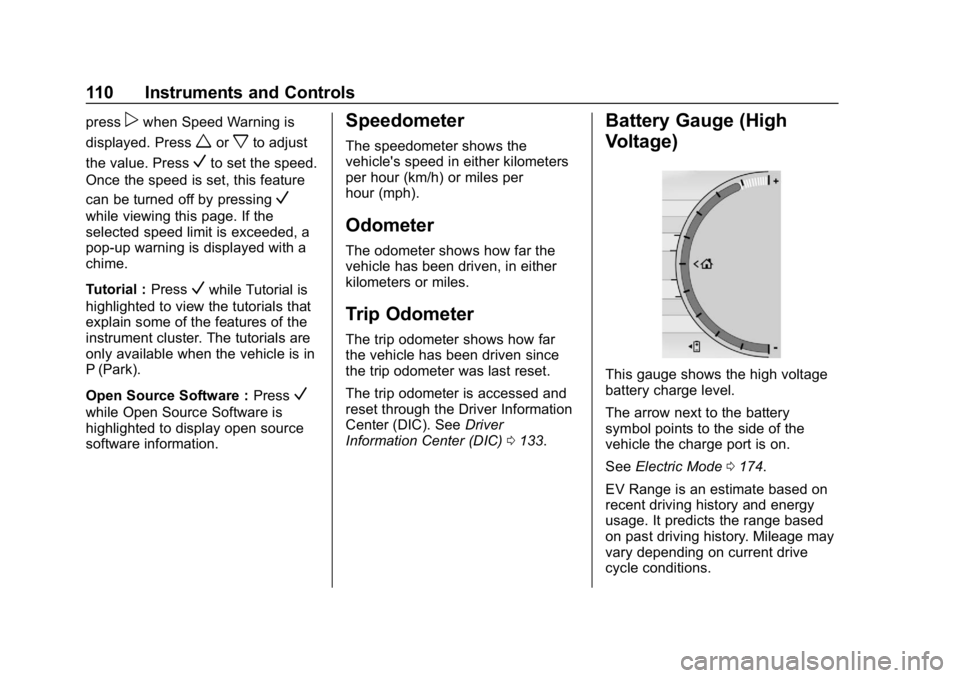
Battery Gauge (High
Voltage)
This gauge shows the high voltage
battery charge level.
The arrow next to the battery
symbol points to the side of the
vehicle the charge port is on.
See Electric Mode 0174.
EV Range is an estimate based on
recent driving history and energy
usage. It predicts the range based
on past driving history. Mileage may
vary depending on current drive
cycle conditions.