lock CHRYSLER 200 2017 2.G Workshop Manual
[x] Cancel search | Manufacturer: CHRYSLER, Model Year: 2017, Model line: 200, Model: CHRYSLER 200 2017 2.GPages: 539, PDF Size: 5.18 MB
Page 169 of 539
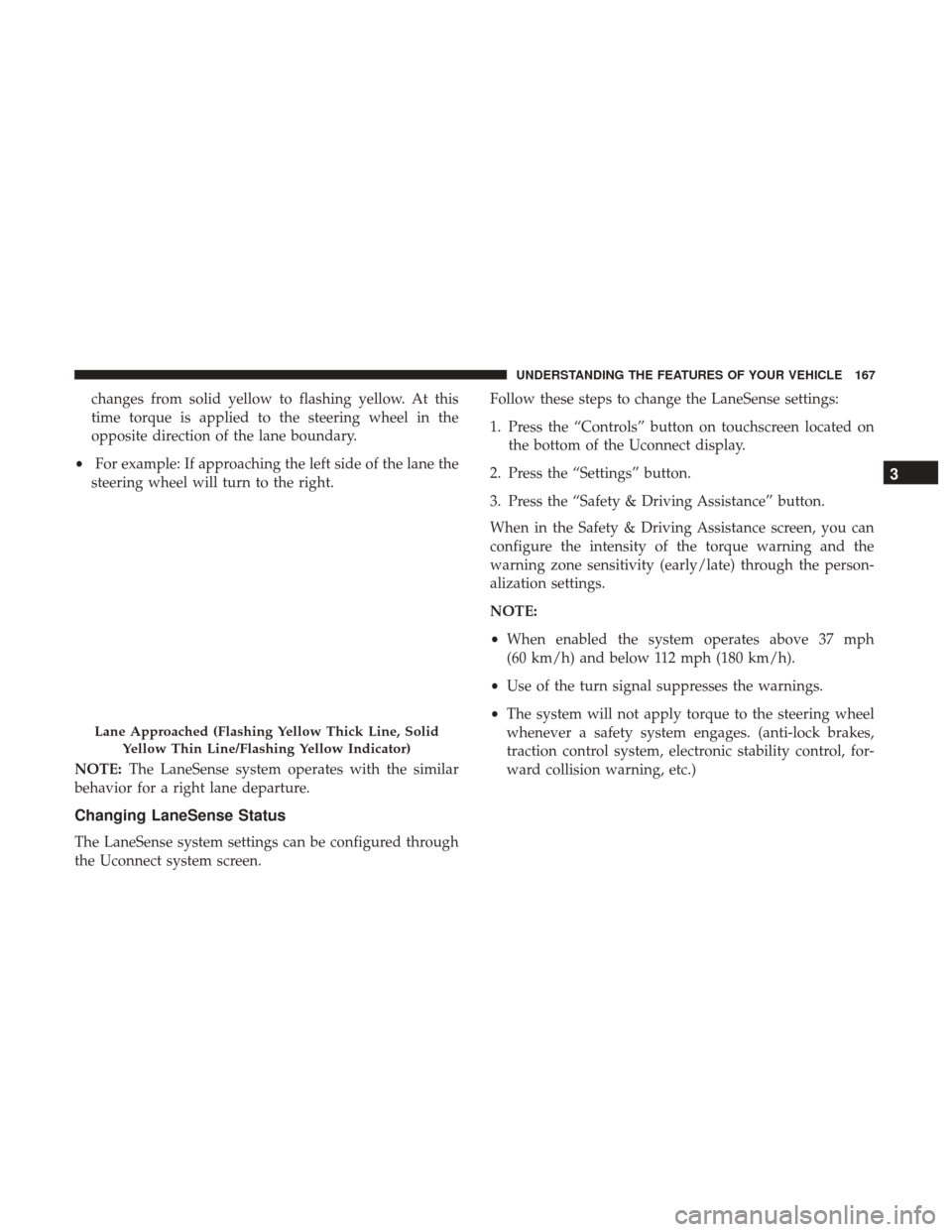
changes from solid yellow to flashing yellow. At this
time torque is applied to the steering wheel in the
opposite direction of the lane boundary.
• For example: If approaching the left side of the lane the
steering wheel will turn to the right.
NOTE: The LaneSense system operates with the similar
behavior for a right lane departure.
Changing LaneSense Status
The LaneSense system settings can be configured through
the Uconnect system screen. Follow these steps to change the LaneSense settings:
1. Press the “Controls” button on touchscreen located on
the bottom of the Uconnect display.
2. Press the “Settings” button.
3. Press the “Safety & Driving Assistance” button.
When in the Safety & Driving Assistance screen, you can
configure the intensity of the torque warning and the
warning zone sensitivity (early/late) through the person-
alization settings.
NOTE:
• When enabled the system operates above 37 mph
(60 km/h) and below 112 mph (180 km/h).
• Use of the turn signal suppresses the warnings.
• The system will not apply torque to the steering wheel
whenever a safety system engages. (anti-lock brakes,
traction control system, electronic stability control, for-
ward collision warning, etc.)
Lane Approached (Flashing Yellow Thick Line, Solid
Yellow Thin Line/Flashing Yellow Indicator)
3
UNDERSTANDING THE FEATURES OF YOUR VEHICLE 167
Page 192 of 539
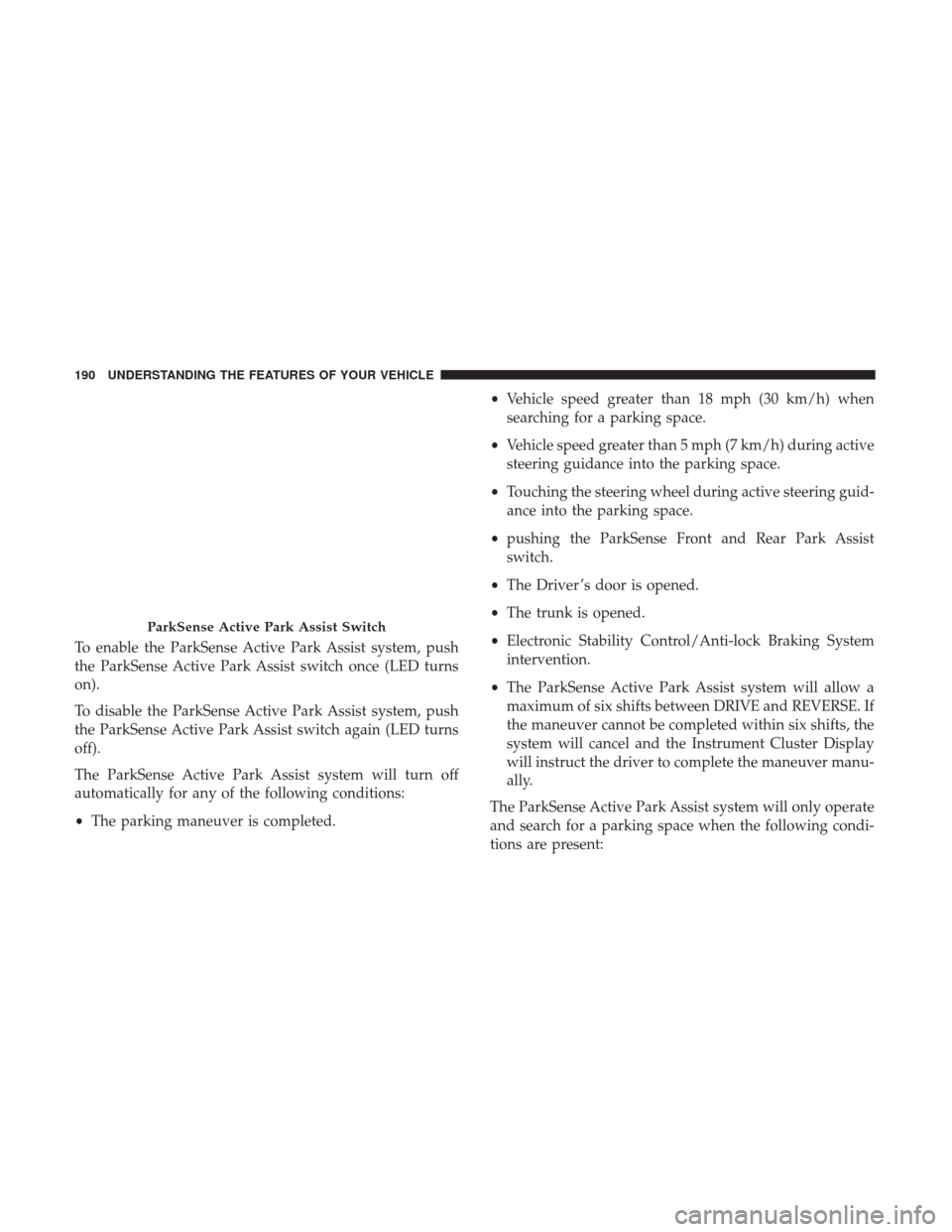
To enable the ParkSense Active Park Assist system, push
the ParkSense Active Park Assist switch once (LED turns
on).
To disable the ParkSense Active Park Assist system, push
the ParkSense Active Park Assist switch again (LED turns
off).
The ParkSense Active Park Assist system will turn off
automatically for any of the following conditions:
•The parking maneuver is completed. •
Vehicle speed greater than 18 mph (30 km/h) when
searching for a parking space.
• Vehicle speed greater than 5 mph (7 km/h) during active
steering guidance into the parking space.
• Touching the steering wheel during active steering guid-
ance into the parking space.
• pushing the ParkSense Front and Rear Park Assist
switch.
• The Driver ’s door is opened.
• The trunk is opened.
• Electronic Stability Control/Anti-lock Braking System
intervention.
• The ParkSense Active Park Assist system will allow a
maximum of six shifts between DRIVE and REVERSE. If
the maneuver cannot be completed within six shifts, the
system will cancel and the Instrument Cluster Display
will instruct the driver to complete the maneuver manu-
ally.
The ParkSense Active Park Assist system will only operate
and search for a parking space when the following condi-
tions are present:
ParkSense Active Park Assist Switch
190 UNDERSTANDING THE FEATURES OF YOUR VEHICLE
Page 214 of 539
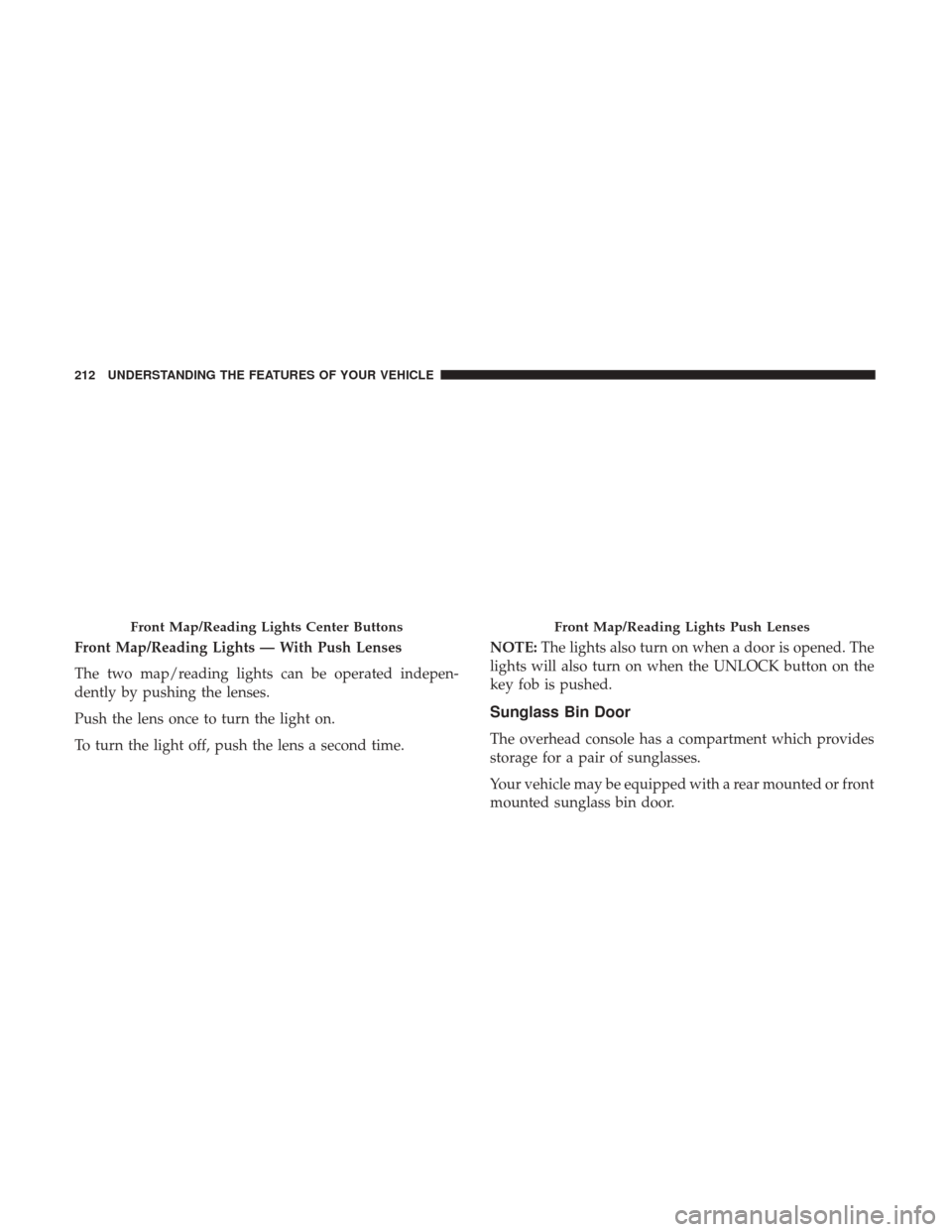
Front Map/Reading Lights — With Push Lenses
The two map/reading lights can be operated indepen-
dently by pushing the lenses.
Push the lens once to turn the light on.
To turn the light off, push the lens a second time.NOTE:
The lights also turn on when a door is opened. The
lights will also turn on when the UNLOCK button on the
key fob is pushed.
Sunglass Bin Door
The overhead console has a compartment which provides
storage for a pair of sunglasses.
Your vehicle may be equipped with a rear mounted or front
mounted sunglass bin door.
Front Map/Reading Lights Center ButtonsFront Map/Reading Lights Push Lenses
212 UNDERSTANDING THE FEATURES OF YOUR VEHICLE
Page 220 of 539
2. Place the hand-held transmitter 1 to 3 inches (3 to 8 cm)away from the HomeLink button you wish to program
while keeping the HomeLink indicator light in view.
3. Continue to push and hold the HomeLink button while you push and release (“cycle”) your hand-held trans-
mitter every two seconds until HomeLink has success-
fully accepted the frequency signal. The indicator light
will flash slowly and then rapidly when fully trained.
4. Watch for the HomeLink indicator to change flash rates. When it changes, it is programmed. It may take up to 30
seconds or longer in rare cases. The garage door may
open and close while you are programming.
5. Push and hold the programmed HomeLink button and observe the indicator light.
NOTE: •If the indicator light stays on constantly, programming
is complete and the garage door/device should acti-
vate when the HomeLink button is pushed.
• To program the two remaining HomeLink buttons,
repeat each step for each remaining button. DO NOT
erase the channels. If you unplugged the garage door opener/device for
programming, plug it back in at this time.
Reprogramming A Single HomeLink Button
(Canadian/Gate Operator)
To reprogram a channel that has been previously trained,
follow these steps:
1. Cycle the ignition to the ON/RUN position.
2. Push and hold the desired HomeLink button until the
indicator light begins to flash after 20 seconds. Do not
release the button.
3. Without releasing the button, proceed with
“Canadian/Gate Operator Programming” step 2 and
follow all remaining steps.
Using HomeLink
To operate, push and release the programmed HomeLink
button. Activation will now occur for the programmed
device (i.e. garage door opener, gate operator, security
system, entry door lock, home/office lighting, etc.). The
hand-held transmitter of the device may also be used at
any time.
218 UNDERSTANDING THE FEATURES OF YOUR VEHICLE
Page 222 of 539
2. This device must accept any interference received, in-cluding interference that may cause undesired opera-
tion.
NOTE:
• The transmitter has been tested and it complies with
FCC and IC rules. Changes or modifications not ex-
pressly approved by the party responsible for compli-
ance could void the user ’s authority to operate the
device.
• The term IC before the certification/registration number
only signifies that Industry Canada technical specifica-
tions were met.
POWER SUNROOF — IF EQUIPPED
The power sunroof switch is located between the sun
visors on the overhead console.
WARNING!
• Never leave children unattended in a vehicle, or with
access to an unlocked vehicle. Never leave the key
fob in or near the vehicle, or in a location accessible
to children. Do not leave the ignition of a vehicle
(Continued)
Sunroof Switch
1 — Opening Sunroof
2 — Venting Sunroof
3 — Closing Sunroof
220 UNDERSTANDING THE FEATURES OF YOUR VEHICLE
Page 224 of 539
Pinch Protect Feature
This feature will detect an obstruction in the opening of the
sunroof during Express Close operation. If an obstruction
in the path of the sunroof is detected, the sunroof will
automatically retract. Remove the obstruction if this oc-
curs.
NOTE:If three consecutive sunroof close attempts result in
Pinch Protect reversals, Pinch Protect will disable and the
sunroof must be closed in Manual Mode.
Venting Sunroof — Express
Push and release the Vent button within one half second
and the sunroof will open to the vent position. This is
called “Express Vent”, and it will occur regardless of
sunroof position. During Express Vent operation, any other
actuation of the switch will stop the sunroof.
Sunshade Operation
The sunshade can be opened manually. However, the
sunshade will open automatically as the sunroof opens.
NOTE: The sunshade cannot be closed if the sunroof is
open.
Wind Buffeting
Wind buffeting can be described as the perception of
pressure on the ears or a helicopter-type sound in the ears.
Your vehicle may exhibit wind buffeting with the windows
down, or the sunroof (if equipped) in certain open or
partially open positions. This is a normal occurrence and
can be minimized. If the buffeting occurs with the rear
windows open, open the front and rear windows together
to minimize the buffeting. If the buffeting occurs with the
sunroof open, adjust the sunroof opening to minimize the
buffeting or open any window.
Sunroof Maintenance
Use only a non-abrasive cleaner and a soft cloth to clean the
glass panel.
Ignition Off Operation
The power sunroof switch will remain active for up to
approximately ten minutes after the ignition switch is
turned to the LOCK position. Opening either front door
will cancel this feature.
NOTE: Ignition Off time is programmable through the
Uconnect System. Refer to “Uconnect Settings/Customer
Programmable Features” in “Understanding Your Instru-
ment Panel” for further information.
222 UNDERSTANDING THE FEATURES OF YOUR VEHICLE
Page 226 of 539
WARNING!
•Never leave children unattended in a vehicle, or with
access to an unlocked vehicle. Never leave the key
fob in or near the vehicle, or in a location accessible
to children. Do not leave the ignition of a vehicle
equipped with Keyless Enter-N-Go in the ACC or
ON/RUN mode. Occupants, particularly unattended
(Continued)
WARNING! (Continued)
children, can become entrapped by the power sun-
roof while operating the power sunroof switch. Such
entrapment may result in serious injury or death.
• In a collision, there is a greater risk of being thrown
from a vehicle with an open sunroof. You could also
be seriously injured or killed. Always fasten your
seat belt properly and make sure all passengers are
also properly secured.
• Do not allow small children to operate the sunroof.
Never allow your fingers, other body parts, or any
object, to project through the sunroof opening. In-
jury may result.
Opening Sunroof — Express
Push the sunroof switch rearward and release it within
one-half second. The sunroof will open automatically to the
full open position and automatically stop. (If the sunshade
is in the closed position when the operation is initiated the
sunshade will automatically open to the half open position
prior to the sunroof opening). This is called “Express
Open”. During Express Open operation, any movement of
the sunroof switch will stop the sunroof.
Power Shade Switches
224 UNDERSTANDING THE FEATURES OF YOUR VEHICLE
Page 229 of 539
Sunroof Maintenance
Use only a non-abrasive cleaner and a soft cloth to clean the
glass panel.
Ignition Off Operation
The power sunroof switch will remain active for up to
approximately ten minutes after the ignition switch is
turned to the LOCK position. Opening either front door
will cancel this feature.
NOTE:Ignition Off time is programmable through the
Uconnect System. Refer to “Uconnect Settings/Customer
Programmable Features” in “Understanding Your Instru-
ment Panel” for further information.
POWER OUTLETS — IF EQUIPPED
Your vehicle is equipped with 12 Volt (13 Amp) power
outlets that can be used to power cellular phones, small
electronics and other low powered electrical accessories.
The power outlets are labeled with either a “key” or a
“battery” symbol to indicate how the outlet is powered.
Power outlets labeled with a “key” are powered when the
ignition switch is in the ON or ACC position, while the
outlets labeled with a “battery” are connected directly to
the battery and powered at all times. NOTE:
All accessories connected to the “battery” powered
outlets should be removed or turned off when the vehicle
is not in use to protect the battery against discharge.
The front power outlet is located next to the storage area on
the center stack of the instrument panel.
In addition to the front power outlet, there is also a power
outlet located in the storage area of the center console.
Front Power Outlet
3
UNDERSTANDING THE FEATURES OF YOUR VEHICLE 227
Page 233 of 539
forward in the armrest and side-by-side to provide conve-
nient access to beverage cans or bottles while maintaining
a resting place for the rear occupant’s elbows.
STORAGE
Glove Compartment
The glove compartment is located on the passenger side of
the instrument panel. Pull on the release handle to open the
glove compartment.NOTE:
The glove compartment handle is equipped with a
lock. To lock the glove compartment, remove the emer-
gency key from the key fob, insert emergency key into
glove compartment handle lock cylinder and turn the key
to the lock position and remove the key. Use the reverse
sequence to unlock the glove compartment.
Rear Seat Cupholders
Glove Compartment Release Handle
3
UNDERSTANDING THE FEATURES OF YOUR VEHICLE 231
Page 239 of 539
NOTE:You may experience deformation in the seat cush-
ion from the seat belt buckles if the seats are left folded for
an extended period of time. This is normal and by simply
opening the seats to the open position, over time the seat
cushion will return to its normal shape.
When the seatback is folded to the upright position, make
sure it is latched by strongly pulling on the top of the
seatback above the seat strap.
WARNING!
• Be certain that the seatback is securely locked into
position. If the seatback is not securely locked into
position, the seat will not provide the proper stabil-
ity for child seats and/or passengers. An improperly
latched seat could cause serious injury.
• The cargo area in the rear of the vehicle (with the rear
seatbacks in the locked-up or folded down position)
should not be used as a play area by children when
the vehicle is in motion. They could be seriously
injured in a collision. Children should be seated and
using the proper restraint system.
• To help protect against personal injury, passengers
should not be seated in the rear cargo area. The rear
cargo space is intended for load carrying purposes
only, not for passengers, who should sit in seats and
use seat belts.
(Continued)
Folded Rear Seatback
3
UNDERSTANDING THE FEATURES OF YOUR VEHICLE 237