brake CHRYSLER 300 2009 1.G User Guide
[x] Cancel search | Manufacturer: CHRYSLER, Model Year: 2009, Model line: 300, Model: CHRYSLER 300 2009 1.GPages: 526, PDF Size: 9.04 MB
Page 165 of 526
If there is no vehicle ahead, the vehicle will maintain the
set speed. If a slower moving vehicle is detected in the
same lane, the EVIC displays the “Sensed Vehicle Indi-
cator” icon, and the system adjusts vehicle speed auto-
matically to maintain the distance setting, regardless of
the set speed.
The vehicle will then maintain the set distance until:
•The vehicle ahead accelerates to a speed above the set
speed.
•The vehicle ahead moves out of your lane or view of
the sensor.
•The vehicle ahead slows to a speed below 15 mph
(24 km/h) and the system automatically disengages
itself.
•The distance setting is changed.
•The system disengages. (Refer to the information on
ACC Activation).
The maximum braking applied by ACC is limited; how-
ever, the driver can always apply the brakes manually, if
necessary.
NOTE:The brake lights will illuminate whenever the
ACC system applies the brakes.
A Proximity Warning will alert the driver if ACC predicts
that its maximum braking level is not sufficient to
maintain the set distance. If this occurs, a visual alert
“ATTENTION” will flash in the EVIC and a chime will
sound while ACC continues to apply its maximum
braking capacity. When this occurs, you should immedi-
ately apply the brakes as needed to maintain a safe
distance from the vehicle ahead.
UNDERSTANDING THE FEATURES OF YOUR VEHICLE 163
3
Page 173 of 526
Precautions While Driving with ACC
In certain driving situations, ACC may have detection
issues. In these cases, ACC may brake late or unexpect-
edly. The driver needs to stay alert and may need to
intervene.
Adding a Trailer Hitch
The weight of a trailer hitch may affect the performance
of ACC. If there is a noticeable change in performance
following the installation of a hitch, such as reduced
detection range, please see your authorized dealer for
service.
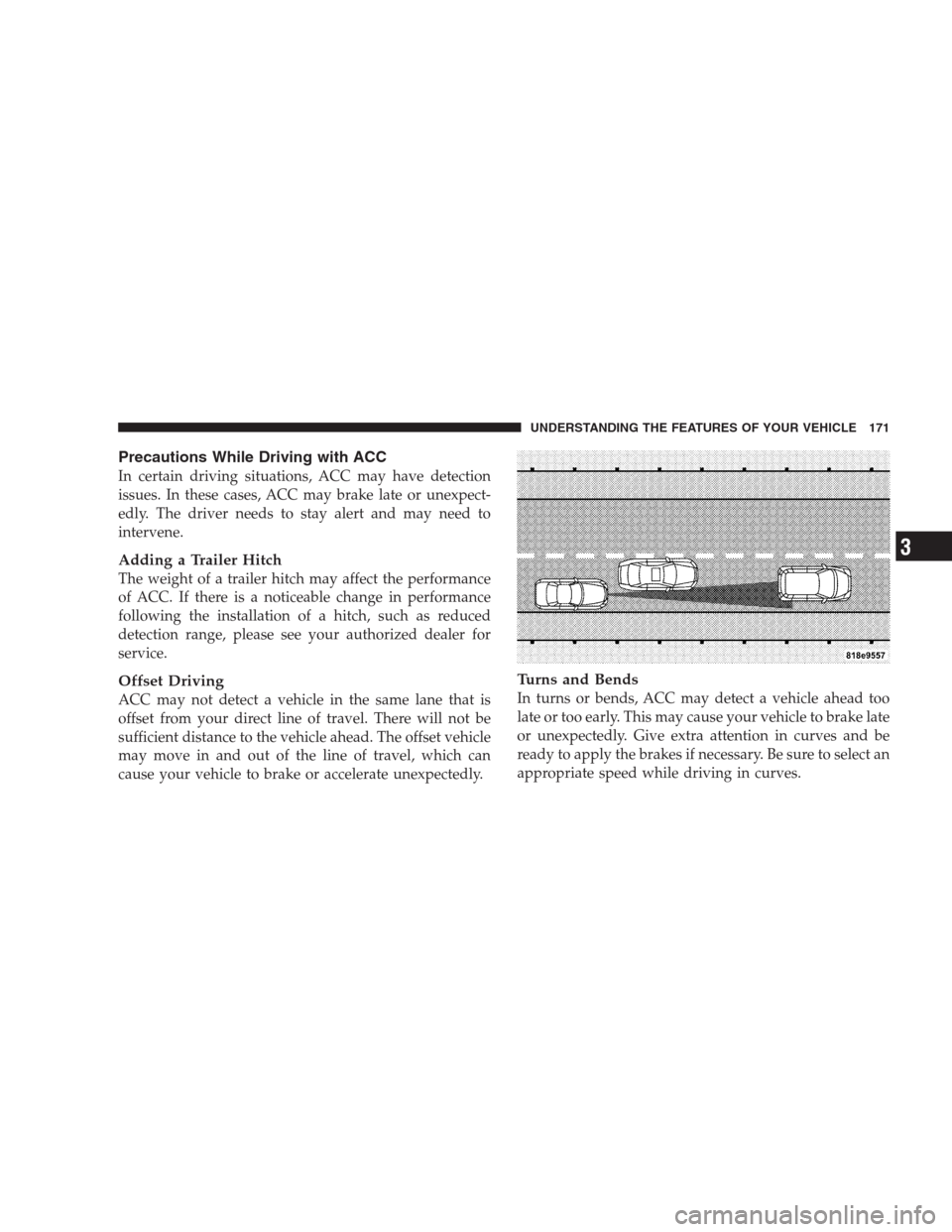
Offset Driving
ACC may not detect a vehicle in the same lane that is
offset from your direct line of travel. There will not be
sufficient distance to the vehicle ahead. The offset vehicle
may move in and out of the line of travel, which can
cause your vehicle to brake or accelerate unexpectedly.
Turns and Bends
In turns or bends, ACC may detect a vehicle ahead too
late or too early. This may cause your vehicle to brake late
or unexpectedly. Give extra attention in curves and be
ready to apply the brakes if necessary. Be sure to select an
appropriate speed while driving in curves.
UNDERSTANDING THE FEATURES OF YOUR VEHICLE 171
3
Page 175 of 526
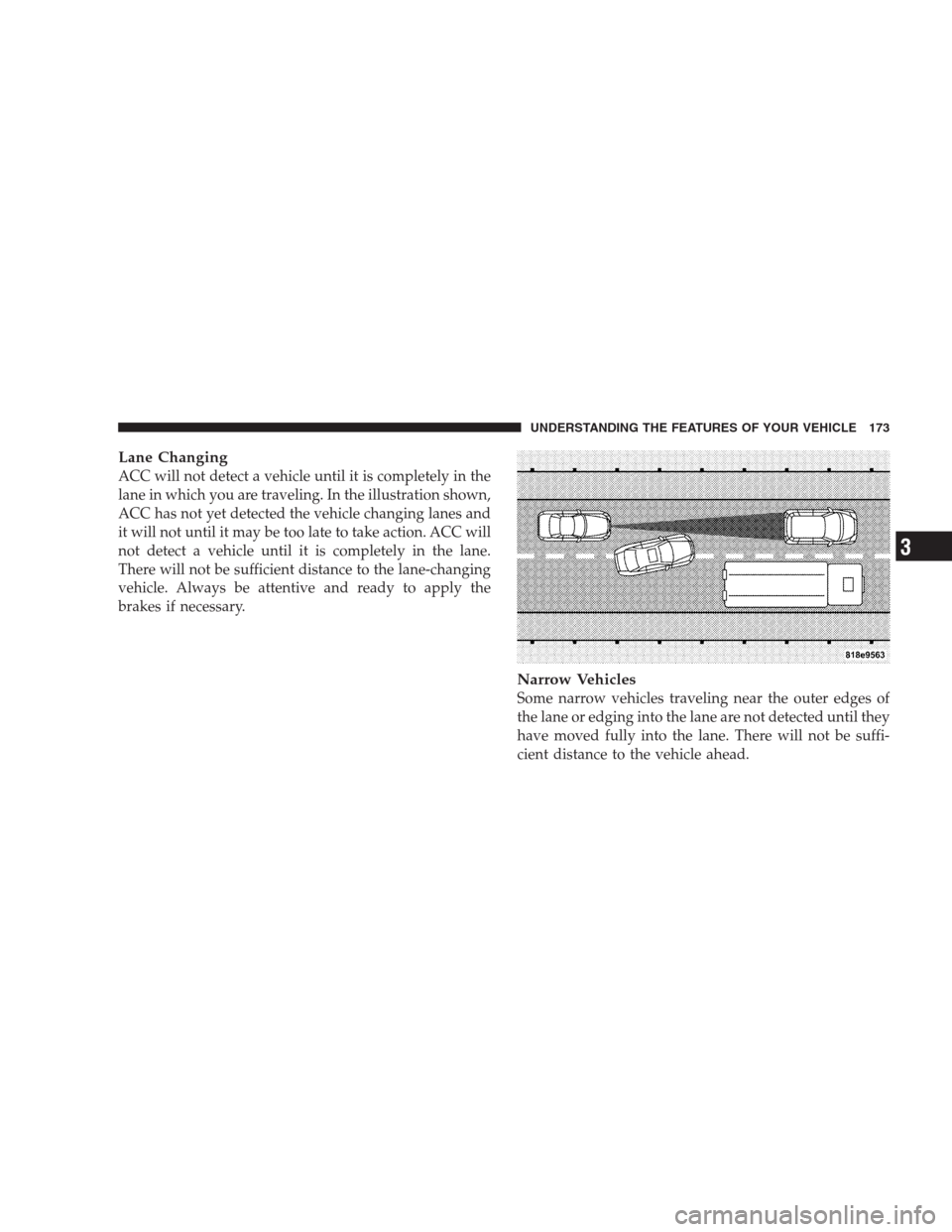
Lane Changing
ACC will not detect a vehicle until it is completely in the
lane in which you are traveling. In the illustration shown,
ACC has not yet detected the vehicle changing lanes and
it will not until it may be too late to take action. ACC will
not detect a vehicle until it is completely in the lane.
There will not be sufficient distance to the lane-changing
vehicle. Always be attentive and ready to apply the
brakes if necessary.
Narrow Vehicles
Some narrow vehicles traveling near the outer edges of
the lane or edging into the lane are not detected until they
have moved fully into the lane. There will not be suffi-
cient distance to the vehicle ahead.
UNDERSTANDING THE FEATURES OF YOUR VEHICLE 173
3
Page 176 of 526
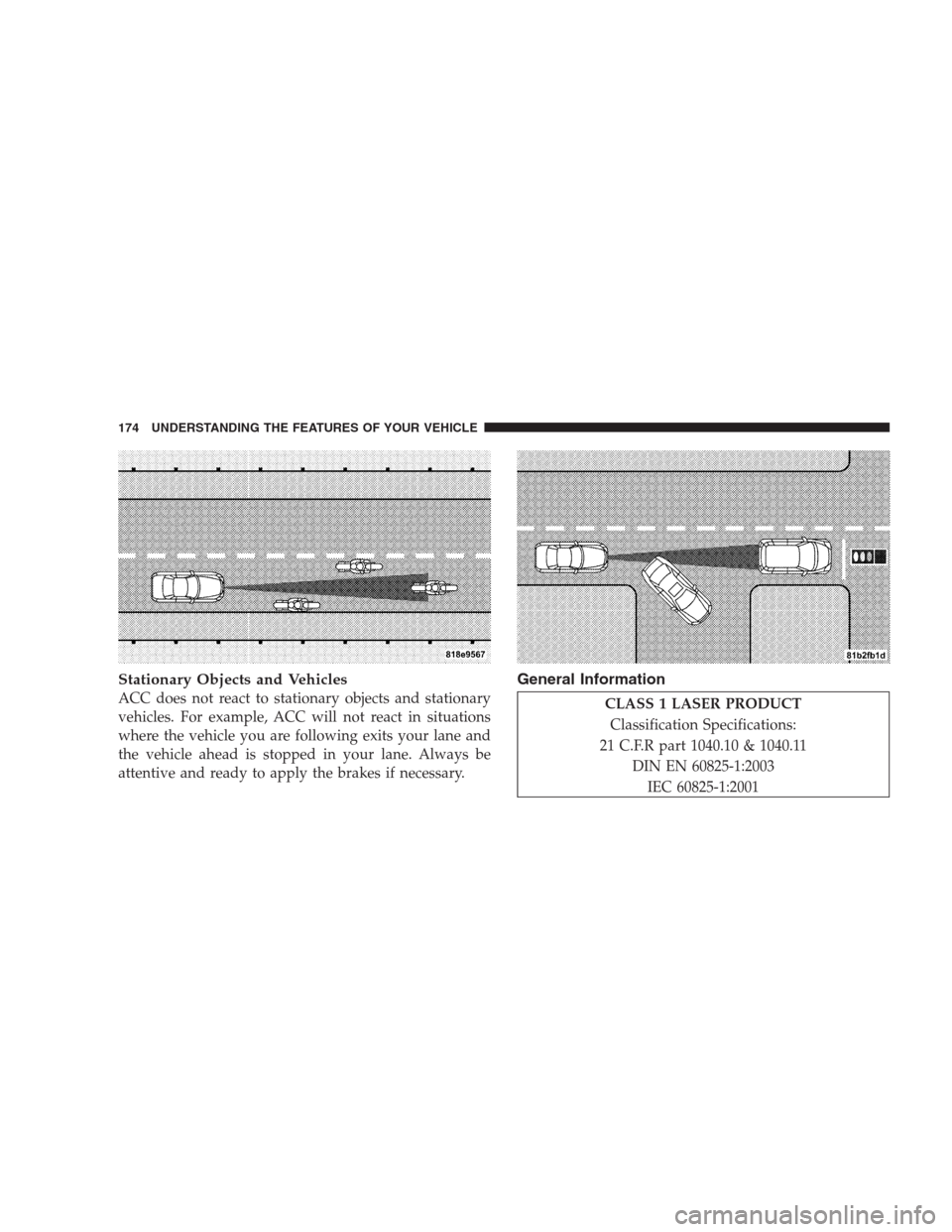
Stationary Objects and Vehicles
ACC does not react to stationary objects and stationary
vehicles. For example, ACC will not react in situations
where the vehicle you are following exits your lane and
the vehicle ahead is stopped in your lane. Always be
attentive and ready to apply the brakes if necessary.
General Information
CLASS 1 LASER PRODUCT
Classification Specifications:
21 C.F.R part 1040.10 & 1040.11
DIN EN 60825-1:2003
IEC 60825-1:2001
174 UNDERSTANDING THE FEATURES OF YOUR VEHICLE
Page 178 of 526
To Vary the Speed Setting
There are two ways to change the set speed:
•Use the accelerator pedal to adjust the vehicle to the
desired speed and push the lever down (“SET/
DECEL”).
•Tap the stalk up (“ACCEL”) or down (“DECEL”) to
increase or decrease the set speed in 1 mph (1 km/h)
increments respectively. Hold for 5 mph (10 km/h)
increments.
To Cancel
The system will disable Normal cruise control without
erasing the memory if:
•You softly tap or depress the brake pedal.
•You pull the speed control lever toward you (“CAN-
CEL”).
•The Electronic Stability Program/Traction Control
System (ESP/TCS) activates.
To Resume
Push the lever up and release (“RESUME/ACCEL”) and
then remove your foot from the accelerator pedal. The
EVIC will display the last set speed.
To Turn Off
The system will turn off and erase the set speed in
memory if:
•You push and release the “ON/OFF/MODE” button.
•You turn off the ignition.
•You switch off ESP.
If the cruise control system is turned off and reactivated,
the system will return to the Vehicle-to-vehicle (adaptive)
distance control mode.
176 UNDERSTANDING THE FEATURES OF YOUR VEHICLE
Page 179 of 526
REAR PARK ASSIST
The Rear Park Assist is a driver aid that senses for
obstacles behind the vehicle. Refer to the Warnings,
Cautions, and Notes in this section for system limitations
and usage recommendations.
The Rear Park Assist is active when the driver shifts the
transmission into the REVERSE position, and the parking
brake is not applied, and the vehicle speed is less than
10 mph (16 km/h).
The system can be turned on or off through the Electronic
Vehicle Information Center (EVIC) when the vehicle is in
PARK. Refer to “Personal Settings (Customer-
Programmable Features)” under “Electronic Vehicle In-
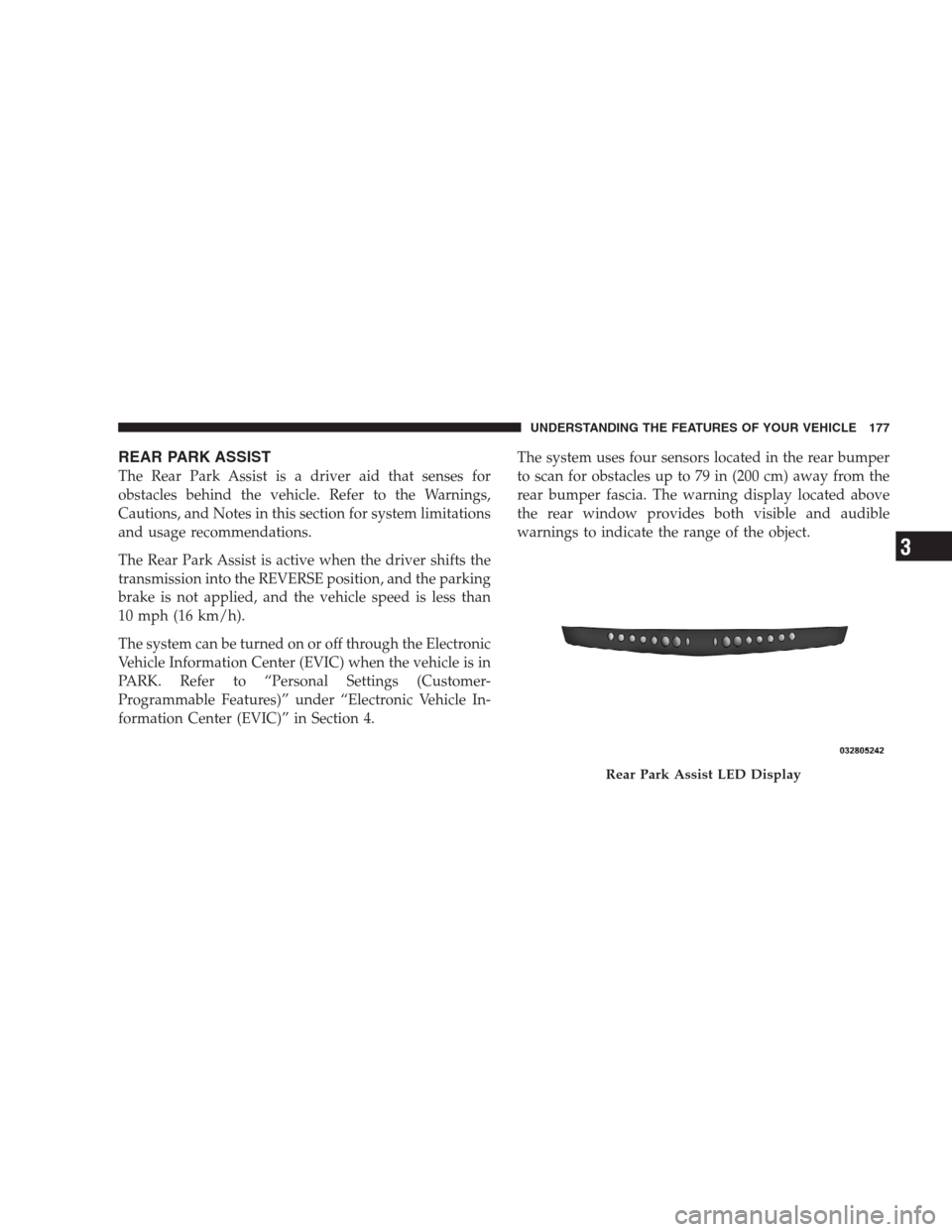
formation Center (EVIC)” in Section 4.The system uses four sensors located in the rear bumper
to scan for obstacles up to 79 in (200 cm) away from the
rear bumper fascia. The warning display located above
the rear window provides both visible and audible
warnings to indicate the range of the object.
Rear Park Assist LED Display
UNDERSTANDING THE FEATURES OF YOUR VEHICLE 177
3
Page 213 of 526
7. Tachometer
The red segments indicate the maximum permissible
engine revolutions per minute (RPM x 1000) for each gear
range. Ease up on the accelerator before reaching the red
area.
8. Engine Temperature Warning Light
This light will turn on and a single chime will
sound to warn of an overheated engine condition.
When this light turns on, the engine temperature
is critically hot. If the light turns on while driving, safely
pull over and stop the vehicle. The vehicle should be
turned OFF immediately and serviced as soon as pos-
sible. (Refer to “If Your Engine Overheats” in Section 6
for more information).9. Anti-Lock Brake (ABS) Light — If Equipped
This light monitors the Anti-Lock Brake System
(ABS). The light will turn on when the ignition
switch is turned to the ON position and may stay on for
as long as four seconds.
If the ABS Light remains on or turns on while driving,
then the Anti-Lock portion of the brake system is not
functioning and service is required. However, the con-
ventional brake system will continue to operate normally
if the Brake Warning Light is not on.
If the ABS Light is on, the brake system should be
serviced as soon as possible to restore the benefits of
Anti-Lock brakes. If the ABS Light does not turn on when
the ignition switch is turned to the ON position, have the
light inspected by an authorized dealer.
UNDERSTANDING YOUR INSTRUMENT PANEL 211
4
Page 214 of 526
10. Electronic Stability Program (ESP) / Brake Assist
System (BAS) Malfunction Indicator Light
The yellow Electronic Stability Program (ESP)
/ Brake Assist System (BAS) Malfunction Indi-
cator Light will turn on when the key in the
ignition switch is turned to the ON position.
The light should go out with the engine running. The
system will turn this light on continuously while the
engine is running if it detects a malfunction in either the
ESP, the BAS or both.
11. Airbag Warning Light
This light will turn on for six to eight seconds
as a bulb check when the ignition switch is first
turned ON. If the light is either not on during
starting, or stays on, or turns on while driving,
then have the system inspected at an authorized dealer as
soon as possible.12. Brake Warning Light
This light monitors various brake functions,
including brake fluid level and parking brake
application. If the brake light turns on, it may
indicate that the parking brake is applied, that
the brake fluid level is low, or that there is a problem with
the anti-lock brake system reservoir.
If the light remains on when the parking brake has been
disengaged, and the fluid level is at the full mark on the
master cylinder reservoir, it indicates a possible brake
hydraulic system malfunction or a problem with the
Brake Booster has been detected by the Anti-Lock Brake
System (ABS) / Electronic Stability Program (ESP) sys-
tem. In this case, the light will remain on until the
condition has been corrected. If the problem is related to
the brake booster, the ABS pump will run when applying
the brake and a brake pedal pulsation may be felt during
each stop.
212 UNDERSTANDING YOUR INSTRUMENT PANEL
Page 215 of 526
The dual brake system provides a reserve braking capac-
ity in the event of a failure to a portion of the hydraulic
system. A leak in either half of the dual brake system is
indicated by the Brake Warning Light which will turn on
when the brake fluid level in the master cylinder has
dropped below a specified level.
The light will remain on until the cause is corrected.
NOTE:The light may flash momentarily during sharp
cornering maneuvers which change fluid level condi-
tions. The vehicle should have service performed, and
the brake fluid level checked.
If brake failure is indicated, immediate repair is neces-
sary.WARNING!
Driving a vehicle with the brake light on is danger-
ous. Part of the brake system may have failed. It will
take longer to stop the vehicle. You could have an
accident. Have the vehicle checked immediately.
Vehicles equipped with the Anti-Lock Brake System
(ABS), are also equipped with Electronic Brake Force
Distribution (EBD). In the event of an EBD failure, the
Brake Warning Light will turn on along with the ABS
Light. Immediate repair to the ABS system is required.
Operation of the Brake Warning Light can be checked by
turning the ignition switch from the OFF position to the
ON position. The light should illuminate for approxi-
mately two seconds. The light should then turn off unless
the parking brake is applied or a brake fault is detected.
If the light does not illuminate, have the light inspected
by an authorized dealer.
UNDERSTANDING YOUR INSTRUMENT PANEL 213
4
Page 216 of 526
The light also will turn on when the parking brake is
applied with the ignition switch in the ON position.
NOTE:This light shows only that the parking brake is
applied. It does not show the degree of brake application.
13. Electronic Stability Program (ESP) / Traction
Control System (TCS) Indicator Light — If Equipped
If this indicator light flashes during accelera-
tion, ease up on the accelerator and apply as
little throttle as possible. Adapt your speed and
driving to the prevailing road conditions, and
do not switch off the Electronic Stability Program (ESP).
14. Temperature Gauge
The temperature gauge shows engine coolant tempera-
ture. Any reading within the normal range indicates that
the engine cooling system is operating satisfactorily.The gauge pointer will likely indicate a higher tempera-
ture when driving in hot weather, up mountain grades,
or when towing a trailer. It should not be allowed to
exceed the upper limits of the normal operating range.
CAUTION!
Driving with a hot engine cooling system could
damage your vehicle. If the temperature gauge reads
“H,” pull over and stop the vehicle. Idle the vehicle
with the air conditioner turned off until the pointer
drops back into the normal range. If the pointer
remains on the “H,” and you hear continuous chimes,
turn the engine OFF immediately and call for service.
214 UNDERSTANDING YOUR INSTRUMENT PANEL