reset CHRYSLER 300 2012 2.G Owners Manual
[x] Cancel search | Manufacturer: CHRYSLER, Model Year: 2012, Model line: 300, Model: CHRYSLER 300 2012 2.GPages: 576, PDF Size: 15.25 MB
Page 30 of 576
Remote Start Abort Message On Electronic Vehicle
Information Center (EVIC) — If Equipped
The following messages will display in the EVIC if the
vehicle fails to remote start or exits remote start prema-
turely:
•Remote Start Aborted — Door Ajar
•Remote Start Aborted — Hood Ajar
•Remote Start Aborted — Trunk Ajar
•Remote Start Aborted — Fuel Low
•Remote Start Disabled — Start Vehicle To Reset
The EVIC message stays active until the ignition is cycled
to the ON/RUN position.
To Enter Remote Start Mode
Press and release the REMOTE START button on
the RKE transmitter twice within five seconds.
The vehicle doors will lock, parking lights will
flash and the horn will chirp twice (if pro-
grammed). Then, the engine will start and the vehicle will
remain in the Remote Start mode for a 15-minute cycle.
NOTE:
•If an engine fault is present or fuel level is low, the
vehicle will start and then shut down in 10 seconds.
•The park lamps will turn on and remain on during
Remote Start mode.
•For security, power window and power sunroof op-
eration (if equipped) are disabled when the vehicle is
in the Remote Start mode.
•The engine can be started two consecutive times (two
15-minute cycles) with the RKE transmitter. However,
the ignition must be cycled to the RUN position before
you can repeat the start sequence for a third cycle.
28 THINGS TO KNOW BEFORE STARTING YOUR VEHICLE
Page 42 of 576
To close the window part way, lift the window switch to
the first detent and release it when you want the window
to stop.
NOTE:
•If the window runs into any obstacle during auto-
closure, it will reverse direction and then go back
down. Remove the obstacle and use the window
switch again to close the window.
•Any impact due to rough road conditions may trigger
the auto-reverse function unexpectedly during auto-
closure. If this happens, pull the switch lightly to the
first detent and hold to close the window manually.
WARNING!
There is no anti-pinch protection when the window
is almost closed. Be sure to clear all objects from the
window before closing.
Reset Auto Up
Should the Auto Up feature stop working, the window
probably needs to be reset. To reset Auto Up:
1. Pull the window switch up to close the window
completely and continue to hold the switch up for an
additional two seconds after the window is closed.
2. Push the window switch down firmly to the second
detent to open the window completely and continue to
hold the switch down for an additional two seconds after
the window is fully open.
Window Lockout Switch
The window lockout switch on the driver’s door trim
panel allows you to disable the window controls on the
rear passenger doors and the rear sunscreen (if
equipped). To disable the window controls and the rear
sunscreen, press and release the window lockout button
(setting it in the DOWN position). To enable the window
40 THINGS TO KNOW BEFORE STARTING YOUR VEHICLE
Page 69 of 576
•Turn on the interior lights, which remain on as long as
the battery has power, until the ignition key is re-
moved or the ignition switch is changed to OFF using
the Keyless Go Start/Stop button.
•Unlock the doors automatically.
In order to reset the Enhanced Accident Response System
functions after an event, the ignition switch must be
changed from IGN ON to IGN OFF.
If A Deployment Occurs
The Advanced Front Air Bags are designed to deflate
immediately after deployment.
NOTE:Front and/or side air bags will not deploy in all
collisions. This does not mean something is wrong with
the air bag system.
If you do have a collision which deploys the air bags, any
or all of the following may occur:
•The nylon air bag material may sometimes cause abra-
sions and/or skin reddening to the driver and front
passenger as the air bags deploy and unfold. The
abrasions are similar to friction rope burns or those you
might get sliding along a carpet or gymnasium floor.
They are not caused by contact with chemicals. They are
not permanent and normally heal quickly. However, if
you haven’t healed significantly within a few days, or if
you have any blistering, see your doctor immediately.
•As the air bags deflate, you may see some smoke-like
particles. The particles are a normal by-product of the
process that generates the non-toxic gas used for air bag
inflation. These airborne particles may irritate the skin,
eyes, nose, or throat. If you have skin or eye irritation,
rinse the area with cool water. For nose or throat irrita-
tion, move to fresh air. If the irritation continues, see your
doctor. If these particles settle on your clothing, follow
the garment manufacturer’s instructions for cleaning.
2
THINGS TO KNOW BEFORE STARTING YOUR VEHICLE 67
Page 123 of 576
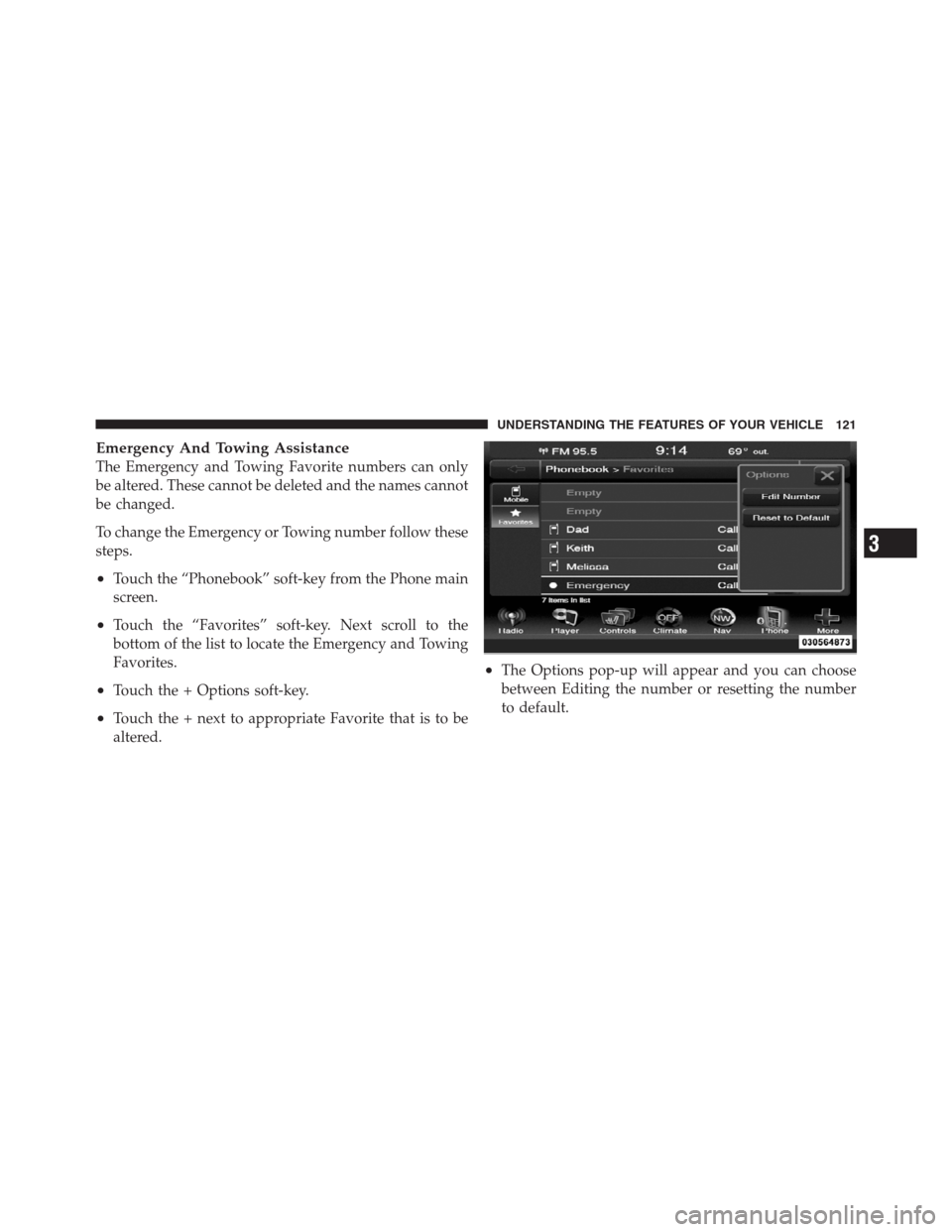
Emergency And Towing Assistance
The Emergency and Towing Favorite numbers can only
be altered. These cannot be deleted and the names cannot
be changed.
To change the Emergency or Towing number follow these
steps.
•Touch the “Phonebook” soft-key from the Phone main
screen.
•Touch the “Favorites” soft-key. Next scroll to the
bottom of the list to locate the Emergency and Towing
Favorites.
•Touch the + Options soft-key.
•Touch the + next to appropriate Favorite that is to be
altered.
•The Options pop-up will appear and you can choose
between Editing the number or resetting the number
to default.
3
UNDERSTANDING THE FEATURES OF YOUR VEHICLE 121
Page 137 of 576
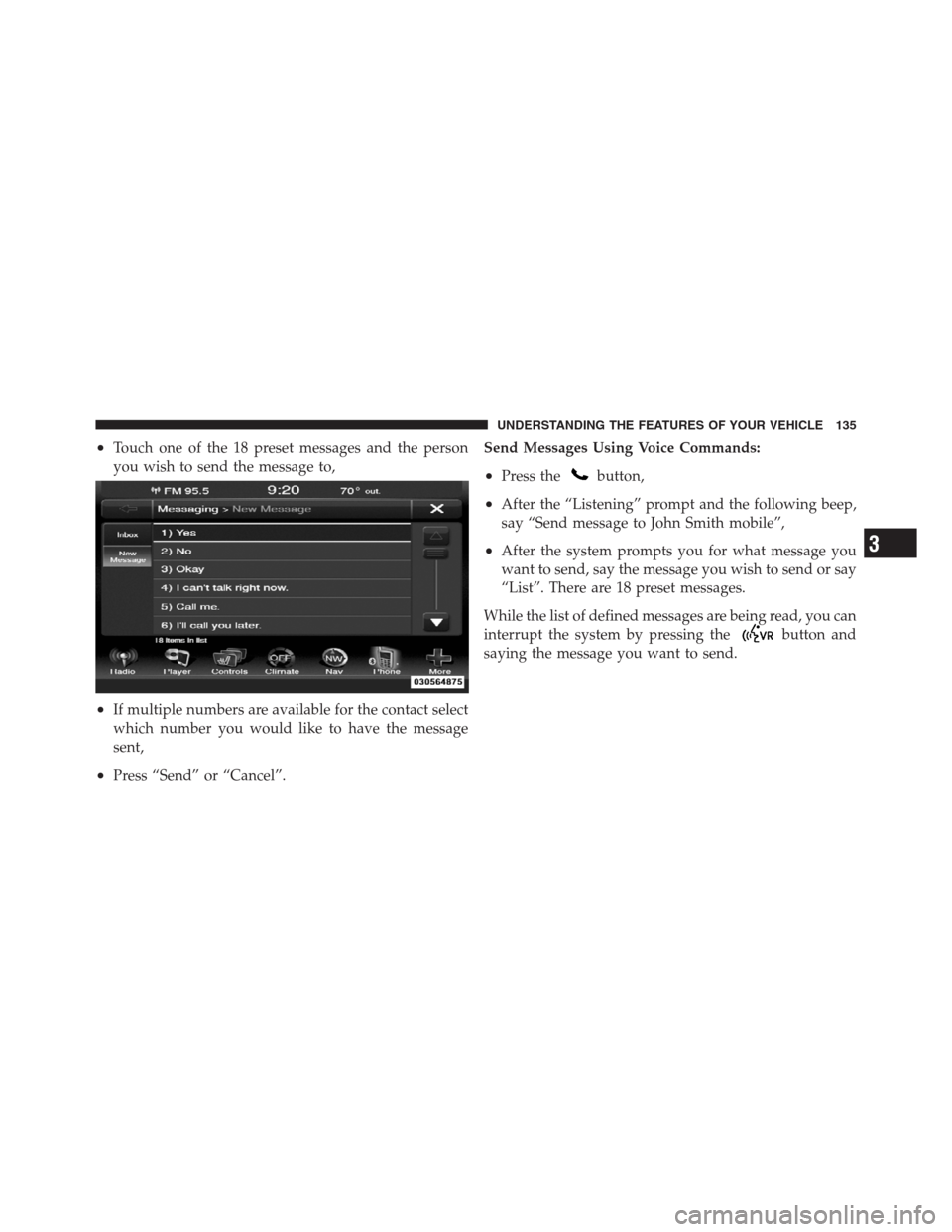
•Touch one of the 18 preset messages and the person
you wish to send the message to,
•If multiple numbers are available for the contact select
which number you would like to have the message
sent,
•Press “Send” or “Cancel”.Send Messages Using Voice Commands:
•Press thebutton,
•After the “Listening” prompt and the following beep,
say “Send message to John Smith mobile”,
•After the system prompts you for what message you
want to send, say the message you wish to send or say
“List”. There are 18 preset messages.
While the list of defined messages are being read, you can
interrupt the system by pressing the
button and
saying the message you want to send.
3
UNDERSTANDING THE FEATURES OF YOUR VEHICLE 135
Page 138 of 576
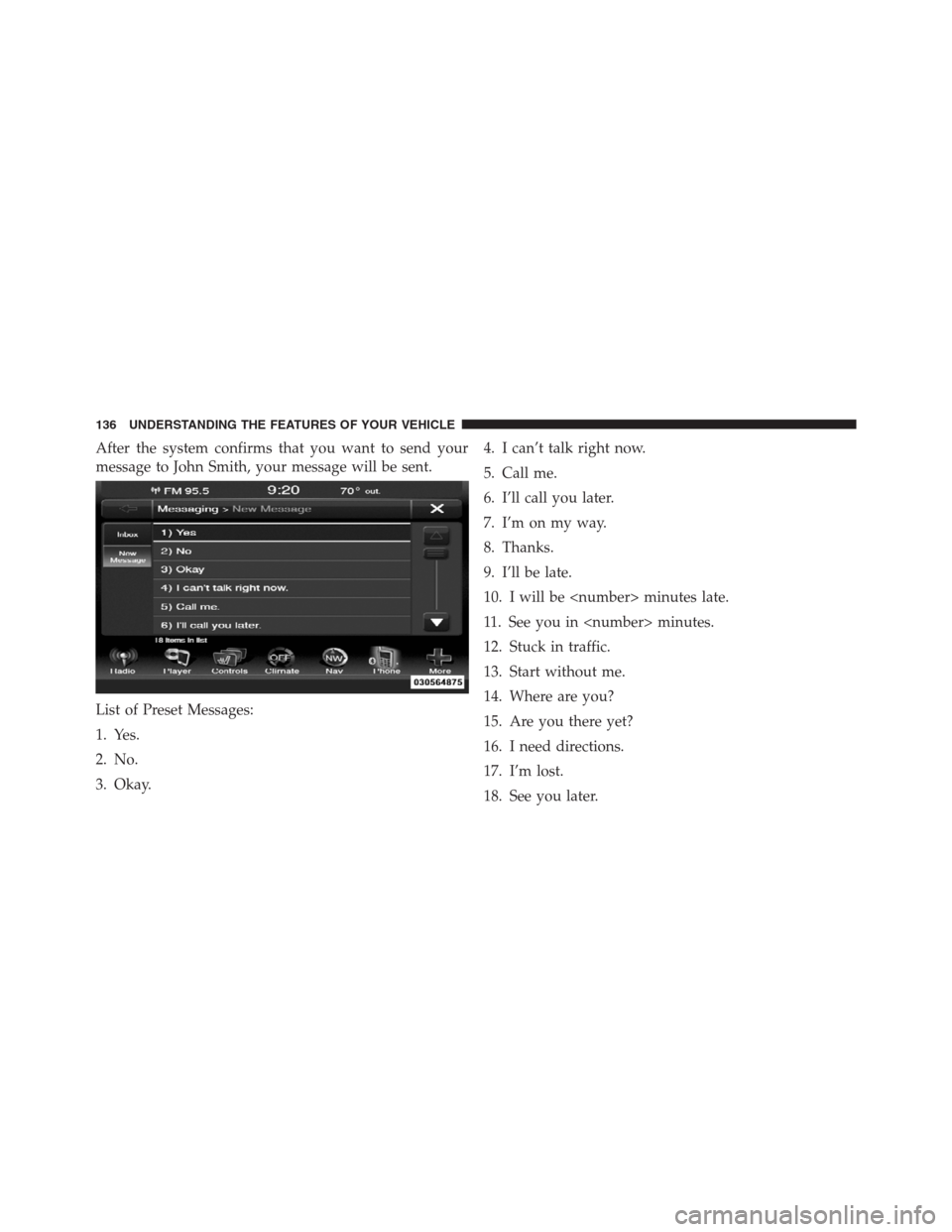
After the system confirms that you want to send your
message to John Smith, your message will be sent.
List of Preset Messages:
1. Yes.
2. No.
3. Okay.4. I can’t talk right now.
5. Call me.
6. I’ll call you later.
7. I’m on my way.
8. Thanks.
9. I’ll be late.
10. I will be
11. See you in
12. Stuck in traffic.
13. Start without me.
14. Where are you?
15. Are you there yet?
16. I need directions.
17. I’m lost.
18. See you later.
136 UNDERSTANDING THE FEATURES OF YOUR VEHICLE
Page 171 of 576
WARNING!
•Be certain that the seatback is securely locked into
position. If the seatback is not securely locked into
position, the seat will not provide the proper
stability for child seats and/or passengers. An
improperly latched seat could cause serious injury.
•The cargo area in the rear of the vehicle (with the
rear seatbacks in the locked-up or folded down
position) should not be used as a play area by
children when the vehicle is in motion. They could
be seriously injured in a collision. Children
should be seated and using the proper restraint
system.
DRIVER MEMORY SEAT — IF EQUIPPED
This feature allows the driver to store up to two different
memory profiles for easy recall through a memory
switch. Each memory profile contains desired position
settings for the driver seat, side mirrors, adjustable
pedals (if equipped), and power tilt and telescopic steer-
ing column (if equipped) and a set of desired radio
station presets. Your Remote Keyless Entry (RKE) trans-
mitter can also be programmed to recall the same posi-
tions when the UNLOCK button is pressed.
NOTE:
•Only one RKE transmitter can be linked to each of the
memory positions.
•Passive Entry door handles cannot be linked to the
memory function. Use either the memory recall switch
or the RKE transmitter (if linked to the memory
feature) to recall memory positions 1 or 2.
3
UNDERSTANDING THE FEATURES OF YOUR VEHICLE 169
Page 172 of 576
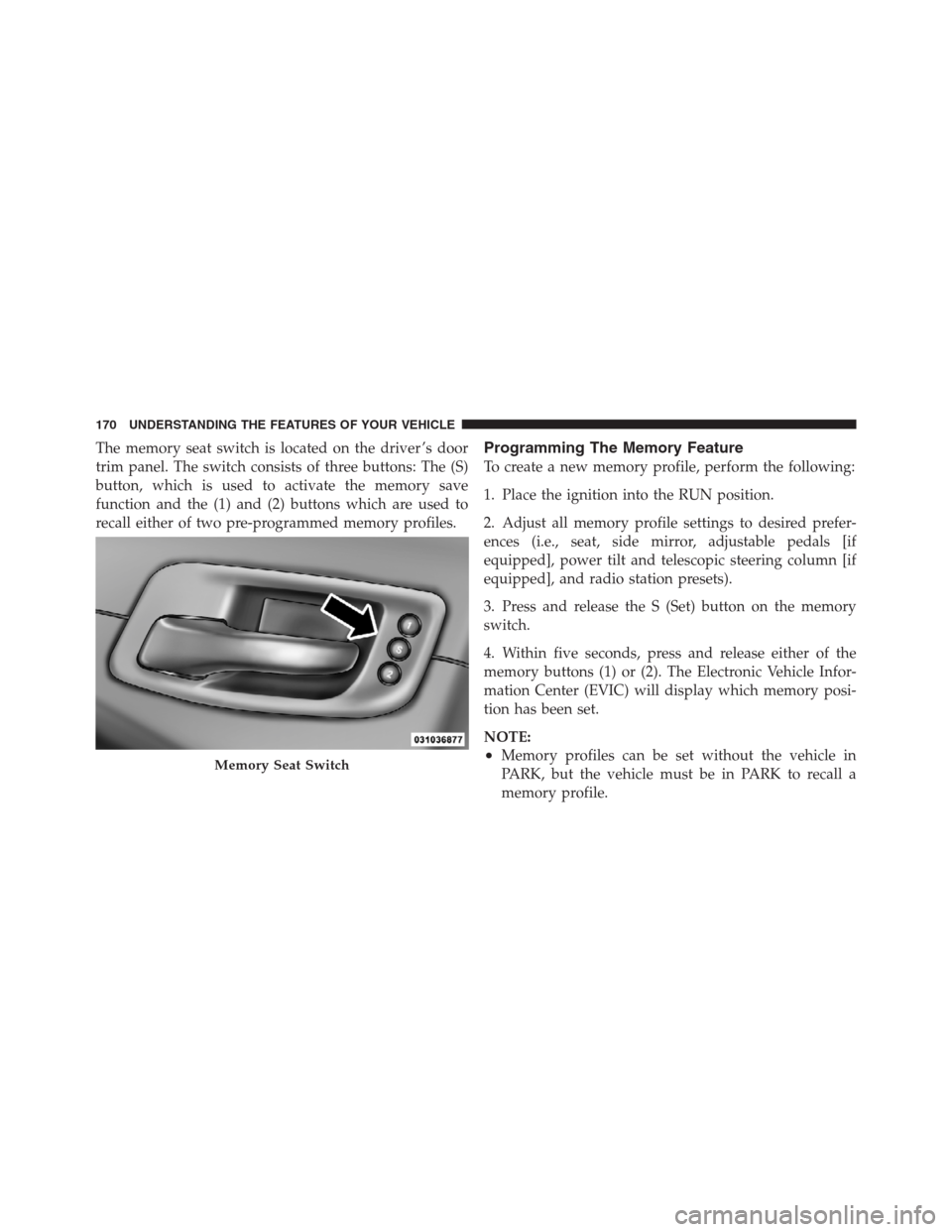
The memory seat switch is located on the driver ’s door
trim panel. The switch consists of three buttons: The (S)
button, which is used to activate the memory save
function and the (1) and (2) buttons which are used to
recall either of two pre-programmed memory profiles.Programming The Memory Feature
To create a new memory profile, perform the following:
1. Place the ignition into the RUN position.
2. Adjust all memory profile settings to desired prefer-
ences (i.e., seat, side mirror, adjustable pedals [if
equipped], power tilt and telescopic steering column [if
equipped], and radio station presets).
3. Press and release the S (Set) button on the memory
switch.
4. Within five seconds, press and release either of the
memory buttons (1) or (2). The Electronic Vehicle Infor-
mation Center (EVIC) will display which memory posi-
tion has been set.
NOTE:
•Memory profiles can be set without the vehicle in
PARK, but the vehicle must be in PARK to recall a
memory profile.Memory Seat Switch
170 UNDERSTANDING THE FEATURES OF YOUR VEHICLE
Page 199 of 576
the same time. If this occurs, the Electronic Speed Control
System can be reactivated by pushing the Electronic
Speed Control ON/OFF button and resetting the desired
vehicle set speed.
To Activate
Push the ON/OFF button. The Cruise Indicator Light in
the Electronic Vehicle Information Center (EVIC) will
illuminate. To turn the system off, push the ON/OFF
button a second time. The Cruise Indicator Light will
turn off. The system should be turned off when not in
use.
WARNING!
Leaving the Electronic Speed Control system on
when not in use is dangerous. You could accidentally
set the system or cause it to go faster than you want.
You could lose control and have an accident. Always
leave the system OFF when you are not using it.
To Set A Desired Speed
Turn the Electronic Speed Control ON. When the vehicle
has reached the desired speed, press the SET (-) button
and release. Release the accelerator and the vehicle will
operate at the selected speed.
NOTE:The vehicle should be traveling at a steady
speed and on level ground before pressing the SET
button.
To Deactivate
A soft tap on the brake pedal, pushing the CANCEL
button, or normal brake pressure while slowing the
vehicle will deactivate Electronic Speed Control without
erasing the set speed memory. Pressing the ON/OFF
button or turning the ignition switch OFF erases the set
speed memory.
3
UNDERSTANDING THE FEATURES OF YOUR VEHICLE 197
Page 201 of 576
On steep hills, a greater speed loss or gain may occur so
it may be preferable to drive without Electronic Speed
Control.
WARNING!
Electronic Speed Control can be dangerous where the
system cannot maintain a constant speed. Your ve-
hicle could go too fast for the conditions, and you
could lose control and have an accident. Do not use
Electronic Speed Control in heavy traffic or on roads
that are winding, icy, snow-covered or slippery.
ADAPTIVE CRUISE CONTROL (ACC) — IF
EQUIPPED
Adaptive Cruise Control (ACC) increases the driving
convenience provided by cruise control while traveling
on highways and major roadways. However, it is not a
safety system and not designed to prevent collisions.
ACC will allow you to keep cruise control engaged in
light to moderate traffic conditions without the constant
need to reset your cruise control. ACC utilizes a radar
sensor designed to detect a vehicle directly ahead of you.
NOTE:
•If the sensor does not detect a vehicle ahead of you,
ACC will maintain a fixed set speed.
•If the ACC sensor detects a vehicle ahead, ACC will
apply limited braking or acceleration (not to exceed
the original set speed) automatically to maintain a
preset following distance, while matching the speed of
the vehicle ahead.
3
UNDERSTANDING THE FEATURES OF YOUR VEHICLE 199