keyless entry CHRYSLER 300 2014 2.G Owner's Manual
[x] Cancel search | Manufacturer: CHRYSLER, Model Year: 2014, Model line: 300, Model: CHRYSLER 300 2014 2.GPages: 615, PDF Size: 4.44 MB
Page 191 of 615
Programming The Memory Feature
To create a new memory profile, perform the following:
1. Place the ignition into the RUN position.
2. Adjust all memory profile settings to desired prefer-ences (i.e., seat, side mirror, adjustable pedals [if equipped], power tilt and telescopic steering column
[if equipped], and radio station presets).
3. Press and release the S (Set) button on the memory switch.
4. Within five seconds, press and release either of the memory buttons (1) or (2). The Electronic Vehicle
Information Center (EVIC) will display which
memory position has been set.
NOTE: Memory profiles can be set without the vehicle
in PARK, but the vehicle must be in PARK to recall a
memory profile.
Linking And Unlinking The Remote Keyless Entry
Transmitter To Memory
Your RKE transmitters can be programmed to recall one
of two pre-programmed memory profiles by pressing the
UNLOCK button on the RKE transmitter.
Memory Seat Switch
3
UNDERSTANDING THE FEATURES OF YOUR VEHICLE 189
Page 204 of 615
second time. The lights will also turn on when the
UNLOCK button on the Remote Keyless Entry (RKE) is
pressed.Courtesy Lights
The courtesy lights can be turned on by pressing the top
corner of the lens. To turn the lights off, press the lens a
second time.
Front Map/Reading Light Switches
Courtesy Lights
202 UNDERSTANDING THE FEATURES OF YOUR VEHICLE
Page 214 of 615
To tilt the steering column, move the switch up or down
as desired. To lengthen or shorten the steering column,
pull the switch toward you or push the switch away from
you as desired.NOTE:
For vehicles equipped with Driver Memory Seat,
you can use your Remote Keyless Entry (RKE) transmit-
ter or the memory switch on the driver’s door trim panel
to return the tilt/telescopic steering column to pre-
programmed positions. Refer to “Driver Memory Seat”
in this section.
WARNING!
Do not adjust the steering column while driving.
Adjusting the steering column while driving or driv-
ing with the steering column unlocked, could cause
the driver to lose control of the vehicle. Failure to
follow this warning may result in serious injury or
death.
Power Tilt/Telescoping Steering Switch
212 UNDERSTANDING THE FEATURES OF YOUR VEHICLE
Page 217 of 615
•The pedals cannotbe adjusted when the vehicle is in
REVERSE or when the Electronic Speed Control Sys-
tem is on. The following messages will be displayed on
vehicles equipped with the Electronic Vehicle Informa-
tion System (EVIC) if the pedals are attempted to be
adjusted when the system is locked out (“Adjustable
Pedal Disabled — Cruise Control Engaged” or “Ad-
justable Pedal Disabled — Vehicle In Reverse”).
NOTE:
• Always adjust the pedals to a position that allows full
pedal travel.
• Further small adjustments may be necessary to find
the best possible seat/pedal position.
• For vehicles equipped with Driver Memory Seat, you
can use your Remote Keyless Entry (RKE) transmitter
or the memory switch on the driver ’s door trim panel
to return the adjustable pedals to pre-programmed positions. Refer to “Driver Memory Seat” in “Under-
standing The Features Of Your Vehicle” for further
information.
CAUTION!
Do not place any article under the adjustable pedals
or impede its ability to move as it may cause damage
to the pedal controls. Pedal travel may become lim-
ited if movement is stopped by an obstruction in the
adjustable pedal’s path.
WARNING!
Do not adjust the pedals while the vehicle is moving.
You could lose control and have an accident. Always
adjust the pedals while the vehicle is parked.
3
UNDERSTANDING THE FEATURES OF YOUR VEHICLE 215
Page 340 of 615
•Headlight Illumination On Approach
When this feature is selected, the headlights will activate
and remain on for 0, 30, 60, or 90 seconds when the doors
are unlocked with the Remote Keyless Entry (RKE)
transmitter. To change the Illuminated Approach status,
press the “+” or “–” button on the touchscreen to select
your desired time interval. Press the back arrow button
on the touchscreen to return to the previous menu.
• Headlights With Wipers — If Equipped
When this feature is selected, and the headlight switch is
in the AUTO position, the headlights will turn on ap-
proximately 10 seconds after the wipers are turned on.
The headlights will also turn off when the wipers are
turned off if they were turned on by this feature. To make
your selection, press the “Headlights With Wipers” but-
ton on the touchscreen, until a check-mark appears next to setting, showing that setting has been selected. Press
the back arrow button on the touchscreen to return to the
previous menu.
•
Auto Dim High Beams — If Equipped
When this feature is selected, the high beam headlights
will deactivate automatically under certain conditions. To
make your selection, press the “Auto High Beams”
button on the touchscreen, until a check-mark appears
next to setting, showing that setting has been selected.
Press the back arrow button on the touchscreen to return
to the previous menu. Refer to “Lights/SmartBeam™ —
If Equipped” in “Understanding The Features Of Your
Vehicle” for further information.
• Daytime Running Lights — If Equipped
When this feature is selected, the headlights will turn on
whenever the engine is running. To make your selection,
338 UNDERSTANDING YOUR INSTRUMENT PANEL
Page 341 of 615
press the “Daytime Running Lights” button on the touch-
screen, until a check-mark appears next to setting, show-
ing that setting has been selected. Press the back arrow
button on the touchscreen to return to the previous
menu.
•Steering Directed Headlights — If Equipped
When this feature is selected, the headlights turn relative
to a change in direction of the steering wheel. To make
your selection, press the “Steering Directed Lights” but-
ton on the touchscreen, until a check-mark appears next
to setting, showing that setting has been selected. Press
the back arrow button on the touchscreen to return to the
previous menu.
• Flash Lamps With Lock
When this feature is selected, the exterior lights will flash
when the doors are locked with the Remote Keyless
Entry (RKE) transmitter. This feature may be selected
with or without the sound horn on lock feature selected. To make your selection, press the “Flash Lamps with
Lock” button on the touchscreen, until a check-mark
appears next to setting, showing that setting has been
selected. Press the back arrow button on the touchscreen
to return to the previous menu.
Doors & Locks
After pressing the Doors & Locks soft-key the following
settings will be available.
•
Auto Unlock On Exit
When this feature is selected, all doors will unlock when
the vehicle is stopped and the transmission is in the
PARK or NEUTRAL position and the driver’s door is
opened. To make your selection, touch the Auto Unlock
On Exit soft-key, until a check-mark appears next to
setting, showing that setting has been selected. Touch the
back arrow soft-key to return to the previous menu.4
UNDERSTANDING YOUR INSTRUMENT PANEL 339
Page 342 of 615
•Flash Lamps With Lock
When this feature is selected, the front and headlights
will flash when the doors are locked or unlocked with the
Remote Keyless Entry (RKE) transmitter. To make your
selection, touch the Flash Lights With Lock soft-key, until
a check-mark appears next to setting, showing that
setting has been selected. Touch the back arrow soft-key
to return to the previous menu.
• Sound Horn With Lock
When this feature is selected, the horn will sound when
the remote start is activated. To make your selection,
touch the Sound Horn With Lock soft-key, until a check-
mark appears next to setting, showing that setting has
been selected. Touch the back arrow soft-key to return to
the previous menu. •
Sound Horn With Remote Start
When this feature is selected, the horn will sound when
the remote start is activated. To make your selection,
touch the Sound Horn With Remote Start soft-key, until a
check-mark appears next to setting, showing that setting
has been selected. Touch the back arrow soft-key to
return to the previous menu.
• 1st Press Of Key Fob Unlocks
When 1st Press Of Key Fob Unlocks is selected, only the
driver’s door will unlock on the first press of the Remote
Keyless Entry (RKE) transmitter UNLOCK button. When
1st Press Of Key Fob Unlocks is selected, you must press
the RKE transmitter UNLOCK button twice to unlock the
passenger’s doors. When Unlock All Doors On 1st Press
is selected, all of the doors will unlock on the first press
of the RKE transmitter UNLOCK button.
340 UNDERSTANDING YOUR INSTRUMENT PANEL
Page 343 of 615
NOTE:If the vehicle is programmed 1st Press Of Key Fob
Unlocks, all doors will unlock no matter which Passive
Entry equipped door handle is grasped. If 1st Press Of
Key Fob Unlocks is programmed, only the driver ’s door
will unlock when the driver ’s door is grasped. With
Passive Entry, if 1st Press Of Key Fob Unlocks is pro-
grammed touching the handle more than once will only
result in the driver ’s door opening. If driver door first is
selected, once the driver door is opened, the interior door
lock/unlock switch can be used to unlock all doors (or
use RKE transmitter).
• Passive Entry
This feature allows you to lock and unlock the vehicle’s
door(s) without having to press the Remote Keyless Entry
(RKE) transmitter lock or unlock buttons. To make your
selection, touch the Passive Entry soft-key, until a check-
mark appears next to setting, showing that setting has been
selected. Touch the back arrow soft-key to return to the previous menu. Refer to “Keyless Enter-N-Go™” in
“Things To Know Before Starting Your Vehicle”.
•
Personal Settings Linked To Key Fob— If Equipped
This feature provides automatic driver seat positioning to
enhance driver mobility when entering and exiting the
vehicle. To make your selection, touch the Memory
Linked To FOB soft-key, until a check-mark appears next
to setting, showing that setting has been selected. Touch
the back arrow soft-key to return to the previous menu.
NOTE: The seat will return to the memorized seat
location (if Recall Memory with Remote Key Unlock is set
to ON) when the Remote Keyless Entry (RKE) transmitter
is used to unlock the door. Refer to “Driver Memory
Seat” in “Understanding The Features Of Your Vehicle”
for further information.
4
UNDERSTANDING YOUR INSTRUMENT PANEL 341
Page 596 of 615
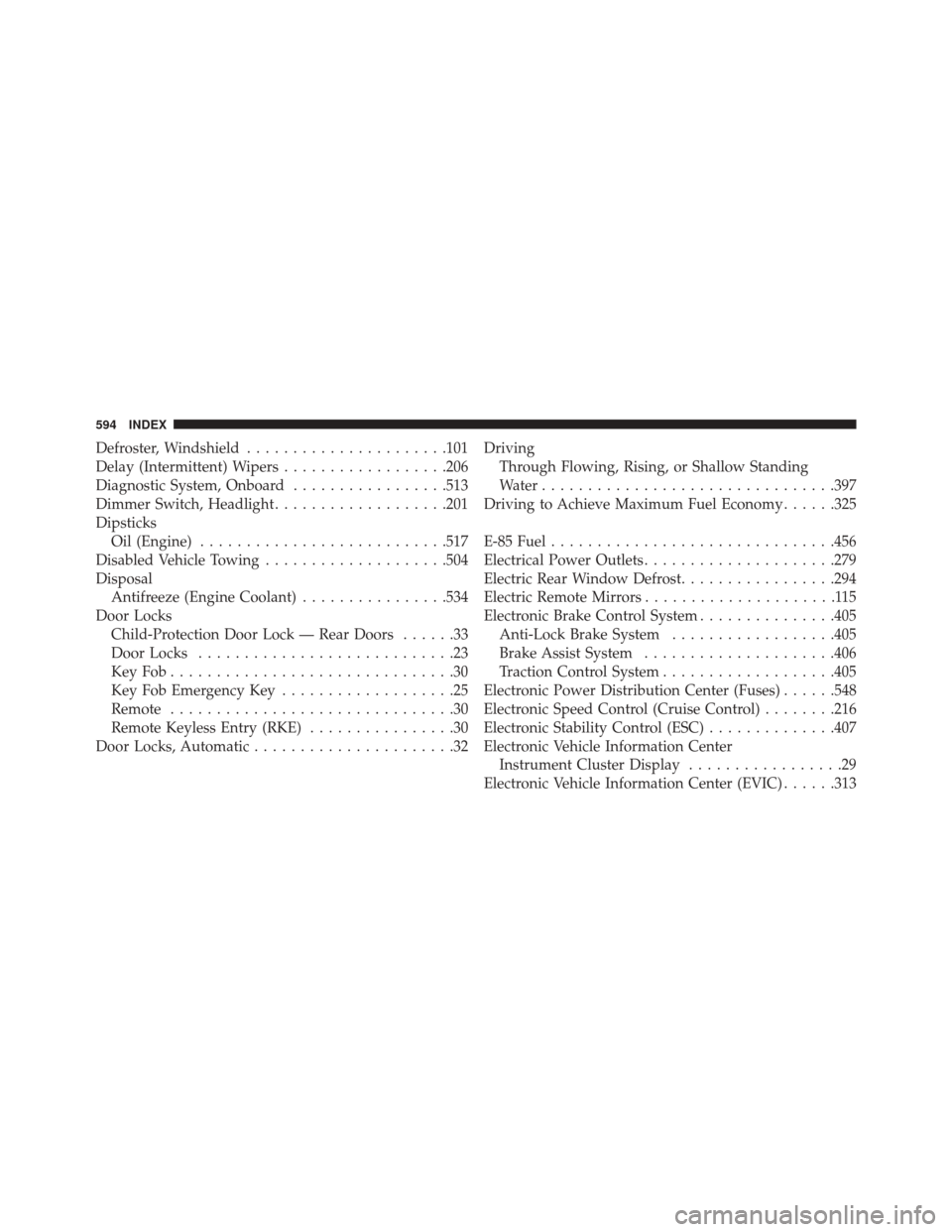
Defroster, Windshield..................... .101
Delay (Intermittent) Wipers ..................206
Diagnostic System, Onboard .................513
Dimmer Switch, Headlight ...................201
Dipsticks Oil (Engine) .......................... .517
Disabled Vehicle Towing ....................504
Disposal Antifreeze (Engine Coolant) ................534
Door Locks Child-Protection Door Lock — Rear Doors ......33
Door Locks ............................23
KeyFob...............................30
Key Fob Emergency Key ...................25
Remote ...............................30
Remote Keyless Entry (RKE) ................30
Door Locks, Automatic ......................32 Driving
Through Flowing, Rising, or Shallow Standing
Water ............................... .397
Driving to Achieve Maximum Fuel Economy ......325
E-85 Fuel .............................. .456
Electrical Power Outlets .....................279
Electric Rear Window Defrost .................294
Electric Remote Mirrors .....................115
Electronic Brake Control System ...............405
Anti-Lock Brake System ..................405
Brake Assist System .....................406
Traction Control System ...................405
Electronic Power Distribution Center (Fuses) ......548
Electronic Speed Control (Cruise Control) ........216
Electronic Stability Control (ESC) ..............407
Electronic Vehicle Information Center Instrument Cluster Display .................29
Electronic Vehicle Information Center (EVIC) ......313
594 INDEX
Page 601 of 615
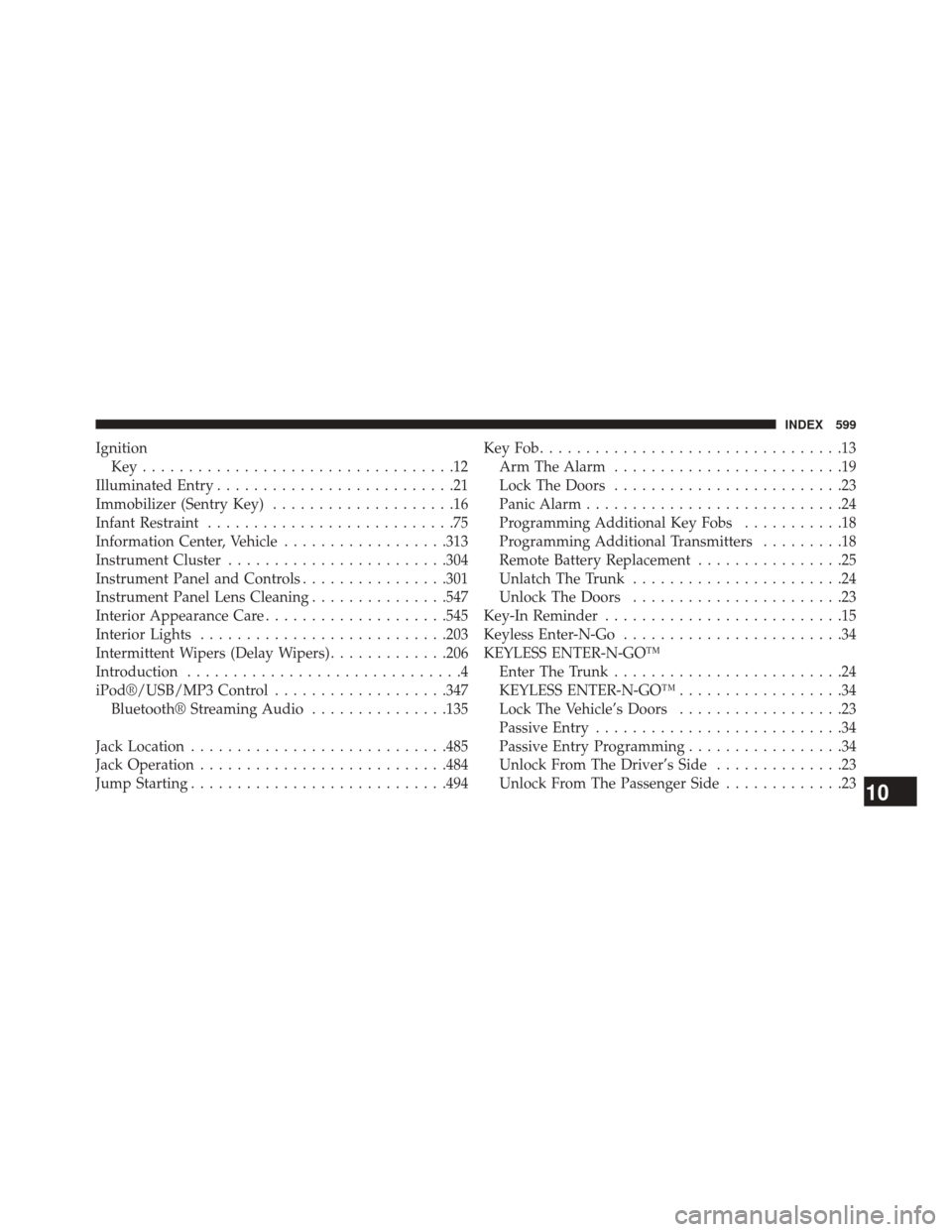
IgnitionKey..................................12
Illuminated Entry ..........................21
Immobilizer (Sentry Key) ....................16
Infant Restraint ...........................75
Information Center, Vehicle ..................313
Instrument Cluster ....................... .304
Instrument Panel and Controls ................301
Instrument Panel Lens Cleaning ...............547
Interior Appearance Care ....................545
Interior Lights .......................... .203
Intermittent Wipers (Delay Wipers) .............206
Introduction ..............................4
iPod®/USB/MP3 Control ...................347
Bluetooth® Streaming Audio ...............135
Jack Location ........................... .485
Jack Operation .......................... .484
Jump Starting ........................... .494KeyFob.................................13
Arm The Alarm .........................19
Lock The Doors .........................23
Panic Alarm ............................24
Programming Additional Key Fobs ...........18
Programming Additional Transmitters .........18
Remote Battery Replacement ................25
Unlatch The Trunk .......................24
Unlock The Doors .......................23
Key-In Reminder ..........................15
Keyless Enter-N-Go ........................34
KEYLESS ENTER-N-GO™ Enter The Trunk .........................24
KEYLESS ENTER-N-GO™ ..................34
Lock The Vehicle’s Doors ..................23
Passive Entry ...........................34
Passive Entry Programming .................34
Unlock From The Driver’s Side ..............23
Unlock From The Passenger Side .............23
10
INDEX 599