door lock CHRYSLER 300 2015 2.G Owner's Manual
[x] Cancel search | Manufacturer: CHRYSLER, Model Year: 2015, Model line: 300, Model: CHRYSLER 300 2015 2.GPages: 180, PDF Size: 30.54 MB
Page 65 of 180
4.Yelp®—Customershavetheabilitytosearchfornearbydestinationsorapointofinterest
(POI) either by category or custom search by using keywords (for example, “Italian restau-
rant”). Searching can be done by either voice or by using the touchscreen keypad. Using the
touchscreen, launch Yelp® by selecting the “Apps” icon, press the “All Apps” tab, and then
press “Yelp.” Using voice recognition, push the Voice Command (VR) button on the steering
wheel and say “Launch Yelp®.”
5.Security Alarm Notification—TheSecurityAlarmNotificationfeaturenotifiesyouviaemail
or text (SMS) message when the vehicle’s factory-installed security alarm system has been
set-off. There are a number of reasons why your alarm may have been triggered, one of which
could be that your vehicle was stolen. If so, please see the details of the Stolen Vehicle
Assistance service below. When you register, Security Alarm Notification is automatically set
to send you an email at the mail address you provide should the alarm go off. You may also opt
to have a text message sent to your mobile device.
6.Stolen Vehicle Assistance—Ifyourvehicleisstolen,contactlocallawenforcementimme-
diately to file a stolen vehicle report. Once this report has been filed, Uconnect® care can help
locate your vehicle. The Uconnect® Care agent will ask for the stolen vehicle report number
issued by local law enforcement. Then, using GPS technology and the built-in wireless
connection within your vehicle, the Uconnect® Care agent will be able to locate the stolen
vehicle and work with law enforcement to help recover it. (Vehicle must be within the United
States, have network coverage and must be registered with Uconnect® Access with an active
subscription that includes the applicable feature).
7.WiFi Hotspot—WiFiHotspotison-demandWiFi3Gconnectivitythat'sbuilt-inandready
to go whenever you are. Once your vehicle is registered for Uconnect® Access, you can
purchase a Wifi Hotspot subscription at the Uconnect® Store. After you've made your
purchase, turn on your signal and connect your passengers devices. It's never been easier to
bring your home or office with you.
NOTE:
Yo u r v e h i c l e m u s t h a v e a w o r k i n g e l e c t r i c a l s y s t e m f o r a n y o f t h e i n v e h i c l e U c o n n e c t ® f e a t u r e s t o
operate.
Uconnect® Access Remote Features
If you own a compatible iPhone® or Android® powered device, the Uconnect® Access App allows
you to remotely lock or unlock your doors, start your engine or activate your horn and lights from
virtually anywhere (Vehicle must be within the United States and have network coverage). You
can download the App from Mopar Owner Connect or from the App Store (iPhone) or Google
Play store. Visit UconnectPhone.com to determine if your device is compatible. For Uconnect®
Phone customer support and to determine if your device is compatible.
U.S. residents - visit UconnectPhone.com or call 1-877-855-8400
ELECTRONICS
63
Page 66 of 180
Remote Start—Thisfeatureprovidestheabilitytostarttheengineonyourvehicle,withoutthe
keys and from virtually any distance. You can send a request to your vehicle in one of two ways:
1. Using the Uconnect® Access App from a compatible smartphone.
2. From the Mopar Owner Connect website.
•After 15 minutes if you have not entered your vehicle with the key, the engine will shut off
automatically.
• You can also send a command to turn-off an engine that has been remote started.
•This remote function requires your vehicle to be equipped with a factory-installed Remote
Start system. To utilize this feature after the Uconnect® Access App is downloaded, login
with your user name and password.
NOTE:
Your four digit Uconnect® Security PIN is required to confirm the request.
•Yo u c a n s e t - u p n o t i f i c a t i o n s f o r y o u r a c c o u n t t o r e c e i v e a n e m a i l o r t e x t ( S M S ) m e s s a g e e v e r y
time a command is sent. Login to Mopar Owner Connect (moparownerconnect.com) and
click on Edit Profile to manage Uconnect® Notifications.
Remote Door Lock/Unlock— This feature provides the ability to lock or unlock the door on
your vehicle, without the keys and from virtually any distance. You can send a request to your
vehicle in one of three ways:
1. Using the Uconnect® Access App from a compatible smartphone.
2. From the Mopar Owner Connect website.
3. By contacting the Uconnect® Care on the phone.
To u s e t h i s f e a t u r e a f t e r t h e U c o n n e c t ® A c c e s s A p p i s d o w n l o a d e d , l o g i n u s i n g y o u r u s e r n a m e
and password. You will need your four digit Uconnect® Security PIN to confirm the request. Press
the “closed lock” icon on your Uconnect® Access App to lock the doors, and press the “open
Lock” icon to unlock the driver’s door.
Yo u c a n s e t - u p n o t i f i c a t i o n s f o r y o u r a c c o u n t t o r e c e i v e a n e m a i l o r t e x t ( S M S ) m e s s a g e e v e r y
time a command is sent. Login to Mopar Owner Connect (moparownerconnect.com) and click
on Edit Profile to manage Uconnect® Notifications.
Remote Horn And Lights—It’seasytolocateavehicleinadark,crowdedornoisyparkingarea
by activating the horn and lights. It may also help if you need to draw attention to your vehicle for
any reason. You can send a request to your vehicle in one of three ways:
1. Using the Uconnect® Access App from a compatible smartphone.
2. From the Mopar Owner Connect website.
3. By contacting the Uconnect® Care on the phone.
ELECTRONICS
64
Page 91 of 180
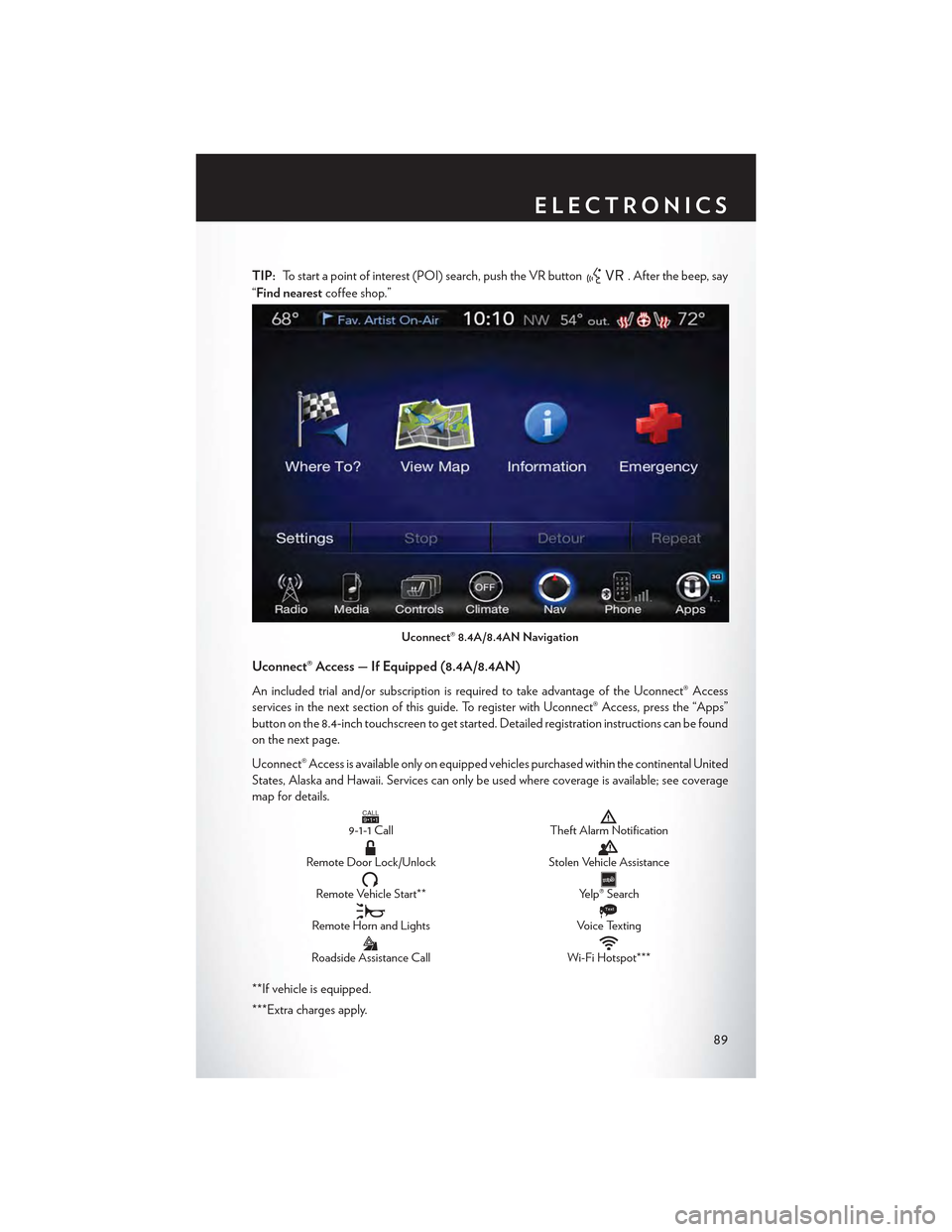
TIP:To start a point of interest (POI) search, push the VR button. After the beep, say
“Find nearestcoffee shop.”
Uconnect® Access — If Equipped (8.4A/8.4AN)
An included trial and/or subscription is required to take advantage of the Uconnect® Access
services in the next section of this guide. To register with Uconnect® Access, press the “Apps”
button on the 8.4-inch touchscreen to get started. Detailed registration instructions can be found
on the next page.
Uconnect® Access is available only on equipped vehicles purchased within the continental United
States, Alaska and Hawaii. Services can only be used where coverage is available; see coverage
map for details.CALL9119-1-1 CallTheft Alarm Notification
Remote Door Lock/UnlockStolen Vehicle Assistance
Remote Vehicle Start**Yelp® Search
Remote Horn and Lights
Text
Voice Texting
Roadside Assistance CallWi-Fi Hotspot***
**If vehicle is equipped.
***Extra charges apply.
Uconnect® 8.4A/8.4AN Navigation
ELECTRONICS
89
Page 122 of 180

PROGRAMMABLE FEATURES
Driver Information Display (DID)
The DID can be used to view or change the following settings. Push the UPor DOWN
button to scroll through the main menus, then push the RIGHTbutton to scroll through the
sub-menus of each menu item. Push the LEFT/BACKbutton to scroll back to a previous
menu or sub menu.
• Speedometer• Audio
• MPH to km/h• Stored Messages
• Vehicle Info• Screen Setup
•DriverAssist
• Fuel Economy
• Trip Info
Uconnect® Customer Programmable Features
The Uconnect® system allows you to access Customer Programmable feature settings such as
Display, Units, Voice, Clock, Safety & Driving Assistance, Lights, Doors & Locks, Auto-On
Comfort, Engine Off Options, Audio, Phone/Bluetooth®, SiriusXM Setup, Restore Settings,
Clear Personal Data and System Information through buttons on the touchscreen.
• Press the “Controls” button located near the bottom of the touchscreen, then press the
“Settings” button on the touchscreen to access the Settings screen. When making a selection,
scroll up or down until the preferred setting is highlighted, then press and release the preferred
setting until a check-mark appears next to the setting, showing that setting has been selected.
The following feature settings are available:
• Display• Engine Off Options
• Units• Audio
• Voice• Phone/Bluetooth®
• Clock• SiriusXM Setup
• Safety & Driving Assistance• Restore Settings
• Lights• Clear Personal Data
•Doors&Locks•SystemInformation
• Auto-On Comfort
Refer to “Uconnect Settings/Customer Programmable Features” found within “Understanding
Yo u r I n s t r u m e n t P a n e l ” l o c a t e d i n y o u r O w n e r ' s M a n u a l o n t h e D V D f o r f u r t h e r i n f o r m a t i o n .
ELECTRONICS
120
Page 124 of 180
4. Continue to hold both buttons and observe the indicator light. The HomeLink® indicator will
flash slowly and then rapidly after HomeLink® has received the frequency signal from the
hand-held transmitter. Release both buttons after the indicator light changes from slow to
rapid.
5. At the garage door opener motor (in the garage), locate the “LEARN” or “TRAINING”
button. This can usually be found where the hanging antenna wire is attached to the garage
door opener motor. Firmly push and release the “LEARN” or “TRAINING” button.
NOTE:
Yo u h a v e 3 0 s e c o n d s i n w h i c h t o i n i t i a t e t h e n e x t s t e p a f t e r t h e L E A R N b u t t o n h a s b e e n p u s h e d .
6. Return to the vehicle and push the programmed HomeLink® button twice (holding the button
for two seconds each time). If the device is plugged in and activates, programming is
complete.
NOTE:
If the device does not activate, push the button a third time (for two seconds) to complete the
training.
7. To program the remaining two HomeLink® buttons, repeat each step for each remaining
button. DO NOT erase the channels.
Programming A Non-Rolling Code
NOTE:
For programming Garage Door Openers manufactured before 1995.
1. Turn the ignition switch to the ON/RUN position.
2. Place the hand-held transmitter 1 to 3 inches (3 to 8 cm) away from the HomeLink® button you
wish to program while keeping the HomeLink® indicator light in view.
3. Push and hold the HomeLink® button you want to program while you push and hold the
hand-held transmitter button.
4. Continue to hold both buttons and observe the indicator light. The HomeLink® indicator will
flash slowly and then rapidly after HomeLink® has received the frequency signal from the
hand-held transmitter. Release both buttons after the indicator light changes from slow to
rapid.
5. Push and hold the programmed HomeLink® button and observe the indicator light. If the
indicator light stays on constantly, programming is complete and the garage door (or device)
should activate when the HomeLink® button is pushed.
6. To program the two remaining HomeLink® buttons, repeat each step for each remaining
button. DO NOT erase the channels.
Using HomeLink®
To o p e r a t e , p u s h a n d r e l e a s e t h e p r o g r a m m e d H o m e L i n k ® b u t t o n . A c t i v a t i o n w i l l n o w o c c u r f o r
the programmed device (e.g., garage door opener, gate operator, security system, entry door
lock, home/office lighting, etc.). The hand-held transmitter of the device may also be used at any
time.
ELECTRONICS
122
Page 133 of 180
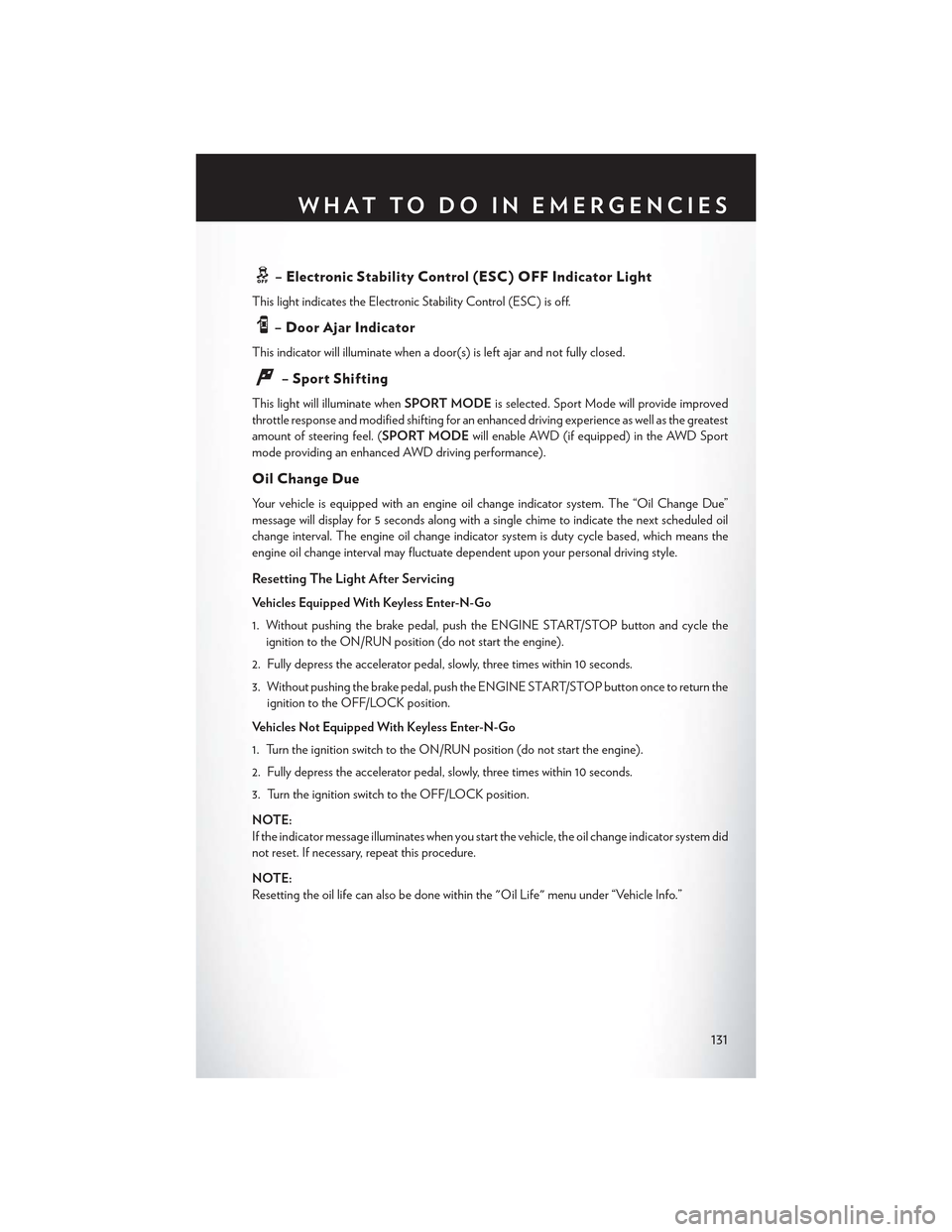
–ElectronicStabilityControl(ESC)OFFIndicatorLight
This light indicates the Electronic Stability Control (ESC) is off.
–DoorAjarIndicator
This indicator will illuminate when a door(s) is left ajar and not fully closed.
–SportShifting
This light will illuminate whenSPORT MODEis selected. Sport Mode will provide improved
throttle response and modified shifting for an enhanced driving experience as well as the greatest
amount of steering feel. (SPORT MODEwill enable AWD (if equipped) in the AWD Sport
mode providing an enhanced AWD driving performance).
Oil Change Due
Yo u r v e h i c l e i s e q u i p p e d w i t h a n e n g i n e o i l c h a n g e i n d i c a t o r s y s t e m . T h e “ O i l C h a n g e D u e ”
message will display for 5 seconds along with a single chime to indicate the next scheduled oil
change interval. The engine oil change indicator system is duty cycle based, which means the
engine oil change interval may fluctuate dependent upon your personal driving style.
Resetting The Light After Servicing
Vehicles Equipped With Keyless Enter-N-Go
1. Without pushing the brake pedal, push the ENGINE START/STOP button and cycle the
ignition to the ON/RUN position (do not start the engine).
2. Fully depress the accelerator pedal, slowly, three times within 10 seconds.
3. Without pushing the brake pedal, push the ENGINE START/STOP button once to return the
ignition to the OFF/LOCK position.
Vehicles Not Equipped With Keyless Enter-N-Go
1. Turn the ignition switch to the ON/RUN position (do not start the engine).
2. Fully depress the accelerator pedal, slowly, three times within 10 seconds.
3. Turn the ignition switch to the OFF/LOCK position.
NOTE:
If the indicator message illuminates when you start the vehicle, the oil change indicator system did
not reset. If necessary, repeat this procedure.
NOTE:
Resetting the oil life can also be done within the "Oil Life" menu under “Vehicle Info.”
WHAT TO DO IN EMERGENCIES
131
Page 161 of 180

Cavity Cartridge FuseMini-FuseDescription
260 Amp Yellow—Front PDC Feed #1
3——Fuse – Spare
460 Amp Yellow—Front PDC Feed #2
530 Amp Pink—Sunroof / Dome Lamp –Police
640 Amp Green—Exterior Lighting #1
740 Amp Green—Exterior Lighting #2
830 Amp Pink—Interior Lighting
940 Amp Green—Power Locks
1030 Amp Pink—Driver Door ControlModule
1130 Amp Pink—Passenger Door ControlModule
12—20 Amp Yellow Dual USB Center Con-sole Rear/Cigar Lighter IP– If Equipped
15 40 Amp Green—HVAC Blower
1620 Amp Blue—Left Spot Lamp – Police
17——Fuse – Spare
1830 Amp Pink—Mod Network Interface –Police
19——Fuse — Spare
20——Fuse — Spare
2130 Amp Pink (6.2L Super-charged)25 Amp Clear (LD STD)
—Fuel Pump (6.2L Super-charged)Fuel Pump (LD STD)
22—20 Amp Yellow – Police10 Amp Red – LARight Spot Lamp – PoliceIntegrated Center Stack –LA
23—10 Amp Red Fuel Door/DiagnosticPort
24—15 Amp Blue Integrated Center Stack –LD/LX
25—10 Amp Red Tire Pressure Monitor
26
—15 Amp Blue – LD/LX25 Amp Clear – LA30 Amp Green – LA 6.2LSupercharged
Transmission / ElectronicShift Module (LD/LX)Fuel Pump (LA)Fuel Pump (LA 6.2L Su-percharged)
27—25 Amp Clear Amplifier – If Equipped
31—25 Amp Breaker Power Seats
32—15 Amp Blue HVAC Module/Cluster
MAINTAINING YOUR VEHICLE
159
Page 172 of 180
FREQUENTLY ASKED QUESTIONS
GETTING STARTED
• How do I install my LATCH Equipped Child Seat? pg. 18
•HowdoIprogrammyFrontSeatMemory?pg.25
ELECTRONICS
•HowdoIknowwhichradioIhave?pg.54
• How do I select the AUX music source? pg. 76
• How do I set the clock on my radio? pg. 71
• How do I use the Navigation feature? pg. 79
•HowdoIpairmycellphoneviaBluetooth®withtheUconnect®Hands-FreeVoiceActivation
System? pg. 109
• How do I hear the audio from my iPod® through the USB port using the radio? pg. 76
•HowdoIconfiguremyUniversalGarageDoorOpener(HomeLink®)?pg.121
•HowdoIimprovetheBluetooth®performanceofmyUconnect®System?pg.117
UTILITY
•HowdoIknowhowmuchIcantowwithmyChrysler300?pg.124
WHAT TO DO IN EMERGENCIES
• What do I do if my TPMS warning light is blinking? pg. 126
• How do I change a flat tire? pg. 132
•HowdoIJump-Startmyvehicle?pg.139
MAINTAINING YOUR VEHICLE
• Where is my Fuse Block located? pg. 157
• What type of oil do I use? pg. 150
• How often should I change my engine’s oil? pg. 152
• What should my tire pressure be set at? pg. 161
FREQUENTLY ASKED QUESTIONS
170
Page 174 of 180

Compact Spare Tire . . . . . . . . . ..162
Compass Calibration...........119
Cooling System..............152
Adding Coolant (Antifreeze).....152
Coolant Capacity...........150
Coolant Level.............152
Disposal Of Used Coolant......152
Drain, Flush, And Refill........152
Inspection..............152Points To Remember.........152Pressure Cap.............152Selection Of Coolant (Antifreeze) . .150,152Corrosion Protection...........152Cruise Control (Speed Control)......35Cruise Light................35CupholdersHeated/Cooled (Beverage Holder) . .28Customer Assistance...........167Customer Programmable Features. . . .120
Defects, Reporting............168Dimmer Control..............34Dimmer Switch, Headlight.........34Disabled Vehicle Towing.......126, 142Disarming, Security System........14DisposalAntifreeze (Engine Coolant).....152Door Locks.................8
E-85 Fuel . . . . . . . . . . . . . . . ..151Electronic Power Distribution Center(Fuses)................157ElectronicsYo u r Ve h i c l e ' s S o u n d S y s t e m.....52
Electronic Speed Control (Cruise Control). .35Electronic Stability Control (ESC) . . . .126Electronic Stability Control (ESC) OFFIndicator..............129, 131Electronic Throttle Control WarningLight . . . . . . . . . . . . . . . ..129Electronic Vehicle Information Center(EVIC) . . . . . . . . . . . . . . ..119Emergency, In Case OfJacking................132Overheating.............132To w i n g . . . . . . . . . . . . ..126, 142Emergency Key...............9
Engine
Air Cleaner..............152
Break-In Recommendations......31
Checking Oil Level..........152
Compartment..........146, 148
Coolant (Antifreeze).........150
Cooling................152
Oil . . . . . . . . . . . . . . ..150, 152
Oil Change Interval..........131Oil Filler Cap.............152Oil Selection...........150, 152Overheating.............132Starting................12Stopping................12Temperature Warning Light......127Ethanol..................151Exhaust System..............152
FAQ . . . . . . . . . . . . . . . . . ..170FiltersAir Cleaner..............152Engine Oil............150, 152Engine Oil Disposal..........152FlashersTurn Signal..............130Flat Tire Changing............132Flexible Fuel Vehicles...........151Fluid, Brake................151Fluid Capacities..............150Fluids, Lubricants And Genuine Parts . . .150Fog Lights . . . . . . . . . . . . . ..33, 130Folding Rear Seat.............27Forward Collision Warning.........40Freeing A Stuck Vehicle..........143Frequently Asked Questions.......170FuelEthanol................151Filler Door Emergency Release. . . .164Filler Door (Gas Cap)........164Octane Rating............150Specifications.............150Ta n k C a p a c i t y............150Fuel, Flexible...............151Fuse . . . . . . . . . . . . . . . . . ..157Fuses...................157
Garage Door Opener (HomeLink) . . . .121General Maintenance...........152
INDEX
172
Page 175 of 180
Glass Cleaning..............152
Hands-Free Phone (Uconnect)......109HeadlightsAutomatic...............33Cleaning...............152Dimmer Switch............34High Beam . . . . . . . . . . . . . .33Head Restraints..............22Head Rests.................22Heated Mirrors..............48Heated Seats................27High Beam Indicator...........130High Beam/Low Beam Select (Dimmer)Switch.................33HomeLink (Garage Door Opener) . . . .121Hood Release...............145
Identifying Your Radio...........54Instrument Cluster Indicator Lights . . . .130Instrument Panel Cover..........152Instrument Panel Lens Cleaning......152Interior And Instrument Lights.......5Interior Appearance Care.........152Intermittent Wipers (Delay Wipers)....32Introduction.................2In Vehicle FeaturesUconnect Access............61iPod/USB/MP3 ControlBluetooth Streaming Audio......109
Jacking Instructions............135Jack Location...............132Jack Operation..............135Jump Starting...............139
Key Fob . . . . . . . . . . . . . . . . . . .8Lock The Doors.............8Unlock The Doors............8Keyless Enter-N-Go............10Lock The Vehicle’s Doors........8Lock/Unlock............10, 11Starting/Stopping...........12
Lane Change Assist............32LaneSense.................42Lap/Shoulder Belts.............14
LATCH (Lower Anchors And Tether For
CHildren)................19
Light Bulbs................166
Lights
Fog . . . . . . . . . . . . . . . . ..130
High Beam Indicator.........130
SecurityAlarm............130
Service................166Tire Pressure Monitoring (TPMS) . .126LocksDoor . . . . . . . . . . . . . . . . . .8Lubrication, Body.............152
Maintenance Free Battery.........152Maintenance, General...........152Maintenance Procedures.........152Maintenance Record...........156Maintenance Schedule..........152Malfunction Indicator Light (CheckEngine)................128ManualTilt/Telescoping Steering Column . . .30Master Cylinder (Brakes).........152Memory Seat...............25MirrorsHeated................48MOPAR Accessories...........169
Navigation..............79, 103New Vehicle Break-In Period........31
Octane Rating, Gasoline (Fuel)......150Oil Change Indicator...........131Oil Change Indicator, Reset........131Oil, Engine..............150, 152Capacity...............150Change Interval.........131, 152Checking...............152Disposal...............152Filter...............150, 152Filter Disposal............152Materials Added To..........152Recommendation........150, 152Viscosity.............150, 152Oil Filter, Selection............152Oil Pressure Light.............129OutletPower . . . . . . . . . . . . . . . ..123
INDEX
173