brake CHRYSLER 300 2022 Owners Manual
[x] Cancel search | Manufacturer: CHRYSLER, Model Year: 2022, Model line: 300, Model: CHRYSLER 300 2022Pages: 288, PDF Size: 13.34 MB
Page 6 of 288

4
GETTING TO KNOW YOUR
INSTRUMENT PANEL
INSTRUMENT CLUSTER ........................................ 68
Instrument Cluster Descriptions ....................70
INSTRUMENT CLUSTER DISPLAY ........................ 70
Location And Controls ......................................71
Engine Oil Life Reset .......................................72
Instrument Cluster Display Selectable Menu
Items .................................................................73
Battery Saver On/Battery Saver Mode
Message — Electrical Load Reduction
Actions —If Equipped .......................................75
Programmable Features ..................................76
WARNING LIGHTS AND MESSAGES ................... 76
Red Warning Lights ..........................................77
Yellow Warning Lights ......................................79
Yellow Indicator Lights .....................................82
Green Indicator Lights......................................82
White Indicator Lights ......................................83
Blue Indicator Lights ........................................83
ONBOARD DIAGNOSTIC SYSTEM — OBD II ....... 84
Onboard Diagnostic System
(OBD II) Cybersecurity ......................................84
EMISSIONS INSPECTION AND MAINTENANCE
PROGRAMS ............................................................ 85
STARTING AND OPERATING
STARTING THE ENGINE ........................................86
Automatic Transmission .................................86
Keyless Enter ‘n Go™ — Ignition......................86
Normal Starting ...............................................86
AutoPark ...........................................................87
Extended Park Starting ....................................88
If Engine Fails To Start .....................................88
Cold Weather Operation
(Below –22°F Or −30°C) ...............................89
After Starting ....................................................89
ENGINE BLOCK HEATER — IF EQUIPPED ...........89
ENGINE BREAK-IN RECOMMENDATIONS ...........89
PARKING BRAKE ....................................................90
AUTOMATIC TRANSMISSION ................................91
Ignition Park Interlock ......................................92
Brake Transmission Shift Interlock (BTSI)
System ..............................................................92
8-Speed Automatic Transmission ...................92
SPORT MODE — IF EQUIPPED ..............................97
FUEL SAVER TECHNOLOGY 5.7L ONLY —
IF EQUIPPED ...........................................................97
POWER STEERING .................................................97
CRUISE CONTROL SYSTEMS — IF EQUIPPED ....98 Cruise Control ..................................................98
Adaptive Cruise Control (ACC) ...................... 100 PARKSENSE FRONT AND REAR PARK
ASSIST — IF EQUIPPED ....................................... 108
ParkSense Sensors ....................................... 109
ParkSense Display ........................................ 109
ParkSense Warning Display ......................... 112
Enabling And Disabling ParkSense.............. 112
Service The ParkSense Park Assist System ...112
Cleaning The ParkSense System ................. 113
ParkSense System Usage Precautions........ 113
LANESENSE — IF EQUIPPED ............................. 114
LaneSense Operation ................................... 114
Turning LaneSense On Or Off....................... 114
LaneSense Warning Message...................... 115
Changing LaneSense Status ........................ 116
PARKVIEW REAR BACK UP CAMERA ............... 116
REFUELING THE VEHICLE ................................... 118 Emergency Fuel Filler Door Release ............ 118
VEHICLE LOADING .............................................. 119
Vehicle Certification Label............................ 119
Gross Vehicle Weight Rating (GVWR) .......... 119
Gross Axle Weight Rating (GAWR) ............... 119
Overloading ................................................... 119
Loading ......................................................... 120
TRAILER TOWING ................................................ 120
Common Towing Definitions......................... 120
Trailer Hitch Classification............................ 122
Trailer Towing Weights (Maximum Trailer
Weight Ratings) ............................................ 122
Trailer And Tongue Weight .......................... 123
Towing Requirements ................................... 123
Towing Tips ................................................... 125
22_LX_OM_EN_USC_t.book Page 4
Page 7 of 288

5
RECREATIONAL TOWING
(BEHIND MOTORHOME) ..................................... 126
DRIVING TIPS ....................................................... 126 Driving On Slippery Surfaces ........................ 126
Driving Through Water ................................. 127
MULTIMEDIA
UCONNECT SYSTEMS ......................................... 128
CYBERSECURITY ................................................. 128
UCONNECT SETTINGS ........................................ 129Customer Programmable Features —
Uconnect 4C/4C NAV Settings .................... 129
RADIO OPERATION AND MOBILE PHONES...... 144
Regulatory And Safety Information .............. 144
SAFETY
SAFETY FEATURES .............................................. 145 Anti-Lock Brake System (ABS) ..................... 145
Electronic Brake Control (EBC) System ....... 146
AUXILIARY DRIVING SYSTEMS .......................... 151
Blind Spot Monitoring (BSM) —
If Equipped..................................................... 151
Forward Collision Warning (FCW) With Mitigation
Operation —
If Equipped..................................................... 155
Tire Pressure Monitoring System (TPMS) .... 157 OCCUPANT RESTRAINT SYSTEMS ................... 160
Occupant Restraint Systems Features ....... 160
Important Safety Precautions ...................... 160Seat Belt Systems ........................................ 161Supplemental Restraint Systems (SRS) ...... 167Child Restraints ............................................. 176
SAFETY TIPS ....................................................... 189
Transporting Passengers .............................. 189Transporting Pets ......................................... 189
Safety Checks You Should Make Inside
The Vehicle ................................................... 189
Periodic Safety Checks You Should Make
Outside The Vehicle ...................................... 191
Exhaust Gas................................................... 191
Carbon Monoxide Warnings ......................... 192IN CASE OF EMERGENCY
HAZARD WARNING FLASHERS ........................ 193
ASSIST AND SOS MIRROR — IF EQUIPPED ..... 193
JACKING AND TIRE CHANGING ......................... 197 Preparations For Jacking ............................. 197
Jack Location/Spare Tire Stowage .............. 198Jacking And Changing A Tire ....................... 198
JUMP STARTING ................................................. 201
Preparations For Jump Start ........................ 201
Jump Starting Procedure .............................. 202 REFUELING IN AN EMERGENCY –
IF EQUIPPED ........................................................ 203
IF YOUR ENGINE OVERHEATS ........................... 204
MANUAL PARK RELEASE .................................. 205
FREEING A STUCK VEHICLE ............................... 206
TOWING A DISABLED VEHICLE .......................... 208 All Wheel Drive (AWD) Models...................... 209
Rear Wheel Drive (RWD) Models ................. 209
ENHANCED ACCIDENT RESPONSE SYSTEM
(EARS) .................................................................. 209
EVENT DATA RECORDER (EDR) ......................... 209
SERVICING AND MAINTENANCE
SCHEDULED SERVICING .................................... 210
Maintenance Plan ......................................... 211
ENGINE COMPARTMENT .................................... 214
3.6L Engine .................................................. 2145.7L Engine ................................................... 215
Checking Oil Level ........................................ 216
Adding Washer Fluid ..................................... 216Maintenance-Free Battery ........................... 216
Pressure Washing ......................................... 217
22_LX_OM_EN_USC_t.book Page 5
Page 8 of 288

6
VEHICLE MAINTENANCE .................................... 217 Engine Oil ...................................................... 217Engine Oil Filter ............................................. 218
Engine Air Cleaner Filter .............................. 218Air Conditioner Maintenance ....................... 218
Accessory Drive Belt Inspection ................... 220
Body Lubrication............................................ 221
Windshield Wiper Blades .............................. 221Exhaust System ............................................. 222
Cooling System ............................................. 224
Brake System ............................................... 226
Automatic Transmission .............................. 227All Wheel Drive (AWD) — If Equipped .......... 228
Rear Axle ........................................................ 228Fuses.............................................................. 228
Bulb Replacement ......................................... 238
TIRES ..................................................................... 242
Tire Safety Information ................................ 242
Tires — General Information ........................ 250
Tire Types ....................................................... 253
Spare Tires — If Equipped ............................. 254
Wheel And Wheel Trim Care ........................ 256
Snow Traction Devices .................................. 257
Tire Rotation Recommendations ................ 258
DEPARTMENT OF TRANSPORTATION UNIFORM
TIRE QUALITY GRADES ...................................... 259
Treadwear ...................................................... 259Traction Grades ............................................. 259
Temperature Grades ..................................... 259 VEHICLE STORAGE .............................................. 260
BODYWORK ......................................................... 260
Protection From Atmospheric Agents .......... 260
Body And Underbody Maintenance.............. 260Preserving The Bodywork ............................. 260
INTERIORS .......................................................... 261
Seats And Fabric Parts ................................. 261
Plastic And Coated Parts .............................. 262Leather Surfaces ........................................... 262Glass Surfaces ............................................. 262
TECHNICAL SPECIFICATIONS
VEHICLE IDENTIFICATION NUMBER (VIN) ........ 263
BRAKE SYSTEM .................................................. 263
WHEEL AND TIRE TORQUE SPECIFICATIONS .. 263
Torque Specifications ................................... 263
FUEL REQUIREMENTS ........................................ 264
3.6L Engine ................................................... 264
5.7L Engine ................................................... 264
Reformulated Gasoline ................................ 265Materials Added To Fuel ............................... 265
Gasoline/Oxygenate Blends ......................... 265
Do Not Use E-85 In Non-Flex Fuel Vehicles ....265
CNG And LP Fuel System Modifications ...... 265Methylcyclopentadienyl Manganese
Tricarbonyl (MMT) In Gasoline...................... 266Fuel System Cautions ................................... 266 FLUID CAPACITIES .............................................. 267
ENGINE FLUIDS AND LUBRICANTS .................. 268
CHASSIS FLUIDS AND LUBRICANTS ................. 269
CUSTOMER ASSISTANCE
SUGGESTIONS FOR OBTAINING SERVICE FOR
YOUR VEHICLE .................................................... 270
Prepare For The Appointment ...................... 270
Prepare A List ................................................ 270
Be Reasonable With Requests..................... 270
IF YOU NEED ASSISTANCE ................................ 270
FCA US LLC Customer Center....................... 270
FCA Canada Inc. Customer Center .............. 270
Mexico............................................................ 271
Puerto Rico And US Virgin Islands ............... 271
Customer Assistance For The Hearing Or
Speech Impaired(TDD/TTY) .......................... 271
Service Contract ........................................... 271
WARRANTY INFORMATION ................................ 272
MOPAR® PARTS ................................................. 272
REPORTING SAFETY DEFECTS .......................... 272
In The 50 United States And
Washington, D.C............................................ 272
In Canada ...................................................... 272
PUBLICATION ORDER FORMS .......................... 273
GENERAL INFORMATION.................................... 273
22_LX_OM_EN_USC_t.book Page 6
Page 10 of 288
8
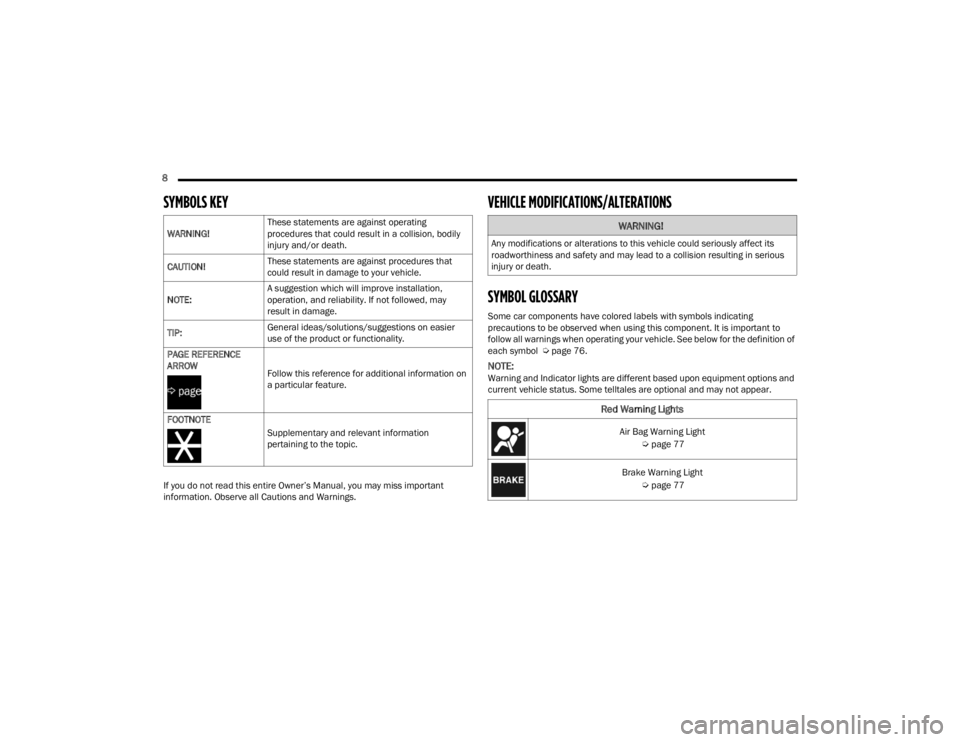
SYMBOLS KEY
If you do not read this entire Owner’s Manual, you may miss important
information. Observe all Cautions and Warnings.
VEHICLE MODIFICATIONS/ALTERATIONS
SYMBOL GLOSSARY
Some car components have colored labels with symbols indicating
precautions to be observed when using this component. It is important to
follow all warnings when operating your vehicle. See below for the definition of
each symbol Úpage 76.
NOTE:Warning and Indicator lights are different based upon equipment options and
current vehicle status. Some telltales are optional and may not appear.
WARNING!
These statements are against operating
procedures that could result in a collision, bodily
injury and/or death.
CAUTION! These statements are against procedures that
could result in damage to your vehicle.
NOTE: A suggestion which will improve installation,
operation, and reliability. If not followed, may
result in damage.
TIP: General ideas/solutions/suggestions on easier
use of the product or functionality.
PAGE REFERENCE
ARROW
Follow this reference for additional information on
a particular feature.
FOOTNOTE Supplementary and relevant information
pertaining to the topic.
WARNING!
Any modifications or alterations to this vehicle could seriously affect its
roadworthiness and safety and may lead to a collision resulting in serious
injury or death.
Red Warning Lights
Air Bag Warning Light Úpage 77
Brake Warning Light Úpage 77
22_LX_OM_EN_USC_t.book Page 8
Page 12 of 288
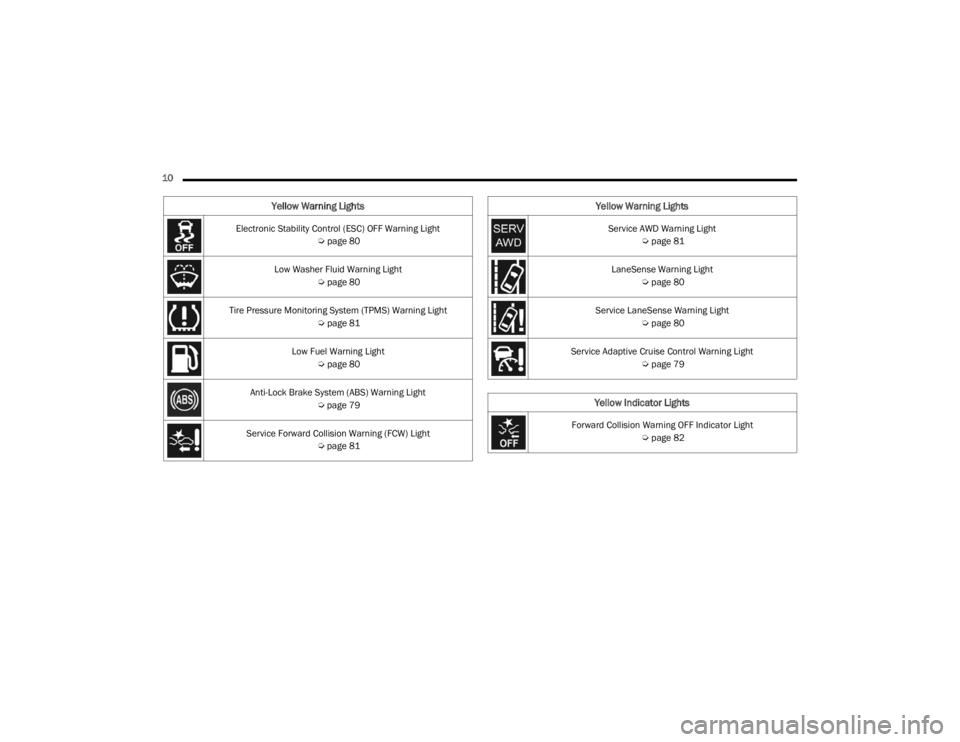
10 Electronic Stability Control (ESC) OFF Warning Light Úpage 80
Low Washer Fluid Warning Light Úpage 80
Tire Pressure Monitoring System (TPMS) Warning Light Úpage 81
Low Fuel Warning Light Úpage 80
Anti-Lock Brake System (ABS) Warning Light Úpage 79
Service Forward Collision Warning (FCW) Light Úpage 81
Yellow Warning Lights
Service AWD Warning Light
Úpage 81
LaneSense Warning Light Úpage 80
Service LaneSense Warning Light Úpage 80
Service Adaptive Cruise Control Warning Light Úpage 79
Yellow Indicator Lights
Forward Collision Warning OFF Indicator Light
Úpage 82
Yellow Warning Lights
22_LX_OM_EN_USC_t.book Page 10
Page 18 of 288
16GETTING TO KNOW YOUR VEHICLE
(Continued)
The push button ignition can be placed in the
following modes:
OFF
The engine is stopped.
Some electrical devices (e.g. power locks,
alarm, etc.) are still available.
ACC
Engine is not started.
Some electrical devices are available (e.g.
power windows).
ON/RUN
Driving position.
All electrical devices are available (e.g. climate
controls, etc.).
START
The engine will start (when brake pedal is
pressed).
NOTE:If the ignition switch does not change the mode by
pushing the button, the key fob may have a low or
depleted battery. In this situation, a back up
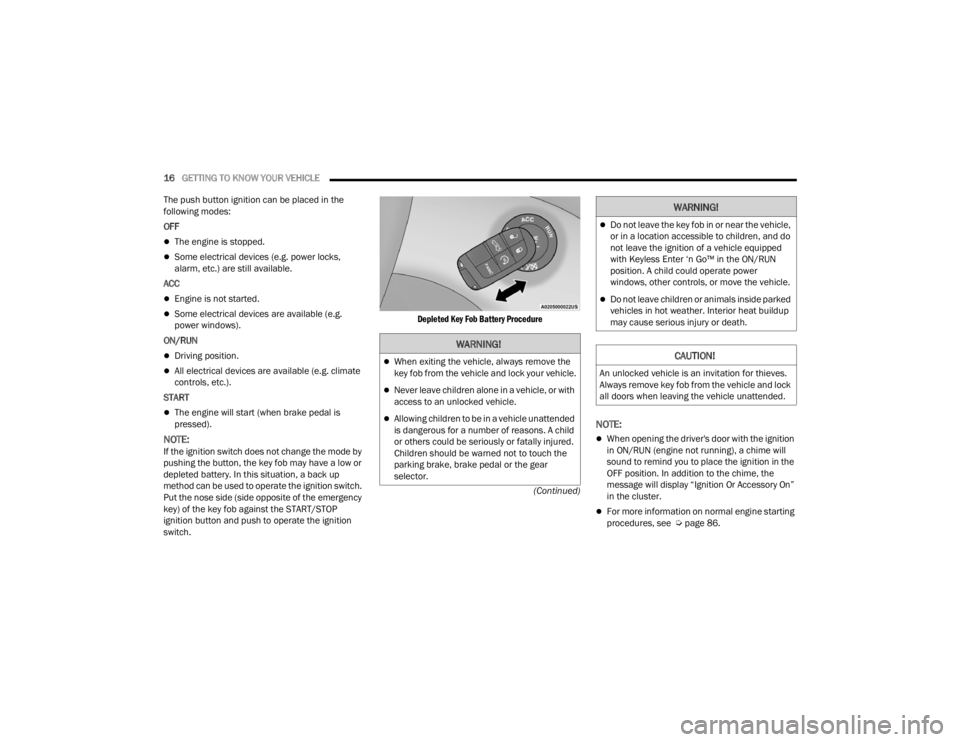
method can be used to operate the ignition switch.
Put the nose side (side opposite of the emergency
key) of the key fob against the START/STOP
ignition button and push to operate the ignition
switch.
Depleted Key Fob Battery Procedure
NOTE:
When opening the driver's door with the ignition
in ON/RUN (engine not running), a chime will
sound to remind you to place the ignition in the
OFF position. In addition to the chime, the
message will display “Ignition Or Accessory On”
in the cluster.
For more information on normal engine starting
procedures, see Ú
page 86.
WARNING!
When exiting the vehicle, always remove the
key fob from the vehicle and lock your vehicle.
Never leave children alone in a vehicle, or with
access to an unlocked vehicle.
Allowing children to be in a vehicle unattended
is dangerous for a number of reasons. A child
or others could be seriously or fatally injured.
Children should be warned not to touch the
parking brake, brake pedal or the gear
selector.
Do not leave the key fob in or near the vehicle,
or in a location accessible to children, and do
not leave the ignition of a vehicle equipped
with Keyless Enter ‘n Go™ in the ON/RUN
position. A child could operate power
windows, other controls, or move the vehicle.
Do not leave children or animals inside parked
vehicles in hot weather. Interior heat buildup
may cause serious injury or death.
CAUTION!
An unlocked vehicle is an invitation for thieves.
Always remove key fob from the vehicle and lock
all doors when leaving the vehicle unattended.
WARNING!
22_LX_OM_EN_USC_t.book Page 16
Page 19 of 288

GETTING TO KNOW YOUR VEHICLE17
(Continued)
REMOTE START — IF EQUIPPED
This system uses the key fob to start the
engine conveniently from outside the
vehicle while still maintaining security.
Remote Start is used to defrost windows
in cold weather, and to reach a comfortable
climate in all ambient conditions before the driver
enters the vehicle.
NOTE:
Obstructions between the vehicle and key fob may
reduce this range Ú page 273.
HOW TO USE REMOTE START
Push and release the Remote Start button on the
key fob twice within five seconds. The vehicle
doors will lock, the parking lights will flash, and the
horn will chirp twice (if programmed through the
Uconnect Settings). Then, the engine will start, and
the vehicle will remain in the Remote Start mode
for a 15 minute cycle. Pushing the Remote Start
button a third time shuts the engine off.
To drive the vehicle, push the unlock button, and
with a valid Keyless Enter ‘n Go™ key fob in the
vehicle, press the brake pedal and place the
ignition in the ON/RUN position.
NOTE:
With Remote Start, the engine will only run for
15 minutes.
If an engine fault is present or fuel level is low,
the vehicle will start and then shut down in 10
seconds.
The parking lights will turn on and remain on
during Remote Start mode.
For security, power window operation is
disabled when the vehicle is in the Remote Start
mode.
Remote Start can only be used twice. The igni -
tion must be placed in the ON/RUN position
before the Remote Start sequence can be
repeated for a third cycle. All of the following conditions must be met before
the engine will remote start:
Gear selector in PARK
Doors closed
Hood closed
Trunk closed
Hazard switch off
Brake switch inactive (brake pedal not pressed)
Battery at an acceptable charge level
PANIC button not pushed
System not disabled from previous Remote
Start event
Vehicle Security Light is flashing
Ignition in OFF position
Fuel level meets minimum requirement
Vehicle Security system is not signaling an intrusion
Malfunction Indicator Light is not illuminated
WARNING!
Do not start or run an engine in a closed
garage or confined area. Exhaust gas contains
Carbon Monoxide (CO) which is odorless and
colorless. Carbon Monoxide is poisonous and
can cause serious injury or death when
inhaled.
Keep key fobs away from children. Operation
of the Remote Start system, windows, door
locks or other controls could cause serious
injury or death.WARNING!
Do not start or run an engine in a closed garage
or confined area. Exhaust gas contains Carbon
Monoxide (CO) which is odorless and colorless.
Carbon Monoxide is poisonous and can cause
serious injury or death when inhaled.
2
22_LX_OM_EN_USC_t.book Page 17
Page 24 of 288
22GETTING TO KNOW YOUR VEHICLE
DOORS
MANUAL DOOR LOCKS
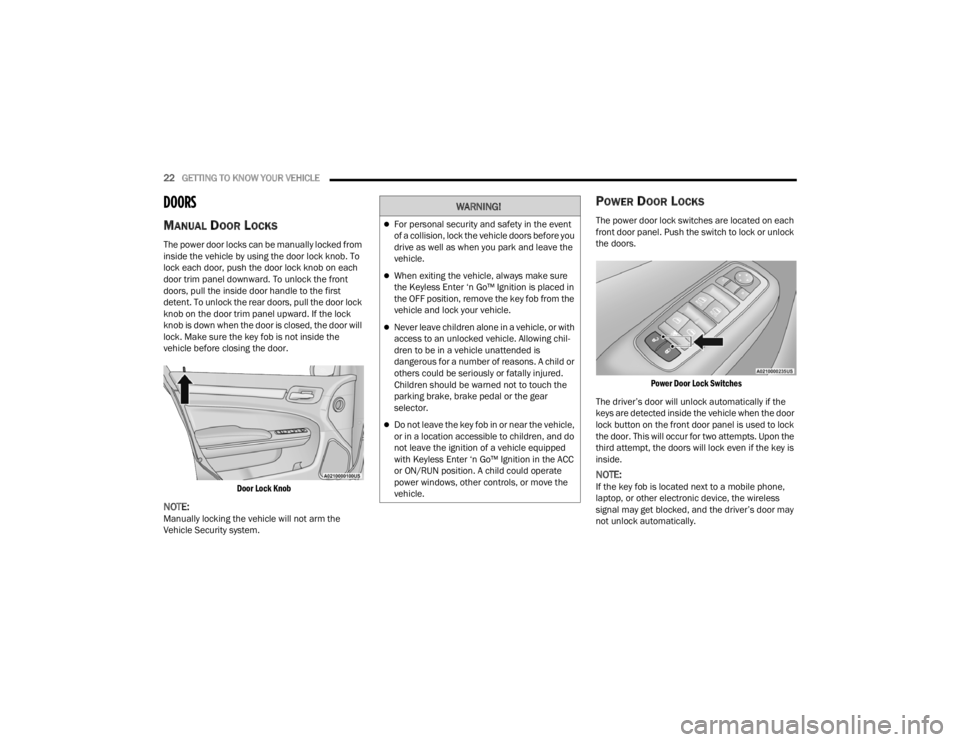
The power door locks can be manually locked from
inside the vehicle by using the door lock knob. To
lock each door, push the door lock knob on each
door trim panel downward. To unlock the front
doors, pull the inside door handle to the first
detent. To unlock the rear doors, pull the door lock
knob on the door trim panel upward. If the lock
knob is down when the door is closed, the door will
lock. Make sure the key fob is not inside the
vehicle before closing the door.
Door Lock Knob
NOTE:Manually locking the vehicle will not arm the
Vehicle Security system.
POWER DOOR LOCKS
The power door lock switches are located on each
front door panel. Push the switch to lock or unlock
the doors.
Power Door Lock Switches
The driver’s door will unlock automatically if the
keys are detected inside the vehicle when the door
lock button on the front door panel is used to lock
the door. This will occur for two attempts. Upon the
third attempt, the doors will lock even if the key is
inside.
NOTE:If the key fob is located next to a mobile phone,
laptop, or other electronic device, the wireless
signal may get blocked, and the driver’s door may
not unlock automatically.
WARNING!
For personal security and safety in the event
of a collision, lock the vehicle doors before you
drive as well as when you park and leave the
vehicle.
When exiting the vehicle, always make sure
the Keyless Enter ‘n Go™ Ignition is placed in
the OFF position, remove the key fob from the
vehicle and lock your vehicle.
Never leave children alone in a vehicle, or with
access to an unlocked vehicle. Allowing chil -
dren to be in a vehicle unattended is
dangerous for a number of reasons. A child or
others could be seriously or fatally injured.
Children should be warned not to touch the
parking brake, brake pedal or the gear
selector.
Do not leave the key fob in or near the vehicle,
or in a location accessible to children, and do
not leave the ignition of a vehicle equipped
with Keyless Enter ‘n Go™ Ignition in the ACC
or ON/RUN position. A child could operate
power windows, other controls, or move the
vehicle.
22_LX_OM_EN_USC_t.book Page 22
Page 47 of 288
GETTING TO KNOW YOUR VEHICLE45
To turn on the headlights, rotate the headlight
switch clockwise. When the headlight switch is on,
the parking lights, taillights, license plate light and
instrument panel lights are also turned on. To turn
off the headlights, rotate the headlight switch back
to the O (off) position.
For vehicles sold in Canada, rotate the headlight
switch clockwise from the parking lights and
instrument panel lights position to the AUTO
position for automatic headlights. Rotate to the
second detent to turn on headlights, parking lights,
and instrument panel lights operation.
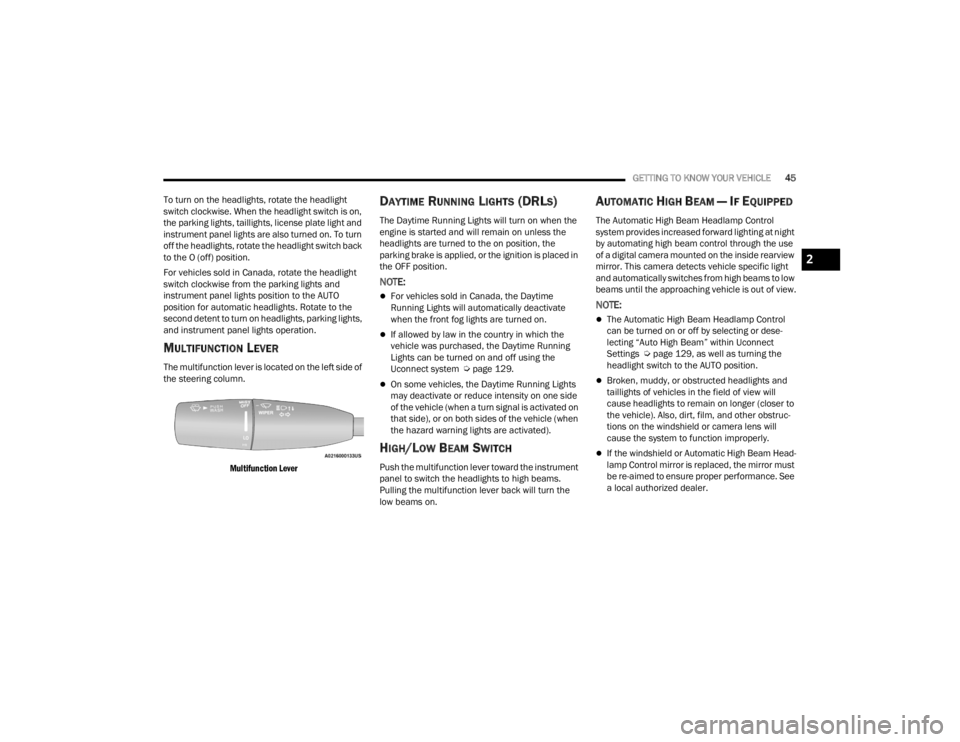
MULTIFUNCTION LEVER
The multifunction lever is located on the left side of
the steering column.
Multifunction Lever
DAYTIME RUNNING LIGHTS (DRLS)
The Daytime Running Lights will turn on when the
engine is started and will remain on unless the
headlights are turned to the on position, the
parking brake is applied, or the ignition is placed in
the OFF position.
NOTE:
For vehicles sold in Canada, the Daytime
Running Lights will automatically deactivate
when the front fog lights are turned on.
If allowed by law in the country in which the
vehicle was purchased, the Daytime Running
Lights can be turned on and off using the
Uconnect system Ú page 129.
On some vehicles, the Daytime Running Lights
may deactivate or reduce intensity on one side
of the vehicle (when a turn signal is activated on
that side), or on both sides of the vehicle (when
the hazard warning lights are activated).
HIGH/LOW BEAM SWITCH
Push the multifunction lever toward the instrument
panel to switch the headlights to high beams.
Pulling the multifunction lever back will turn the
low beams on.
AUTOMATIC HIGH BEAM — IF EQUIPPED
The Automatic High Beam Headlamp Control
system provides increased forward lighting at night
by automating high beam control through the use
of a digital camera mounted on the inside rearview
mirror. This camera detects vehicle specific light
and automatically switches from high beams to low
beams until the approaching vehicle is out of view.
NOTE:
The Automatic High Beam Headlamp Control
can be turned on or off by selecting or dese -
lecting “Auto High Beam” within Uconnect
Settings Ú page 129, as well as turning the
headlight switch to the AUTO position.
Broken, muddy, or obstructed headlights and
taillights of vehicles in the field of view will
cause headlights to remain on longer (closer to
the vehicle). Also, dirt, film, and other obstruc -
tions on the windshield or camera lens will
cause the system to function improperly.
If the windshield or Automatic High Beam Head -
lamp Control mirror is replaced, the mirror must
be re-aimed to ensure proper performance. See
a local authorized dealer.
2
22_LX_OM_EN_USC_t.book Page 45
Page 74 of 288

72GETTING TO KNOW YOUR INSTRUMENT PANEL
For Screen Setup:
OK button allows user to enter menu and
submenus.
Within each submenu layer, the up and
down arrow buttons will allow the user to
select the item of interest.
Pushing the OK button makes the selection. A
confirmation screen will appear, returning the
user to the first page of the submenu.
Pushing the left arrow button will exit each
submenu layer and return to the main menu.
For the Trip and Fuel Economy menus:
Information is reset by pushing and holding the
OK button.
ENGINE OIL LIFE RESET
Oil Change Required
Your vehicle is equipped with an engine oil change
indicator system. The “Oil Change Required”
message will display in the instrument cluster
display for five seconds after a single chime has
sounded, to indicate the next scheduled oil change
interval. The engine oil change indicator system is
duty cycle based, which means the engine oil
change interval may fluctuate, dependent upon
your personal driving style. Unless reset, this message will continue to display
each time you place the ignition in the ON/RUN
position. To turn off the message temporarily, push
and release the
OK or arrow buttons. To reset the
oil change indicator system (after performing the
scheduled maintenance), refer to the following
procedure.
Vehicles Equipped With Keyless Enter ‘n Go™ —
Ignition
Use the steering wheel instrument cluster display
controls for the following procedure(s):
1. Without pressing the brake pedal, push the ENGINE START/STOP button and place the
ignition in the ON/RUN position (do not start
the engine).
2. Push and release the down arrow button to
scroll downward through the main menu to
“Vehicle Info.”
3. Push and release the right arrow button to
access the ”Oil Life” screen.
4. Push and hold the OK button to reset oil life. If
conditions are met, the gauge and numeric
display will update to show 100%. If conditions
are not met a pop-up message of "To reset oil
life engine must be off with ignition in run" will
be displayed (for five seconds), and the user
will remain at the Oil Life screen. 5. Push and release the
up or down arrow
button to exit the submenu screen.
NOTE:If the indicator message illuminates when you start
the vehicle, the oil change indicator system did not
reset. If necessary, repeat this procedure.
Secondary Method Of Resetting Engine Oil Life
1. Without pressing the brake pedal, push the ENGINE START/STOP button and place the
ignition to the ON/RUN position (do not start
the engine).
2. Fully press the accelerator pedal, slowly, three times within ten seconds.
3. Without pushing the brake pedal, push the ENGINE START/STOP button once to return the
ignition to the OFF position.
NOTE:If the indicator message illuminates when you start
the vehicle, the oil change indicator system did not
reset. If necessary, repeat this procedure.
22_LX_OM_EN_USC_t.book Page 72