lights CHRYSLER 300 C 2008 1.G User Guide
[x] Cancel search | Manufacturer: CHRYSLER, Model Year: 2008, Model line: 300 C, Model: CHRYSLER 300 C 2008 1.GPages: 520, PDF Size: 5.43 MB
Page 83 of 520
\3Advanced Phone Connectivity............107
\3Things You Should Know About Your
UConnect™ System....................109
\3General Information...................117
\1Seats................................117
\3Power Seats.........................117
\3Power Reclining Seats..................118
\3Lumbar Support......................119
\3Head Restraints......................120
\3Heated Seats — If Equipped.............120
\3Folding Rear Seat.....................123
\1Driver Memory Seat — If Equipped.........124
\3Programming The Memory Feature........124\3Linking & Unlinking The Remote Keyless
Transmitter To The Memory Feature........125
\3Memory Position Recall.................126
\3Easy Entry/Exit Seat
(Available With Memory Seat Only)........127
\1To Open And Close The Hood.............128
\1Lights...............................130
\3Headlight Switch.....................130
\3Automatic Headlights – If Equipped........131
\3Headlights On With Wipers
(Available With Auto Headlights Only)......132
\3SmartBeams — If Equipped..............132
\3Headlight Time Delay..................133
\3Daytime Running Lights — If Equipped.....134
82 UNDERSTANDING THE FEATURES OF YOUR VEHICLE
Page 84 of 520
\3Lights-On Reminder...................134
\3Fog Lights — If Equipped...............134
\3Multi-Function Lever...................134
\3Overhead Console Map/Reading Lights.....136
\3Interior Lights.......................136
\1Windshield Wipers And Washers............138
\3Intermittent Wiper System...............138
\3Mist Feature.........................139
\3Windshield Washers...................139
\3Headlights On With Wipers
(Available With Auto Headlights Only)......139
\3Rain Sensing Wipers — If Equipped........140
\3Adding Washer Fluid..................141\1Headlight Washers — If Equipped...........142
\3Adding Washer Fluid..................143
\1Tilt/Telescoping Steering Column...........144
\1Power Tilt/Telescoping Steering Column —
If Equipped...........................145
\1Adjustable Pedals — If Equipped...........147
\1Electronic Speed Control..................148
\3Electronic Speed Control Operation........149
\3To Activate..........................149
\3To Set At A Desired Speed...............150
\3To Deactivate........................150
\3To Resume Speed.....................150
\3To Vary The Speed Setting...............150
UNDERSTANDING THE FEATURES OF YOUR VEHICLE 83
3
Page 85 of 520

\3To Accelerate For Passing...............151
\1Adaptive Cruise Control (ACC) —
If Equipped...........................152
\3Adaptive Cruise Control (ACC) Operation . . . 154
\3Activating Adaptive Cruise Control (ACC) . . . 154
\3To Activate..........................155
\3To Set a Desired Speed.................156
\3To Cancel...........................157
\3ToTurnOff .........................157
\3To Resume Speed.....................158
\3To Vary The Speed Setting...............158
\3Setting The Following Distance In ACC......159
\3Adaptive Cruise Control (ACC) Menu......162\3Display Warnings & Maintenance..........165
\3Precautions While Driving With ACC.......168
\3General Information...................172
\1Rear Park Assist System — If Equipped.......172
\1Overhead Console......................176
\3Courtesy/Reading Lights................176
\3Sunglasses Storage....................177
\1Garage Door Opener — If Equipped.........177
\3Programming HomeLink\2...............178
\3Gate Operator/Canadian Programming.....181
\3Using HomeLink\2.....................182
\3Reprogramming a Single HomeLink\2Button . . 182
\3Security............................182
84 UNDERSTANDING THE FEATURES OF YOUR VEHICLE
Page 89 of 520

Exterior Mirrors Folding Feature — If Equipped
Some models have exterior mirrors that are hinged. The
hinge allows the mirror to pivot forward and rearward to
resist damage. The hinge has three detent positions, full
forward, full rearward, and normal.
Outside Mirror Auto Dimmer — If Equipped
This mirror automatically adjusts for annoying headlight
glare from vehicles behind you. You can turn this feature
on or off by pressing the button at the base of the Inside
Rearview Mirror. This feature is also available on the
passenger outside mirror of mirrors equipped with turn
signal and approach lighting.
Outside Mirrors with Turn Signal & Approach
Lighting — If Equipped
Driver and passenger outside mirrors with turn signal
and approach lighting contain four LEDs, which are
located in the upper outer corner of each mirror.Three of the LEDs are turn signal indicators, which flash
with the corresponding turn signal lights in the front and
rear of the vehicle. Turning on the hazard flashers will
also activate these LEDs.
The fourth (uppermost) LED supplies illuminated entry
lighting, which turns on in both mirrors when you use
the Remote Keyless Entry (RKE) transmitter or open any
door. This LED shines outward to illuminate the front
and rear door handles. It also shines downward to
illuminate the area in front of the doors.
The illuminated entry lighting fades to off after about 30
seconds or it will fade to off immediately once the
ignition switch is turned ON from the LOCK position.
NOTE:The approach lighting will not function when
the gear selector lever is moved out of the “P” (Park)
position.
88 UNDERSTANDING THE FEATURES OF YOUR VEHICLE
Page 91 of 520
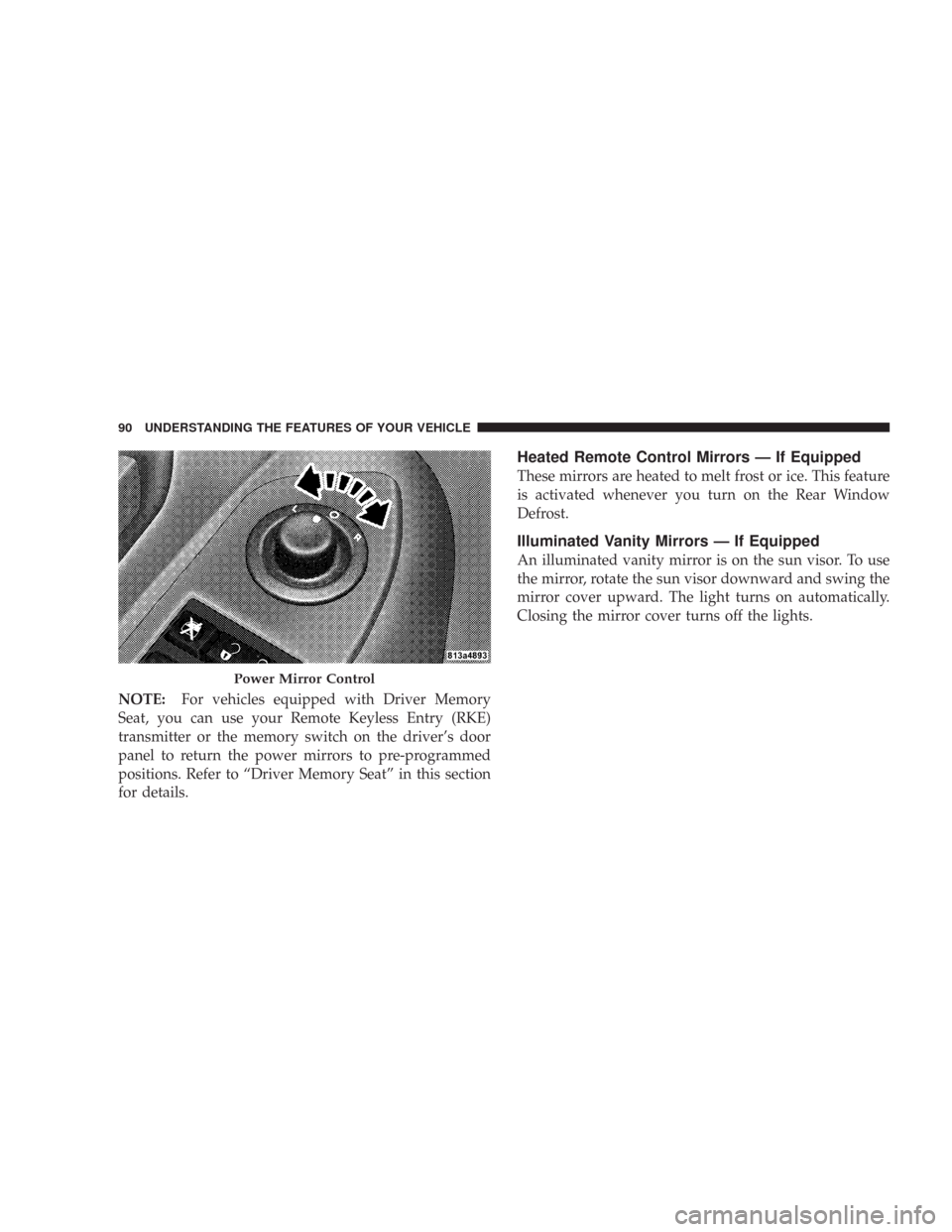
NOTE:For vehicles equipped with Driver Memory
Seat, you can use your Remote Keyless Entry (RKE)
transmitter or the memory switch on the driver’s door
panel to return the power mirrors to pre-programmed
positions. Refer to “Driver Memory Seat” in this section
for details.
Heated Remote Control Mirrors — If Equipped
These mirrors are heated to melt frost or ice. This feature
is activated whenever you turn on the Rear Window
Defrost.
Illuminated Vanity Mirrors — If Equipped
An illuminated vanity mirror is on the sun visor. To use
the mirror, rotate the sun visor downward and swing the
mirror cover upward. The light turns on automatically.
Closing the mirror cover turns off the lights.
Power Mirror Control
90 UNDERSTANDING THE FEATURES OF YOUR VEHICLE
Page 131 of 520

LIGHTS
Headlight Switch
The headlight switch is located on the left side of
the instrument panel. This switch controls the
operation of the headlights, parking lights, instru-
ment panel lights, instrument panel light dimming, inte-
rior lights, and fog lights.
Rotate the headlight switch clockwise to the first detent
for parking light and instrument panel light operation.
Turn it to the second detent for headlight, parking light,
and instrument panel light operation.
Headlight Switch
130 UNDERSTANDING THE FEATURES OF YOUR VEHICLE
Page 132 of 520

Automatic Headlights – If Equipped
This system automatically turns the headlights ON or
OFF according to ambient light levels. To turn the system
ON, rotate the headlight switch counter-clockwise to the
AUTO (A) position. When the system is ON, the Head-
light Time Delay feature is also ON. This means the
headlights will stay ON for up to 90 seconds after you
turn the ignition switch OFF. To turn the Automatic
System OFF, move the headlight switch out of the AUTO
(A) position.
NOTE:The engine must be running before the head-
lights will come ON in the Automatic mode.
Headlight Switch
UNDERSTANDING THE FEATURES OF YOUR VEHICLE 131
3
Page 133 of 520
Headlights On with Wipers (Available with Auto
Headlights Only)
When this feature is active, the headlights will turn on
approximately 10 seconds after the wipers are turned on
if the headlight switch is placed in the AUTO position. In
addition, the headlights will turn off when the wipers are
turned off if they were turned on by this feature.
The Headlights On with Wipers feature can be turned on
or off through the Electronic Vehicle Information Center
(EVIC) — if equipped. For details, refer to ”Headlights
On with Wipers,” under “Personal Settings (Customer
Programmable Features),” under “Electronic Vehicle In-
formation Center” in Section 4 of this manual.
SmartBeams — If Equipped
The SmartBeam system provides increased forward light-
ing at night by automating high beam control through
the use of a digital camera mounted on the inside
rearview mirror. This camera detects vehicle specific lightand automatically switches from high beams to low
beams until the approaching vehicle is out of view.
To Activate:
1. Select “Automatic High Beams — ON” through the
Electronic Vehicle Information Center (EVIC). For details,
refer to “Personal Settings (Customer Programmable
Features),” under “Electronic Vehicle Information Cen-
ter” in Section 4 of this manual.
2. Rotate the headlight switch counter-clockwise to the
AUTO (A) position.
3. Push the Multi-Function Lever away from you to
switch the headlights to the HIGH BEAM position.
NOTE:This system will not activate until the vehicle is
at or above 25 mph (40 km/h).
132 UNDERSTANDING THE FEATURES OF YOUR VEHICLE
Page 134 of 520

To Deactivate:
Perform either of the following steps to deactivate the
SmartBeam system.
1. Pull the Multi-Function Lever toward you to switch
the headlights from the HIGH BEAM to the LOW BEAM
position.
2. Rotate the headlight switch clockwise from the AUTO
(A) to the ON position.
NOTE:Broken, muddy, or obstructed headlights and
taillights of vehicles in the field of view will cause
headlights to remain on longer (closer to the vehicle).
Also, dirt, film, and other obstructions on the windshield
or camera lens will cause the system to function improp-
erly.
Headlight Time Delay
This feature provides the safety of headlight illumination
for 90 seconds (programmable) when leaving your ve-
hicle in an unlighted area.
To activate the delay feature, turn off the ignition switch
while the headlights are still on. Then, turn off the
headlights within 45 seconds. The delay interval begins
when headlight switch is turned off.
If you turn the headlights, park lights, or ignition switch
on again, the system will cancel the delay.
If you turn the headlights off before the ignition, they will
turn off in the normal manner.
NOTE:The lights must be turned off within 45 seconds
of turning the ignition off to activate this feature.
UNDERSTANDING THE FEATURES OF YOUR VEHICLE 133
3
Page 135 of 520

The Headlight delay time is programmable on vehicles
equipped with the Electronic Vehicle Information Center
(EVIC). For details, refer to “Delay Turning Headlights
Off,” under “Personal Settings (Customer Programmable
Features),” under “Electronic Vehicle Information Center
(EVIC)” in Section 4 of this manual.
Daytime Running Lights — If Equipped
The high beam headlights will come on as Daytime
Running Lights, whenever the ignition switch is on, the
headlights are off, and the parking brake is off. The
headlight switch must be used for normal nighttime
driving.
Lights-on Reminder
If the headlights or parking lights are on after the ignition
is turned OFF, a chime will sound to alert the driver
when the driver’s door is opened.
Fog Lights — If Equipped
The front fog light switch is on the headlight
switch below the dimmer control. To activate the
front fog lights, turn on the parking lights or the
low beam headlights and press the fog light switch.
An indicator light in the instrument cluster illuminates
when the fog lights are turned on.
NOTE:The fog lights will operate with the low beam
headlights or parking lights on. However, selecting the
high beam headlights will turn off the fog lights.
Multi-Function Lever
The multi-function lever controls the operation of the
turn signals, headlight beam selection, and passing
lights. The lever is located on the left side of the steering
column.
134 UNDERSTANDING THE FEATURES OF YOUR VEHICLE