tow CHRYSLER 300 C 2008 1.G User Guide
[x] Cancel search | Manufacturer: CHRYSLER, Model Year: 2008, Model line: 300 C, Model: CHRYSLER 300 C 2008 1.GPages: 520, PDF Size: 5.43 MB
Page 140 of 520
the wipe interval from a minimum of one cycle every
second to a maximum of approximately 30 seconds
between cycles.
WARNING!
Sudden loss of visibility through the windshield
could lead to an accident. You might not see other
vehicles or other obstacles. To avoid sudden icing of
the windshield during freezing weather, warm the
windshield with defroster before and during wind-
shield washer use.
Mist Feature
Push the multi-function lever inward (toward the steer-
ing column) to the first detent to activate a single wipe
cycle to clear off road mist or spray from a passing
vehicle. The wipers will continue to operate until you
release the lever.
Windshield Washers
To use the washer, push the multi-function lever inward
(toward the steering column) to the second detent and
hold it for as long as washer spray is desired.
If you activate the washer while the windshield wiper
control is in the delay range, the wipers will operate for
three wipe cycles after releasing the lever and then
resume the intermittent interval previously selected.
If you activate the washer while the windshield wiper is
turned OFF, the wipers will operate for two wipe cycles
and then turn OFF.
Headlights On with Wipers (Available with Auto
Headlights Only)
When this feature is active, the headlights will turn on
approximately 10 seconds after the wipers are turned on
if the headlight switch is placed in the AUTO position. In
addition, the headlights will turn off when the wipers are
turned off if they were turned on by this feature.
UNDERSTANDING THE FEATURES OF YOUR VEHICLE 139
3
Page 143 of 520
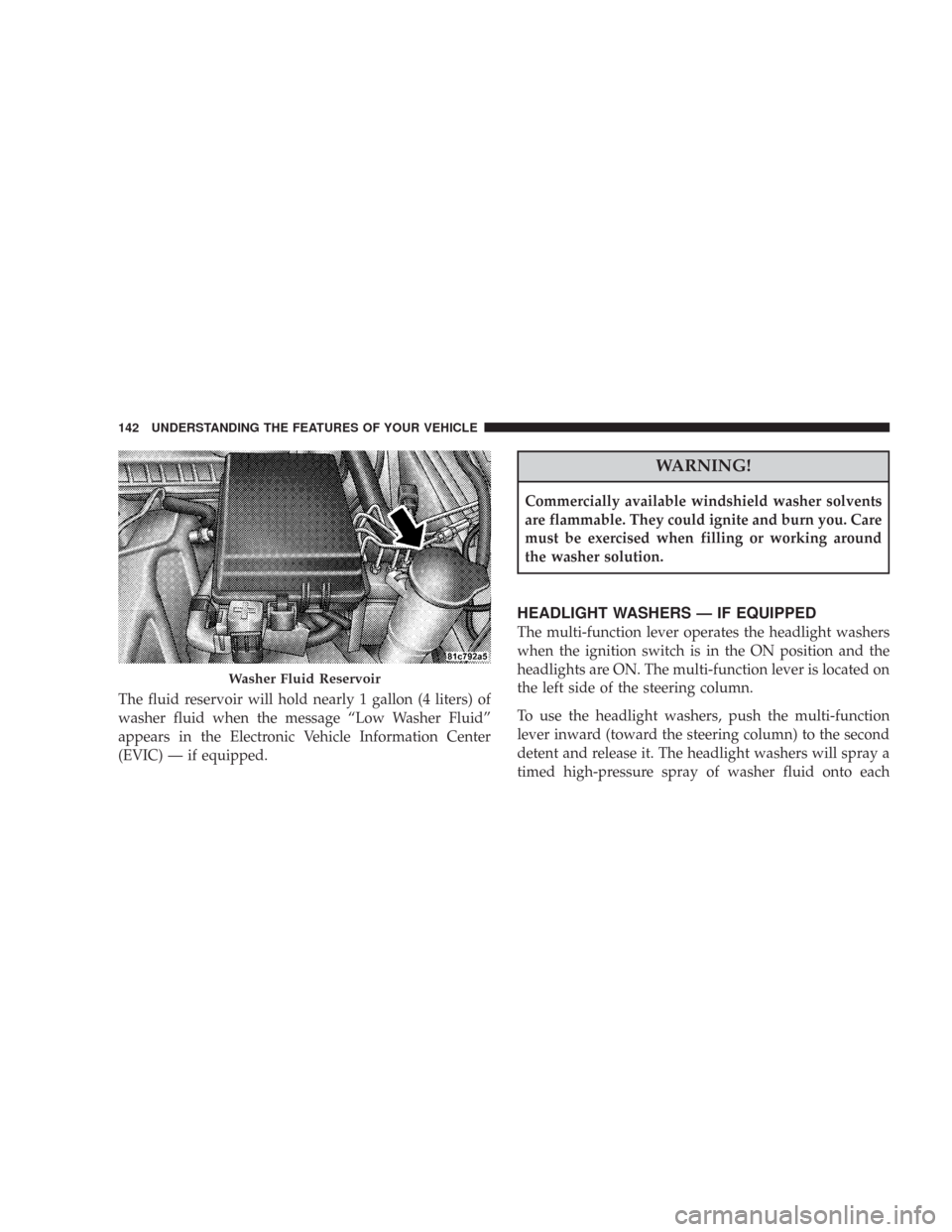
The fluid reservoir will hold nearly 1 gallon (4 liters) of
washer fluid when the message “Low Washer Fluid”
appears in the Electronic Vehicle Information Center
(EVIC) — if equipped.
WARNING!
Commercially available windshield washer solvents
are flammable. They could ignite and burn you. Care
must be exercised when filling or working around
the washer solution.
HEADLIGHT WASHERS — IF EQUIPPED
The multi-function lever operates the headlight washers
when the ignition switch is in the ON position and the
headlights are ON. The multi-function lever is located on
the left side of the steering column.
To use the headlight washers, push the multi-function
lever inward (toward the steering column) to the second
detent and release it. The headlight washers will spray a
timed high-pressure spray of washer fluid onto each
Washer Fluid Reservoir
142 UNDERSTANDING THE FEATURES OF YOUR VEHICLE
Page 147 of 520
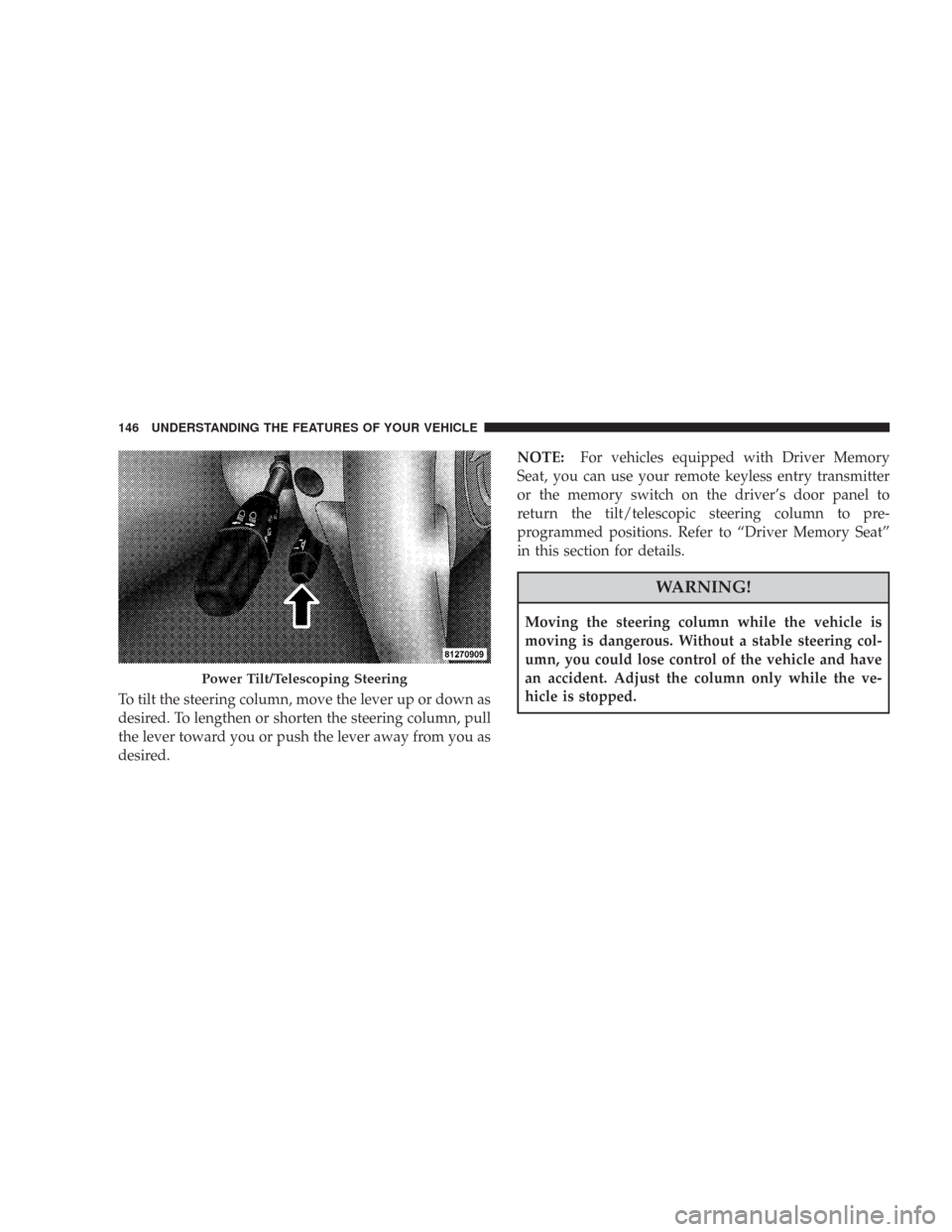
To tilt the steering column, move the lever up or down as
desired. To lengthen or shorten the steering column, pull
the lever toward you or push the lever away from you as
desired.NOTE:For vehicles equipped with Driver Memory
Seat, you can use your remote keyless entry transmitter
or the memory switch on the driver’s door panel to
return the tilt/telescopic steering column to pre-
programmed positions. Refer to “Driver Memory Seat”
in this section for details.
WARNING!
Moving the steering column while the vehicle is
moving is dangerous. Without a stable steering col-
umn, you could lose control of the vehicle and have
an accident. Adjust the column only while the ve-
hicle is stopped.
Power Tilt/Telescoping Steering
146 UNDERSTANDING THE FEATURES OF YOUR VEHICLE
Page 148 of 520
ADJUSTABLE PEDALS — IF EQUIPPED
The adjustable pedals system is designed to allow a
greater range of driver comfort for steering wheel tilt and
seat position. This feature allows both the brake and
accelerator pedal to move toward or away from the
driver to provide improved position with the steering
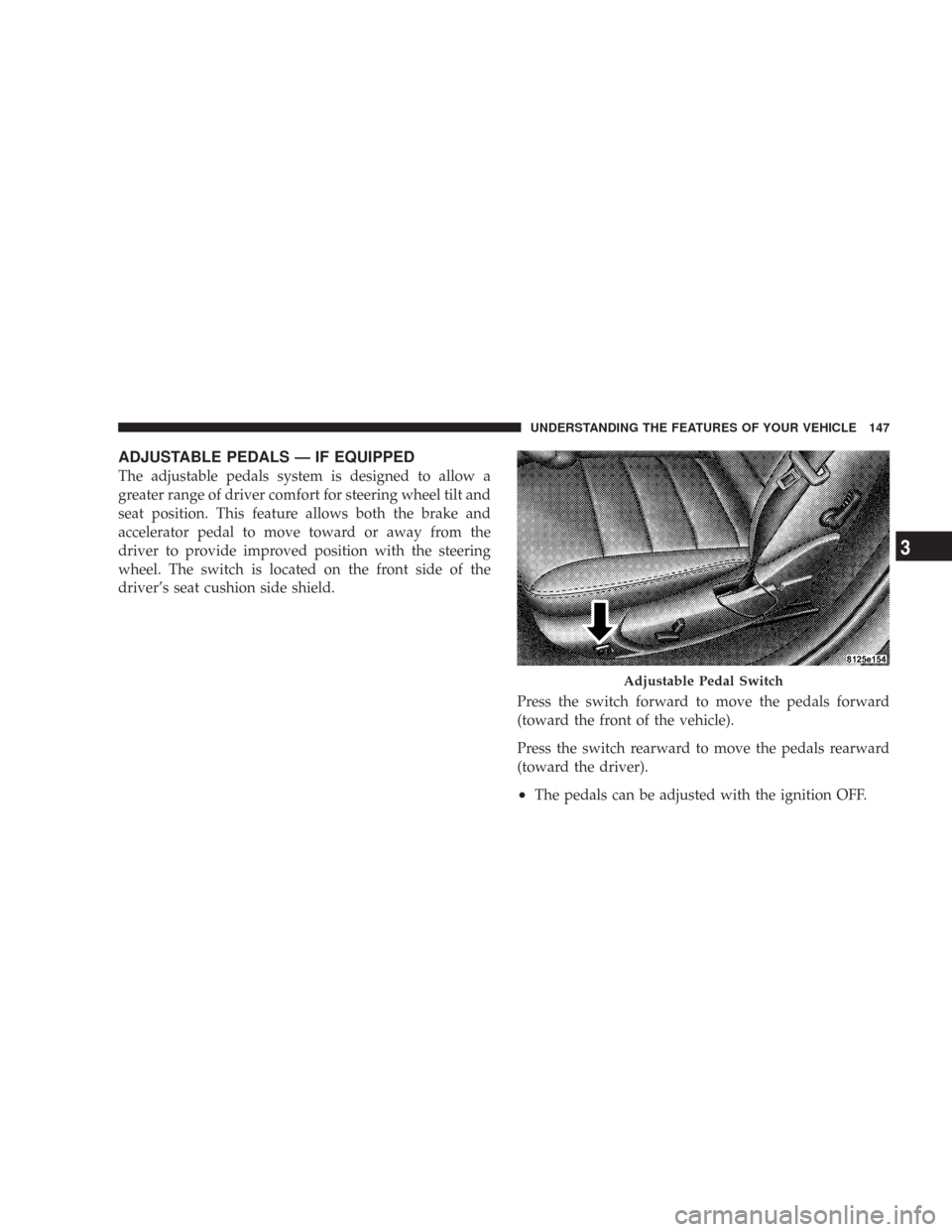
wheel. The switch is located on the front side of the
driver’s seat cushion side shield.
Press the switch forward to move the pedals forward
(toward the front of the vehicle).
Press the switch rearward to move the pedals rearward
(toward the driver).
•The pedals can be adjusted with the ignition OFF.
Adjustable Pedal Switch
UNDERSTANDING THE FEATURES OF YOUR VEHICLE 147
3
Page 151 of 520
To Set At A Desired Speed:
When the vehicle reaches the speed desired, push the
lever down and release (“SET DECEL”). Remove your
foot from the accelerator pedal and the vehicle will
operate at the selected speed.
NOTE:
•Speed control will only function in third, fourth, or
fifth gear when in the Autostick\2Mode (if equipped).
•The speed control may not engage if a different size
tire is installed on one wheel, such as the compact
spare tire.
To Deactivate:
The system will disable Electronic Speed Control without
erasing the memory if you:
•Softly tap the brake pedal.
•Depress the brake pedal.
•Pull the speed control lever toward you (“CANCEL”).
Pushing and releasing the (“ON/OFF”) button or turning
off the ignition erases the set speed from memory.
To Resume Speed:
If you deactivated the speed control without erasing the
set speed from memory and your vehicle speed is above
20 mph (32 km/h) you can resume the previous set
speed. To do so, push the lever up and release (“RESUME
ACCEL”), and then remove your foot from the accelera-
tor pedal.
To Vary the Speed Setting:
When the speed control is set, you can increase speed by
pushing up and holding the lever (“RESUME ACCEL”).
When the lever is released, a new set speed will be
established.
150 UNDERSTANDING THE FEATURES OF YOUR VEHICLE
Page 154 of 520

WARNING!
•Adaptive Cruise Control (ACC) is a convenience system. It is not a
substitute for active driving involvement. It is always the driver ’s
responsibility to be attentive of road, traffic, and weather conditions,
vehicle speed, distance to the vehicle ahead, and most importantly
brake operation to ensure safe operation of the vehicle under all road
conditions. Your complete attention is always required while driving
to maintain safe control of your vehicle. Failure to follow these
warnings can result in an accident or serious personal injury.
•The ACC system:
\25 Does not react to pedestrians, oncoming vehicles, and stationary
objects (i.e. a stopped vehicle in a traffic jam or a disabled vehicle).
\25 Does not predict the lane curvature or the movement of preceding
vehicles and will not compensate for such changes.
\25 Cannot take street, traffic, and weather conditions into account, and
may be limited upon adverse sight distance conditions.
\25 Does not always fully recognize complex driving conditions, which
can result in wrong or missing distance warnings.
\25 May not detect a vehicle ahead when strong light (for example,
sunrise or sunset) is directly shining on the front of the vehicle.
\25 Can only apply a maximum of 25% of the vehicle’s braking capability,
and will not bring the vehicle to a complete stop.
WARNING!
You should switch off the ACC system:
•When driving in fog; heavy rain; heavy snow;
sleet; heavy traffic; and complex driving situations
(i.e. in highway construction zones).
•When entering a turn lane or highway off ramp;
when driving on roads that are winding, icy,
snow-covered, slippery, or have steep uphill or
downhill slopes; and when towing a trailer.
•When circumstances do not allow safe driving at a
constant speed.
Failure to follow these warnings can result in an
accident or serious personal injury.
UNDERSTANDING THE FEATURES OF YOUR VEHICLE 153
3
Page 158 of 520

To Cancel:
The system will disable ACC without erasing the
memory if:
•You softly tap the brake pedal.
•You depress the brake pedal.
•You pull the speed control lever toward you (“CAN-
CEL”).
•The Electronic Stability Program / Traction Control
System (ESP/TCS) activates.
To Turn Off:
The system will turn off and erase the set speed in
memory if:
•You push and release the (“ON/OFF”) button.
•You turn off the ignition.
•You switch off ESP.
UNDERSTANDING THE FEATURES OF YOUR VEHICLE 157
3
Page 176 of 520

WARNING!
•Drivers must be careful when backing up even when
using the Rear Park Assist System. Always check
carefully behind your vehicle, look behind you, and
be sure to check for pedestrians, animals, other ve-
hicles, obstructions, and blind spots before backing
up. You are responsible for safety and must continue
to pay attention to your surroundings. Failure to do so
can result in serious injury or death.
•Before using the Rear Park Assist System, it is
strongly recommended that the ball mount and hitch
ball assembly is disconnected from the vehicle when
the vehicle is not used for towing. Failure to do so can
result in injury or damage to vehicles or obstacles
because the hitch ball will be much closer to the
obstacle than the rear fascia when the warning dis-
play turns the red LEDs ON. Also, the sensors could
detect the ball mount and hitch ball assembly, de-
pending on its size and shape, giving a false indica-
tion that an obstacle is behind the vehicle.
CAUTION!
•The Rear Park Assist System is only a parking aid
and it is unable to recognize every obstacle, in-
cluding small obstacles. Parking curbs might be
temporarily detected or not detected at all. Ob-
stacles located above or below the sensors will not
be detected when they are in close proximity.
•The vehicle must be driven slowly when using the
Rear Park Assist System to be able to stop in time
when the obstacle is detected. It is recommended
that the driver looks over his/her shoulder when
using the Rear Park Assist System.
UNDERSTANDING THE FEATURES OF YOUR VEHICLE 175
3
Page 186 of 520
Opening Sunroof - Express
Press the switch rearward and release, and the sunroof
will open automatically from any position. The sunroof
will open fully and then stop automatically. This is called
Express Open. During Express Open operation, any
movement of the sunroof switch will stop the sunroof.
Closing Sunroof - Express
Press the switch forward and release, and the sunroof
will close automatically from any position. The sunroof
will close fully and stop automatically. This is called
Express Close. During Express Close operation, any
movement of the switch will stop the sunroof.
Pinch Protect Feature
This feature will detect an obstruction in the opening of
the sunroof during Express Close operation. If an ob-
struction in the path of the sunroof is detected, thesunroof will automatically retract. Remove the obstruc-
tion if this occurs. Next, press the switch forward and
release to Express Close.
Pinch Protect Override
If a known obstruction (ice, debris, etc.) prevents closing,
press the switch forward and hold for two seconds after
the reversal occurs. This allows the sunroof to move
towards the closed position.
NOTE:Pinch protection is disabled while the switch is
pressed.
Venting Sunroof - Express
Press and release the\4V\4button in the center of the
switch, and the sunroof will open to the vent position.
This is called Express Vent, which operates regardless of
sunroof position. During Express Vent operation, any
movement of the switch will stop the sunroof.
UNDERSTANDING THE FEATURES OF YOUR VEHICLE 185
3
Page 208 of 520
light shows only that the parking brake is applied. It does
not show the degree of brake application. (See page 324
for more information.)
13. Electronic Stability Program (ESP)/Traction
Control System (TCS) Indicator Light — If Equipped
If this indicator light flashes during accelera-
tion, ease up on the accelerator and apply as
little throttle as possible. Adapt your speed and
driving to the prevailing road conditions, and
do not switch off the ESP. (See page 328 for more
information.) (See page 331 for more information.)
14. Temperature Gauge
The temperature gauge shows engine coolant tempera-
ture. Any reading within the normal range indicates that
the engine cooling system is operating satisfactorily.
The gauge pointer will likely indicate a higher tempera-
ture when driving in hot weather, up mountain grades,or when towing a trailer. It should not be allowed to
exceed the upper limits of the normal operating range.
CAUTION!
Driving with a hot engine cooling system could
damage your vehicle. If temperature gauge reads (H),
pull over and stop the vehicle. Idle the vehicle with
the air conditioner turned off until the pointer drops
back into the normal range. If the pointer remains on
the “H,” and you hear continuous chimes, turn the
engine off immediately, and call for service.
UNDERSTANDING YOUR INSTRUMENT PANEL 207
4