transmission CHRYSLER 300 C 2008 1.G User Guide
[x] Cancel search | Manufacturer: CHRYSLER, Model Year: 2008, Model line: 300 C, Model: CHRYSLER 300 C 2008 1.GPages: 520, PDF Size: 5.43 MB
Page 182 of 520
7. Return to the vehicle and press the programmed
HomeLink\2button twice (holding the button for 2 sec-
onds each time). If the device is plugged in and activates,
programming is complete.
If the device does not activate, press the button a third
time (for 2 seconds) to complete the training.
If you are have any problems, or require assistance,
please call toll-free 1–800–355–3515 or, on the Internet at
www.HomeLink.com for information or assistance.
To program the remaining two HomeLink\2buttons,
repeat each step for each remaining button. DO NOT
erase the channels.
Gate Operator/Canadian Programming
Canadian radio-frequency laws require transmitter sig-
nals to “time-out” (or quit) after several seconds of
transmission – which may not be long enough for
HomeLink\2to pick up the signal during programming.Similar to this Canadian law, some U.S. gate operators are
designed to “time-out” in the same manner.
It may be helpful to unplug the device during the cycling
process to prevent possible overheating of the garage
door or gate motor.
If you are having difficulties programming a garage door
opener or a gate operator, replace “Programming
HomeLink” Step 3 with the following:
3. Continue to press and hold the HomeLink\2button
while you press and release - every two seconds
(“cycle”) your hand-held transmitter until HomeLink\2
has successfully accepted the frequency signal. The
EVIC display will change from “CHANNEL # TRAIN-
ING” to “CHANNEL # TRAINED.”
If you unplugged the device for training, plug it back in
at this time.
UNDERSTANDING THE FEATURES OF YOUR VEHICLE 181
3
Page 209 of 520
WARNING!
A hot engine cooling system is dangerous. You or
others could be badly burned by steam or boiling
coolant. You may want to call a service center if your
vehicle overheats. If you decide to look under the
hood yourself, see Section 7 of this manual. Follow
the warnings under the Cooling System Pressure Cap
paragraph.
15. Trip Odometer Button
Trip Odometer Button — Base Cluster
The word\4TRIP\4will appear when this button is pressed.
Push in and hold the button for two seconds when the
trip odometer displays to reset it to 0 miles (kilometers).
A second press of the button will display the outside
temperature in the odometer.Trip Odometer Button — Premium Cluster
Press this button to change the display from odometer to
either of two trip odometer settings. The letter “A” or “B”
will appear when in the trip odometer mode. Push in and
hold the button for two seconds to reset the trip odometer
to 0 miles (kilometers). The odometer must be in trip
mode to reset it.
16. High Beam Light
This light will turn on when the high beam
headlights are ON. Push the Multi-Function lever
away from the steering wheel to switch the headlights to
high beam. (See page 134 for more information.)
17. Transmission Range Indicator
This display indicator shows the automatic transmission
gear selection.
208 UNDERSTANDING YOUR INSTRUMENT PANEL
Page 213 of 520
driving, turn off some of the vehicle’s non-essential
electrical devices (i.e. radio) or slightly increase engine
speed (if at idle). If the light remains on, it means that the
charging system is experiencing a problem. See your
local authorized dealer to obtain SERVICE IMMEDI-
ATELY.
24. Malfunction Indicator Light
This light is part of an onboard diagnostic system
called OBD. The OBD system monitors engine
and automatic transmission control systems. The
light will turn on when the key is in the ON position
before engine start. If the light does not come on when
turning the key from OFF to ON, have the condition
checked promptly.
Certain conditions such as a loose or missing gas cap,
poor fuel quality, etc. may illuminate the light after
engine start. The vehicle should be serviced if the lightstays on through several of your typical driving cycles. In
most situations, the vehicle will drive normally and will
not require towing.
The Malfunction Indicator Light flashes to alert you to
serious conditions that could lead to immediate loss of
power or severe catalytic converter damage. The vehicle
should be serviced as soon as possible if this occurs. (See
page 417 for more information.)
25. Oil Pressure Warning Light
This light shows low engine oil pressure. The light
should turn on momentarily when the engine is
started. If the light turns on while driving, stop the
vehicle, and shut off the engine as soon as possible. A
single chime will sound when this light turns on.
Do not operate the vehicle until the cause is corrected.
This light does not show how much oil is in the engine.
The engine oil level must be checked using the procedure
shown in section 7. (See page 421 for more information.)
212 UNDERSTANDING YOUR INSTRUMENT PANEL
Page 228 of 520

Personal Settings (Customer Programmable
Features)
Personal Settings allows the driver to set and recall
features when the transmission is in PARK.
Press and release the MENU button until Personal Set-
tings displays in the EVIC.
Use the SCROLL button to display one of the following
choices:
“Language”
When in this display you may select one of five lan-
guages for all display nomenclature, including the trip
functions and the navigation system (if equipped). Press
the FUNCTION SELECT button while in this display to
select English, Espanol, Deutsch, Italiano, or Francais.
Then, as you continue, the information will display in the
selected language.NOTE:The EVIC will not change the UConnect™
language selection. Please refer to “Language Selection”
in the HANDS–FREE COMMUNICATION (UConnect™)
section of this manual for details.
“Lock Doors Automatically at 15 mph (24 Km/h)”
When ON is selected, all doors will lock automatically
when the vehicle reaches a speed of 15 mph (24 km/h).
To make your selection, press and release the FUNC-
TION SELECT button until “ON” or “OFF” appears.
“Unlock Doors Automatically on Exit”
When ON is selected, all doors will unlock when the
vehicle is stopped and the transmission is in the “P”
(Park) or “N” (Neutral) position and the driver’s door is
opened. To make your selection, press and release the
FUNCTION SELECT button until “ON” or “OFF” ap-
pears.
UNDERSTANDING YOUR INSTRUMENT PANEL 227
4
Page 231 of 520
NOTE:Turning the headlights on during the daytime
causes the instrument panel lights to dim. To increase the
brightness, refer to “Lights” in Section 3 of this manual.
“Delay Turning Headlights Off”
When this feature is selected, the driver can choose to
have the headlights remain on for 0, 30, 60, or 90 seconds
when exiting the vehicle. To make your selection, press
and release the FUNCTION SELECT button until “0,”
“30,” “60,” or “90” appears.
“Tilt Mirrors Down in Reverse” — If Equipped
When ON is selected, the outside rearview mirrors will
tilt downward when the ignition switch is in the ON
position and the transmission is in the “R” (Reverse)
position. The mirrors will move back to their previous
position when the transmission is shifted out of “R”
(Reverse). To make your selection, press and release the
FUNCTION SELECT button until “ON” or “OFF” ap-
pears.
“Turn Headlights On with Remote Key Unlock”
When this feature is selected, the headlights will activate
and remain on for up to 90 seconds when the doors are
unlocked with the remote keyless entry transmitter. To
make your selection, press and release the FUNCTION
SELECT button until “OFF,” “30 sec.,” “60 sec.,” or “90
sec.” appears.
“Delay Power Off to Accessories Until Exit”
When this feature is selected, the power window
switches, radio, hands–free system (if equipped), DVD
video system (if equipped), power sunroof (if equipped),
and power outlets will remain active for up to 60 minutes
after the ignition switch is turned off. Opening a vehicle
door will cancel this feature. To make your selection,
press and release the FUNCTION SELECT button until
“Off,” “45 sec.,” “5 min.,” “10 min.,” “30 min.,” or “60
min.” appears.
230 UNDERSTANDING YOUR INSTRUMENT PANEL
Page 232 of 520
“Confirmation of Voice Commands” — If
Equipped
When ON is selected, all voice commands from the
UConnect™ system are confirmed. To make your selec-
tion, press and release the FUNCTION SELECT button
until “ON” or “OFF” appears.
“Park Assist System” — If Equipped
When ON is selected, the system will scan for objects
behind the vehicle when the transmission is in the “R”
(Reverse) or “N” (Neutral) position. To make your selec-
tion, press and release the FUNCTION SELECT button
until “ON” or “OFF” appears.
“Turn by Turn Navigation” — If Equipped
When ON is selected, the Turn-by-Turn directions will
appear in the display as the vehicle approaches a desig-
nated turn within a programmed route. To make your
selection, press and release the FUNCTION SELECT
button until “ON” or “OFF” appears.
“Display Units of Measure in”
The EVIC, odometer, and navigation system (if
equipped) can be changed between English and Metric
units of measure. To make your selection, press and
release the FUNCTION SELECT button until “US” or
“METRIC” appears.
“Automatic High Beams” — If Equipped
When this feature is selected, the high beam headlights
will deactivate automatically under certain conditions. To
make your selection, press and release the FUNCTION
SELECT button until “ON” or “OFF” appears. Refer to
“SmartBeams” in section 3 of this manual for more
information.
UNDERSTANDING YOUR INSTRUMENT PANEL 231
4
Page 233 of 520
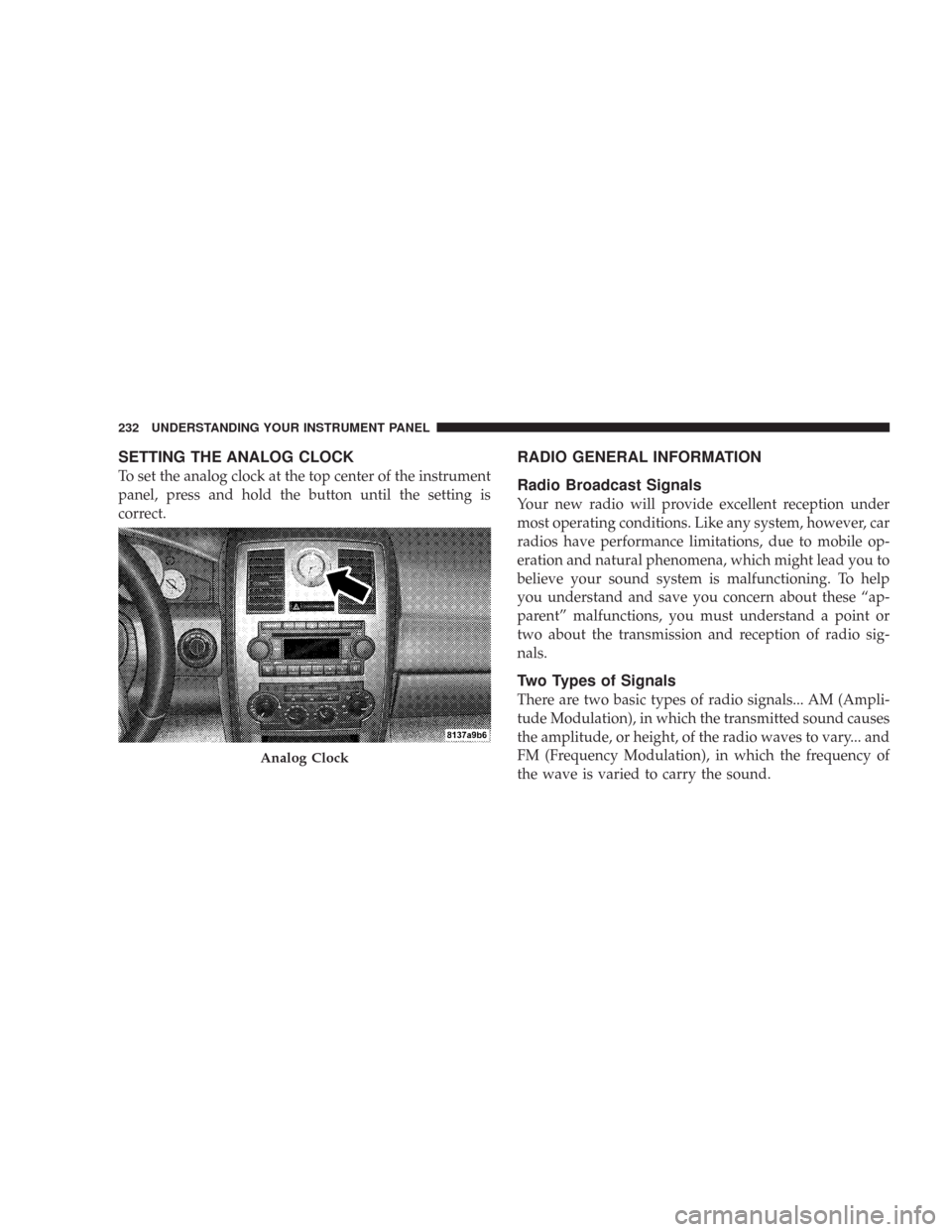
SETTING THE ANALOG CLOCK
To set the analog clock at the top center of the instrument
panel, press and hold the button until the setting is
correct.
RADIO GENERAL INFORMATION
Radio Broadcast Signals
Your new radio will provide excellent reception under
most operating conditions. Like any system, however, car
radios have performance limitations, due to mobile op-
eration and natural phenomena, which might lead you to
believe your sound system is malfunctioning. To help
you understand and save you concern about these “ap-
parent” malfunctions, you must understand a point or
two about the transmission and reception of radio sig-
nals.
Two Types of Signals
There are two basic types of radio signals... AM (Ampli-
tude Modulation), in which the transmitted sound causes
the amplitude, or height, of the radio waves to vary... and
FM (Frequency Modulation), in which the frequency of
the wave is varied to carry the sound.
Analog Clock
232 UNDERSTANDING YOUR INSTRUMENT PANEL
Page 234 of 520
Electrical Disturbances
Radio waves may pick up electrical disturbances during
transmission. They mainly affect the wave amplitude,
and thus remain a part of the AM reception. They
interfere very little with the frequency variations that
carry the FM signal.
AM Reception
AM sound is based on wave amplitude, so AM reception
can be disrupted by such things as lightning, power lines
and neon signs.
FM Reception
Because FM transmission is based on frequency varia-
tions, interference that consists of amplitude variations
can be filtered out, leaving the reception relatively clear,
which is the major feature of FM radio.NOTE:For vehicles not equipped with the Electronic
Vehicle Information Center (EVIC), the radio, steering
wheel radio controls (if equipped), and 6 disc CD/DVD
changer (if equipped) will remain active for 10 minutes
after the ignition switch is turned off. Opening either
front door will cancel this feature.
NOTE:For vehicles equipped with the Electronic Ve-
hicle Information Center (EVIC), the radio, steering
wheel radio controls (if equipped), and 6 disc CD/DVD
changer (if equipped) will remain active for up to 60
minutes after the ignition switch is turned off. Opening
either front door will cancel this feature. The time is
programmable. For details, refer to “Delay Power Off to
Accessories Until Exit,” under “Personal Settings (Cus-
tomer Programmable Features),” under “Electronic Ve-
hicle Information Center (EVIC)” in Section 4 of this
manual.
UNDERSTANDING YOUR INSTRUMENT PANEL 233
4
Page 296 of 520

STARTING AND OPERATING
CONTENTS
\1Starting Procedures.....................299
\3Automatic Transmission................300
\3Normal Starting (Tip Start)..............301
\3Extremely Cold Weather
(Below\120°F Or\129°C)................301
\3If Engine Fails To Start.................302
\3After Starting........................303
\1Engine Block Heater — If Equipped.........303
\1Automatic Transmission..................303\3Automatic Transmission —
General Information...................304
\3Brake/Transmission Shift Interlock System . . . 306
\34 Speed Automatic Transmission..........307
\35 Speed Automatic Transmission..........312
\1AutoStick\2— If Equipped................318
\3AutoStick\2Operation..................318
\1All Wheel Drive — If Equipped............319
\1Driving On Slippery Surfaces..............319
5
Page 301 of 520

Automatic Transmission
The gear selector must be in the “N” (Neutral) or “P”
(Park) position before you can start the engine. Apply the
brakes before shifting into any driving gear.CAUTION!
Damage to the transmission may occur if the follow-
ing precautions are not observed:
•Shift into PARK only after the vehicle has come to
a complete stop.
•Shift into or out of REVERSE only after the
vehicle has come to a complete stop and the engine
is at idle speed.
•Do not shift from REVERSE, PARK, or NEUTRAL
into any forward gear when the engine is above
idle speed.
•Before shifting into any gear, make sure your foot
is firmly on the brake pedal.
300 STARTING AND OPERATING