key CHRYSLER 300 LX 2005 Owner's Manual
[x] Cancel search | Manufacturer: CHRYSLER, Model Year: 2005, Model line: 300 LX, Model: CHRYSLER 300 LX 2005Pages: 374, PDF Size: 7.09 MB
Page 80 of 374

Ð If Equipped. Refer to ªPersonal Settingsº in the
Electronic Vehicle Information Center section of this
manual for details.
Phone and Network Status Indicators
The UConnectŸ system will provide notification to
inform you if your cellular phone is in roaming status,
has low signal strength, or has a low battery when you
are trying to place a phone call.
Dialing Using the Cellular Phone Keypad
You can dial a phone number with your cellular phone
keypad and still use the UConnectŸ system (while
dialing via the cell phone keypad, the user must exercise
caution and take precautionary safety measures). By
dialing a number with your paired BluetoothŸ cellular
phone, the audio will be played through your vehicle's
audio system. The UConnectŸ system will work the
same as if you dial the number using voice recognition.
NOTE:Certain brands of mobile phones do not send
the dial ring to the UConnectŸ system to play it on the
vehicle audio system, so you will not hear it. Under this
situation, after successfully dialing a number, the usermay feel that the call did not go through even though the
call is in progress. Once your call is answered, you will
hear the audio.
Mute/Un-mute (Mute off)
When you mute the UConnectŸ system, you will still be
able to hear the conversation coming from the other
party, but the other party will not be able to hear you. In
order to mute the UConnectŸ system:
²Press the 'Voice Recognition' button.
²After the9Ready9prompt and the following beep, say
9Mute.9
In order to un-mute the UConnectŸ system:
²Press the 'Voice Recognition' button.
²After the9Ready9prompt and the following beep, say
9Mute-off.9
Information Service
When using AT&T Wireless Service, dialing to phone
number9#121,9you can access voice activated automated
system to receive news, weather, stocks, traffic, etc.
related information.
80 UNDERSTANDING THE FEATURES OF YOUR VEHICLE
ProCarManuals.com
Page 84 of 374
Bluetooth Communication Link
Cellular phones have been found to occasionally loose
connection to the UConnectŸ system. When this hap-
pens, the connection can generally be re-established by
switching the phone off/on. Your cell phone is recom-
mended to remain in Bluetooth9on9mode.
Reset
In rare instances, it may be necessary to reset the UCon-
nectŸ system. The reset feature is exercised by pressingand holding the 'UConnectŸ ' and 'Voice Recognition'
buttons simultaneously for 15 seconds. Normally, you do
not need to exercise this feature.
Power-Up
After switching ignition key from LOCK to either ON or
ACC position, or after a reset, you must wait at least five
(5) seconds prior to using the system.
84 UNDERSTANDING THE FEATURES OF YOUR VEHICLE
ProCarManuals.com
Page 94 of 374
2. Press and release the Set (S) button on the memory
seat switch, then press button 1 within 5 seconds. The
radio display will show which memory position is being
set.
3. A second memory profile can also be stored in the
vehicle memory. Begin by pressing 2 on the memory
switch for driver 2. Adjust settings to desired positions,
press Set (S) button, then press button 2 within 5 seconds.
Each time the Set and a numbered button are pressed, the
old memory is erased, and a new one is stored.
NOTE:Memory positions can be set without the ve-
hicle in Park, but the vehicle must be in Park to recall a
memory position. The Recall Memory with Remote Key
Unlock feature must be turned on using the Electronic
Vehicle Information Center (EVIC). Refer to Electronic
Vehicle Information Center in this manual for details.
Programming the Remote Keyless Transmitter for
the Memory Feature
Your remote transmitter can be programmed to return to
a memory profile when the Unlock button is pressed and
released.To program your transmitters, perform the following:
1. Insert the key into the ignition and turn the key to the
Run position.
2. Select desired memory profile 1 or 2.
3. Press and release the Set (S) button on the memory
seat switch, then press and release button 1 or 2.
9Memory Profile Setº (1or 2) will be displayed in the
instrument cluster on vehicles equipped with the Elec-
tronic Vehicle Information Center.
4. Press and release the Lock button on the transmitter
within 10 seconds.
NOTE:Your transmitters may be unlinked to your
memory settings by pressing the Unlock button on the
transmitter in step 4 above. On vehicles equipped with an
Electronic Vehicle Information Center (Optional), these
functions can be selected at the EVIC using the Personal
Settings (Customer Programmable Features). Refer to
Electronic Vehicle Information Center Ð ªPersonal Set-
tingsº for details. When newly purchased (or replace-
ment) transmitters are programmed into the vehicle, the
first transmitter trained will be associated with memory
94 UNDERSTANDING THE FEATURES OF YOUR VEHICLE
ProCarManuals.com
Page 95 of 374
setting 1, and the second transmitter trained will be
associated with memory setting 2. Additional transmit-
ters will not be associated with a memory setting.
Driver's Seat Glide ±To ± Exit Feature Ð If
Equipped
This feature provides ease of entry and exit for the driver
by moving the driver's seat approximately 2±1/8 inches
(55mm) rearward on exit and the same distance forward
after entry, provided that the seat is not in the full
rearward position.
After entry, the seat will return to its previously set
position after one of the following occurs:
²The ignition switch is turned on
²The seatbelt is fastened (the seat moves when the seat
belt buckle is buckled.)
The seat moves when the seat belt buckle is buckled.This feature can be turned off by performing the follow-
ing procedure:
1. Press and hold the Set (S) button on the memory seat
switch (located on the driver's door panel).
2. Move the horizontal seat switch rearward.
3. Release the Set (S) button and the horizontal seat
switch.
During exit, the seat will move rearward from the set
position when the key is removed from the ignition
providing that the seat is not in the full rearward
position.
This feature can be turned on or off by performing the
following procedure.
1. Press and hold the Set (S) button.
2. Move the horizontal seat switch rearward.
UNDERSTANDING THE FEATURES OF YOUR VEHICLE 95
3
ProCarManuals.com
Page 98 of 374
ADJUSTABLE PEDALS Ð IF EQUIPPED
This feature allows both the brake and accelerator pedals
to move toward or away from the driver to provide
improved position with the steering wheel. The adjust-
able pedal system is designed to allow a greater range of
driver comfort for steering wheel tilt and seat position.
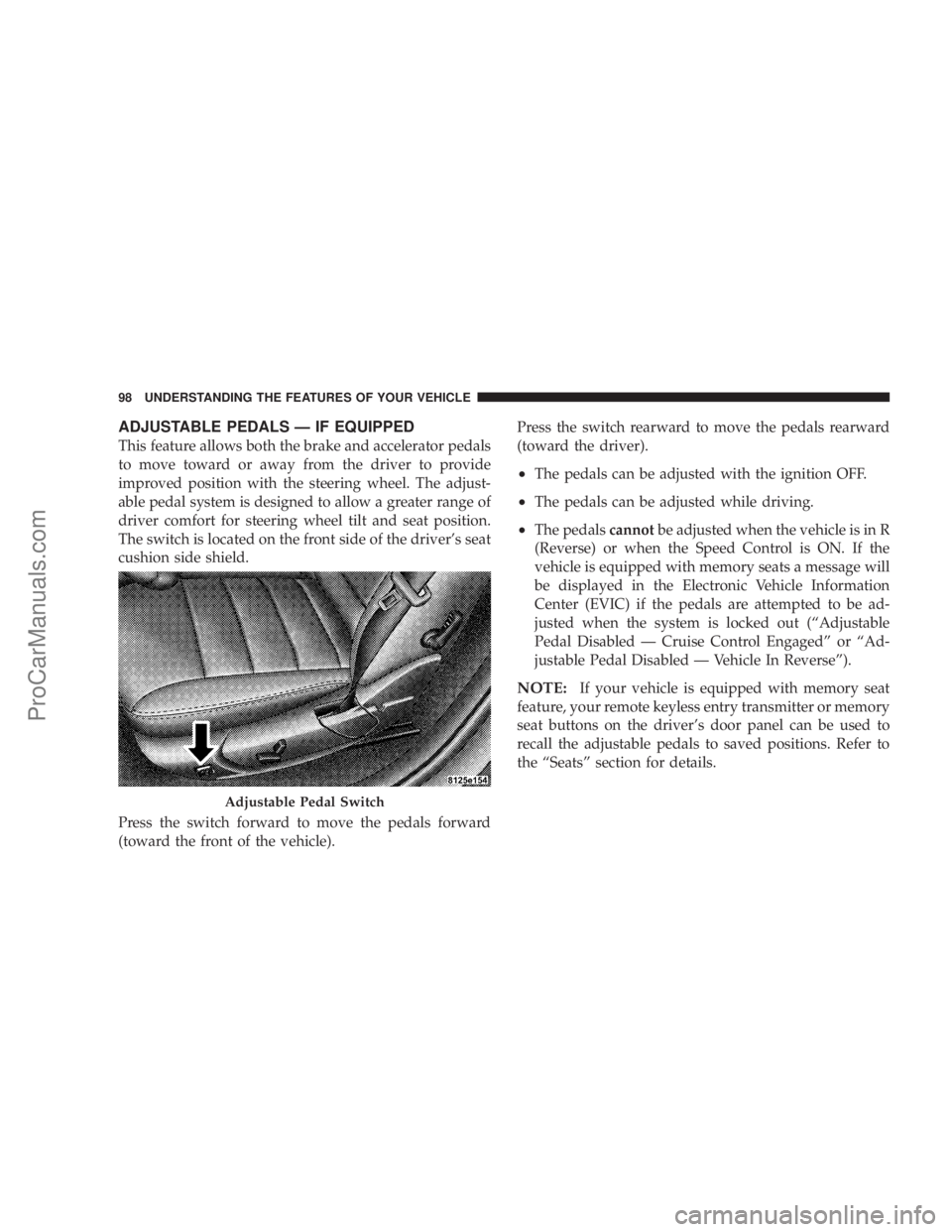
The switch is located on the front side of the driver's seat
cushion side shield.
Press the switch forward to move the pedals forward
(toward the front of the vehicle).Press the switch rearward to move the pedals rearward
(toward the driver).
²The pedals can be adjusted with the ignition OFF.
²The pedals can be adjusted while driving.
²The pedalscannotbe adjusted when the vehicle is in R
(Reverse) or when the Speed Control is ON. If the
vehicle is equipped with memory seats a message will
be displayed in the Electronic Vehicle Information
Center (EVIC) if the pedals are attempted to be ad-
justed when the system is locked out (ªAdjustable
Pedal Disabled Ð Cruise Control Engagedº or ªAd-
justable Pedal Disabled Ð Vehicle In Reverseº).
NOTE:If your vehicle is equipped with memory seat
feature, your remote keyless entry transmitter or memory
seat buttons on the driver's door panel can be used to
recall the adjustable pedals to saved positions. Refer to
the ªSeatsº section for details.
Adjustable Pedal Switch
98 UNDERSTANDING THE FEATURES OF YOUR VEHICLE
ProCarManuals.com
Page 110 of 374

NOTE:Note: If your vehicle is equipped with the
memory seat feature your remote keyless entry transmit-
ter or memory buttons on the driver's door panel can be
used to recall the steering column tilt and telescopic
positions. Refer to the ªSeatsºsection for details.WARNING!
Moving the steering column while the vehicle is
moving is dangerous. Without a stable steering col-
umn you could lose control of the vehicle and have
an accident. Adjust the column only while the ve-
hicle is stopped.
TRACTION CONTROL SYSTEM (TCS) Ð IF
EQUIPPED
WARNING!
TCS cannot prevent the natural laws of physics from
acting on the vehicle, nor can it increase the traction
afforded. The TCS cannot prevent accidents, includ-
ing those resulting from excessive speed in turns, or
hydroplaning. Only a safe, attentive, and skillful
driver can prevent accidents. The capabilities of a
TCS-equipped vehicle must never be exploited in a
reckless or dangerous manner which could jeopar-
dize the user's safety or the safety of others.
Power Tilt/Telescoping Steering
110 UNDERSTANDING THE FEATURES OF YOUR VEHICLE
ProCarManuals.com
Page 113 of 374

Once the brake pedal is released, the BAS is deactivated.
The yellow BAS malfunction indicator light
comes on with the key in the ignition switch
turned to the ªONº position. The light should
go out with the engine running. If the BAS
malfunction indicator light comes on continuously with
the engine running, a malfunction has been detected in
either the BAS or the ESP system. If this light stays
illuminated, have the BAS and ESP checked at your
authorized dealer as soon as possible.
The malfunction indicator lamp for the ESP is
combined with the BAS on some models. The
yellow BAS malfunction indicator light and the
yellow ESP warning light in the instrument
cluster both come on with the key in the ignition switch
turned to the ªONº position. They should go out with the
engine running. If the BAS/ESP malfunction indicator
light comes on continuously with the engine running, a
malfunction has been detected in either the BAS or the
ESP system. If this light stays illuminated, have the BAS
and ESP checked at your authorized dealer as soon as
possible.ELECTRONIC STABILITY PROGRAM (ESP)Ð IF
EQUIPPED
WARNING!
ESP cannot prevent the natural laws of physics from
acting on the vehicle, nor can it increase the traction
afforded. The ESP cannot prevent accidents, includ-
ing those resulting from excessive speed in turns, or
hydroplaning. Only a safe, attentive, and skillful
driver can prevent accidents. The capabilities of an
ESP-equipped vehicle must never be exploited in a
reckless or dangerous manner which could jeopar-
dize the user's safety or the safety of others.
The ESP enhances directional control and reduces driving
wheel spin of the vehicle under various driving condi-
tions. The system operates when the vehicle speed is
greater than 7.8 mph (12.6 km/h).
The ESP system corrects for over/understeering of the
vehicle by applying brakes to the appropriate wheel.
Engine torque is also limited.
UNDERSTANDING THE FEATURES OF YOUR VEHICLE 113
3
ProCarManuals.com
Page 115 of 374

CAUTION!
If the vehicle is towed with the front axle raised, the
engine must be shut off (key in the ignition switch to
the OFF/LOCK or ACC position). Otherwise the ESP
will immediately be engaged and will apply the rear
wheel brakes.
Synchronizing ESP
The malfunction indicator lamp for the ESP is
combined with the BAS on some models. If the
power supply was interrupted (battery discon-
nected or discharged), the ESP/BAS malfunc-
tion indicator light may be illuminated with the engine
running. Turn the steering wheel completely to the left
and then to the right. The ESP/BAS malfunction indica-
tor light should go out.
If the power supply was interrupted (battery
disconnected or discharged), the BAS malfunc-
tion indicator light may be illuminated with
the engine running. Turn the steering wheelcompletely to the left and then to the right. The BAS
malfunction indicator light should go out.
ELECTRONIC SPEED CONTROL
When engaged, this device takes over the accelerator
operation at speeds greater than 25 mph (40 km/h). The
speed control switch consists of a stalk mounted lever
located on the steering column.
Electronic Speed Control Lever
UNDERSTANDING THE FEATURES OF YOUR VEHICLE 115
3
ProCarManuals.com
Page 118 of 374
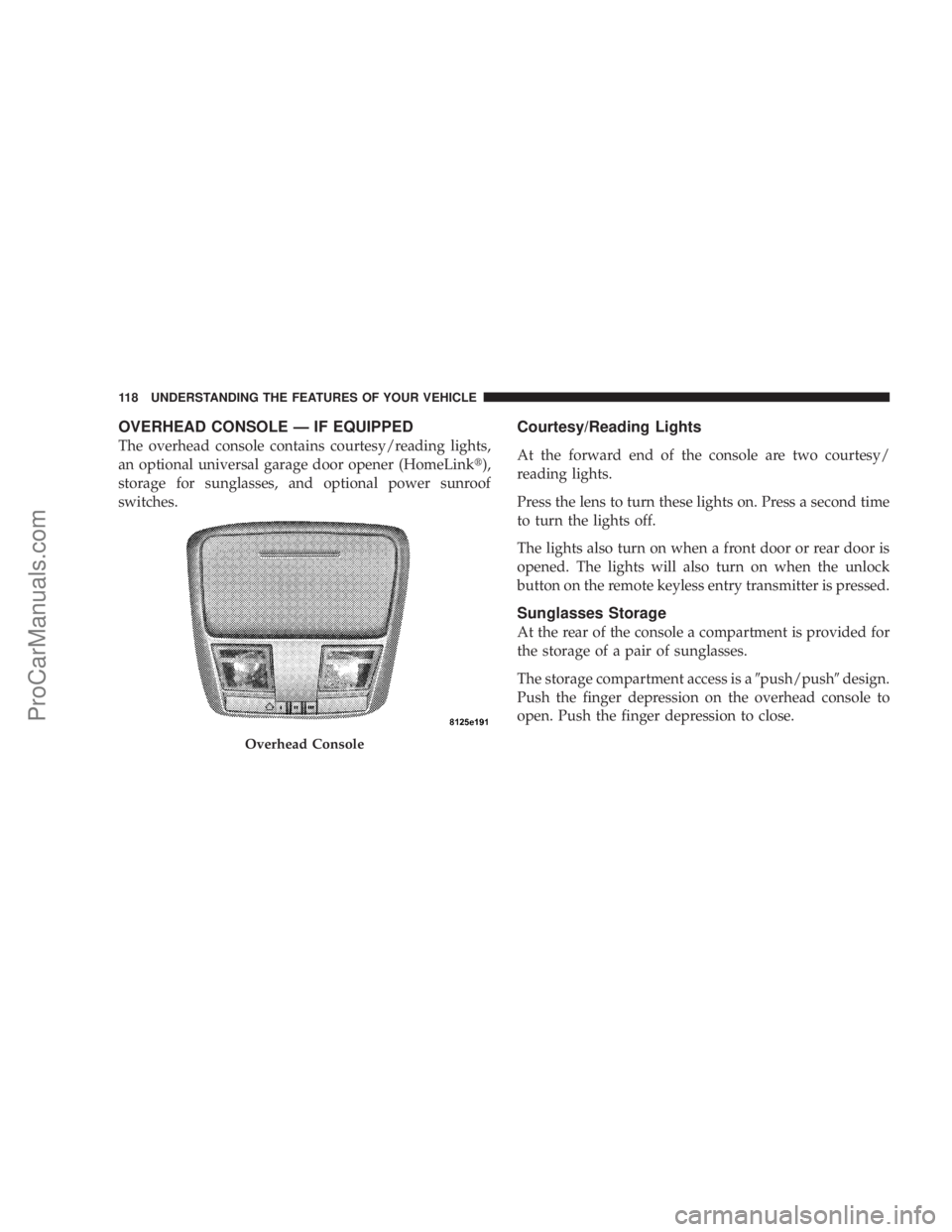
OVERHEAD CONSOLE Ð IF EQUIPPED
The overhead console contains courtesy/reading lights,
an optional universal garage door opener (HomeLinkt),
storage for sunglasses, and optional power sunroof
switches.
Courtesy/Reading Lights
At the forward end of the console are two courtesy/
reading lights.
Press the lens to turn these lights on. Press a second time
to turn the lights off.
The lights also turn on when a front door or rear door is
opened. The lights will also turn on when the unlock
button on the remote keyless entry transmitter is pressed.
Sunglasses Storage
At the rear of the console a compartment is provided for
the storage of a pair of sunglasses.
The storage compartment access is a9push/push9design.
Push the finger depression on the overhead console to
open. Push the finger depression to close.
Overhead Console
118 UNDERSTANDING THE FEATURES OF YOUR VEHICLE
ProCarManuals.com
Page 126 of 374
WARNING!
²Never leave children in a vehicle, with the keys in
the ignition switch. Occupants, particularly unat-
tended children, can become entrapped by the
power sunroof while operating the power sunroof
switch. Such entrapment may result in serious
injury or death.
²In an accident, there is a greater risk of being
thrown from a vehicle with an open sunroof. You
could also be seriously injured or killed. Always
fasten your seat belt properly and make sure all
passengers are properly secured too.
²Do not allow small children to operate the sun-
roof. Never allow fingers or other body parts, or
any object to project through the sunroof opening.
Injury may result.
Wind Buffeting
Wind buffeting can be described as the perception of
pressure on the ears or a helicopter type sound in the
ears. Your vehicle may exhibit wind buffeting with the
windows down, or the sunroof (if equipped) in certain
open or partially open positions. This is a normal occur-
rence and can be minimized. If the buffeting occurs with
the rear windows open, open the front and rear windows
together to minimize the buffeting. If the buffeting occurs
with the sunroof open, adjust the sunroof opening to
minimize the buffeting or open any window.
Sunroof Maintenance
Use only a non-abrasive cleaner and a soft cloth to clean
the glass panel.
126 UNDERSTANDING THE FEATURES OF YOUR VEHICLE
ProCarManuals.com