key CHRYSLER 300 LX 2005 User Guide
[x] Cancel search | Manufacturer: CHRYSLER, Model Year: 2005, Model line: 300 LX, Model: CHRYSLER 300 LX 2005Pages: 374, PDF Size: 7.09 MB
Page 21 of 374

To unlock the doors:
Press and release the UNLOCK button on the transmitter
once to unlock the driver's door, or twice to unlock all
doors. The turn signal lights will flash twice to acknowl-
edge the unlock signal. The illuminated entry system also
turns on.
The headlights will also activate and remain on for 90
seconds (programmable) when the doors are unlocked
using the remote keyless entry transmitter. The time for
this feature is programmable on vehicles equipped with
the Electronic Vehicle Information Center (EVIC). Refer
to ªTurn Headlamps on with Remote Key Unlockº under
ªPersonal Settingsº in the Electronic Vehicle Information
Center (EVIC) section of this manual for details.
NOTE:The system can also be programmed to unlock
all doors on the first press of the UNLOCK button. Refer
to ªRemote Unlock Driver's Door 1stº under ªPersonal
Settingsº in the Electronic Vehicle Information Center
(EVIC) section of this manual, or simply follow these
steps:
1. Press the UNLOCK button for 4 to 10 seconds.2. While the UNLOCK button is pressed, (after 4 sec-
onds) press the LOCK button. Release both buttons.
The ªRemote Unlock Driver's Door 1stº feature can be
reactivated by repeating this procedure.
To lock the doors:
Press and release the LOCK button on the transmitter to
lock all doors. The turn signal lights will flash once to
acknowledge the lock signal. The horn will chirp once to
acknowledge the signal. If desired, the ªSound Horn On
Lockº feature can be turned on and off by referring to
Personal Settings in the ªElectronic Vehicle Information
Center (EVIC)º section of this manual, or by following
these steps:
1. Press the LOCK button for 4 to 10 seconds.
2. While the LOCK button is pressed (after 4 seconds),
press the PANIC button. Release both buttons.
The ªSound Horn On Lockº feature can be reactivated by
repeating this procedure.
THINGS TO KNOW BEFORE STARTING YOUR VEHICLE 21
2
ProCarManuals.com
Page 23 of 374

The ªFlash Lights On Lock/Unlockº feature can be
reactivated by repeating this procedure.
General Information
This device complies with part 15 of the FCC rules and
RSS 210 of Industry Canada. Operation is subject to the
following conditions:
²This device may not cause harmful interference.
²This device must accept any interference received,
including interference that may cause undesired op-
eration.
If your Remote Keyless Entry transmitter fails to operate
from a normal distance, check for these two conditions.
1. A weak battery in the transmitter. The expected life of
the battery is a minimum of three years.
2. Closeness to a radio transmitter such as a radio station
tower, airport transmitter, and some mobile or CB radios.
Transmitter Battery Service
The recommended replacement battery is one CR2032
battery.
NOTE:Do not touch the battery terminals that are on
the back housing or the printed circuit board.
1. With the transmitter buttons facing down, remove the
small screw, and separate the two halves of the transmit-
ter. Make sure not to damage the rubber gasket during
removal.
THINGS TO KNOW BEFORE STARTING YOUR VEHICLE 23
2
ProCarManuals.com
Page 24 of 374
2. Remove and replace the battery. Avoid touching the
new battery with your fingers. Skin oils may cause
battery deterioration. If you touch a battery, clean it with
rubbing alcohol.
3. To reassemble the transmitter case, join the two halves
of the case together. Install and tighten the screw until
snug. Make sure there is an even ªgapº between the two
halves. Test transmitter operation.
VEHICLE THEFT ALARM Ð IF EQUIPPED
This system monitors the vehicle doors and ignition
switch for unauthorized entry or operation. When the
alarm is activated, the system provides both audible and
visual signals. The horn will pulse, headlights/park
lights will flash, the Vehicle Theft Alarm/Immobilizer
light, located on the instrument panel below the Elec-
tronic Vehicle Information Center buttons will flash, and
the vehicle will not start. If the alarm is triggered and no
action is taken to disarm it, the system will turn off the
horn after three minutes and after 15 minutes of light
only operation the system will then rearm itself.To arm the system:Remove the key from the ignition
switch and either:
1. Press a power door lock switch while the driver's or
passenger's door is open.
2. Press the LOCK button on the keyless entry transmit-
ter.
After the last door is closed, or if all doors are closed, the
system will arm itself in about 16 seconds. During that
time, the Vehicle Theft Alarm/Immobilizer light will
flash. If it does not illuminate, the system is not arming.
If you open a door during this arming period, the system
will cancel the arming process. You must repeat one of
the previously described arming sequences to rearm the
system.
To disarm the system:Press the UNLOCK button on the
keyless entry transmitter. Also, using a valid sentry key
and moving the ignition switch to the ON/START posi-
tion will disarm the system. If something has triggered
the system in your absence, the horn will sound three
times when you disarm the system. Check the vehicle for
tampering.
24 THINGS TO KNOW BEFORE STARTING YOUR VEHICLE
ProCarManuals.com
Page 25 of 374
NOTE:
²
The driver's door key cylinder and the trunk button on
the keyless entry transmitter cannot arm or disarm the
system.
²The system remains armed during trunk entry. Press-
ing the trunk button will not disarm the system. If
someone enters the vehicle through the trunk and
opens any door the alarm will sound.
²When the system is armed, the doors can not be
unlocked from the interior power door lock switches.
The Vehicle Theft Alarm system is designed to protect
your vehicle, however, you can create conditions where
the system will give you a false alarm. If one of the
previously described arming sequences has occurred, the
system will arm regardless of whether you are in the
vehicle or not. If you remain in the vehicle and open a
door, the alarm will sound. If this occurs, disarm the
system.
The alarm system will be activated when the battery is
connected if the system was previously armed. Theexterior lights will flash, the horn will sound, and the
ignition will not start the vehicle. If this occurs, disarm
the system.
WINDOWS
Power Windows
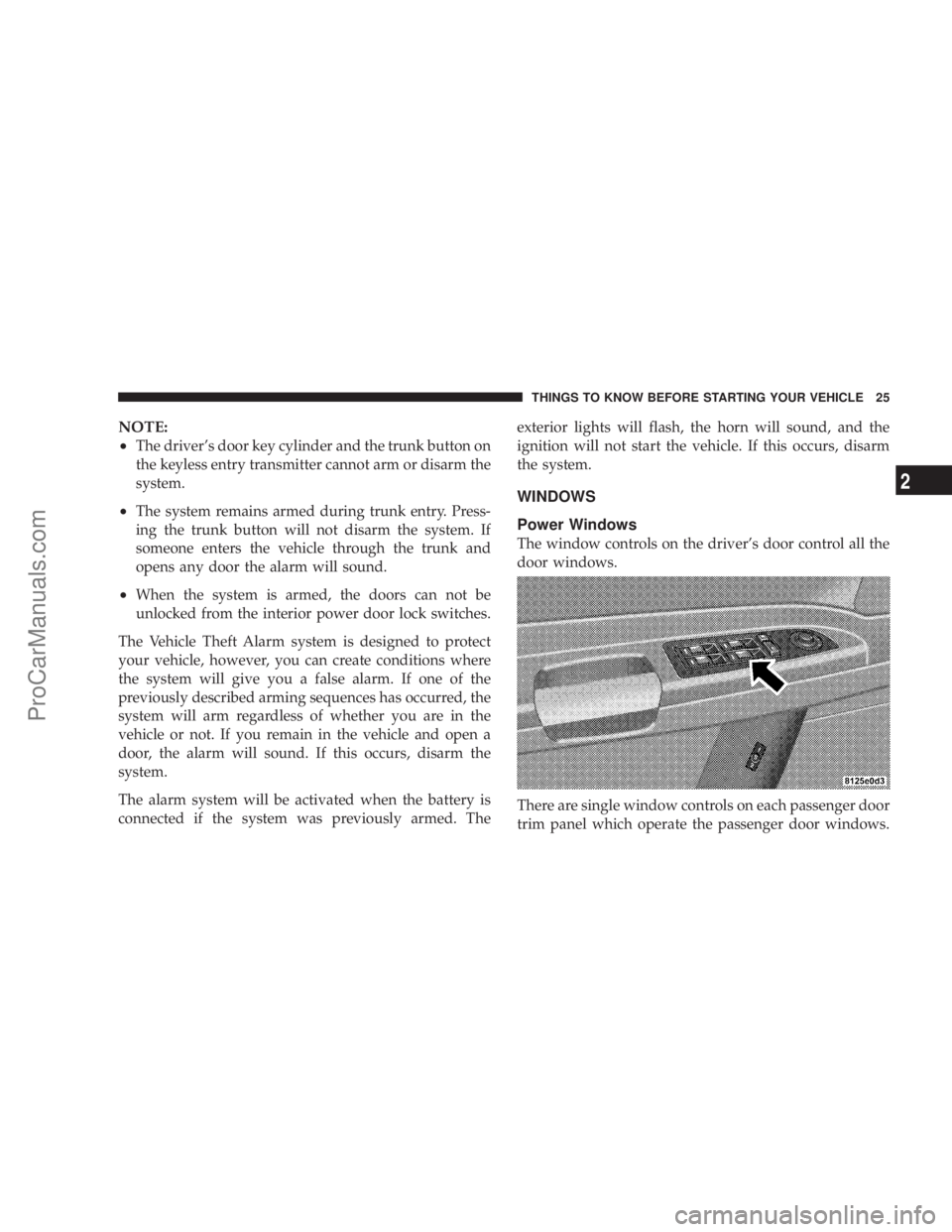
The window controls on the driver's door control all the
door windows.
There are single window controls on each passenger door
trim panel which operate the passenger door windows.
THINGS TO KNOW BEFORE STARTING YOUR VEHICLE 25
2
ProCarManuals.com
Page 28 of 374

TRUNK LOCK AND RELEASE
Use the Remote Keyless Entry Transmitter to open the
trunk from outside the vehicle. The trunk lid can be
released from inside the vehicle by pressing the Trunk
Release Button located on the instrument panel to the left
of the steering wheel. The transmission must be in Park
before the switch will operate.With the ignition ON, the trunk open symbol will be
displayed in the instrument cluster indicating that the
trunk is open. The odometer display will reappear once
the trunk is closed.
With the key in lock position or key out, the trunk open
symbol will be displayed until the trunk is closed.
TRUNK SAFETY WARNING
WARNING!
Do not allow children to have access to the trunk,
either by climbing into the trunk from outside, or
through the inside of the vehicle. Always close the
trunk lid when your vehicle is unattended. Once in
the trunk, young children may not be able to escape,
even if they entered through the rear seat. If trapped
in the trunk, children can die from suffocation or
heat stroke.
28 THINGS TO KNOW BEFORE STARTING YOUR VEHICLE
ProCarManuals.com
Page 41 of 374
The side curtain airbag system, on vehicles so equipped,
consists of the following:
²Airbag Control Module
²AIRBAGReadiness Light
²Left and Right Side Curtain Airbags Above Side
Windows
²Left and Right Side Impact Sensors
²Interconnection Wiring
How The Airbag System Works
²
The airbag control module determines if a frontal
collision is severe enough to require the airbags to
inflate. The control module receives the level of colli-
sion severity, determines the proper level of airbag to
be deployed. The frontal airbag inflators are designed
to provide three different rates of airbag inflation.
²The airbag control module will not detect a rollover.
²The airbag control module also monitors the readiness
of the electronic parts of the system whenever the
ignition switch is in the START or ON positions. Theseinclude all of the items listed above except the knee
bolster, the instrument panel, and the steering wheel
and column. If the key is in the ªLOCKº position, in
the ACC position, or not in the ignition, the airbags are
not on and will not inflate.
²The airbag control module also turns on the
AIRBAGlight, and thePassenger Airbag
Disable (PAD) Indicator Lightin the instru-
ment panel for 6 to 8 seconds when the
ignition is first turned on, then turns the light off. If it
detects a malfunction in any part of the system, it turns
on the light either momentarily or continuously.
WARNING!
Ignoring the AIRBAG light in your instrument panel
could mean you won't have the airbags to protect
you in a collision. If the light does not come on, stays
on after you start the vehicle, or if it comes on as you
drive, have the airbag system checked right away.
THINGS TO KNOW BEFORE STARTING YOUR VEHICLE 41
2
ProCarManuals.com
Page 43 of 374
²As the airbags deflate you may see some smoke-like
particles. The particles are a normal by-product of the
process that generates the nontoxic gas used for airbag
inflation. These airborne particles may irritate the skin,
eyes, nose, or throat. If you have skin or eye irritation,
rinse the area with cool water. For nose or throat
irritation, move to fresh air. If the irritation continues,
see your doctor. If these particles settle on your
clothing, follow the garment manufacturer's instruc-
tions for cleaning.
²It is not advisable to drive your vehicle after the
airbags have been deployed. If you are involved in
another collision, the airbags will not be in place to
protect you.
WARNING!
Deployed airbags can't protect you in another colli-
sion. Have the airbags replaced by an authorized
dealer as soon as possible.
Enhanced Accident Response Feature
If the airbags deploy after an impact and the electrical
system remains functional, vehicles equipped with
power door locks will unlock automatically. In addition,
approximately 5 seconds after the vehicle has stopped
moving, the interior lights will illuminate to aid visibility.
NOTE:The interior lights can only be deactivated if the
key is removed from the ignition switch or the vehicle is
driven.
Side Airbag System
The airbag control module determines if a side collision is
severe enough to require the airbag to inflate. The control
module receives the level of collision severity from the
side impact sensors. The airbag control module will not
detect rollover or rear impacts.
The side impact SRS Airbags are designed to activate
only in certain side collisions. When the airbag control
module detects a collision requiring the side curtain
airbags to inflate, it signals the inflators on the crash side
of the vehicle. A quantity of nontoxic gas is generated to
inflate the side curtain airbags. The inflating side curtain
airbag pushes the outside edge of the headliner out of the
THINGS TO KNOW BEFORE STARTING YOUR VEHICLE 43
2
ProCarManuals.com
Page 62 of 374
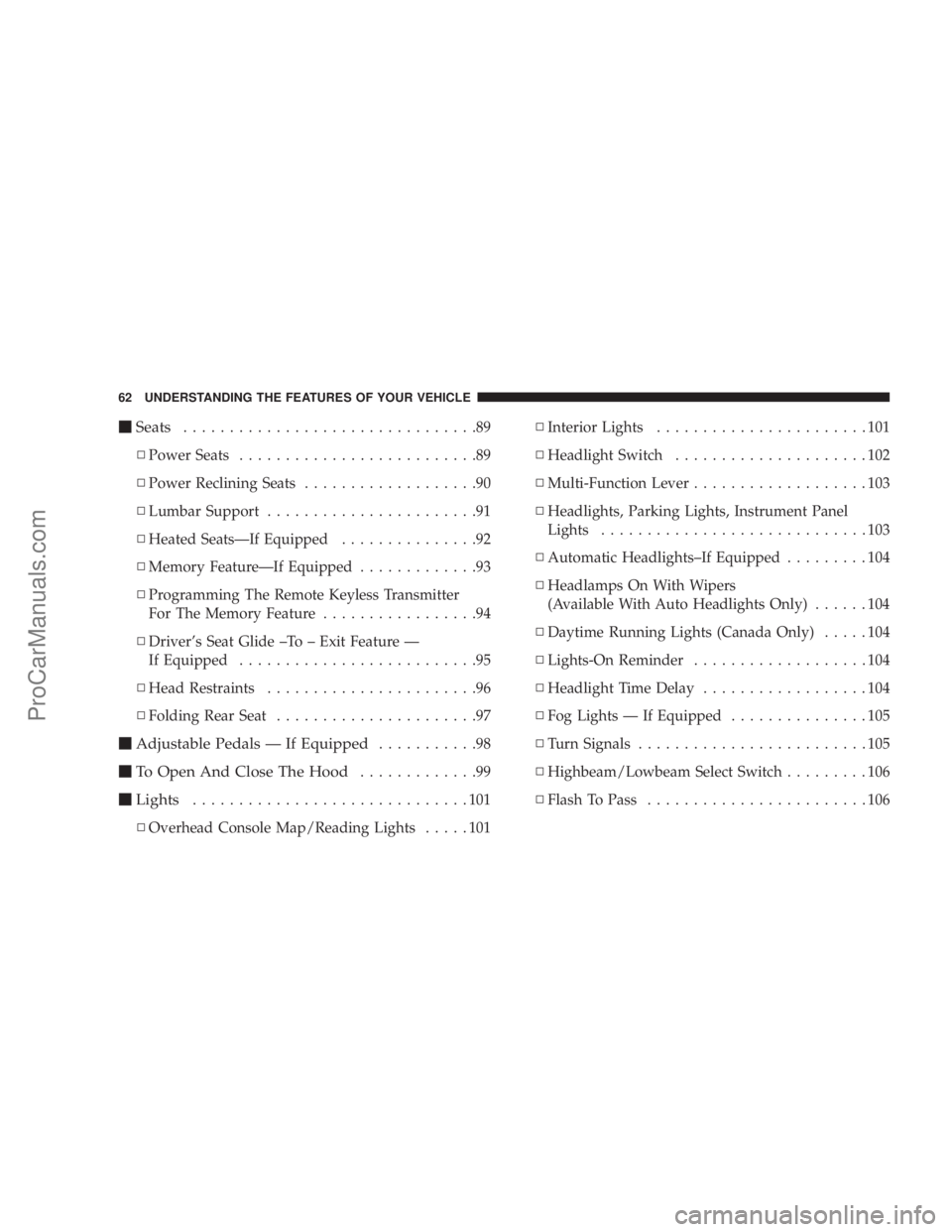
mSeats................................89
NPower Seats..........................89
NPower Reclining Seats...................90
NLumbar Support.......................91
NHeated SeatsÐIf Equipped...............92
NMemory FeatureÐIf Equipped.............93
NProgramming The Remote Keyless Transmitter
For The Memory Feature.................94
NDriver's Seat Glide ±To ± Exit Feature Ð
If Equipped..........................95
NHead Restraints.......................96
NFolding Rear Seat......................97
mAdjustable Pedals Ð If Equipped...........98
mTo Open And Close The Hood.............99
mLights..............................101
NOverhead Console Map/Reading Lights.....101NInterior Lights.......................101
NHeadlight Switch.....................102
NMulti-Function Lever...................103
NHeadlights, Parking Lights, Instrument Panel
Lights.............................103
NAutomatic Headlights±If Equipped.........104
NHeadlamps On With Wipers
(Available With Auto Headlights Only)......104
NDaytime Running Lights (Canada Only).....104
NLights-On Reminder...................104
NHeadlight Time Delay..................104
NFog Lights Ð If Equipped...............105
NTurn Signals.........................105
NHighbeam/Lowbeam Select Switch.........106
NFlash To Pass........................106
62 UNDERSTANDING THE FEATURES OF YOUR VEHICLE
ProCarManuals.com
Page 77 of 374
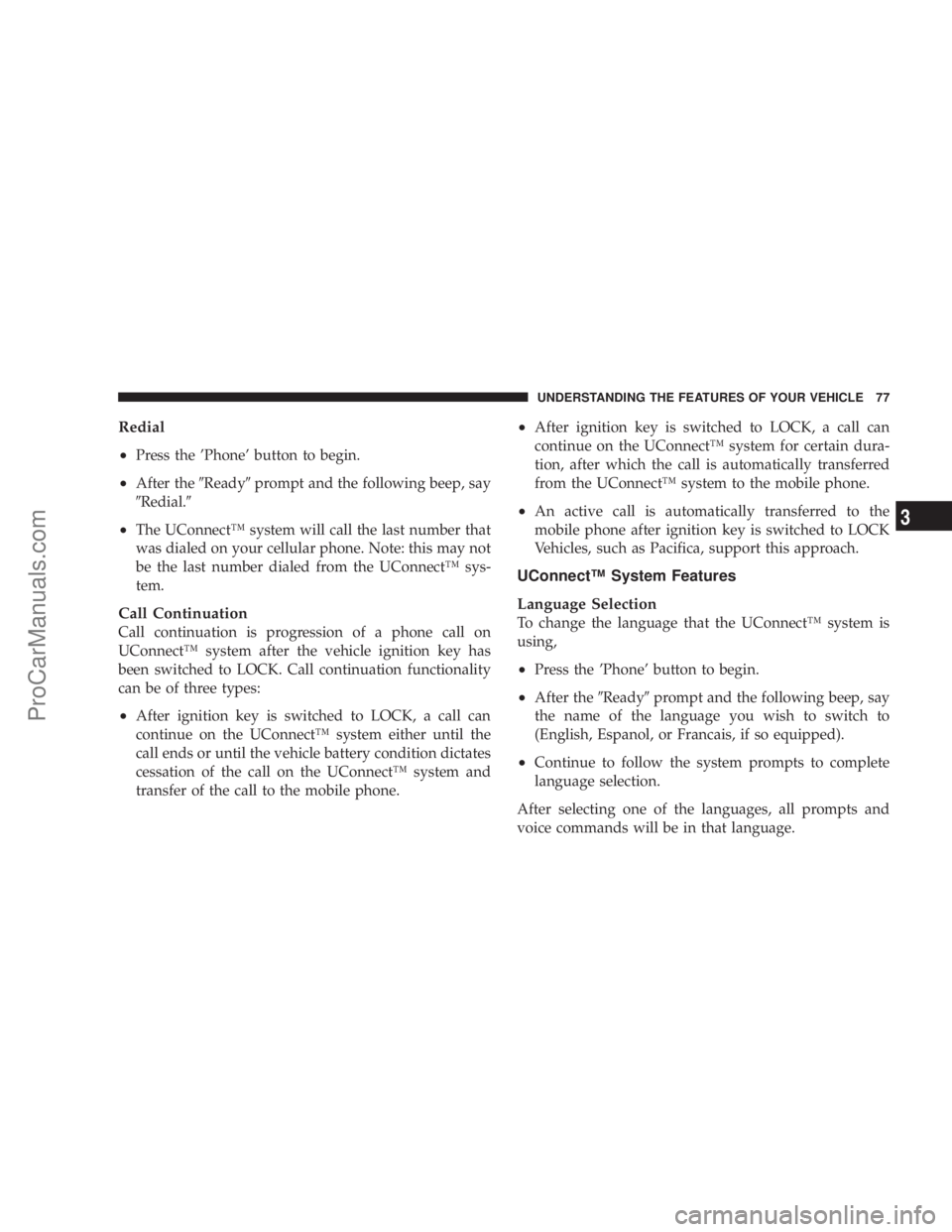
Redial
²
Press the 'Phone' button to begin.
²After the9Ready9prompt and the following beep, say
9Redial.9
²The UConnectŸ system will call the last number that
was dialed on your cellular phone. Note: this may not
be the last number dialed from the UConnectŸ sys-
tem.
Call Continuation
Call continuation is progression of a phone call on
UConnectŸ system after the vehicle ignition key has
been switched to LOCK. Call continuation functionality
can be of three types:
²After ignition key is switched to LOCK, a call can
continue on the UConnectŸ system either until the
call ends or until the vehicle battery condition dictates
cessation of the call on the UConnectŸ system and
transfer of the call to the mobile phone.
²After ignition key is switched to LOCK, a call can
continue on the UConnectŸ system for certain dura-
tion, after which the call is automatically transferred
from the UConnectŸ system to the mobile phone.
²An active call is automatically transferred to the
mobile phone after ignition key is switched to LOCK
Vehicles, such as Pacifica, support this approach.
UConnectŸ System Features
Language Selection
To change the language that the UConnectŸ system is
using,
²Press the 'Phone' button to begin.
²After the9Ready9prompt and the following beep, say
the name of the language you wish to switch to
(English, Espanol, or Francais, if so equipped).
²Continue to follow the system prompts to complete
language selection.
After selecting one of the languages, all prompts and
voice commands will be in that language.
UNDERSTANDING THE FEATURES OF YOUR VEHICLE 77
3
ProCarManuals.com
Page 79 of 374
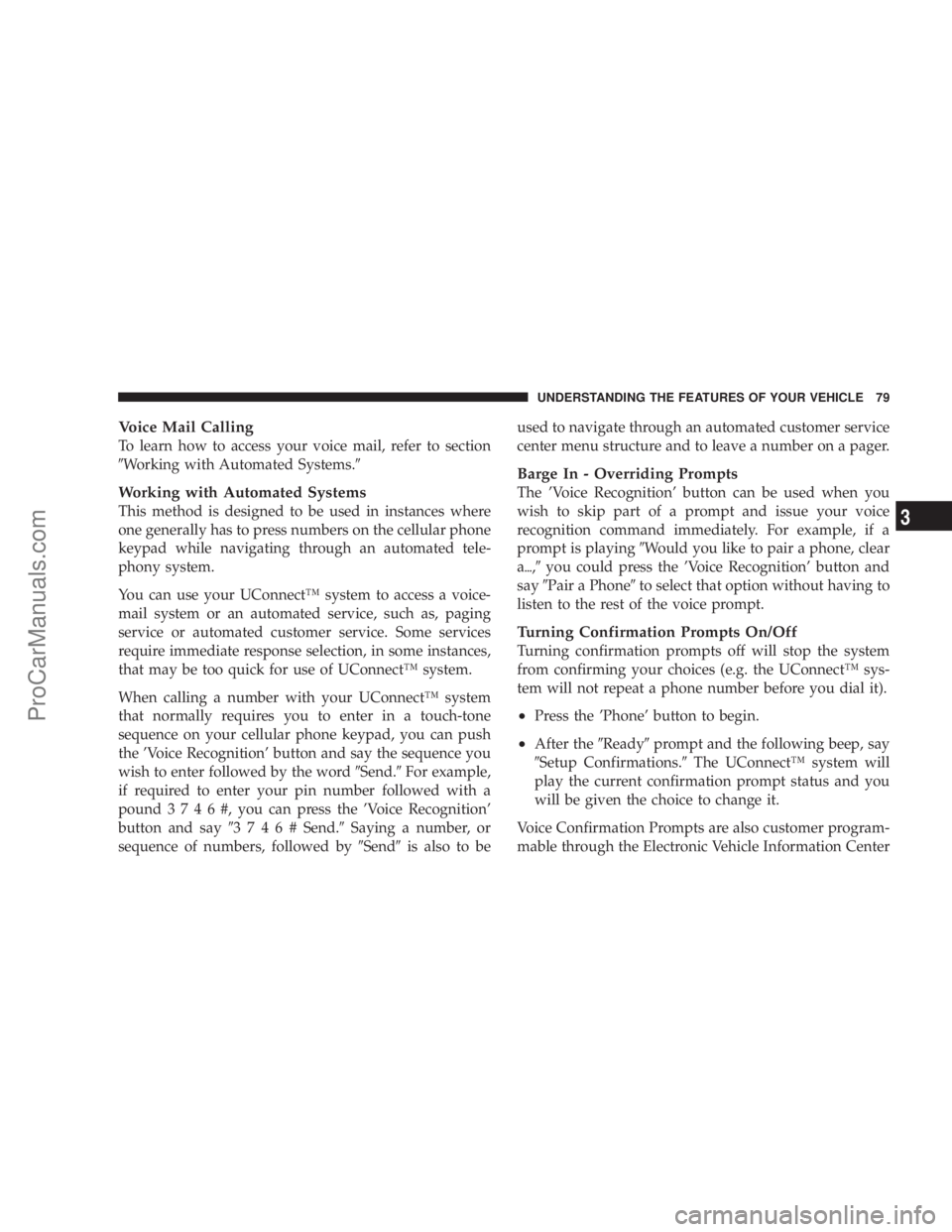
Voice Mail Calling
To learn how to access your voice mail, refer to section
9Working with Automated Systems.9
Working with Automated Systems
This method is designed to be used in instances where
one generally has to press numbers on the cellular phone
keypad while navigating through an automated tele-
phony system.
You can use your UConnectŸ system to access a voice-
mail system or an automated service, such as, paging
service or automated customer service. Some services
require immediate response selection, in some instances,
that may be too quick for use of UConnectŸ system.
When calling a number with your UConnectŸ system
that normally requires you to enter in a touch-tone
sequence on your cellular phone keypad, you can push
the 'Voice Recognition' button and say the sequence you
wish to enter followed by the word9Send.9For example,
if required to enter your pin number followed with a
pound3746#,youcanpressthe'Voice Recognition'
button and say93746#Send.9Saying a number, or
sequence of numbers, followed by9Send9is also to beused to navigate through an automated customer service
center menu structure and to leave a number on a pager.
Barge In - Overriding Prompts
The 'Voice Recognition' button can be used when you
wish to skip part of a prompt and issue your voice
recognition command immediately. For example, if a
prompt is playing9Would you like to pair a phone, clear
a{,9you could press the 'Voice Recognition' button and
say9Pair a Phone9to select that option without having to
listen to the rest of the voice prompt.
Turning Confirmation Prompts On/Off
Turning confirmation prompts off will stop the system
from confirming your choices (e.g. the UConnectŸ sys-
tem will not repeat a phone number before you dial it).
²Press the 'Phone' button to begin.
²After the9Ready9prompt and the following beep, say
9Setup Confirmations.9The UConnectŸ system will
play the current confirmation prompt status and you
will be given the choice to change it.
Voice Confirmation Prompts are also customer program-
mable through the Electronic Vehicle Information Center
UNDERSTANDING THE FEATURES OF YOUR VEHICLE 79
3
ProCarManuals.com