ignition CHRYSLER 300 LX 2005 Repair Manual
[x] Cancel search | Manufacturer: CHRYSLER, Model Year: 2005, Model line: 300 LX, Model: CHRYSLER 300 LX 2005Pages: 374, PDF Size: 7.09 MB
Page 187 of 374
Operating Instructions - Video Entertainment
System (VES) (if equipped)
Refer to separate Video Entertainment System (VES)
Guide.
SATELLITE RADIO Ð IF EQUIPPED
Satellite radio uses direct satellite to receiver broadcast-
ing technology to provide clear digital sound, coast to
coast. The subscription service provider is SiriusŸ Satel-
lite Radio. This service offers up to 100 channels of music,
sports, news, entertainment, and programming for chil-
dren, directly from its satellites and broadcasting studios.
System Activation
To activate your Sirius Satellite Radio service, call the
toll-free number 888-539-7474, or visit the Sirius web site
at www.sirius.com. Please have the following informa-
tion available when activating your system:
1. The Electronic Serial Number/Sirius Identification
Number (ESN/SID).
2. Credit card information.
3. Your Vehicle Identification Number.
Electronic Serial Number/Sirius Identification
Number (ENS/SID)
The Electronic Serial Number/Sirius Identification Num-
ber is needed to activate your Sirius Satellite Radio
system. To access the ESN/SID, refer to the following
steps:
ESN/SID Access With REF Radios
With the ignition switch in the ACCESSORY position and
the radio OFF, press the CD Eject and Time buttons
simultaneously for 3 seconds. The first four digits of the
twelve-digit ESN/SID number will be displayed. Press
the SEEK UP button to display the next four digits.
Continue to press the SEEK UP button until all twelve
ESN/SID digits have been displayed. The SEEK DOWN
will page down until the first four digits are displayed.
The radio will exit the ESN/SID mode when any other
button is pushed, the ignition is turned OFF, or 5 minutes
has passed since any button was pushed.
ESN/SID Access With RAQ and RAK Radios
With the ignition switch in the ACCESSORY position and
the radio OFF, press the CD Eject and TIME buttons
UNDERSTANDING YOUR INSTRUMENT PANEL 187
4
ProCarManuals.com
Page 188 of 374
simultaneously for 3 seconds. All twelve ESN/SID num-
bers will be displayed. The radio will exit the ESN/SID
mode when any other button is pushed, the ignition is
turned OFF, or 5 minutes has passed since any button
was pushed.
Selecting Satellite Mode in REF, RAQ, and RAK
Radios
Selecting Satellite Mode Ð REF Radio
Press the MODE button repeatedly until the word9SAT9
appears in the display.
A CD may remain in the radio while in the Satellite radio
mode.
Selecting Satellite Mode Ð RAQ and RAK Radio
Press the MODE button repeatedly until the word9SAT9
appears in the display.
These radios will also display the current station name
and program type. For more information such as song
title and artist press the MSG or INFO button.
A CD or tape may remain in the radio while in the
Satellite radio mode.
Selecting a Channel
Press and release the SEEK or TUNE knob to search for
the next channel. Press the top of the button to search up
and the bottom of the button to search down. Holding the
TUNE button causes the radio to bypass channels until
the button is released.
Press and release the SCAN button (if equipped) to
automatically change channels every 7 seconds. The
radio will pause on each channel for 7 seconds before
moving on to the next channel. The word9SCAN9will
appear in the display between each channel change. Press
the SCAN button a second time to stop the search.
NOTE:Channels that may contain objectionable content
can be blocked. Contact Sirius Customer Care at 888-539-
7474 to discuss options for channel blocking or unblock-
ing. Please have your ESN/SID information available.
Storing and Selecting Pre-Set Channels
In addition to the 12 AM and 12 FM pre-set stations, you
may also commit 12 satellite stations to push button
memory. These satellite channel pre-set stations will not
erase any AM or FM pre-set memory stations. Follow the
memory pre-set procedures that apply to your radio.
188 UNDERSTANDING YOUR INSTRUMENT PANEL
ProCarManuals.com
Page 192 of 374

Two Types of Signals
There are two basic types of radio signals... AM or
Amplitude Modulation, in which the transmitted sound
causes the amplitude, or height, of the radio waves to
vary... and FM or Frequency Modulation, in which the
frequency of the wave is varied to carry the sound.
Electrical Disturbances
Radio waves may pick up electrical disturbances during
transmission. They mainly affect the wave amplitude,
and thus remain a part of the AM reception. They
interfere very little with the frequency variations that
carry the FM signal.
AM Reception
AM sound is based on wave amplitude, so AM reception
can be disrupted by such things as lightning, power lines
and neon signs.
FM Reception
Because FM transmission is based on frequency varia-
tions, interference that consists of amplitude variations
can be filtered out, leaving the reception relatively clear,
which is the major feature of FM radio.
NOTE:On vehicles so equipped the radio, steering
wheel radio controls and 6 disc CD/DVD changer if
equipped, will remain active for 10 minutes after the
ignition has been turned off, and the driver door has not
been opened. This feature is programmable through the
electronic vehicle information center (EVIC) Ð if
equipped. Refer to ªDelay Power Off to Accessories Until
Exitº under ªPersonal Settingsº in the Electronic Vehicle
Information Center section for details.
CASSETTE TAPE AND PLAYER MAINTENANCE
To keep the cassette tapes and player in good condition,
take the following precautions:
1. Do not use cassette tapes longer than C-90; otherwise,
sound quality and tape durability will be greatly dimin-
ished.
2. Keep the cassette tape in its case to protect from
slackness and dust when it is not in use.
3. Keep the cassette tape away from direct sunlight, heat
and magnetic fields such as the radio speakers.
192 UNDERSTANDING YOUR INSTRUMENT PANEL
ProCarManuals.com
Page 195 of 374
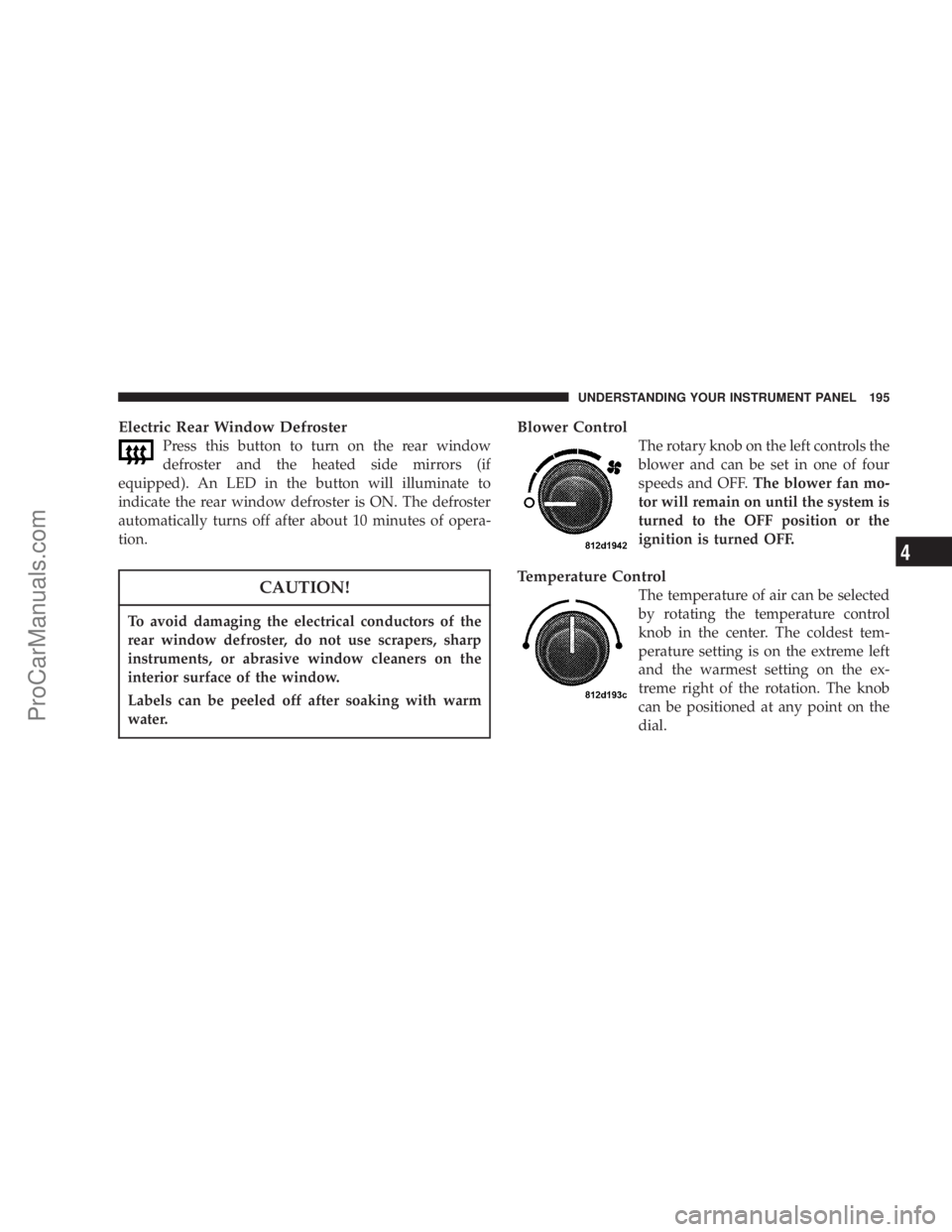
Electric Rear Window Defroster
Press this button to turn on the rear window
defroster and the heated side mirrors (if
equipped). An LED in the button will illuminate to
indicate the rear window defroster is ON. The defroster
automatically turns off after about 10 minutes of opera-
tion.
CAUTION!
To avoid damaging the electrical conductors of the
rear window defroster, do not use scrapers, sharp
instruments, or abrasive window cleaners on the
interior surface of the window.
Labels can be peeled off after soaking with warm
water.
Blower Control
The rotary knob on the left controls the
blower and can be set in one of four
speeds and OFF.The blower fan mo-
tor will remain on until the system is
turned to the OFF position or the
ignition is turned OFF.
Temperature Control
The temperature of air can be selected
by rotating the temperature control
knob in the center. The coldest tem-
perature setting is on the extreme left
and the warmest setting on the ex-
treme right of the rotation. The knob
can be positioned at any point on the
dial.
UNDERSTANDING YOUR INSTRUMENT PANEL 195
4
ProCarManuals.com
Page 210 of 374
WARNING!
It is dangerous to shift the selector lever out of ªPº or
ªNº if the engine speed is higher than idle speed. If
your foot is not firmly on the brake pedal, the
vehicle could accelerate quickly forward or in re-
verse. You could lose control of the vehicle and hit
someone or something. Only shift into gear when
the engine is idling normally and when your right
foot is firmly on the brake pedal.
Gear Ranges
P (Park)
Supplements the parking brake by locking the trans-
mission. The engine can be started in this range. Never
use P (Park) while the vehicle is in motion. Apply the
parking brake when leaving the vehicle in this range.
Always apply the parking brake first, and then place
the selector in P (Park) position.
WARNING!
Unintended movement of a vehicle could injure
those in and near the vehicle. As with all vehicles,
you should never exit a vehicle while the engine is
running. Before exiting a vehicle, you should always
shift the vehicle into P (Park), remove the key from
the ignition, and apply the parking brake. Once the
key is removed from the ignition, the transmission
shift lever is locked in the P (Park) position, securing
the vehicle against unwanted movement. Further-
more, you should never leave children unattended
inside a vehicle.
The following indicators should be used to ensure that
you have engaged the transmission shift lever into the P
(Park) position:
²When shifting into P (Park) move the lever all the way
forward until it stops, and is fully seated.
²Look at the shift indicator display on the instrument
panel to ensure it is in the P (Park) position.
210 STARTING AND OPERATING
ProCarManuals.com
Page 211 of 374

CAUTION!
Before moving the shift lever out of P (Park), you
must turn the ignition from LOCK to ON so the shift
lever is released. Otherwise, damage to the shifter
could result.
R (Reverse)
For moving the vehicle rearward. Always stop before
moving the lever to R (Reverse), except when rocking
the vehicle.
N (Neutral)
Engine may be started in this range.
WARNING!
Do not coast in N (Neutral) and never turn off the
ignition to coast down a hill. These are unsafe
practices that limit your response to changing traffic
or road conditions. You might lose control of the
vehicle.
D (Overdrive)
This range should be used for most city and highway
driving. It provides smoothest up shifts and down
shifts and best fuel economy. Select the ª3º range
when frequent transmission shifting occurs when us-
ing the Overdrive range, such as when operating the
vehicle under heavy loading conditions (in hilly ter-
rain, traveling into strong head winds, or while tow-
ing heavy trailers.
NOTE:
If the vehicle is started in cold outside tempera-
tures, shifts into Overdrive may be delayed. Normal
Overdrive and shifting operation will resume when the
temperature of the transmission reaches the appropriate
temperature. Refer to the ªNoteº under ªTorque Con-
verter Clutchº later in this section.
If the transmission temperature gets too hot, the
transmission may downshift out of Overdrive or en-
gage overdrive at higher vehicle speeds until the
transmission cools down. After cooldown, Overdrive
will resume normal operation.
STARTING AND OPERATING 211
5
ProCarManuals.com
Page 214 of 374
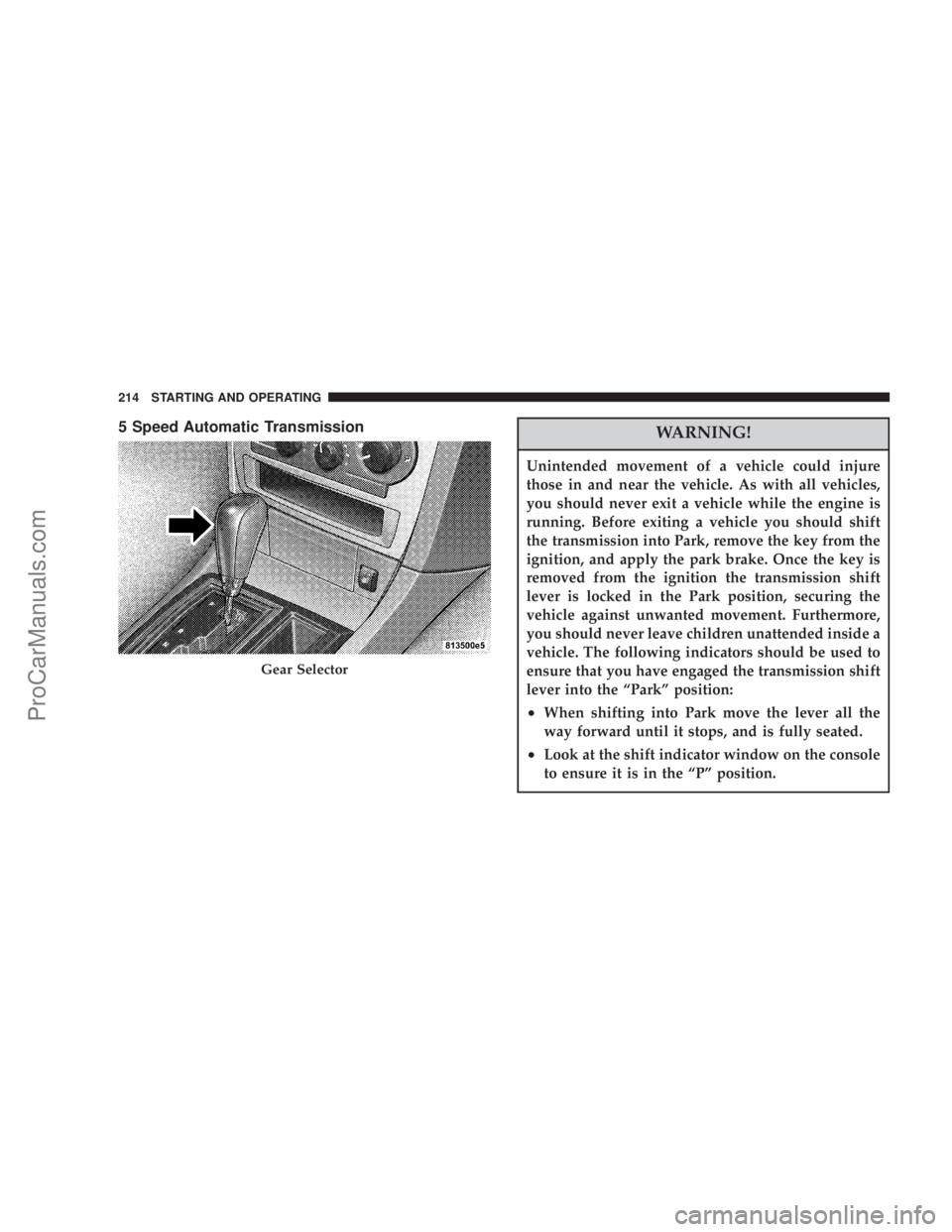
5 Speed Automatic TransmissionWARNING!
Unintended movement of a vehicle could injure
those in and near the vehicle. As with all vehicles,
you should never exit a vehicle while the engine is
running. Before exiting a vehicle you should shift
the transmission into Park, remove the key from the
ignition, and apply the park brake. Once the key is
removed from the ignition the transmission shift
lever is locked in the Park position, securing the
vehicle against unwanted movement. Furthermore,
you should never leave children unattended inside a
vehicle. The following indicators should be used to
ensure that you have engaged the transmission shift
lever into the ªParkº position:
²When shifting into Park move the lever all the
way forward until it stops, and is fully seated.
²Look at the shift indicator window on the console
to ensure it is in the ªPº position.
Gear Selector
214 STARTING AND OPERATING
ProCarManuals.com
Page 215 of 374
Park Position
The PARK position is to be used when parking the
vehicle. Engage only with the vehicle stopped. The PARK
position is not intended to serve as a brake when the
vehicle is parked. Rather, the driver should always use
the parking brake in addition to placing the selector lever
in PARK to secure the vehicle.
PARK supplements the parking brake by locking the
transmission. The engine can be started in this range.
Never attempt to use PARK while the vehicle is in
motion.
NOTE:
²
If the key is in the ACC or ON position, you must press
the brake pedal to shift out of the PARK position.
²The key can be removed from the ignition switch only
with the selector lever in the PARK position. With the
key removed, the selector lever is locked in the PARK
position.
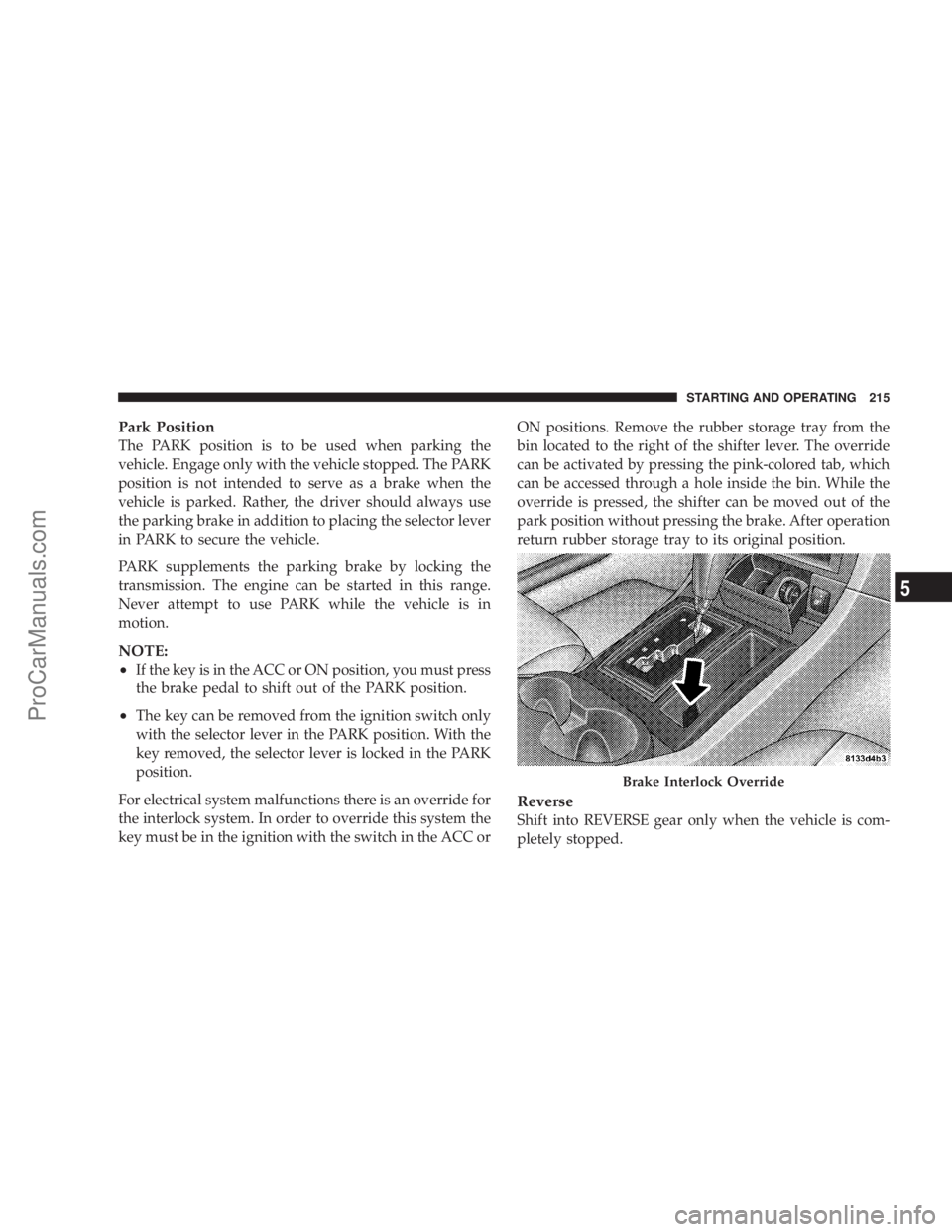
For electrical system malfunctions there is an override for
the interlock system. In order to override this system the
key must be in the ignition with the switch in the ACC orON positions. Remove the rubber storage tray from the
bin located to the right of the shifter lever. The override
can be activated by pressing the pink-colored tab, which
can be accessed through a hole inside the bin. While the
override is pressed, the shifter can be moved out of the
park position without pressing the brake. After operation
return rubber storage tray to its original position.
Reverse
Shift into REVERSE gear only when the vehicle is com-
pletely stopped.
Brake Interlock Override
STARTING AND OPERATING 215
5
ProCarManuals.com
Page 221 of 374
Stopping
For brief stops, leave the transmission in gear and hold
the vehicle with the brake pedal. For longer stops with
the engine idling, shift into the NEUTRAL or PARK
position and hold the vehicle with the parking brake.
When stopping the vehicle uphill, do not hold it with the
accelerator; use the brake. This avoids unnecessary trans-
mission heat build-up.
Maneuvering
To maneuver in tight areas, control the vehicle speed by
gradually releasing the brakes. Accelerate gently and
never abruptly step on the accelerator.
To rock a vehicle out of soft ground (mud or snow),
alternately shift from forward to reverse, while applying
only slight acceleration. Rocking a vehicle free in this
manner may cause the ABS or traction system malfunc-
tion indicator light to come on. Turn off the engine and
restart the engine to clear the malfunction indication.
Brake Transmission Shift Interlock System
This vehicle is equipped with a brake transmission shift
interlock system (BTSI) that holds the gearshift lever in
the P (Park) position when the ignition switch is in the
LOCK position. To move the gear selector lever out of the
P (Park) position, the ignition switch must be turned to
the ON position, and the brake pedal must be depressed.
Over Temperature Mode
The transmission electronics constantly monitor the
transmission oil temperature. If the transmission exceeds
normal operating temperature, the transmission will
change the way it shifts to help control the condition.
This may result in a slightly different feeling or response
during normal operation in D (Drive) position. After the
transmission cools down, it will return to normal opera-
tion.
STARTING AND OPERATING 221
5
ProCarManuals.com
Page 222 of 374
AUTOSTICK Ð If Equipped
Autostick is a driver-interactive transmission that offers
manual gear shifting capability to provide you with more
control. Autostick allows you to maximize engine brak-
ing, eliminate undesirable upshifts and downshifts, and
improve overall vehicle performance. This system can
also provide you with more control during passing, city
driving, cold slippery conditions, mountain driving,
trailer towing, and many other situations.
Autostick Operation
By placing the shift lever in the DRIVE position it can be
moved from side to side. This allows the driver to select
a higher or lower range of gear ratios. Moving the lever
to the left (-) triggers a downshift and to the right (+) an
upshift. The gear position will be shown in the transmis-
sion gear display, located in the instrument cluster.You can shift in or out of the autostick mode at any time
without taking your foot off the accelerator pedal. If you
choose the Overdrive mode, the transmission will oper-
ate automatically; shifting between the five available
gears. When you wish to engage autostick, simply move
the shift lever to the Right or Left (D+/D-) position while
in DRIVE. The transmission will remain in the current
gear until an upshift or downshift is chosen.
PARKING BRAKE
When the parking brake is applied with the ignition
switch on, the brake light in the instrument cluster will
turn on.
NOTE:This light only shows that the parking brake is
applied. It does not show the degree of brake application.
222 STARTING AND OPERATING
ProCarManuals.com