ignition CHRYSLER 300 LX 2005 Owner's Manual
[x] Cancel search | Manufacturer: CHRYSLER, Model Year: 2005, Model line: 300 LX, Model: CHRYSLER 300 LX 2005Pages: 374, PDF Size: 7.09 MB
Page 58 of 374
A new engine may consume some oil during its first few
thousand miles (kilometers) of operation. This should be
considered as a normal part of the break-in and not
interpreted as an indication of difficulty.
SAFETY TIPS
Exhaust Gas
WARNING!
Exhaust gases can injure or kill. They contain carbon
monoxide (CO) which is colorless and odorless.
Breathing it can make you unconscious and can
eventually poison you. To avoid breathing (CO)
follow the safety tips below.
Do not run the engine in a closed garage or in confined
areas any longer than needed to move your vehicle in or
out of the area.
If it is necessary to sit in a parked vehicle with the engine
running, adjust your heating or cooling controls to force
outside air into the vehicle. Set the blower at high speed.
WARNING!
If you are required to drive with the trunk open,
make sure that all windows are closed, and the
climate control blower switch is set at high speed.
DO NOT use the recirculation mode.
Safety Checks You Should Make Inside The
Vehicle
Seat Belts
Inspect the belt system periodically, checking for cuts,
frays and loose parts. Damaged parts must be replaced
immediately. Do not disassemble or modify the system.
Front seat belt assemblies must be replaced after a
collision. Rear seat belt assemblies must be replaced after
a collision if they have been damaged (bent retractor, torn
webbing, etc. If there is any question regarding belt or
retractor condition, replace the belt.
Airbag Light
The light should come on and remain on for 6 to 8
seconds as a bulb check when the ignition switch is first
58 THINGS TO KNOW BEFORE STARTING YOUR VEHICLE
ProCarManuals.com
Page 66 of 374
CAUTION!
To avoid damage to the mirror during cleaning,
never spray any cleaning solution directly onto the
mirror. Apply the solution onto a clean cloth and
wipe the mirror clean.
Driver's Side Outside Mirror Auto Dimmer Ð If
Equipped
The driver's side outside mirror automatically adjusts for
annoying headlight glare from vehicles behind you. This
feature can be turned on or off by pressing the button at
the base of the Inside Rearview Mirror.
Tilt in Reverse FeatureÐ If Equipped
The9Tilt in Reverse9feature tilts the outside rearview
mirrors down when the vehicle is shifted into REVERSE
with the ignition switch in the RUN position. This feature
provides the customer with a better view of the ground
and vehicle in the area of the rear tires when backing up.
The mirrors move back to their previous position when
the vehicle is shifted out of REVERSE. This feature is
disabled from the factory, but can be enabled by theelectronic vehicle information center (EVIC). Refer to
Electronic Vehicle Information Center (EVIC) in this
manual for details.
Exterior Mirrors Folding Feature Ð If Equipped
Some models have exterior mirrors that are hinged and
may move either forward or rearward to resist damage.
The hinges have three detent positions; full forward, full
rearward, and normal.
Outside Mirror Ð Driver's Side
Adjust the outside mirror to center on the adjacent lane of
traffic, with a slight overlap of the view obtained on the
inside mirror.
Outside Mirror Ð Passenger's Side
Adjust the convex outside mirror so you can just see the
side of your vehicle in the portion of the mirror closest to
the vehicle. This type of mirror will give a much wider
view to the rear, and especially of the lane next to your
vehicle.
66 UNDERSTANDING THE FEATURES OF YOUR VEHICLE
ProCarManuals.com
Page 77 of 374
Redial
²
Press the 'Phone' button to begin.
²After the9Ready9prompt and the following beep, say
9Redial.9
²The UConnectŸ system will call the last number that
was dialed on your cellular phone. Note: this may not
be the last number dialed from the UConnectŸ sys-
tem.
Call Continuation
Call continuation is progression of a phone call on
UConnectŸ system after the vehicle ignition key has
been switched to LOCK. Call continuation functionality
can be of three types:
²After ignition key is switched to LOCK, a call can
continue on the UConnectŸ system either until the
call ends or until the vehicle battery condition dictates
cessation of the call on the UConnectŸ system and
transfer of the call to the mobile phone.
²After ignition key is switched to LOCK, a call can
continue on the UConnectŸ system for certain dura-
tion, after which the call is automatically transferred
from the UConnectŸ system to the mobile phone.
²An active call is automatically transferred to the
mobile phone after ignition key is switched to LOCK
Vehicles, such as Pacifica, support this approach.
UConnectŸ System Features
Language Selection
To change the language that the UConnectŸ system is
using,
²Press the 'Phone' button to begin.
²After the9Ready9prompt and the following beep, say
the name of the language you wish to switch to
(English, Espanol, or Francais, if so equipped).
²Continue to follow the system prompts to complete
language selection.
After selecting one of the languages, all prompts and
voice commands will be in that language.
UNDERSTANDING THE FEATURES OF YOUR VEHICLE 77
3
ProCarManuals.com
Page 84 of 374
Bluetooth Communication Link
Cellular phones have been found to occasionally loose
connection to the UConnectŸ system. When this hap-
pens, the connection can generally be re-established by
switching the phone off/on. Your cell phone is recom-
mended to remain in Bluetooth9on9mode.
Reset
In rare instances, it may be necessary to reset the UCon-
nectŸ system. The reset feature is exercised by pressingand holding the 'UConnectŸ ' and 'Voice Recognition'
buttons simultaneously for 15 seconds. Normally, you do
not need to exercise this feature.
Power-Up
After switching ignition key from LOCK to either ON or
ACC position, or after a reset, you must wait at least five
(5) seconds prior to using the system.
84 UNDERSTANDING THE FEATURES OF YOUR VEHICLE
ProCarManuals.com
Page 92 of 374
Heated SeatsÐIf Equipped
Heated seats, which are available only with leather
upholstery, provide comfort and warmth on cold days
and can help soothe sore muscles and backs. The heaters
provide the same heat level for both cushion and back.
The front driver's and passenger seats are heated. The
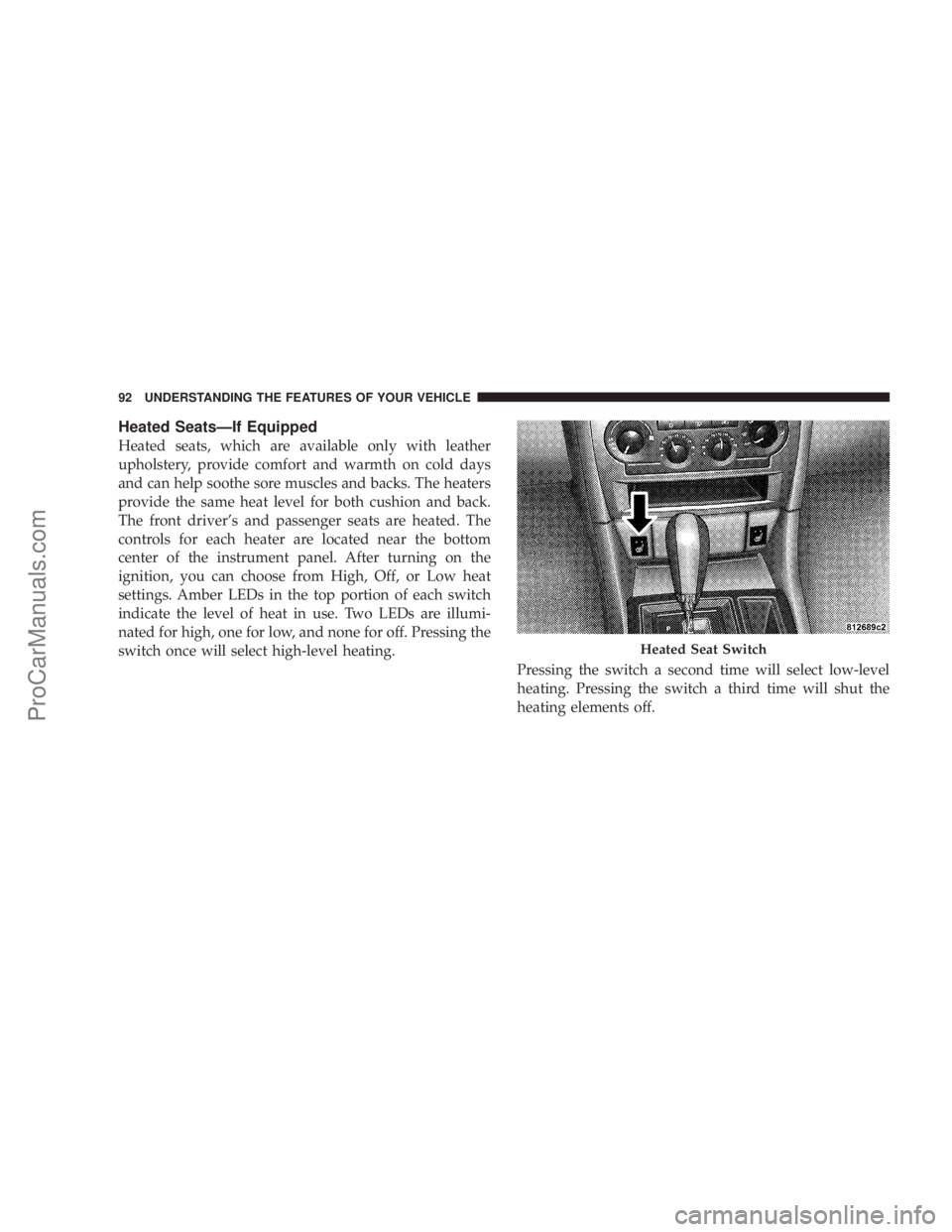
controls for each heater are located near the bottom
center of the instrument panel. After turning on the
ignition, you can choose from High, Off, or Low heat
settings. Amber LEDs in the top portion of each switch
indicate the level of heat in use. Two LEDs are illumi-
nated for high, one for low, and none for off. Pressing the
switch once will select high-level heating.
Pressing the switch a second time will select low-level
heating. Pressing the switch a third time will shut the
heating elements off.
Heated Seat Switch
92 UNDERSTANDING THE FEATURES OF YOUR VEHICLE
ProCarManuals.com
Page 94 of 374
2. Press and release the Set (S) button on the memory
seat switch, then press button 1 within 5 seconds. The
radio display will show which memory position is being
set.
3. A second memory profile can also be stored in the
vehicle memory. Begin by pressing 2 on the memory
switch for driver 2. Adjust settings to desired positions,
press Set (S) button, then press button 2 within 5 seconds.
Each time the Set and a numbered button are pressed, the
old memory is erased, and a new one is stored.
NOTE:Memory positions can be set without the ve-
hicle in Park, but the vehicle must be in Park to recall a
memory position. The Recall Memory with Remote Key
Unlock feature must be turned on using the Electronic
Vehicle Information Center (EVIC). Refer to Electronic
Vehicle Information Center in this manual for details.
Programming the Remote Keyless Transmitter for
the Memory Feature
Your remote transmitter can be programmed to return to
a memory profile when the Unlock button is pressed and
released.To program your transmitters, perform the following:
1. Insert the key into the ignition and turn the key to the
Run position.
2. Select desired memory profile 1 or 2.
3. Press and release the Set (S) button on the memory
seat switch, then press and release button 1 or 2.
9Memory Profile Setº (1or 2) will be displayed in the
instrument cluster on vehicles equipped with the Elec-
tronic Vehicle Information Center.
4. Press and release the Lock button on the transmitter
within 10 seconds.
NOTE:Your transmitters may be unlinked to your
memory settings by pressing the Unlock button on the
transmitter in step 4 above. On vehicles equipped with an
Electronic Vehicle Information Center (Optional), these
functions can be selected at the EVIC using the Personal
Settings (Customer Programmable Features). Refer to
Electronic Vehicle Information Center Ð ªPersonal Set-
tingsº for details. When newly purchased (or replace-
ment) transmitters are programmed into the vehicle, the
first transmitter trained will be associated with memory
94 UNDERSTANDING THE FEATURES OF YOUR VEHICLE
ProCarManuals.com
Page 95 of 374
setting 1, and the second transmitter trained will be
associated with memory setting 2. Additional transmit-
ters will not be associated with a memory setting.
Driver's Seat Glide ±To ± Exit Feature Ð If
Equipped
This feature provides ease of entry and exit for the driver
by moving the driver's seat approximately 2±1/8 inches
(55mm) rearward on exit and the same distance forward
after entry, provided that the seat is not in the full
rearward position.
After entry, the seat will return to its previously set
position after one of the following occurs:
²The ignition switch is turned on
²The seatbelt is fastened (the seat moves when the seat
belt buckle is buckled.)
The seat moves when the seat belt buckle is buckled.This feature can be turned off by performing the follow-
ing procedure:
1. Press and hold the Set (S) button on the memory seat
switch (located on the driver's door panel).
2. Move the horizontal seat switch rearward.
3. Release the Set (S) button and the horizontal seat
switch.
During exit, the seat will move rearward from the set
position when the key is removed from the ignition
providing that the seat is not in the full rearward
position.
This feature can be turned on or off by performing the
following procedure.
1. Press and hold the Set (S) button.
2. Move the horizontal seat switch rearward.
UNDERSTANDING THE FEATURES OF YOUR VEHICLE 95
3
ProCarManuals.com
Page 98 of 374
ADJUSTABLE PEDALS Ð IF EQUIPPED
This feature allows both the brake and accelerator pedals
to move toward or away from the driver to provide
improved position with the steering wheel. The adjust-
able pedal system is designed to allow a greater range of
driver comfort for steering wheel tilt and seat position.
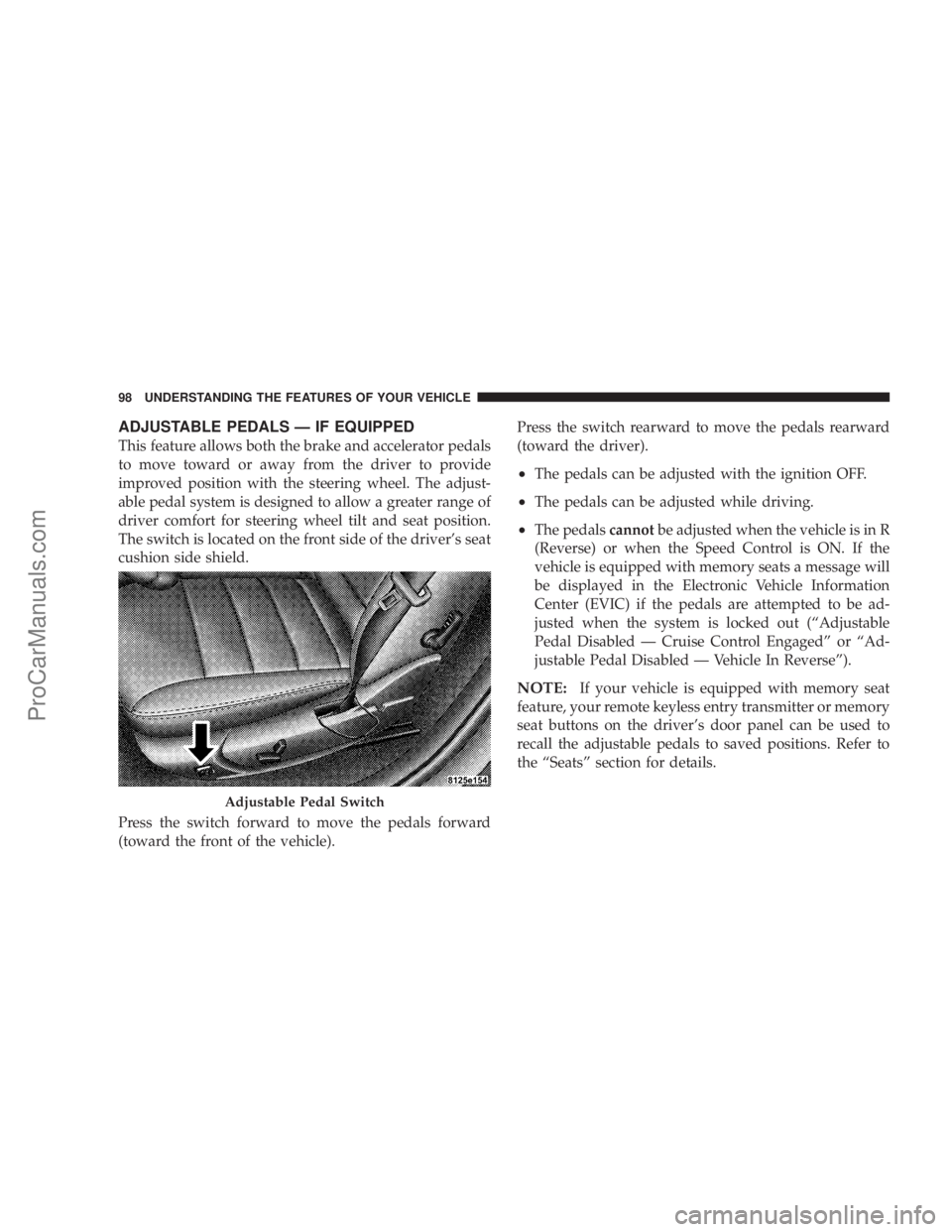
The switch is located on the front side of the driver's seat
cushion side shield.
Press the switch forward to move the pedals forward
(toward the front of the vehicle).Press the switch rearward to move the pedals rearward
(toward the driver).
²The pedals can be adjusted with the ignition OFF.
²The pedals can be adjusted while driving.
²The pedalscannotbe adjusted when the vehicle is in R
(Reverse) or when the Speed Control is ON. If the
vehicle is equipped with memory seats a message will
be displayed in the Electronic Vehicle Information
Center (EVIC) if the pedals are attempted to be ad-
justed when the system is locked out (ªAdjustable
Pedal Disabled Ð Cruise Control Engagedº or ªAd-
justable Pedal Disabled Ð Vehicle In Reverseº).
NOTE:If your vehicle is equipped with memory seat
feature, your remote keyless entry transmitter or memory
seat buttons on the driver's door panel can be used to
recall the adjustable pedals to saved positions. Refer to
the ªSeatsº section for details.
Adjustable Pedal Switch
98 UNDERSTANDING THE FEATURES OF YOUR VEHICLE
ProCarManuals.com
Page 101 of 374
LIGHTS
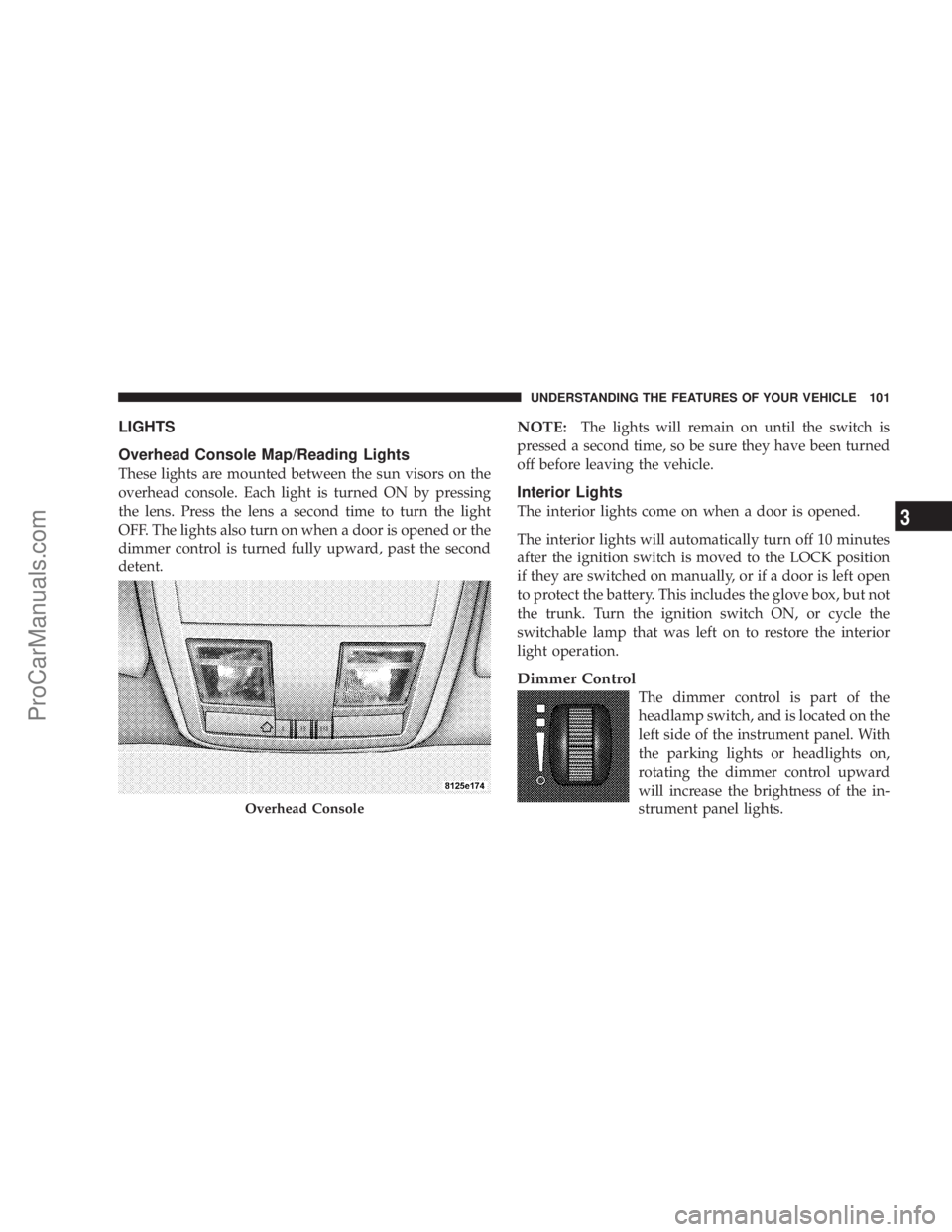
Overhead Console Map/Reading Lights
These lights are mounted between the sun visors on the
overhead console. Each light is turned ON by pressing
the lens. Press the lens a second time to turn the light
OFF. The lights also turn on when a door is opened or the
dimmer control is turned fully upward, past the second
detent.
NOTE:The lights will remain on until the switch is
pressed a second time, so be sure they have been turned
off before leaving the vehicle.
Interior Lights
The interior lights come on when a door is opened.
The interior lights will automatically turn off 10 minutes
after the ignition switch is moved to the LOCK position
if they are switched on manually, or if a door is left open
to protect the battery. This includes the glove box, but not
the trunk. Turn the ignition switch ON, or cycle the
switchable lamp that was left on to restore the interior
light operation.
Dimmer Control
The dimmer control is part of the
headlamp switch, and is located on the
left side of the instrument panel. With
the parking lights or headlights on,
rotating the dimmer control upward
will increase the brightness of the in-
strument panel lights.
Overhead Console
UNDERSTANDING THE FEATURES OF YOUR VEHICLE 101
3
ProCarManuals.com
Page 104 of 374
Automatic Headlights±If equipped
This system automatically turns your headlights ON or
OFF based on ambient light levels. To turn the system
ON, rotate the headlamp switch counter-clockwise to the
AUTO (A) position. When the system is ON, the Head-
light Time Delay feature is also ON. This means your
headlights will stay ON for up to 90 seconds after you
turn the ignition switch OFF. To turn the Automatic
System OFF, move the headlamp switch out of the AUTO
(A) position.
NOTE:The engine must be running before the head-
lights will come ON in the Automatic mode.
Headlamps On With Wipers (Available with Auto
Headlights Only)
The headlights will turn on approximately 10 seconds
after the wipers are turned on if the headlight switch is
placed in the AUTO position. The headlights will also
turn off when the wipers are turned off if they were
turned on by this feature. This feature can be turned on or
off using the Electronic Vehicle Information Center(EVIC) Ð If equipped. Refer to ºHeadlamps On With
Wipersº in the Electronic Vehicle Information Center
section of this manual for details.
Daytime Running Lights (Canada Only)
The high beam headlights will come on as Daytime
Running Lights whenever the ignition switch is on, the
headlights are off, and the parking brake is off. The
headlight switch must be used for normal night time
driving.
Lights-on Reminder
If the headlights or parking lights are on after the ignition
is turned OFF, a chime will sound to alert the driver
when the driver's door is opened.
Headlight Time Delay
This feature provides the safety of headlight illumination
for 90 seconds (programmable) when leaving your ve-
hicle in an unlighted area.
104 UNDERSTANDING THE FEATURES OF YOUR VEHICLE
ProCarManuals.com