battery CHRYSLER 300 LX 2007 User Guide
[x] Cancel search | Manufacturer: CHRYSLER, Model Year: 2007, Model line: 300 LX, Model: CHRYSLER 300 LX 2007Pages: 432, PDF Size: 7.91 MB
Page 150 of 432
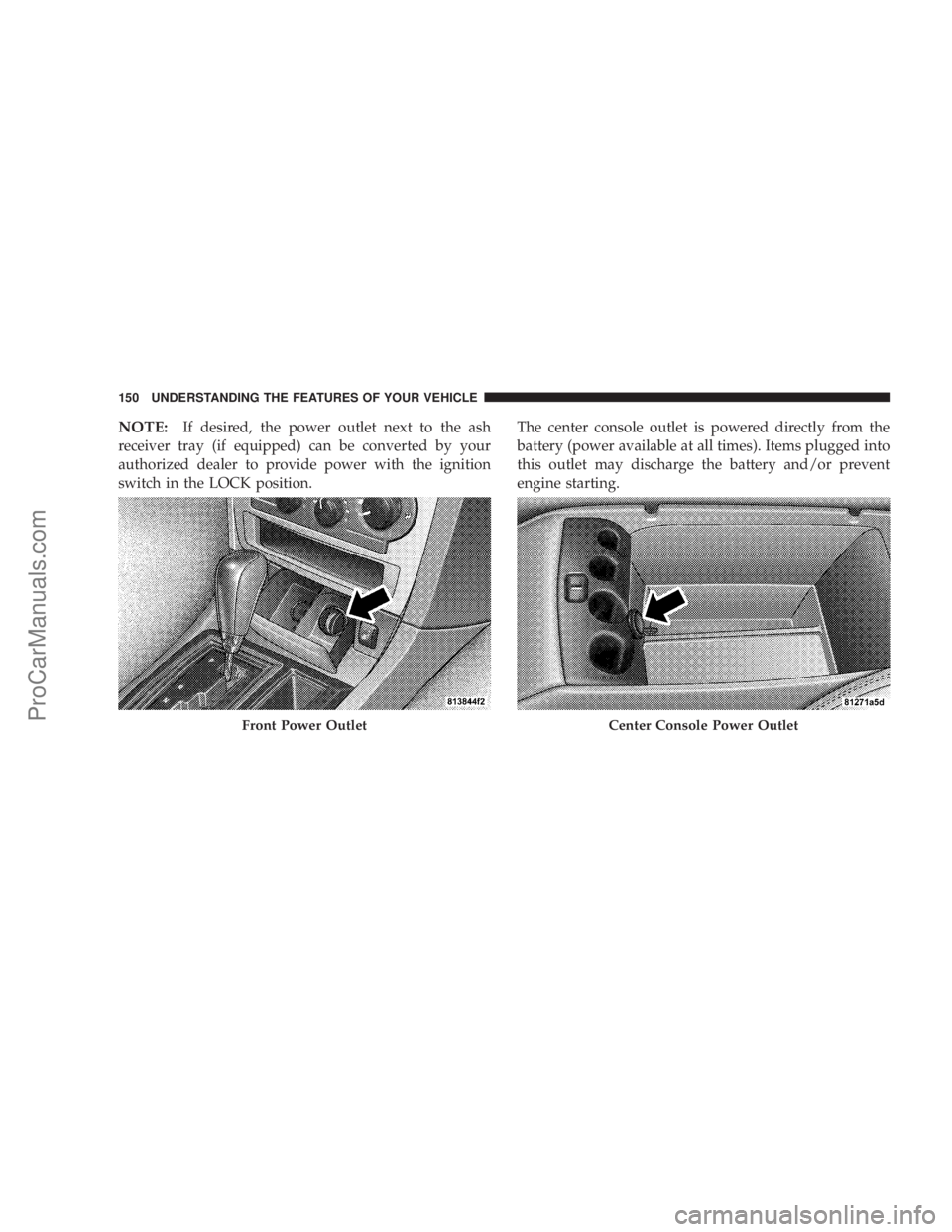
NOTE:If desired, the power outlet next to the ash
receiver tray (if equipped) can be converted by your
authorized dealer to provide power with the ignition
switch in the LOCK position.The center console outlet is powered directly from the
battery (power available at all times). Items plugged into
this outlet may discharge the battery and/or prevent
engine starting.
Front Power OutletCenter Console Power Outlet
150 UNDERSTANDING THE FEATURES OF YOUR VEHICLE
ProCarManuals.com
Page 151 of 432
Electrical Outlet Use With Engine Off
CAUTION!
•Many accessories that can be plugged in draw
power from the vehicle’s battery, even when not
in use (i.e. cellular phones, etc.). Eventually, if
plugged in long enough, the vehicle’s battery will
discharge sufficiently to degrade battery life
and/or prevent engine starting.
•Accessories that draw higher power (i.e. coolers,
vacuum cleaners, lights, etc.); will degrade the
battery even more quickly. Only use these inter-
mittently and with greater caution.
•After the use of high power draw accessories, or
long periods of the vehicle not being started (with
accessories still plugged in), the vehicle must be
driven a sufficient length of time to allow the
alternator to recharge the vehicle’s battery.
•Power outlets are designed for accessory plugs
only. Do not hang any type of accessory or acces-
sory bracket from the plug. Improper use of the
power outlet can cause damage not covered by
your warranty.
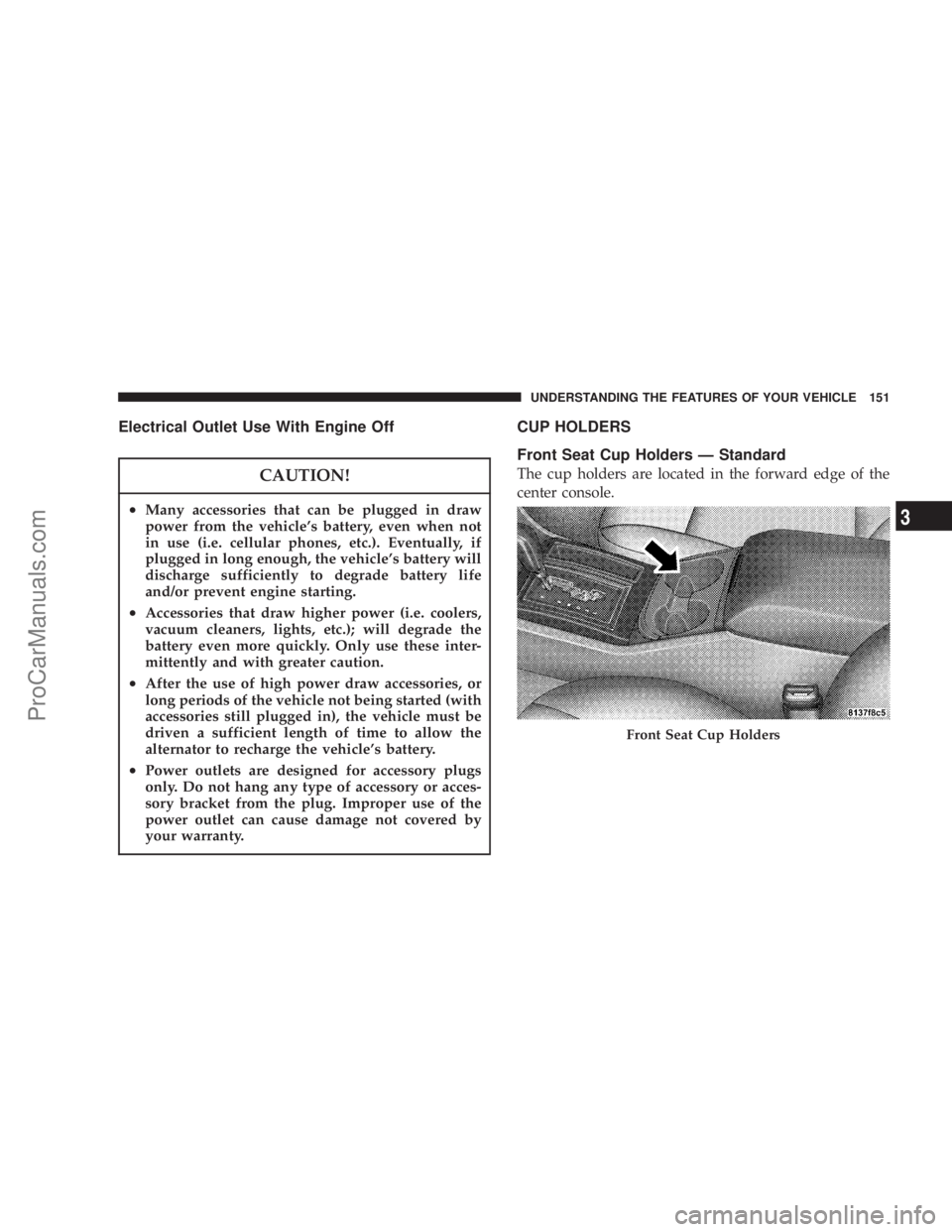
CUP HOLDERS
Front Seat Cup Holders — Standard
The cup holders are located in the forward edge of the
center console.
Front Seat Cup Holders
UNDERSTANDING THE FEATURES OF YOUR VEHICLE 151
3
ProCarManuals.com
Page 173 of 432
If Compass/Temp/Audio is already displayed when the
AUDIO MODE button is pressed, then the radio mode
will change from AM to FM, to Tape, to CD, or to Satellite
(SAT) accordingly.
Electronic Vehicle Information Center (EVIC)
Displays
When the appropriate conditions exist, the Electronic
Vehicle Information Center (EVIC) displays the following
messages:
•Turn Signal On (with a continuous warning chime if
the vehicle is driven more than 1 mile [1.6 km] with
either turn signal on)
•Left Front Turn Signal Light Out (with a single chime)
•Left Rear Turn Signal Light Out (with a single chime)
•Right Front Turn Signal Light Out (with a single
chime)
•Right Rear Turn Signal Light Out (with a single chime)
•RKE Battery Low (with a single chime)
•Memory #1/#2 Profile Set
•Memory #1/#2 Profile Recall
•Memory System Disabled – Vehicle Not In Park (with
a single chime)
•Memory System Disabled – Seat Belt Buckled (with a
single chime)
•Personal Settings Not Available – Vehicle Not in Park
•Left/Right Front Door Ajar (one or more, with a single
chime if speed is above 1 mph [1.6 km/h])
•Left/Right Rear Door Ajar (one or more, with a single
chime if speed is above 1 mph [1.6 km/h])
•Door(s) Ajar (with a single chime if vehicle is in
motion)
•Trunk Ajar (with a single chime)
•Low Washer Fluid (with a single chime)
•ACC Off — When the Adaptive Cruise Control (ACC)
system is turned off. Refer to “Adaptive Cruise Con-
trol (ACC)” in Section 3 of this manual for detailed
information (if so equipped).
UNDERSTANDING YOUR INSTRUMENT PANEL 173
4
ProCarManuals.com
Page 180 of 432
1. Turn the ignition switch ON.
2. Press and hold the compass button for approximately
2 seconds.
3. Press the SCROLL button until “Compass Variance”
message and the last variance zone number displays in
the EVIC.
4. Press and release FUNCTION SELECT button until
the proper variance zone is selected according to the
map.
5. Press and release the compass button to exit.
Telephone — If Equipped
Press and release the MENU button until “Telephone”
displays in the EVIC.
When the appropriate conditions exist, the EVIC pro-
vides the following telephone information:
•Phone status: idle, voice mail, roaming, battery
strength, and signal strength in increments of 20
percent.
•Call status: Incoming call, connecting, connected, air
time in minutes and seconds, call ended, call failed,
roaming, and no phone connection.
•UConnect Active.
•Caller ID phone number display.
When the appropriate conditions exist, and if supported
by the cell phone, the EVIC will display the following
telephone symbols:
The EVIC displays this symbol to indicate the
signal strength of the UConnect™ phone. The
number of horizontal bars increases as the
strength of the UConnect™ phone signal in-
creases.
The EVIC displays this symbol to indicate an
incoming call.
Signal
Strength
Incom-
ing Call
180 UNDERSTANDING YOUR INSTRUMENT PANEL
ProCarManuals.com
Page 181 of 432
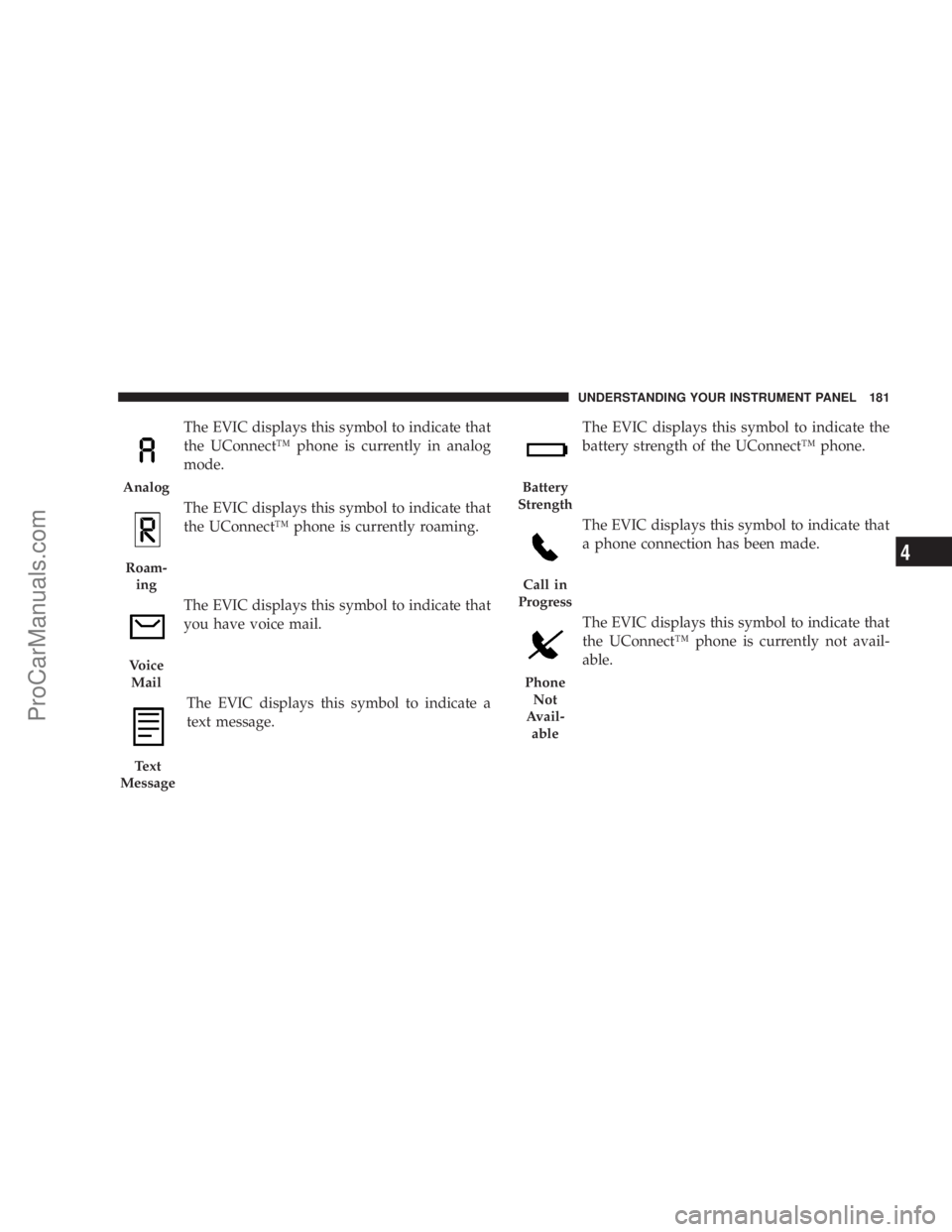
The EVIC displays this symbol to indicate that
the UConnect™ phone is currently in analog
mode.
The EVIC displays this symbol to indicate that
the UConnect™ phone is currently roaming.
The EVIC displays this symbol to indicate that
you have voice mail.
The EVIC displays this symbol to indicate a
text message.The EVIC displays this symbol to indicate the
battery strength of the UConnect™ phone.
The EVIC displays this symbol to indicate that
a phone connection has been made.
The EVIC displays this symbol to indicate that
the UConnect™ phone is currently not avail-
able.
Analog
Roam-
ing
Voice
Mail
Text
Message
Battery
Strength
Call in
Progress
Phone
Not
Avail-
able
UNDERSTANDING YOUR INSTRUMENT PANEL 181
4
ProCarManuals.com
Page 210 of 432
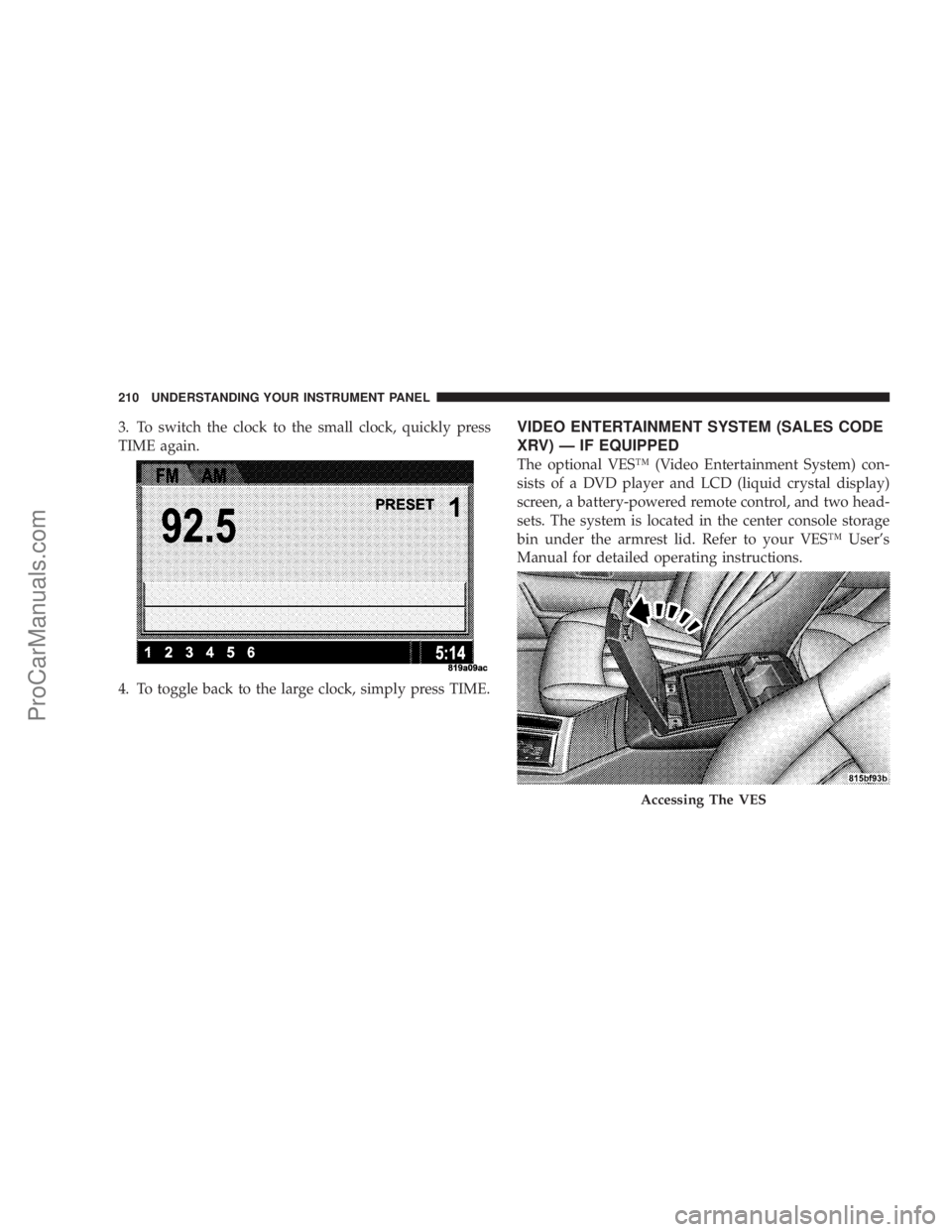
3. To switch the clock to the small clock, quickly press
TIME again.
4. To toggle back to the large clock, simply press TIME.VIDEO ENTERTAINMENT SYSTEM (SALES CODE
XRV) — IF EQUIPPED
The optional VES™ (Video Entertainment System) con-
sists of a DVD player and LCD (liquid crystal display)
screen, a battery-powered remote control, and two head-
sets. The system is located in the center console storage
bin under the armrest lid. Refer to your VES™ User’s
Manual for detailed operating instructions.
Accessing The VES
210 UNDERSTANDING YOUR INSTRUMENT PANEL
ProCarManuals.com
Page 236 of 432
WARNING!
•Never pour fuel or other flammable liquid into
the throttle body air inlet opening in an attempt to
start the vehicle. This could result in flash fire
causing serious personal injury.
•Do not attempt to push or tow your vehicle to get
it started. Vehicles equipped with an automatic
transmission cannot be started this way. Un-
burned fuel could enter the catalytic converter and
once the engine has started, ignite and damage the
converter and vehicle. If the vehicle has a dis-
charged battery, booster cables may be used to
obtain a start from a booster battery or the battery
in another vehicle. This type of start can be
dangerous if done improperly. See section 6 of
this manual for the proper jump-starting proce-
dures and follow them carefully.
If the engine is flooded, it may start to run, but not have
enough power to continue running when the key is
released. If this occurs, continue cranking up to 15
seconds with the accelerator pedal pushed all the way to
the floor. Release the accelerator pedal and the key once
the engine is running smoothly. Do not overspeed the
engine.
If the engine shows no sign of starting after two 15-
second periods of cranking with the accelerator pedal
held to the floor, the “NORMAL STARTING” procedure
should be repeated.
After Starting
The idle speed is controlled automatically and it will
decrease as the engine warms up.
236 STARTING AND OPERATING
ProCarManuals.com
Page 256 of 432
WARNING!
Continued operation with reduced power steering
assist could pose a safety risk to yourself and others.
Service should be obtained as soon as possible.
CAUTION!
Prolonged operation of the steering system at the
end of the steering wheel travel will increase the
steering fluid temperature and it should be avoided
when possible. Damage to the power steering pump
may occur.
MULTI DISPLACEMENT SYSTEM (MDS) - 5.7L
Engine Only
This feature offers improved fuel economy by shutting
off four of the engine’s eight cylinders during light load
and cruise conditions. The system is automatic with no
driver inputs or additional driving skills required.
NOTE:The MDS system may take some time to return
to full functionality after a battery disconnect.
256 STARTING AND OPERATING
ProCarManuals.com
Page 261 of 432

When ESP is switched off, the engine torque reduction
feature is cancelled. Therefore, the enhanced vehicle
stability offered by ESP is unavailable. However, a fea-
ture of the system remains active. This feature controls
wheel spin across an axle quite similarly to a limited slip
differential. If one wheel on an axle is spinning faster
than the other, the system will apply the brake of the
spinning wheel and allow more engine torque to be
applied to the wheel that is not spinning. This wheel slip
control is active at vehicle speeds between approximately
24 mph (40 km/h) and 50 mph (80 km/h).
CAUTION!
When the ESP/TCS indicator light is illuminated
continuously, the ESP is switched off. Avoid spin-
ning one drive wheel. This may cause serious dam-
age to the drive train.
CAUTION!
If the vehicle is towed with the front axle raised, the
engine must be shut off (key in the ignition switch to
the OFF/LOCK or ACC position). Otherwise, the ESP
will immediately be engaged and will apply the rear
wheel brakes.
Synchronizing ESP
The malfunction indicator light for the ESP is
combined with BAS indicator. If the power
supply is interrupted (battery disconnected or
discharged), the ESP/BAS malfunction indica-
tor light may illuminate with the engine running. If this
should occur, turn the steering wheel completely to the
left and then to the right. The ESP/BAS malfunction
indicator light should go out. However, if the light
remains on, have the ESP and BAS checked at your
authorized dealer as soon as possible.
STARTING AND OPERATING 261
5
ProCarManuals.com
Page 312 of 432
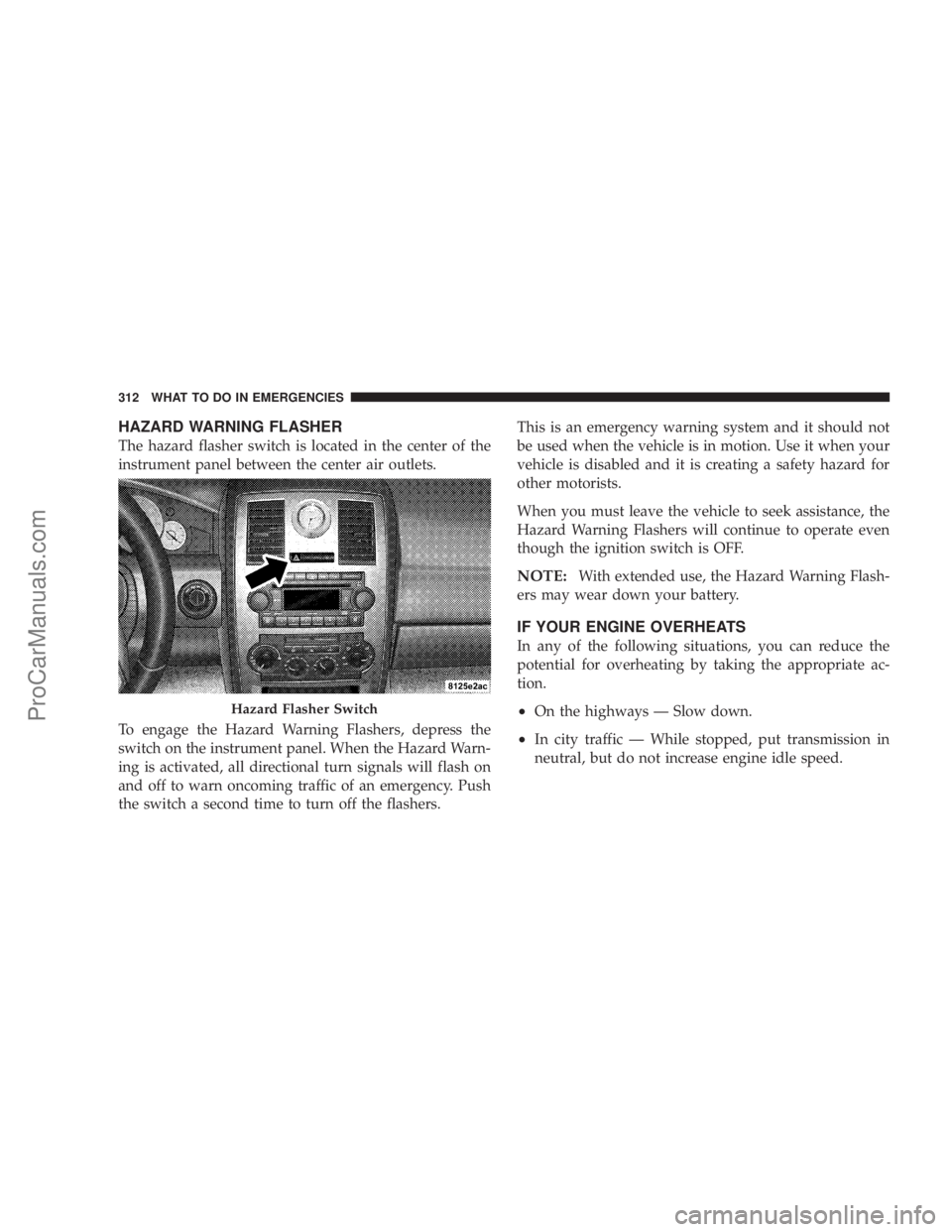
HAZARD WARNING FLASHER
The hazard flasher switch is located in the center of the
instrument panel between the center air outlets.
To engage the Hazard Warning Flashers, depress the
switch on the instrument panel. When the Hazard Warn-
ing is activated, all directional turn signals will flash on
and off to warn oncoming traffic of an emergency. Push
the switch a second time to turn off the flashers.This is an emergency warning system and it should not
be used when the vehicle is in motion. Use it when your
vehicle is disabled and it is creating a safety hazard for
other motorists.
When you must leave the vehicle to seek assistance, the
Hazard Warning Flashers will continue to operate even
though the ignition switch is OFF.
NOTE:With extended use, the Hazard Warning Flash-
ers may wear down your battery.
IF YOUR ENGINE OVERHEATS
In any of the following situations, you can reduce the
potential for overheating by taking the appropriate ac-
tion.
•On the highways — Slow down.
•In city traffic — While stopped, put transmission in
neutral, but do not increase engine idle speed.
Hazard Flasher Switch
312 WHAT TO DO IN EMERGENCIES
ProCarManuals.com