belt CHRYSLER 300 SRT 2006 1.G Owner's Manual
[x] Cancel search | Manufacturer: CHRYSLER, Model Year: 2006, Model line: 300 SRT, Model: CHRYSLER 300 SRT 2006 1.GPages: 320, PDF Size: 1.47 MB
Page 54 of 320

WARNING!
Improper installation of a child restraint to the
LATCH anchorages can lead to failure of an infant or
child restraint. The child could be badly injured or
killed. Follow the manufacturer’s directions exactly
when installing an infant or child restraint.
Installing Child Restraints Using the Vehicle Seat
belt
The passenger seat belts are equipped with cinching latch
plates which are designed to keep the lap portion tight
around the child restraint so that it is not necessary to use
a locking clip. Pulling up on the shoulder portion of the
lap/shoulder belt will tighten the belt. The cinching latch
plate will keep the belt tight, however, any seat belt
system will loosen with time, so check the belt occasion-
ally and pull it tight if necessary.In the rear seat, you may have trouble tightening the
lap/shoulder belt on the child restraint because the
buckle or latch plate is too close to the belt path opening
on the restraint. Disconnect the latch plate from the
buckle and twist the short buckle-end belt several times
to shorten it. Insert the latch plate into the buckle with the
release button facing out.
If the belt still can’t be tightened, or if by pulling and
pushing on the restraint loosens the belt, you may need
to do something more. Disconnect the latch plate from
the buckle, turn the buckle around, and insert the latch
plate into the buckle again. If you still can’t make the
child restraint secure, try a different seating position.
To attach a child restraint tether strap:
1. Rotate the cover over the anchor directly behind the
seat where you are placing the child restraint.
54 THINGS TO KNOW BEFORE STARTING YOUR VEHICLE
Page 55 of 320

2. Route the tether strap to provide the most direct path
for the strap between the anchor and the child seat. If
your vehicle is equipped with adjustable rear head
restraints, raise the head restraint and, where possible,
route the tether strap under the head restraint and
between the two posts. If not possible, lower the head
restraint and pass the tether strap around the outboard
side of the head restraint.3. Attach the tether strap hook (A) of the child restraint to
the anchor (B) and remove slack in the tether strap
according to the child restraint manufacturer’s instruc-
tions.
WARNING!
An incorrectly anchored tether strap could lead to
increased head motion and possible injury to the
child. Use only the anchor positions directly behind
the child seat to secure a child restraint top tether
strap.
Transporting Pets
Airbags deploying in the front seat could harm your pet.
An unrestrained pet will be thrown about and possibly
injured, or injure a passenger during panic braking or in
a collision.
Pets should be restrained in the rear seat in pet harnesses
or pet carriers that are secured by seat belts.
Tether Strap Mounting
THINGS TO KNOW BEFORE STARTING YOUR VEHICLE 55
2
Page 57 of 320
Do not run the engine in a closed garage or in confined
areas any longer than needed to move your vehicle in or
out of the area.
If it is necessary to sit in a parked vehicle with the engine
running, adjust your heating or cooling controls to force
outside air into the vehicle. Set the blower at high speed.
WARNING!
If you are required to drive with the trunk open,
make sure that all windows are closed, and the
climate control blower switch is set at high speed.
DO NOT use the recirculation mode.
Safety Checks You Should Make Inside The
Vehicle
Seat Belts
Inspect the belt system periodically, checking for cuts,
frays and loose parts. Damaged parts must be replacedimmediately. Do not disassemble or modify the system.
Front seat belt assemblies must be replaced after a
collision. Rear seat belt assemblies must be replaced after
a collision if they have been damaged (bent retractor, torn
webbing, etc. If there is any question regarding belt or
retractor condition, replace the belt.
Airbag Light
The light should come on and remain on for 6 to 8
seconds as a bulb check when the ignition switch is first
turned ON. If the LED is not lit during starting, have it
checked. If the light stays on or comes on while driving,
have the system checked by an authorized dealer.
Defroster
Check operation by selecting the defrost mode and place
the blower control on high speed. You should be able to
feel the air directed against the windshield.
THINGS TO KNOW BEFORE STARTING YOUR VEHICLE 57
2
Page 88 of 320
WARNING!
Adjusting a seat while the vehicle is moving is
dangerous. The sudden movement of the seat could
cause you to lose control. The seat belt might not be
properly adjusted and you could be injured. Adjust
the seat only while the vehicle is parked.
CAUTION!
Do not place any article under a power seat as it may
cause damage to the seat controls.
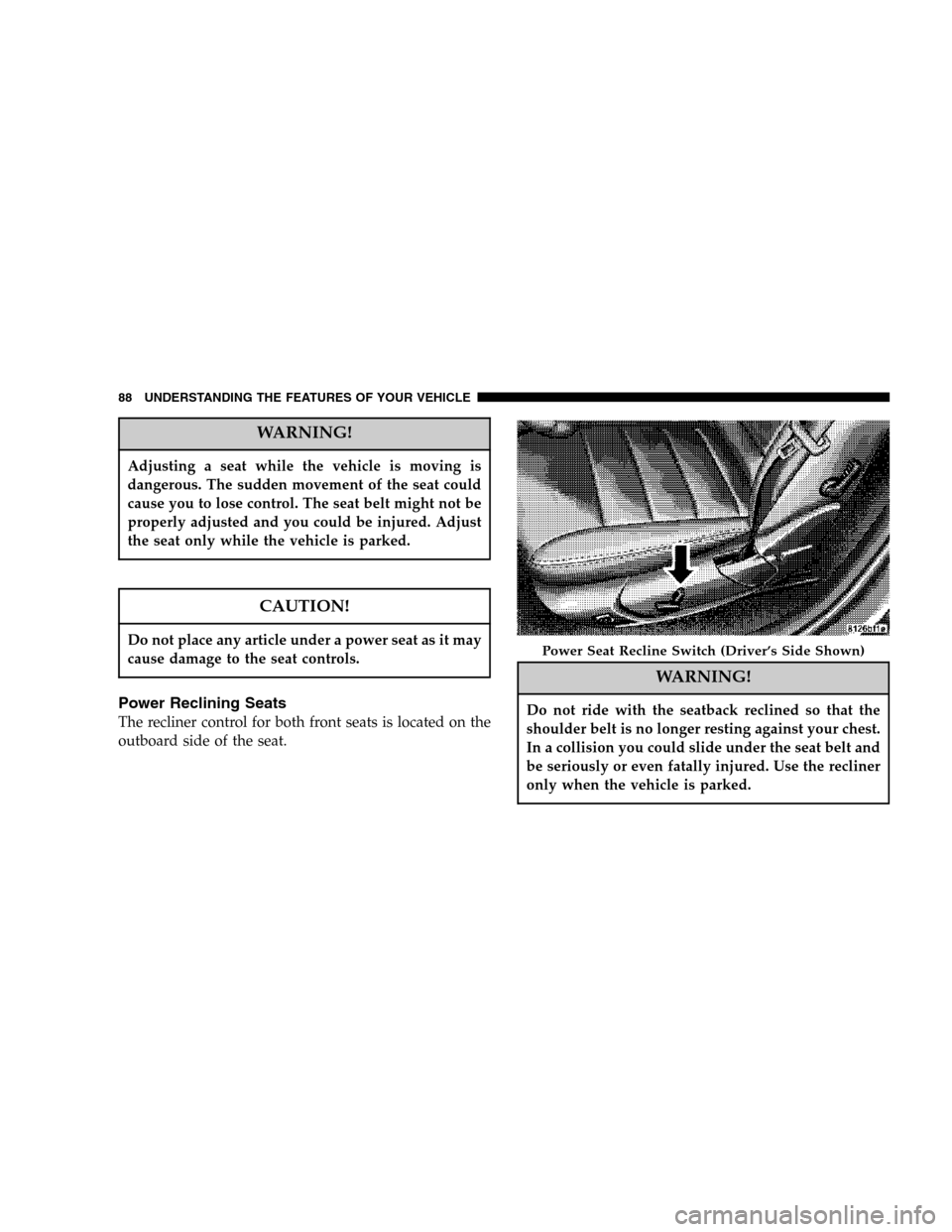
Power Reclining Seats
The recliner control for both front seats is located on the
outboard side of the seat.
WARNING!
Do not ride with the seatback reclined so that the
shoulder belt is no longer resting against your chest.
In a collision you could slide under the seat belt and
be seriously or even fatally injured. Use the recliner
only when the vehicle is parked.
Power Seat Recline Switch (Driver’s Side Shown)
88 UNDERSTANDING THE FEATURES OF YOUR VEHICLE
Page 92 of 320

transmitter trained will be associated with memory set-
ting 1, and the second transmitter trained will be associ-
ated with memory setting 2. Additional transmitters will
not be associated with a memory setting.
Driver’s Seat Glide To Exit Feature
This feature provides ease of entry and exit for the driver
by moving the driver’s seat approximately 2–1/8 inches
(55mm) rearward on exit and the same distance forward
after entry, provided that the seat is not in the full
rearward position.
After entry, the seat will return to its previously set
position after one of the following occurs:
•The ignition switch is turned on
•The seatbelt is fastened (the seat moves when the seat
belt buckle is buckled.)
This feature can be turned off by performing the follow-
ing procedure:
1. Press and hold the Set (S) button on the memory seat
switch (located on the driver’s door panel).
2. Move the horizontal seat switch rearward.3. Release the Set (S) button and the horizontal seat
switch.
During exit, the seat will move rearward from the set
position when the key is removed from the ignition
providing that the seat is not in the full rearward
position.
This feature can be turned on or off by performing the
following procedure.
1. Press and hold the Set (S) button.
2. Move the horizontal seat switch rearward.
3. Release the Set (S) button and the horizontal seat
switch.NOTE:The glide feature is only available on the
driver’s seat.
NOTE:These functions can be selected at the EVIC
using the Personal Settings (Customer Programmable
Features). Refer to Electronic Vehicle Information Center
— Personal Settings for details.
92 UNDERSTANDING THE FEATURES OF YOUR VEHICLE
Page 120 of 320

POWER SUNROOF — IF EQUIPPED
The power sunroof switch is located between the sun
visors on the overhead console.WARNING!
•Never leave children in a vehicle, with the keys in
the ignition switch. Occupants, particularly unat-
tended children, can become entrapped by the
power sunroof while operating the power sunroof
switch. Such entrapment may result in serious
injury or death.
•In an accident, there is a greater risk of being
thrown from a vehicle with an open sunroof. You
could also be seriously injured or killed. Always
fasten your seat belt properly and make sure all
passengers are properly secured too.
•Do not allow small children to operate the sun-
roof. Never allow fingers or other body parts, or
any object to project through the sunroof opening.
Injury may result.
Power Sunroof Controls
120 UNDERSTANDING THE FEATURES OF YOUR VEHICLE
Page 127 of 320

•Place as much cargo as possible in front of the rear
axle. Too much weight or improperly placed weight
over or behind the rear axle can cause the rear of the
vehicle to sway.
•Do not pile luggage or cargo higher than the top of the
seatback. This could impair visibility or become a
dangerous projectile in a sudden stop or collision.
WARNING!
To help protect against personal injury, passengers
should not be seated in the rear cargo area. The rear
cargo space is intended for load carrying purposes
only, not for passengers, who should sit in seats and
use seat belts.
UNDERSTANDING THE FEATURES OF YOUR VEHICLE 127
3
Page 138 of 320

15. Trip Odometer Button
Press this button to change the display from odometer to
either of the two trip odometer settings. The letter “A” or
“B” will appear when in the trip odometer mode. Push in
and hold the button for two seconds to reset the trip
odometer to 0 miles or kilometers. The odometer must be
in trip mode to reset.
16. High Beam Light
This light shows that the headlights are on high
beam. Push the Multi-Function lever away from
the steering wheel to switch the headlights to high
beam.
17. Transmission Range Indicator
This display indicator shows the automatic transmission
gear selection.
18. Seat Belt Reminder Light
When the ignition switch is first turned ON, this
light will turn on for 5 to 8 seconds as a bulb
check. During the bulb check, if the driver’s or
front passenger’s seat belt is unbuckled, a chime will
sound. After the bulb check or when driving, if thedriver’s or front passenger’s seat belt remains unbuck-
led, the Seat Belt Warning Light will flash or remain on
continuously. (See page 32 for more information.)
19. Fuel Gauge
The pointer shows the level of fuel in the fuel tank when
the ignition switch is in the ON position.
20. Electronic Throttle Control (ETC) Light
This light informs you of a problem with the
Electronic Throttle Control system. If a prob-
lem is detected the light will come on while
the engine is running. Cycle the ignition key
when the vehicle has completely stopped and the gear
selector is placed in the PARK position. The light
should turn off. If the light remains lit with the engine
running your vehicle will usually be drivable, how-
ever, see your dealer for service as soon as possible. If
the light is flashing when the engine is running,
immediate service is required and you may experience
reduced performance, an elevated/rough idle or en-
gine stall and your vehicle may require towing. The
light will come on when the ignition is first turned on
138 UNDERSTANDING YOUR INSTRUMENT PANEL
Page 141 of 320

Pressing the FUNCTION SELECT button ac-
cepts a selected choice. The Function Select
button also advances the radio preset when the
EVIC is in the Compass/Temp/Audio screen.
Use the SCROLL buttons to scroll through Trip
Functions, Navigation (If Equipped), System
Warnings, System Status Messages, and Per-
sonal Settings (Customer Programmable Fea-
tures). The SCROLL buttons also seek up and
down (radio station or CD track number).
The AUDIO MODE SELECT button is used to
select the Compass/Temp/Audio screen. If
Compass/Temp/Audio is already being dis-
played when the AUDIO MODE SELECT but-
ton is pressed, the radio mode will change from AM to
FM to Tape to CD, or to Satellite (SAT) depending on
which radio is in the vehicle. This button can also be used
to return to a previous navigation menu selection.
When the appropriate conditions exist, the Electronic
Vehicle Information Center (EVIC) displays the following
messages.•Turn Signal On (with a continuous warning chime)
•Left Front Turn Signal Lamp Out (with a single chime)
•Left Rear Turn Signal Lamp Out (with a single chime)
•Right Front Turn Signal Lamp Out (with a single
chime)
•Right Rear Turn Signal Lamp Out (with a single
chime)
•RKE Battery Low (with a single chime)
•Memory #1/#2 Profile Set
•Memory #1/#2 Profile Recall
•Memory System Disabled – Vehicle Not In Park (with
a single chime)
•Memory System Disabled – Seat Belt Buckled (with a
single chime)
•Personal Settings Not Available – Vehicle Not in Park
•Left/Right Front Door Ajar (one or more, with a single
chime if speed is above 1 mph)
UNDERSTANDING YOUR INSTRUMENT PANEL 141
4
Page 237 of 320

4. Connect one end of the jumper cable to the remote
jump start positive battery post (A) in the engine com-
partment. Connect the other end of the same cable to the
positive terminal of the booster battery. Refer to the
following illustration for jump starting connections.
5. Connect the other cable, first to the negative terminal
of the booster battery andthen to the engine ground (B)
of the vehicle with the discharged battery.Make sure
you have a good contact on the engine ground. Refer to
the following illustration for jump starting connections.
6. Start the engine in the vehicle which has the booster
battery, let the engine idle a few minutes, then start the
engine in the vehicle with the discharged battery.
7. When removing the jumper cables, reverse the above
sequence exactly. Be careful of the moving belts and fan.
DRIVING ON SLIPPERY SURFACES
Acceleration
Rapid acceleration on snow covered, wet, or other slip-
pery surfaces may cause the rear wheels to pull errati-
cally to the right or left. This phenomenon occurs when
there is a difference in the surface traction under the rear
(driving) wheels.
Jump Starting
WHAT TO DO IN EMERGENCIES 237
6