Evic CHRYSLER ASPEN 2008 2.G User Guide
[x] Cancel search | Manufacturer: CHRYSLER, Model Year: 2008, Model line: ASPEN, Model: CHRYSLER ASPEN 2008 2.GPages: 479, PDF Size: 4.3 MB
Page 83 of 479
NTo Accelerate For Passing...............159
mRear Park Assist System Ð If Equipped.......160
mRear Camera Ð If Equipped...............163
mOverhead Console......................165
NCourtesy/Reading Lights................166
mOverhead Console With Electronic Vehicle
Information Center (EVIC) Ð If Equipped.....166
NDome/Reading Lights..................166
NElectronic Vehicle Information Center (EVIC) Ð
If Equipped.........................167
NCompass/Temperature Button............173
mGarage Door Opener Ð If Equipped.........176
NProgramming HomeLinkt...............177
NGate Operator/Canadian Programming.....180NUsing HomeLinkt.....................181
NReprogramming A Single HomeLinkt
Button.............................181
NSecurity............................181
NTroubleshooting Tips...................181
NGeneral Information...................182
mPower Sunroof Ð If Equipped.............182
NExpress Open Feature..................183
NWind Buffeting.......................184
NSunroof Maintenance...................184
mElectrical Power Outlets..................185
N115V Inverter Outlet ± If Equipped.........185
NElectrical Outlet Use With Engine Off (Battery
Fed Configuration)....................187
82 UNDERSTANDING THE FEATURES OF YOUR VEHICLE
Page 90 of 479
UConnecttallows you to transfer calls between the
system and your cellular phone as you enter or exit your
vehicle and enables you to mute the system's microphone
for private conversation.
The UConnecttphonebook enables you to store up to 32
names, with four numbers per name. Each language has
a separate 32-name phonebook accessible only in that
language. This system is driven through your Bluetootht
ªHands-Free profileº cellular phone. UConnecttfeatures
Bluetoothttechnology - the global standard that enables
different electronic devices to connect to each other
without wires or a docking station, so UConnecttworks
no matter where you stow your cellular phone (be it your
purse, pocket, or briefcase), as long as your phone is
turned on and has been paired to the vehicle's
UConnecttsystem. The UConnecttsystem allows up to
seven cellular phones to be linked to the system. Only
one linked (or paired) cellular phone can be used with thesystem at a time. The system is available in English,
Spanish, or French languages (as equipped).
PHONE Button
The rearview mirror contains the microphone
for the system (depending on the type of
mirror and radio equipped), and either the
radio or the mirror has the two control buttons
(PHONE Button and VOICE RECOGNITION button)
that will enable you to access the system.
Voice Recognition Button
Actual button location may vary with radio.
The individual buttons are described in the
ªOperationº section.
The UConnecttsystem can be used with any Hands-Free
Profile certified Bluetoothtcellular phone. See the
UConnecttwebsite for supported phones. If your cellu-
lar phone supports a different profile (e.g., Headset
UNDERSTANDING THE FEATURES OF YOUR VEHICLE 89
3
Page 105 of 479
dialing a number with your paired Bluetoothtcellular
phone, the audio will be played through your vehicle's
audio system. The UConnecttsystem will work the same
as if you dial the number using voice recognition.
NOTE:Certain brands of mobile phones do not send the
dial ring to the UConnecttsystem to play it on the
vehicle audio system, so you will not hear it. Under this
situation, after successfully dialing a number the user
may feel that the call did not go through even though the
call is in progress. Once your call is answered, you will
hear the audio.
Mute/Un-Mute (Mute Off)
When you mute the UConnecttsystem, you will still be
able to hear the conversation coming from the other
party, but the other party will not be able to hear you. In
order to mute the UConnecttsystem:
²Press the ªVoice Recognitionº button.
²Following the beep, say9Mute.9In order to un-mute the UConnecttsystem:
²Press the ªVoice Recognitionº button.
²Following the beep, say9Mute off.9
Advanced Phone Connectivity
Transfer Call to and from Cellular Phone
The UConnecttsystem allows ongoing calls to be trans-
ferred from your cellular phone to the UConnecttsystem
without terminating the call. To transfer an ongoing call
from your UConnecttpaired cellular phone to the
UConnecttsystem or vice versa, press the ªVoice Recog-
nitionº button and say9Transfer Call.9
Connect or Disconnect Link Between the
UConnecttSystem and Cellular Phone
Your cellular phone can be paired with many different
electronic devices, but can only be actively9connected9
with one electronic device at a time.
104 UNDERSTANDING THE FEATURES OF YOUR VEHICLE
Page 116 of 479

General Information
This device complies with part 15 of the FCC rules and
RSS 210 of Industry Canada. Operation is subject to the
following conditions:
²This device may not cause harmful interference.
²This device must accept any interference received,
including interference that may cause undesired op-
eration.
VOICE RECOGNITION SYSTEM (VR) Ð IF
EQUIPPED
Voice Recognition System (VR) Operation
This Voice Recognition System allows you to
control your AM, FM radio, satellite radio, disc
player, and a memo recorder.NOTE:In a stressful situation, take care to speak into
the Voice Interface System as calmly and normally as
possible. The ability of the Voice Interface System to
recognize user voice commands may be negatively af-
fected by rapid speaking or a raised voice level.
WARNING!
Any voice commanded system should be used only
in safe driving conditions and all attention should be
kept on the roadway ahead. Failure to do so may
result in an accident causing serious injury or death.
When you press the VR hard-key, you will hear a beep.
The beep is your signal to give a command.
NOTE:If you do not say a command within a few
seconds, the system will present you with a list of
options.
UNDERSTANDING THE FEATURES OF YOUR VEHICLE 115
3
Page 142 of 479
with the Electronic vehicle Information Center (EVIC),
refer to ªPersonal Settings (Customer Programmable
Features)º under ªOverhead Console with Electronic
Vehicle Information Center (EVIC) ± If Equippedº in
Section 3.
Self-Limiting Control
To improve vehicle reliability, the memory system in-
cludes a self-limiting control for full travel positioning of
power seat and adjustable pedal movement (all direc-
tions). This self-limiting control may, however, develop
an unintended movement limitation if an obstruction is
encountered sometime during usage. One example of
such an occurrence may include a box or package ob-
structing the full rearward movement of the driver's seat.
Once the obstruction is removed, the self-limiting control
may be restored to maximum position. The self-limiting
control may be restored by first reaching the recently
limited or obstructed position, then release and reactivatethe same button or buttons. Continued seat travel beyond
the obstructed position will indicate the recently encoun-
tered self-limitation has been cleared.
Driver Easy Exit and Easy Entry Control
This additional feature provides automatic driver's seat
positioning which will enhance driver mobility out of
and into the vehicle. The seat cushion will move rear-
ward approximately 2.5 inches (60 mm) when the key is
removed from the ignition switch. The seat will move
forward approximately 2.5 inches (60 mm) when the key
is placed into the ignition and turned out of the LOCK
position. Each stored memory setting will have an asso-
ciated Easy Exit and Easy Entry position. The Easy Exit
and Easy Entry feature may be automatically disabled if
the seat is positioned rearward enough and there is no
benefit in moving the seat any farther rearward.
NOTE:The Easy Entry/Easy Exit feature can be en-
abled or disabled through the programmable features in
UNDERSTANDING THE FEATURES OF YOUR VEHICLE 141
3
Page 143 of 479
the Electronic Vehicle Information Center (EVIC). For
details, refer to ªPersonal Settings (Customer Program-
mable Features)º under ªOverhead Console with Elec-
tronic Vehicle Information Center (EVIC) ± If Equippedº
in Section 3.
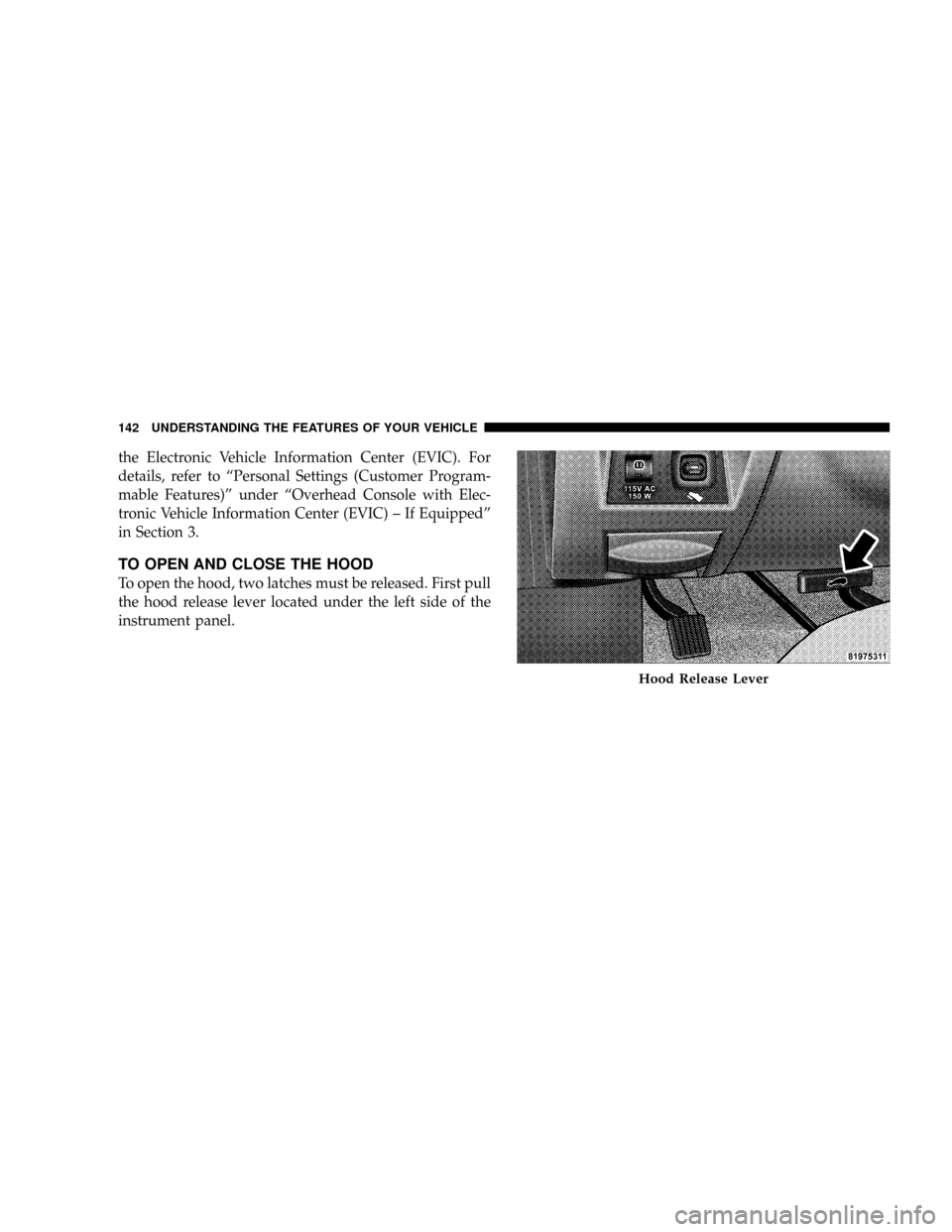
TO OPEN AND CLOSE THE HOOD
To open the hood, two latches must be released. First pull
the hood release lever located under the left side of the
instrument panel.
Hood Release Lever
142 UNDERSTANDING THE FEATURES OF YOUR VEHICLE
Page 147 of 479
If the ignition is off and any door is left ajar for eight
minutes or the dimmer control is rotated upwards for 15
minutes, the interior lights will automatically turn off.
If the headlights remain on while the ignition is cycled
off, the exterior lights will automatically turn off after
eight minutes. If the headlights are turned on and left on
for eight minutes while the ignition is off, the exterior
lights will automatically turn off.
NOTE:Battery Saver mode is cancelled if the ignition is
ON.
NOTE:While the engine is running, the system will
deactivate the Fog Lights and Heated seats if a low
battery system voltage is detected.Headlight Delay
To aid in your exit, your vehicle is equipped with a
headlight delay that will leave the headlights on for 90
seconds. This delay is initiated when the ignition is
cycled off while the headlight switch is on, and then the
headlight switch is cycled off. The headlights will remain
on for 90 seconds. Headlight delay can be cancelled by
either turning the headlight switch ON then OFF or by
turning the ignition ON.
The headlight delay time is programmable on vehicles
equipped with the Electronic Vehicle Information Center
(EVIC). For details, refer to ªPersonal Settings (Customer
Programmable Features)º under ªOverhead Console
with Electronic Vehicle Information Center (EVIC) ± If
Equippedº in Section 3.
146 UNDERSTANDING THE FEATURES OF YOUR VEHICLE
Page 148 of 479
Automatic Headlights Ð If Equipped
Automatic headlights can be activated by rotating the
rotary headlight switch to the symbol ªA.º The head-
lights will turn on when the engine is running and the
ambient light sensor indicates that the headlights should
be activated. The headlights will turn off if the headlight
switch is rotated to the OFF position or 90 seconds after
the ignition is turned to OFF.
Headlights, Parking Lights, Panel Lights
When the headlight switch is rotated to the first position
to the right, the parking lights, taillights, side marker
lights, license plate light and instrument panel lights are
all turned on. The headlights will turn ON when the
switch is rotated to the second position.
Your vehicle is equipped with plastic headlight lenses
that are lighter and less susceptible to stone breakage
than glass headlights.Plastic is not as scratch resistant as glass and therefore
different lens cleaning procedures must be followed.
To minimize the possibility of scratching the lenses and
reducing light output, avoid wiping with a dry cloth. To
remove road dirt, wash with a mild soap solution fol-
lowed by rinsing.
Do not use abrasive cleaning components, solvents, steel
wool or other abrasive materials to clean the lenses.Illuminated Entry
Headlights turn on for 90 seconds, when the Remote
Keyless Entry UNLOCK button is pressed.
The illuminated entry time is programmable on vehicles
equipped with the Electronic Vehicle Information Center
(EVIC). For details, refer to ªPersonal Settings (Customer
Programmable Features)º under ªOverhead Console
with Electronic Vehicle Information Center (EVIC) ± If
Equippedº in Section 3.
UNDERSTANDING THE FEATURES OF YOUR VEHICLE 147
3
Page 157 of 479

CAUTION!
Do not place any article under the adjustable pedals
or impede its ability to move as it may cause damage
to the pedal controls. Pedal travel may become lim-
ited if movement is stopped by an obstruction in the
adjustable pedal's path.
ELECTRONIC SPEED CONTROL Ð IF EQUIPPED
When engaged, this device takes over accelerator opera-
tion at speeds greater than (refer to the following table for
the speed for your specific engine). The controls are
mounted on the steering wheel.
To Activate
NOTE:The Vehicle Speed Control System has been
designed to shut down if multiple speed control switch
buttons (i.e., SET and CANCEL) are operated simulta-
neously in order to ensure proper operation. The System
156 UNDERSTANDING THE FEATURES OF YOUR VEHICLE
Page 161 of 479
REAR PARK ASSIST SYSTEM Ð IF EQUIPPED
NOTE:The manufacturer suggests disabling the Rear
Park Assist System when towing a trailer. Refer to
ªPersonal Settings (Customer Programmable Features)º
under ªOverhead Console with Electronic Vehicle Infor-
mation Center (EVIC) ± If Equippedº in Section 3.
This system is used to help drivers determine if an
obstacle is in the way of the vehicle while it is backing up
in addition to the use of inside rearview and outside
mirrors.
When the driver selects REVERSE, the system scans for
objects behind the vehicle using four sensors located in
the rear bumper. Objects can be detected from up to 78.7
in (200 cm). A warning display above the rear window
provides both visible and audible warnings indicating
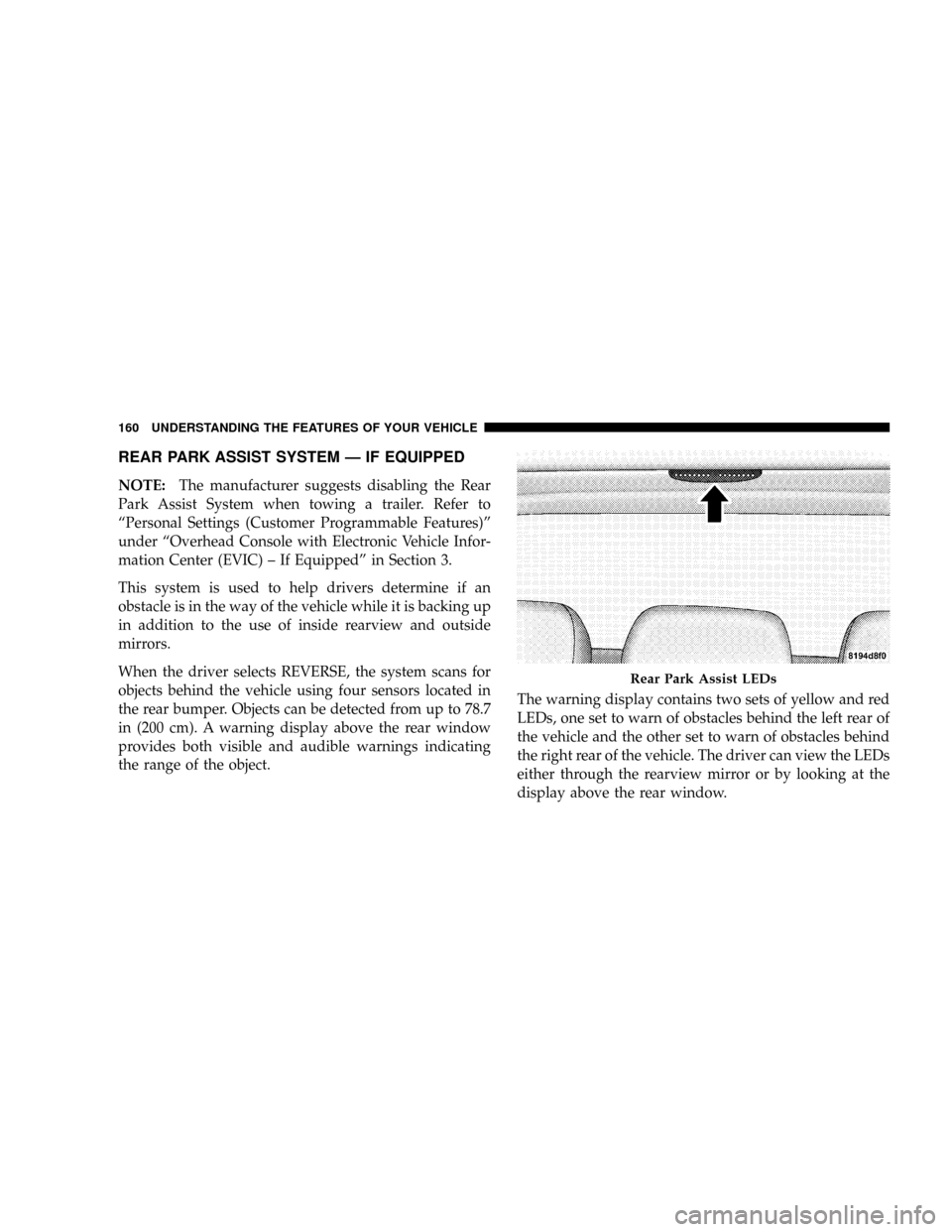
the range of the object.The warning display contains two sets of yellow and red
LEDs, one set to warn of obstacles behind the left rear of
the vehicle and the other set to warn of obstacles behind
the right rear of the vehicle. The driver can view the LEDs
either through the rearview mirror or by looking at the
display above the rear window.
Rear Park Assist LEDs
160 UNDERSTANDING THE FEATURES OF YOUR VEHICLE