buttons CHRYSLER ASPEN 2008 2.G User Guide
[x] Cancel search | Manufacturer: CHRYSLER, Model Year: 2008, Model line: ASPEN, Model: CHRYSLER ASPEN 2008 2.GPages: 479, PDF Size: 4.3 MB
Page 139 of 479
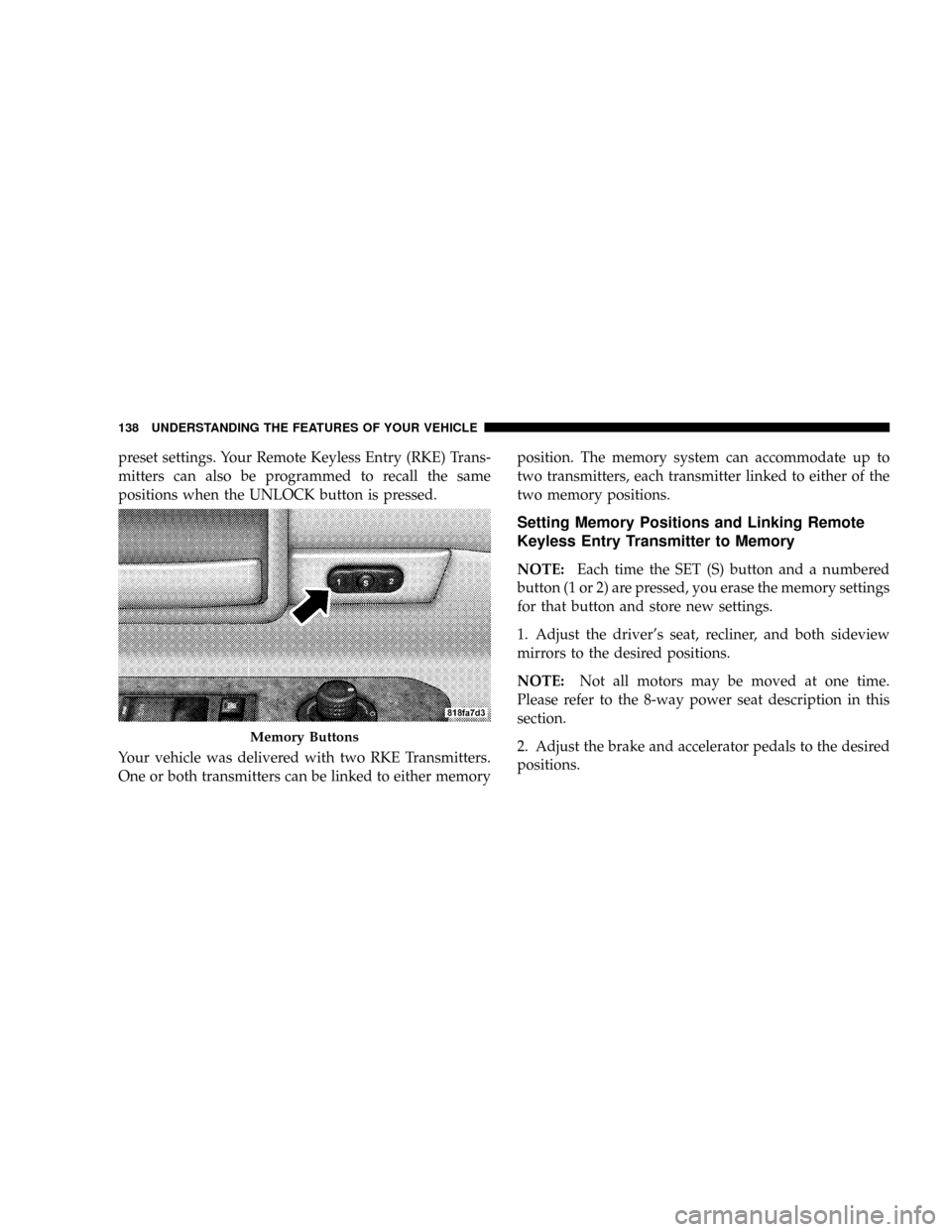
preset settings. Your Remote Keyless Entry (RKE) Trans-
mitters can also be programmed to recall the same
positions when the UNLOCK button is pressed.
Your vehicle was delivered with two RKE Transmitters.
One or both transmitters can be linked to either memoryposition. The memory system can accommodate up to
two transmitters, each transmitter linked to either of the
two memory positions.
Setting Memory Positions and Linking Remote
Keyless Entry Transmitter to Memory
NOTE:Each time the SET (S) button and a numbered
button (1 or 2) are pressed, you erase the memory settings
for that button and store new settings.
1. Adjust the driver's seat, recliner, and both sideview
mirrors to the desired positions.
NOTE:Not all motors may be moved at one time.
Please refer to the 8-way power seat description in this
section.
2. Adjust the brake and accelerator pedals to the desired
positions.
Memory Buttons
138 UNDERSTANDING THE FEATURES OF YOUR VEHICLE
Page 141 of 479

To recall the memory settings for driver one, press
memory button number 1 on the driver's door or the
UNLOCK button on the Remote Keyless Entry Transmit-
ter linked to memory position 1.
To recall the memory setting for driver two, press
memory button number 2 on the driver's door or the
UNLOCK button on the Remote Keyless Entry transmit-
ter linked to memory position 2.
A recall can be cancelled by pressing any of the memory
buttons on the driver's door during a recall (S, 1, or 2), or
pressing any one of the power seat buttons, or pressing
the adjustable pedals button, or pressing either the LOCK
or UNLOCK button on the Remote Keyless Entry Trans-
mitter when not in the ignition switch. When a recall is
cancelled, the driver's seat, and the pedals stop moving.
A delay of one second will occur before another recall can
be selected.NOTE:A chime sound may be heard if Setting Memory
was inhibited for any reason.
To Disable A Transmitter Linked to Memory
1. Turn the ignition switch to the OFF position and
remove the key.
2. Press and release the memory SET (S) button located
on the driver's door.
3. Within 10 seconds, press and release the UNLOCK
button on the Remote Keyless Entry Transmitter.
To disable another transmitter linked to either memory
position, repeat steps 1-3 for each transmitter.
NOTE:The capability to link RKE Transmitters to
memory is enabled when delivered from the factory. The
capability to link RKE Transmitters to memory can be
disabled (or later reenabled) by a qualified
DaimlerChrysler representative. For vehicles equipped
140 UNDERSTANDING THE FEATURES OF YOUR VEHICLE
Page 142 of 479
with the Electronic vehicle Information Center (EVIC),
refer to ªPersonal Settings (Customer Programmable
Features)º under ªOverhead Console with Electronic
Vehicle Information Center (EVIC) ± If Equippedº in
Section 3.
Self-Limiting Control
To improve vehicle reliability, the memory system in-
cludes a self-limiting control for full travel positioning of
power seat and adjustable pedal movement (all direc-
tions). This self-limiting control may, however, develop
an unintended movement limitation if an obstruction is
encountered sometime during usage. One example of
such an occurrence may include a box or package ob-
structing the full rearward movement of the driver's seat.
Once the obstruction is removed, the self-limiting control
may be restored to maximum position. The self-limiting
control may be restored by first reaching the recently
limited or obstructed position, then release and reactivatethe same button or buttons. Continued seat travel beyond
the obstructed position will indicate the recently encoun-
tered self-limitation has been cleared.
Driver Easy Exit and Easy Entry Control
This additional feature provides automatic driver's seat
positioning which will enhance driver mobility out of
and into the vehicle. The seat cushion will move rear-
ward approximately 2.5 inches (60 mm) when the key is
removed from the ignition switch. The seat will move
forward approximately 2.5 inches (60 mm) when the key
is placed into the ignition and turned out of the LOCK
position. Each stored memory setting will have an asso-
ciated Easy Exit and Easy Entry position. The Easy Exit
and Easy Entry feature may be automatically disabled if
the seat is positioned rearward enough and there is no
benefit in moving the seat any farther rearward.
NOTE:The Easy Entry/Easy Exit feature can be en-
abled or disabled through the programmable features in
UNDERSTANDING THE FEATURES OF YOUR VEHICLE 141
3
Page 157 of 479

CAUTION!
Do not place any article under the adjustable pedals
or impede its ability to move as it may cause damage
to the pedal controls. Pedal travel may become lim-
ited if movement is stopped by an obstruction in the
adjustable pedal's path.
ELECTRONIC SPEED CONTROL Ð IF EQUIPPED
When engaged, this device takes over accelerator opera-
tion at speeds greater than (refer to the following table for
the speed for your specific engine). The controls are
mounted on the steering wheel.
To Activate
NOTE:The Vehicle Speed Control System has been
designed to shut down if multiple speed control switch
buttons (i.e., SET and CANCEL) are operated simulta-
neously in order to ensure proper operation. The System
156 UNDERSTANDING THE FEATURES OF YOUR VEHICLE
Page 177 of 479
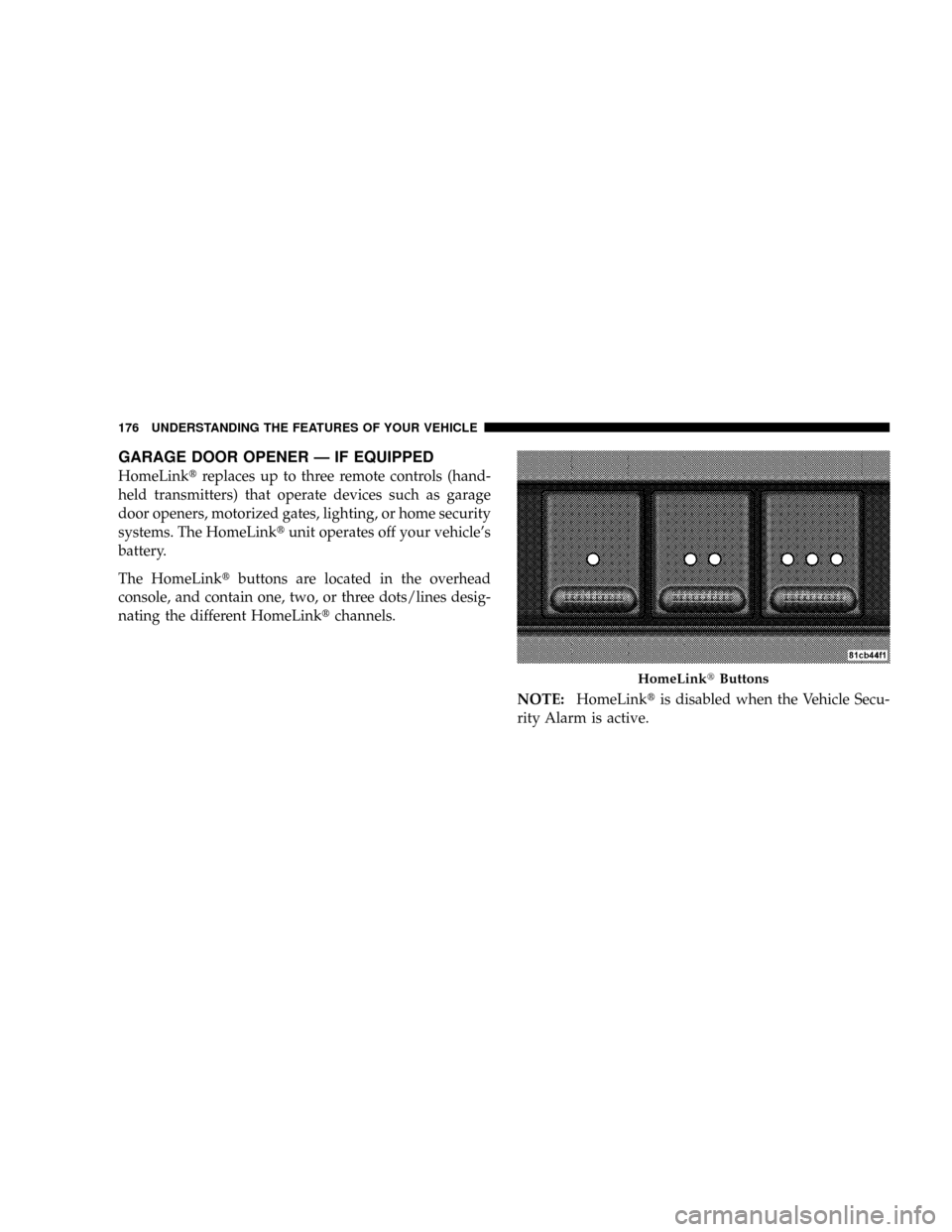
GARAGE DOOR OPENER Ð IF EQUIPPED
HomeLinktreplaces up to three remote controls (hand-
held transmitters) that operate devices such as garage
door openers, motorized gates, lighting, or home security
systems. The HomeLinktunit operates off your vehicle's
battery.
The HomeLinktbuttons are located in the overhead
console, and contain one, two, or three dots/lines desig-
nating the different HomeLinktchannels.
NOTE:HomeLinktis disabled when the Vehicle Secu-
rity Alarm is active.
HomeLinktButtons
176 UNDERSTANDING THE FEATURES OF YOUR VEHICLE
Page 178 of 479

WARNING!
Your motorized door or gate will open and close
while you are training the Universal Transceiver. Do
not train the transceiver if people or pets are in the
path of the door or gate. Only use this transceiver
with a garage door opener that has a ªstop and
reverseº feature as required by federal safety stan-
dards. This includes most garage door opener models
manufactured after 1982. Do not use a garage door
opener without these safety features. Call toll-free
1±800±355±3515 or, on the Internet at
www.HomeLink.com for safety information or
assistance.
WARNING!
Vehicle exhaust contains carbon monoxide, a danger-
ous gas. Do not run your vehicle in the garage while
training the transceiver. Exhaust gas can cause seri-
ous injury or death.
Programming HomeLinkT
Before You Begin
If you have not trained any of the HomeLinktbuttons,
erase all channels before you begin training.
To do this, press and hold the two outside buttons for 20
seconds. The EVIC will display ªCLEARING CHAN-
NELS.º Release the buttons when the EVIC message
states ªCHANNELS CLEARED.º
UNDERSTANDING THE FEATURES OF YOUR VEHICLE 177
3
Page 179 of 479
It is recommended that a new battery be placed in the
hand-held transmitter of the device being programmed
to HomeLinktfor more efficient training and accurate
transmission of the radio-frequency signal.
Your vehicle should be parked outside of the garage
while training.
1. Turn the ignition switch to the ON/RUN position.
2. Place the hand-held transmitter 1 to 3 in (3 to 8 cm)
from the HomeLinktbuttons while keeping the EVIC
display in view.
For optimal training, point the battery end of the hand-
held transmitter away from the HomeLinkt.
3. Simultaneously, press and hold both the chosen
HomeLinktbutton and the hand-held transmitter button
until the EVIC display changes from ªCHANNEL #
TRAININGº to ªCHANNEL # TRAINED.ºThen release both the HomeLinktand hand-held trans-
mitter buttons.
If the EVIC display states ªDID NOT TRAINº repeat Step
3. If the signal is too weak, replace the battery in the
original hand-held transmitter.
It may take up to 30 seconds, or longer, in rare cases. The
garage door may open and close while you train.
NOTE:Some gate operators and garage door openers
may require you to replace Step 3 with procedures noted
in the ªGate Operator/Canadian Programmingº section.
4. Press and hold the just-trained HomeLinktbutton. If
the channel has been trained, the EVIC display will now
state ªCHANNEL # TRANSMIT.º
If the EVIC display still states ªCHANNEL # TRAIN-
INGº repeat Step 3.
178 UNDERSTANDING THE FEATURES OF YOUR VEHICLE
Page 181 of 479
7. Return to the vehicle and press the programmed
HomeLinktbutton twice (holding the button for two
seconds each time). If the device is plugged in and
activates, programming is complete.
If the device does not activate, press the button a third
time (for two seconds) to complete the training.
If you have any problems, or require assistance, please
call toll-free 1±800±355±3515 or, on the Internet at
www.HomeLink.com for information or assistance.
To program the remaining two HomeLinktbuttons,
repeat each step for each remaining button. DO NOT
erase the channels.
Gate Operator/Canadian Programming
Canadian radio-frequency laws require transmitter sig-
nals to ªtime-outº (or quit) after several seconds of
transmission ± which may not be long enough for
HomeLinktto pick up the signal during programming.Similar to this Canadian law, some U.S. gate operators are
designed to ªtime-outº in the same manner.
It may be helpful to unplug the device during the cycling
process to prevent possible overheating of the garage
door or gate motor.
If you are having difficulties programming a garage door
opener or a gate operator, replace ªProgramming
HomeLinkº Step 3 with the following:
3. Continue to press and hold the HomeLinktbutton
while you press and release - every two seconds
(ªcycleº) your hand-held transmitter until HomeLinkt
has successfully accepted the frequency signal. The
EVIC display will change from ªCHANNEL # TRAIN-
INGº to ªCHANNEL # TRAINED.º
If you unplugged the device for training, plug it back in
at this time.
Then proceed with Step 4 under ªProgramming
HomeLinktº earlier in this section.
180 UNDERSTANDING THE FEATURES OF YOUR VEHICLE
Page 182 of 479

Using HomeLinkT
To operate, simply press and release the programmed
HomeLinktbutton. Activation will now occur for the
trained device (i.e., garage door opener, gate operator,
security system, entry door lock, home/office lighting,
etc.) The hand-held transmitter of the device may also be
used at any time.
Reprogramming A Single HomeLinkTButton
To reprogram a channel that has been previously trained,
follow these steps:
1. Turn the ignition switch to the ON/RUN position.
2. Press and hold the desired HomeLinktbutton for 20
seconds until the EVIC display states ªCHANNEL #
TRAINING.ºDo not release the button.
3.Without releasing the button,proceed with Program-
ming HomeLinktStep 2 and follow all remaining steps.
Security
It is advised to erase all channels before you sell or turn
in your vehicle.
To do this, press and hold the two outside buttons for 20
seconds until the EVIC message states ªCHANNELS
CLEARED.º Note that all channels will be erased. Indi-
vidual channels cannot be erased.
The HomeLinktUniversal Transceiver is disabled when
the Vehicle Security Alarm is active.
Troubleshooting Tips
If you are having trouble programming HomeLinkt, here
are some of the most common solutions:
²Replace the battery in the original transmitter.
²Press the learn button on the garage door opener to
complete the training for rolling code.
UNDERSTANDING THE FEATURES OF YOUR VEHICLE 181
3
Page 200 of 479
NOperating Instructions - Video Entertainment
System (VESŸ) (If Equipped).............241
mUniversal Consumer Interface (UCI) Ð
If Equipped...........................241
NConnecting The iPodtDevice............242
NControlling The iPodtUsing Radio Buttons . . . 242
NPlay Mode..........................242
NList Or Browse Mode..................244
mVideo Entertainment System (Sales Code XRV) Ð
If Equipped...........................246
mRemote Sound System Controls Ð If Equipped . . 246
NRight-Hand Switch Functions.............246
NLeft-Hand Switch Functions For Radio
Operation...........................247NLeft-Hand Switch Functions For Media
(i.e., CD) Operation....................247
mCompact Disc Maintenance................247
mRadio Operation And Cellular Phones........248
mClimate Controls.......................249
NManual Control......................249
NAir Conditioning Operation..............249
NFront Blower Control...................250
NFront Mode Control...................250
NRear Temperature Control Ð If Equipped....253
NRear Window Defrosting And Rear Window
Washer/Wiper.......................253
NAutomatic Temperature Control (ATC) Ð If
Equipped...........................254
INSTRUMENT PANEL AND CONTROLS 199
4