light CHRYSLER ASPEN 2008 2.G Owner's Manual
[x] Cancel search | Manufacturer: CHRYSLER, Model Year: 2008, Model line: ASPEN, Model: CHRYSLER ASPEN 2008 2.GPages: 479, PDF Size: 4.3 MB
Page 78 of 479
Safety Checks You Should Make Outside The
Vehicle
Tires
Examine tires for tread wear or uneven wear patterns.
Check for stones, nails, glass or other objects lodged in
the tread.
Inspect for tread cuts or sidewall cracks. Check wheel
nuts for tightness and tires for proper pressure.
Lights
Check the operation of all exterior lights. Check turn
signal and high beam indicator lights on the instrument
panel.
Door Latches
Check for positive closing, latching and locking.
Fluid Leaks
Check area under vehicle after overnight parking for fuel,
water, oil, or other fluid leaks. Also, if fuel fumes are
detected, the cause should be located and corrected.
THINGS TO KNOW BEFORE STARTING YOUR VEHICLE 77
2
Page 82 of 479
NSelf-Limiting Control...................141
NDriver Easy Exit And Easy Entry Control....141
mTo Open And Close The Hood.............142
mLights...............................144
NInterior Lights.......................145
NBattery Saver........................145
NHeadlight Delay......................146
NAutomatic Headlights Ð If Equipped.......147
NHeadlights, Parking Lights, Panel Lights.....147
NIlluminated Entry.....................147
NDaytime Running Lights (Canada Only).....148
NLights-On Reminder...................148
NFog Lights Ð If Equipped...............148NMultifunction Control Lever..............149
mWindshield Wipers And Washers............151
NWindshield Wipers....................151
NWindshield Washers...................153
mTilt Steering Column....................154
mDriver Adjustable Pedals Ð If Equipped......155
NAdjustment.........................155
mElectronic Speed Control Ð If Equipped......156
NTo Activate..........................156
NTo Set At A Desired Speed...............157
NTo Deactivate........................157
NTo Resume Speed.....................157
NTo Vary The Speed Setting...............158
UNDERSTANDING THE FEATURES OF YOUR VEHICLE 81
3
Page 83 of 479
NTo Accelerate For Passing...............159
mRear Park Assist System Ð If Equipped.......160
mRear Camera Ð If Equipped...............163
mOverhead Console......................165
NCourtesy/Reading Lights................166
mOverhead Console With Electronic Vehicle
Information Center (EVIC) Ð If Equipped.....166
NDome/Reading Lights..................166
NElectronic Vehicle Information Center (EVIC) Ð
If Equipped.........................167
NCompass/Temperature Button............173
mGarage Door Opener Ð If Equipped.........176
NProgramming HomeLinkt...............177
NGate Operator/Canadian Programming.....180NUsing HomeLinkt.....................181
NReprogramming A Single HomeLinkt
Button.............................181
NSecurity............................181
NTroubleshooting Tips...................181
NGeneral Information...................182
mPower Sunroof Ð If Equipped.............182
NExpress Open Feature..................183
NWind Buffeting.......................184
NSunroof Maintenance...................184
mElectrical Power Outlets..................185
N115V Inverter Outlet ± If Equipped.........185
NElectrical Outlet Use With Engine Off (Battery
Fed Configuration)....................187
82 UNDERSTANDING THE FEATURES OF YOUR VEHICLE
Page 85 of 479
MIRRORS
Inside Day/Night Mirror
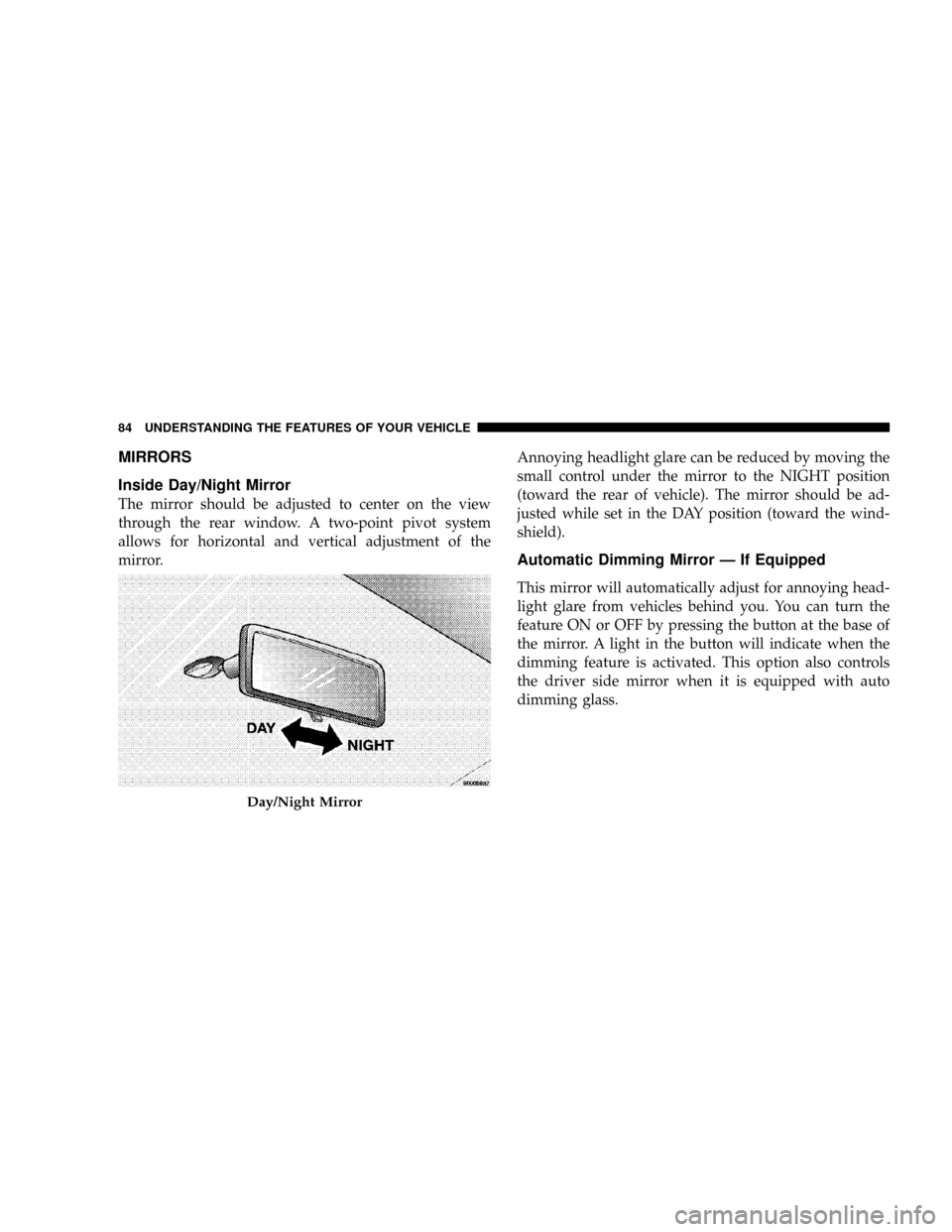
The mirror should be adjusted to center on the view
through the rear window. A two-point pivot system
allows for horizontal and vertical adjustment of the
mirror.Annoying headlight glare can be reduced by moving the
small control under the mirror to the NIGHT position
(toward the rear of vehicle). The mirror should be ad-
justed while set in the DAY position (toward the wind-
shield).
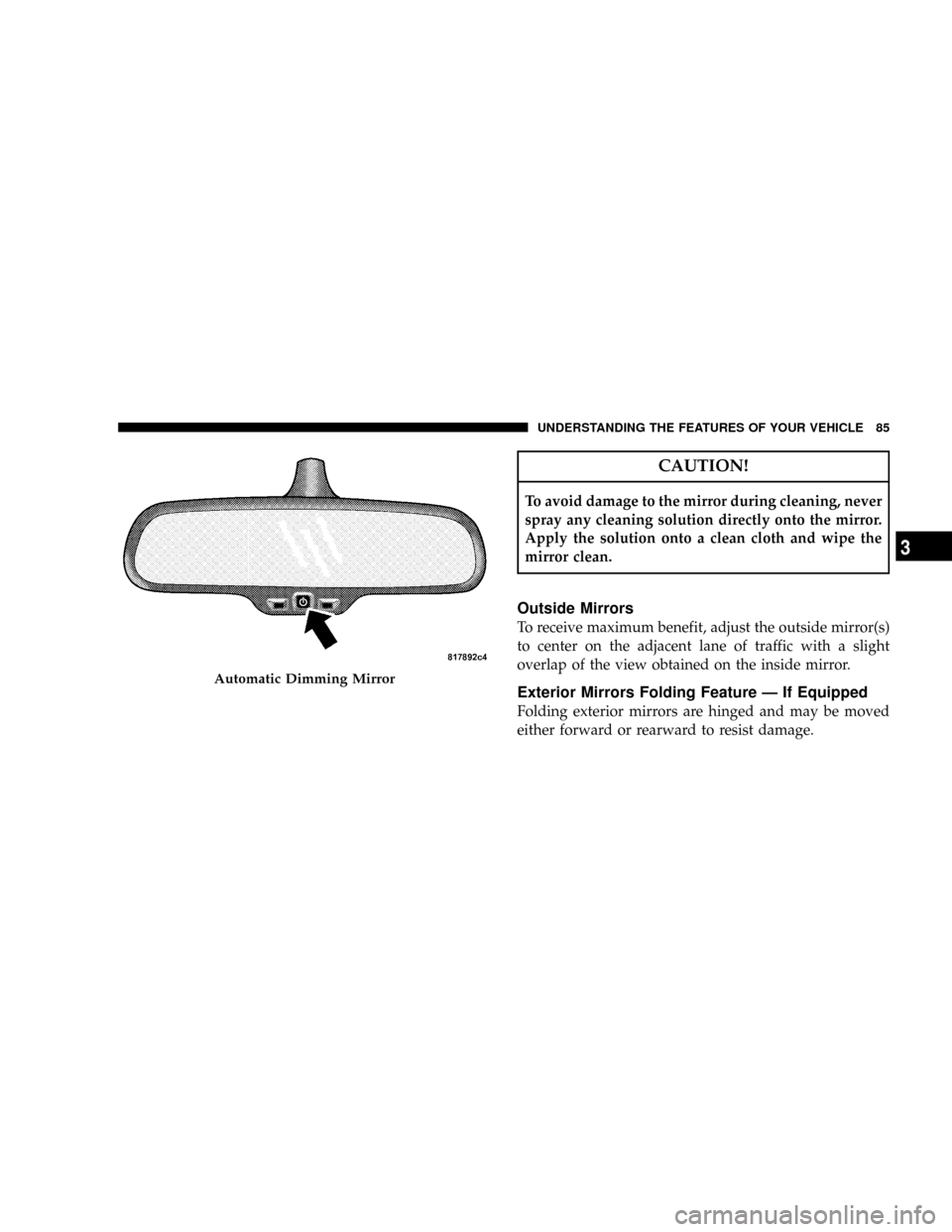
Automatic Dimming Mirror Ð If Equipped
This mirror will automatically adjust for annoying head-
light glare from vehicles behind you. You can turn the
feature ON or OFF by pressing the button at the base of
the mirror. A light in the button will indicate when the
dimming feature is activated. This option also controls
the driver side mirror when it is equipped with auto
dimming glass.
Day/Night Mirror
84 UNDERSTANDING THE FEATURES OF YOUR VEHICLE
Page 86 of 479
CAUTION!
To avoid damage to the mirror during cleaning, never
spray any cleaning solution directly onto the mirror.
Apply the solution onto a clean cloth and wipe the
mirror clean.
Outside Mirrors
To receive maximum benefit, adjust the outside mirror(s)
to center on the adjacent lane of traffic with a slight
overlap of the view obtained on the inside mirror.
Exterior Mirrors Folding Feature Ð If Equipped
Folding exterior mirrors are hinged and may be moved
either forward or rearward to resist damage.
Automatic Dimming Mirror
UNDERSTANDING THE FEATURES OF YOUR VEHICLE 85
3
Page 88 of 479
WARNING!
Vehicles and other objects seen in the right side
convex mirror will look smaller and farther away
than they really are. Relying too much on your right
side mirror could cause you to collide with another
vehicle or other object. Use your inside mirror when
judging the size or distance of a vehicle seen in the
right side mirror.
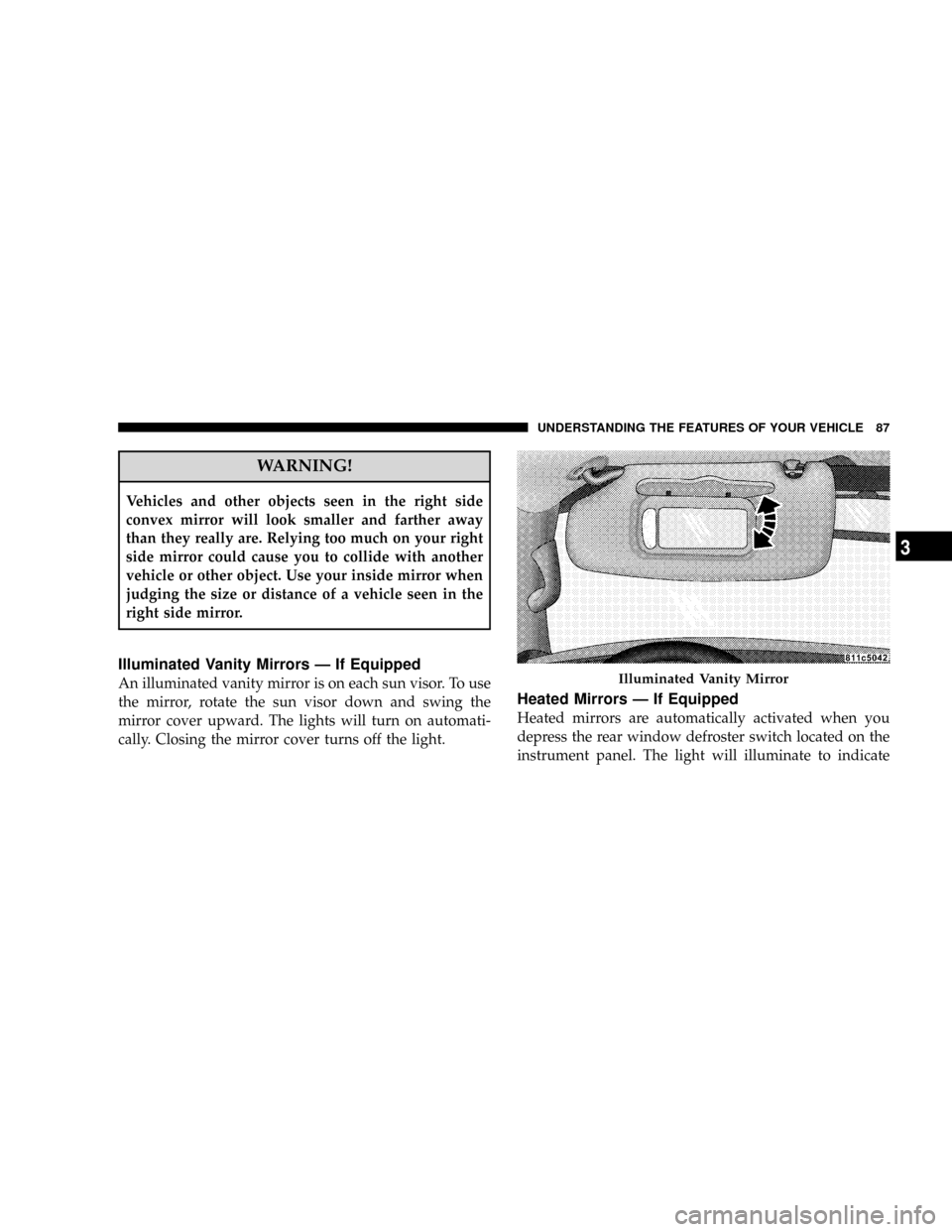
Illuminated Vanity Mirrors Ð If Equipped
An illuminated vanity mirror is on each sun visor. To use
the mirror, rotate the sun visor down and swing the
mirror cover upward. The lights will turn on automati-
cally. Closing the mirror cover turns off the light.
Heated Mirrors Ð If Equipped
Heated mirrors are automatically activated when you
depress the rear window defroster switch located on the
instrument panel. The light will illuminate to indicate
Illuminated Vanity Mirror
UNDERSTANDING THE FEATURES OF YOUR VEHICLE 87
3
Page 89 of 479
that the heating elements are ON. Turning OFF the rear
window defroster or the ignition will deactivate the
heated mirrors.
Automatic Dimming Driver's Exterior Mirror Ð If
Equipped
This mirror will automatically adjust for annoying light
glare from vehicles behind you. This feature is controlled
by the inside mirror and can be turned off by pressing the
button at the base of the inside mirror.
HANDS-FREE COMMUNICATION (UConnectT)Ð
IF EQUIPPED
NOTE: The sales code RER radio contains an inte-
grated Hands-Free Communication (UConnectt) sys-
tem. Refer to your ªNavigation User's Manualº for
UConnecttsystem operating instructions for this radio.
UConnecttis a voice-activated, hands-free, in-vehicle
communications system. UConnecttallows you to dial aphone number with your cellular phone using simple
voice commands (e.g.,9Callº{ªMikeº{ºWork9or9Dialº
{ª248-555-12129). Your cellular phone's audio is trans-
mitted through your vehicle's audio system; the system
will automatically mute your radio when using the
UConnecttsystem.
NOTE:The UConnecttsystem requires a cellular phone
equipped with the Bluetootht9Hands-Free Profile,9Ve r -
sion 0.96 or higher. See the UConnecttwebsite for
supported phones.
NOTE:For UConnecttcustomer support, visit the
following websites:²www.chrysler.com/uconnect
²www.dodge.com/uconnect
²www.jeep.com/uconnect
²or call 1±877±855±8400
88 UNDERSTANDING THE FEATURES OF YOUR VEHICLE
Page 102 of 479
²After the9Ready9prompt and the following beep, say
9Emergency9and the UConnecttsystem will instruct
the paired cellular phone to call the emergency num-
ber. This feature is only supported in the U.S.
NOTE:The emergency number dialed is based on the
country where the vehicle is purchased (911 for the U.S.
and Canada and 060 for Mexico). The number dialed may
not be applicable with the available cellular service and
area.
The UConnecttsystem does slightly lower your chances
of successfully making a phone call as to that for the cell
phone directly.
Your phone must be turned on and paired to the
UConnecttsystem to allow use of this vehicle feature in
emergency situations, when the cell phone has network
coverage and stays paired to the UConnecttsystem.Towing Assistance
If you need towing assistance:
²Press the PHONE button to begin.
²After the9Ready9prompt and the following beep, say
9Towing Assistance.9
NOTE:The Towing Assistance number dialed is based
on the country where the vehicle is purchased (1-800-528-
2069 for the U.S., 1-877-213-4525 for Canada, 55-14-3454
for Mexico City and 1-800-712-3040 for outside Mexico
City in Mexico).
Please refer to the 24-Hour ªTowing Assistanceº cover-
age details in the Warranty Information Booklet and on
the 24±Hour Towing Assistance Card.
Paging
To learn how to page, refer to9Working with Automated
Systems.9Paging works properly except for pagers of
UNDERSTANDING THE FEATURES OF YOUR VEHICLE 101
3
Page 122 of 479
WARNING!
Adjusting a seat while the vehicle is moving is
dangerous. The sudden movement of the seat could
cause you to lose control. The seat belt might not be
properly adjusted and you could be injured. Adjust
any seat only while the vehicle is parked.
Front Seat Manual Seat Recliners
The bucket seats are equipped with recliners. The reclin-
ing mechanism is operated by a lever located on the right
side of the passenger's seat and the left side of the
driver's seat. To recline, lean forward slightly beforelifting the lever, then push back to the desired position
and release the lever. Lean forward and lift the lever to
return the seatback to its normal position. Using body
pressure, lean forward and rearward on the seat to be
sure the seatback is locked.
WARNING!
Do not ride with the seatback reclined so that the
shoulder belt is no longer resting against your chest.
In a collision you could slide under the seat belt and
be seriously or even fatally injured. Use the recliner
only when the vehicle is parked.
UNDERSTANDING THE FEATURES OF YOUR VEHICLE 121
3
Page 127 of 479

off. Both of the indicators on identifies High heat level.
The lower indicator on only identifies Low heat level.
NOTE:The HI heat setting will operate for approxi-
mately 30 minutes. After 30 minutes, the system will
automatically transition to the low heat setting. The LO
heat setting will operate for 30 minutes, then the system
will turn off.
If the low heat setting is initially selected, the system will
operate for 30 minutes and then turn off.
If the indicator light on the heated seat switch does not
light, an indicator blinks when the switch is depressed or
if the heated seats do not operate, the system should be
serviced by a qualified technician.WARNING!
Persons who are unable to feel pain to the skin
because of advanced age, chronic illness, diabetes,
spinal cord injury, medication, alcohol use, exhaus-
tion or other physical condition must exercise care
when using the seat heater. It may cause burns even
at low temperatures, especially if used for long
periods of time.
Do not place anything on the seat that insulates
against heat, such as a blanket or cushion. This may
cause the seat heater to overheat.
126 UNDERSTANDING THE FEATURES OF YOUR VEHICLE