light CHRYSLER ASPEN 2008 2.G Repair Manual
[x] Cancel search | Manufacturer: CHRYSLER, Model Year: 2008, Model line: ASPEN, Model: CHRYSLER ASPEN 2008 2.GPages: 479, PDF Size: 4.3 MB
Page 222 of 479
An auxiliary input jack permits passengers to listen to a
portable MP3 player through the vehicle's speakers. For
vehicles equipped with the Vehicle Entertainment System
(VES)t, separate audio outputs allow passengers to listen
to the vehicle speakers while different audio tracks play
through the system's wireless headphones. This means
rear-seat passengers can watch a DVD on the optional
rear-seat entertainment system while the driver and
front-seat passenger listen to the radio.
Other special features include direct tune, music type
selections, traffic messaging (optional), easy store presets,
parental lockout for VESŸ (if equipped), backup camera
display for vehicles equipped with a backup camera, and
on some models, a dual display screen operation. Refer to
your ªNavigation User's Manualº for detailed operating
instructions.Operating Instructions Ð Satellite Radio
Refer to your ªNavigation User's Manualº for detailed
operating instructions.
Operating Instructions Ð Hands-Free
Communication (UConnectT) (If Equipped)
Refer to your ªNavigation User's Manualº for detailed
operating instructions.
Clock Setting Procedure
The GPS receiver in this system is synchronized to the
time data being transmitted by the GPS satellites. The
satellites' clock is Greenwich Mean Time (GMT). This is
the worldwide standard for time. This makes the sys-
tem's clock very accurate once the appropriate time zone
and daylight savings information is set.
Changing the Time Zone
1. Turn on the multimedia system.
INSTRUMENT PANEL AND CONTROLS 221
4
Page 223 of 479
2. Touch the screen where the time is displayed. The
clock setting menu will appear on the screen. If the words
ªTime: GPS Timeº are displayed at the top of the screen,
proceed to Step 4. Otherwise, proceed to Step 3.
3. If the words ªTime: User Clockº are displayed at the
top of the screen, touch the bottom of the screen where
the words ªUser Clockº are displayed. The GPS time
setting menu will appear on the screen.
4. Touch the screen where the words ªSet Time Zoneº are
displayed. The time zone selection menu will appear on
the screen.
5. Select a time zone by touching the screen where your
selection appears. If you do not see a time zone that you
want to select, touch the screen where the word ªPageº is
displayed to view additional time zones in the menu.Changing Daylight Savings Time
When selected, this feature will display the time of day in
daylight savings time. Proceed as follows to change the
current setting:
1. Turn on the multimedia system.
2. Touch the screen where the time is displayed. The
clock setting menu will appear on the screen.
3. When this feature is on, a check mark will appear in
the box next to the words ªDaylight Savings.º Touch the
screen where the words ªDaylight Savingsº are dis-
played to change the current setting.
Setting the User Clock
If you wish to set the clock to a time different from the
system clock, you can manually adjust the time by
performing the following:
1. Turn on the multimedia system.
222 INSTRUMENT PANEL AND CONTROLS
Page 245 of 479

SCAN Button
Pressing the SCAN button will play the first five seconds
of each track in the current list and then forward to the
next song. To stop the SCAN mode and start playing the
desired track, press the SCAN button again.
During the SCAN mode, you can also press the SEEK
button to the left or right to go to the previous or next
tracks.
RND (Random) Button (RES Radios Only)
Pressing the RND button will switch between the shuffle
on and shuffle off modes of the iPodt. If the RND icon is
showing on the radio display then the shuffle mode is on.
List or Browse Mode
During Play mode, pressing any of the following buttons
will take you to List mode. List mode enables you to
scroll through the list of menus and tracks on the iPodt
device.TUNE/SCROLL Knob
In the List mode, the TUNE/SCROLL knob functions in
a similar manner as the scroll wheel on the iPodt.
Turning the TUNE/SCROLL knob clockwise (forward)
and counterclockwise (backward) scrolls through lists,
displaying the track detail on the radio display. Once you
have the track to be played highlighted on the radio
display, press the TUNE/SCROLL knob to select and
start playing the track. By turning the TUNE/SCROLL
knob fast, you can jump through the list faster. During
fast scroll, you may notice a slight delay in updating the
information on the radio display.
During all List modes, the iPodtwill display all lists in
ªwrap-aroundº mode. So if the track you wish to select is
at the bottom of the list, you just turn the TUNE/
SCROLL knob backward (counterclockwise) to get to the
track faster.
244 INSTRUMENT PANEL AND CONTROLS
Page 249 of 479
5. Store the disc in its case after playing.
6. Do not expose the disc to direct sunlight.
7. Do not store the disc where temperatures may become
too high.
NOTE:If you experience difficulty in playing a particu-
lar disc, it may be damaged (i.e. scratched, reflective
coating removed, a hair, moisture or dew on the disc)
oversized, or have theft protection encoding. Try a
known good disc before considering disc player service.RADIO OPERATION AND CELLULAR PHONES
Under certain conditions, the cellular phone being ON in
your vehicle can cause erratic or noisy performance from
your radio. This condition may be lessened or eliminated
by relocating the cellular phone antenna. This condition
is not harmful to the radio. If your radio performance
does not satisfactorily ªclearº by the repositioning of the
antenna, it is recommended that the radio volume be
turned down or off during cellular phone operation.
248 INSTRUMENT PANEL AND CONTROLS
Page 250 of 479
CLIMATE CONTROLS
Manual Control
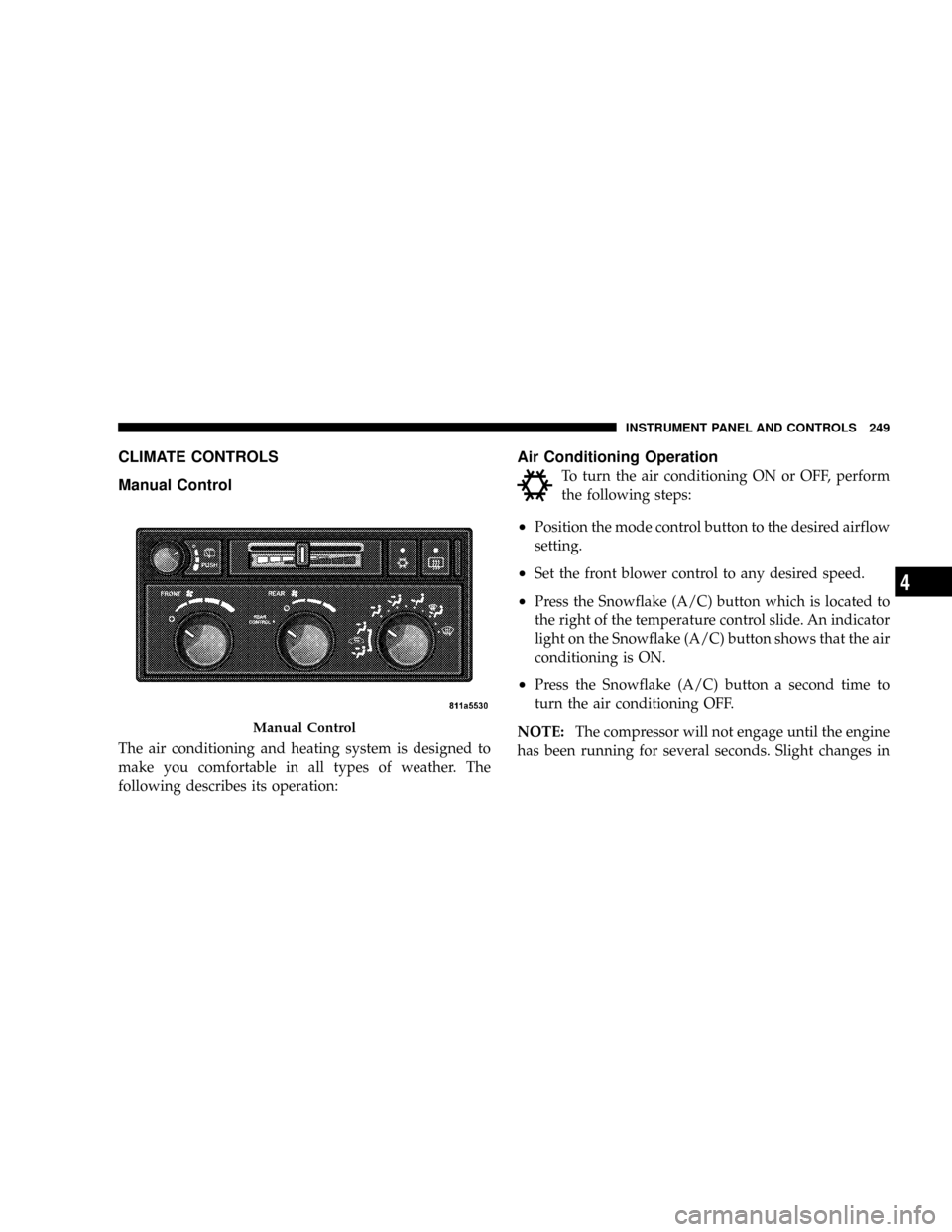
The air conditioning and heating system is designed to
make you comfortable in all types of weather. The
following describes its operation:
Air Conditioning Operation
To turn the air conditioning ON or OFF, perform
the following steps:
²Position the mode control button to the desired airflow
setting.
²Set the front blower control to any desired speed.
²Press the Snowflake (A/C) button which is located to
the right of the temperature control slide. An indicator
light on the Snowflake (A/C) button shows that the air
conditioning is ON.
²Press the Snowflake (A/C) button a second time to
turn the air conditioning OFF.
NOTE:The compressor will not engage until the engine
has been running for several seconds. Slight changes in
Manual Control
INSTRUMENT PANEL AND CONTROLS 249
4
Page 257 of 479

Manual Control (ATC)
You may also choose to customize your comfort by
selecting the fan speed and mode manually. Turning the
fan speed knob or any mode button places the system
into manual operation.
While in manual operation there are six fan speeds
available and the choice of any mode. The airflow
temperature is adjusted automatically to maintain the
desired comfort level. You can adjust the temperature by
pressing the + or - Temp rocker switches.
FAN Control
Use this knob to regulate the amount of air delivered
through the system in any mode you select. Rotation
of the knob to increase (clockwise) or decrease (counter-
clockwise) fan speed.
Air Conditioning Operation
Press this button to enable the air conditioning
system. Compressor operation is automatic whenyou press the AUTO button and no snowflake is shown.
A snowflake indicates that the A/C system is enabled.
The snowflake will not be displayed in AUTO mode even
though the A/C system is enabled.
The compressor may operate at any temperature above
32ÉF (0ÉC).
NOTE:The compressor will not engage until the engine
has been running for several seconds. Slight changes in
engine speed or power may be noticed when the com-
pressor cycles. This is a normal occurrence since the
compressor will cycle on and off to maintain comfort and
improve fuel economy.
Recirculate Button
Press this button to recirculate the air inside the
vehicle. Outside air is prevented from entering
the vehicle. Use this mode to temporarily block
out any outside odors, smoke, dust or when
rapid cooling of the interior is required.
256 INSTRUMENT PANEL AND CONTROLS
Page 266 of 479
If the rear wiper is operating when the ignition is turned
OFF, the wiper will automatically return to the Park
position. When the vehicle is restarted, the wiper will
resume operation.
Rear Window Defrosting
A pushbutton type switch is located in the climate
control panel. Press the switch and the rear win-
dow defroster and electric remote control heated mirrors
(if equipped) will turn on. An amber indicator on the
pushbutton will light when the defroster is turned on. A
symbol will be displayed when the defroster is turned on
with an ATC control. Push again to turn off prior to
time-out. The defroster will automatically turn off after
15 minutes. For 10 more minutes of operation, push the
button again. To prevent excessive battery drain, use the
defroster only when the engine is operating.
CAUTION!
Use care when washing the inside of the rear window
to prevent damage to heating elements. Use a soft
cloth and a mild washing solution, wiping parallel to
the heating elements. Also, keep all objects a safe
distance from the window to prevent damaging the
heating elements.
INSTRUMENT PANEL AND CONTROLS 265
4
Page 278 of 479
ª1º 1st
For driving up very steep hills and for engine braking at
low speeds (25 mph {40 km/h} or less) when going
downhill. To prevent excessive engine speed do not
exceed 25 mph (40 km/h) in this range.
OVERDRIVE Operation
The OVERDRIVE automatic transmission contains an
electronically controlled fourth and fifth (if equipped)
speed (OVERDRIVE). The transmission will automati-
cally shift from DRIVE to OVERDRIVE if the following
conditions are present:
²the transmission selector is in DRIVE;
²the engine coolant has reached normal operating tem-
perature;
²vehicle speed is above approximately 30 mph (48
km/h);
²the TOW/HAUL switch has not been activated;
²transmission has reached normal operating tempera-
ture.
NOTE:If the vehicle is started in extremely cold tem-
peratures, the transmission may not shift into OVER-
DRIVE and will automatically select the most desirable
gear for operation at this temperature. Normal operation
will resume when the transmission fluid temperature has
risen to a suitable level. Refer also to the Note under
torque converter clutch, later in this section.
If the transmission temperature gets extremely hot, the
transmission will automatically select the most desirable
gear for operation at this temperature. If the transmission
temperature becomes hot enough, the ªTRANS TEMPº
light may illuminate and the transmission may down-
shift out of OVERDRIVE until the transmission cools
down. After cooldown, the transmission will resume
normal operation.
STARTING AND OPERATING 277
5
Page 279 of 479
The transmission will downshift from OVERDRIVE to
DRIVE if the accelerator pedal is fully depressed at
vehicle speeds above approximately 35 mph (56 km/h).
When To Use TOW/HAUL Mode
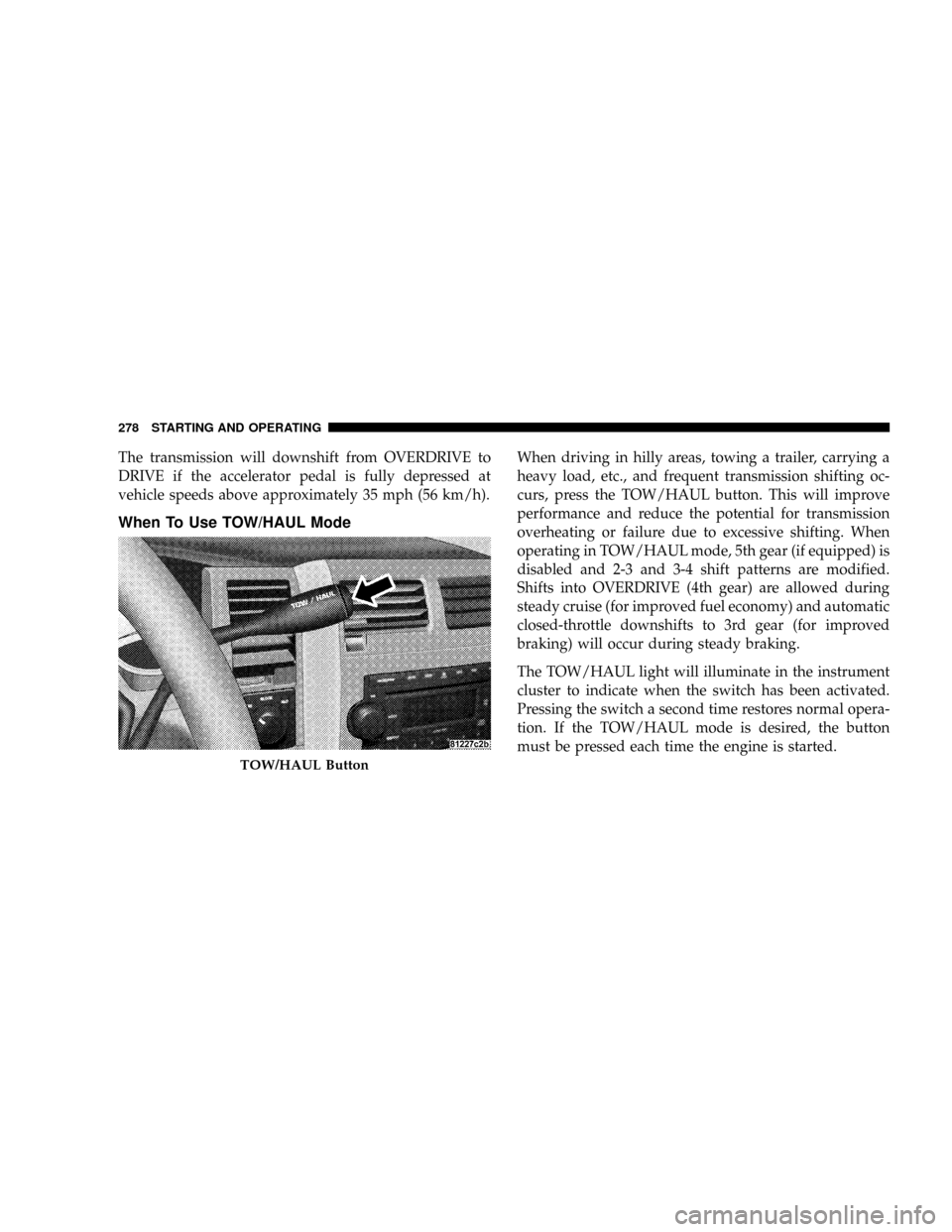
When driving in hilly areas, towing a trailer, carrying a
heavy load, etc., and frequent transmission shifting oc-
curs, press the TOW/HAUL button. This will improve
performance and reduce the potential for transmission
overheating or failure due to excessive shifting. When
operating in TOW/HAUL mode, 5th gear (if equipped) is
disabled and 2-3 and 3-4 shift patterns are modified.
Shifts into OVERDRIVE (4th gear) are allowed during
steady cruise (for improved fuel economy) and automatic
closed-throttle downshifts to 3rd gear (for improved
braking) will occur during steady braking.
The TOW/HAUL light will illuminate in the instrument
cluster to indicate when the switch has been activated.
Pressing the switch a second time restores normal opera-
tion. If the TOW/HAUL mode is desired, the button
must be pressed each time the engine is started.
TOW/HAUL Button
278 STARTING AND OPERATING
Page 280 of 479

Torque Converter Clutch
A feature designed to improve fuel economy is included
in all automatic transmissions. A clutch within the torque
converter engages automatically at a calibrated speed at
light throttle. It engages at higher speeds under heavier
acceleration. This may result in a slightly different feeling
or response during normal operation in high gear. When
the vehicle speed drops below a calibrated speed, or
during acceleration, the clutch automatically and
smoothly disengages. The feature is operational in
OVERDRIVE and in DRIVE.
NOTE:The torque converter clutch will not engage
until the transmission fluid and engine coolant are warm
(usually after 1-3 mi [1.6 - 4.8 km] of driving). Because the
engine speed is higher when the torque converter clutch
is not engaged, it may seem as if the transmission is not
shifting into Overdrive when cold. This is normal. Press-
ing the TOW/HAUL button, when the transmission is
sufficiently warm, will demonstrate that the transmissionis able to shift into, and out of, Overdrive. For vehicles
with 4.7L or 5.7L engines (which have two Overdrive
gears), the transmission may not shift into 5th gear until
the transmission fluid and engine coolant are warm.
NOTE:If the vehicle has not been driven in several
days, the first few seconds of operation after shifting the
transmission into gear may seem sluggish. This is due to
the fluid partially draining from the torque converter into
the transmission. This condition is normal and will not
cause damage to the transmission. The torque converter
will refill within five seconds of shifting from PARK into
any other gear position.
STARTING AND OPERATING 279
5