ignition CHRYSLER ASPEN 2008 2.G Owner's Guide
[x] Cancel search | Manufacturer: CHRYSLER, Model Year: 2008, Model line: ASPEN, Model: CHRYSLER ASPEN 2008 2.GPages: 479, PDF Size: 4.3 MB
Page 101 of 479

²After the ignition key is switched to OFF, a call can
continue on the UConnecttsystem for a certain dura-
tion, after which the call is automatically transferred
from the UConnecttsystem to the mobile phone.
²An active call is automatically transferred to the
mobile phone after the ignition key is switched to OFF.
UConnectTSystem Features
Language Selection
To change the language that the UConnecttsystem is
using:
²Press the PHONE button to begin.
²After the9Ready9prompt and the following beep, say
the name of the language you wish to switch to
(English, Espanol, or Francais, if so equipped).
²Continue to follow the system prompts to complete
language selection.After selecting one of the languages, all prompts and
voice commands will be in that language.
NOTE:After every UConnecttlanguage change opera-
tion, only the language-specific 32-name phonebook is
usable. The paired phone name is not language-specific
and usable across all languages.
Emergency Assistance
If you are in an emergency and the mobile phone is
reachable:
²Pick up the phone and manually dial the emergency
number for your area.
If the phone is not reachable and the UConnecttsystem
is operational, you may reach the emergency number as
follows:
²Press the PHONE button to begin.
100 UNDERSTANDING THE FEATURES OF YOUR VEHICLE
Page 110 of 479

BluetoothtCommunication Link
Cellular phones have been found to lose connection to
the UConnecttsystem. When this happens, the connec-
tion can generally be re-established by switching the
phone off/on. Your cell phone is recommended to remain
in BluetoothtON mode.
Power-Up
After switching the ignition key from OFF to either ON
or ACC position, or after a language change, you must
wait at least five seconds prior to using the system.
UNDERSTANDING THE FEATURES OF YOUR VEHICLE 109
3
Page 126 of 479
With the ignition switch in the RUN position, depressing
the heated seat switch rocker to its momentary high or
low position provides power to the heated seat element
and maintains the requested temperature setting. If the
heated seat switch is depressed to a different position
(low or high) than the currently selected state, the re-
quested temperature setting will change to a new selec-
tion. If the heated seat switch is depressed a second time
to the same position as the currently selected state, the
seat heater will turn off.
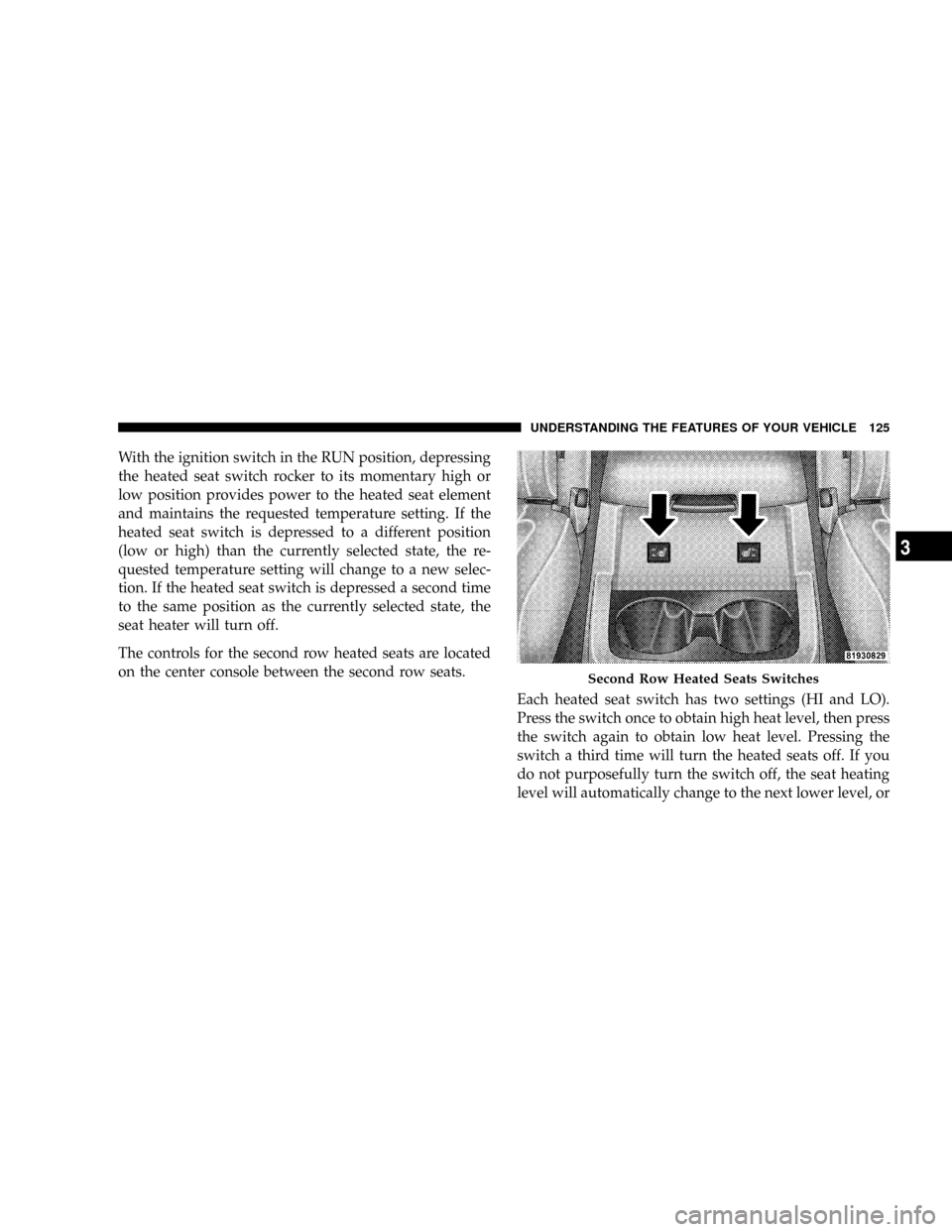
The controls for the second row heated seats are located
on the center console between the second row seats.
Each heated seat switch has two settings (HI and LO).
Press the switch once to obtain high heat level, then press
the switch again to obtain low heat level. Pressing the
switch a third time will turn the heated seats off. If you
do not purposefully turn the switch off, the seat heating
level will automatically change to the next lower level, or
Second Row Heated Seats Switches
UNDERSTANDING THE FEATURES OF YOUR VEHICLE 125
3
Page 140 of 479
3. Turn on the radio and set the radio station presets (up
to 10 AM and 10 FM stations can be set).
4. Adjust the Automatic Temperature Control (ATC)
while the ATC is in Auto mode.
5. Press and release the SET (S) button located on the
driver's door.
6. Within five seconds, press and release memory button
1 or 2 on the driver's door. The next step must be
performed within 10 seconds if you desire to also use a
RKE Transmitter to recall memory positions.
7. Press and release the LOCK button on one of the
transmitters.
8. Insert the ignition key and turn the ignition switch to
the ON position.9. Repeat the above steps to set the next memory posi-
tion using the other numbered memory button or to link
another RKE Transmitter to memory.
NOTE:A chime sound may be heard if Setting Memory
was inhibited for any reason.
Memory Position Recall
NOTE:
²The driver's seat belt must be unbuckled to recall
memory positions.
²The vehicle must be in PARK to recall memory posi-
tions.
²Not all motors may be moved at one time. Please refer
to the 8-way power seat description in this section.
UNDERSTANDING THE FEATURES OF YOUR VEHICLE 139
3
Page 141 of 479

To recall the memory settings for driver one, press
memory button number 1 on the driver's door or the
UNLOCK button on the Remote Keyless Entry Transmit-
ter linked to memory position 1.
To recall the memory setting for driver two, press
memory button number 2 on the driver's door or the
UNLOCK button on the Remote Keyless Entry transmit-
ter linked to memory position 2.
A recall can be cancelled by pressing any of the memory
buttons on the driver's door during a recall (S, 1, or 2), or
pressing any one of the power seat buttons, or pressing
the adjustable pedals button, or pressing either the LOCK
or UNLOCK button on the Remote Keyless Entry Trans-
mitter when not in the ignition switch. When a recall is
cancelled, the driver's seat, and the pedals stop moving.
A delay of one second will occur before another recall can
be selected.NOTE:A chime sound may be heard if Setting Memory
was inhibited for any reason.
To Disable A Transmitter Linked to Memory
1. Turn the ignition switch to the OFF position and
remove the key.
2. Press and release the memory SET (S) button located
on the driver's door.
3. Within 10 seconds, press and release the UNLOCK
button on the Remote Keyless Entry Transmitter.
To disable another transmitter linked to either memory
position, repeat steps 1-3 for each transmitter.
NOTE:The capability to link RKE Transmitters to
memory is enabled when delivered from the factory. The
capability to link RKE Transmitters to memory can be
disabled (or later reenabled) by a qualified
DaimlerChrysler representative. For vehicles equipped
140 UNDERSTANDING THE FEATURES OF YOUR VEHICLE
Page 142 of 479
with the Electronic vehicle Information Center (EVIC),
refer to ªPersonal Settings (Customer Programmable
Features)º under ªOverhead Console with Electronic
Vehicle Information Center (EVIC) ± If Equippedº in
Section 3.
Self-Limiting Control
To improve vehicle reliability, the memory system in-
cludes a self-limiting control for full travel positioning of
power seat and adjustable pedal movement (all direc-
tions). This self-limiting control may, however, develop
an unintended movement limitation if an obstruction is
encountered sometime during usage. One example of
such an occurrence may include a box or package ob-
structing the full rearward movement of the driver's seat.
Once the obstruction is removed, the self-limiting control
may be restored to maximum position. The self-limiting
control may be restored by first reaching the recently
limited or obstructed position, then release and reactivatethe same button or buttons. Continued seat travel beyond
the obstructed position will indicate the recently encoun-
tered self-limitation has been cleared.
Driver Easy Exit and Easy Entry Control
This additional feature provides automatic driver's seat
positioning which will enhance driver mobility out of
and into the vehicle. The seat cushion will move rear-
ward approximately 2.5 inches (60 mm) when the key is
removed from the ignition switch. The seat will move
forward approximately 2.5 inches (60 mm) when the key
is placed into the ignition and turned out of the LOCK
position. Each stored memory setting will have an asso-
ciated Easy Exit and Easy Entry position. The Easy Exit
and Easy Entry feature may be automatically disabled if
the seat is positioned rearward enough and there is no
benefit in moving the seat any farther rearward.
NOTE:The Easy Entry/Easy Exit feature can be en-
abled or disabled through the programmable features in
UNDERSTANDING THE FEATURES OF YOUR VEHICLE 141
3
Page 147 of 479
If the ignition is off and any door is left ajar for eight
minutes or the dimmer control is rotated upwards for 15
minutes, the interior lights will automatically turn off.
If the headlights remain on while the ignition is cycled
off, the exterior lights will automatically turn off after
eight minutes. If the headlights are turned on and left on
for eight minutes while the ignition is off, the exterior
lights will automatically turn off.
NOTE:Battery Saver mode is cancelled if the ignition is
ON.
NOTE:While the engine is running, the system will
deactivate the Fog Lights and Heated seats if a low
battery system voltage is detected.Headlight Delay
To aid in your exit, your vehicle is equipped with a
headlight delay that will leave the headlights on for 90
seconds. This delay is initiated when the ignition is
cycled off while the headlight switch is on, and then the
headlight switch is cycled off. The headlights will remain
on for 90 seconds. Headlight delay can be cancelled by
either turning the headlight switch ON then OFF or by
turning the ignition ON.
The headlight delay time is programmable on vehicles
equipped with the Electronic Vehicle Information Center
(EVIC). For details, refer to ªPersonal Settings (Customer
Programmable Features)º under ªOverhead Console
with Electronic Vehicle Information Center (EVIC) ± If
Equippedº in Section 3.
146 UNDERSTANDING THE FEATURES OF YOUR VEHICLE
Page 148 of 479
Automatic Headlights Ð If Equipped
Automatic headlights can be activated by rotating the
rotary headlight switch to the symbol ªA.º The head-
lights will turn on when the engine is running and the
ambient light sensor indicates that the headlights should
be activated. The headlights will turn off if the headlight
switch is rotated to the OFF position or 90 seconds after
the ignition is turned to OFF.
Headlights, Parking Lights, Panel Lights
When the headlight switch is rotated to the first position
to the right, the parking lights, taillights, side marker
lights, license plate light and instrument panel lights are
all turned on. The headlights will turn ON when the
switch is rotated to the second position.
Your vehicle is equipped with plastic headlight lenses
that are lighter and less susceptible to stone breakage
than glass headlights.Plastic is not as scratch resistant as glass and therefore
different lens cleaning procedures must be followed.
To minimize the possibility of scratching the lenses and
reducing light output, avoid wiping with a dry cloth. To
remove road dirt, wash with a mild soap solution fol-
lowed by rinsing.
Do not use abrasive cleaning components, solvents, steel
wool or other abrasive materials to clean the lenses.Illuminated Entry
Headlights turn on for 90 seconds, when the Remote
Keyless Entry UNLOCK button is pressed.
The illuminated entry time is programmable on vehicles
equipped with the Electronic Vehicle Information Center
(EVIC). For details, refer to ªPersonal Settings (Customer
Programmable Features)º under ªOverhead Console
with Electronic Vehicle Information Center (EVIC) ± If
Equippedº in Section 3.
UNDERSTANDING THE FEATURES OF YOUR VEHICLE 147
3
Page 149 of 479
Daytime Running Lights (Canada Only)
The headlights on your vehicle will illuminate when the
engine is started. This provides a constant ªLights ONº
condition until the ignition is turned OFF. The lights
illuminate at reduced intensity. If the parking brake is
applied the Daytime Running Lights (DRLs) will turn off.
If the headlights are activated, the DRL feature will
transition to the normal headlight operating mode.
Lights-on Reminder
If the headlights, parking lights, or courtesy lights are left
on after the ignition is turned OFF, a continuous fast
chime will sound when the driver's door is opened.
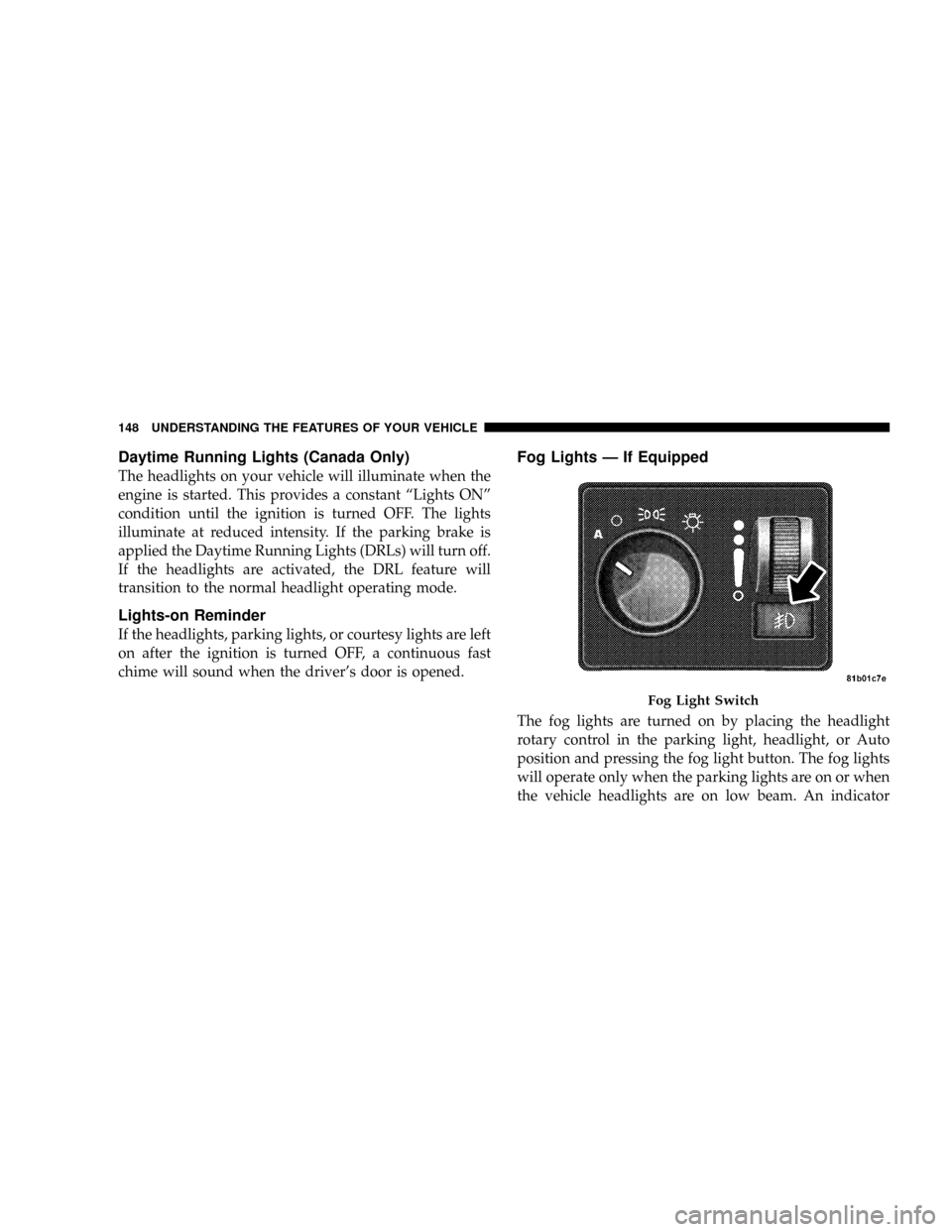
Fog Lights Ð If Equipped
The fog lights are turned on by placing the headlight
rotary control in the parking light, headlight, or Auto
position and pressing the fog light button. The fog lights
will operate only when the parking lights are on or when
the vehicle headlights are on low beam. An indicator
Fog Light Switch
148 UNDERSTANDING THE FEATURES OF YOUR VEHICLE
Page 153 of 479

Intermittent Wiper System
The intermittent feature of this system was designed for
use when weather conditions make a single wiping cycle,
with a variable pause between cycles, desirable. For
maximum delay between cycles, rotate the control knob
into the upper end of the delay range.
The delay interval decreases as you rotate the knob until
it enters the low continual speed position. The delay can
be regulated from a maximum of about 15 seconds
between cycles, to a cycle every 2 seconds. The delay
intervals will double in duration when the vehicle speed
is 10 mph (16 km/h) or less.WARNING!
Sudden loss of visibility through the windshield
could lead to an accident. You might not see other
vehicles or other obstacles. To avoid sudden icing of
the windshield during freezing weather, warm the
windshield with the defroster before and during
windshield washer use.
NOTE:Avoid using the wiper blades to remove frost or
ice from the windshield.
NOTE:If the front wiper is operating when the ignition
is turned OFF, the wiper will automatically return to the
9Park9position. When the vehicle is restarted, the wipers
will resume operation.
152 UNDERSTANDING THE FEATURES OF YOUR VEHICLE