roof CHRYSLER ASPEN 2008 2.G Owners Manual
[x] Cancel search | Manufacturer: CHRYSLER, Model Year: 2008, Model line: ASPEN, Model: CHRYSLER ASPEN 2008 2.GPages: 479, PDF Size: 4.3 MB
Page 55 of 479
in the instrument panel, above the glove compartment.
The words SRS/AIRBAG are embossed on the airbag
covers.
NOTE:The front airbags are certified to the Federal
regulations that allow less forceful deployment.
The front airbags have a multistage inflator design. This
may allow the airbag to have different rates of inflation
that are based on collision severity and occupant size.
This vehicle is also equipped with window bags to
protect the driver, front, and rear passengers sitting next
to a window. The window bags are located above the side
windows. Their covers are also labeled SRS AIRBAG.
NOTE:Airbag covers may not be obvious in the interior
trim, but they will open to allow airbag deployments.WARNING!
²Do not put anything on or around the front airbag
covers or attempt to manually open them. You may
damage the airbags and you could be injured
because the airbags are no longer functional.
These protective covers for the airbag cushions are
designed to open only when the airbags are inflat-
ing.
²Your vehicle is equipped with window bags. Do
not stack luggage or other cargo up high enough to
block the location of the window bag. The area
where the window bag is located should remain
free from any obstructions.
²Do not have any accessory items installed which
will alter the roof, including adding a sunroof to
your vehicle. Do not add roof racks that require
permanent attachments (bolts or screws) for instal-
lation on the vehicle roof. Do not drill into the roof
of the vehicle for any reason.
54 THINGS TO KNOW BEFORE STARTING YOUR VEHICLE
Page 83 of 479
NTo Accelerate For Passing...............159
mRear Park Assist System Ð If Equipped.......160
mRear Camera Ð If Equipped...............163
mOverhead Console......................165
NCourtesy/Reading Lights................166
mOverhead Console With Electronic Vehicle
Information Center (EVIC) Ð If Equipped.....166
NDome/Reading Lights..................166
NElectronic Vehicle Information Center (EVIC) Ð
If Equipped.........................167
NCompass/Temperature Button............173
mGarage Door Opener Ð If Equipped.........176
NProgramming HomeLinkt...............177
NGate Operator/Canadian Programming.....180NUsing HomeLinkt.....................181
NReprogramming A Single HomeLinkt
Button.............................181
NSecurity............................181
NTroubleshooting Tips...................181
NGeneral Information...................182
mPower Sunroof Ð If Equipped.............182
NExpress Open Feature..................183
NWind Buffeting.......................184
NSunroof Maintenance...................184
mElectrical Power Outlets..................185
N115V Inverter Outlet ± If Equipped.........185
NElectrical Outlet Use With Engine Off (Battery
Fed Configuration)....................187
82 UNDERSTANDING THE FEATURES OF YOUR VEHICLE
Page 84 of 479
mFloor Console.........................189
NFront Floor Console Features.............189
NRear Floor Console Features ± If Equipped . . . 191mFactory Installed Roof Luggage Rack.........192
mCargo Management SystemÐIf Equipped......194
UNDERSTANDING THE FEATURES OF YOUR VEHICLE 83
3
Page 183 of 479
²Did you unplug the device for training, and remember
to plug it back in?
If you are having any problems or require assistance,
please call toll-free 1±800±355±3515 or, on the Internet at
www.HomeLink.com for information or assistance.
General Information
This device complies with FCC rules Part 15 and Industry
Canada RSS-210. Operation is subject to the following
two conditions:
1. This device may not cause harmful interference
2. This device must accept any interference that may be
received including interference that may cause undesired
operation
NOTE:The transmitter has been tested and it complies
with FCC and IC rules. Changes or modifications notexpressly approved by the party responsible for compli-
ance could void the user 's authority to operate the
device.
The term ªIC:º before the certification/registration num-
ber only signifies that Industry Canada technical specifi-
cations were met.POWER SUNROOF Ð IF EQUIPPED
The power sunroof control is located between the sun
visors on the overhead console.
Pressing the9open9end of the rocker switch once moves
the panel to the open position.
To close the panel, the9close9end of the switch must be
pressed and held.
Pressing the ªventº button from a fully closed position
raises the trailing edge of the panel for ventilation. When
182 UNDERSTANDING THE FEATURES OF YOUR VEHICLE
Page 184 of 479
the panel is venting, pressing the ªcloseº end of the
rocker switch returns it to the closed position. Both
opening and closing operations in the vent mode occur
only while the switch is held.
NOTE:The sunroof will continue to operate for 10
minutes after the ignition is turned OFF or until the
driver's door is opened. This feature may be disabled by
your authorized dealer.
Express Open Feature
During the Express Open operation, any movement of
the switch will stop the sunroof and it will remain in a
partial open position. Again, momentarily pressing the
switch rearward will activate the Express Open Feature.
To close the sunroof, hold the switch in the forward
position. Again, any release of the switch will stop the
movement and the sunroof will remain in a partial opencondition until the switch is pushed forward again. To
close fully, hold the switch in the forward position until
the glass movement has stopped.
The sunshade can be opened manually. It will also open
as the sunroof opens. The sunshade cannot be closed if
the sunroof is open.
WARNING!
Never leave children alone in a vehicle. Leaving
unattended children in a vehicle is dangerous for a
number of reasons. A child or others could be seri-
ously or fatally injured. Don't leave the keys in the
ignition. A child could operate power windows,
other controls, or move the vehicle.
UNDERSTANDING THE FEATURES OF YOUR VEHICLE 183
3
Page 185 of 479
WARNING!
In an accident, there is a greater risk of being thrown
from a vehicle with an open sunroof. You could also
be seriously injured or killed. Always fasten your
seat belt properly and make sure all passengers are
properly secured too.
Do not allow small children to operate the sunroof.
Never allow fingers or other body parts, or any object
to project through the sunroof opening. Injury may
result.
Wind Buffeting
Wind buffeting can be described as the perception of
pressure on the ears or a helicopter type sound in the
ears. Your vehicle may exhibit wind buffeting with the
windows down, or the sunroof (if equipped) in certain
open or partially open positions. This is a normal occur-
rence and can be minimized. If the buffeting occurs with
the rear windows open, open the front and rear windows
together to minimize the buffeting. If the buffeting occurs
with the sunroof open, adjust the sunroof opening to
minimize the buffeting, or open any window.
Sunroof Maintenance
Use only a nonabrasive cleaner and a soft cloth to clean
the glass panel.
184 UNDERSTANDING THE FEATURES OF YOUR VEHICLE
Page 193 of 479
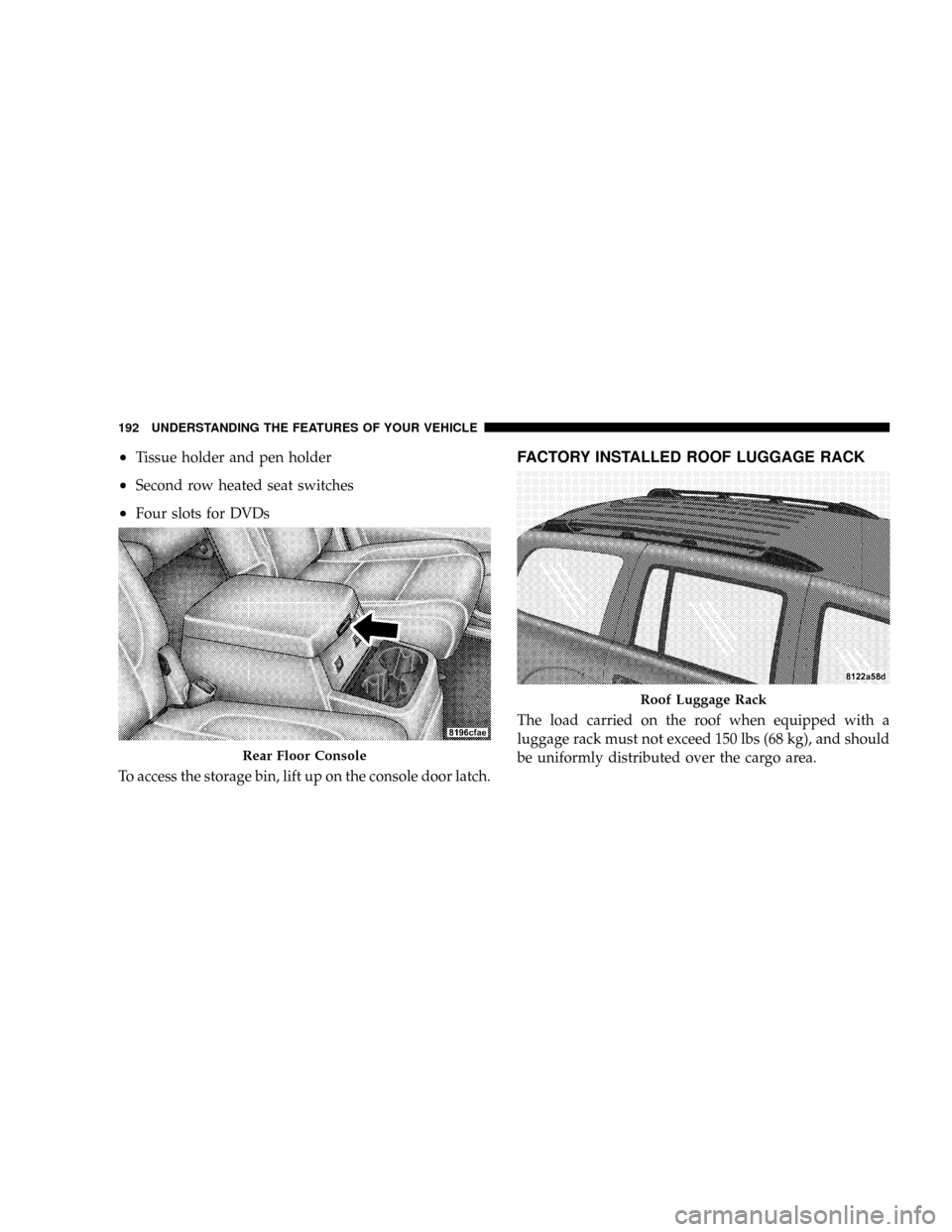
²Tissue holder and pen holder
²Second row heated seat switches
²Four slots for DVDs
To access the storage bin, lift up on the console door latch.
FACTORY INSTALLED ROOF LUGGAGE RACK
The load carried on the roof when equipped with a
luggage rack must not exceed 150 lbs (68 kg), and should
be uniformly distributed over the cargo area.
Rear Floor Console
Roof Luggage Rack
192 UNDERSTANDING THE FEATURES OF YOUR VEHICLE
Page 194 of 479

The side rails between the stantions should be used to tie
down cargo. Check the straps frequently to be sure that
the load remains securely attached.
NOTE:Crossbars are offered by Mopartaccessories.
External racks do not increase the total load carrying
capacity of the vehicle. Be sure that the total occupant
and luggage load inside the vehicle, plus the load on the
luggage rack, do not exceed the maximum vehicle load
capacity.CAUTION!
To avoid damage to the roof rack and vehicle, do not
exceed the maximum roof rack load capacity. Always
distribute heavy loads as evenly as possible and
secure the load appropriately.
Long loads which extend over the windshield, such
as wood panels or surfboards, should be secured to
both the front and rear of the vehicle.
Place a blanket or other protection between the
surface of the roof and the load.
Travel at reduced speeds and turn corners carefully
when carrying large or heavy loads on the roof rack.
Wind forces, due to natural causes or nearby truck
traffic, can add sudden upward loads. This is espe-
cially true on large flat loads and may result in
damage to the cargo or your vehicle.
UNDERSTANDING THE FEATURES OF YOUR VEHICLE 193
3
Page 195 of 479
WARNING!
Cargo must be securely tied down before driving
your vehicle. Improperly secured loads can fly off the
vehicle, particularly at high speeds, resulting in per-
sonal injury or property damage. Follow the roof rack
Cautions when carrying cargo on your roof rack.
CARGO MANAGEMENT SYSTEMÐIF EQUIPPED
The cargo management system consists of a removable
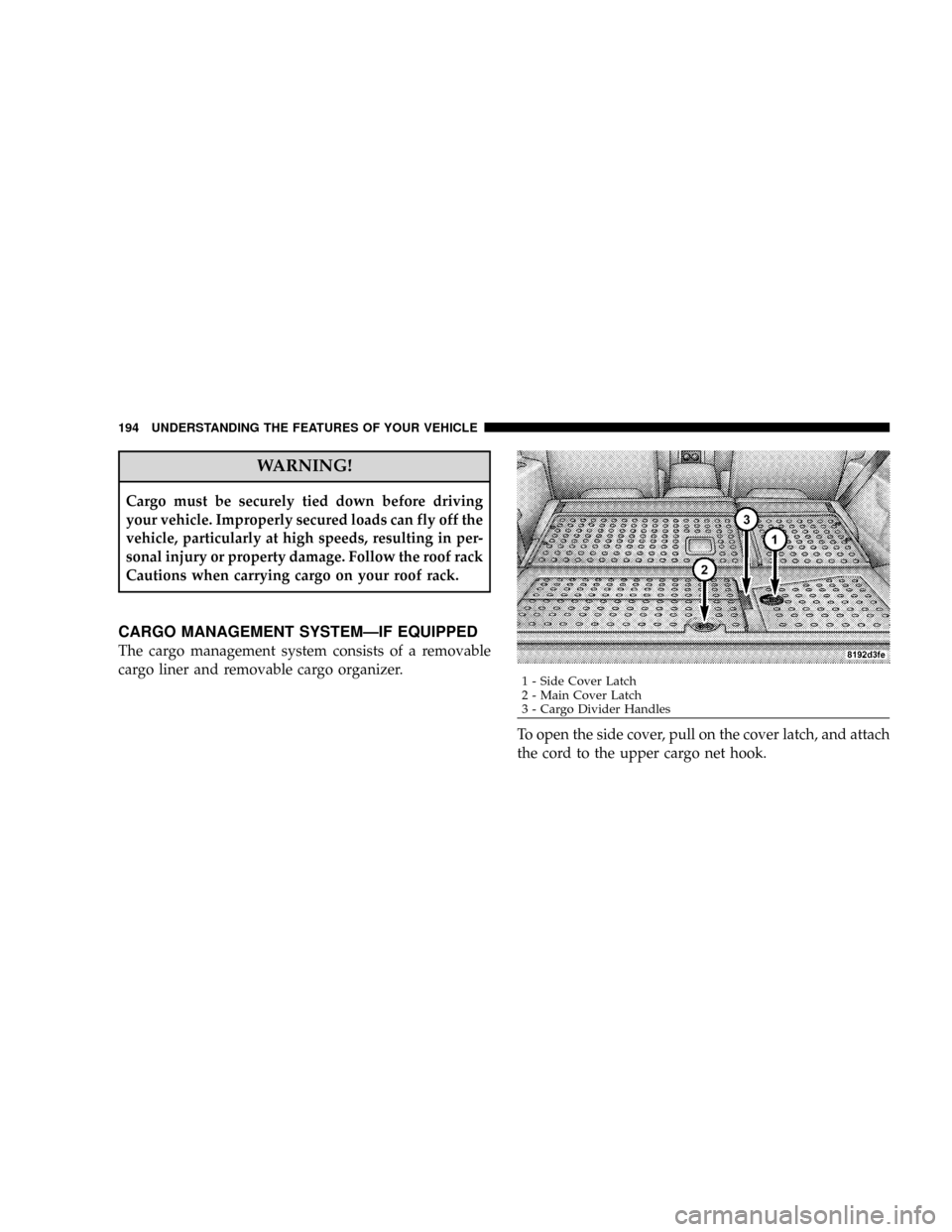
cargo liner and removable cargo organizer.
To open the side cover, pull on the cover latch, and attach
the cord to the upper cargo net hook.
1 - Side Cover Latch
2 - Main Cover Latch
3 - Cargo Divider Handles 194 UNDERSTANDING THE FEATURES OF YOUR VEHICLE
Page 239 of 479
Satellite Antenna
To ensure optimum reception, do not place items on the
roof around the rooftop antenna location or strap items to
the trunk lid around the trunk lid antenna (if equipped).
Metal objects placed within the line of sight of the
antenna will cause decreased performance. Larger lug-
gage items such as bikes should be placed as far rearward
as possible, within the loading design of the rack. Do not
place items directly on or above the antenna.
Reception Quality
Satellite reception may be interrupted due to one of the
following reasons:
²The vehicle is parked in an underground parking
structure or under a physical obstacle.
²Dense tree coverage may interrupt reception in the
form of short audio mutes.
²Driving under wide bridges or along tall buildings can
cause intermittent reception.
²Placing objects over or too close to the antenna can
cause signal blockage.
Operating Instructions - Satellite Mode
NOTE:The ignition switch must be in the ON or ACC
position to operate the radio.
SEEK Buttons
Press and release the SEEK buttons to search for the next
channel in Satellite mode. Press the right switch to seek
up and the left switch to seek down. The radio will
remain tuned to the new channel until you make another
selection. Holding either button will bypass channels
without stopping until you release it.
238 INSTRUMENT PANEL AND CONTROLS