wheel CHRYSLER ASPEN 2009 2.G User Guide
[x] Cancel search | Manufacturer: CHRYSLER, Model Year: 2009, Model line: ASPEN, Model: CHRYSLER ASPEN 2009 2.GPages: 481, PDF Size: 9.28 MB
Page 151 of 481
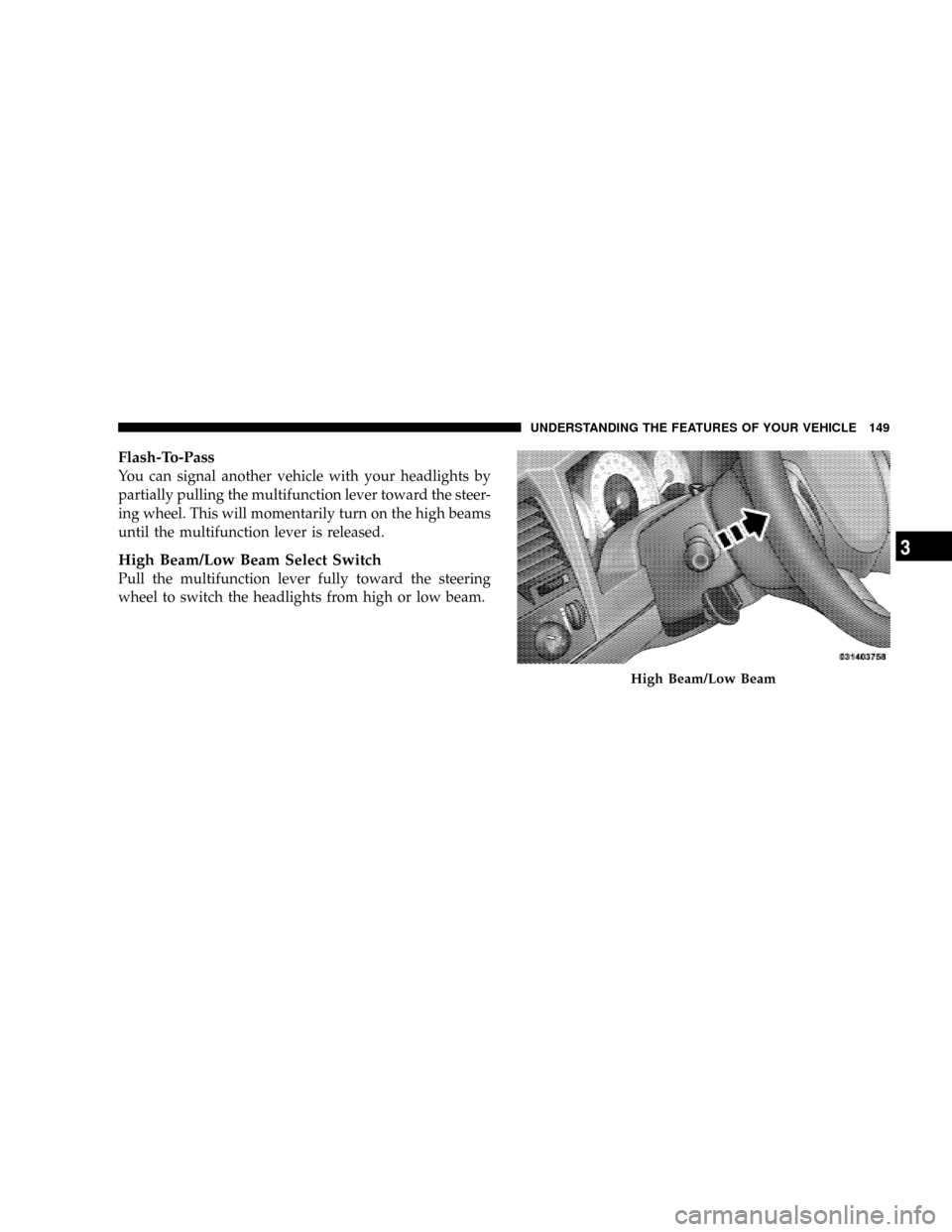
Flash-To-Pass
You can signal another vehicle with your headlights by
partially pulling the multifunction lever toward the steer-
ing wheel. This will momentarily turn on the high beams
until the multifunction lever is released.
High Beam/Low Beam Select Switch
Pull the multifunction lever fully toward the steering
wheel to switch the headlights from high or low beam.
High Beam/Low Beam
UNDERSTANDING THE FEATURES OF YOUR VEHICLE 149
3
Page 154 of 481
NOTE:To prevent freeze-up of your windshield washer
system in cold weather, select a solution or mixture that
meets or exceeds the temperature range of your climate.
This rating information can be found on most washer
fluid containers.
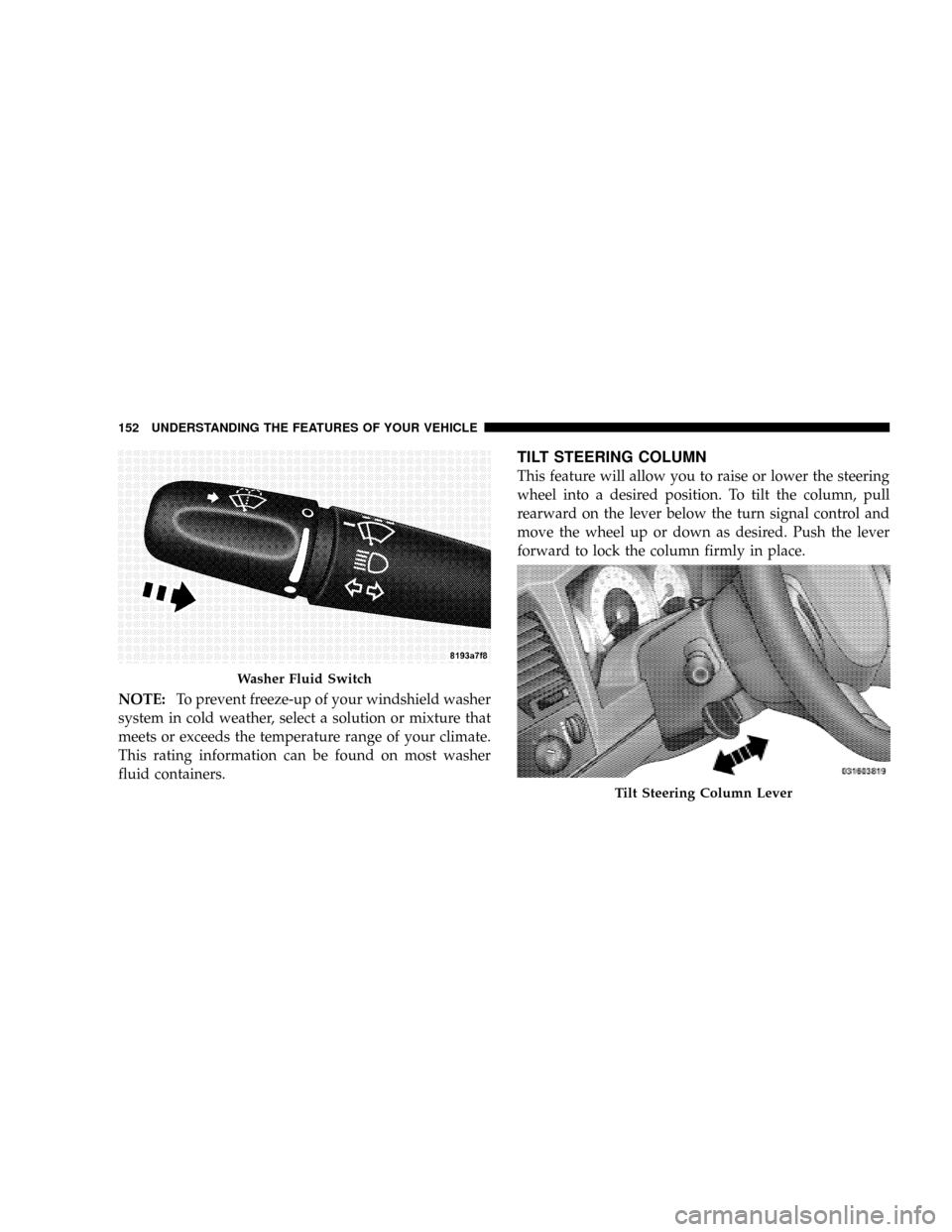
TILT STEERING COLUMN
This feature will allow you to raise or lower the steering
wheel into a desired position. To tilt the column, pull
rearward on the lever below the turn signal control and
move the wheel up or down as desired. Push the lever
forward to lock the column firmly in place.
Washer Fluid Switch
Tilt Steering Column Lever
152 UNDERSTANDING THE FEATURES OF YOUR VEHICLE
Page 155 of 481
WARNING!
Tilting the steering column while the vehicle is
moving is dangerous. Without a stable steering col-
umn, you could lose control of the vehicle and have
an accident. Adjust the column only while the ve-
hicle is stopped. Be sure it is locked before driving.
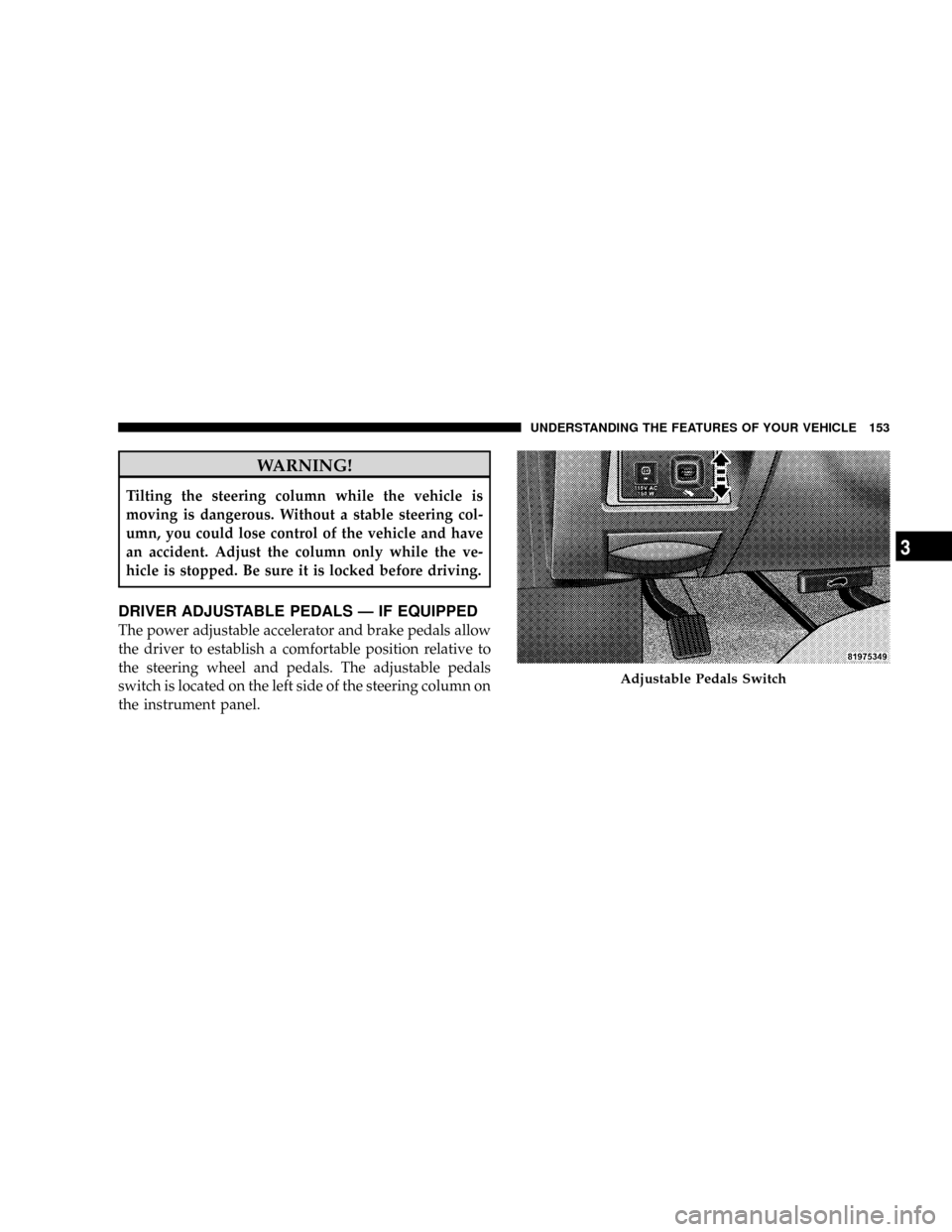
DRIVER ADJUSTABLE PEDALS Ð IF EQUIPPED
The power adjustable accelerator and brake pedals allow
the driver to establish a comfortable position relative to
the steering wheel and pedals. The adjustable pedals
switch is located on the left side of the steering column on
the instrument panel.
Adjustable Pedals Switch
UNDERSTANDING THE FEATURES OF YOUR VEHICLE 153
3
Page 156 of 481
Adjustment
1. Position the driver seat so that you are at least 10 in
(254 mm) away from the airbag located in the center of
the steering wheel.
2. Fasten and adjust the seatbelts.
3. Move the adjustable pedal switch, located to the left of
the steering column near the parking brake release, up to
move the pedals toward the driver or down to move the
pedals away from the driver.
4. The pedalscannotbe adjusted when the vehicle is in
REVERSE or when the speed control is SET.
CAUTION!
Do not place any article under the adjustable pedals
or impede its ability to move as it may cause damage
to the pedal controls. Pedal travel may become lim-
ited if movement is stopped by an obstruction in the
adjustable pedal's path.
154 UNDERSTANDING THE FEATURES OF YOUR VEHICLE
Page 157 of 481
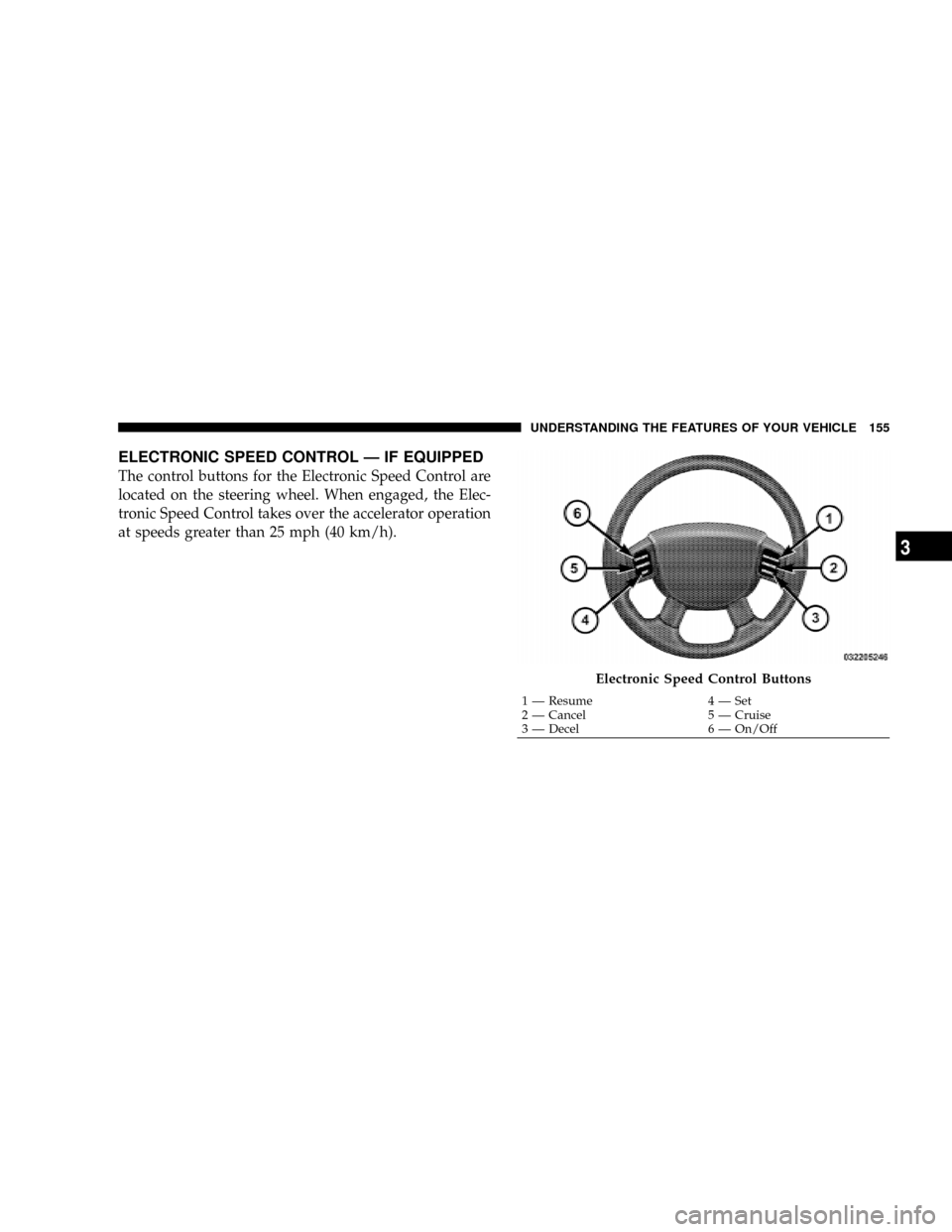
ELECTRONIC SPEED CONTROL Ð IF EQUIPPED
The control buttons for the Electronic Speed Control are
located on the steering wheel. When engaged, the Elec-
tronic Speed Control takes over the accelerator operation
at speeds greater than 25 mph (40 km/h).
Electronic Speed Control Buttons
1 Ð Resume 4 Ð Set
2 Ð Cancel 5 Ð Cruise
3 Ð Decel 6 Ð On/OffUNDERSTANDING THE FEATURES OF YOUR VEHICLE 155
3
Page 216 of 481
As an added safety feature, your vehicle has been
equipped with a Tire Pressure Monitoring System
(TPMS) that illuminates a low tire pressure telltale when
one or more of your tires is significantly under-inflated.
Accordingly, when the low tire pressure telltale illumi-
nates, you should stop and check your tires as soon as
possible, and inflate them to the proper pressure. Driving
on a significantly under-inflated tire causes the tire to
overheat and can lead to tire failure. Under-inflation also
reduces fuel efficiency and tire tread life, and may affect
the vehicle's handling and stopping ability.
Please note that the TPMS is not a substitute for proper
tire maintenance, and it is the driver 's responsibility to
maintain correct tire pressure, even if under-inflation has
not reached the level to trigger illumination of the TPMS
low tire pressure telltale.Your vehicle has also been equipped with a TPMS
malfunction indicator to indicate when the system is not
operating properly. The TPMS malfunction indicator is
combined with the low tire pressure telltale. When the
system detects a malfunction, the telltale will flash for
approximately one minute and then remain continuously
illuminated. This sequence will continue upon subse-
quent vehicle start-ups as long as the malfunction exists.
When the malfunction indicator is illuminated, the sys-
tem may not be able to detect or signal low tire pressure
as intended. TPMS malfunctions may occur for a variety
of reasons, including the installation of replacement or
alternate tires or wheels on the vehicle that prevent the
TPMS from functioning properly. Always check the
TPMS malfunction telltale after replacing one or more
tires or wheels on your vehicle to ensure that the replace-
ment or alternate tires and wheels allow the TPMS to
continue to function properly.
214 UNDERSTANDING YOUR INSTRUMENT PANEL
Page 217 of 481
CAUTION!
The TPMS has been optimized for the original
equipment tires and wheels. TPMS pressures and
warning have been established for the tire size
equipped on your vehicle. Undesirable system opera-
tion or sensor damage may result when using re-
placement equipment that is not of the same size,
type, and/or style. Aftermarket wheels can cause
sensor damage. Do not use tire sealant from a can, or
balance beads if your vehicle is equipped with a
TPMS, as damage to the sensors may result.
25. Airbag Indicator
The airbag indicator light illuminates and re-
mains lit for six to eight seconds when the
ignition is first turned ON. If the light does not
come on when the ignition is first turned on, orthe light stays on or comes on while driving, have the
airbag system checked by an authorized dealer.
26. 4WD Indicator
The 4WD indicator light illuminates when the transfer
case is in 4WD position.
27. SVC (Service) 4WD Indicator
The SVC 4WD light will illuminate when the ignition key
is turned to the ON position and will stay on for two
seconds. If the light stays on or comes on during driving,
it means that the 4WD system is not functioning properly
and that service is required.
28. Cruise Light (Speed Control)
The cruise light indicator illuminates when the electronic
speed control system is turned on.
UNDERSTANDING YOUR INSTRUMENT PANEL 215
4
Page 246 of 481
beginning of the track. If you press theSEEK>>
button during play mode, it will jump to the next track
in the list.
²While a track is playing, press theINFObutton to see
the associated metadata (Artist, track title, album, etc.)
for that track. Pressing theINFObutton again jumps
to the next screen of data for that track. Once you have
seen all screens, the lastINFObutton press will take
you back to the play mode screen on the radio.
²Pressing theREPEATbutton will change the iPodt
mode to repeat the current playing track.
²Press theSCANbutton to use iPodtscan mode, which
will play the first five seconds of each track in the
current list and then forward to the next song. To stop
SCAN mode and start playing the desired track, when
it is playing the track, press theSCANbutton again.During Scan mode you can also press the <
tracks.
²RNDbutton (available on sales code RES radio only):
Pressing this button toggles between Shuffle ON and
Shuffle OFF modes for the iPodt.IftheRNDicon is
showing on the radio display, then the shuffle mode is
ON.
List Or Browse Mode
During Play mode, pressing any of the buttons described
below, takes you to List mode. List mode enables you to
scroll through the list of menus and tracks on the iPodt.
²TUNEcontrol knob: TheTUNEcontrol knob functions
in a similar manner as the scroll wheel on the iPodt.
²Turning it clockwise (forward) and counterclock-
wise (backward) scrolls through the lists, displaying
the track detail on the radio display. Once you have
244 UNDERSTANDING YOUR INSTRUMENT PANEL
Page 247 of 481
the track to be played highlighted on the radio
display, press theTUNEcontrol knob to select and
start playing the track. Turning theTUNEcontrol
knob fast will scroll through the list faster. During
fast scroll, you may notice a slight delay in updating
the information on the radio display.
²During all List modes, the iPodtdisplays all lists in
ªwrap-aroundº mode. So if the track is at the
bottom of the list just turn the wheel backwards
(counter-clockwise) to get to the track faster.
²In List mode, the radioPRESETButtons are used as
shortcuts to the following lists on the iPodt.
²Preset 1 ± Playlists
²Preset 2 ± Artists
²Preset 3 ± Albums
²Preset 4 ± Genres
²Preset 5 - Audiobooks
²Preset 6 ± Podcasts
²Pressing a PRESET button, will display the current
list on the top line and the first item in that list on
the second line.
²To Exit List mode without selecting a track, press the
samePRESETbutton again to go back toPlay
mode.
²LISTbutton: TheLISTbutton will display the top
level menu of the iPodt. Turn theTUNEcontrol knob
to list the top-menu item you wish to select and press
theTUNEcontrol knob. This will display the next
sub-menu list item on the iPodtthen you can follow
the same steps to go to the desired track in that list.
Not all iPodtsub-menu levels are available on this
system.
UNDERSTANDING YOUR INSTRUMENT PANEL 245
4
Page 254 of 481
VIDEO ENTERTAINMENT SYSTEM (SALES CODE
XRV) Ð IF EQUIPPED
The optional Video Entertainment System (VES)Ÿ con-
sists of a DVD player and LCD (liquid crystal display)
screen, a battery-powered remote control, and two head-
sets. The system is located in the headliner behind the
front row seat. Refer to your VESŸ User's Manual for
detailed operating instructions.
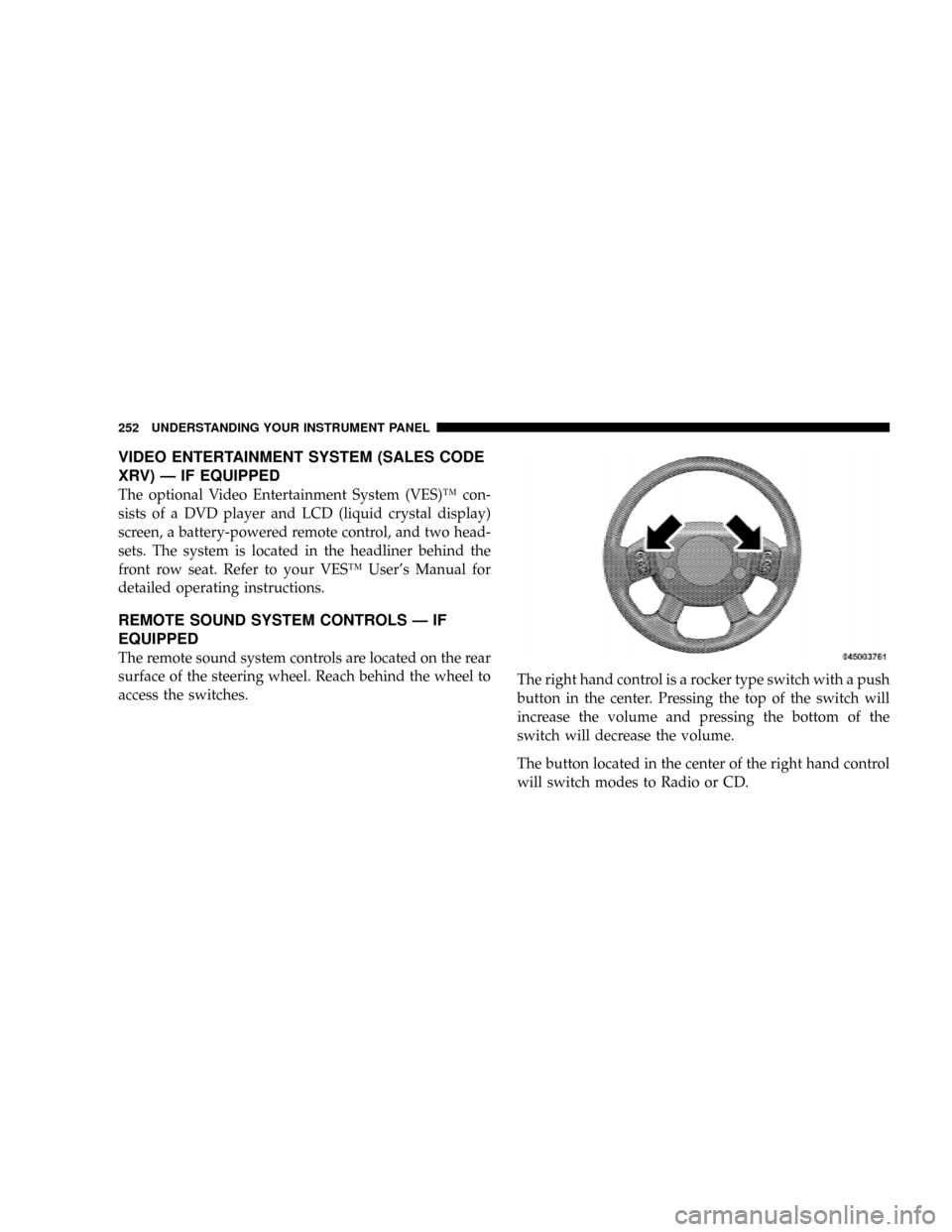
REMOTE SOUND SYSTEM CONTROLS Ð IF
EQUIPPED
The remote sound system controls are located on the rear
surface of the steering wheel. Reach behind the wheel to
access the switches.The right hand control is a rocker type switch with a push
button in the center. Pressing the top of the switch will
increase the volume and pressing the bottom of the
switch will decrease the volume.
The button located in the center of the right hand control
will switch modes to Radio or CD.
252 UNDERSTANDING YOUR INSTRUMENT PANEL