clock CHRYSLER CROSSFIRE 2008 1.G User Guide
[x] Cancel search | Manufacturer: CHRYSLER, Model Year: 2008, Model line: CROSSFIRE, Model: CHRYSLER CROSSFIRE 2008 1.GPages: 358, PDF Size: 4.7 MB
Page 100 of 358
For nighttime driving, the exterior lights switch should
be in the low beam position to permit activation of the
high beam headlights.
Fog Lights (If Equipped)
To operate the fog lights, pull the headlight
switch out one stop, with the parking lights
and/or low beam headlights on. A light to the
lower left of the headlight switch will illumi-
nate when the fog lights are on.
To turn off the fog lights, push the headlight switch in
fully. Selecting high beam headlights will also turn off the
fog lights.
Standing Lights
When the vehicle is parked on the street, the standing
lights (left or right side parking lights) can be turned on,
making your vehicle more visible to passing vehicles.To operate the standing lights, turn the headlight switch
counterclockwise one stop (right lamps) or two stops (left
lamps) from the OFF position. To turn off the standing
lights, return the headlight switch to the OFF position.
The standing lights cannot be operated when the ignition
switch is in the ON/RUN position.
CAUTION!
Standing lamps are intended for short term use when
parking. If these lights are left on for a long period of
time, your car's battery may drain, causing a possible
starting problem. Assure that the headlamp switch is
in the OFF position when leaving the vehicle.
98 UNDERSTANDING THE FEATURES OF YOUR VEHICLE
Page 138 of 358
CAUTION!
The accessory drive belt also drives the water pump.
Operating the vehicle with a failed belt can cause
engine overheating and possible severe engine
damage.
16. High Beam Indicator Light
This indicator will illuminate when the head-
lights are in the high beam setting.
To activate the high beams, push the multifunction
control lever past the point of resistance, toward the
instrument panel.17. Electronic Digital Clock
A digital readout in the instrument cluster shows the
time in hours and minutes whenever the ignition switch
is in the ON/RUN or ACC position.
When the ignition switch is in the OFF/LOCK position,
timekeeping is accurately maintained.
The display can be adjusted with the knob/button lo-
cated to the left of the clock.
18. Gear Indicator
For automatic transmission vehicles, the current gear
shift selector range is indicated in the gear range indica-
tor display.
19. Push Button for Time Setting
To adjust the time display, turn the key in the ignition
switch to the ON/RUN or ACC position. The knob/
button located just to the left of the clock is used to
136 UNDERSTANDING YOUR INSTRUMENT PANEL
Page 145 of 358
position, press the knob to the left of the speedometer
once and wait seven seconds. An ISO oil level icon
appears in the trip odometer window and a ªclockº icon
in the cumulative odometer display. Pressing the knob to
the left of the speedometer twice within one second
displays one of the following messages:
²OK
²-1.0 Q (-1.0L)
²-1.5 Q (-1.5L)
²-2.0 Q (-2.0L)
²HI
The indicated amount of oil must be added to the engine
if the message -2.0 Q (-2.0L) blinks and a signal sounds.
The HI message indicates that the excess oil must be
removed from the pan to avoid possible engine or
catalytic converter damage. If the ISO oil level icon andªclockº icon remain on when attempting to check oil
level and no message follows, or if the low engine oil
level warning lamp comes on, a malfunction in the
engine oil level system is indicated. A conveniently
located dipstick allows manual checking of the oil level.
If no leaks are noted, continue to drive to the nearest
service station where the engine oil should be topped to
the ªfullº mark on the dipstick with an approved oil.
29. Low Fuel Warning Light
When the fuel level drops to about 2 gal (7.5 L), this
symbol will light and remains lit until fuel is added.
ªINFINITY MODULUSº AM/FM STEREO RADIO
WITH SINGLE-DISC CD PLAYER AND GPS
NAVIGATION
(OPTIONAL - See separate User's Manual)
UNDERSTANDING YOUR INSTRUMENT PANEL 143
4
Page 158 of 358
5. Air Conditioning ON/OFF
6. Rear Window Defroster
7. Air Distribution (Mode) Control
The climate control system allows you to balance the
temperature, amount and direction of the air circulating
throughout the vehicle.
The system is always at operational readiness, except
when manually switched off. The climate control only
operates with the engine running.
The climate control removes a considerable amount of
moisture from the air during operation in the air condi-
tioning mode, therefore it is considered normal operation
for water to drip on the ground through ducts in the
underbody.
The settings and controls are as follows:Temperature Control
Use the driver or passenger temperature control to
regulate the temperature of the air inside the passenger
compartment. The blue area of the control indicates
cooler temperatures, while the red area indicates warmer
temperatures.
The temperature selector should be left at the desired
temperature setting so that the system can automatically
reach that selection as quickly as possible. The inside
temperature will not heat or cool any quicker by setting
the selector higher or lower upon initial start up.
Fan Control
Use this control to regulate the amount of air
volume moving through the system in any
mode you select. Turn the control clockwise to
increase fan speed; counterclockwise to de-
crease fan speed.
156 UNDERSTANDING YOUR INSTRUMENT PANEL
Page 170 of 358
STARTING PROCEDURES
WARNING!
Do not leave animals or children inside parked
vehicles in hot weather; interior heat build up may
cause serious injury or death.
Be sure that the parking brake is engaged and that the
shift lever is in the NEUTRAL or PARK position. Turn the
key in the ignition switch to the ON/RUN position.
Apply the brakes before shifting into any driving gear.
Normal Starting
Vehicles with automatic transmissions:
Do not depress the accelerator. Simply turn the key in the
ignition switch clockwise to the START position and
release when the engine starts. If the engine will not run,turn the key counterclockwise to the OFF/LOCK posi-
tion and repeat the starting procedure. If there are several
unsuccessful attempts, have the system checked at the
nearest authorized dealer.
Vehicles with manual transmissions:
Do not depress the accelerator. Fully depress the clutch
pedal, otherwise the engine cannot be started due to the
integrated safety interlock. Simply turn the key in the
ignition switch clockwise to the START position and
release when the engine starts. The starter will engage
until the engine is running. If the engine will not run,
turn the key counterclockwise to the OFF/LOCK posi-
tion and repeat the starting procedure. If there are several
unsuccessful attempts, have the system checked at the
nearest authorized dealer.
168 STARTING AND OPERATING
Page 242 of 358
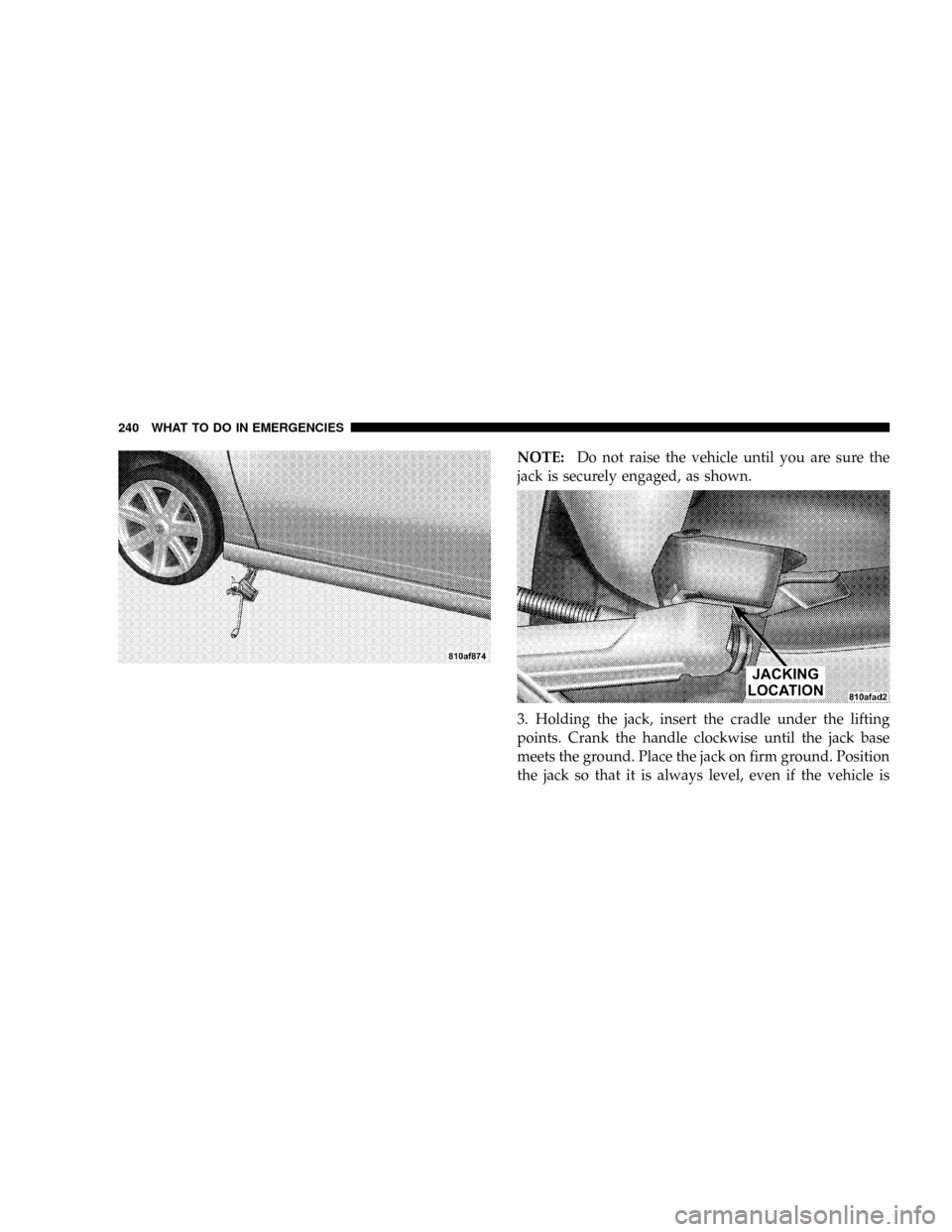
NOTE:Do not raise the vehicle until you are sure the
jack is securely engaged, as shown.
3. Holding the jack, insert the cradle under the lifting
points. Crank the handle clockwise until the jack base
meets the ground. Place the jack on firm ground. Position
the jack so that it is always level, even if the vehicle is
240 WHAT TO DO IN EMERGENCIES
Page 243 of 358
parked on an incline. Raise the vehicle only until the tire
just clears the surface. Minimum tire lift provides maxi-
mum stability.
4. Replace the tire.
5. Lower the vehicle by cranking the handle counter-
clockwise, then remove the jack assembly.
NOTE:Before storing the jack, it should be fully col-
lapsed.
6. Ensure proper tire pressure.
WARNING!
Raising the vehicle higher than necessary can make
the vehicle less stable. It could slip off the jack and
hurt someone near it. Raise the vehicle only enough
to make the necessary repair.
WARNING!
A loose jack or tool thrown forward in a collision or
hard stop could endanger the occupants of the ve-
hicle. Always stow the jack parts and tools in the
places provided.
JUMP-STARTING THE BATTERY
WARNING!
Take care to avoid the radiator cooling fan whenever
the hood is raised. It can start any time the ignition
switch is ON. You can be hurt by the fan.
WHAT TO DO IN EMERGENCIES 241
6
Page 257 of 358
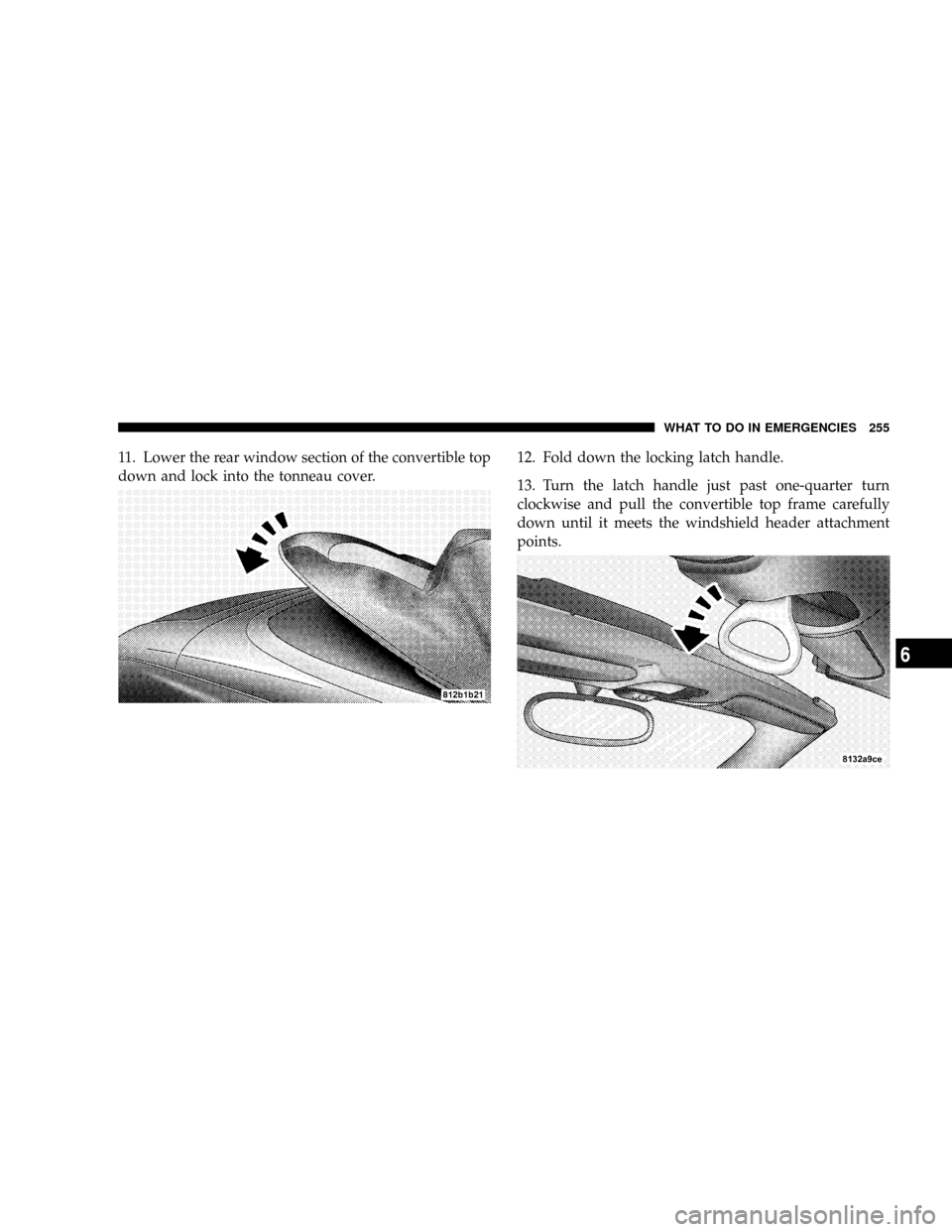
11. Lower the rear window section of the convertible top
down and lock into the tonneau cover.12. Fold down the locking latch handle.
13. Turn the latch handle just past one-quarter turn
clockwise and pull the convertible top frame carefully
down until it meets the windshield header attachment
points.
WHAT TO DO IN EMERGENCIES 255
6
Page 258 of 358
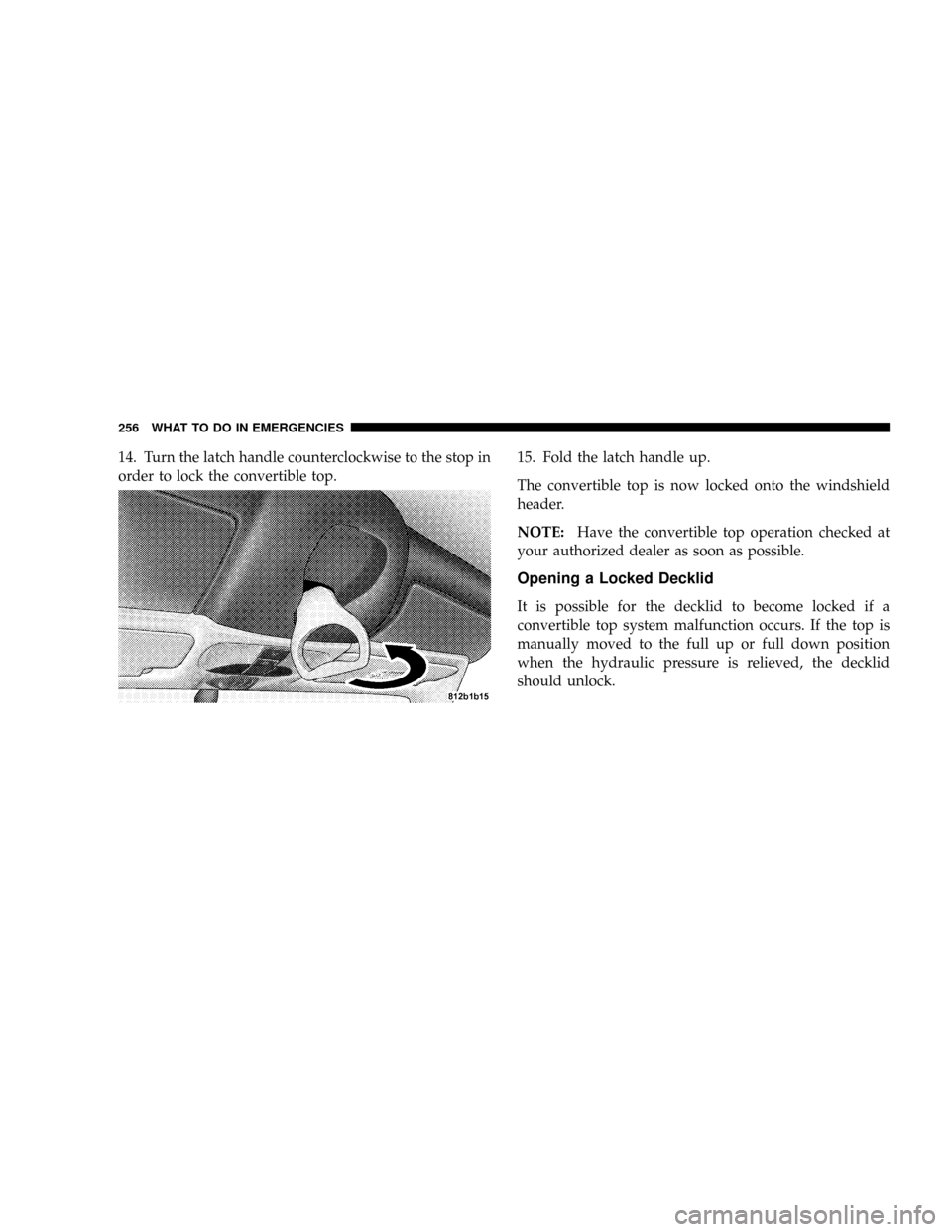
14. Turn the latch handle counterclockwise to the stop in
order to lock the convertible top.15. Fold the latch handle up.
The convertible top is now locked onto the windshield
header.
NOTE:Have the convertible top operation checked at
your authorized dealer as soon as possible.
Opening a Locked Decklid
It is possible for the decklid to become locked if a
convertible top system malfunction occurs. If the top is
manually moved to the full up or full down position
when the hydraulic pressure is relieved, the decklid
should unlock.
256 WHAT TO DO IN EMERGENCIES
Page 309 of 358
CAUTION!
Do not touch the new bulb with your fingers. Oil
contamination will severely shorten bulb life. If the
bulb comes in contact with an oily surface, clean the
bulb with rubbing alcohol.
Front Turn Signal and Parking/Standing Lights
²
Twist the bulb socket counterclockwise and pull out.
Push the bulb into the socket, turn counterclockwise
and remove.
²Replace the bulb, push in and twist clockwise. Rein-
stall the socket, and turn clockwise.
Front and Rear Sidemarker Lights
1. Push the front sidemarker assembly in and slide it
forward. Push the rear sidemarker assembly in and slide
rearward. The assembly will release from the fascia.
2. Twist the bulb socket counterclockwise and pull out.
Push the bulb into the socket, turn counterclockwise and
remove.
3. Replace the light, push in and twist clockwise.
MAINTAINING YOUR VEHICLE 307
7