light CHRYSLER PACIFICA 2007 1.G Manual PDF
[x] Cancel search | Manufacturer: CHRYSLER, Model Year: 2007, Model line: PACIFICA, Model: CHRYSLER PACIFICA 2007 1.GPages: 464, PDF Size: 5.92 MB
Page 201 of 464
Electrical Disturbances
Radio waves may pick up electrical disturbances during
transmission. They mainly affect the wave amplitude,
and thus remain a part of the AM reception. They
interfere very little with the frequency variations that
carry the FM signal.
AM Reception
AM sound is based on wave amplitude, so AM reception
can be disrupted by such things as lightning, power lines
and neon signs.
FM Reception
Because FM transmission is based on frequency varia-
tions, interference that consists of amplitude variations
can be filtered out, leaving the reception relatively clear,
which is the major feature of FM radio.
NOTE:The radio, steering wheel radio controls (if
equipped), and 6 disc CD/DVD changer (if equipped)
will remain active for up to 10 minutes after the ignition
switch has been turned off. Opening a vehicle front door
will cancel this feature.
UNDERSTANDING YOUR INSTRUMENT PANEL 201
4
Page 222 of 464
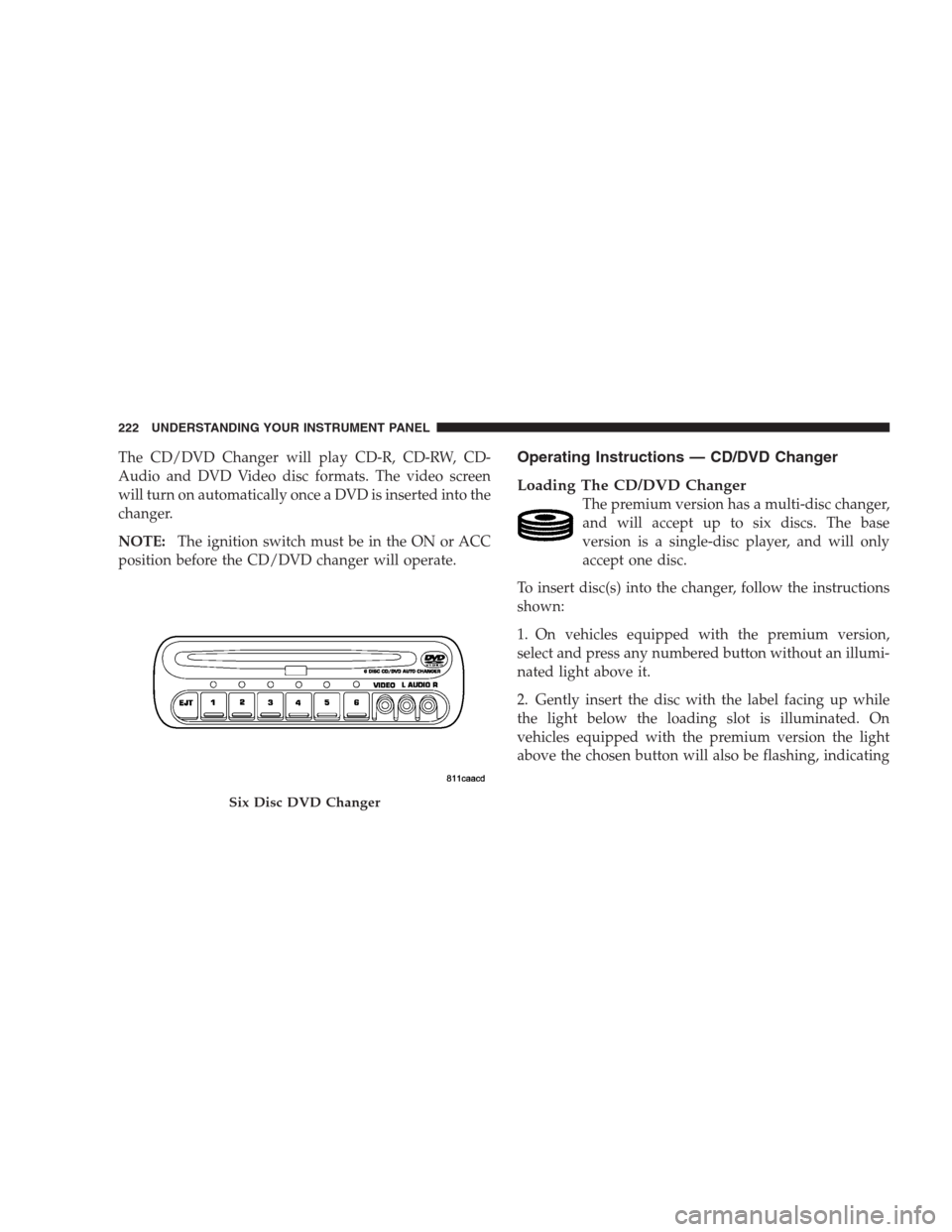
The CD/DVD Changer will play CD-R, CD-RW, CD-
Audio and DVD Video disc formats. The video screen
will turn on automatically once a DVD is inserted into the
changer.
NOTE:The ignition switch must be in the ON or ACC
position before the CD/DVD changer will operate.Operating Instructions — CD/DVD Changer
Loading The CD/DVD Changer
The premium version has a multi-disc changer,
and will accept up to six discs. The base
version is a single-disc player, and will only
accept one disc.
To insert disc(s) into the changer, follow the instructions
shown:
1. On vehicles equipped with the premium version,
select and press any numbered button without an illumi-
nated light above it.
2. Gently insert the disc with the label facing up while
the light below the loading slot is illuminated. On
vehicles equipped with the premium version the light
above the chosen button will also be flashing, indicating
Six Disc DVD Changer
222 UNDERSTANDING YOUR INSTRUMENT PANEL
Page 223 of 464
which numbered position the disc will be loaded into.
The disc will automatically be pulled into the CD/DVD
changer.
3. Upon insertion, the disc will begin to play, and the
light below the loading slot will turn off. On vehicles
equipped with the premium version the light above the
chosen button will remain illuminated.
4. Repeat the process for loading any additional CD/
DVDs into the premium version multi-disc changer. The
CD/DVD changer will stop while additional CD/DVDs
are loaded.
If the radio volume control is ON, the unit will switch
from radio to CD/DVD mode and the video screen will
turn on. If the DVD supports the autoplay feature, play
will begin automatically in approximately 10 seconds,
after the DVD disc menu is displayed. If the DVD does
not play automatically, press the ENTER button on the
remote control or on the side of the video screen to selectplay from the menu options. The radio display will show
the chapter number and index time in hours and minutes
of the DVD, or the track number, minutes and second of
the CD.
NOTE:
•You may eject a disc with the radio OFF.
•If you insert a disc with the ignition ON and the radio
OFF, the DVD will automatically be pulled into the
DVD changer and the display will show the time of
day.
•It is recommended to label home made burned discs
with a permanent marker instead of adhesive labels.
These types of labels may become loose and cause the
disc to be stuck in the DVD player. This may cause
permanent damage to the DVD mechanism.
UNDERSTANDING YOUR INSTRUMENT PANEL 223
4
Page 224 of 464
EJECT (EJT) Button
If there is a disc in the changer, press the EJT button and
the disc will eject. If you do not remove the disc within 10
seconds, it will be reloaded and the display will show
PAUSE. The radio mode will continue to operate.
To eject additional discs from the premium version
multi-disc changer, first select the numbered button
where the disc is located and then press the EJT button.
Operating Instructions — Remote Control
NOTE:Aim the remote control at the radio located on
the center of the instrument panel and press the desired
button. Direct sunlight or objects blocking the line of
sight may affect the function of the remote control.
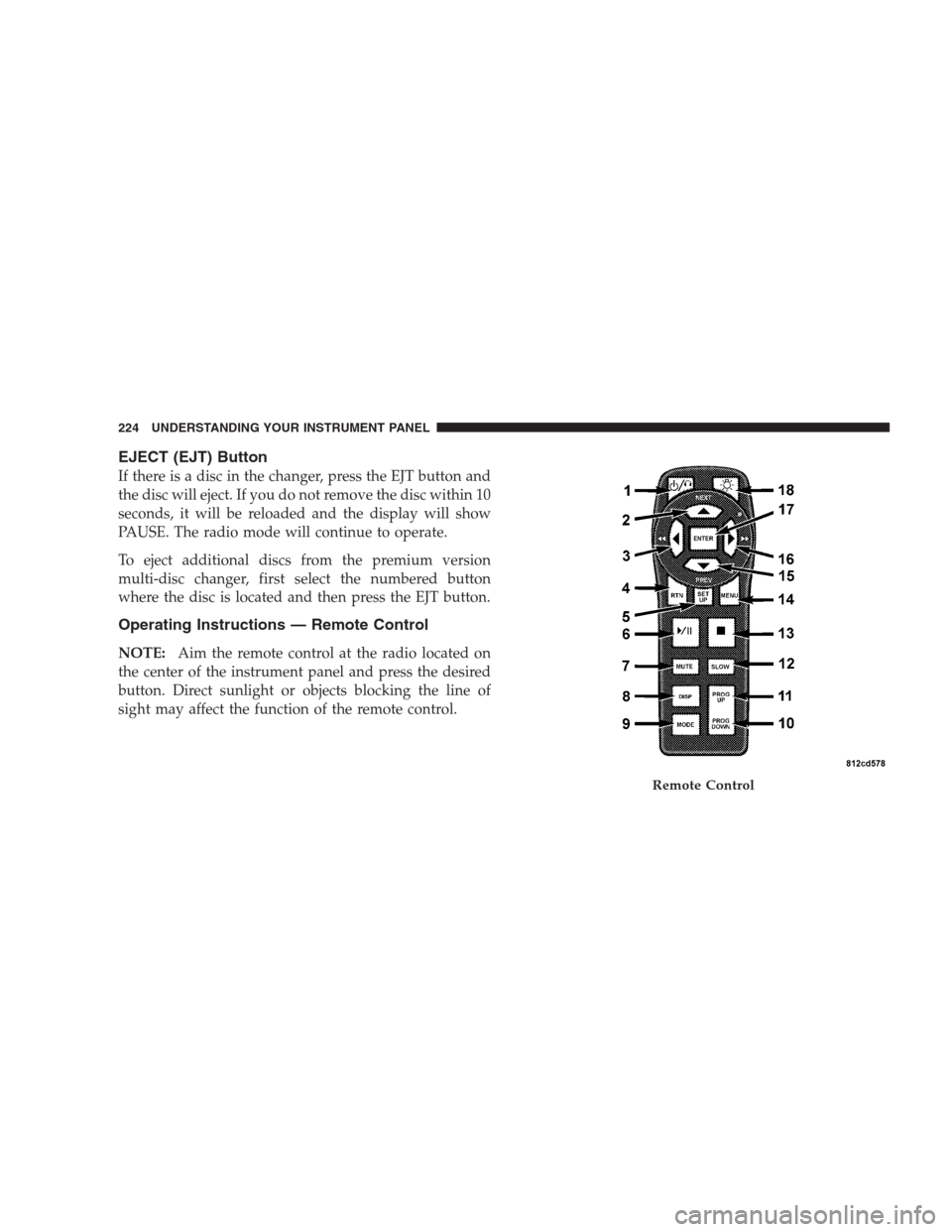
Remote Control
224 UNDERSTANDING YOUR INSTRUMENT PANEL
Page 225 of 464
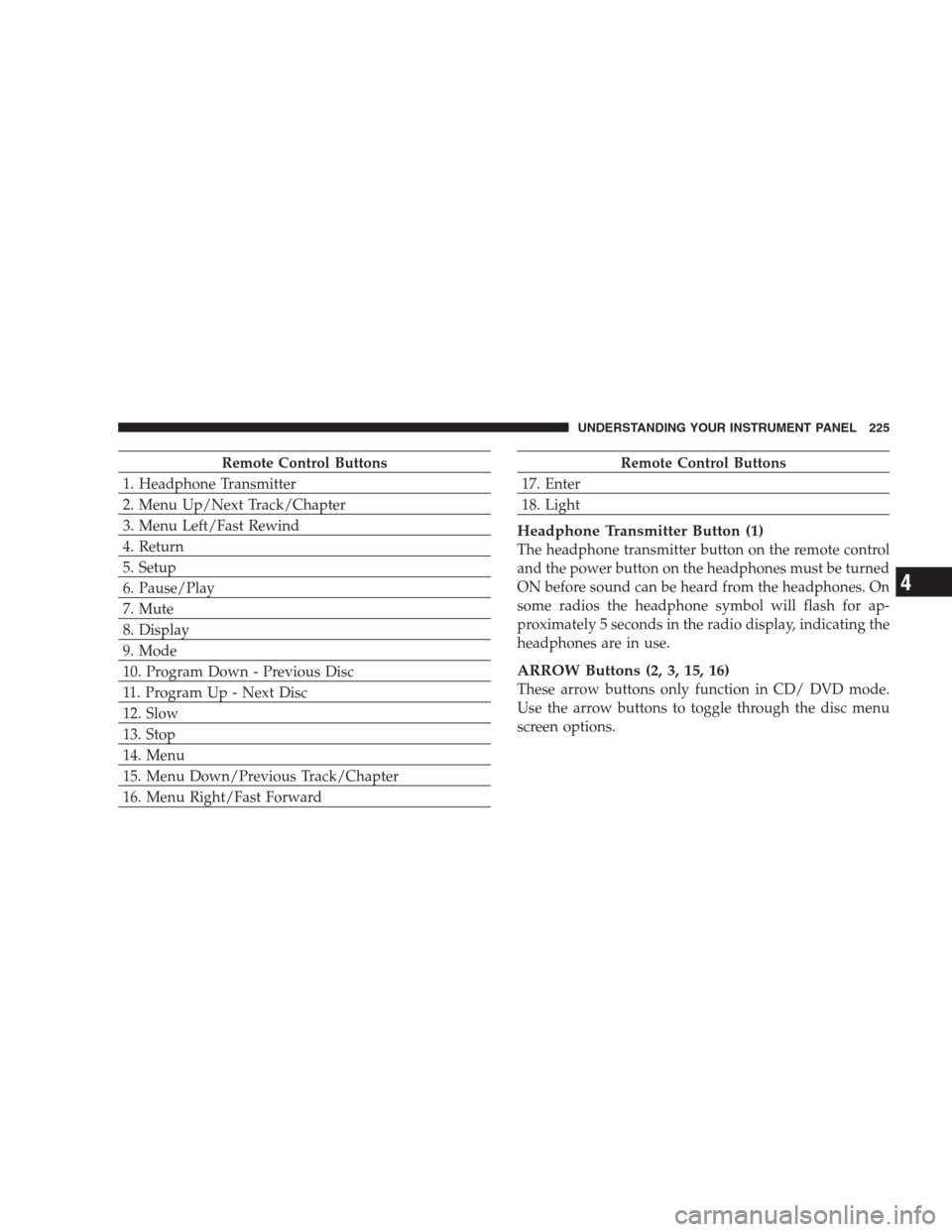
Remote Control Buttons
1. Headphone Transmitter
2. Menu Up/Next Track/Chapter
3. Menu Left/Fast Rewind
4. Return
5. Setup
6. Pause/Play
7. Mute
8. Display
9. Mode
10. Program Down - Previous Disc
11. Program Up - Next Disc
12. Slow
13. Stop
14. Menu
15. Menu Down/Previous Track/Chapter
16. Menu Right/Fast ForwardRemote Control Buttons
17. Enter
18. Light
Headphone Transmitter Button (1)
The headphone transmitter button on the remote control
and the power button on the headphones must be turned
ON before sound can be heard from the headphones. On
some radios the headphone symbol will flash for ap-
proximately 5 seconds in the radio display, indicating the
headphones are in use.
ARROW Buttons (2, 3, 15, 16)
These arrow buttons only function in CD/ DVD mode.
Use the arrow buttons to toggle through the disc menu
screen options.
UNDERSTANDING YOUR INSTRUMENT PANEL 225
4
Page 226 of 464
RTN Button (4)
This button only functions in CD/DVD mode. Press this
button to return to the previous menu when in the disc
menu mode.
SETUP Button (5)
This button only functions in CD/DVD mode. Press the
button after pressing the STOP button to access the set up
menu. Use the right and left arrows to move between
tabs for language, rating, mark, audio and aspect. Use the
up and down arrows to move between options within
each tab.
To change an item highlighted in blue, press ENTER. This
should cause the highlight to turn yellow. Again, using
the up and down arrows will cause the arrow to move up
or down. Once the arrow is on the desired selection, press
ENTER. When finished, press setup or play to return to
playing the CD/DVD or Menu to return to the disc
menu.
PAUSE/PLAY Button (6)
This button only functions in DVD video mode. Press this
button once to pause the video, press a second time to
play the video.
MUTE Button (7)
No function.
DISP Button (8)
This button only functions in DVD video mode. When a
DVD video is playing, press this button to display the
play menu options.
MODE Button (9)
This button changes between available modes and can be
heard in the headphones.
PROG UP/DOWN Buttons (10, 11)
PROG UP selects the next disc loaded in the changer.
PROG DOWN selects the previous disc loaded in the
changer.
226 UNDERSTANDING YOUR INSTRUMENT PANEL
Page 227 of 464
SLOW Button (12)
This button only functions in DVD video mode. Press this
button to advance the video. If the DVD is paused,
pressing this button will advance the video frame by
frame.
STOP Button (13)
This button only functions in DVD video mode. Press this
button to stop the DVD.
MENU Button (14)
This button only functions in DVD video mode. Press this
button to select the DVD disc menu.
NEXT/PREV Buttons (2, 15)
Press the up arrow or the NEXT button for the next
chapter or track on the disc. Press the down arrow or
PREV button to return to the beginning of the current
chapter or track. Press the down arrow or PREV button
twice within two seconds to return to the previouschapter or track. Each press of the NEXT/PREV button
up or down will toggle through the chapters or tracks.
FF/RW Buttons (3, 16)
Press and hold FF (Fast Forward) once and the CD/DVD
changer will begin to fast forward until the FF button is
released. The RW (Reverse) button works in a similar
manner.
ENTER Button (17)
This button only functions in DVD video mode. Use the
ENTER button to enter selections from the menu screens.
Use the arrow buttons to toggle through the menu screen
options.
Light Button (18)
Pressing this button illuminates the buttons on the re-
mote control.
UNDERSTANDING YOUR INSTRUMENT PANEL 227
4
Page 230 of 464
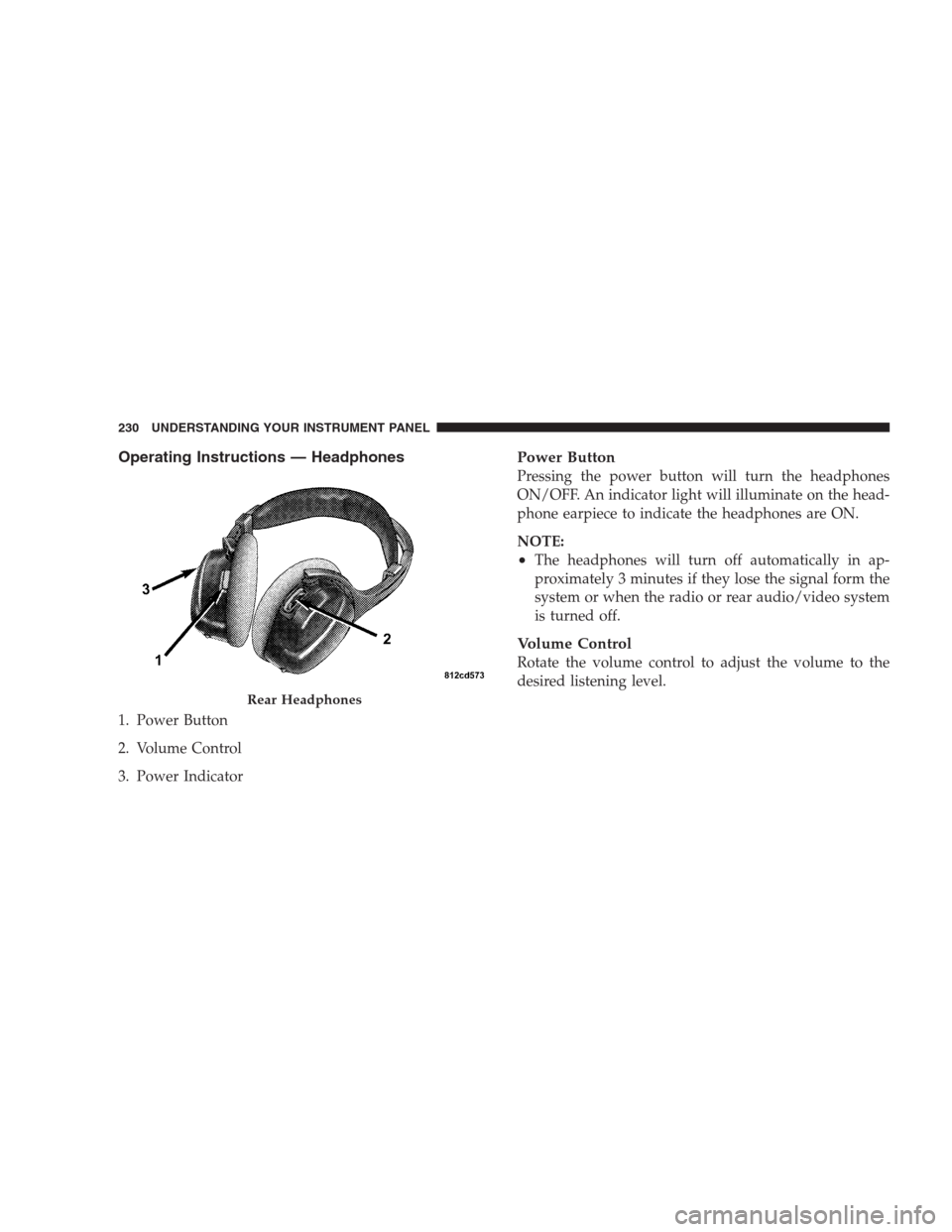
Operating Instructions — Headphones
1. Power Button
2. Volume Control
3. Power Indicator
Power Button
Pressing the power button will turn the headphones
ON/OFF. An indicator light will illuminate on the head-
phone earpiece to indicate the headphones are ON.
NOTE:
•The headphones will turn off automatically in ap-
proximately 3 minutes if they lose the signal form the
system or when the radio or rear audio/video system
is turned off.
Volume Control
Rotate the volume control to adjust the volume to the
desired listening level.
Rear Headphones
230 UNDERSTANDING YOUR INSTRUMENT PANEL
Page 231 of 464
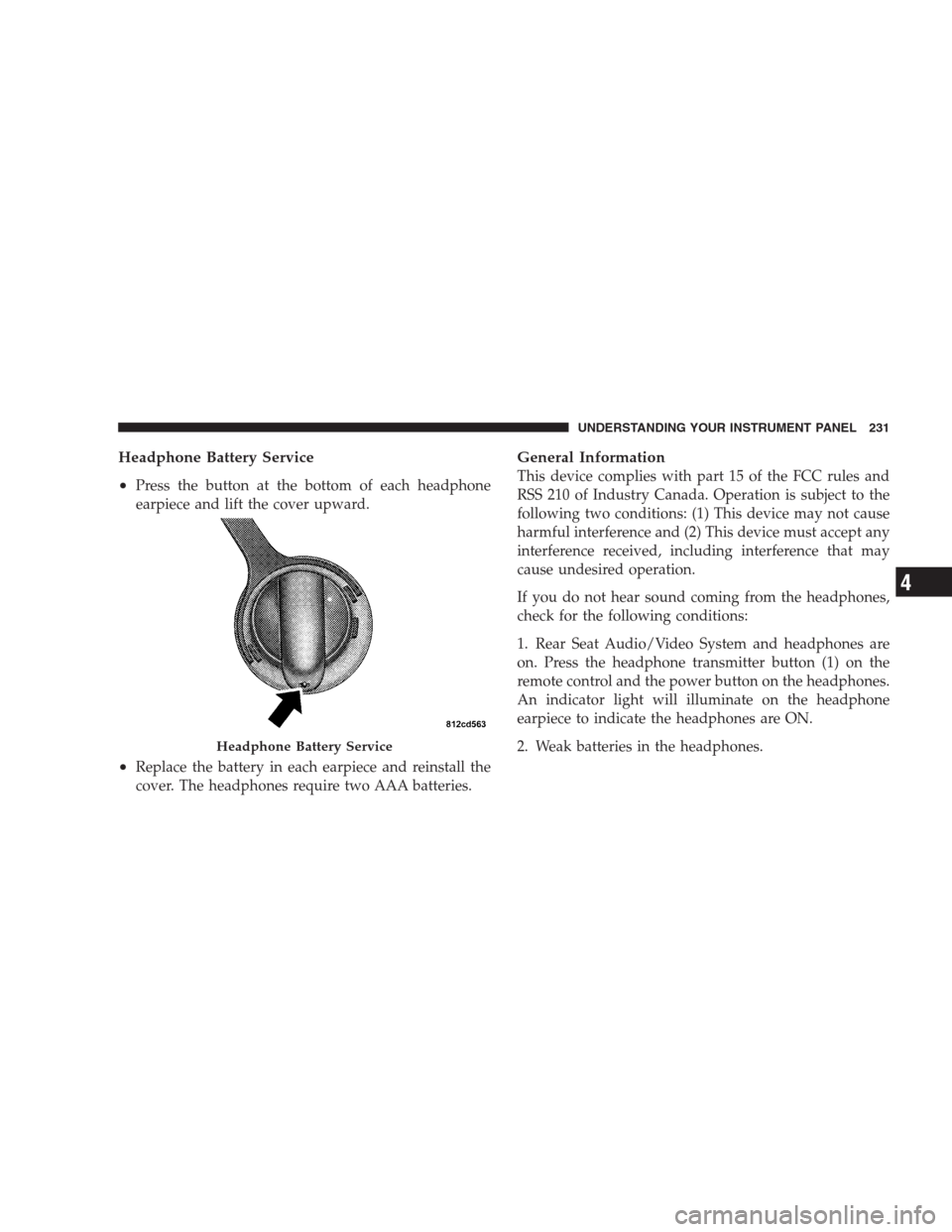
Headphone Battery Service
•
Press the button at the bottom of each headphone
earpiece and lift the cover upward.
•Replace the battery in each earpiece and reinstall the
cover. The headphones require two AAA batteries.
General Information
This device complies with part 15 of the FCC rules and
RSS 210 of Industry Canada. Operation is subject to the
following two conditions: (1) This device may not cause
harmful interference and (2) This device must accept any
interference received, including interference that may
cause undesired operation.
If you do not hear sound coming from the headphones,
check for the following conditions:
1. Rear Seat Audio/Video System and headphones are
on. Press the headphone transmitter button (1) on the
remote control and the power button on the headphones.
An indicator light will illuminate on the headphone
earpiece to indicate the headphones are ON.
2. Weak batteries in the headphones.
Headphone Battery Service
UNDERSTANDING YOUR INSTRUMENT PANEL 231
4
Page 232 of 464
3. Direct sunlight or objects blocking the line of sight
between the headphone transmitter on the video screen
and the headphones.
Operating Instructions — MP3 Player, Portable
Walkman
An MP3 player can be connected to the audio system.
Connect the cables to the RCA jacks located on the front
of the CD/DVD changer.
NOTE:Follow the manufactures instructions for the
correct colors when connecting the RCA cables.
Operating Instructions — Video
Games/Camcorders
A video game unit or camcorder can be connected to the
rear audio/video system. Connect the cables to the RCA
jacks located on the front of the CD/DVD changer.NOTE:To operate a video game unit a DC to AC
adapter may be required, plug the adapter into any
power outlet.
Follow the manufactures instructions for the correct
colors when connecting the RCA cables.
NOTE:MP3 player’s, video game systems, camcorders
connected to the RCA jacks and CD’s or DVD’s inserted
into the radio, can be heard through the headphones or
the cabin when AUX Mode is selected.
NAVIGATION SYSTEM — IF EQUIPPED
The navigation system provides maps, turn identifica-
tion, selection menus and instructions for selecting a
variety of destinations and routes. The buttons to operate
the system are located on the instrument panel next to the
analog clock.
Refer to your Navigation User’s Manual for detailed
operating instructions.
232 UNDERSTANDING YOUR INSTRUMENT PANEL