Brake CHRYSLER PACIFICA 2017 2.G Owners Manual
[x] Cancel search | Manufacturer: CHRYSLER, Model Year: 2017, Model line: PACIFICA, Model: CHRYSLER PACIFICA 2017 2.GPages: 828, PDF Size: 7.58 MB
Page 691 of 828
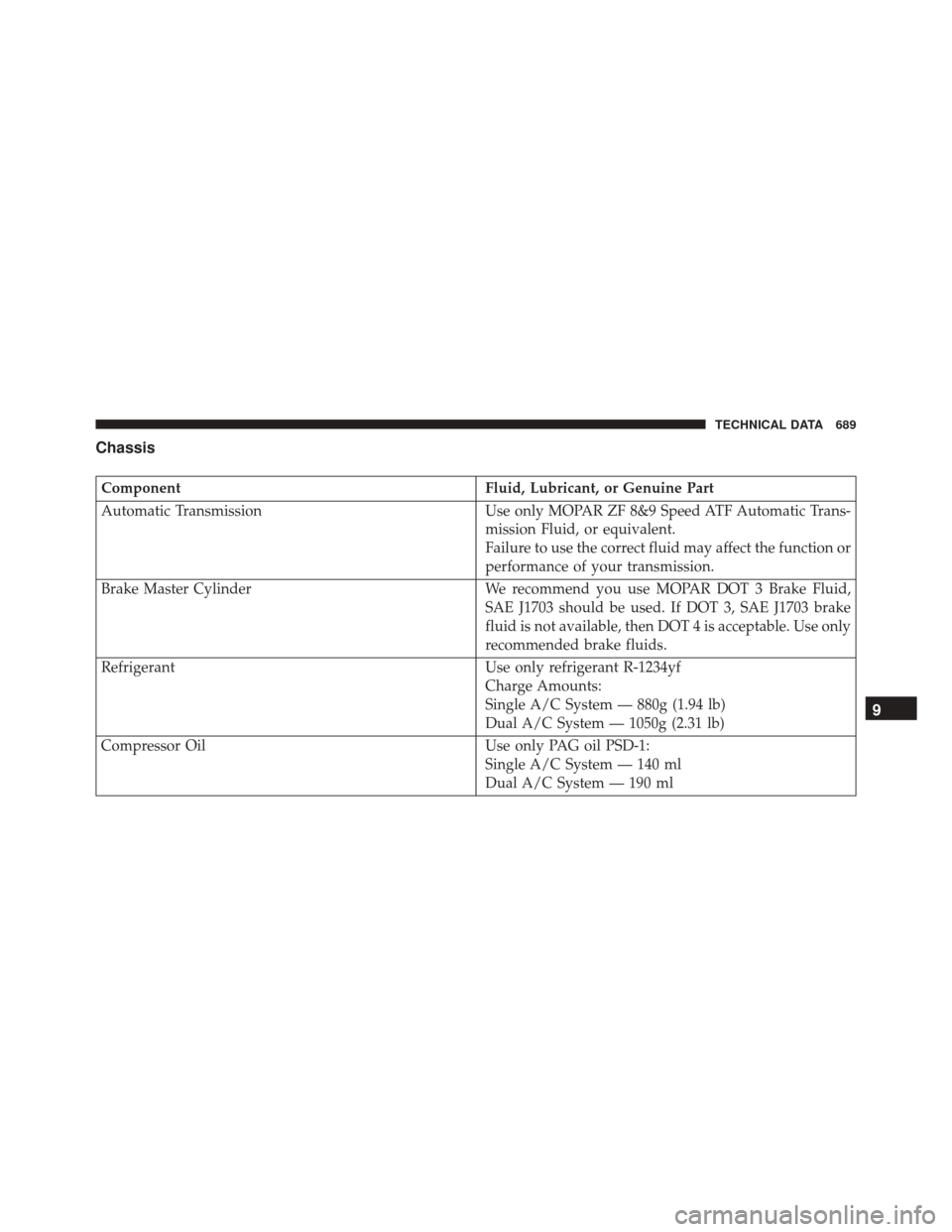
Chassis
ComponentFluid, Lubricant, or Genuine Part
Automatic Transmission Use only MOPAR ZF 8&9 Speed ATF Automatic Trans-
mission Fluid, or equivalent.
Failure to use the correct fluid may affect the function or
performance of your transmission.
Brake Master Cylinder We recommend you use MOPAR DOT 3 Brake Fluid,
SAE J1703 should be used. If DOT 3, SAE J1703 brake
fluid is not available, then DOT 4 is acceptable. Use only
recommended brake fluids.
Refrigerant Use only refrigerant R-1234yf
Charge Amounts:
Single A/C System — 880g (1.94 lb)
Dual A/C System — 1050g (2.31 lb)
Compressor Oil Use only PAG oil PSD-1:
Single A/C System — 140 ml
Dual A/C System — 190 ml
9
TECHNICAL DATA 689
Page 701 of 828
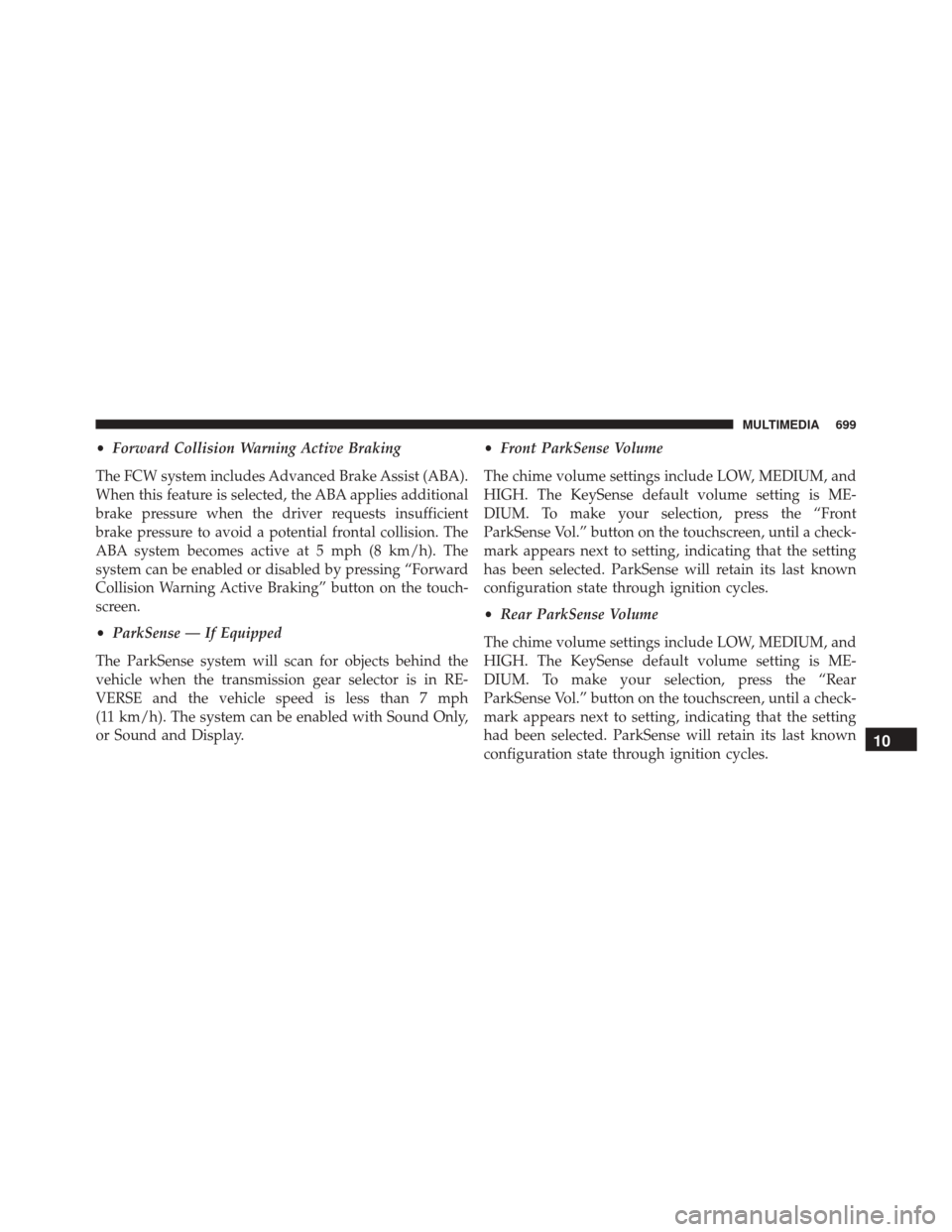
•Forward Collision Warning Active Braking
The FCW system includes Advanced Brake Assist (ABA).
When this feature is selected, the ABA applies additional
brake pressure when the driver requests insufficient
brake pressure to avoid a potential frontal collision. The
ABA system becomes active at 5 mph (8 km/h). The
system can be enabled or disabled by pressing “Forward
Collision Warning Active Braking” button on the touch-
screen.
• ParkSense — If Equipped
The ParkSense system will scan for objects behind the
vehicle when the transmission gear selector is in RE-
VERSE and the vehicle speed is less than 7 mph
(11 km/h). The system can be enabled with Sound Only,
or Sound and Display. •
Front ParkSense Volume
The chime volume settings include LOW, MEDIUM, and
HIGH. The KeySense default volume setting is ME-
DIUM. To make your selection, press the “Front
ParkSense Vol.” button on the touchscreen, until a check-
mark appears next to setting, indicating that the setting
has been selected. ParkSense will retain its last known
configuration state through ignition cycles.
• Rear ParkSense Volume
The chime volume settings include LOW, MEDIUM, and
HIGH. The KeySense default volume setting is ME-
DIUM. To make your selection, press the “Rear
ParkSense Vol.” button on the touchscreen, until a check-
mark appears next to setting, indicating that the setting
had been selected. ParkSense will retain its last known
configuration state through ignition cycles.
10
MULTIMEDIA 699
Page 707 of 828
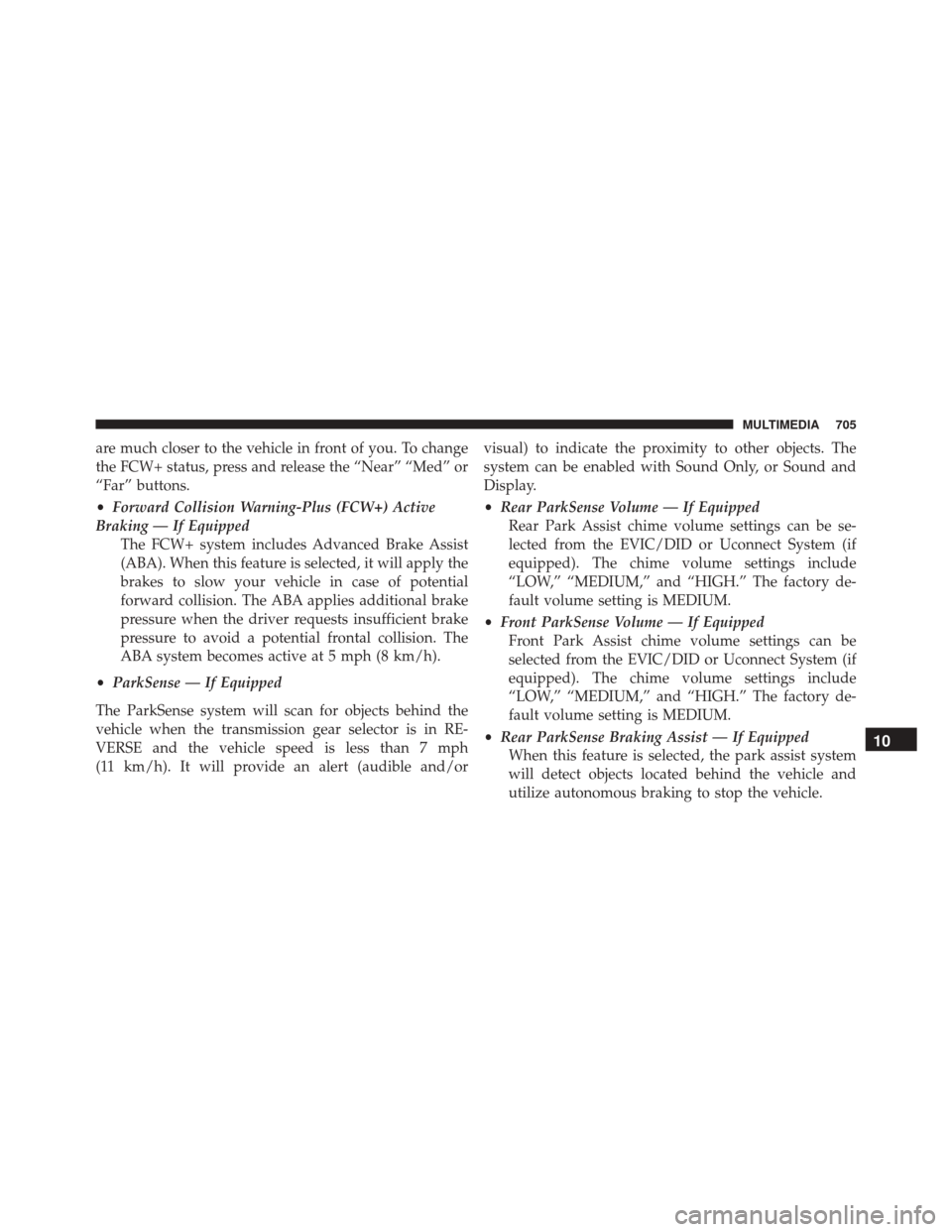
are much closer to the vehicle in front of you. To change
the FCW+ status, press and release the “Near” “Med” or
“Far” buttons.
•Forward Collision Warning-Plus (FCW+) Active
Braking — If Equipped The FCW+ system includes Advanced Brake Assist
(ABA). When this feature is selected, it will apply the
brakes to slow your vehicle in case of potential
forward collision. The ABA applies additional brake
pressure when the driver requests insufficient brake
pressure to avoid a potential frontal collision. The
ABA system becomes active at 5 mph (8 km/h).
• ParkSense — If Equipped
The ParkSense system will scan for objects behind the
vehicle when the transmission gear selector is in RE-
VERSE and the vehicle speed is less than 7 mph
(11 km/h). It will provide an alert (audible and/or visual) to indicate the proximity to other objects. The
system can be enabled with Sound Only, or Sound and
Display.
•
Rear ParkSense Volume — If Equipped
Rear Park Assist chime volume settings can be se-
lected from the EVIC/DID or Uconnect System (if
equipped). The chime volume settings include
“LOW,” “MEDIUM,” and “HIGH.” The factory de-
fault volume setting is MEDIUM.
• Front ParkSense Volume — If Equipped
Front Park Assist chime volume settings can be
selected from the EVIC/DID or Uconnect System (if
equipped). The chime volume settings include
“LOW,” “MEDIUM,” and “HIGH.” The factory de-
fault volume setting is MEDIUM.
• Rear ParkSense Braking Assist — If Equipped
When this feature is selected, the park assist system
will detect objects located behind the vehicle and
utilize autonomous braking to stop the vehicle.
10
MULTIMEDIA 705
Page 709 of 828
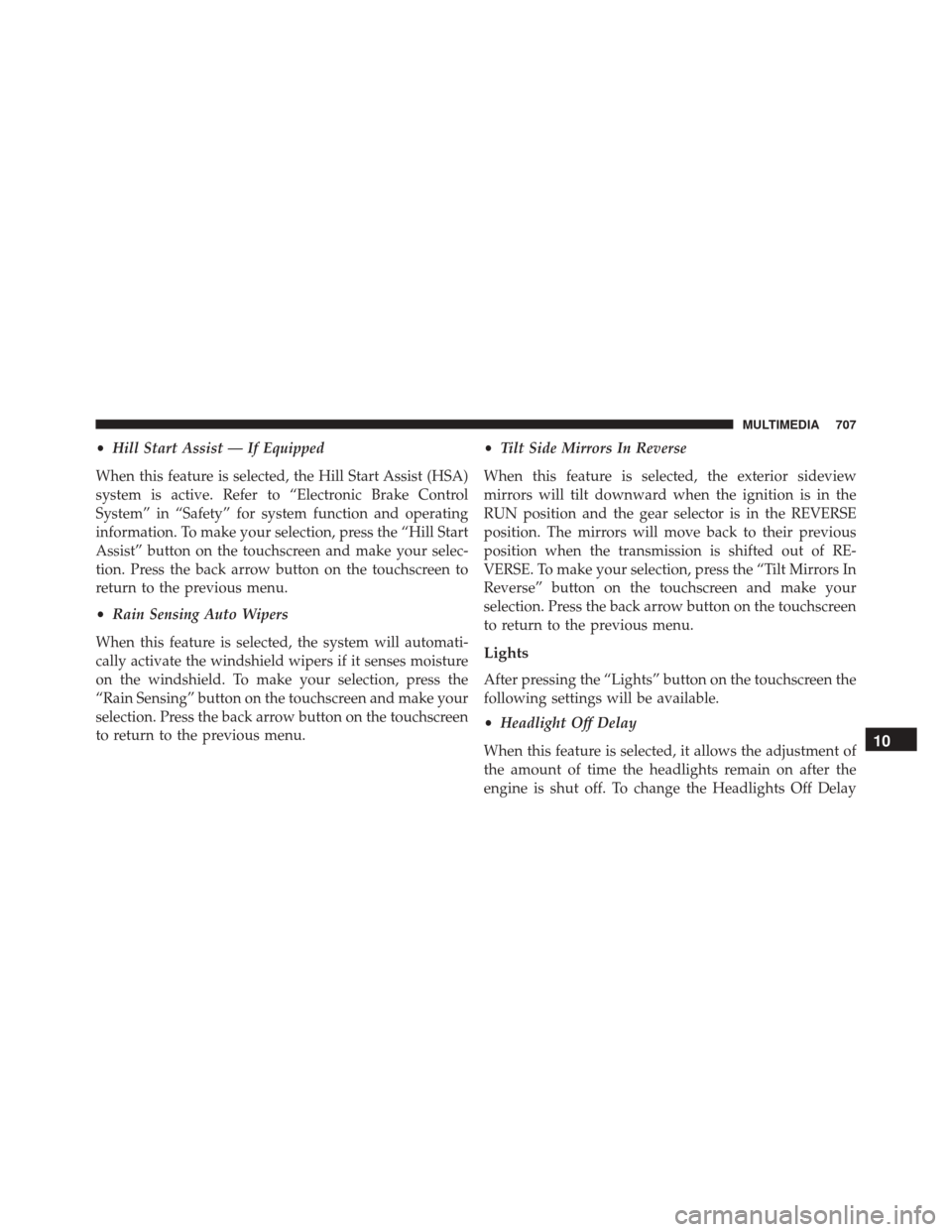
•Hill Start Assist — If Equipped
When this feature is selected, the Hill Start Assist (HSA)
system is active. Refer to “Electronic Brake Control
System” in “Safety” for system function and operating
information. To make your selection, press the “Hill Start
Assist” button on the touchscreen and make your selec-
tion. Press the back arrow button on the touchscreen to
return to the previous menu.
• Rain Sensing Auto Wipers
When this feature is selected, the system will automati-
cally activate the windshield wipers if it senses moisture
on the windshield. To make your selection, press the
“Rain Sensing” button on the touchscreen and make your
selection. Press the back arrow button on the touchscreen
to return to the previous menu. •
Tilt Side Mirrors In Reverse
When this feature is selected, the exterior sideview
mirrors will tilt downward when the ignition is in the
RUN position and the gear selector is in the REVERSE
position. The mirrors will move back to their previous
position when the transmission is shifted out of RE-
VERSE. To make your selection, press the “Tilt Mirrors In
Reverse” button on the touchscreen and make your
selection. Press the back arrow button on the touchscreen
to return to the previous menu.
Lights
After pressing the “Lights” button on the touchscreen the
following settings will be available.
• Headlight Off Delay
When this feature is selected, it allows the adjustment of
the amount of time the headlights remain on after the
engine is shut off. To change the Headlights Off Delay
10
MULTIMEDIA 707
Page 721 of 828
screen. Pressing the Up or Down Arrow button on the
right side of the screen will allow you to toggle up or
down through the available settings.
KeySense
The vehicle’s KeySense settings are protected by a unique
4-digit PIN, which the vehicle owner creates when ac-
cessing the specific settings for the first time. This 4-digit
PIN can only be rest by an authorized dealer.
After pressing the “KeySense” button on the touchscreen
the following settings will be available:
•Forward Collision Warning
The Front Collision Warning (FCW) feature provides an
audible and/or visual warning to potential forward
collisions. The feature can be set to Near, Medium, or Far. •
Forward Collision Sensitivity
The Forward Collision Warning (FCW) This means the
system will warn you of a possible collision with the
vehicle in front of you. The feature can be set to Near,
Medium, or Far.
• Forward Collision Warning Active Braking
The FCW system includes Advanced Brake Assist (ABA).
When this feature is selected, the ABA applies additional
brake pressure when the driver requests insufficient
brake pressure to avoid a potential frontal collision. The
ABA system becomes active at 5 mph (8 km/h). The
system can be enabled or disabled by pressing “Forward
Collision Warning Active Braking” button on the touch-
screen.
10
MULTIMEDIA 719
Page 729 of 828
•Forward Collision Warning — If Equipped
The Front Collision Warning (FCW) feature provides an
audible and/or visual warning to potential forward
collisions. The feature can be can be set to Far, Med or
Near. The default status of FCW is the Far setting. This
means the system will warn you of a possible collision
with the vehicle in front of you when you are farther
away. This gives you the most reaction time. To change
the setting for more dynamic driving, select the Near
setting. This warns you of a possible collision when you
are much closer to the vehicle in front of you. To change
the FCW status, press and release the “Near” or “Far”
button.
• Forward Collision Warning (FCW) — Active Braking
The FCW system includes Advanced Brake Assist (ABA).
When this feature is selected, the ABA applies additional
brake pressure when the driver requests insufficient
brake pressure to avoid a potential frontal collision. The ABA system becomes active at 5 mph (8 km/h). To make
your selection, press the “Forward Collision Warning
Active Braking” button on the touchscreen, until a check-
mark appears next to setting, indicating that the setting
had been selected.
•
LaneSense Warning — If Equipped
When this feature is selected, it sets the distance at which
the steering wheel will provide feedback for potential
lane departures. The LDW sensitivity can be set to
provide either an “Early,” “Medium,” or “Late” warning
zone start point.
• LaneSense Strength — If Equipped
When this feature is selected, it sets the strength of the
steering wheel feedback for potential lane departures.
The amount of directional torque the steering system can
apply to the steering wheel to correct for vehicle lane
departure can be set at “Low,” “Medium” or “High.”
10
MULTIMEDIA 727
Page 734 of 828
•Hill Start Assist — If Equipped
When this feature is selected, the Hill Start Assist (HSA)
system is active. To make your selection, press the “Hill
Start Assist” button on the touchscreen, until a check-
mark appears next to setting, indicating that the setting
had been selected.
• Brake Service
This feature provides a means for a technician or vehicle
owner to utilize a vehicle integrated, menu driven sys-
tem, to command the electric park brake retraction, to
service the rear foundation brakes (brake pads, calipers,
rotors, etc.).
Lights
After pressing the “Lights” button on the touchscreen the
following settings will be available. •
Headlight Off Delay
When this feature is selected, it allows adjustment of the
amount of time the headlights remain on after the engine
is shut off. To change the Headlights Off Delay setting,
press the “+” or “-” button on the touchscreen to select
your desired time interval, and choose either 0, 30, 60 or
90 seconds.
• Headlight Illumination On Approach
When this feature is selected, the headlights will activate
and remain on for 0, 30, 60 or 90 seconds when the doors
are unlocked with the Remote Keyless Entry (RKE)
transmitter. To change the Illuminated Approach status,
press the “+” or “-” button on the touchscreen to select
your desired time interval.
732 MULTIMEDIA
Page 809 of 828
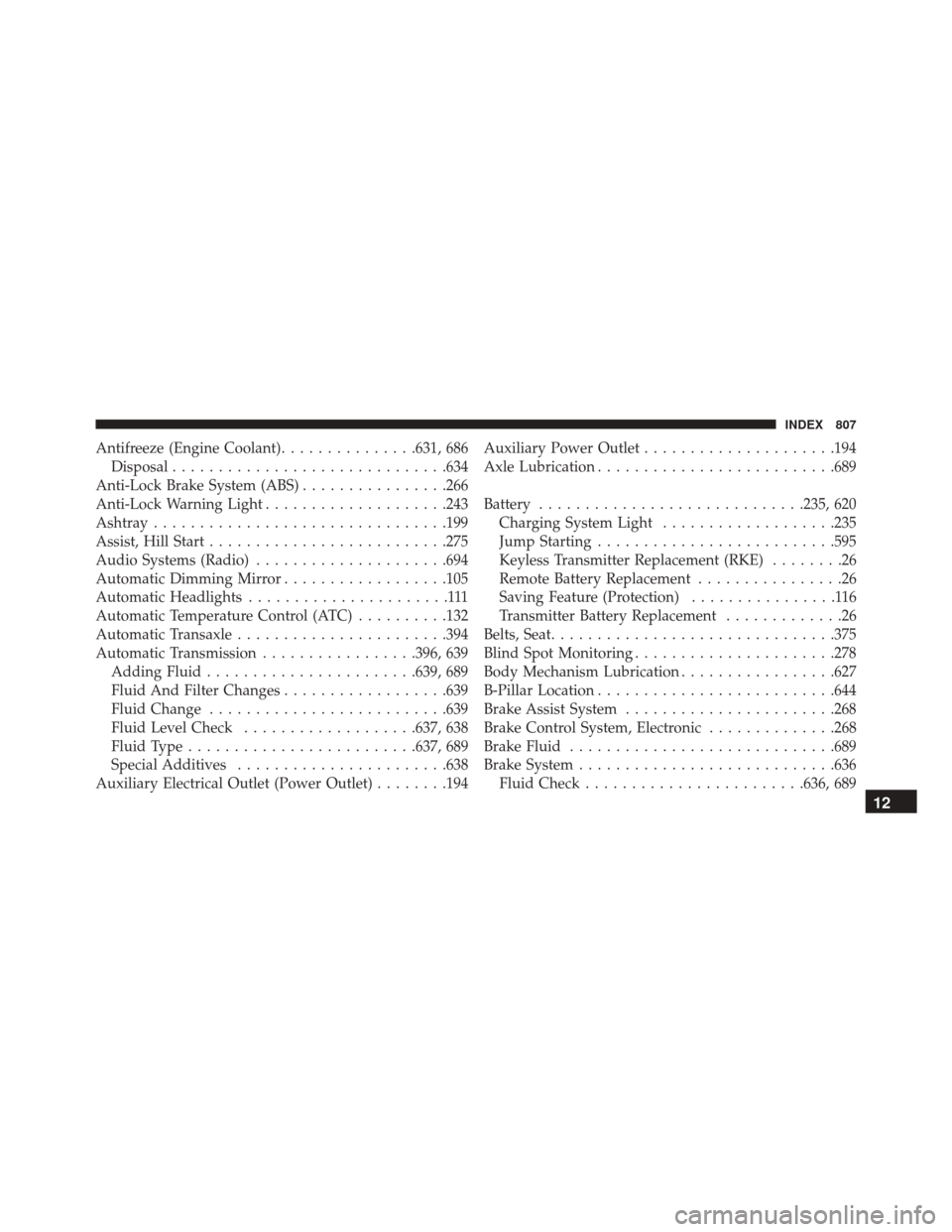
Antifreeze (Engine Coolant)...............631, 686
Disposal ............................. .634
Anti-Lock Brake System (ABS) ................266
Anti-Lock Warning Light ....................243
Ashtray ............................... .199
Assist, Hill Start ......................... .275
Audio Systems (Radio) .....................694
Automatic Dimming Mirror ..................105
Automatic Headlights ......................111
Automatic Temperature Control (ATC) ..........132
Automatic Transaxle ...................... .394
Automatic Transmission .................396, 639
Adding Fluid ...................... .639, 689
Fluid And Filter Changes ..................639
Fluid Change ......................... .639
Fluid Level Check ...................637, 638
Fluid Type ........................ .637, 689
Special Additives ...................... .638
Auxiliary Electrical Outlet (Power Outlet) ........194Auxiliary Power Outlet
.....................194
Axle Lubrication ......................... .689
Battery ............................ .235, 620
Charging System Light ...................235
Jump Starting ......................... .595
Keyless Transmitter Replacement (RKE) ........26
Remote Battery Replacement ................26
Saving Feature (Protection) ................116
Transmitter Battery Replacement .............26
Belts, Seat .............................. .375
Blind Spot Monitoring ..................... .278
Body Mechanism Lubrication .................627
B-Pillar Location ......................... .644
Brake Assist System ...................... .268
Brake Control System, Electronic ..............268
Brake Fluid ............................ .689
Brake System ........................... .636
Fluid
Check ....................... .636, 689
12
INDEX 807
Page 810 of 828
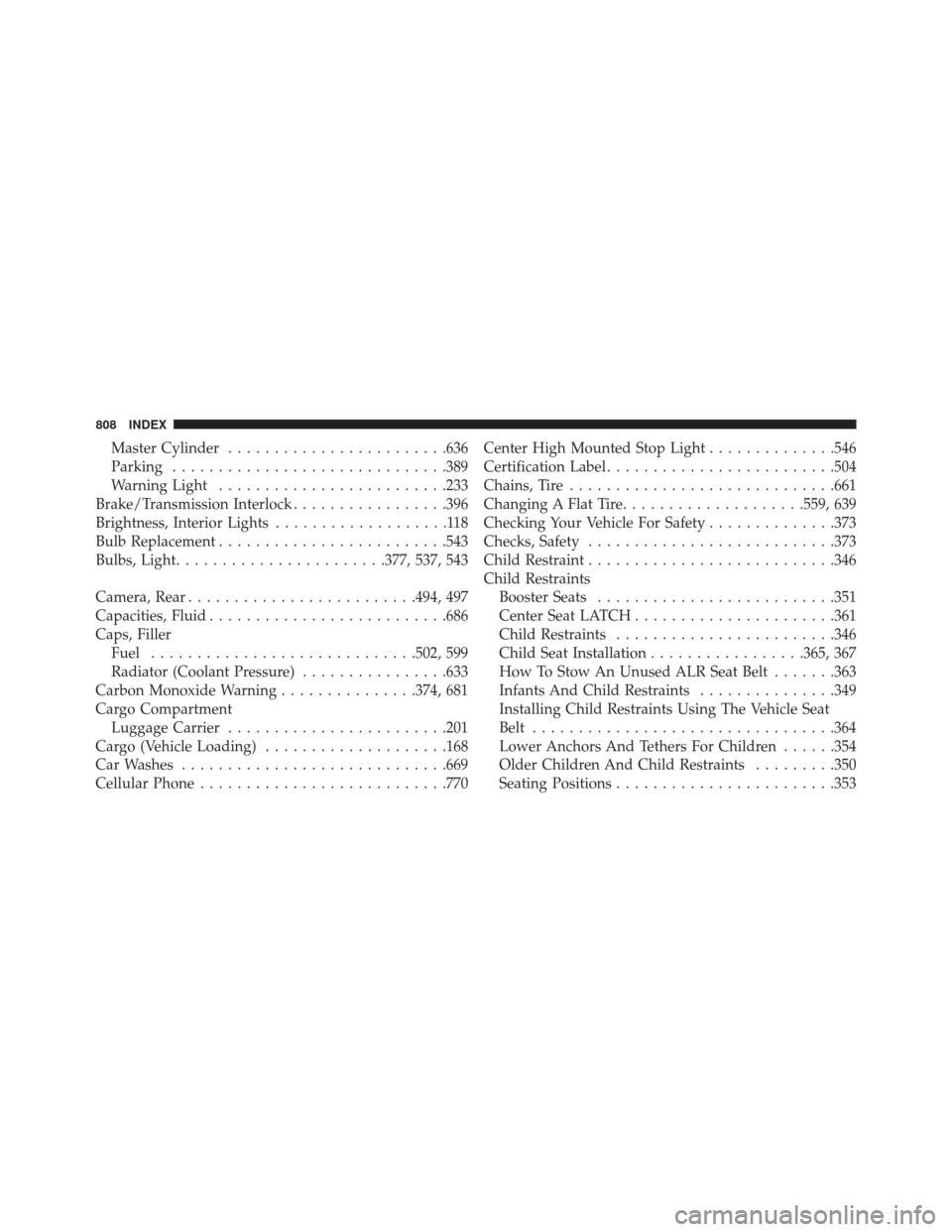
Master Cylinder....................... .636
Parking ............................. .389
Warning Light ........................ .233
Brake/Transmission Interlock .................396
Brightness, Interior Lights ...................118
Bulb Replacement ........................ .543
Bulbs, Light ...................... .377, 537, 543
Camera, Rear ........................ .494, 497
Capacities, Fluid ......................... .686
Caps, Filler Fuel ............................ .502, 599
Radiator (Coolant Pressure) ................633
Carbon Monoxide Warning ...............374, 681
Cargo Compartment Luggage Carrier ....................... .201
Cargo (Vehicle Loading) ....................168
Car Washes ............................ .669
Cellular Phone .......................... .770Center High Mounted Stop Light
..............546
Certification Label ........................ .504
Chains, Tire ............................ .661
Changing A Flat Tire ....................559, 639
Checking Your Vehicle For Safety ..............373
Checks, Safety .......................... .373
Child Restraint .......................... .346
Child Restraints Booster Seats ......................... .351
Center Seat LATCH ..................... .361
Child Restraints ....................... .346
Child Seat Installation .................365, 367
How To Stow An Unused ALR Seat Belt .......363
Infants And Child Restraints ...............349
Installing Child Restraints Using The Vehicle Seat
Belt ................................ .364
Lower Anchors And Tethers For Children ......354
Older Children And Child Restraints .........350
Seating Positions ....................... .353
808 INDEX
Page 812 of 828
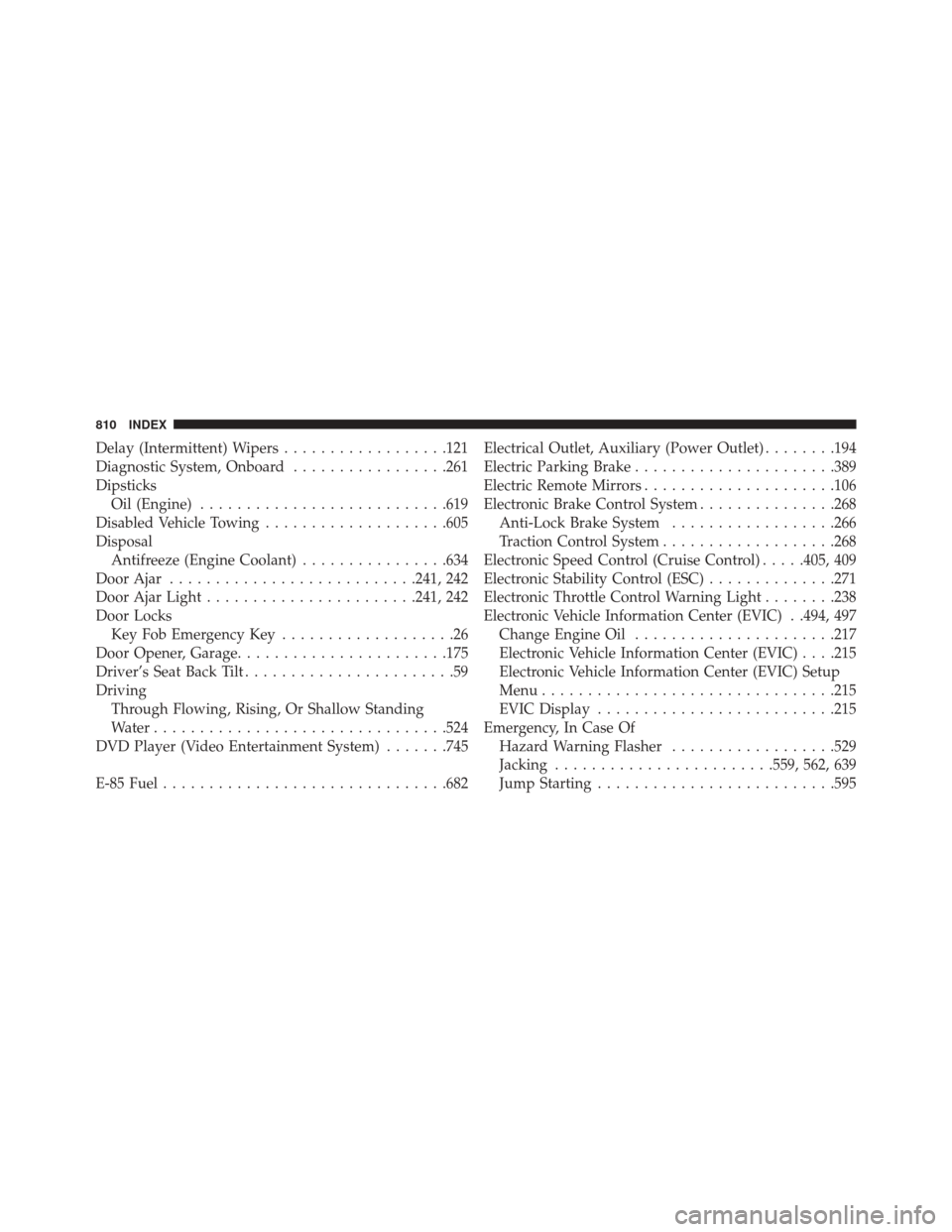
Delay (Intermittent) Wipers..................121
Diagnostic System, Onboard .................261
Dipsticks Oil (Engine) .......................... .619
Disabled Vehicle Towing ....................605
Disposal Antifreeze (Engine Coolant) ................634
Door Ajar .......................... .241, 242
Door Ajar Light ...................... .241, 242
Door Locks Key Fob Emergency Key ...................26
Door Opener, Garage ...................... .175
Driver’s Seat Back Tilt .......................59
Driving Through Flowing, Rising, Or Shallow Standing
Water ............................... .524
DVD Player (Video Entertainment System) .......745
E-85 Fuel .............................. .682Electrical Outlet, Auxiliary (Power Outlet)
........194
Electric Parking Brake ..................... .389
Electric Remote Mirrors .....................106
Electronic Brake Control System ...............268
Anti-Lock Brake System ..................266
Traction Control System ...................268
Electronic Speed Control (Cruise Control) .....405, 409
Electronic Stability Control (ESC) ..............271
Electronic Throttle Control Warning Light ........238
Electronic Vehicle Information Center (EVIC) . .494, 497 Change Engine Oil ..................... .217
Electronic Vehicle Information Center (EVIC) . . . .215
Electronic Vehicle Information Center (EVIC) Setup
Menu ............................... .215
EVIC Display ......................... .215
Emergency, In Case Of Hazard Warning Flasher ..................529
Jacking ....................... .559, 562, 639
Jump Starting ......................... .595
810 INDEX