ignition CHRYSLER PACIFICA 2017 2.G Service Manual
[x] Cancel search | Manufacturer: CHRYSLER, Model Year: 2017, Model line: PACIFICA, Model: CHRYSLER PACIFICA 2017 2.GPages: 828, PDF Size: 7.58 MB
Page 183 of 828
2. Place the hand-held transmitter 1 to 3 inches(3 to 8 cm) away from the HomeLink button you wish
to program while keeping the HomeLink indicator
light in view.
3. Continue to push and hold the HomeLink button, while you push and release (“cycle”) your hand-held
transmitter every two seconds until HomeLink has
successfully accepted the frequency signal. The indi-
cator light will flash slowly and then rapidly when
fully trained.
4. Watch for the HomeLink indicator to change flash rates. When it changes, it is programmed. It may take
up to 30 seconds or longer in rare cases. The garage
door may open and close while you are programming.
5. Push and hold the programmed HomeLink button and observe the indicator light. NOTE:
•If the indicator light stays on constantly, program-
ming is complete and the garage door/device should
activate when the HomeLink button is pushed.
• To program the two remaining HomeLink buttons,
repeat each step for each remaining button. DO NOT
erase the channels.
If you unplugged the garage door opener/device for
programming, plug it back in at this time.
Reprogramming A Single HomeLink Button
(Canadian/Gate Operator)
To reprogram a channel that has been previously trained,
follow these steps:
1. Cycle the ignition to the ON/RUN position.
3
GETTING TO KNOW YOUR VEHICLE 181
Page 196 of 828
To lower the sun screen, gently lift the tab upward to
disengage the hooks, and feed the screen back into the
base sill.
Power Outlets
Your vehicle is equipped with 12 Volt (13 Amp) power
outlets, and 5 Volt (2.5 Amp) USB power outlets, that can
be used to power cellular phones, small electronics and
other low powered electrical accessories. The power
outlets can be labeled with either a “key” or a “battery”
symbol to indicate how the outlet is powered. Power
outlets labeled with a “key” are powered when the
ignition is in the ON or ACC position, while the outlets
labeled with a “battery” are connected directly to the
battery and powered at all times.NOTE:
•
All accessories connected to the “battery” powered
outlets should be removed or turned off when the
vehicle is not in use to protect the battery against
discharge.
• To ensure proper cigar lighter operation, a MOPAR
knob and element must be used.
CAUTION!
Power outlets are designed for accessory plugs only.
Do not insert any other object in the power outlets as
this will damage the outlet and blow the fuse.
Improper use of the power outlet can cause damage
not covered by your New Vehicle Limited Warranty.
194 GETTING TO KNOW YOUR VEHICLE
Page 198 of 828

NOTE:The USB outlet in the bottom of the instrument
panel can be switched from “ignition” only to constant
“battery” powered all the time. See your local authorized
dealer for details.
Rear Power OutletPower Outlet Fuse Locations
1 — F95A-F95B USB IP 10A
2 — F85 Cigar Lighter 20A
3 — F60 RR Cargo Power Outlet 20A
196 GETTING TO KNOW YOUR VEHICLE
Page 216 of 828
Instrument Cluster Descriptions
For 3.5” EVIC Cluster and 7” DID Cluster
1. Tachometer•Indicates the engine speed in revolutions per minute
(RPM x 1000).
2. 3.5” EVIC / 7” DID Information Display •When the appropriate conditions exist, this display
shows the 3.5” EVIC OR 7” DID messages. Refer to
“Display” located in “Getting To Know Your Instru-
ment Panel” for further information.
3. Speedometer •Indicates vehicle speed.
4. Fuel Gauge •The gauge shows the level of fuel in the fuel tank
when the ignition switch is in the ON/RUN position. •
The fuel pump symbol points to the side of the
vehicle where the fuel door is located.
5. Temperature Gauge
•The temperature gauge shows engine coolant tem-
perature. Any reading within the normal range indi-
cates that the engine cooling system is operating
satisfactorily.
• The gauge can indicate a higher temperature when
driving in hot weather or up mountain grades. It
should not be allowed to exceed the upper limits of
the normal operating range.
WARNING!
Driving with a hot engine cooling system could
damage your vehicle. If the temperature gauge
reaches “H” pull over and stop the vehicle. Idle the
vehicle with the air conditioner turned off until the
(Continued)
214 GETTING TO KNOW YOUR INSTRUMENT PANEL
Page 217 of 828
WARNING!(Continued)
gauge drops back into the normal range and is no
longer red. If the gauge remains on the “H”, turn the
engine off immediately and call an authorized dealer
for service.
WARNING!
A hot engine cooling system is dangerous. You or
others could be badly burned by steam or boiling
coolant. You may want to call an authorized dealer
for service if your vehicle overheats. If you decide to
look under the hood yourself, see “Maintaining And
Caring For Your Vehicle”.
DISPLAY
The vehicle can be equipped with a Electronic Vehicle
Information Center (EVIC), or a Driver Information Dis-
play (DID), which offers useful information to the driver.
With the ignition in the STOP/OFF position, opening/
closing of a door will activate the display for viewing,
and display the total miles or kilometers in the odometer.
Instrument Cluster Display Location and Controls
The 3.5” EVIC and 7” DID feature a driver-interactive
display that is located in the center of the instrument
cluster.
The EVIC/DID Main Menu items consists of the follow-
ing:
•Speedometer
• Vehicle Info
• Driver Assist — 7” DID
4
GETTING TO KNOW YOUR INSTRUMENT PANEL 215
Page 219 of 828
•DOWN Arrow Button
Push and release the DOWNarrow button to
scroll downward through the Main Menu
items.
• RIGHT Arrow Button
Push and release the RIGHTarrow button to
access the information screens or submenu
screens of a main menu item.
• BACK/LEFT Arrow Button
Push and release the LEFTarrow button to
access the information screens or submenu
screens of a main menu item.
• OK Button
Push the OKbutton to access/select the information
screens or submenu screens of a Main Menu item. Push and hold the
OKarrow button for one second to reset
displayed/selected features that can be reset.
Oil Change Reset
• Your vehicle is equipped with an engine oil change
indicator system. The “Oil Change Due” message will
flash in the instrument cluster display for approxi-
mately 10 seconds after a single chime has sounded, to
indicate the next scheduled oil change interval. The
engine oil change indicator system is duty cycle based,
which means the engine oil change interval may
fluctuate, dependent upon your personal driving style.
• Unless reset, this message will continue to display
each time the ignition is cycled to the ON/RUN
position. To reset the oil change indicator system (after
performing the scheduled maintenance) refer to the
following procedure.
4
GETTING TO KNOW YOUR INSTRUMENT PANEL 217
Page 220 of 828
•To reset the oil change indicator after performing the
scheduled maintenance, refer to the following proce-
dure.
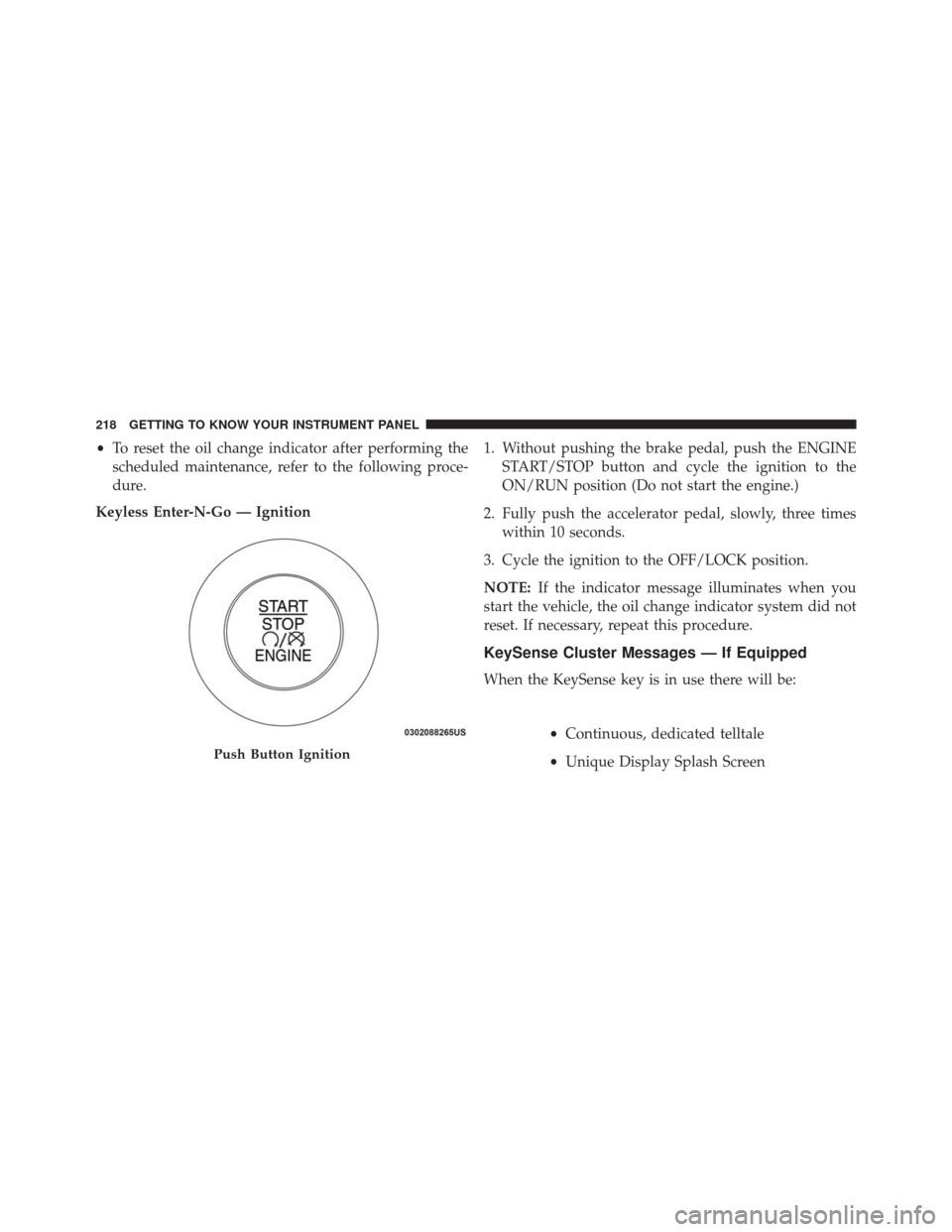
Keyless Enter-N-Go — Ignition 1. Without pushing the brake pedal, push the ENGINE
START/STOP button and cycle the ignition to the
ON/RUN position (Do not start the engine.)
2. Fully push the accelerator pedal, slowly, three times within 10 seconds.
3. Cycle the ignition to the OFF/LOCK position.
NOTE: If the indicator message illuminates when you
start the vehicle, the oil change indicator system did not
reset. If necessary, repeat this procedure.
KeySense Cluster Messages — If Equipped
When the KeySense key is in use there will be:
•Continuous, dedicated telltale
• Unique Display Splash Screen
Push Button Ignition
218 GETTING TO KNOW YOUR INSTRUMENT PANEL
Page 223 of 828
Oil Life (Hold OK Button To Reset)
The “Hold OK to Reset” instruction will be displayed at
all times, but the following conditions will need to be met
in order to reset Oil Life:
The vehicle’s engine must be off
The ignition must be in the ON/RUN position
•If the conditions are met, holding the OK button will
reset the gauge and the numeric display will return to
100%.
• If the conditions are not met, a popup message will
display for 5 seconds, describing the required condi-
tions, and then the Oil Life screen will reappear.
• Battery Voltage
Displays the actual battery voltage.Driver Assist (7” DID)
Push and release the UPorDOWNarrow button
until the Driver Assist display icon is highlighted in
the DID cluster display. Refer to “Adaptive Cruise
Control (ACC) — If Equipped” in “Starting And
Operating” for further information.
Fuel Economy
Push and release the UPorDOWNarrow button
until the Fuel Economy Menu item is highlighted in
the EVIC/DID. The Fuel Economy Menu will display
the following:
• Two sub menu pages that can be toggled between
using the LEFT
andRIGHTarrow buttons;
one with Current value displayed and one without
the Current Value displayed (for DID only):
– Average Fuel Economy (MPG, L/100 km, or km/l)
– Range To Empty (miles or km)
4
GETTING TO KNOW YOUR INSTRUMENT PANEL 221
Page 230 of 828
•Installing options like additional lights, upfitter elec-
trical accessories, audio systems, alarms and similar
devices.
• Unusual driving cycles (short trips separated by long
parking periods).
• The vehicle was parked for an extended period of time
(weeks, months).
• The battery was recently replaced and was not charged
completely.
• The battery was discharged by an electrical load left on
when the vehicle was parked.
• The battery was used for an extended period with the
engine not running to supply radio, lights, chargers,
+12V portable appliances like vacuum cleaner ’s, game
consoles and similar devices. What to do when an electrical load reduction action
message is present (“Battery Saver On” or “Battery
Saver Mode”)
During a trip:
•
Reduce power to unnecessary loads if possible:
– Turn off redundant lights (interior or exterior)
– Check what may be plugged in to power outlets +12V, 115V AC, USB ports
– Check HVAC settings (blower, temperature)
– Check the audio settings (volume)
After a trip:
• Check if any aftermarket equipment was installed
(additional lights, upfitter electrical accessories, audio
systems, alarms) and review specifications if any (load
and Ignition Off Draw currents).
228 GETTING TO KNOW YOUR INSTRUMENT PANEL
Page 231 of 828
•Evaluate the latest driving cycles (distance, driving
time and parking time).
• The vehicle should have service performed if the
message is still present during consecutive trips and
the evaluation of the vehicle and driving pattern did
not help to identify the cause.
TRIP COMPUTER
The Trip Computer is located in the Electronic Vehicle
Information Center (EVIC) or Driver Information Display
(DID). Push and release the UP
orDOWNarrow
button until “Trip Info” is highlighted in the EVIC and
push the RIGHT
arrow button. Push and release
the UP
orDOWNarrow buttons to highlight
one of the following functions if you want to reset it:
Trip A
• Shows the total distance traveled for Trip A since the
last reset. •
Shows the elapsed time traveled for Trip A since the
last reset.
Trip B
• Shows the total distance traveled for Trip B since the
last reset.
• Shows the elapsed time traveled for Trip B since the
last reset.
Elapsed Time
Shows the total elapsed time of travel since the last reset
when the ignition switch is in the ACC position. Elapsed
time will increment when the ignition switch is in the ON
or START position.
To Reset A Trip Function
Reset will only occur while a resettable function is
selected (highlighted). Push and hold the OKbutton to
clear the resettable function being displayed.
4
GETTING TO KNOW YOUR INSTRUMENT PANEL 229