Seat CHRYSLER PACIFICA 2017 2.G Workshop Manual
[x] Cancel search | Manufacturer: CHRYSLER, Model Year: 2017, Model line: PACIFICA, Model: CHRYSLER PACIFICA 2017 2.GPages: 828, PDF Size: 7.58 MB
Page 99 of 828
Push the switch once to select HI-level heating. Push the
switch a second time to select LO-level heating. Push the
switch a third time to shut the heating elements OFF.
NOTE:Once a heat setting is selected, heat will be felt
within two to five minutes.
When the HI-level setting is selected, the heater will
provide a boosted heat level during the initial stages of
operation. Then, the heat output will drop to the normal
HI-level. If the HI-level setting is selected, the system will
automatically switch to LO-level after approximately 60
minutes of continuous operation. At that time, the dis-
play will change from HI to LO, indicating the change.
The LO-level setting will turn OFF automatically after
approximately 45 minutes.
Ventilated Seats — If Equipped
Located in the first row seat cushions are small fans that
draw the air from the passenger compartment and move air through fine perforations in the seat cover to help
keep the driver and front passenger cooler in higher
ambient temperatures. The fans operate at two speeds,
HI and LO.
The front ventilated seats control buttons are located
within the climate or controls screen of the touchscreen.
•
Press the ventilated seat button
once to choose HI.
•Press the ventilated seat buttona second time to
choose LO.
• Press the ventilated seat buttona third time to
turn the ventilated seat OFF.
NOTE: The engine must be running for the ventilated
seats to operate.
3
GETTING TO KNOW YOUR VEHICLE 97
Page 100 of 828
Vehicles Equipped With Remote Start
On models that are equipped with remote start, the
ventilated seats can be programed to come on during a
remote start.
This feature can be programmed through the Uconnect
system. Refer to “Uconnect Settings” in “Multimedia” for
further information.
Plastic Grocery Bag Retainer Hooks
Retainer hooks which will hold plastic grocery bag
handles are built into the seatbacks of the first and third
row rear seats. The floor supports the partial weight of
the bagged goods.
HEAD RESTRAINTS
Head restraints are designed to reduce the risk of injury
by restricting head movement in the event of a rear
impact. Head restraints should be adjusted so that the top
of the head restraint is located above the top of your ear.
WARNING!
The head restraints for all occupants must be prop-
erly installed and adjusted prior to operating the
vehicle or occupying a seat. Head restraints should
never be adjusted while the vehicle is in motion.
Driving a vehicle with the head restraints improperly
adjusted or removed could cause serious injury or
death in the event of a collision.
98 GETTING TO KNOW YOUR VEHICLE
Page 101 of 828
Head Restraints — Front Seats
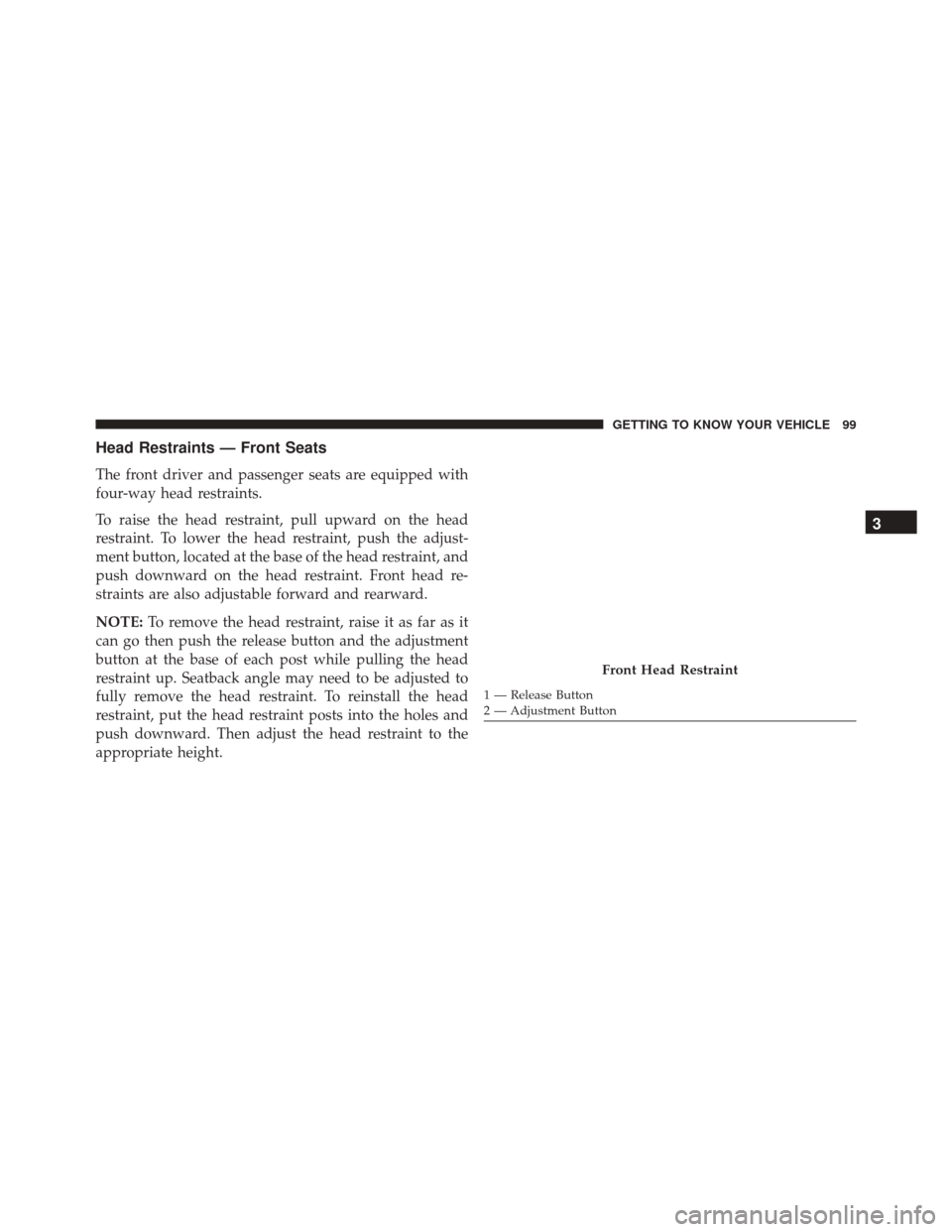
The front driver and passenger seats are equipped with
four-way head restraints.
To raise the head restraint, pull upward on the head
restraint. To lower the head restraint, push the adjust-
ment button, located at the base of the head restraint, and
push downward on the head restraint. Front head re-
straints are also adjustable forward and rearward.
NOTE:To remove the head restraint, raise it as far as it
can go then push the release button and the adjustment
button at the base of each post while pulling the head
restraint up. Seatback angle may need to be adjusted to
fully remove the head restraint. To reinstall the head
restraint, put the head restraint posts into the holes and
push downward. Then adjust the head restraint to the
appropriate height.
Front Head Restraint
1 — Release Button
2 — Adjustment Button
3
GETTING TO KNOW YOUR VEHICLE 99
Page 102 of 828

WARNING!
•A loose head restraint thrown forward in a colli-
sion or hard stop could cause serious injury or
death to occupants of the vehicle. Always securely
stow removed head restraints in a location outside
the occupant compartment.
• ALL the head restraints MUST be reinstalled in the
vehicle to properly protect the occupants. Follow
the re-installation instructions above prior to oper-
ating the vehicle or occupying a seat.
Head Restraints — Second Row
The second row outboard head restraints are non-
adjustable. The removable 8th passenger seat (if
equipped) has an adjustable head restraint.
Head Restraints — Third Row
The outboard head restraints can be manually folded
forward for improved visibility while in reverse. Pull the
release strap to fold them forward.
Release Strap
100 GETTING TO KNOW YOUR VEHICLE
Page 103 of 828
NOTE:
•The head restraints must be raised manually when
occupying the third row.
• Do not fold if there are passengers seated in the third
row seats.
The head restraint in the center position can be raised and
lowered for tether routing or height adjustment. Refer to
“Occupant Restraints” in “Safety” for further informa-
tion.
Power Folding Third Row Head Restraints — If
Equipped
For improved visibility, the third row outboard head
restraints can be folded using the Uconnect System.
Press the “Controls” button located on the bottom of the
Uconnect display. Press the Head Restraint Fold button
to power fold
the third row head restraints.
NOTE:
• The head restraints can be folded downward using the
Head Restraint button or using the manual release
strap. The head restraints must be raised manually
when occupying the third row.
• Do not fold if there are passengers seated in the third
row seats.
STEERING WHEEL
Tilt/Telescoping Steering Column
This feature allows you to tilt the steering column
upward or downward. It also allows you to lengthen or
shorten the steering column. The tilt/telescoping lever is
located left of the steering wheel at the end of the steering
column.
3
GETTING TO KNOW YOUR VEHICLE 101
Page 109 of 828
The power mirror controls consist of mirror select but-
tons and a four-way mirror control switch. To adjust a
mirror, push either the L (left) or R (right) to select the
mirror that you want to adjust.
NOTE:A light in the selected button will illuminate
indicating the mirror is activated and can be adjusted. Using the mirror control switch, push on any of the four
arrows for the direction that you want the mirror to
move.
Left and Right side power mirror preselected positions
can be controlled by the optional Driver Memory Seat
Feature. Refer to “Driver Memory Seat” in “Seats” for
further information.
Heated Mirrors — If Equipped
These mirrors are heated to melt frost or ice. This
feature can be activated whenever you turn on the
rear window defroster (if equipped). Refer to “Climate
Controls” for further information.
Tilt Mirrors In Reverse (Available With Memory
Seat Only) — If Equipped
Tilt Mirrors in Reverse provides automatic outside mirror
positioning which will aid the driver ’s view of the
Power Mirror Controls
3
GETTING TO KNOW YOUR VEHICLE 107
Page 132 of 828
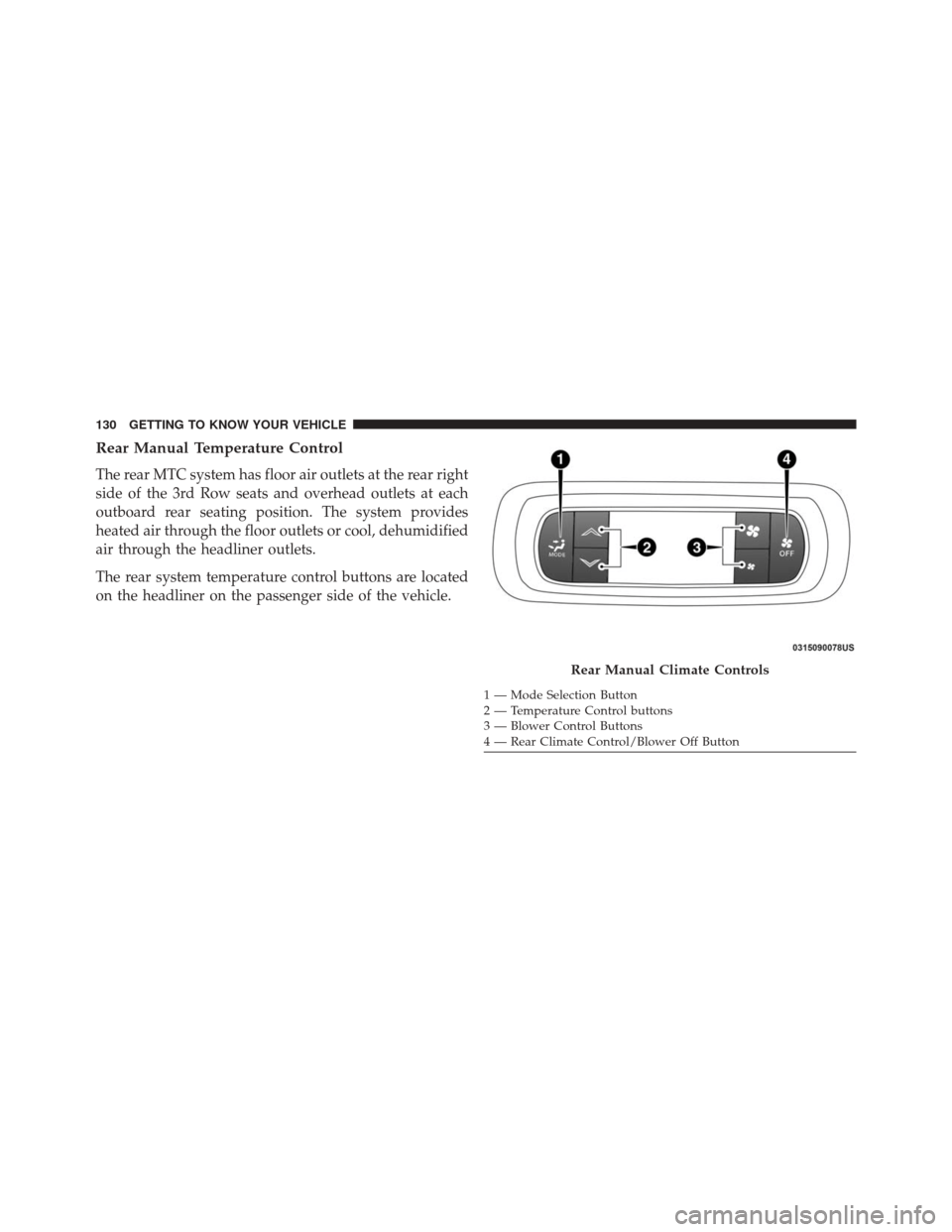
Rear Manual Temperature Control
The rear MTC system has floor air outlets at the rear right
side of the 3rd Row seats and overhead outlets at each
outboard rear seating position. The system provides
heated air through the floor outlets or cool, dehumidified
air through the headliner outlets.
The rear system temperature control buttons are located
on the headliner on the passenger side of the vehicle.
Rear Manual Climate Controls
1 — Mode Selection Button
2 — Temperature Control buttons
3 — Blower Control Buttons
4 — Rear Climate Control/Blower Off Button
130 GETTING TO KNOW YOUR VEHICLE
Page 133 of 828
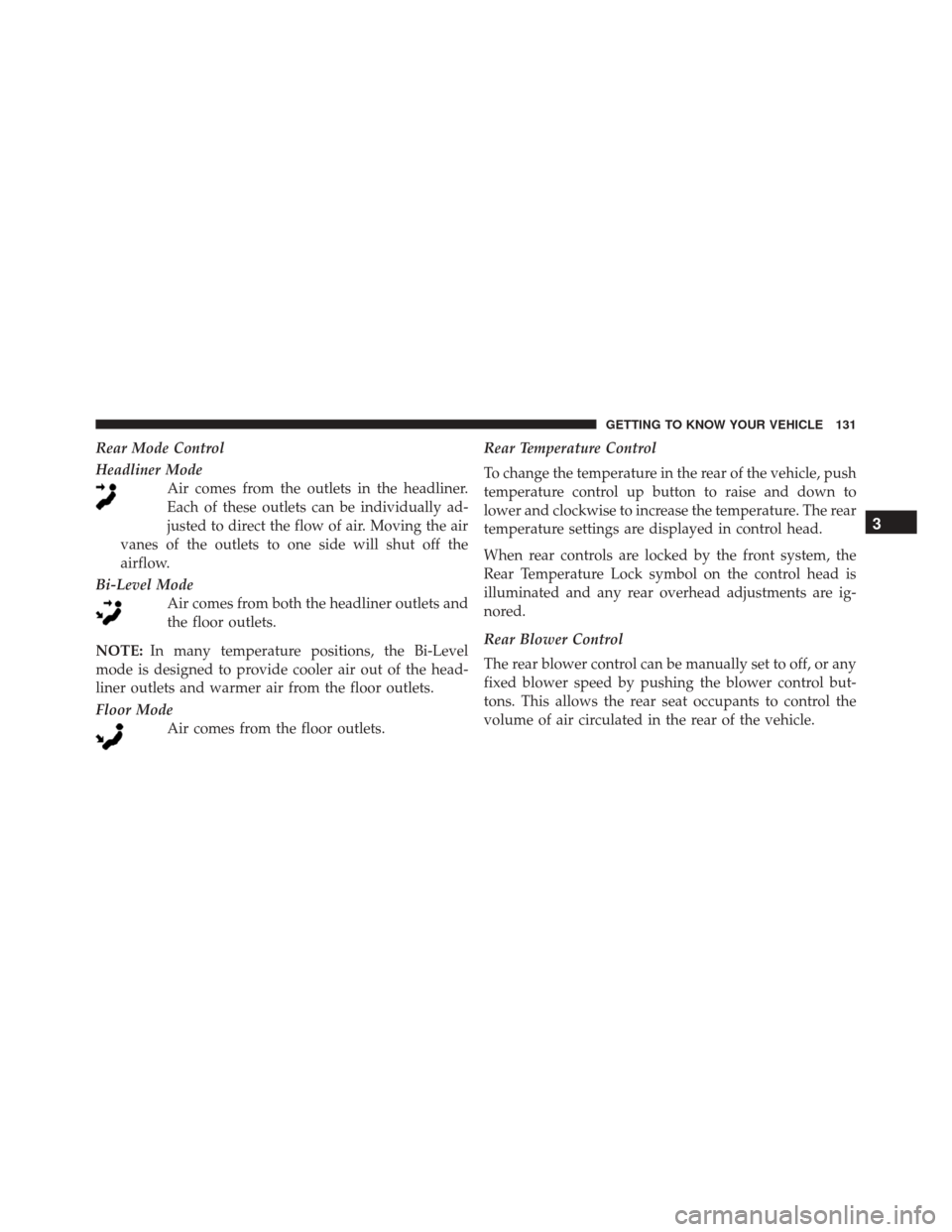
Rear Mode Control
Headliner ModeAir comes from the outlets in the headliner.
Each of these outlets can be individually ad-
justed to direct the flow of air. Moving the air
vanes of the outlets to one side will shut off the
airflow.
Bi-Level Mode Air comes from both the headliner outlets and
the floor outlets.
NOTE: In many temperature positions, the Bi-Level
mode is designed to provide cooler air out of the head-
liner outlets and warmer air from the floor outlets.
Floor Mode Air comes from the floor outlets. Rear Temperature Control
To change the temperature in the rear of the vehicle, push
temperature control up button to raise and down to
lower and clockwise to increase the temperature. The rear
temperature settings are displayed in control head.
When rear controls are locked by the front system, the
Rear Temperature Lock symbol on the control head is
illuminated and any rear overhead adjustments are ig-
nored.
Rear Blower Control
The rear blower control can be manually set to off, or any
fixed blower speed by pushing the blower control but-
tons. This allows the rear seat occupants to control the
volume of air circulated in the rear of the vehicle.
3
GETTING TO KNOW YOUR VEHICLE 131
Page 134 of 828
CAUTION!
Interior air enters the Rear Automatic Temperature
Control System through an intake grille, located in
floor under the passengers’ seats. Do not block or
place objects directly in front of the inlet grille or
heater outlets. The electrical system could overload
causing damage to the blower motor.
Rear Climate Control/Blower Off
To manually set the rear blower controls to off, press the
Rear Climate Control/Blower Off button.
Automatic Temperature Control (ATC) – 3 Zone —
If Equipped
Buttons On The Faceplate
The buttons on the faceplate are located below the
Uconnect screen.
Uconnect 5.0 Automatic Climate Controls — Buttons On The Touchscreen
132 GETTING TO KNOW YOUR VEHICLE
Page 141 of 828
15. Driver Temperature Control Up Button
Provides the driver with independent temperature con-
trol. Push the button on the faceplate for warmer tem-
perature settings or on the touchscreen, press and slide
the temperature bar button towards the red arrow for
warmer temperature settings.
NOTE:In Sync mode, this button will also automatically
adjust the passenger temperature setting at the same
time.
Driver and Passenger Temperature Control Button
Provides the temperature setting for both the driver and
the passenger seating positions, which can be indepen-
dently set after selecting this button.Climate Control Functions
A/C (Air Conditioning)
The Air Conditioning (A/C) button allows the operator
to manually activate or deactivate the air conditioning
system. When the air conditioning system is turned on,
cool dehumidified air will flow through the outlets into
the cabin. For improved fuel economy, press the A/C
button to turn off the air conditioning and manually
adjust the blower and airflow mode settings. Also, make
sure to select only Panel, Bi-Level or Floor modes.
NOTE:
• If fog or mist appears on the windshield or side glass,
select Defrost mode and increase blower speed if
needed.
• If your air conditioning performance seems lower than
expected, check the front of the A/C condenser (lo-
cated in front of the radiator), for an accumulation of
3
GETTING TO KNOW YOUR VEHICLE 139