Transmission CHRYSLER PACIFICA 2017 2.G Repair Manual
[x] Cancel search | Manufacturer: CHRYSLER, Model Year: 2017, Model line: PACIFICA, Model: CHRYSLER PACIFICA 2017 2.GPages: 828, PDF Size: 7.58 MB
Page 730 of 828
•ParkSense — If Equipped
The ParkSense system will scan for objects behind the
vehicle when the transmission gear selector is in RE-
VERSE and the vehicle speed is less than 11 mph
(18 km/h). It will provide an alert (audible and/or
visual) to indicate the proximity to other objects. The
system can be enabled with Sound Only, or Sound and
Display. To change the ParkSense status, press and re-
lease the “Sound Only” or “Sound and Display” button.
• Front ParkSense Volume
The Front ParkSense Chime Volume settings can be
selected from the Uconnect System. The chime volume
settings include LOW, MEDIUM, and HIGH. The factory
default volume setting is MEDIUM. To make your selec-
tion, press the “Front ParkSense Vol.” button on the
touchscreen, until a check-mark appears next to setting, indicating that the setting had been selected. ParkSense
will retain its last known configuration state through
ignition cycles.
•
Rear ParkSense Volume
The Rear ParkSense Chime Volume settings can be se-
lected from the Uconnect System. The chime volume
settings include LOW, MEDIUM, and HIGH. The factory
default volume setting is MEDIUM. To make your selec-
tion, press the “Rear ParkSense Vol.” button on the
touchscreen, until a check-mark appears next to setting,
indicating that the setting had been selected. ParkSense
will retain its last known configuration state through
ignition cycles.
• Rear ParkSense Braking Assist — If Equipped
When this feature is selected, the park assist system will
detect objects located behind the vehicle and utilize
autonomous braking to stop the vehicle.
728 MULTIMEDIA
Page 731 of 828
•Tilt Side Mirrors In Reverse
When this feature is selected, the exterior sideview
mirrors will tilt downward when the ignition is in the
RUN position and the transmission gear selector is in the
REVERSE position. The mirrors will move back to their
previous position when the transmission is shifted out of
REVERSE. To make your selection, press the “Tilt Side
Mirrors in Reverse” button on the touchscreen, until a
check-mark appears next to setting, indicating that the
setting had been selected.
• Blind Spot Alert — If Equipped
When this feature is selected, the Blind Spot Alert feature
Provides alerts, visual and/or audible, to indicate objects
in your blind spot. The Blind Spot Alert feature can be
activated in “Lights” mode. When this mode is selected,
the Blind Spot Monitor (BSM) system is activated and
will only show a visual alert in the exterior mirrors.
When “Lights & Chime” mode is activated, the Blind Spot Monitor (BSM) will show a visual alert in the
exterior mirrors as well as an audible alert when the turn
signal is on. When “Off” is selected, the Blind Spot
Monitor (BSM) system is deactivated. To change the
Blind Spot Alert status, press the “Off,” “Lights” or
“Lights & Chime” button on the touchscreen.
NOTE:
If your vehicle has experienced any damage in
the area where the sensor is located, even if the fascia is
not damaged, the sensor may have become misaligned.
Take your vehicle to an authorized dealer to verify sensor
alignment. Having a sensor that is misaligned will result
in the BSM not operating to specification.
• ParkView Backup Camera Active Guidelines
Your vehicle may be equipped with the ParkView Rear
Back Up Camera Active Guidelines that allows you to see
active guidelines over the ParkView Back up camera
display whenever the gear selector is put into REVERSE.
The image will be displayed on the radio touchscreen
10
MULTIMEDIA 729
Page 732 of 828
display along with a caution note to “Check Entire
Surroundings” across the top of the screen. After five
seconds, this note will disappear. To make your selection,
press the “ParkView Backup Camera Active Guidelines”
button on the touchscreen, until a check-mark appears
next to setting, indicating that the setting had been
selected.
•ParkView Backup Camera Delay
When the vehicle is shifted out of REVERSE (with camera
delay turned OFF), the rear camera mode is exited and
the previously viewed screen appears again. When the
vehicle is shifted out of REVERSE (with camera delay
turned ON), the rear view image with dynamic grid lines
will be displayed for up to 10 seconds after shifting out of
“REVERSE” unless the forward vehicle speed exceeds
8 mph (12 km/h), the transmission is shifted into
“PARK” or the ignition is switched to the OFF position.
To set the ParkView Backup Camera Delay press the “Controls” button on the touchscreen, the “settings”
button on the touchscreen, then the “Safety & Driving
Assistance” button on the touchscreen. Press the
“Parkview Backup Camera Delay” button on the touch-
screen to turn the ParkView Delay ON or OFF.
•
Surround View Camera
Displays a complete 360 degree view of the vehicle’s
exterior environment while backing up. When this fea-
ture is selected, the Surround View Camera can be
enabled or disabled. To make your selection, press the
“Surround View Camera” button on the touchscreen,
until a check-mark appears next to setting, indicating that
the setting had been selected.
• Surround View Camera Delay
When activation occurs by pressing a button in the
“Controls” screen, the initial view will be the default
view (associated with current gear state). Image will be
displayed while in that gear as long as vehicle speed
730 MULTIMEDIA
Page 736 of 828
Doors & Locks
After pressing the “Doors & Locks” button on the touch-
screen the following settings will be available:
•Auto Door Locks
When this feature is selected, all doors will lock when the
vehicle is in motion. To make your selection, press the
“Auto Door Locks” button on the touchscreen, until a
check-mark appears next to the setting, showing that the
setting has been selected.
• Auto Unlock On Exit
When this feature is selected, all doors will unlock when
the vehicle is stopped, the transmission is in the PARK or
NEUTRAL position and the driver’s door is opened. To
make your selection, press the “Auto Unlock On Exit”
button on the touchscreen, until a check-mark appears
next to the setting, showing that the setting has been
selected. •
Flash Lights With Lock
When this feature is selected, the exterior lights will flash
when the doors are locked or unlocked with the Remote
Keyless Entry (RKE) Key Fob, or when using the passive
entry feature. This feature may be selected with or
without the “Sound Horn on Lock” feature selected. To
make your selection, press the “Flash Lights with Lock”
button on the touchscreen, until a check-mark appears
next to setting, showing that the setting has been se-
lected.
• Sound Horn With Lock
When this feature is selected, the horn will sound when
the door locks are activated with the RKE. To make your
selection, press either the “Off,” “1st Press,” or “2nd
Press” button on the touchscreen, until a check-mark
appears next to setting, showing that setting has been
selected.
734 MULTIMEDIA
Page 761 of 828
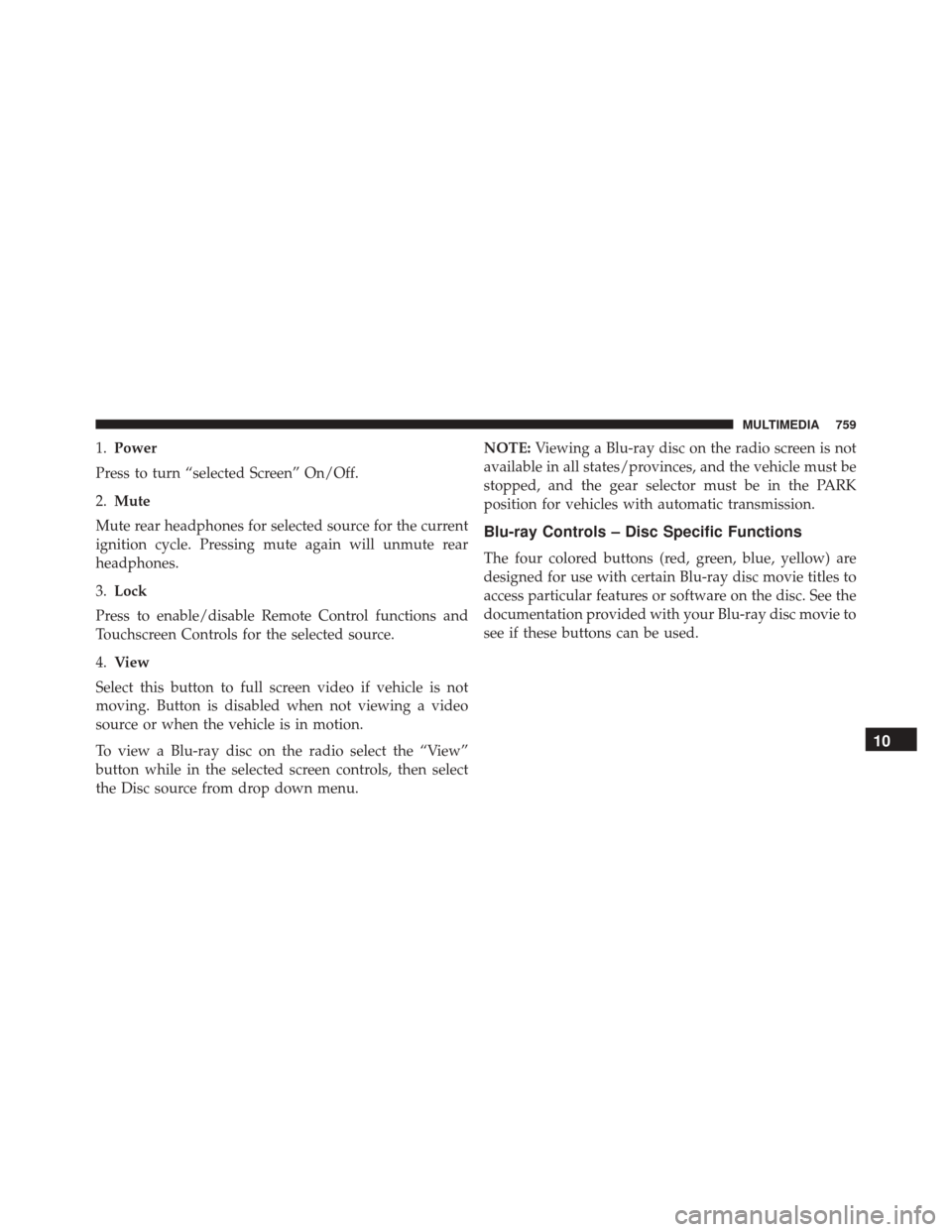
1.Power
Press to turn “selected Screen” On/Off.
2. Mute
Mute rear headphones for selected source for the current
ignition cycle. Pressing mute again will unmute rear
headphones.
3. Lock
Press to enable/disable Remote Control functions and
Touchscreen Controls for the selected source.
4. View
Select this button to full screen video if vehicle is not
moving. Button is disabled when not viewing a video
source or when the vehicle is in motion.
To view a Blu-ray disc on the radio select the “View”
button while in the selected screen controls, then select
the Disc source from drop down menu. NOTE:
Viewing a Blu-ray disc on the radio screen is not
available in all states/provinces, and the vehicle must be
stopped, and the gear selector must be in the PARK
position for vehicles with automatic transmission.
Blu-ray Controls – Disc Specific Functions
The four colored buttons (red, green, blue, yellow) are
designed for use with certain Blu-ray disc movie titles to
access particular features or software on the disc. See the
documentation provided with your Blu-ray disc movie to
see if these buttons can be used.
10
MULTIMEDIA 759
Page 809 of 828
Antifreeze (Engine Coolant)...............631, 686
Disposal ............................. .634
Anti-Lock Brake System (ABS) ................266
Anti-Lock Warning Light ....................243
Ashtray ............................... .199
Assist, Hill Start ......................... .275
Audio Systems (Radio) .....................694
Automatic Dimming Mirror ..................105
Automatic Headlights ......................111
Automatic Temperature Control (ATC) ..........132
Automatic Transaxle ...................... .394
Automatic Transmission .................396, 639
Adding Fluid ...................... .639, 689
Fluid And Filter Changes ..................639
Fluid Change ......................... .639
Fluid Level Check ...................637, 638
Fluid Type ........................ .637, 689
Special Additives ...................... .638
Auxiliary Electrical Outlet (Power Outlet) ........194Auxiliary Power Outlet
.....................194
Axle Lubrication ......................... .689
Battery ............................ .235, 620
Charging System Light ...................235
Jump Starting ......................... .595
Keyless Transmitter Replacement (RKE) ........26
Remote Battery Replacement ................26
Saving Feature (Protection) ................116
Transmitter Battery Replacement .............26
Belts, Seat .............................. .375
Blind Spot Monitoring ..................... .278
Body Mechanism Lubrication .................627
B-Pillar Location ......................... .644
Brake Assist System ...................... .268
Brake Control System, Electronic ..............268
Brake Fluid ............................ .689
Brake System ........................... .636
Fluid
Check ....................... .636, 689
12
INDEX 807
Page 810 of 828
Master Cylinder....................... .636
Parking ............................. .389
Warning Light ........................ .233
Brake/Transmission Interlock .................396
Brightness, Interior Lights ...................118
Bulb Replacement ........................ .543
Bulbs, Light ...................... .377, 537, 543
Camera, Rear ........................ .494, 497
Capacities, Fluid ......................... .686
Caps, Filler Fuel ............................ .502, 599
Radiator (Coolant Pressure) ................633
Carbon Monoxide Warning ...............374, 681
Cargo Compartment Luggage Carrier ....................... .201
Cargo (Vehicle Loading) ....................168
Car Washes ............................ .669
Cellular Phone .......................... .770Center High Mounted Stop Light
..............546
Certification Label ........................ .504
Chains, Tire ............................ .661
Changing A Flat Tire ....................559, 639
Checking Your Vehicle For Safety ..............373
Checks, Safety .......................... .373
Child Restraint .......................... .346
Child Restraints Booster Seats ......................... .351
Center Seat LATCH ..................... .361
Child Restraints ....................... .346
Child Seat Installation .................365, 367
How To Stow An Unused ALR Seat Belt .......363
Infants And Child Restraints ...............349
Installing Child Restraints Using The Vehicle Seat
Belt ................................ .364
Lower Anchors And Tethers For Children ......354
Older Children And Child Restraints .........350
Seating Positions ....................... .353
808 INDEX
Page 822 of 828
Heated...............................94
Memory ..............................90
Power ............................ .84, 87
Reclining ..............................60
Seatback Release ..................... .59, 63
Stow \bN Go (Fold in Floor) .................69
Tilting ............................ .59, 63
Security Alarm .......................... .240
Arm The System ........................38
Disarm The System .......................39
Selection Of Coolant (Antifreeze) ..............687
Service Assistance ........................ .798
Service Contract ......................... .800
Service Manuals ......................... .803
Shifting Automatic Transmission ..................396
Shoulder Belts .......................... .306
Signals, Turn ...................113, 254, 377, 542
SmartBeams .............................115 Snow Chains (Tire Chains)
...................661
Snow Tires ............................. .658
Spare Tire .....................560, 659, 660, 661
Spark Plugs ............................ .687
Specifications Fuel (Gasoline) ........................ .687
Oil................................. .687
Speed Control Accel/Decel .......................... .409
Accel/Decel (ACC Only) ..................416
Cancel .............................. .409
Resume ............................. .409
Speed Control (Cruise Control) ............405, 409
Starting ............................. .33, 383
Cold Weather ......................... .384
Engine Fails To Start .....................385
Remote ...............................33
Starting And Operating .....................383
Starting Procedures ....................... .383
820 INDEX
Page 824 of 828
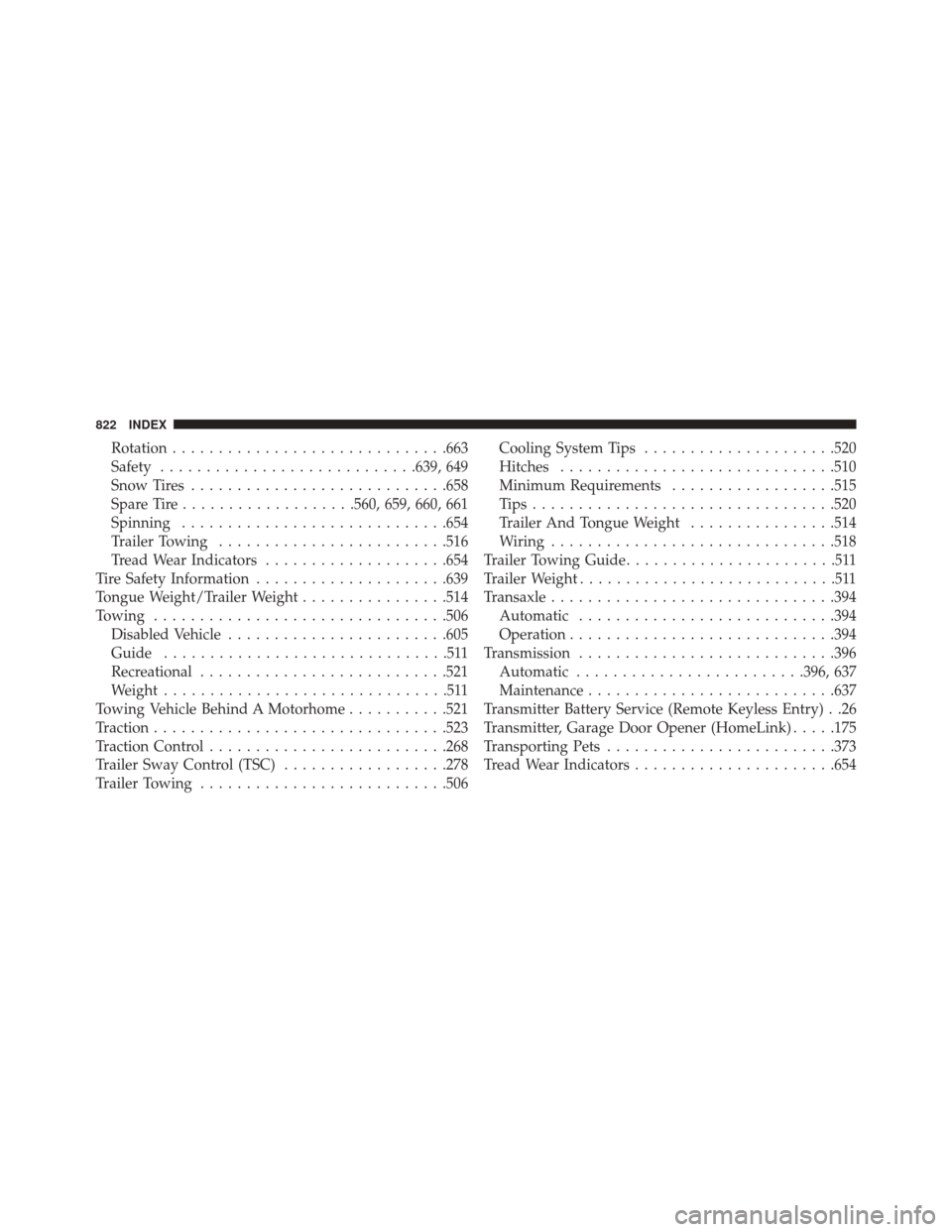
Rotation............................. .663
Safety ........................... .639, 649
Snow Tires ........................... .658
Spare Tire ...................560, 659, 660, 661
Spinning ............................ .654
Trailer Towing ........................ .516
Tread Wear Indicators ....................654
Tire Safety Information .....................639
Tongue Weight/Trailer Weight ................514
Towing ............................... .506
Disabled Vehicle ....................... .605
Guide ...............................511
Recreational .......................... .521
Weight ...............................511
Towing Vehicle Behind A Motorhome ...........521
Traction ............................... .523
Traction Control ......................... .268
Trailer Sway Control (TSC) ..................278
Trailer Towing .......................... .506Cooling System Tips
.....................520
Hitches ............................. .510
Minimum Requirements ..................515
Tips................................ .520
Trailer And Tongue Weight ................514
Wiring .............................. .518
Trailer Towing Guide .......................511
Trailer Weight ............................511
Transaxle .............................. .394
Automatic ........................... .394
Operation ............................ .394
Transmission ........................... .396
Automatic ........................ .396, 637
Maintenance .......................... .637
Transmitter Battery Service (Remote Keyless Entry) . .26
Transmitter, Garage Door Opener (HomeLink) .....175
Transporting Pets ........................ .373
Tread Wear Indicators ..................... .654
822 INDEX