Back light CHRYSLER PACIFICA 2018 User Guide
[x] Cancel search | Manufacturer: CHRYSLER, Model Year: 2018, Model line: PACIFICA, Model: CHRYSLER PACIFICA 2018Pages: 696, PDF Size: 8.48 MB
Page 223 of 696
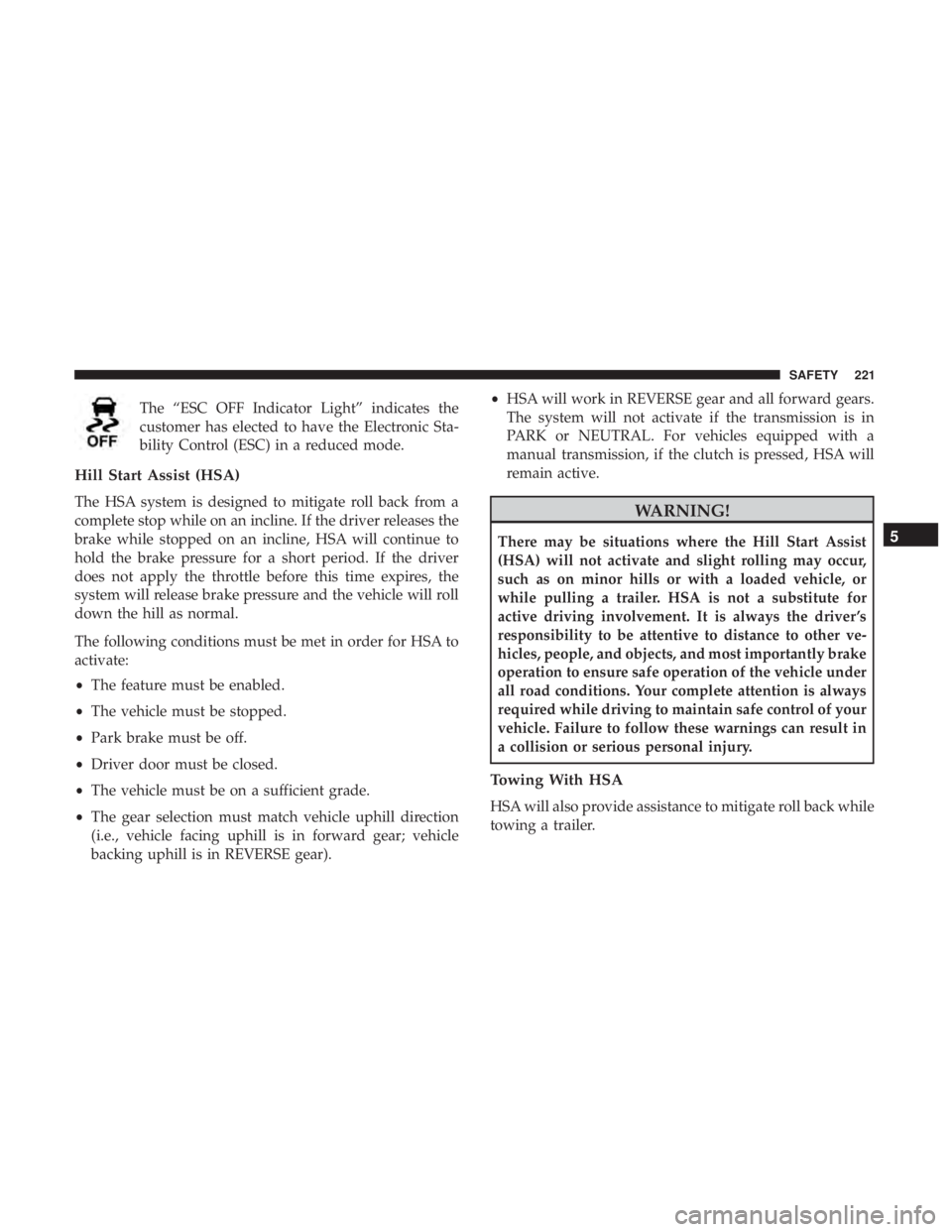
The “ESC OFF Indicator Light” indicates the
customer has elected to have the Electronic Sta-
bility Control (ESC) in a reduced mode.
Hill Start Assist (HSA)
The HSA system is designed to mitigate roll back from a
complete stop while on an incline. If the driver releases the
brake while stopped on an incline, HSA will continue to
hold the brake pressure for a short period. If the driver
does not apply the throttle before this time expires, the
system will release brake pressure and the vehicle will roll
down the hill as normal.
The following conditions must be met in order for HSA to
activate:
•The feature must be enabled.
• The vehicle must be stopped.
• Park brake must be off.
• Driver door must be closed.
• The vehicle must be on a sufficient grade.
• The gear selection must match vehicle uphill direction
(i.e., vehicle facing uphill is in forward gear; vehicle
backing uphill is in REVERSE gear). •
HSA will work in REVERSE gear and all forward gears.
The system will not activate if the transmission is in
PARK or NEUTRAL. For vehicles equipped with a
manual transmission, if the clutch is pressed, HSA will
remain active.WARNING!
There may be situations where the Hill Start Assist
(HSA) will not activate and slight rolling may occur,
such as on minor hills or with a loaded vehicle, or
while pulling a trailer. HSA is not a substitute for
active driving involvement. It is always the driver ’s
responsibility to be attentive to distance to other ve-
hicles, people, and objects, and most importantly brake
operation to ensure safe operation of the vehicle under
all road conditions. Your complete attention is always
required while driving to maintain safe control of your
vehicle. Failure to follow these warnings can result in
a collision or serious personal injury.
Towing With HSA
HSA will also provide assistance to mitigate roll back while
towing a trailer.
5
SAFETY 221
Page 226 of 696
both sides of the vehicle when the vehicle speed reaches
approximately 6 mph (10 km/h) or higher and will alert
the driver of vehicles in these areas.
NOTE:
•The BSM system DOES NOT alert the driver about
rapidly approaching vehicles that are outside the detec-
tion zones.
• The BSM system detection zone DOES NOT change if
your vehicle is towing a trailer. Therefore, visually verify
the adjacent lane is clear for both your vehicle and trailer
before making a lane change. If the trailer or other object
(i.e., bicycle, sports equipment) extends beyond the side
of your vehicle, this may result in false detections. The
BSM warning light may even remain illuminated the
entire time the vehicle is in a forward gear.
•
The Blind Spot Monitoring (BSM) system may experience
drop outs (blinking on and off) of the side mirror Warning
Indicator lamps when a motorcycle or any small object
remains at the side of the vehicle for extended periods of
time (more than a couple of seconds).
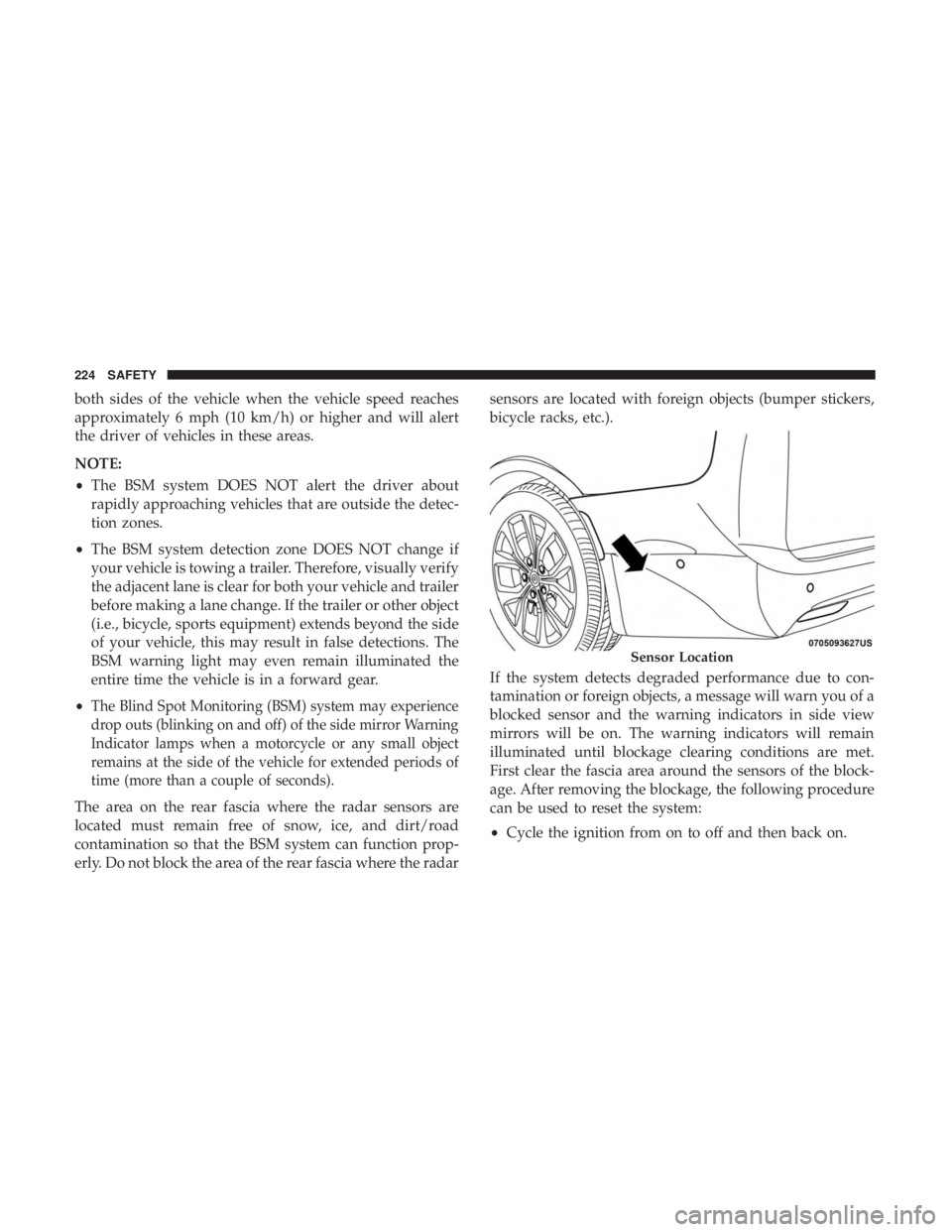
The area on the rear fascia where the radar sensors are
located must remain free of snow, ice, and dirt/road
contamination so that the BSM system can function prop-
erly. Do not block the area of the rear fascia where the radar sensors are located with foreign objects (bumper stickers,
bicycle racks, etc.).
If the system detects degraded performance due to con-
tamination or foreign objects, a message will warn you of a
blocked sensor and the warning indicators in side view
mirrors will be on. The warning indicators will remain
illuminated until blockage clearing conditions are met.
First clear the fascia area around the sensors of the block-
age. After removing the blockage, the following procedure
can be used to reset the system:
•
Cycle the ignition from on to off and then back on.
Sensor Location
224 SAFETY
Page 231 of 696
(5 km/h), to objects moving a maximum of approximately
20 mph (32 km/h), such as in parking lot situations.
NOTE:In a parking lot situation, oncoming vehicles can be
obscured by vehicles parked on either side. If the sensors
are blocked by other structures or vehicles, the system will
not be able to alert the driver. Additionally, if the host
vehicle is obscured by a flat object on one side the system
can false alert on vehicles approaching from the opposite
direction.
When RCP is on and the vehicle is in REVERSE, the driver
is alerted using both the visual and audible alarms, includ-
ing reducing the radio volume.
WARNING!
Rear Cross Path Detection (RCP) is not a back up aid
system. It is intended to be used to help a driver detect
an oncoming vehicle in a parking lot situation. Drivers
must be careful when backing up, even when using
RCP. Always check carefully behind your vehicle, look
behind you, and be sure to check for pedestrians,
animals, other vehicles, obstructions, and blind spots
before backing up. Failure to do so can result in serious
injury or death.
Modes Of Operation
Three selectable modes of operation are available in the
Uconnect System. Refer to “Uconnect Settings” in “Multi-
media” for further information.
Blind Spot Alert Lights Only — Default Setting
When operating in Blind Spot Alert mode, the BSM system
will provide a visual alert in the appropriate side view
mirror based on a detected object. However, when the
system is operating in Rear Cross Path (RCP) mode, the
system will respond with both visual and audible alerts
when a detected object is present. Whenever an audible
alert is requested, the radio is muted.
Blind Spot Alert Lights/Chime
When operating in Blind Spot Alert Lights/Chime mode,
the BSM system will provide a visual alert in the appro-
priate side view mirror based on a detected object. If the
turn signal is then activated, and it corresponds to an alert
present on that side of the vehicle, an audible chime will
also be sounded. Whenever a turn signal and detected
object are present on the same side at the same time, both
the visual and audible alerts will be issued. In addition to
the audible alert the radio (if on) will also be muted.
5
SAFETY 229
Page 259 of 696
•Instrument Panel
• Knee Impact Bolsters
• Driver and Front Passenger Air Bags
• Seat Belt Buckle Switch
• Supplemental Side Air Bags
• Supplemental Knee Air Bags
• Front and Side Impact Sensors
• Seat Belt Pretensioners
• Seat Track Position Sensors
• Occupant Classification System
Air Bag Warning Light
The ORC monitors the readiness of the electronic
parts of the air bag system whenever the ignition
switch is in the START or ON/RUN position. If
the ignition switch is in the OFF position or in the
ACC position, the air bag system is not on and the air bags
will not inflate.
The ORC contains a backup power supply system that may
deploy the air bag system even if the battery loses power or
it becomes disconnected prior to deployment. The ORC turns on the Air Bag Warning Light in the
instrument panel for approximately four to eight seconds
for a self-check when the ignition switch is first in the
ON/RUN position. After the self-check, the Air Bag Warn-
ing Light will turn off. If the ORC detects a malfunction in
any part of the system, it turns on the Air Bag Warning
Light, either momentarily or continuously. A single chime
will sound to alert you if the light comes on again after
initial startup.
The ORC also includes diagnostics that will illuminate the
instrument panel Air Bag Warning Light if a malfunction is
detected that could affect the air bag system. The diagnos-
tics also record the nature of the malfunction. While the air
bag system is designed to be maintenance free, if any of the
following occurs, have an authorized dealer service the air
bag system immediately.
•
The Air Bag Warning Light does not come on during the
four to eight seconds when the ignition switch is first in
the ON/RUN position.
• The Air Bag Warning Light remains on after the four to
eight-second interval.
• The Air Bag Warning Light comes on intermittently or
remains on while driving.
5
SAFETY 257
Page 265 of 696
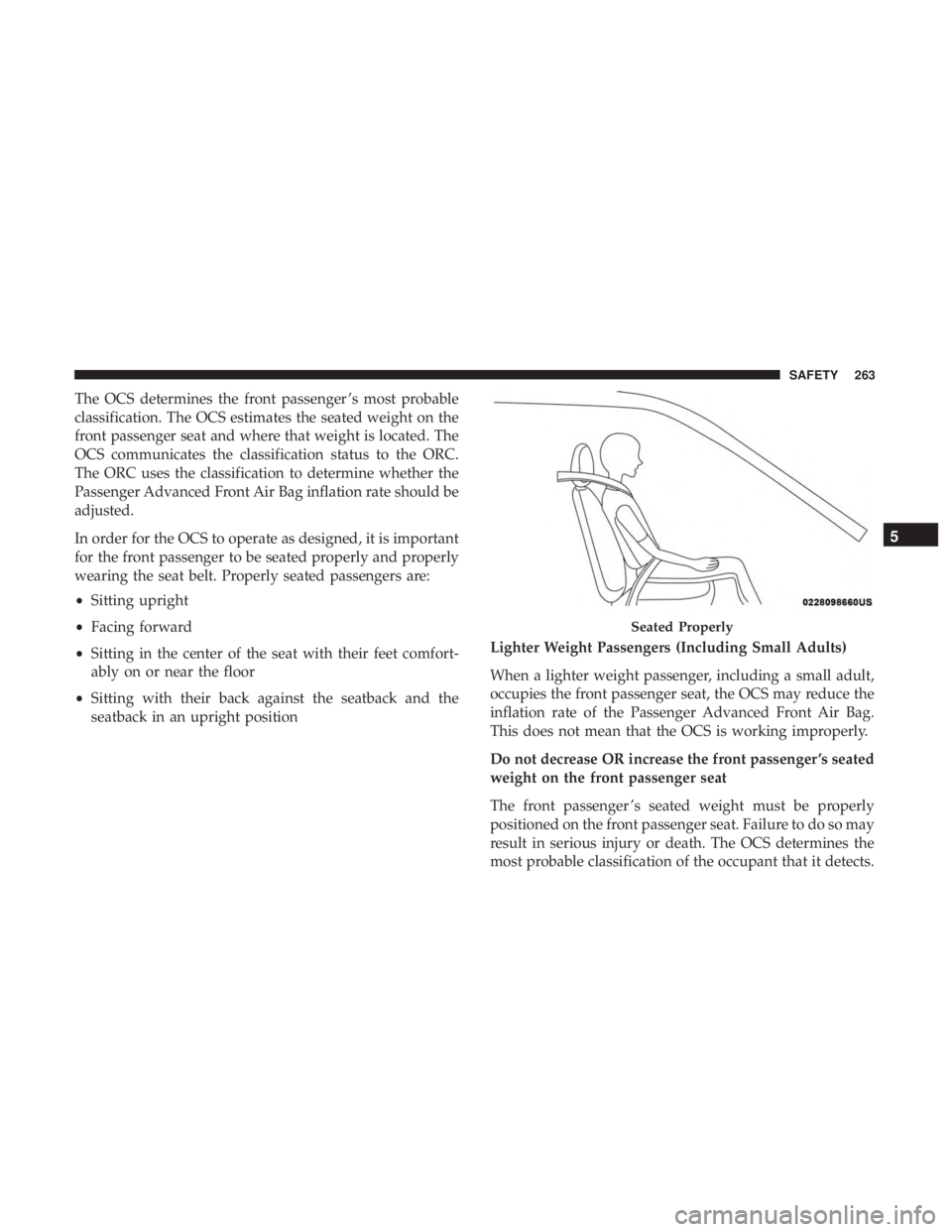
The OCS determines the front passenger ’s most probable
classification. The OCS estimates the seated weight on the
front passenger seat and where that weight is located. The
OCS communicates the classification status to the ORC.
The ORC uses the classification to determine whether the
Passenger Advanced Front Air Bag inflation rate should be
adjusted.
In order for the OCS to operate as designed, it is important
for the front passenger to be seated properly and properly
wearing the seat belt. Properly seated passengers are:
•Sitting upright
• Facing forward
• Sitting in the center of the seat with their feet comfort-
ably on or near the floor
• Sitting with their back against the seatback and the
seatback in an upright position Lighter Weight Passengers (Including Small Adults)
When a lighter weight passenger, including a small adult,
occupies the front passenger seat, the OCS may reduce the
inflation rate of the Passenger Advanced Front Air Bag.
This does not mean that the OCS is working improperly.
Do not decrease OR increase the front passenger ’s seated
weight on the front passenger seat
The front passenger ’s seated weight must be properly
positioned on the front passenger seat. Failure to do so may
result in serious injury or death. The OCS determines the
most probable classification of the occupant that it detects.
Seated Properly
5
SAFETY 263
Page 268 of 696
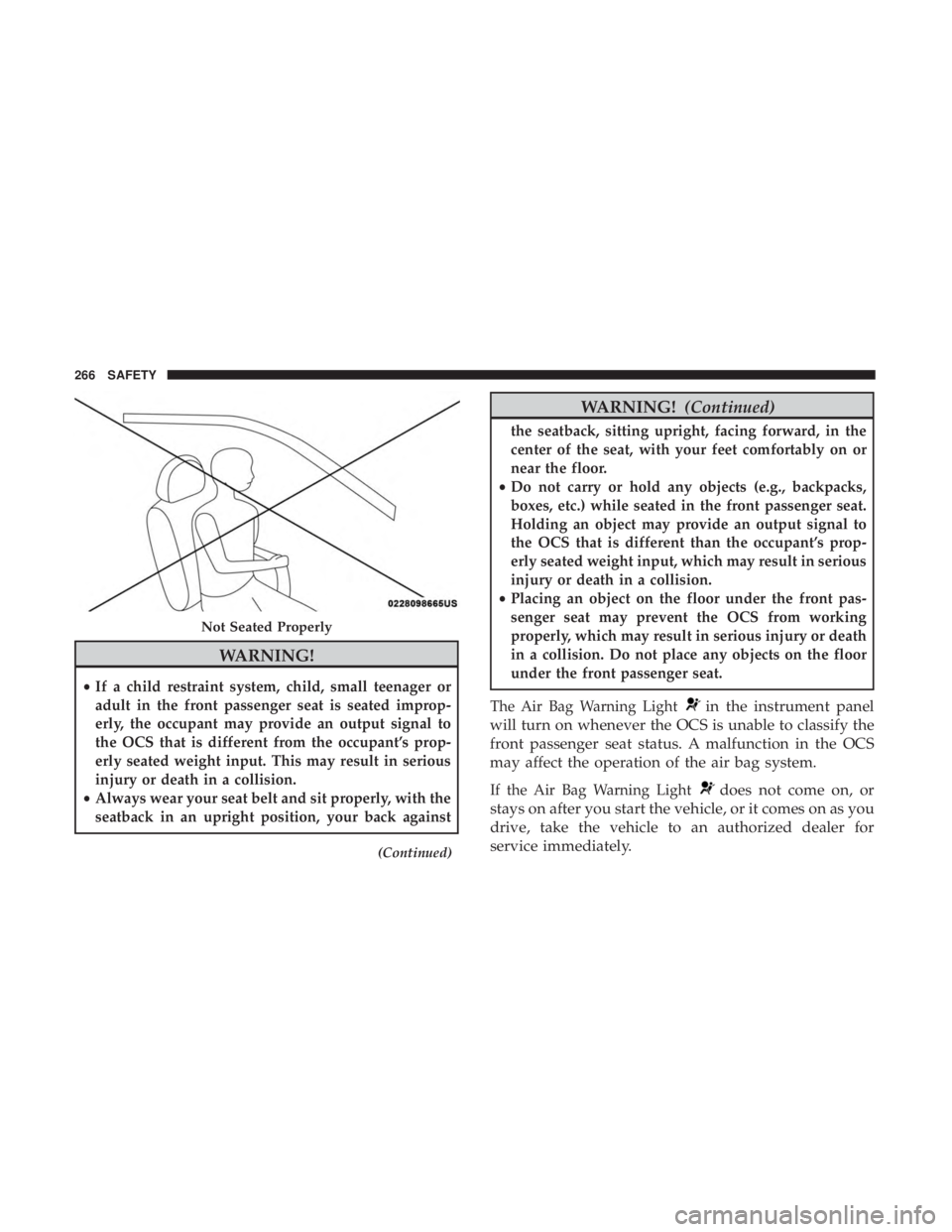
WARNING!
•If a child restraint system, child, small teenager or
adult in the front passenger seat is seated improp-
erly, the occupant may provide an output signal to
the OCS that is different from the occupant’s prop-
erly seated weight input. This may result in serious
injury or death in a collision.
• Always wear your seat belt and sit properly, with the
seatback in an upright position, your back against
(Continued)
WARNING! (Continued)
the seatback, sitting upright, facing forward, in the
center of the seat, with your feet comfortably on or
near the floor.
• Do not carry or hold any objects (e.g., backpacks,
boxes, etc.) while seated in the front passenger seat.
Holding an object may provide an output signal to
the OCS that is different than the occupant’s prop-
erly seated weight input, which may result in serious
injury or death in a collision.
• Placing an object on the floor under the front pas-
senger seat may prevent the OCS from working
properly, which may result in serious injury or death
in a collision. Do not place any objects on the floor
under the front passenger seat.
The Air Bag Warning Light
in the instrument panel
will turn on whenever the OCS is unable to classify the
front passenger seat status. A malfunction in the OCS
may affect the operation of the air bag system.
If the Air Bag Warning Lightdoes not come on, or
stays on after you start the vehicle, or it comes on as you
drive, take the vehicle to an authorized dealer for
service immediately.
Not Seated Properly
266 SAFETY
Page 270 of 696
WARNING!
•Do not drill, cut, or tamper with the knee impact
bolsters in any way.
• Do not mount any accessories to the knee impact
bolsters such as alarm lights, stereos, citizen band
radios, etc.
Supplemental Driver And Front Passenger Knee Air
Bags
This vehicle is equipped with a Supplemental Driver Knee
Air Bag mounted in the instrument panel below the
steering column and a Supplemental Passenger Knee Air
Bag mounted in the instrument panel below the glove
compartment. The Supplemental Knee Air Bags provide
enhanced protection during a frontal impact by working
together with the seat belts, pretensioners, and front air
bags.
Supplemental Side Air Bags
Supplemental Seat-Mounted Side Air Bags (SABs)
This vehicle is equipped with Supplemental Seat-Mounted
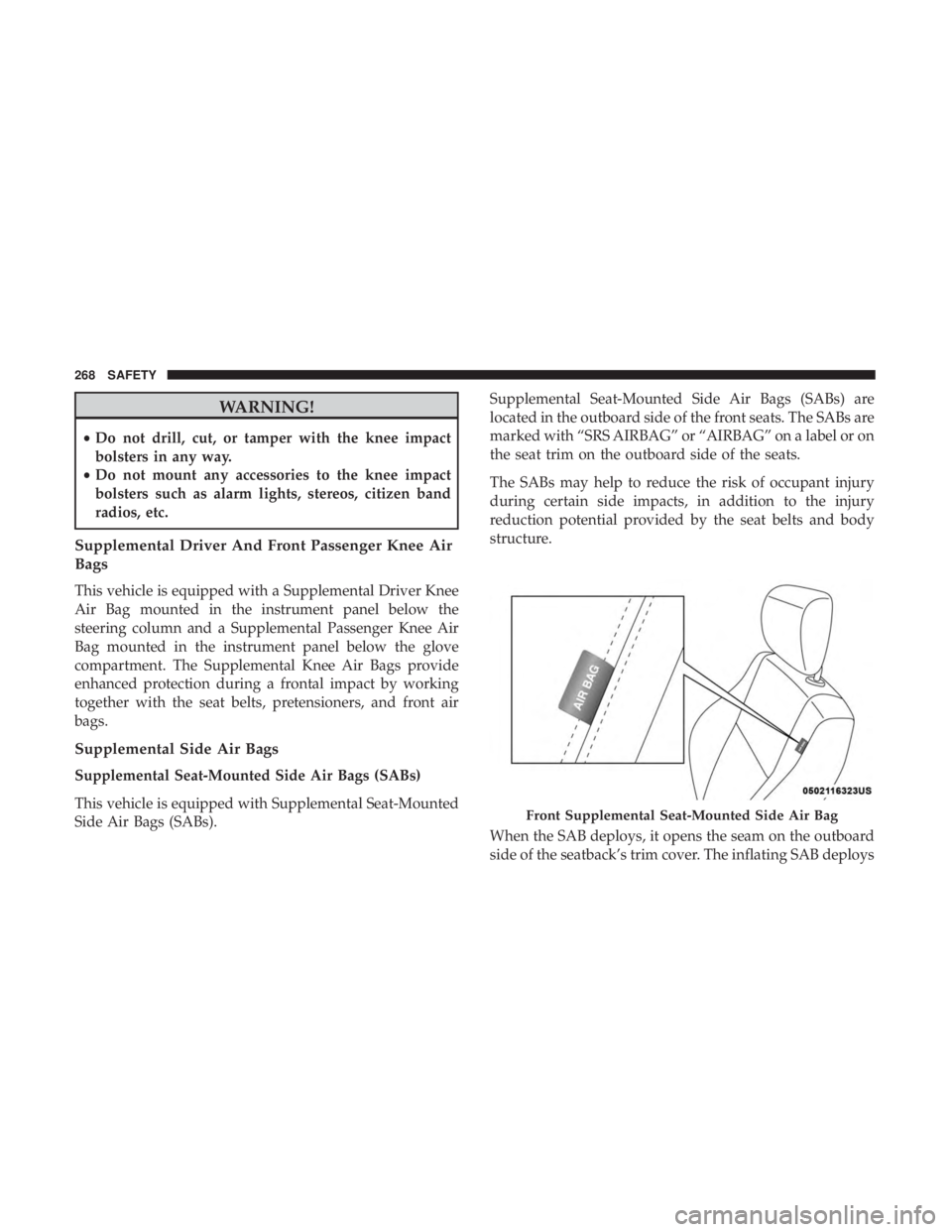
Side Air Bags (SABs). Supplemental Seat-Mounted Side Air Bags (SABs) are
located in the outboard side of the front seats. The SABs are
marked with “SRS AIRBAG” or “AIRBAG” on a label or on
the seat trim on the outboard side of the seats.
The SABs may help to reduce the risk of occupant injury
during certain side impacts, in addition to the injury
reduction potential provided by the seat belts and body
structure.
When the SAB deploys, it opens the seam on the outboard
side of the seatback’s trim cover. The inflating SAB deploys
Front Supplemental Seat-Mounted Side Air Bag
268 SAFETY
Page 315 of 696
PARK BRAKE
Electric Park Brake (EPB)
Your vehicle is equipped with an Electric Park Brake
System (EPB) that offers simple operation, and some
additional features that make the park brake more conve-
nient and useful.
The park brake is primarily intended to prevent the vehicle
from rolling while parked. Before leaving the vehicle, make
sure that the park brake is applied. Also, be certain to leave
the transmission in PARK.
You can engage the park brake in two ways;
•Manually, by applying the park brake switch.
• Automatically, by enabling the Auto Park Brake feature
in the customer programmable features section of the
Uconnect Settings.
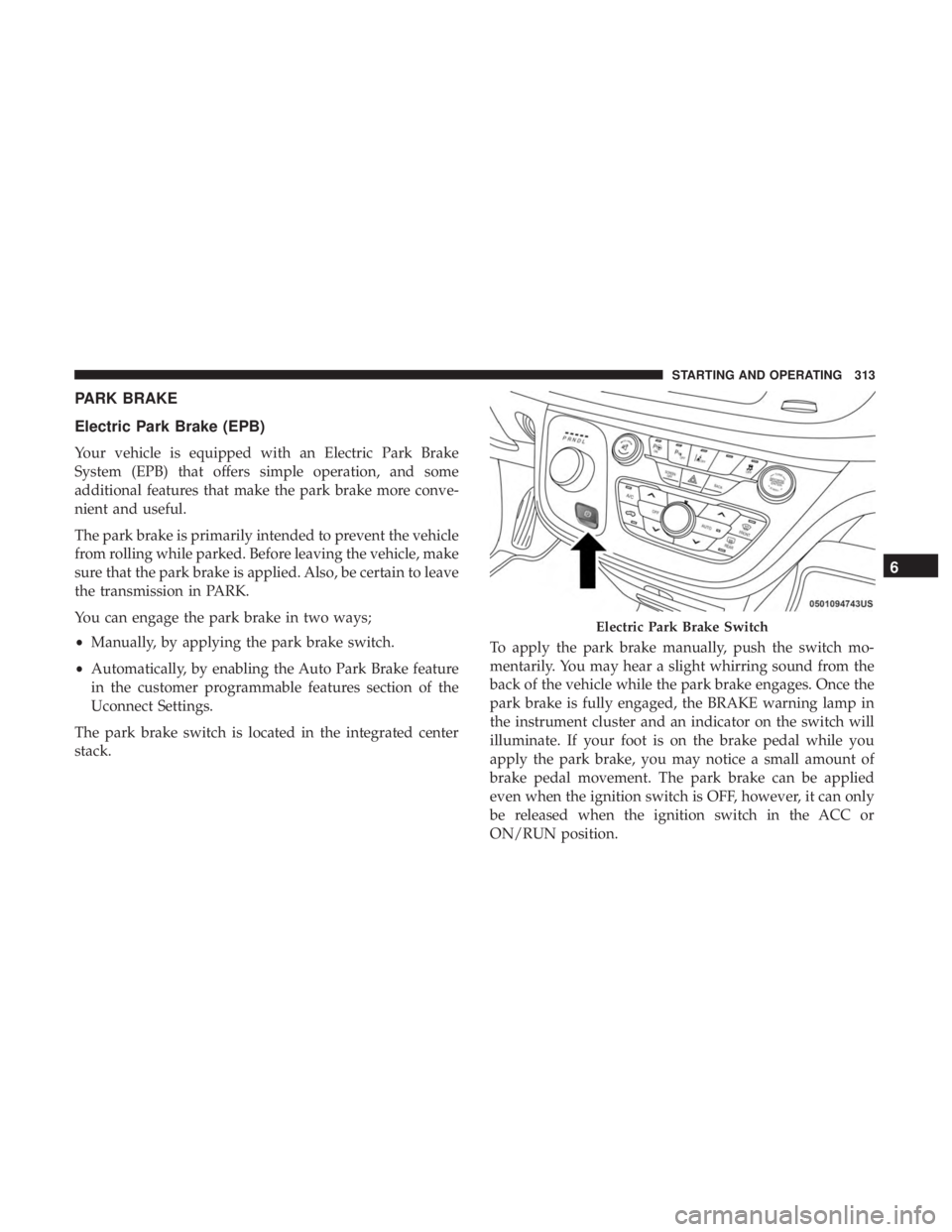
The park brake switch is located in the integrated center
stack. To apply the park brake manually, push the switch mo-
mentarily. You may hear a slight whirring sound from the
back of the vehicle while the park brake engages. Once the
park brake is fully engaged, the BRAKE warning lamp in
the instrument cluster and an indicator on the switch will
illuminate. If your foot is on the brake pedal while you
apply the park brake, you may notice a small amount of
brake pedal movement. The park brake can be applied
even when the ignition switch is OFF, however, it can only
be released when the ignition switch in the ACC or
ON/RUN position.
Electric Park Brake Switch
6
STARTING AND OPERATING 313
Page 316 of 696
NOTE:The EPB fault lamp will illuminate if the EPB
switch is held for longer than 180 seconds. The light will
extinguish upon releasing the switch.
If the Auto Park Brake feature is enabled, the parking brake
will automatically engage whenever the transmission is
placed into PARK. Once the park brake is engaged, the
BRAKE warning lamp in the instrument cluster and the LED
indicator on the switch will illuminate. If your foot is on the
brake pedal, you may notice a small amount of brake pedal
movement while the parking brake is engaging.
The park brake will release automatically when the igni-
tion is cycled to the ON/RUN position, the transmission is
in DRIVE or REVERSE, and the driver seat belt is buckled
and an attempt is made to drive the vehicle away by
pressing the accelerator pedal.
To release the parking brake manually, the ignition switch
must be in the ON/RUN position. Press on the brake
pedal, then push the park brake switch momentarily. You
may hear a slight whirring sound from the back of the
vehicle while the parking brake disengages. You may also
notice a small amount of movement in the brake pedal.
Once the park brake is fully disengaged, the BRAKE
warning lamp in the instrument cluster and the LED
indicator on the switch will extinguish. NOTE:
When parking on a hill, it is important to turn the
front wheels toward the curb on a downhill grade and
away from the curb on an uphill grade. Apply the park
brake before placing the gear selector in PARK, otherwise
the load on the transmission locking mechanism may make
it difficult to move the gear selector out of PARK. The park
brake should always be applied whenever the driver is not
in the vehicle.
WARNING!
• Never use the PARK position as a substitute for the
parking brake. Always apply the parking brake fully
when parked to guard against vehicle movement and
possible injury or damage.
• When exiting the vehicle, always make sure the
ignition is in the OFF mode, remove the key fob from
the vehicle, and lock your vehicle.
• Never leave children alone in a vehicle, or with
access to an unlocked vehicle. Allowing children to
be in a vehicle unattended is dangerous for a number
of reasons. A child or others could be seriously or
fatally injured. Children should be warned not to
(Continued)
314 STARTING AND OPERATING
Page 331 of 696
4. The STOP/START system will reset itself back to an ONcondition every time the ignition is turned off and back
on.
Automatic Shutdown
This vehicle is equipped with an automatic shutdown
feature. If the vehicle is left in READY mode (vehicle
running) with the gear selector in PARK for one hour after
the driver exits, this feature will automatically turn the
vehicle off. Notifications have been added into this feature
to raise awareness of the timed event:
• In the interior of the vehicle, the instrument cluster will
display “Ready To Drive”, and will be accompanied by
three audible chimes while exiting. These interior warn-
ings will occur regardless of whether the key fob re-
mains in the vehicle or is removed.
• For the exterior of the vehicle, the horn will sound three
times if the fob is removed from the vehicle and the
vehicle is in the “READY” mode.
Please consider this feature when intentionally running the
vehicle for extended periods of time over one hour. To
restart the vehicle, follow the normal vehicle starting
process. NOTE:
If the vehicle is left in the ACC or RUN (engine not
running) position and the transmission is in PARK, the
system will automatically time out (shut down) after an
initial 30 minutes of inactivity, followed by the additional
amount of time for power accessory delay selected in the
radio settings menu. Once the vehicle times out, it will
switch to the OFF position.
To Manually Turn On The Stop/Start System
After turning off the STOP/START system, push the
STOP/START OFF switch again (located on the instrument
panel). The light on the switch will turn off.
System Malfunction
If there is a malfunction in the STOP/START system, the
system will not shut down the engine. A “SERVICE STOP/
START SYSTEM” message will appear in the instrument
cluster display and the Stop/Start telltale will remain
yellow. Refer to “Instrument Cluster Display” in “Getting
To Know Your Instrument Panel” for further information.
If the “SERVICE STOP/START SYSTEM” message appears
in the instrument cluster display, have the system checked
by your authorized dealer.
6
STARTING AND OPERATING 329