power door CHRYSLER PACIFICA 2018 User Guide
[x] Cancel search | Manufacturer: CHRYSLER, Model Year: 2018, Model line: PACIFICA, Model: CHRYSLER PACIFICA 2018Pages: 696, PDF Size: 8.48 MB
Page 44 of 696
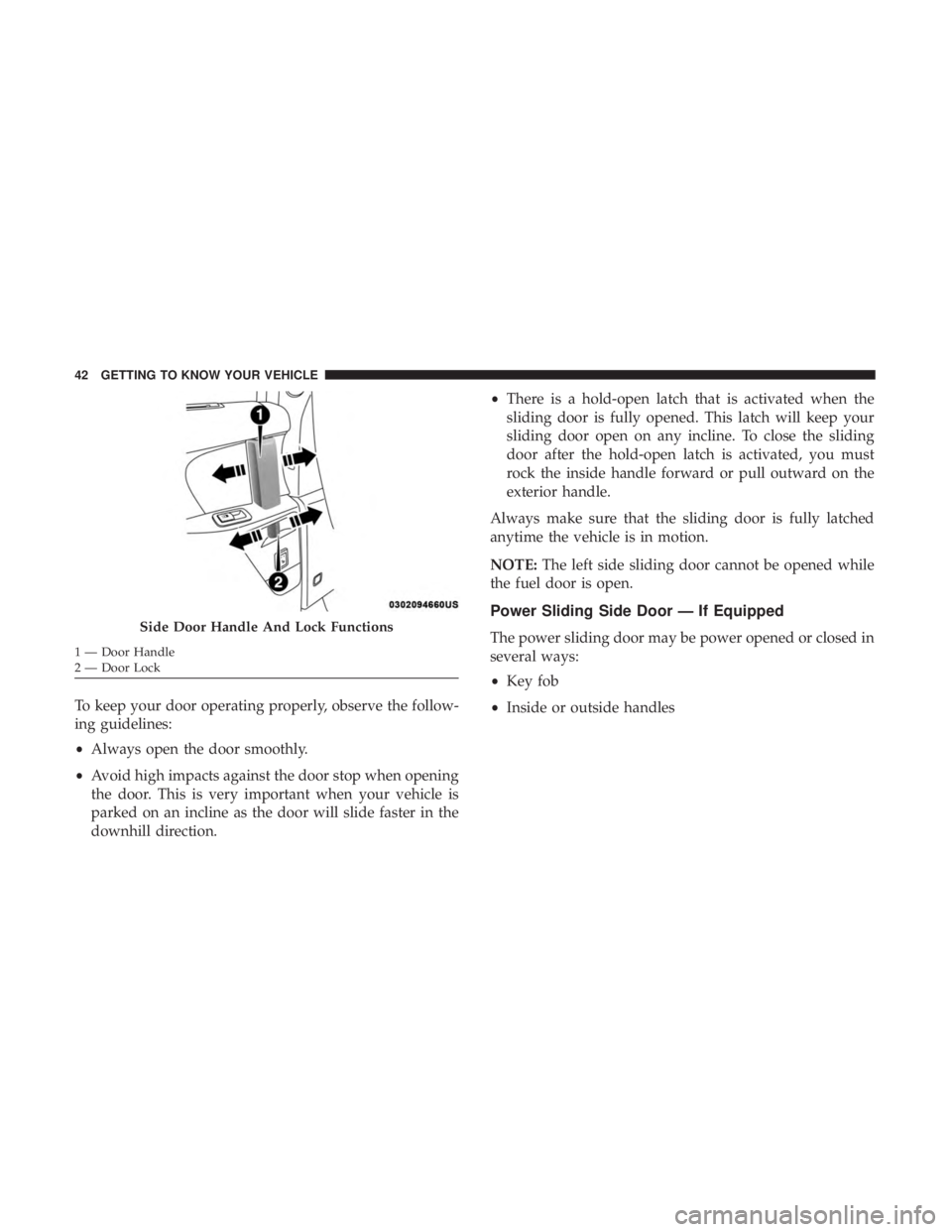
To keep your door operating properly, observe the follow-
ing guidelines:
•Always open the door smoothly.
• Avoid high impacts against the door stop when opening
the door. This is very important when your vehicle is
parked on an incline as the door will slide faster in the
downhill direction. •
There is a hold-open latch that is activated when the
sliding door is fully opened. This latch will keep your
sliding door open on any incline. To close the sliding
door after the hold-open latch is activated, you must
rock the inside handle forward or pull outward on the
exterior handle.
Always make sure that the sliding door is fully latched
anytime the vehicle is in motion.
NOTE: The left side sliding door cannot be opened while
the fuel door is open.
Power Sliding Side Door — If Equipped
The power sliding door may be power opened or closed in
several ways:
• Key fob
• Inside or outside handlesSide Door Handle And Lock Functions
1 — Door Handle
2 — Door Lock 42 GETTING TO KNOW YOUR VEHICLE
Page 45 of 696
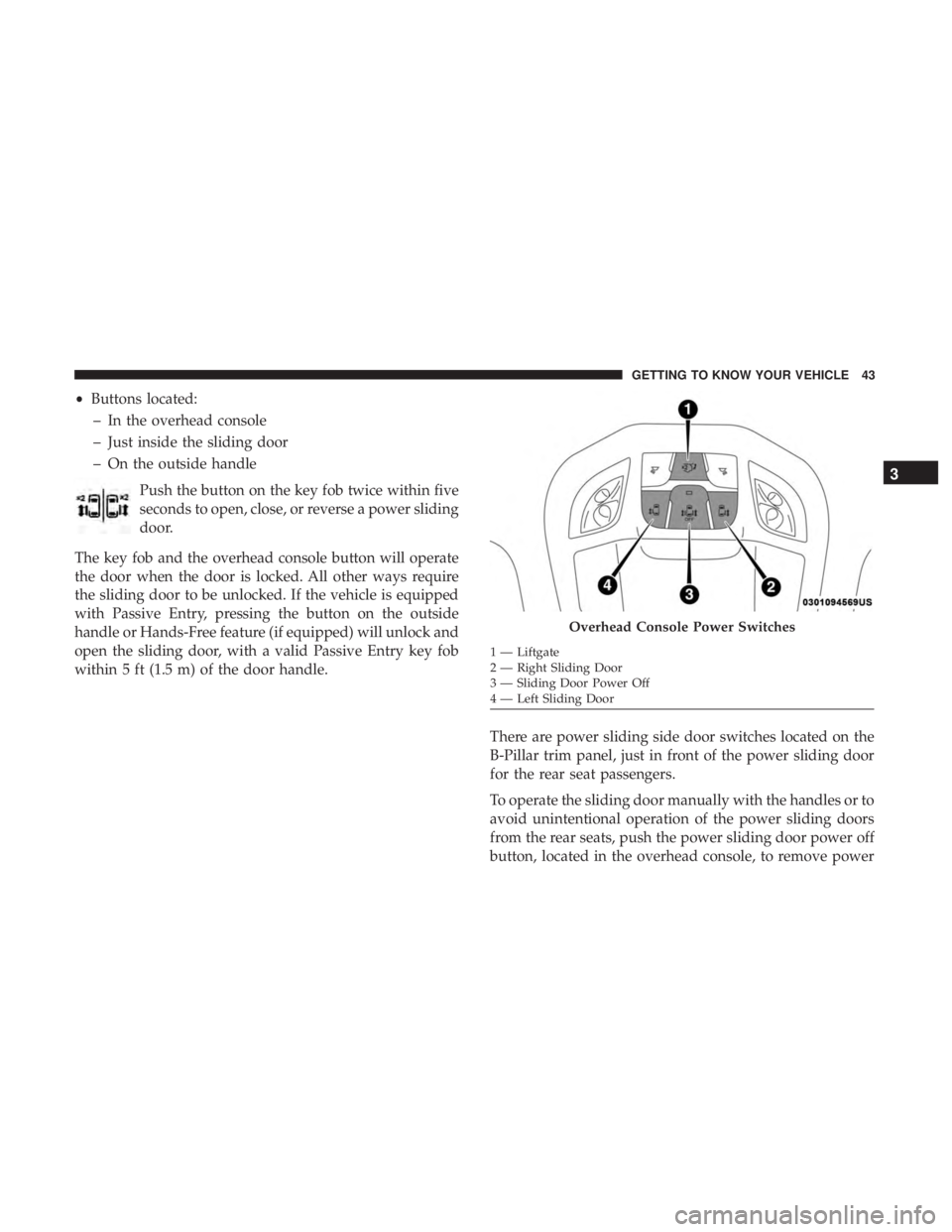
•Buttons located:
– In the overhead console
– Just inside the sliding door
– On the outside handle
Push the button on the key fob twice within five
seconds to open, close, or reverse a power sliding
door.
The key fob and the overhead console button will operate
the door when the door is locked. All other ways require
the sliding door to be unlocked. If the vehicle is equipped
with Passive Entry, pressing the button on the outside
handle or Hands-Free feature (if equipped) will unlock and
open the sliding door, with a valid Passive Entry key fob
within 5 ft (1.5 m) of the door handle.
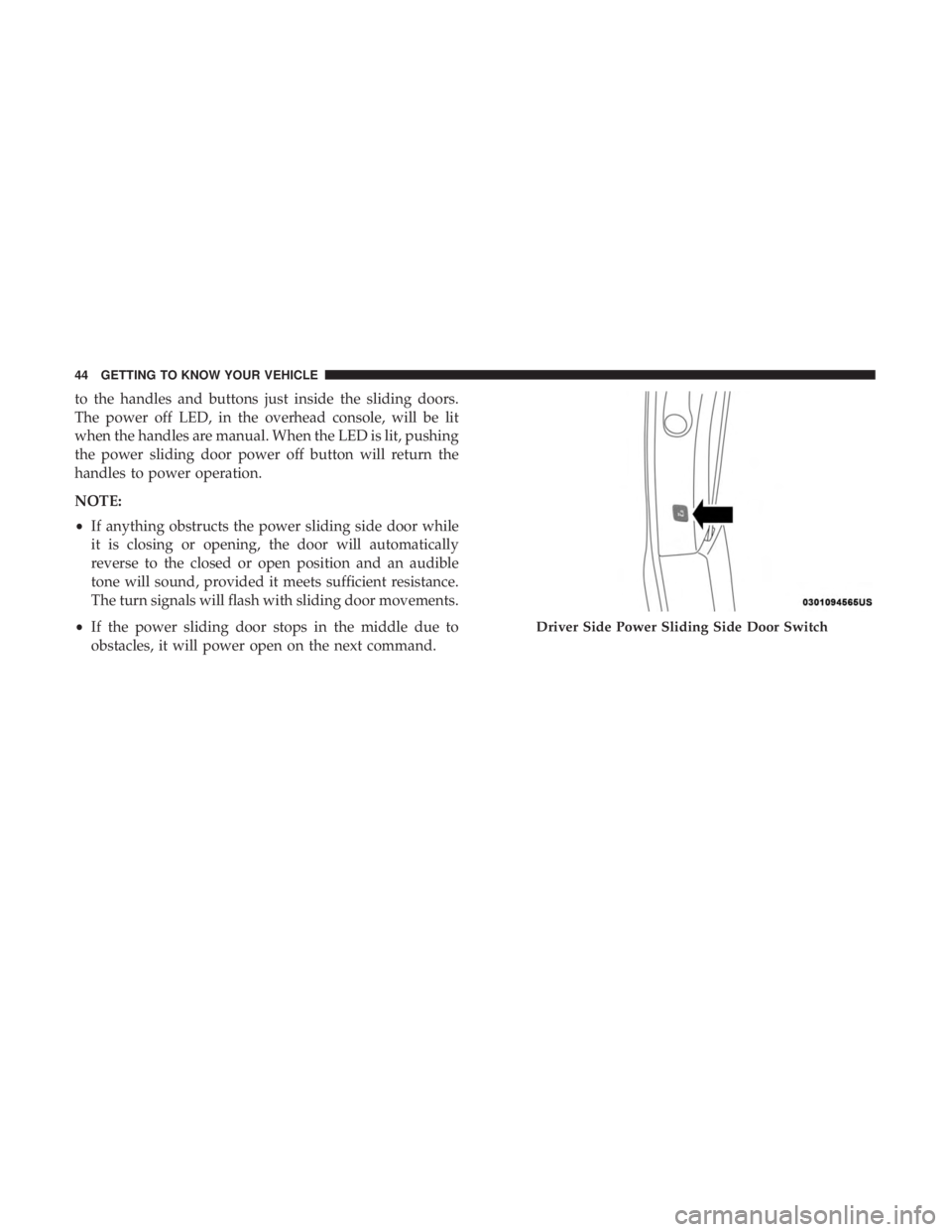
There are power sliding side door switches located on the
B-Pillar trim panel, just in front of the power sliding door
for the rear seat passengers.
To operate the sliding door manually with the handles or to
avoid unintentional operation of the power sliding doors
from the rear seats, push the power sliding door power off
button, located in the overhead console, to remove power
Overhead Console Power Switches
1 — Liftgate
2 — Right Sliding Door
3 — Sliding Door Power Off
4 — Left Sliding Door
3
GETTING TO KNOW YOUR VEHICLE 43
Page 46 of 696
to the handles and buttons just inside the sliding doors.
The power off LED, in the overhead console, will be lit
when the handles are manual. When the LED is lit, pushing
the power sliding door power off button will return the
handles to power operation.
NOTE:
•If anything obstructs the power sliding side door while
it is closing or opening, the door will automatically
reverse to the closed or open position and an audible
tone will sound, provided it meets sufficient resistance.
The turn signals will flash with sliding door movements.
• If the power sliding door stops in the middle due to
obstacles, it will power open on the next command.
Driver Side Power Sliding Side Door Switch
44 GETTING TO KNOW YOUR VEHICLE
Page 47 of 696
WARNING!
Personal injury or cargo damage may occur if caught in
the path of the sliding door. Make sure the door path is
clear before closing the door.
WARNING!
Before driving off, check the instrument cluster for a
sliding door or door open message or warning indica-
tor. Failure to do this could result in unintentionally
leaving the sliding door open while driving.
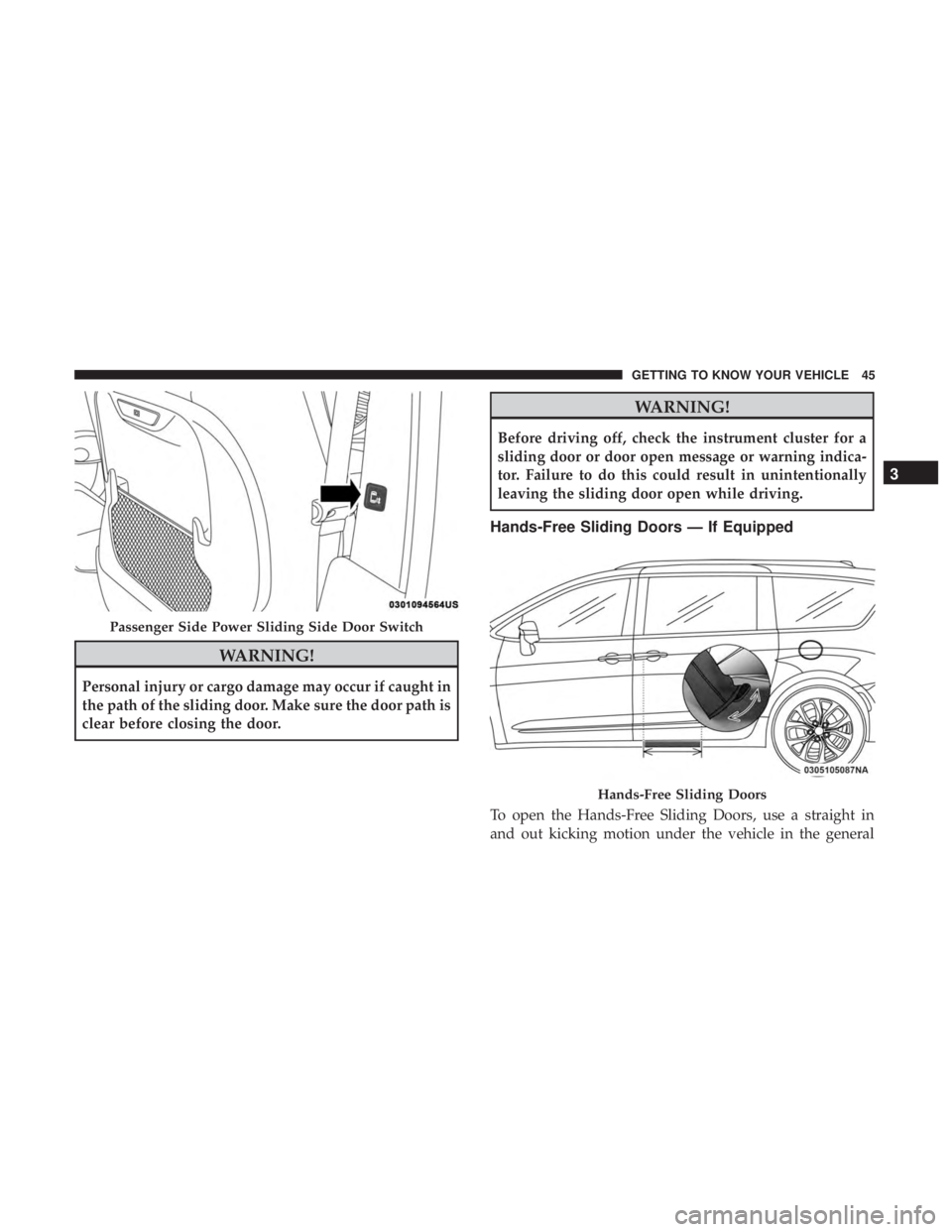
Hands-Free Sliding Doors — If Equipped
To open the Hands-Free Sliding Doors, use a straight in
and out kicking motion under the vehicle in the general
Passenger Side Power Sliding Side Door Switch
Hands-Free Sliding Doors
3
GETTING TO KNOW YOUR VEHICLE 45
Page 48 of 696
location below the door handle(s). Do not move your foot
sideways or in a sweeping motion or the sensors may not
detect the motion.
When a valid kicking motion is completed, the sliding door
will chime, the hazard lights will flash and the sliding door
will open almost instantaneously. This assumes all options
are enabled in the radio settings.
NOTE:
•To open the Hands-Free Sliding Doors requires a valid
Passive Entry key fob within 5 ft (1.5 m) of the door
handle. If a valid Passive Entry key fob is not within 5 ft
(1.5 m), the door will not respond to any kicks.
• The Hands-Free Sliding Door will only operate when the
transmission is in PARK.
• With every movement of the Hands-Free sliding doors,
an audible tone will sound and the turn signals will
flash. Refer to “Uconnect Settings” in “Multimedia” for
further information on turning these alerts on or off.
• If anything obstructs the power sliding side door while
it is closing or opening, the door will automatically
reverse to the closed or open position and an audible
tone will sound, provided it meets sufficient resistance.
The turn signals will flash with sliding door movements. •
If the power sliding doors encounters multiple obstruc-
tions within the same cycle, the system will automati-
cally stop.
The Hands-Free Sliding Doors feature may be turned off
through Uconnect Settings. Refer to “Uconnect Settings” in
“Multimedia” for further information. The Hands-Free
Sliding Doors feature should be turned off during Jacking,
Tire Changing, and Vehicle Service.
Child Locks
To provide a safer environment for small children riding in
the rear seats, the sliding doors are equipped with a Child
Protection Door Lock system.
To Engage The Child Protection Door Lock
1. Open the sliding side door.
2. On the rear of the sliding door, slide the Child Protection Door Lock control inward (toward the vehicle) to en-
gage the Child Protection Door Lock.
46 GETTING TO KNOW YOUR VEHICLE
Page 49 of 696
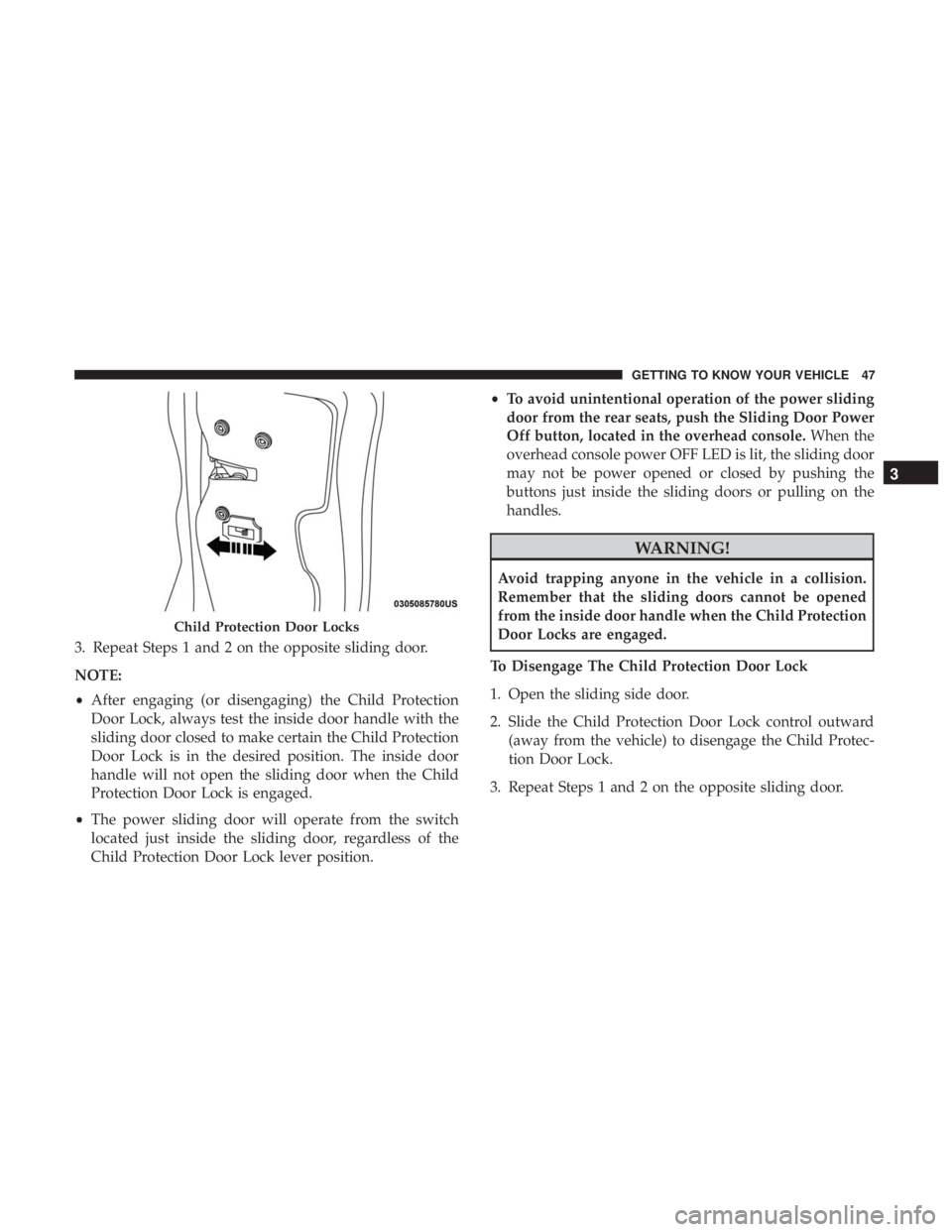
3. Repeat Steps 1 and 2 on the opposite sliding door.
NOTE:
•After engaging (or disengaging) the Child Protection
Door Lock, always test the inside door handle with the
sliding door closed to make certain the Child Protection
Door Lock is in the desired position. The inside door
handle will not open the sliding door when the Child
Protection Door Lock is engaged.
• The power sliding door will operate from the switch
located just inside the sliding door, regardless of the
Child Protection Door Lock lever position. •
To avoid unintentional operation of the power sliding
door from the rear seats, push the Sliding Door Power
Off button, located in the overhead console. When the
overhead console power OFF LED is lit, the sliding door
may not be power opened or closed by pushing the
buttons just inside the sliding doors or pulling on the
handles.
WARNING!
Avoid trapping anyone in the vehicle in a collision.
Remember that the sliding doors cannot be opened
from the inside door handle when the Child Protection
Door Locks are engaged.
To Disengage The Child Protection Door Lock
1. Open the sliding side door.
2. Slide the Child Protection Door Lock control outward (away from the vehicle) to disengage the Child Protec-
tion Door Lock.
3. Repeat Steps 1 and 2 on the opposite sliding door.
Child Protection Door Locks
3
GETTING TO KNOW YOUR VEHICLE 47
Page 64 of 696
Vehicles Equipped With Remote Start
On models that are equipped with remote start, the venti-
lated seats can be programed to come on during a remote
start.
This feature can be programmed through the Uconnect
system. Refer to “Uconnect Settings” in “Multimedia” for
further information.
Stow ’n Go Seating
On vehicles equipped with Stow ’n Go seating, the second
and third row seats can be folded into the floor for
convenient storage.
Auto Advance ‘n Return — If Equipped
On vehicles equipped with the Auto Advance ‘n Return
feature, the front seat will move forward automatically to a
location that will allow the second row Stow ‘n Go seat
movement, without interference by the front seat. After the
second row seat is stowed, the front seat will move back to
the previous location once the Auto Advance ‘n Return
button is pushed again.
The Auto Advance ‘n Return feature is available to both the
front driver and passenger power seats, if equipped.
WARNING!
During power seat operation, personal injury or cargo
damage may occur. Ensure the front seat is not occu-
pied and the seat travel path is clear.
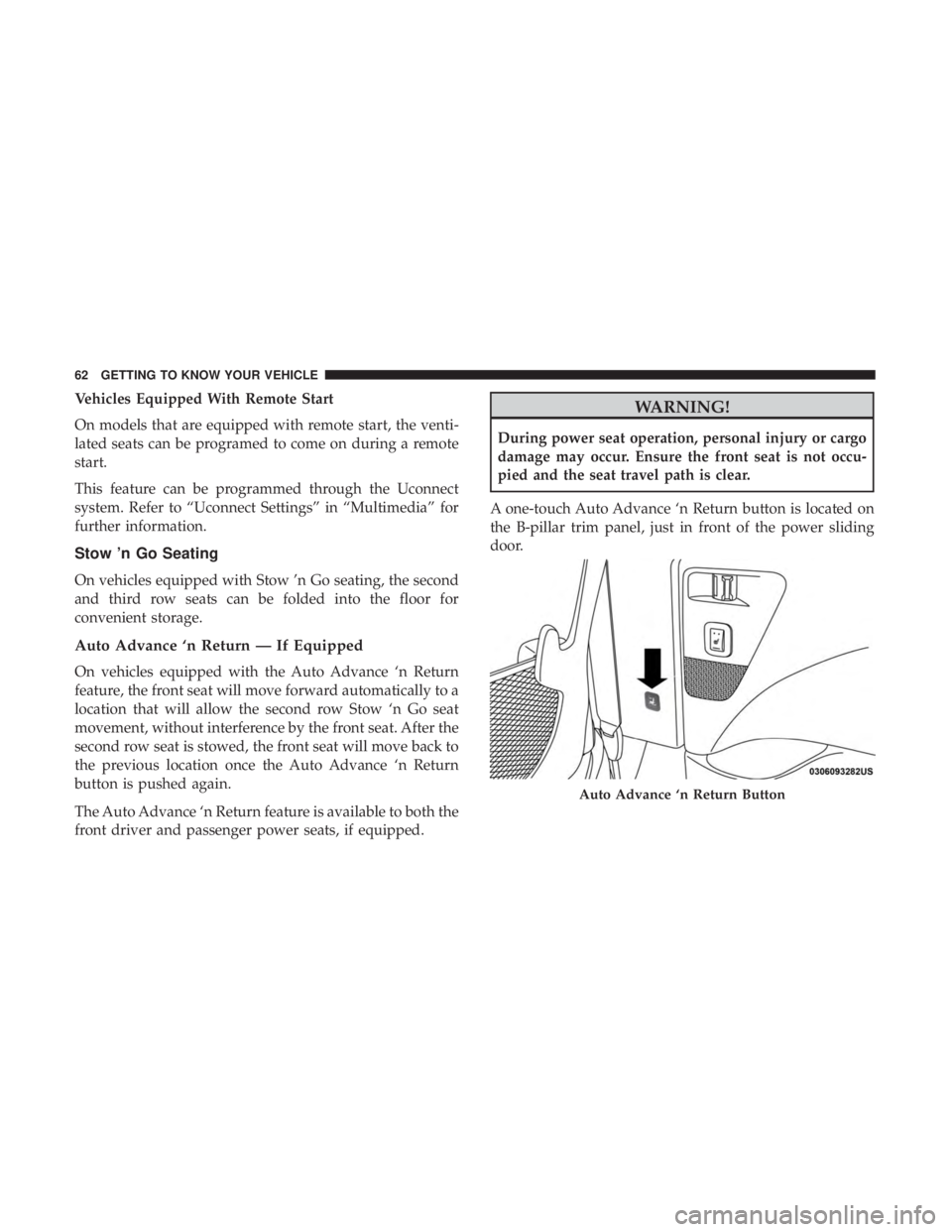
A one-touch Auto Advance ‘n Return button is located on
the B-pillar trim panel, just in front of the power sliding
door.
Auto Advance ‘n Return Button
62 GETTING TO KNOW YOUR VEHICLE
Page 65 of 696
Using the Auto Advance ‘n Return Feature
NOTE:
•The button is only functional when the power sliding
door is open and the vehicle is in PARK. If the door is
not open or the vehicle is not in PARK when the button
is pushed, the front seat will not move and a message
will be displayed in instrument cluster display.
• If the power sliding door is closing when the button is
pushed, the front seat will not move and a message will
be displayed in the instrument cluster display.
1. Push and release the Auto Advance ‘n Return button. The front seat cushion and seat back will move as
necessary to a location that will allow space for the
second row Stow ‘n Go seat movement.
2. Perform the second row Stow ‘n Go seat movement. Refer to “Second Row Stow ‘n Go” for further informa-
tion.
3. Push and release the Auto Advance ‘n Return button a second time. The front seat cushion and seat back will
return to the original starting location. NOTE:
•
To abort seat operation while seat is in motion, push the
Auto Advance ‘n Return button, or push the front power
seat button to stop the seat movement. Pushing the Auto
Advance ‘n Return button again will return the front
seat to the original starting location.
• The Auto Advance ‘n Return system includes obstacle
detection. When the system detects an obstacle, the seat
will stop, reverse direction, and return to the previous
location. A message will be displayed in the instrument
cluster indicating that an obstacle has been detected.
• If the front seat is already in a location that will allow
space for Stow ‘n Go of the second row seat, the front
seat will not move and a message will be displayed in
the instrument cluster.
• If calibration of the front seat is lost, the seat will
automatically re-calibrate when the Auto Advance ‘n
Return button is pushed. This may result in the seat
cushion moving forward and downward, before moving
to the location that will allow space for the second row
Stow ‘n Go seat movement.
3
GETTING TO KNOW YOUR VEHICLE 63
Page 93 of 696
Conversation Mirror
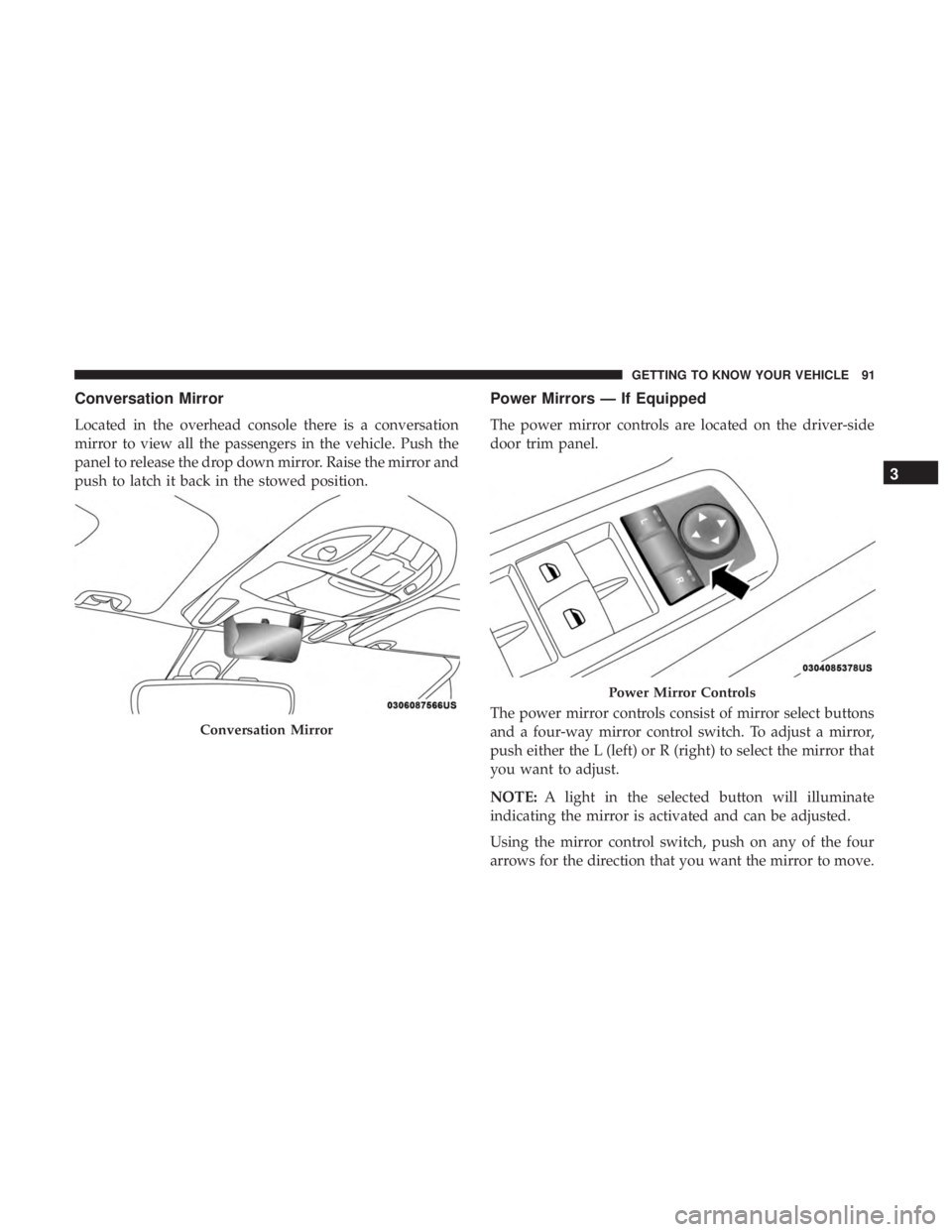
Located in the overhead console there is a conversation
mirror to view all the passengers in the vehicle. Push the
panel to release the drop down mirror. Raise the mirror and
push to latch it back in the stowed position.
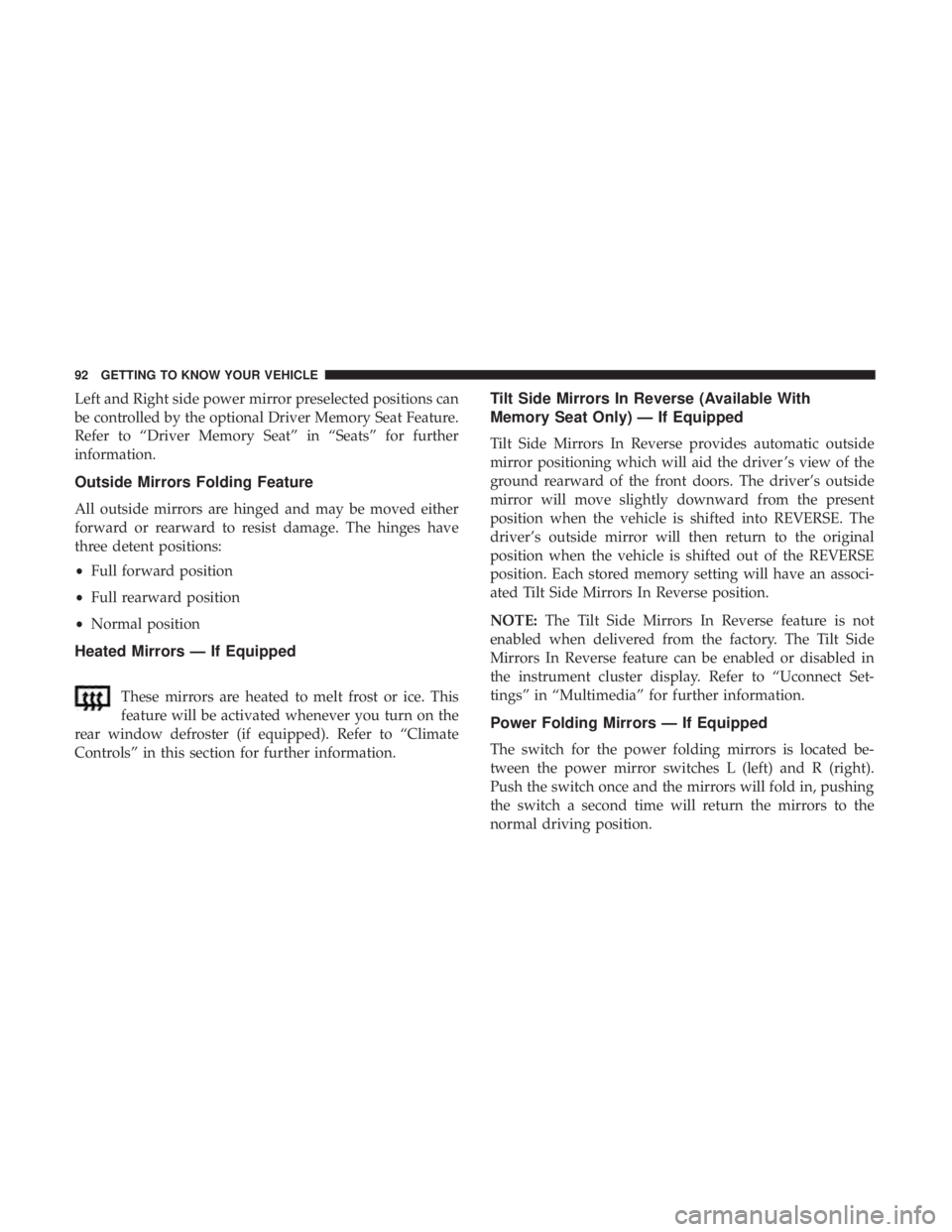
Power Mirrors — If Equipped
The power mirror controls are located on the driver-side
door trim panel.
The power mirror controls consist of mirror select buttons
and a four-way mirror control switch. To adjust a mirror,
push either the L (left) or R (right) to select the mirror that
you want to adjust.
NOTE:A light in the selected button will illuminate
indicating the mirror is activated and can be adjusted.
Using the mirror control switch, push on any of the four
arrows for the direction that you want the mirror to move.
Conversation Mirror
Power Mirror Controls
3
GETTING TO KNOW YOUR VEHICLE 91
Page 94 of 696
Left and Right side power mirror preselected positions can
be controlled by the optional Driver Memory Seat Feature.
Refer to “Driver Memory Seat” in “Seats” for further
information.
Outside Mirrors Folding Feature
All outside mirrors are hinged and may be moved either
forward or rearward to resist damage. The hinges have
three detent positions:
•Full forward position
• Full rearward position
• Normal position
Heated Mirrors — If Equipped
These mirrors are heated to melt frost or ice. This
feature will be activated whenever you turn on the
rear window defroster (if equipped). Refer to “Climate
Controls” in this section for further information.
Tilt Side Mirrors In Reverse (Available With
Memory Seat Only) — If Equipped
Tilt Side Mirrors In Reverse provides automatic outside
mirror positioning which will aid the driver ’s view of the
ground rearward of the front doors. The driver’s outside
mirror will move slightly downward from the present
position when the vehicle is shifted into REVERSE. The
driver’s outside mirror will then return to the original
position when the vehicle is shifted out of the REVERSE
position. Each stored memory setting will have an associ-
ated Tilt Side Mirrors In Reverse position.
NOTE: The Tilt Side Mirrors In Reverse feature is not
enabled when delivered from the factory. The Tilt Side
Mirrors In Reverse feature can be enabled or disabled in
the instrument cluster display. Refer to “Uconnect Set-
tings” in “Multimedia” for further information.
Power Folding Mirrors — If Equipped
The switch for the power folding mirrors is located be-
tween the power mirror switches L (left) and R (right).
Push the switch once and the mirrors will fold in, pushing
the switch a second time will return the mirrors to the
normal driving position.
92 GETTING TO KNOW YOUR VEHICLE