tow CHRYSLER PACIFICA 2019 Owner's Guide
[x] Cancel search | Manufacturer: CHRYSLER, Model Year: 2019, Model line: PACIFICA, Model: CHRYSLER PACIFICA 2019Pages: 718, PDF Size: 8.6 MB
Page 154 of 718
Gas props support the liftgate in the open position. How-
ever, because the gas pressure drops with temperature, it
may be necessary to assist the props when opening the
liftgate in cold weather.
NOTE:Allow the power system to open the liftgate.
Manually pushing or pulling the liftgate may activate the
liftgate obstacle detection feature and stop the power
operation or reverse its direction.
WARNING!
During power operation, personal injury or cargo
damage may occur. Ensure the liftgate travel path is
clear. Make sure the liftgate is closed and latched
before driving away.
Cargo Area Features
Cargo Area Storage
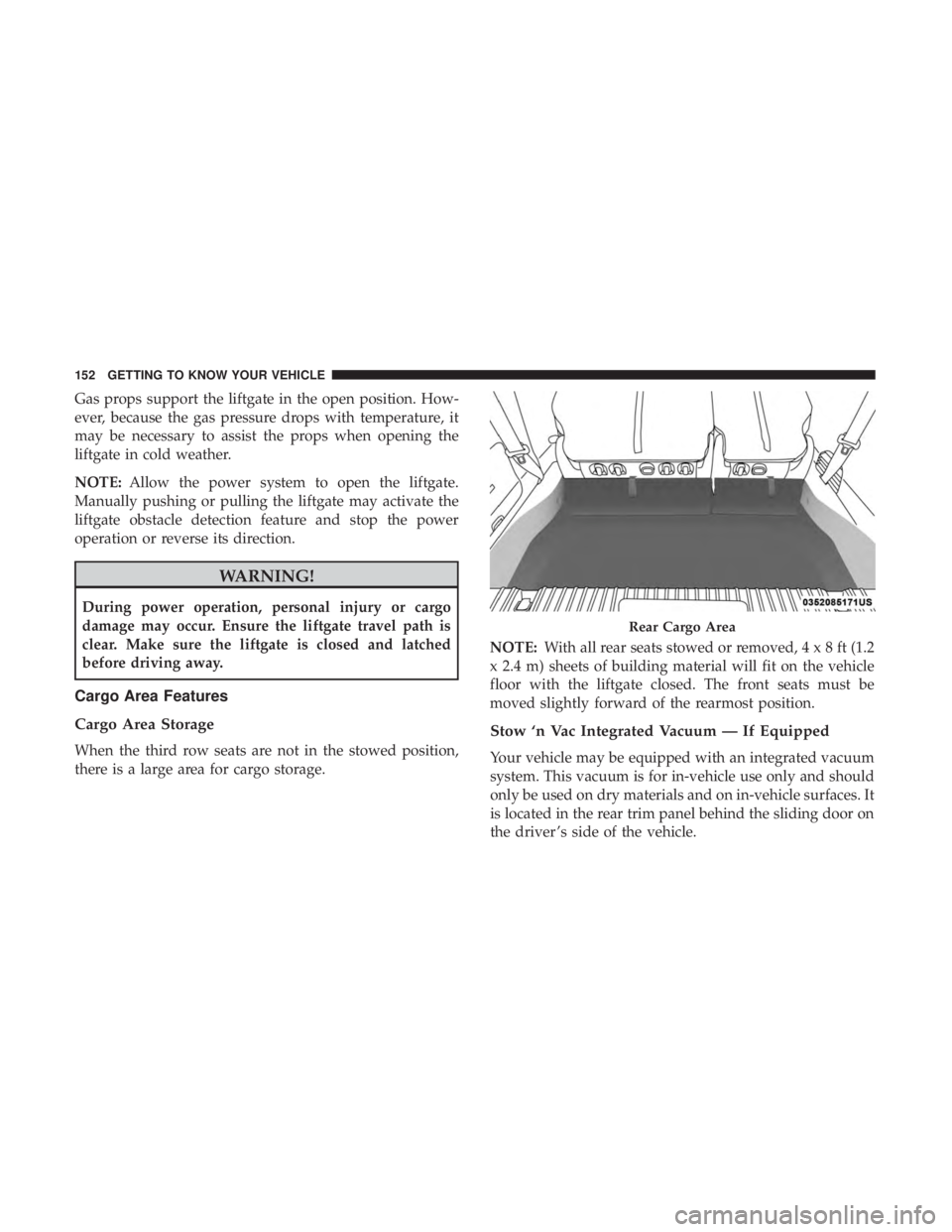
When the third row seats are not in the stowed position,
there is a large area for cargo storage. NOTE:
With all rear seats stowed or removed,4x8ft(1.2
x 2.4 m) sheets of building material will fit on the vehicle
floor with the liftgate closed. The front seats must be
moved slightly forward of the rearmost position.
Stow ‘n Vac Integrated Vacuum — If Equipped
Your vehicle may be equipped with an integrated vacuum
system. This vacuum is for in-vehicle use only and should
only be used on dry materials and on in-vehicle surfaces. It
is located in the rear trim panel behind the sliding door on
the driver ’s side of the vehicle.
Rear Cargo Area
152 GETTING TO KNOW YOUR VEHICLE
Page 160 of 718
WARNING!(Continued)
near gasoline-dispensing equipment or service sta-
tions, park vehicle at least 20 ft (6 m) away from the
exterior enclosure of any dispensing pump. The
vacuum is mounted more than 18 inches (45 cm) above
ground level in your vehicle.
5. When finished, push power button to turn vacuum off and store vacuum hose and any attachments.
6. Before exiting the vehicle: •If vehicle is in ACC mode, push ignition button to
place ignition in the OFF mode, remove key fob from
the vehicle, and lock the vehicle.
• If the engine is running, raise all of the windows, push
ignition button to place ignition in the OFF mode,
remove key fob from the vehicle, close all of the doors
and the liftgate and lock the vehicle.
Vacuum Troubleshooting
• DO NOT use with any opening blocked. If an object
becomes lodged in the hose, attempt to fully extend the
hose in a straight line while the vacuum motor is
running. If this does not dislodge the object, turn the
vacuum OFF and remove the hose from the vehicle following the removal instructions below. If the filter is
clogged, follow the emptying debris bin procedure and
lightly tap the filter on the collection bin to remove any
collected debris from the filter. Both the bin and the filter
can be rinsed with water if needed. To avoid mold and
stale odors, allow both to dry completely before rein-
stalling in your vehicle. If filter has tears, holes or other
damage and needs to be replaced, please contact your
authorized dealer.
• If there are any other issues with your vacuum, contact
your authorized dealer. Your vacuum has no user ser-
viceable parts.
Debris Bin
The debris bin is located behind the lower access panel
behind the third row seat on the driver ’s side.
To Empty
1. Push power button to turn vacuum OFF.
2. Open the lower access panel by pulling the finger grip towards you and then pull downward.
158 GETTING TO KNOW YOUR VEHICLE
Page 161 of 718
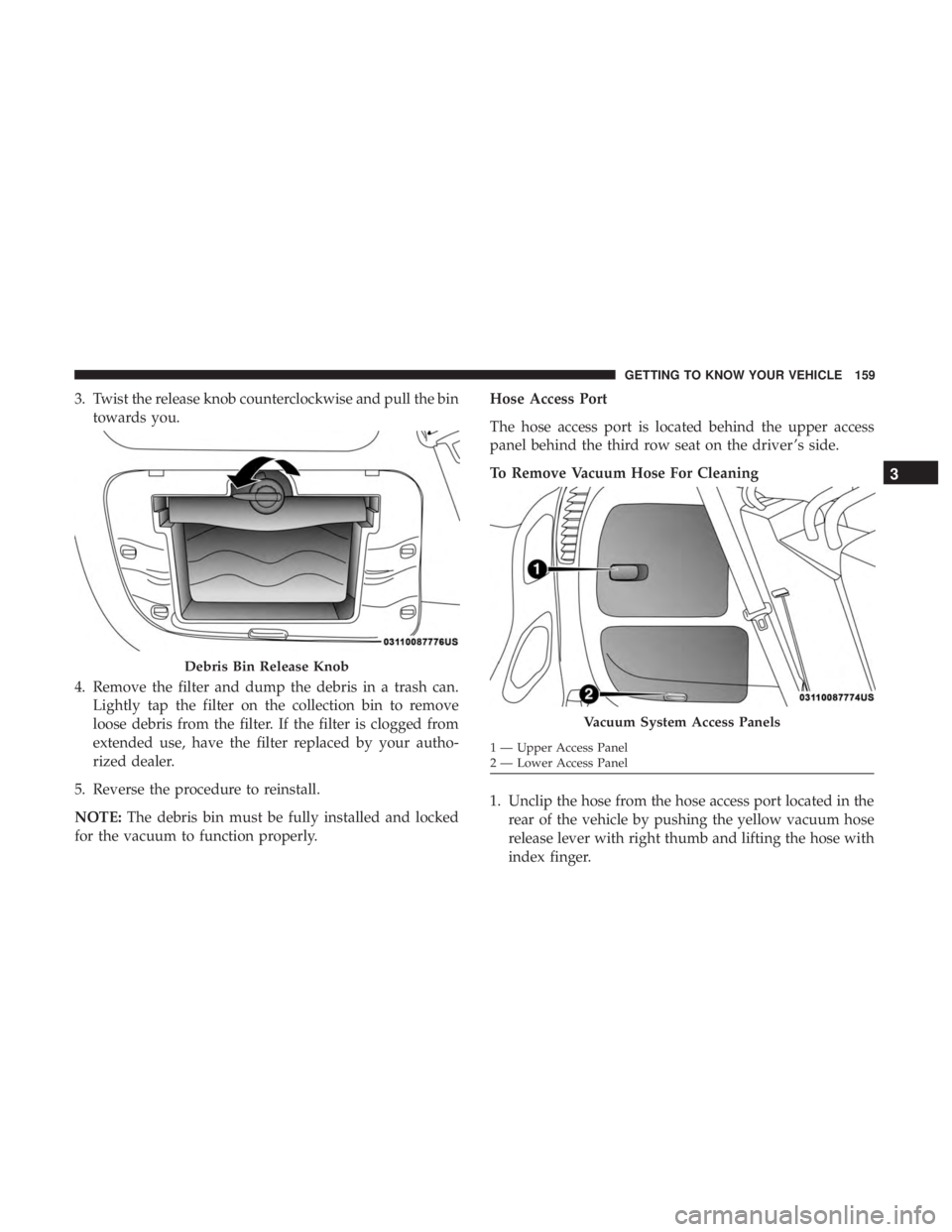
3. Twist the release knob counterclockwise and pull the bintowards you.
4. Remove the filter and dump the debris in a trash can. Lightly tap the filter on the collection bin to remove
loose debris from the filter. If the filter is clogged from
extended use, have the filter replaced by your autho-
rized dealer.
5. Reverse the procedure to reinstall.
NOTE: The debris bin must be fully installed and locked
for the vacuum to function properly. Hose Access Port
The hose access port is located behind the upper access
panel behind the third row seat on the driver ’s side.
To Remove Vacuum Hose For Cleaning
1. Unclip the hose from the hose access port located in the
rear of the vehicle by pushing the yellow vacuum hose
release lever with right thumb and lifting the hose with
index finger.
Debris Bin Release Knob
Vacuum System Access Panels
1 — Upper Access Panel
2 — Lower Access Panel
3
GETTING TO KNOW YOUR VEHICLE 159
Page 172 of 718
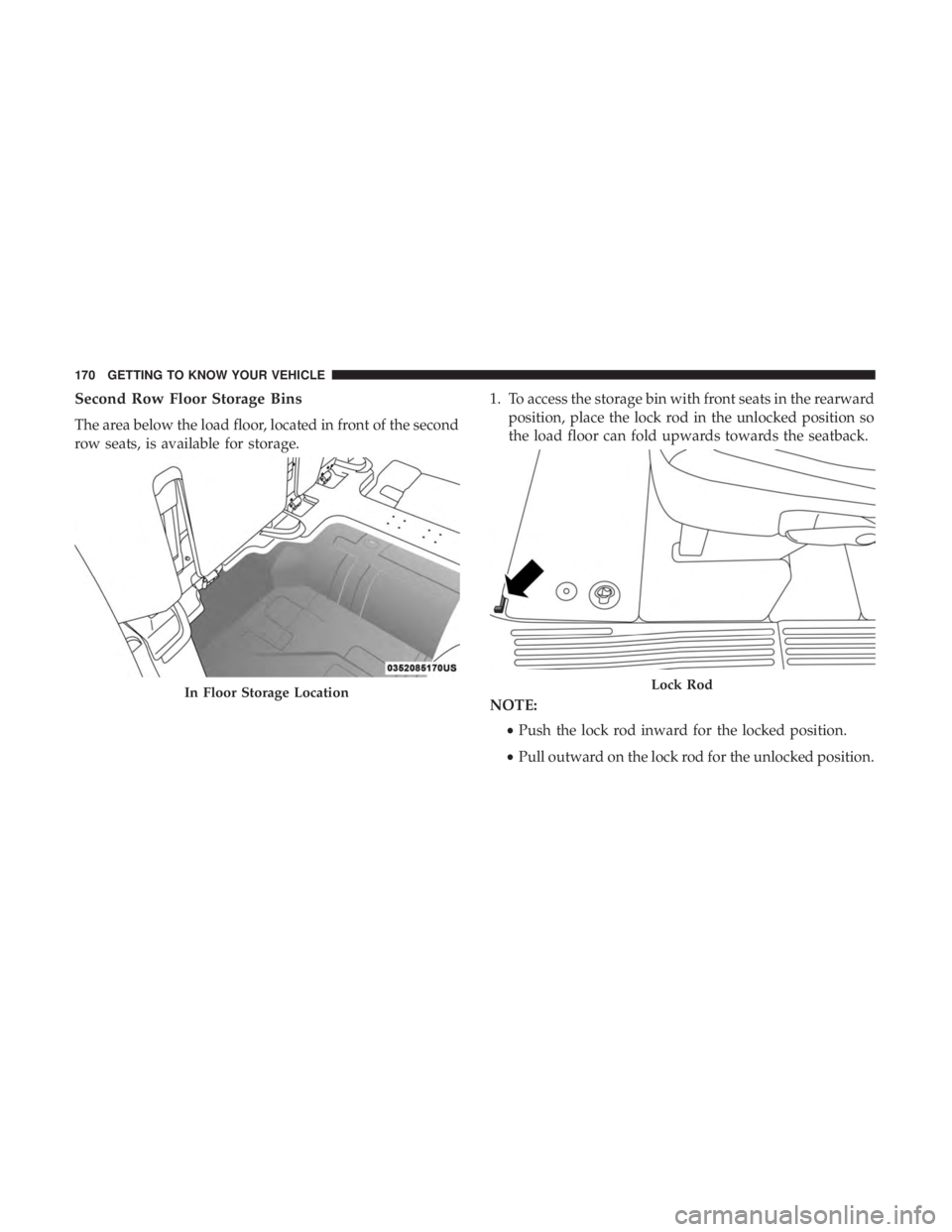
Second Row Floor Storage Bins
The area below the load floor, located in front of the second
row seats, is available for storage.1. To access the storage bin with front seats in the rearward
position, place the lock rod in the unlocked position so
the load floor can fold upwards towards the seatback.
NOTE: •Push the lock rod inward for the locked position.
• Pull outward on the lock rod for the unlocked position.
In Floor Storage LocationLock Rod
170 GETTING TO KNOW YOUR VEHICLE
Page 182 of 718
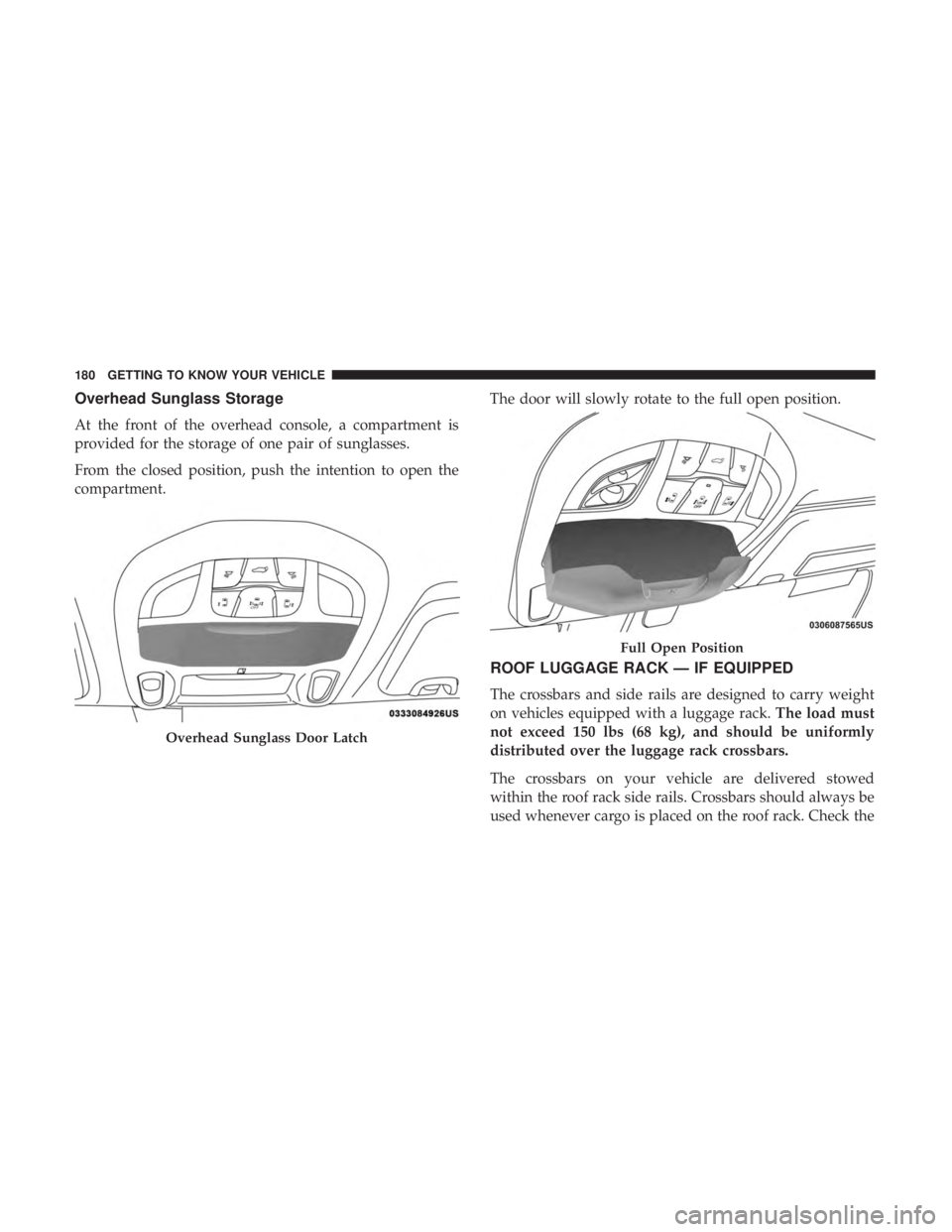
Overhead Sunglass Storage
At the front of the overhead console, a compartment is
provided for the storage of one pair of sunglasses.
From the closed position, push the intention to open the
compartment.The door will slowly rotate to the full open position.
ROOF LUGGAGE RACK — IF EQUIPPED
The crossbars and side rails are designed to carry weight
on vehicles equipped with a luggage rack.
The load must
not exceed 150 lbs (68 kg), and should be uniformly
distributed over the luggage rack crossbars.
The crossbars on your vehicle are delivered stowed
within the roof rack side rails. Crossbars should always be
used whenever cargo is placed on the roof rack. Check the
Overhead Sunglass Door Latch
Full Open Position
180 GETTING TO KNOW YOUR VEHICLE
Page 183 of 718
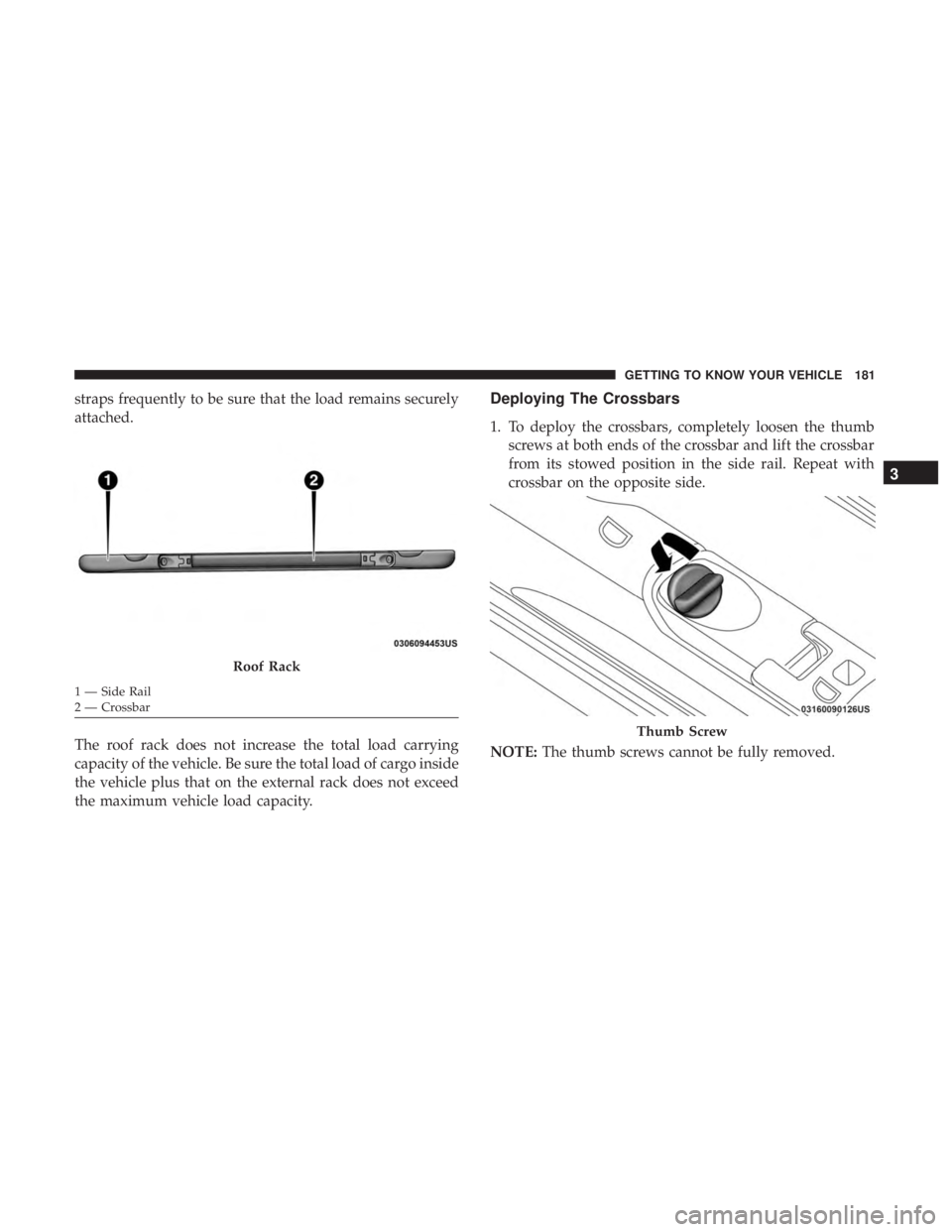
straps frequently to be sure that the load remains securely
attached.
The roof rack does not increase the total load carrying
capacity of the vehicle. Be sure the total load of cargo inside
the vehicle plus that on the external rack does not exceed
the maximum vehicle load capacity.Deploying The Crossbars
1. To deploy the crossbars, completely loosen the thumbscrews at both ends of the crossbar and lift the crossbar
from its stowed position in the side rail. Repeat with
crossbar on the opposite side.
NOTE: The thumb screws cannot be fully removed.
Roof Rack
1 — Side Rail
2 — Crossbar
Thumb Screw
3
GETTING TO KNOW YOUR VEHICLE 181
Page 185 of 718
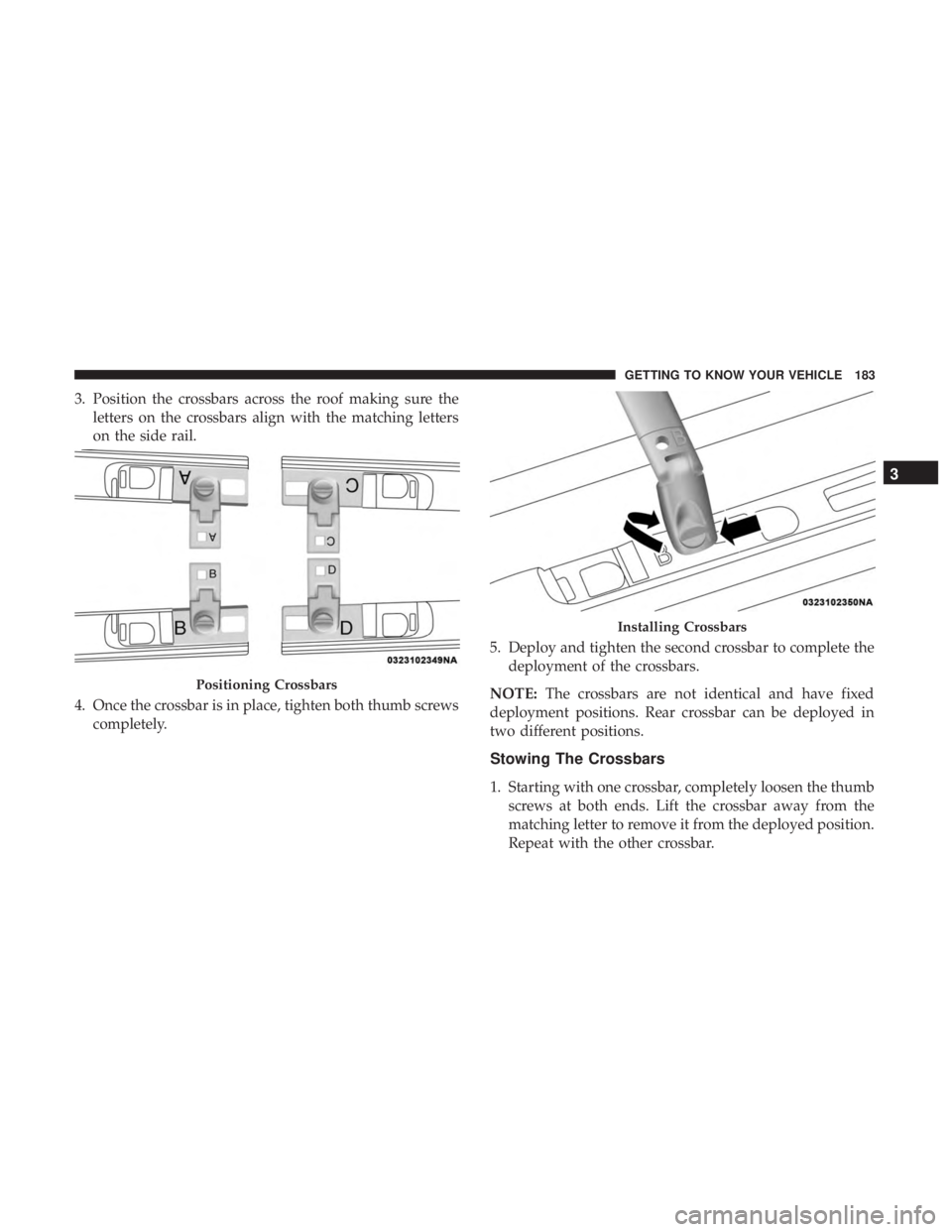
3. Position the crossbars across the roof making sure theletters on the crossbars align with the matching letters
on the side rail.
4. Once the crossbar is in place, tighten both thumb screws completely. 5. Deploy and tighten the second crossbar to complete the
deployment of the crossbars.
NOTE: The crossbars are not identical and have fixed
deployment positions. Rear crossbar can be deployed in
two different positions.
Stowing The Crossbars
1. Starting with one crossbar, completely loosen the thumb screws at both ends. Lift the crossbar away from the
matching letter to remove it from the deployed position.
Repeat with the other crossbar.
Positioning Crossbars
Installing Crossbars
3
GETTING TO KNOW YOUR VEHICLE 183
Page 186 of 718
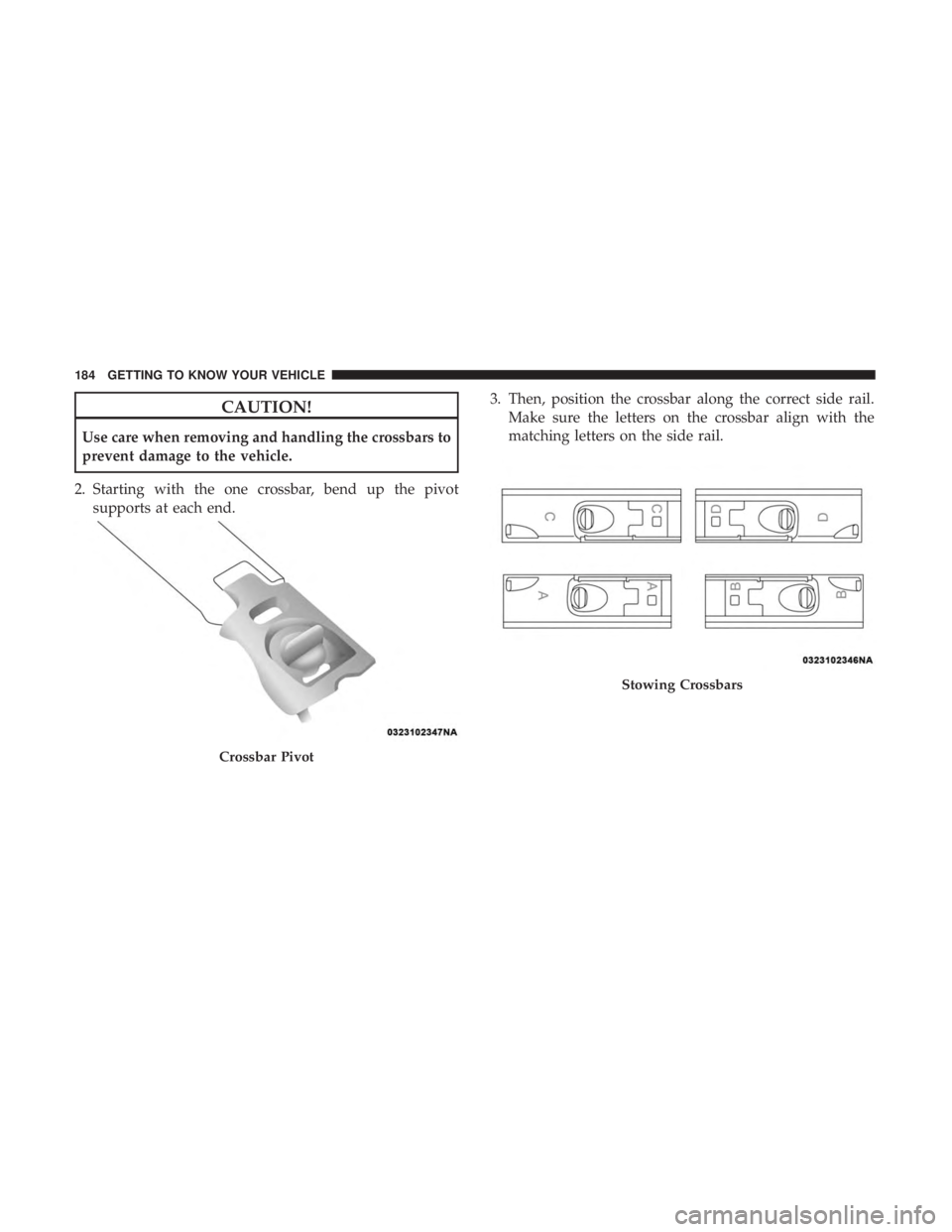
CAUTION!
Use care when removing and handling the crossbars to
prevent damage to the vehicle.
2. Starting with the one crossbar, bend up the pivot supports at each end. 3. Then, position the crossbar along the correct side rail.
Make sure the letters on the crossbar align with the
matching letters on the side rail.
Crossbar Pivot
Stowing Crossbars
184 GETTING TO KNOW YOUR VEHICLE
Page 188 of 718
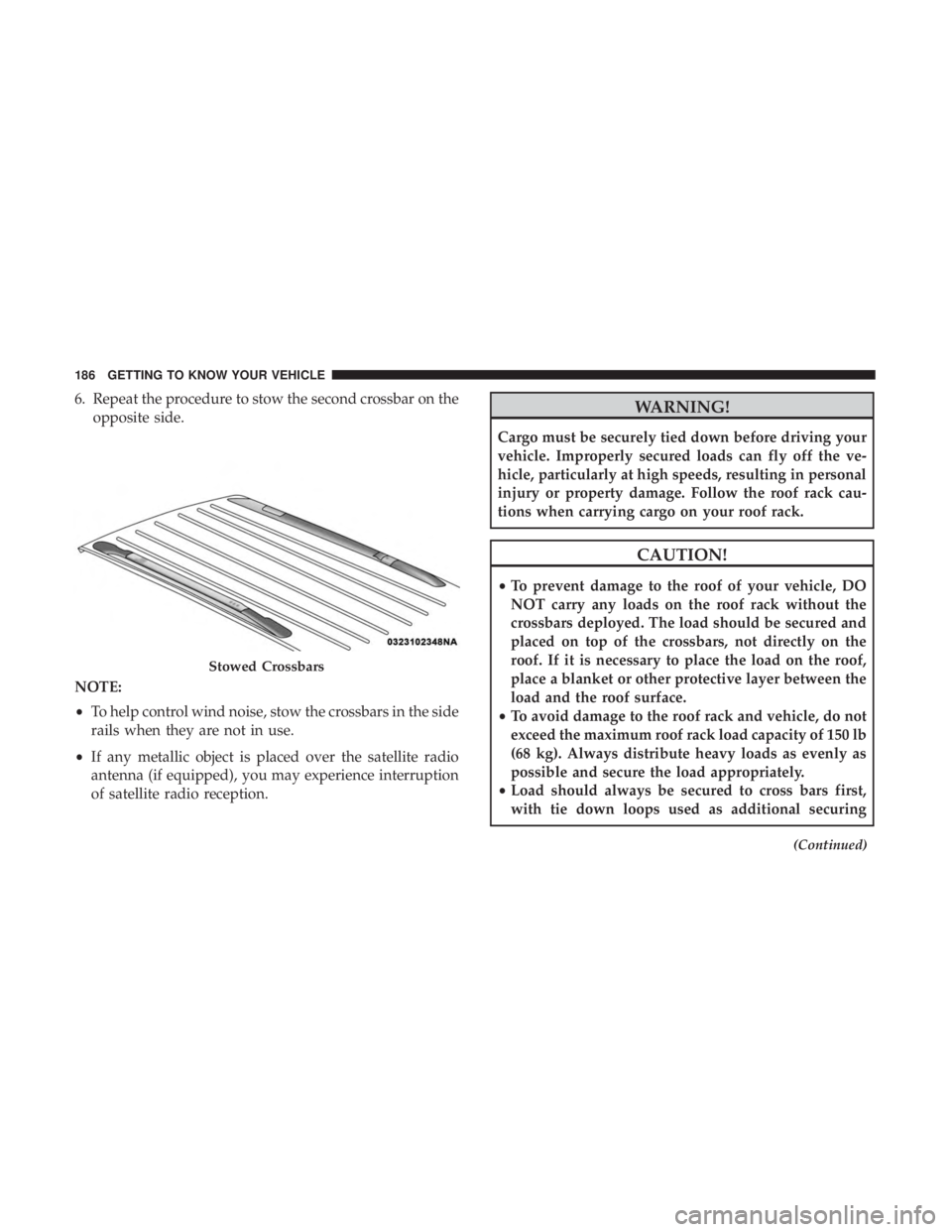
6. Repeat the procedure to stow the second crossbar on theopposite side.
NOTE:
• To help control wind noise, stow the crossbars in the side
rails when they are not in use.
• If any metallic object is placed over the satellite radio
antenna (if equipped), you may experience interruption
of satellite radio reception.WARNING!
Cargo must be securely tied down before driving your
vehicle. Improperly secured loads can fly off the ve-
hicle, particularly at high speeds, resulting in personal
injury or property damage. Follow the roof rack cau-
tions when carrying cargo on your roof rack.
CAUTION!
• To prevent damage to the roof of your vehicle, DO
NOT carry any loads on the roof rack without the
crossbars deployed. The load should be secured and
placed on top of the crossbars, not directly on the
roof. If it is necessary to place the load on the roof,
place a blanket or other protective layer between the
load and the roof surface.
• To avoid damage to the roof rack and vehicle, do not
exceed the maximum roof rack load capacity of 150 lb
(68 kg). Always distribute heavy loads as evenly as
possible and secure the load appropriately.
• Load should always be secured to cross bars first,
with tie down loops used as additional securing
(Continued)
Stowed Crossbars
186 GETTING TO KNOW YOUR VEHICLE
Page 205 of 718
•HVAC System
• 150W Power Inverter System
• Audio and Telematics System
Loss of the battery charge may indicate one or more of the
following conditions:
• The charging system cannot deliver enough electrical
power to the vehicle system because the electrical loads
are larger than the capability of charging system. The
charging system is still functioning properly.
• Turning on all possible vehicle electrical loads (e.g.
HVAC to max settings, exterior and interior lights,
overloaded power outlets +12V, 150W, USB ports) dur-
ing certain driving conditions (city driving, towing,
frequent stopping).
• Installing options like additional lights, upfitter electri-
cal accessories, audio systems, alarms and similar de-
vices.
• Unusual driving cycles (short trips separated by long
parking periods). •
The vehicle was parked for an extended period of time
(weeks, months).
• The battery was recently replaced and was not charged
completely.
• The battery was discharged by an electrical load left on
when the vehicle was parked.
• The battery was used for an extended period with the
engine not running to supply radio, lights, chargers,
+12V portable appliances like vacuum cleaners, game
consoles and similar devices.
What to do when an electrical load reduction action
message is present (“Battery Saver On” or “Battery Saver
Mode”)
During a trip:
• Reduce power to unnecessary loads if possible:
– Turn off redundant lights (interior or exterior)
– Check what may be plugged in to power outlets +12V, 150W, USB ports
– Check HVAC settings (blower, temperature)
– Check the audio settings (volume)
4
GETTING TO KNOW YOUR INSTRUMENT PANEL 203