brake CHRYSLER PACIFICA 2020 Owners Manual
[x] Cancel search | Manufacturer: CHRYSLER, Model Year: 2020, Model line: PACIFICA, Model: CHRYSLER PACIFICA 2020Pages: 516, PDF Size: 28.69 MB
Page 390 of 516
388
TECHNICAL SPECIFICATIONS
IDENTIFICATION DATA
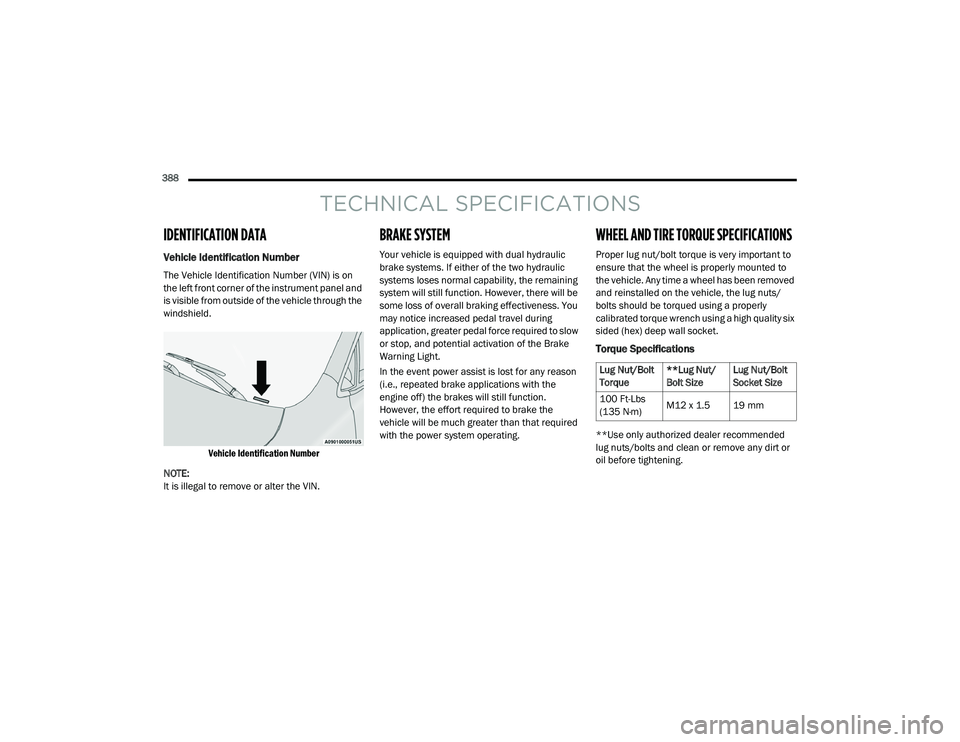
Vehicle Identification Number
The Vehicle Identification Number (VIN) is on
the left front corner of the instrument panel and
is visible from outside of the vehicle through the
windshield.
Vehicle Identification Number
NOTE:
It is illegal to remove or alter the VIN.
BRAKE SYSTEM
Your vehicle is equipped with dual hydraulic
brake systems. If either of the two hydraulic
systems loses normal capability, the remaining
system will still function. However, there will be
some loss of overall braking effectiveness. You
may notice increased pedal travel during
application, greater pedal force required to slow
or stop, and potential activation of the Brake
Warning Light.
In the event power assist is lost for any reason
(i.e., repeated brake applications with the
engine off) the brakes will still function.
However, the effort required to brake the
vehicle will be much greater than that required
with the power system operating.
WHEEL AND TIRE TORQUE SPECIFICATIONS
Proper lug nut/bolt torque is very important to
ensure that the wheel is properly mounted to
the vehicle. Any time a wheel has been removed
and reinstalled on the vehicle, the lug nuts/
bolts should be torqued using a properly
calibrated torque wrench using a high quality six
sided (hex) deep wall socket.
Torque Specifications
**Use only authorized dealer recommended
lug nuts/bolts and clean or remove any dirt or
oil before tightening.
Lug Nut/Bolt
Torque **Lug Nut/
Bolt SizeLug Nut/Bolt
Socket Size
100 Ft-Lbs
(135 N·m) M12 x 1.5 19 mm
20_RU_OM_EN_US_t.book Page 388
Page 398 of 516
396TECHNICAL SPECIFICATIONS
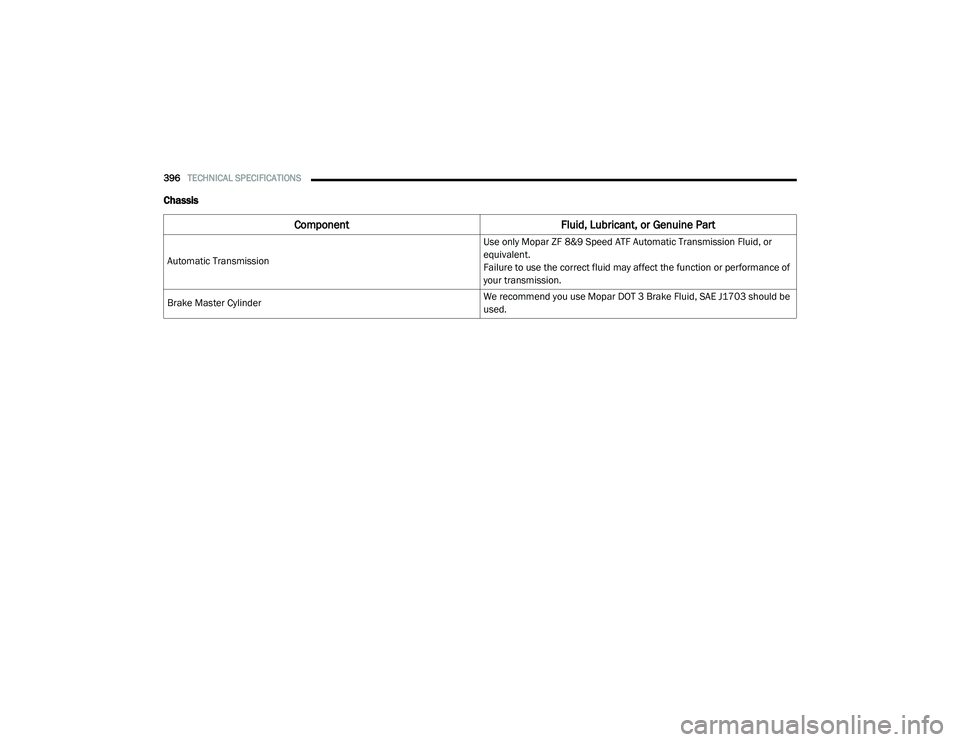
Chassis
Component Fluid, Lubricant, or Genuine Part
Automatic Transmission Use only Mopar ZF 8&9 Speed ATF Automatic Transmission Fluid, or
equivalent.
Failure to use the correct fluid may affect the function or performance of
your transmission.
Brake Master Cylinder We recommend you use Mopar DOT 3 Brake Fluid, SAE J1703 should be
used.
20_RU_OM_EN_US_t.book Page 396
Page 408 of 516
406MULTIMEDIA
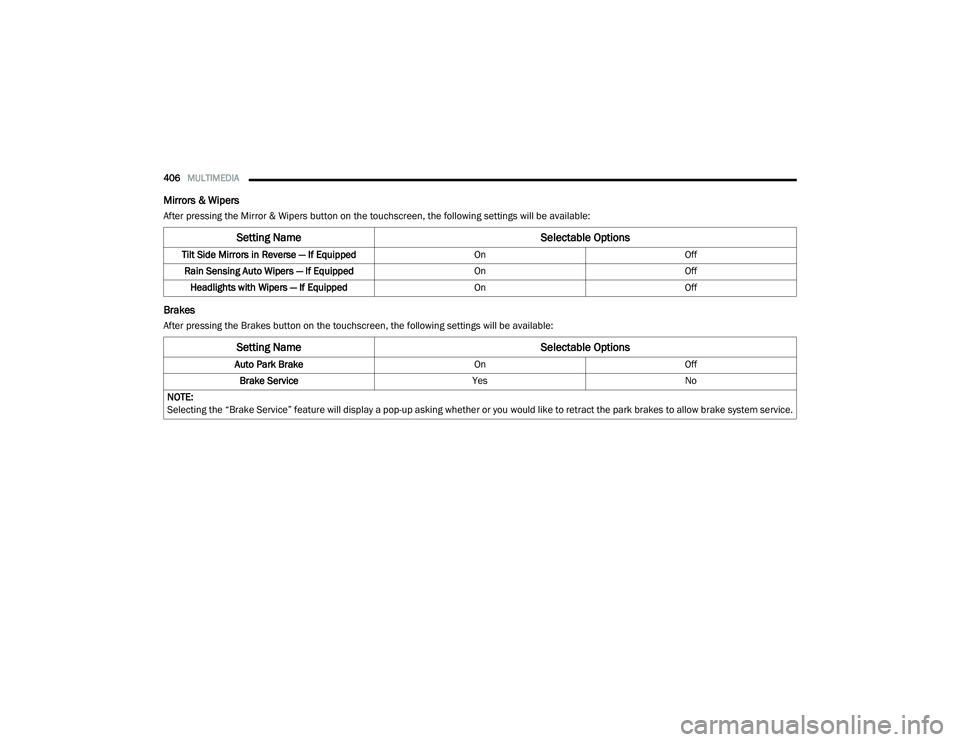
Mirrors & Wipers
After pressing the Mirror & Wipers button on the touchscreen, the following settings will be available:
Brakes
After pressing the Brakes button on the touchscreen, the following settings will be available:
Setting Name Selectable Options
Tilt Side Mirrors in Reverse — If Equipped OnOff
Rain Sensing Auto Wipers — If Equipped OnOff
Headlights with Wipers — If Equipped OnOff
Setting Name Selectable Options
Auto Park BrakeOnOff
Brake Service YesNo
NOTE:
Selecting the “Brake Service” feature will display a pop-up asking whether or you would like to retract the park brakes to allow brake system service.
20_RU_OM_EN_US_t.book Page 406
Page 418 of 516
416MULTIMEDIA
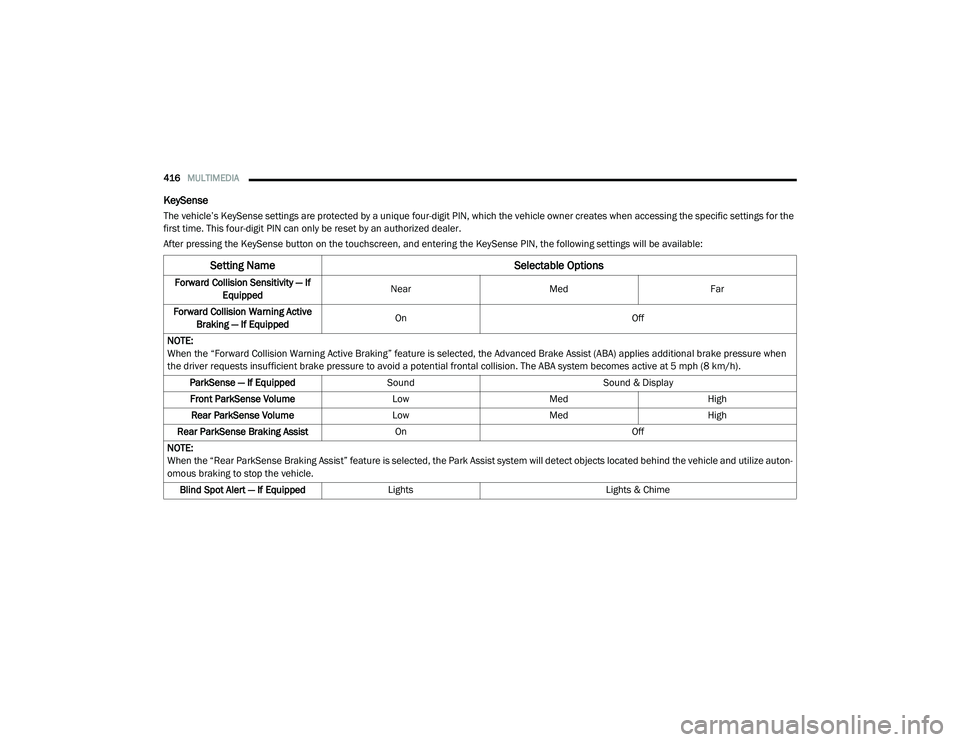
KeySense
The vehicle’s KeySense settings are protected by a unique four-digit PIN, which the vehicle owner creates when accessing the specific settings for the
first time. This four-digit PIN can only be reset by an authorized dealer.
After pressing the KeySense button on the touchscreen, and entering the KeySense PIN, the following settings will be available:
Setting Name Selectable Options
Forward Collision Sensitivity — If
Equipped Near
Med Far
Forward Collision Warning Active Braking — If Equipped On
Off
NOTE:
When the “Forward Collision Warning Active Braking” feature is selected, the Advanced Brake Assist (ABA) applies additional brake pressure when
the driver requests insufficient brake pressure to avoid a potential frontal collision. The ABA system becomes active at 5 mph (8 km/h). ParkSense — If Equipped Sound Sound & Display
Front ParkSense Volume LowMed High
Rear ParkSense Volume LowMed High
Rear ParkSense Braking Assist On Off
NOTE:
When the “Rear ParkSense Braking Assist” feature is selected, the Park Assist system will detect objects located behind the vehicle and utilize auton -
omous braking to stop the vehicle.
Blind Spot Alert — If Equipped Lights Lights & Chime
20_RU_OM_EN_US_t.book Page 416
Page 425 of 516
MULTIMEDIA423
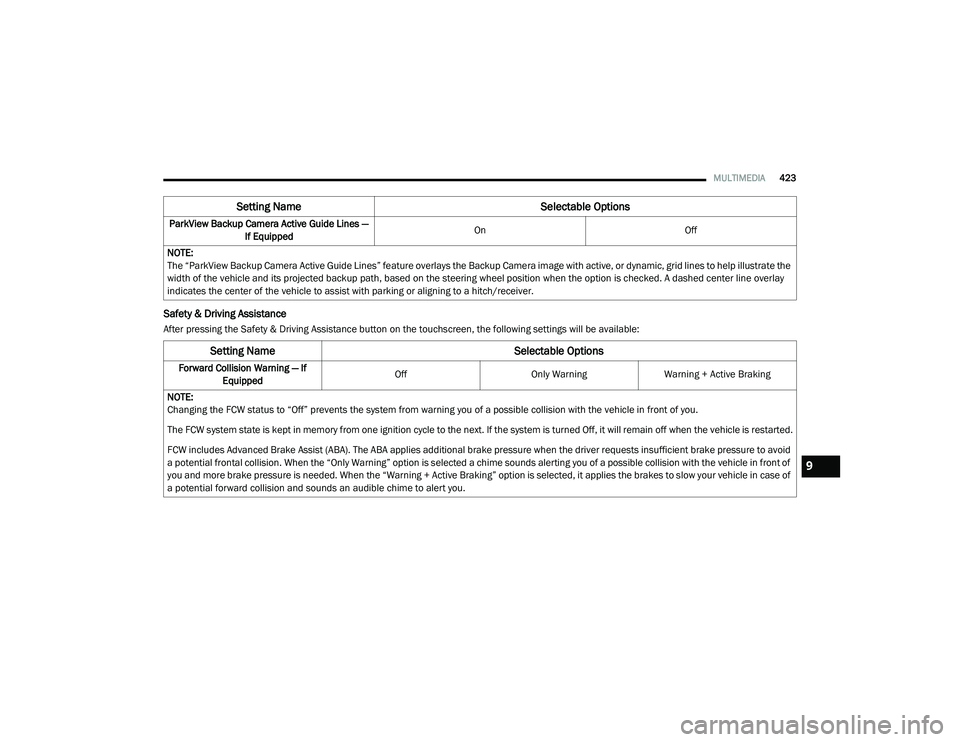
Safety & Driving Assistance
After pressing the Safety & Driving Assistance button on the touchscreen, the following settings will be available:ParkView Backup Camera Active Guide Lines —
If Equipped On
Off
NOTE:
The “ParkView Backup Camera Active Guide Lines” feature overlays the Backup Camera image with active, or dynamic, grid lines to help illustrate the
width of the vehicle and its projected backup path, based on the steering wheel position when the option is checked. A dashed center line overlay
indicates the center of the vehicle to assist with parking or aligning to a hitch/receiver.
Setting Name Selectable Options
Setting NameSelectable Options
Forward Collision Warning — If
Equipped Off
Only WarningWarning + Active Braking
NOTE:
Changing the FCW status to “Off” prevents the system from warning you of a possible collision with the vehicle in front of you.
The FCW system state is kept in memory from one ignition cycle to the next. If the system is turned Off, it will remain off when the vehicle is restarted.
FCW includes Advanced Brake Assist (ABA). The ABA applies additional brake pressure when the driver requests insufficient brake pressure to avoid
a potential frontal collision. When the “Only Warning” option is selected a chime sounds alerting you of a possible collision with the vehicle in front of
you and more brake pressure is needed. When the “Warning + Active Braking” option is selected, it applies the brakes to slow your vehicle in case of
a potential forward collision and sounds an audible chime to alert you.
9
20_RU_OM_EN_US_t.book Page 423
Page 429 of 516
MULTIMEDIA427
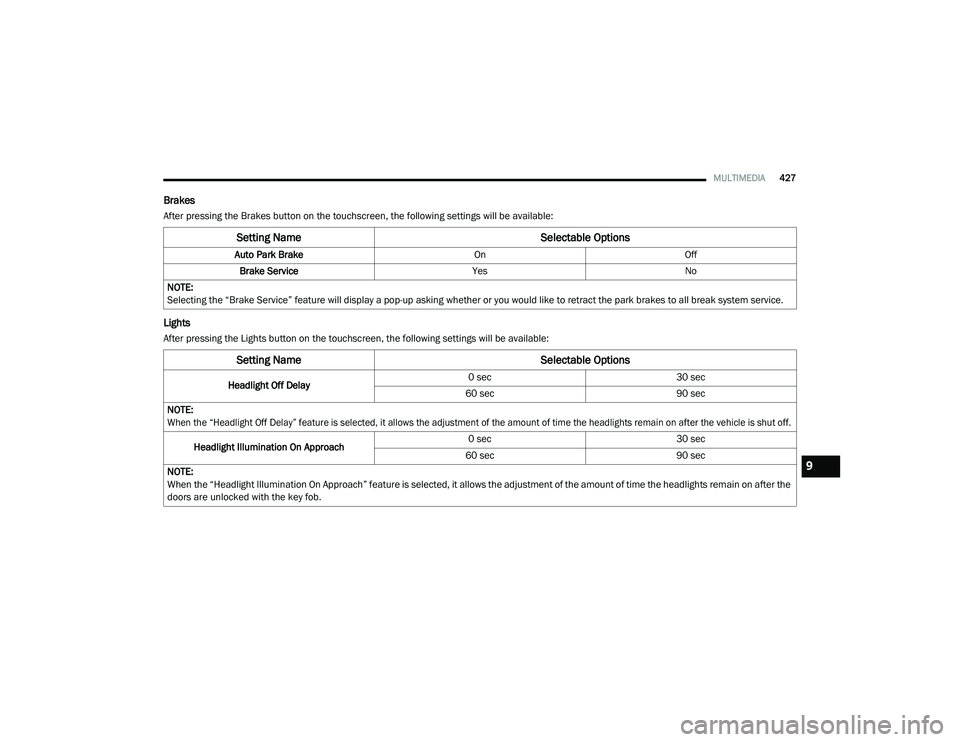
Brakes
After pressing the Brakes button on the touchscreen, the following settings will be available:
Lights
After pressing the Lights button on the touchscreen, the following settings will be available:
Setting Name Selectable Options
Auto Park BrakeOnOff
Brake Service YesNo
NOTE:
Selecting the “Brake Service” feature will display a pop-up asking whether or you would like to retract the park brakes to all break system service.
Setting Name Selectable Options
Headlight Off Delay0 sec
30 sec
60 sec 90 sec
NOTE:
When the “Headlight Off Delay” feature is selected, it allows the adjustment of the amount of time the headlights remain on after the vehicle is shut off.
Headlight Illumination On Approach 0 sec
30 sec
60 sec 90 sec
NOTE:
When the “Headlight Illumination On Approach” feature is selected, it allows the adjustment of the amount of time the headlights remain on after the
doors are unlocked with the key fob.
9
20_RU_OM_EN_US_t.book Page 427
Page 438 of 516
436MULTIMEDIA
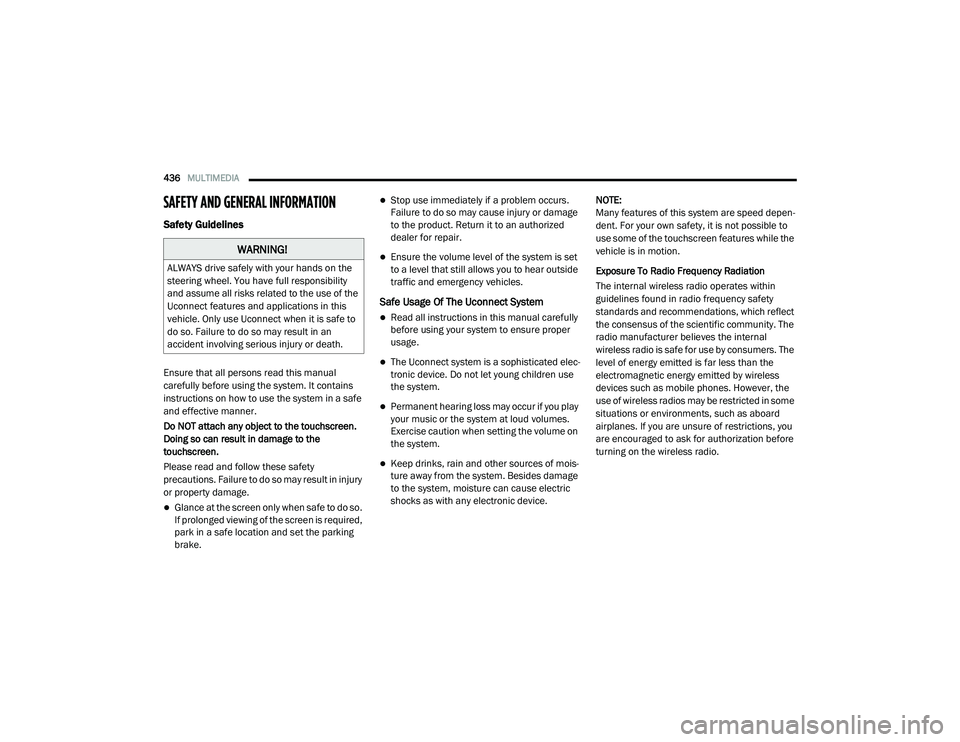
SAFETY AND GENERAL INFORMATION
Safety Guidelines
Ensure that all persons read this manual
carefully before using the system. It contains
instructions on how to use the system in a safe
and effective manner.
Do NOT attach any object to the touchscreen.
Doing so can result in damage to the
touchscreen.
Please read and follow these safety
precautions. Failure to do so may result in injury
or property damage.
Glance at the screen only when safe to do so.
If prolonged viewing of the screen is required,
park in a safe location and set the parking
brake.
Stop use immediately if a problem occurs.
Failure to do so may cause injury or damage
to the product. Return it to an authorized
dealer for repair.
Ensure the volume level of the system is set
to a level that still allows you to hear outside
traffic and emergency vehicles.
Safe Usage Of The Uconnect System
Read all instructions in this manual carefully
before using your system to ensure proper
usage.
The Uconnect system is a sophisticated elec -
tronic device. Do not let young children use
the system.
Permanent hearing loss may occur if you play
your music or the system at loud volumes.
Exercise caution when setting the volume on
the system.
Keep drinks, rain and other sources of mois -
ture away from the system. Besides damage
to the system, moisture can cause electric
shocks as with any electronic device. NOTE:
Many features of this system are speed depen
-
dent. For your own safety, it is not possible to
use some of the touchscreen features while the
vehicle is in motion.
Exposure To Radio Frequency Radiation
The internal wireless radio operates within
guidelines found in radio frequency safety
standards and recommendations, which reflect
the consensus of the scientific community. The
radio manufacturer believes the internal
wireless radio is safe for use by consumers. The
level of energy emitted is far less than the
electromagnetic energy emitted by wireless
devices such as mobile phones. However, the
use of wireless radios may be restricted in some
situations or environments, such as aboard
airplanes. If you are unsure of restrictions, you
are encouraged to ask for authorization before
turning on the wireless radio.
WARNING!
ALWAYS drive safely with your hands on the
steering wheel. You have full responsibility
and assume all risks related to the use of the
Uconnect features and applications in this
vehicle. Only use Uconnect when it is safe to
do so. Failure to do so may result in an
accident involving serious injury or death.
20_RU_OM_EN_US_t.book Page 436
Page 505 of 516
503
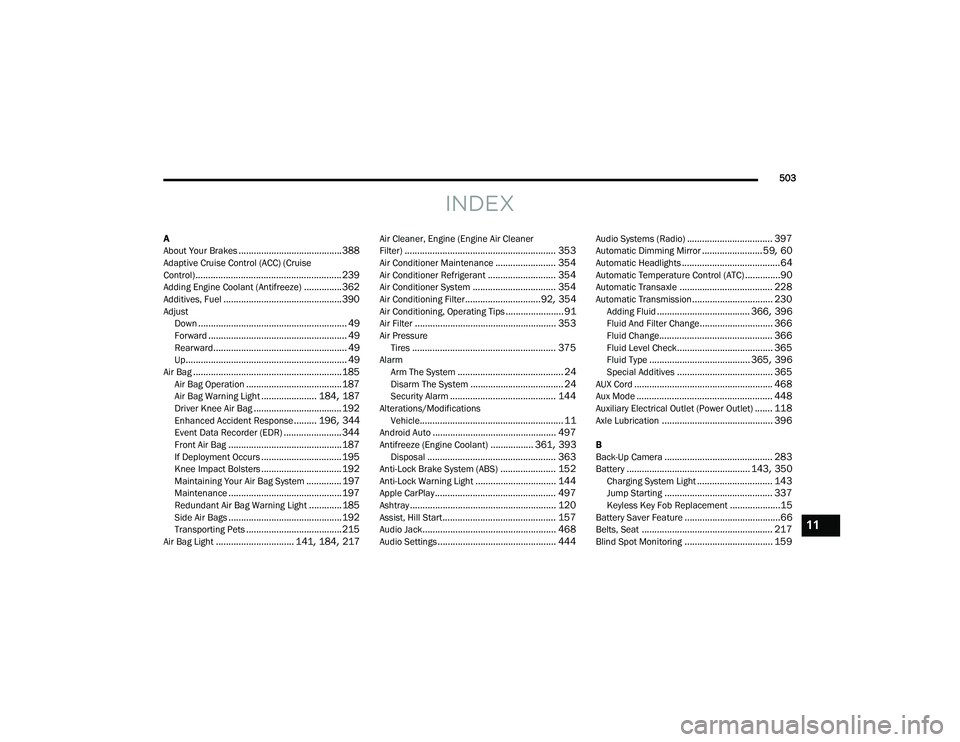
INDEX
A
About Your Brakes......................................... 388Adaptive Cruise Control (ACC) (Cruise
Control).......................................................... 239Adding Engine Coolant (Antifreeze)............... 362Additives, Fuel............................................... 390AdjustDown........................................................... 49Forward....................................................... 49Rearward..................................................... 49Up................................................................ 49Air Bag........................................................... 185Air Bag Operation...................................... 187Air Bag Warning Light...................... 184, 187Driver Knee Air Bag................................... 192Enhanced Accident Response......... 196, 344Event Data Recorder (EDR)....................... 344Front Air Bag............................................. 187If Deployment Occurs................................ 195Knee Impact Bolsters................................ 192Maintaining Your Air Bag System.............. 197Maintenance............................................. 197Redundant Air Bag Warning Light.............185Side Air Bags............................................. 192Transporting Pets...................................... 215Air Bag Light............................... 141, 184, 217
Air Cleaner, Engine (Engine Air Cleaner
Filter)............................................................ 353Air Conditioner Maintenance........................ 354Air Conditioner Refrigerant........................... 354Air Conditioner System................................. 354Air Conditioning Filter..............................92, 354Air Conditioning, Operating Tips....................... 91Air Filter........................................................ 353Air PressureTires......................................................... 375AlarmArm The System.......................................... 24Disarm The System..................................... 24Security Alarm.......................................... 144Alterations/ModificationsVehicle......................................................... 11Android Auto................................................. 497Antifreeze (Engine Coolant)................. 361, 393Disposal................................................... 363Anti-Lock Brake System (ABS)...................... 152Anti-Lock Warning Light................................ 144Apple CarPlay................................................ 497Ashtray.......................................................... 120Assist, Hill Start............................................. 157Audio Jack..................................................... 468Audio Settings............................................... 444
Audio Systems (Radio).................................. 397Automatic Dimming Mirror........................59, 60Automatic Headlights.......................................64Automatic Temperature Control (ATC)..............90Automatic Transaxle..................................... 228Automatic Transmission................................ 230Adding Fluid..................................... 366, 396Fluid And Filter Change............................. 366Fluid Change............................................. 366Fluid Level Check...................................... 365Fluid Type........................................ 365, 396Special Additives...................................... 365AUX Cord....................................................... 468Aux Mode...................................................... 448Auxiliary Electrical Outlet (Power Outlet)....... 118Axle Lubrication............................................ 396
B
Back-Up Camera........................................... 283Battery................................................. 143, 350Charging System Light.............................. 143Jump Starting........................................... 337Keyless Key Fob Replacement....................15Battery Saver Feature......................................66Belts, Seat.................................................... 217Blind Spot Monitoring................................... 159
11
20_RU_OM_EN_US_t.book Page 503
Page 506 of 516
504
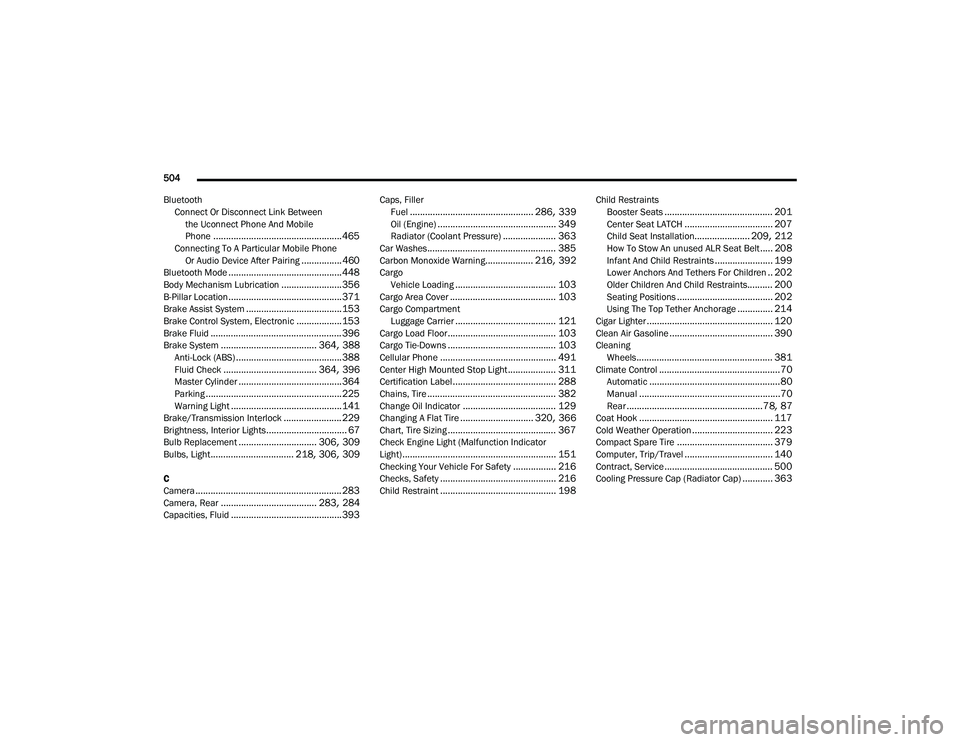
Bluetooth Connect Or Disconnect Link Betweenthe Uconnect Phone And Mobile
Phone
................................................... 465Connecting To A Particular Mobile PhoneOr Audio Device After Pairing................460Bluetooth Mode............................................. 448Body Mechanism Lubrication........................ 356B-Pillar Location............................................. 371Brake Assist System...................................... 153Brake Control System, Electronic.................. 153Brake Fluid.................................................... 396Brake System...................................... 364, 388Anti-Lock (ABS).......................................... 388Fluid Check..................................... 364, 396Master Cylinder......................................... 364Parking...................................................... 225Warning Light............................................ 141Brake/Transmission Interlock....................... 229Brightness, Interior Lights................................ 67Bulb Replacement............................... 306, 309Bulbs, Light................................. 218, 306, 309
C
Camera.......................................................... 283Camera, Rear...................................... 283, 284Capacities, Fluid............................................ 393
Caps, FillerFuel................................................. 286, 339Oil (Engine)............................................... 349Radiator (Coolant Pressure)..................... 363Car Washes................................................... 385Carbon Monoxide Warning................... 216, 392CargoVehicle Loading........................................ 103Cargo Area Cover.......................................... 103Cargo CompartmentLuggage Carrier........................................ 121Cargo Load Floor........................................... 103Cargo Tie-Downs........................................... 103Cellular Phone.............................................. 491Center High Mounted Stop Light................... 311Certification Label......................................... 288Chains, Tire................................................... 382Change Oil Indicator..................................... 129Changing A Flat Tire............................. 320, 366Chart, Tire Sizing........................................... 367Check Engine Light (Malfunction Indicator
Light)............................................................. 151Checking Your Vehicle For Safety................. 216Checks, Safety.............................................. 216Child Restraint.............................................. 198
Child RestraintsBooster Seats........................................... 201Center Seat LATCH................................... 207Child Seat Installation...................... 209, 212How To Stow An unused ALR Seat Belt..... 208Infant And Child Restraints....................... 199Lower Anchors And Tethers For Children.. 202Older Children And Child Restraints.......... 200Seating Positions...................................... 202Using The Top Tether Anchorage.............. 214Cigar Lighter.................................................. 120Clean Air Gasoline......................................... 390CleaningWheels...................................................... 381Climate Control................................................70Automatic....................................................80Manual........................................................70Rear......................................................78, 87Coat Hook..................................................... 117Cold Weather Operation................................ 223Compact Spare Tire...................................... 379Computer, Trip/Travel................................... 140Contract, Service........................................... 500Cooling Pressure Cap (Radiator Cap)............ 363
20_RU_OM_EN_US_t.book Page 504
Page 507 of 516
505
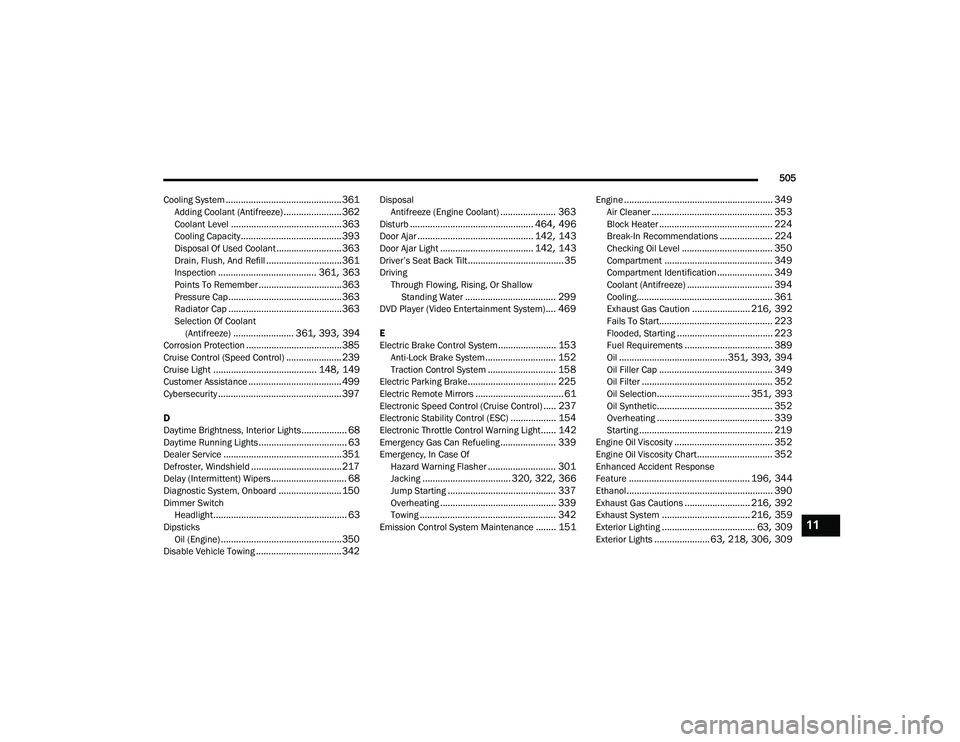
Cooling System
.............................................. 361Adding Coolant (Antifreeze)....................... 362Coolant Level............................................ 363Cooling Capacity........................................ 393Disposal Of Used Coolant.......................... 363Drain, Flush, And Refill.............................. 361Inspection....................................... 361, 363Points To Remember................................. 363Pressure Cap............................................. 363Radiator Cap............................................. 363Selection Of Coolant (Antifreeze)........................ 361, 393, 394Corrosion Protection...................................... 385Cruise Control (Speed Control)...................... 239Cruise Light......................................... 148, 149Customer Assistance..................................... 499Cybersecurity................................................. 397
D
Daytime Brightness, Interior Lights.................. 68Daytime Running Lights................................... 63Dealer Service............................................... 351Defroster, Windshield.................................... 217Delay (Intermittent) Wipers.............................. 68Diagnostic System, Onboard......................... 150Dimmer SwitchHeadlight..................................................... 63DipsticksOil (Engine)................................................ 350Disable Vehicle Towing.................................. 342
DisposalAntifreeze (Engine Coolant)...................... 363Disturb................................................. 464, 496Door Ajar.............................................. 142, 143Door Ajar Light..................................... 142, 143Driver’s Seat Back Tilt...................................... 35DrivingThrough Flowing, Rising, Or ShallowStanding Water
.................................... 299DVD Player (Video Entertainment System).... 469
E
Electric Brake Control System....................... 153Anti-Lock Brake System............................ 152Traction Control System........................... 158Electric Parking Brake................................... 225Electric Remote Mirrors................................... 61Electronic Speed Control (Cruise Control)..... 237Electronic Stability Control (ESC).................. 154Electronic Throttle Control Warning Light...... 142Emergency Gas Can Refueling...................... 339Emergency, In Case OfHazard Warning Flasher........................... 301Jacking................................... 320, 322, 366Jump Starting........................................... 337Overheating.............................................. 339Towing...................................................... 342Emission Control System Maintenance........ 151
Engine........................................................... 349Air Cleaner................................................ 353Block Heater............................................. 224Break-In Recommendations..................... 224Checking Oil Level.................................... 350Compartment........................................... 349Compartment Identification...................... 349Coolant (Antifreeze).................................. 394Cooling...................................................... 361Exhaust Gas Caution....................... 216, 392Fails To Start............................................. 223Flooded, Starting...................................... 223Fuel Requirements................................... 389Oil...........................................351, 393, 394Oil Filler Cap............................................. 349Oil Filter.................................................... 352Oil Selection..................................... 351, 393Oil Synthetic.............................................. 352Overheating.............................................. 339Starting..................................................... 219Engine Oil Viscosity....................................... 352Engine Oil Viscosity Chart.............................. 352Enhanced Accident Response
Feature................................................ 196, 344Ethanol.......................................................... 390Exhaust Gas Cautions.......................... 216, 392Exhaust System................................... 216, 359Exterior Lighting..................................... 63, 309Exterior Lights...................... 63, 218, 306, 309
11
20_RU_OM_EN_US_t.book Page 505