auto off CHRYSLER PACIFICA 2020 User Guide
[x] Cancel search | Manufacturer: CHRYSLER, Model Year: 2020, Model line: PACIFICA, Model: CHRYSLER PACIFICA 2020Pages: 516, PDF Size: 28.69 MB
Page 62 of 516
60GETTING TO KNOW YOUR VEHICLE
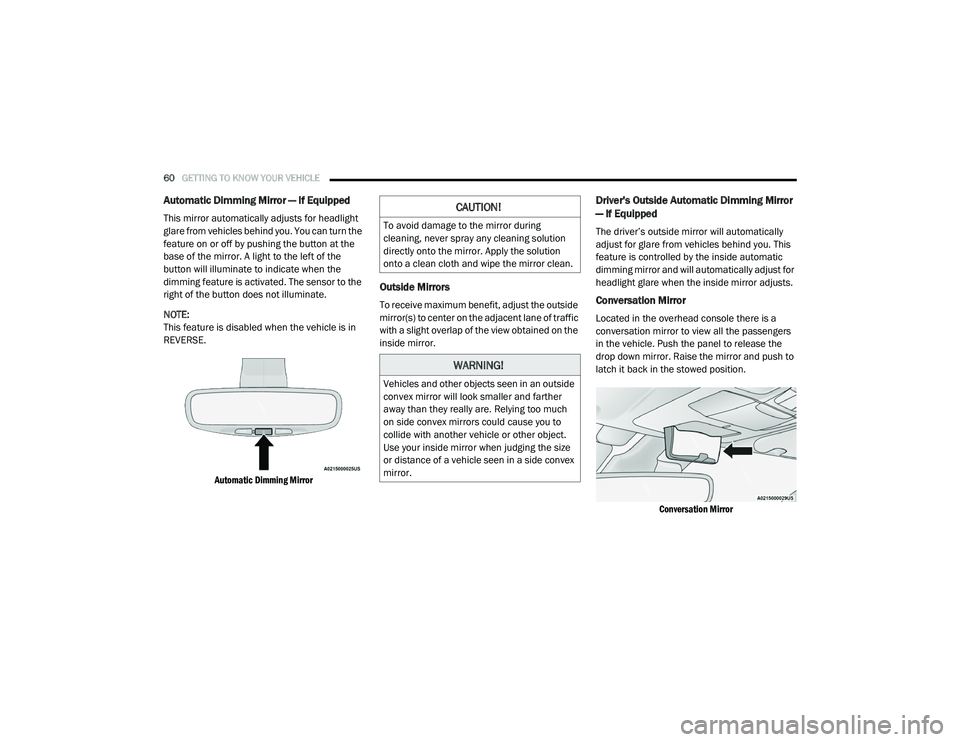
Automatic Dimming Mirror — If Equipped
This mirror automatically adjusts for headlight
glare from vehicles behind you. You can turn the
feature on or off by pushing the button at the
base of the mirror. A light to the left of the
button will illuminate to indicate when the
dimming feature is activated. The sensor to the
right of the button does not illuminate.
NOTE:
This feature is disabled when the vehicle is in
REVERSE.
Automatic Dimming Mirror
Outside Mirrors
To receive maximum benefit, adjust the outside
mirror(s) to center on the adjacent lane of traffic
with a slight overlap of the view obtained on the
inside mirror.
Driver's Outside Automatic Dimming Mirror
— If Equipped
The driver’s outside mirror will automatically
adjust for glare from vehicles behind you. This
feature is controlled by the inside automatic
dimming mirror and will automatically adjust for
headlight glare when the inside mirror adjusts.
Conversation Mirror
Located in the overhead console there is a
conversation mirror to view all the passengers
in the vehicle. Push the panel to release the
drop down mirror. Raise the mirror and push to
latch it back in the stowed position.
Conversation Mirror
CAUTION!
To avoid damage to the mirror during
cleaning, never spray any cleaning solution
directly onto the mirror. Apply the solution
onto a clean cloth and wipe the mirror clean.
WARNING!
Vehicles and other objects seen in an outside
convex mirror will look smaller and farther
away than they really are. Relying too much
on side convex mirrors could cause you to
collide with another vehicle or other object.
Use your inside mirror when judging the size
or distance of a vehicle seen in a side convex
mirror.
20_RU_OM_EN_US_t.book Page 60
Page 64 of 516
62GETTING TO KNOW YOUR VEHICLE
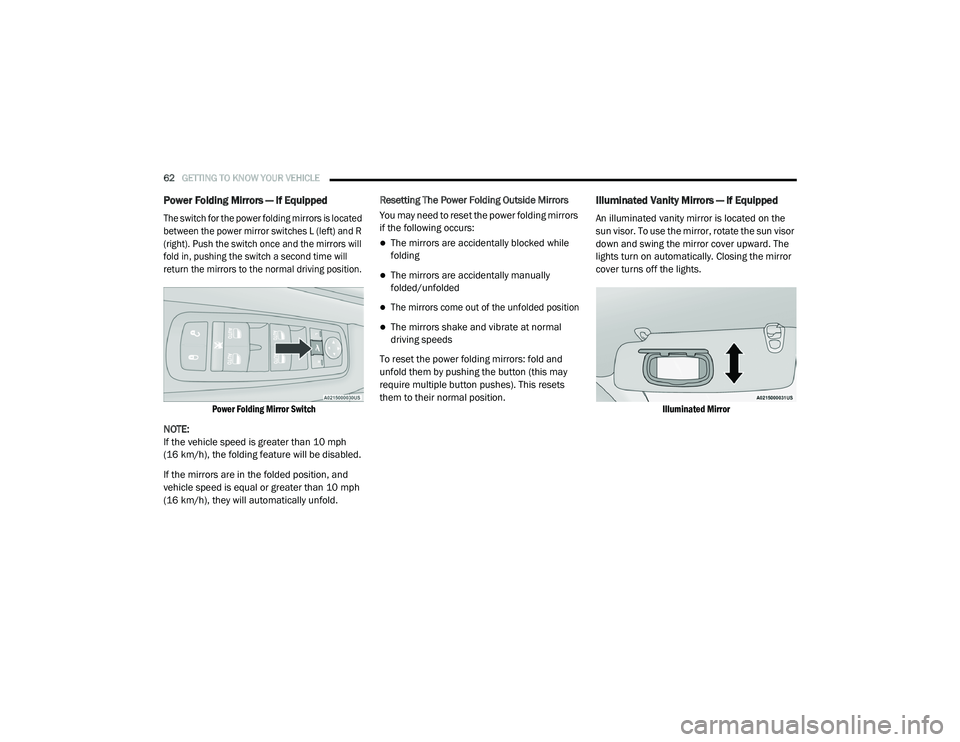
Power Folding Mirrors — If Equipped
The switch for the power folding mirrors is located
between the power mirror switches L (left) and R
(right). Push the switch once and the mirrors will
fold in, pushing the switch a second time will
return the mirrors to the normal driving position.
Power Folding Mirror Switch
NOTE:
If the vehicle speed is greater than 10 mph
(16 km/h), the folding feature will be disabled.
If the mirrors are in the folded position, and
vehicle speed is equal or greater than 10 mph
(16 km/h), they will automatically unfold. Resetting The Power Folding Outside Mirrors
You may need to reset the power folding mirrors
if the following occurs:
The mirrors are accidentally blocked while
folding
The mirrors are accidentally manually
folded/unfolded
The mirrors come out of the unfolded position
The mirrors shake and vibrate at normal
driving speeds
To reset the power folding mirrors: fold and
unfold them by pushing the button (this may
require multiple button pushes). This resets
them to their normal position.
Illuminated Vanity Mirrors — If Equipped
An illuminated vanity mirror is located on the
sun visor. To use the mirror, rotate the sun visor
down and swing the mirror cover upward. The
lights turn on automatically. Closing the mirror
cover turns off the lights.
Illuminated Mirror
20_RU_OM_EN_US_t.book Page 62
Page 66 of 516
64GETTING TO KNOW YOUR VEHICLE
High/Low Beam Switch
When the headlights are turned on, pushing the
multifunction lever toward the instrument panel
will switch from low beams to high beams.
Pulling back to the neutral position returns the
headlights to the low beam operation.
Automatic High Beam — If Equipped
The Automatic High Beam system provides
increased forward lighting at night by
automating high beam control through the use
of a digital camera mounted on the windshield.
This camera detects vehicle specific light and
automatically switches from high beams to low
beams until the approaching vehicle is out of
view.
NOTE:
Broken, muddy, or obstructed headlights and
taillights of vehicles in the field of view will
cause headlights to remain on longer (closer to
the vehicle). Also, dirt, film and other obstruc -
tions on the windshield or camera lens will
cause the system to function improperly.
To Activate
1. Select “Automatic High Beams — ON” through the Uconnect system. Refer to
"Uconnect Settings” in “Multimedia” for
further information.
2. Rotate the headlight switch clockwise to the AUTO position.
3. Push the multifunction lever away from you to switch the headlights to the high beam
position. Refer to “Multifunction Lever” in
this section for further information.
NOTE:
This system will not activate until the vehicle is
at, or above 16 mph (25 km/h).
To Deactivate
Perform either of the following steps to
deactivate the Automatic High Beam system.
1. Select “Automatic High Beams — OFF” through the Uconnect System. Refer to
“Uconnect Settings” in “Multimedia” for
further information.
2. Pull the multifunction lever toward you to switch the headlights from the high beam to
the low beam position. 3. Rotate the headlight switch counter
-
clockwise from the AUTO to the on position.
NOTE:
Once active, the Automatic High Beam system
will stop functioning below 12 mph (20 km/h).
Flash-To-Pass
You can signal another vehicle with your
headlights by lightly pulling the multifunction
lever toward you. This will cause the high beam
headlights to turn on, and remain on, until the
lever is released.
Automatic Headlights — If Equipped
This system automatically turns your headlights
on or off based on ambient light levels. To turn
the system on, turn the headlight switch to the
extreme clockwise position aligning the
indicator with the AUTO on the headlight switch.
When the system is on, the Headlight Time
Delay feature is also on. This means your
headlights will stay on for up to 90 seconds
after the ignition is placed in the OFF position.
To turn the Automatic System off, turn the
headlight switch counterclockwise to the O (off)
position.
20_RU_OM_EN_US_t.book Page 64
Page 67 of 516
GETTING TO KNOW YOUR VEHICLE65
NOTE:
The engine must be running before the head -
lights will come on in the Automatic mode.
Headlights On With Wipers — If Equipped
When your headlights are in the AUTO mode
and the engine is running, the headlights will
automatically turn on when the wiper system is
also turned on. Headlights on when windshield
wipers are on may be found on vehicles
equipped with an automatic headlight system.
NOTE:
The Headlights with Wipers feature can be
turned on or off through the Uconnect system.
Refer to “Uconnect Settings” in “Multimedia”
for further information.
Headlight Delay — If Equipped
This feature provides the safety of headlight
illumination for up to 90 seconds after exiting
your vehicle.
To activate the delay feature, place the ignition
in the OFF position while the headlights are still
on. The 90 second delay interval begins when
headlight switch is turned off. If the headlights or parking lights are turned back on or the
ignition is placed in the ON position, the delay
will be cancelled.
When exiting the vehicle the driver can choose
to have the headlights remain on for 30, 60, or
90 seconds or not remain on. To change the
timer setting, select the proper setting through
the Uconnect System.
Refer to “Uconnect Settings” in “Multimedia”
for further information.
If the headlights are turned off before the
ignition, they will turn off in the normal manner.
NOTE:
The headlights must be turned off within
45 seconds of placing the ignition in the OFF
position to activate this feature.Lights-On Reminder
If the headlights or the parking lights are left on
after the ignition switch is placed in the OFF
position, a chime will sound when the driver's
door is opened.
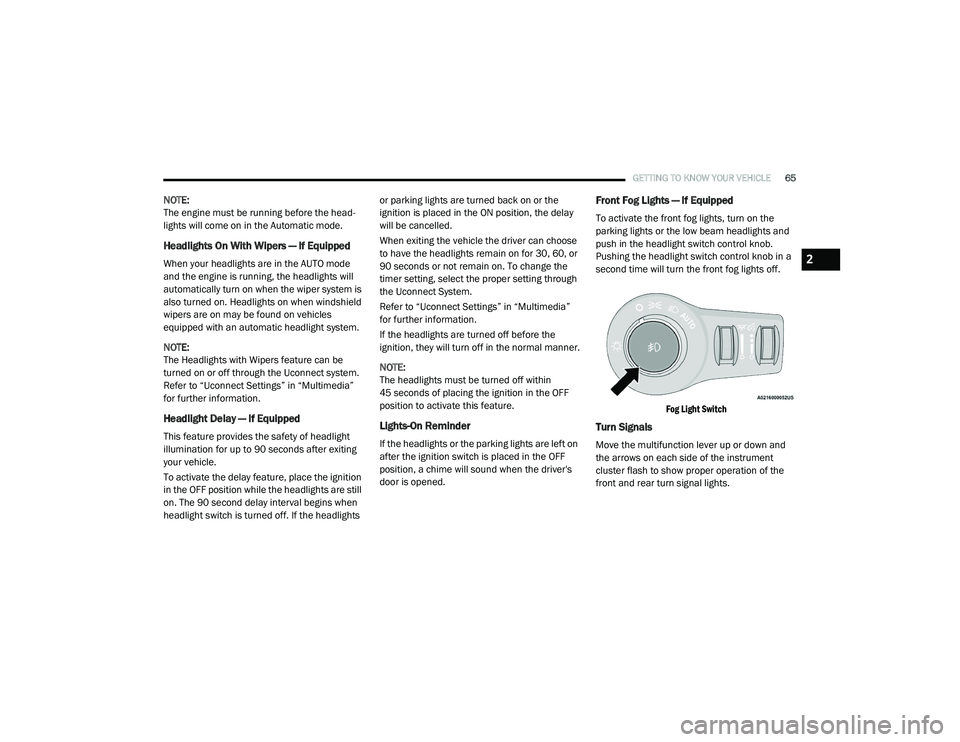
Front Fog Lights — If Equipped
To activate the front fog lights, turn on the
parking lights or the low beam headlights and
push in the headlight switch control knob.
Pushing the headlight switch control knob in a
second time will turn the front fog lights off.
Fog Light Switch
Turn Signals
Move the multifunction lever up or down and
the arrows on each side of the instrument
cluster flash to show proper operation of the
front and rear turn signal lights.
2
20_RU_OM_EN_US_t.book Page 65
Page 68 of 516
66GETTING TO KNOW YOUR VEHICLE
NOTE:
If either light remains on and does not flash, or
there is a very fast flash rate, check for a defec -
tive outside light bulb. If an indicator fails to
light when the lever is moved, it would suggest
that the indicator bulb is defective.
Turn Signal Warning
If the vehicle electronics sense that the vehicle
has traveled for about 1 mile (1.6 km) with the
turn signals on, a chime will sound and a
message will display in the cluster to alert the
driver.
Lane Change Assist — If Equipped
Tap the multifunction lever up or down once,
without moving beyond the detent, and the turn
signal (right or left) will flash three times then
automatically turn off.
Battery Protection
This feature provides battery protection to avoid
wearing down the battery if the headlights or
parking lights are left on for extended periods of
time when the ignition is in the OFF position.
After eight minutes of the ignition being in the OFF position and the headlight switch in any
position other than OFF or AUTO, the lights will
turn off automatically until the next cycle of the
ignition or headlight switch.
The battery protection feature will be disabled if
the ignition is placed in any position other than
OFF during the eight minute delay.
INTERIOR LIGHTS
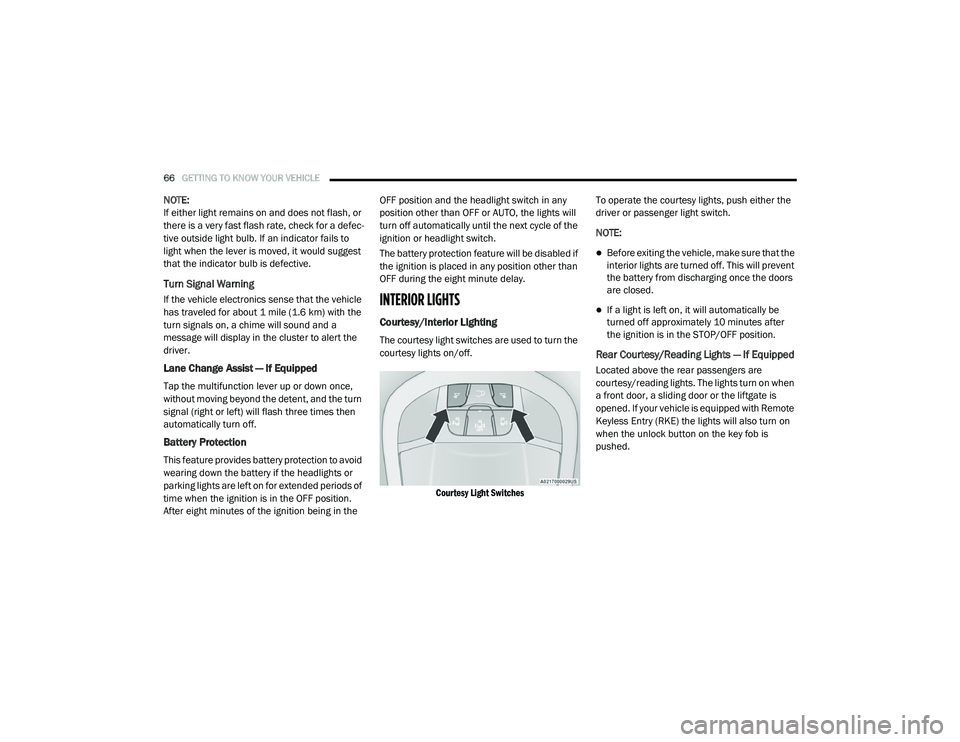
Courtesy/Interior Lighting
The courtesy light switches are used to turn the
courtesy lights on/off.
Courtesy Light Switches
To operate the courtesy lights, push either the
driver or passenger light switch.
NOTE:
Before exiting the vehicle, make sure that the
interior lights are turned off. This will prevent
the battery from discharging once the doors
are closed.
If a light is left on, it will automatically be
turned off approximately 10 minutes after
the ignition is in the STOP/OFF position.
Rear Courtesy/Reading Lights — If Equipped
Located above the rear passengers are
courtesy/reading lights. The lights turn on when
a front door, a sliding door or the liftgate is
opened. If your vehicle is equipped with Remote
Keyless Entry (RKE) the lights will also turn on
when the unlock button on the key fob is
pushed.
20_RU_OM_EN_US_t.book Page 66
Page 71 of 516
GETTING TO KNOW YOUR VEHICLE69
Windshield Washers
To use the washer, pull the lever rearward
toward you and hold while spray is desired. If
the lever is pulled while on the intermittent
setting, the wipers will turn on and operate for
several wipe cycles after the lever is released,
and then resume the intermittent interval
previously selected. If the lever is pulled while
the wipers are in the off position, the wipers will
operate several wipe cycles, then turn off.
Mist Feature
Use the Mist feature when weather conditions
make occasional usage of the wipers
necessary. Push the lever upward to the MIST
position and release for a single wiping cycle.
NOTE:
The mist feature does not activate the washer
pump; therefore, no washer fluid will be sprayed
on the windshield. The wash function must be
used in order to spray the windshield with
washer fluid.
Rain Sensing Wipers — If Equipped
This feature senses rain or snowfall on the
windshield and automatically activates the
wipers for the driver. This feature is especially
useful for road splash or overspray from the
windshield washers of the vehicle ahead.
Rotate the end of the windshield wiper lever to
one of the four intermittent wiper sensitivity
settings to activate this feature.
The sensitivity of the system is adjustable from
the windshield wiper lever. Wiper sensitivity
position 3 has been calibrated for best overall
wiping sensitivity. If the operator desires more
wiping sensitivity, they may select sensitivity
position 4. If the operator desires less wiping
sensitivity, they may select sensitivity positions
2 or 1. Place the windshield wiper lever in the
OFF position when not using the system.
NOTE:
The Rain Sensing feature will not operate when
the wiper switch is in the low or high position.
The Rain Sensing feature may not function
properly when ice or dried saltwater is
present on the windshield.
Use of Rain-X or products containing wax or
silicone may reduce rain sensor performance.
The Rain Sensing feature can be turned on
and off through the Uconnect System. Refer
to “Uconnect Settings” in “Multimedia” for
further information.
The Rain Sensing system has protective
features for the wiper blades and arms. It will
not operate under the following conditions:
Low Temperature Wipe Inhibit — The Rain
Sensing feature will not operate when the
ignition is first placed in the ON position,
when the vehicle is stationary and the
outside temperature is below 32°F (0°C),
unless the wiper control on the windshield
wiper lever is moved, the vehicle speed
becomes greater than 3 mph (5 km/h) or the
outside temperature rises above freezing.
2
20_RU_OM_EN_US_t.book Page 69
Page 73 of 516
GETTING TO KNOW YOUR VEHICLE71
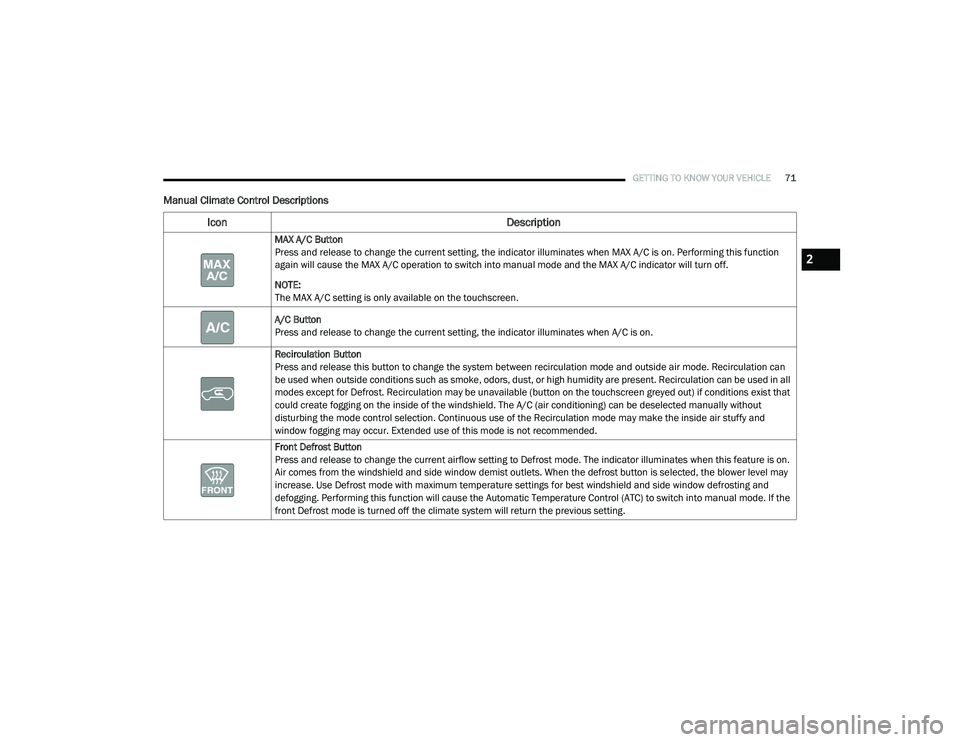
Manual Climate Control Descriptions
Icon Description
MAX A/C Button
Press and release to change the current setting, the indicator illuminates when MAX A/C is on. Performing this function
again will cause the MAX A/C operation to switch into manual mode and the MAX A/C indicator will turn off.
NOTE:
The MAX A/C setting is only available on the touchscreen.
A/C Button
Press and release to change the current setting, the indicator illuminates when A/C is on.
Recirculation Button
Press and release this button to change the system between recirculation mode and outside air mode. Recirculation can
be used when outside conditions such as smoke, odors, dust, or high humidity are present. Recirculation can be used in all
modes except for Defrost. Recirculation may be unavailable (button on the touchscreen greyed out) if conditions exist that
could create fogging on the inside of the windshield. The A/C (air conditioning) can be deselected manually without
disturbing the mode control selection. Continuous use of the Recirculation mode may make the inside air stuffy and
window fogging may occur. Extended use of this mode is not recommended.
Front Defrost Button
Press and release to change the current airflow setting to Defrost mode. The indicator illuminates when this feature is on.
Air comes from the windshield and side window demist outlets. When the defrost button is selected, the blower level may
increase. Use Defrost mode with maximum temperature settings for best windshield and side window defrosting and
defogging. Performing this function will cause the Automatic Temperature Control (ATC) to switch into manual mode. If the
front Defrost mode is turned off the climate system will return the previous setting.
2
20_RU_OM_EN_US_t.book Page 71
Page 74 of 516
72GETTING TO KNOW YOUR VEHICLE
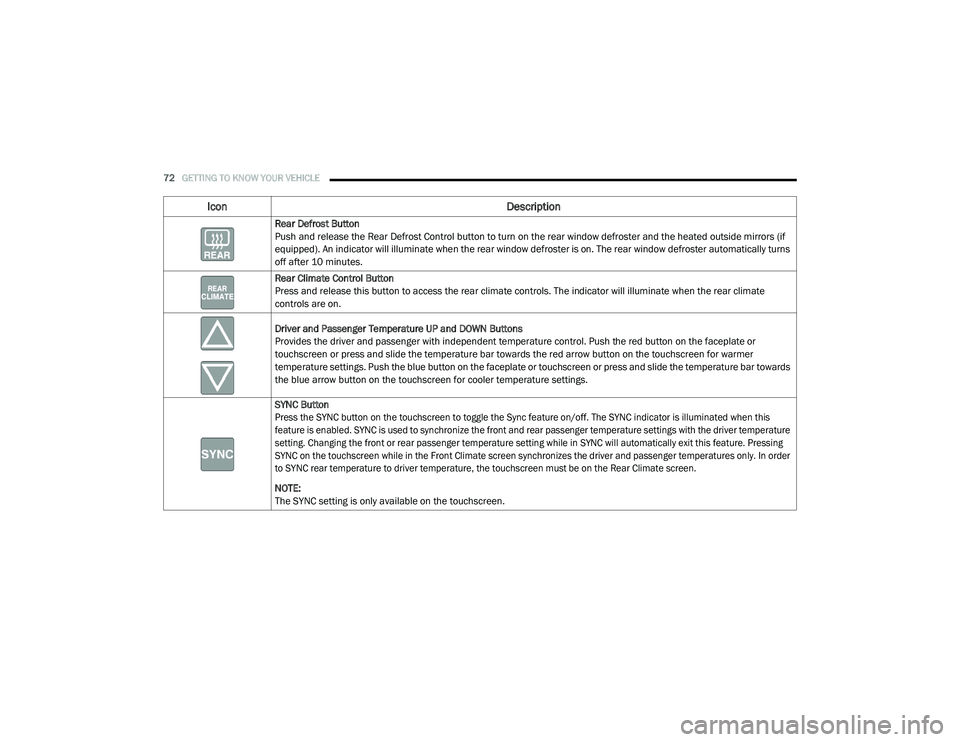
Rear Defrost Button
Push and release the Rear Defrost Control button to turn on the rear window defroster and the heated outside mirrors (if
equipped). An indicator will illuminate when the rear window defroster is on. The rear window defroster automatically turns
off after 10 minutes.
Rear Climate Control Button
Press and release this button to access the rear climate controls. The indicator will illuminate when the rear climate
controls are on.
Driver and Passenger Temperature UP and DOWN Buttons
Provides the driver and passenger with independent temperature control. Push the red button on the faceplate or
touchscreen or press and slide the temperature bar towards the red arrow button on the touchscreen for warmer
temperature settings. Push the blue button on the faceplate or touchscreen or press and slide the temperature bar towards
the blue arrow button on the touchscreen for cooler temperature settings.
SYNC Button
Press the SYNC button on the touchscreen to toggle the Sync feature on/off. The SYNC indicator is illuminated when this
feature is enabled. SYNC is used to synchronize the front and rear passenger temperature settings with the driver temperature
setting. Changing the front or rear passenger temperature setting while in SYNC will automatically exit this feature. Pressing
SYNC on the touchscreen while in the Front Climate screen synchronizes the driver and passenger temperatures only. In order
to SYNC rear temperature to driver temperature, the touchscreen must be on the Rear Climate screen.
NOTE:
The SYNC setting is only available on the touchscreen.
Icon Description
20_RU_OM_EN_US_t.book Page 72
Page 78 of 516
76GETTING TO KNOW YOUR VEHICLE
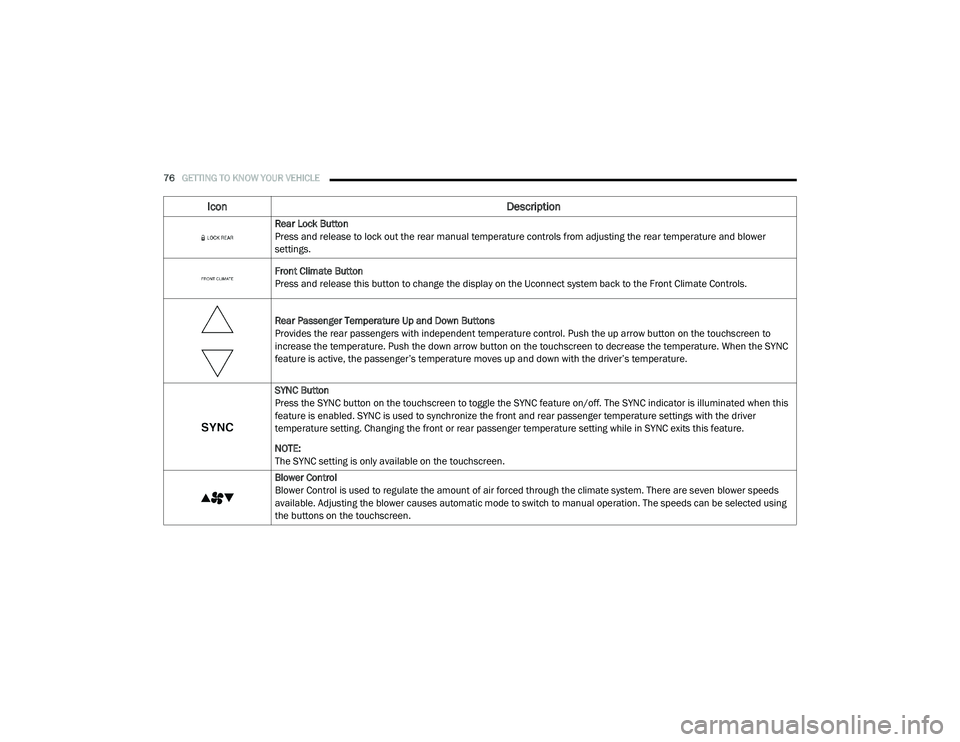
Icon Description
Rear Lock Button
Press and release to lock out the rear manual temperature controls from adjusting the rear temperature and blower
settings.
Front Climate Button
Press and release this button to change the display on the Uconnect system back to the Front Climate Controls.
Rear Passenger Temperature Up and Down Buttons
Provides the rear passengers with independent temperature control. Push the up arrow button on the touchscreen to
increase the temperature. Push the down arrow button on the touchscreen to decrease the temperature. When the SYNC
feature is active, the passenger’s temperature moves up and down with the driver’s temperature.
SYNC Button
Press the SYNC button on the touchscreen to toggle the SYNC feature on/off. The SYNC indicator is illuminated when this
feature is enabled. SYNC is used to synchronize the front and rear passenger temperature settings with the driver
temperature setting. Changing the front or rear passenger temperature setting while in SYNC exits this feature.
NOTE:
The SYNC setting is only available on the touchscreen.
Blower Control
Blower Control is used to regulate the amount of air forced through the climate system. There are seven blower speeds
available. Adjusting the blower causes automatic mode to switch to manual operation. The speeds can be selected using
the buttons on the touchscreen.
20_RU_OM_EN_US_t.book Page 76
Page 82 of 516
80GETTING TO KNOW YOUR VEHICLE
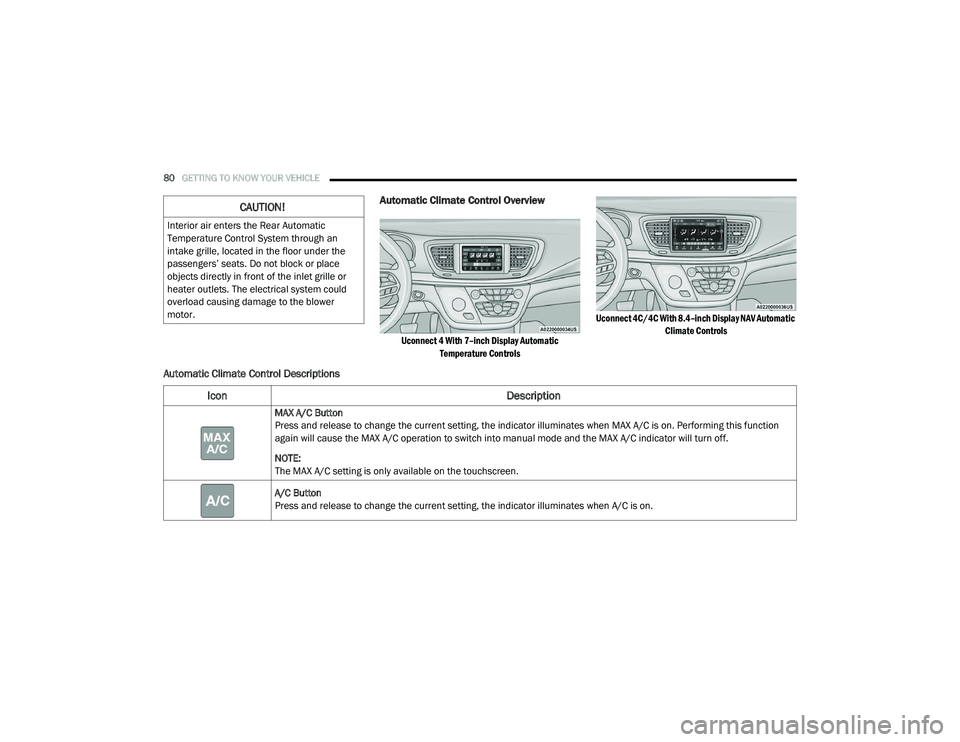
Automatic Climate Control Overview
Uconnect 4 With 7–inch Display Automatic
Temperature Controls Uconnect 4C/4C With 8.4–inch Display NAV Automatic
Climate Controls
Automatic Climate Control Descriptions
CAUTION!
Interior air enters the Rear Automatic
Temperature Control System through an
intake grille, located in the floor under the
passengers’ seats. Do not block or place
objects directly in front of the inlet grille or
heater outlets. The electrical system could
overload causing damage to the blower
motor.
Icon Description
MAX A/C Button
Press and release to change the current setting, the indicator illuminates when MAX A/C is on. Performing this function
again will cause the MAX A/C operation to switch into manual mode and the MAX A/C indicator will turn off.
NOTE:
The MAX A/C setting is only available on the touchscreen.
A/C Button
Press and release to change the current setting, the indicator illuminates when A/C is on.
20_RU_OM_EN_US_t.book Page 80