controls CHRYSLER PACIFICA 2020 User Guide
[x] Cancel search | Manufacturer: CHRYSLER, Model Year: 2020, Model line: PACIFICA, Model: CHRYSLER PACIFICA 2020Pages: 516, PDF Size: 28.69 MB
Page 56 of 516
54GETTING TO KNOW YOUR VEHICLE
NOTE:
Once a heat setting is selected, heat will be felt
within two to five minutes.
When the HI-level setting is selected, the heater
will provide a boosted heat level during the initial
stages of operation. Then, the heat output will
drop to the normal HI-level. The level of heat
selected will stay on until the operator changes it.
Ventilated Seats — If Equipped
Located in the first row seat cushions are small
fans that draw the air from the passenger
compartment and move air through fine
perforations in the seat cover to help keep the
driver and front passenger cooler in higher
ambient temperatures. The fans operate at two
speeds, HI and LO.
The front ventilated seats control buttons are
located within the climate or controls screen of
the touchscreen.
Press the ventilated seat button once to
choose HI.
Press the ventilated seat button a second
time to choose LO.
Press the ventilated seat button a third
time to turn the ventilated seat off.
NOTE:
The engine must be running for the ventilated
seats to operate.
Vehicles Equipped With Remote Start
On models that are equipped with remote start,
the ventilated seats can be programmed to
come on during a remote start.
This feature can be programmed through the
Uconnect system. Refer to “Uconnect Settings”
in “Multimedia” for further information.
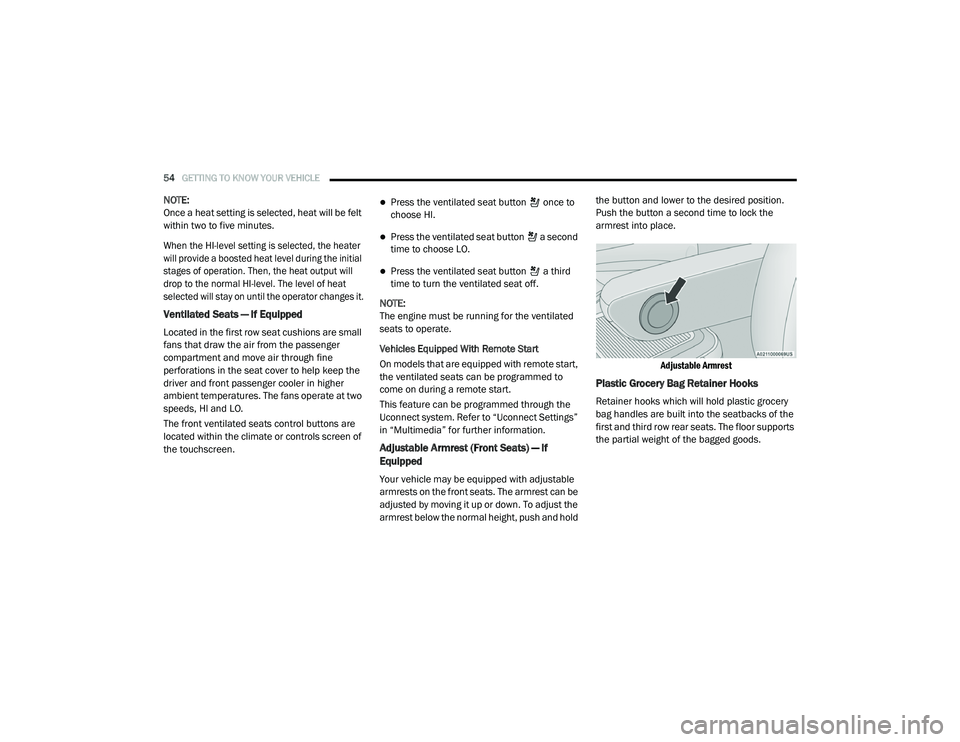
Adjustable Armrest (Front Seats) — If
Equipped
Your vehicle may be equipped with adjustable
armrests on the front seats. The armrest can be
adjusted by moving it up or down. To adjust the
armrest below the normal height, push and hold the button and lower to the desired position.
Push the button a second time to lock the
armrest into place.
Adjustable Armrest
Plastic Grocery Bag Retainer Hooks
Retainer hooks which will hold plastic grocery
bag handles are built into the seatbacks of the
first and third row rear seats. The floor supports
the partial weight of the bagged goods.
20_RU_OM_EN_US_t.book Page 54
Page 60 of 516
58GETTING TO KNOW YOUR VEHICLE
Power Folding Third Row Head Restraints — If
Equipped
For improved visibility, the third row outboard
head restraints can be folded using the
Uconnect System.
Press the “Controls” button located on the
bottom of the Uconnect display.
Press the Head Restraint Fold button to
power fold the third row head restraints.
NOTE:
The head restraints can be folded downward
using the Head Restraint button or using the
manual release strap. The head restraints
must be raised manually when occupying the
third row.
Do not fold if there are passengers seated in
the third row seats.
STEERING WHEEL
Tilt/Telescoping Steering Column
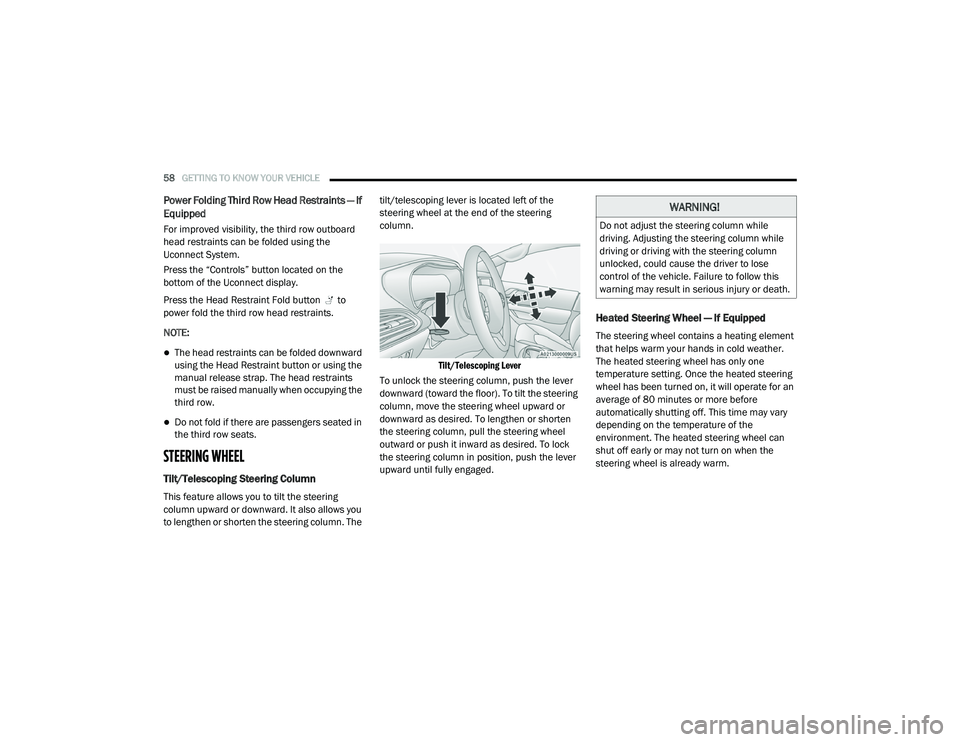
This feature allows you to tilt the steering
column upward or downward. It also allows you
to lengthen or shorten the steering column. The tilt/telescoping lever is located left of the
steering wheel at the end of the steering
column.
Tilt/Telescoping Lever
To unlock the steering column, push the lever
downward (toward the floor). To tilt the steering
column, move the steering wheel upward or
downward as desired. To lengthen or shorten
the steering column, pull the steering wheel
outward or push it inward as desired. To lock
the steering column in position, push the lever
upward until fully engaged.
Heated Steering Wheel — If Equipped
The steering wheel contains a heating element
that helps warm your hands in cold weather.
The heated steering wheel has only one
temperature setting. Once the heated steering
wheel has been turned on, it will operate for an
average of 80 minutes or more before
automatically shutting off. This time may vary
depending on the temperature of the
environment. The heated steering wheel can
shut off early or may not turn on when the
steering wheel is already warm.
WARNING!
Do not adjust the steering column while
driving. Adjusting the steering column while
driving or driving with the steering column
unlocked, could cause the driver to lose
control of the vehicle. Failure to follow this
warning may result in serious injury or death.
20_RU_OM_EN_US_t.book Page 58
Page 61 of 516
GETTING TO KNOW YOUR VEHICLE59
The heated steering wheel control button is
located within the Uconnect system. You can
gain access to the control button through the
climate screen or the controls screen.
Press the heated steering wheel button
once to turn the heating element on.
Press the heated steering wheel button a
second time to turn the heating element off.
NOTE:
The engine must be running for the heated
steering wheel to operate.
Vehicles Equipped With Remote Start
On models that are equipped with remote start,
the heated steering wheel can be programmed
to come on during a remote start through the
Uconnect system. Refer to “Uconnect Settings”
in “Multimedia” for further information.
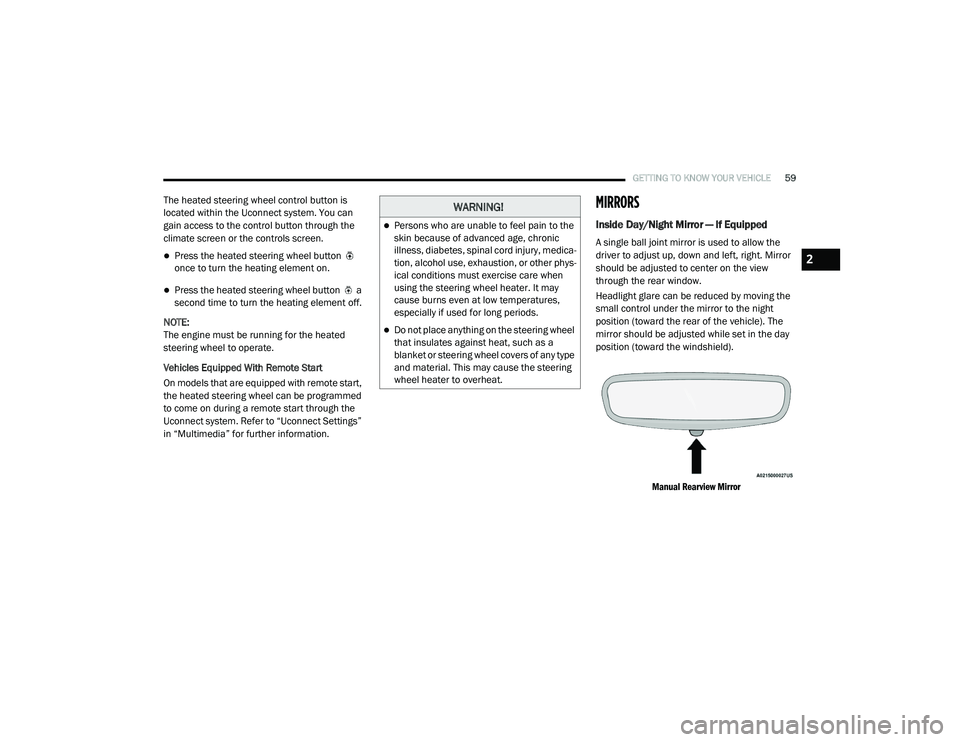
MIRRORS
Inside Day/Night Mirror — If Equipped
A single ball joint mirror is used to allow the
driver to adjust up, down and left, right. Mirror
should be adjusted to center on the view
through the rear window.
Headlight glare can be reduced by moving the
small control under the mirror to the night
position (toward the rear of the vehicle). The
mirror should be adjusted while set in the day
position (toward the windshield).
Manual Rearview Mirror
WARNING!
Persons who are unable to feel pain to the
skin because of advanced age, chronic
illness, diabetes, spinal cord injury, medica -
tion, alcohol use, exhaustion, or other phys -
ical conditions must exercise care when
using the steering wheel heater. It may
cause burns even at low temperatures,
especially if used for long periods.
Do not place anything on the steering wheel
that insulates against heat, such as a
blanket or steering wheel covers of any type
and material. This may cause the steering
wheel heater to overheat.
2
20_RU_OM_EN_US_t.book Page 59
Page 63 of 516
GETTING TO KNOW YOUR VEHICLE61
Power Mirrors — If Equipped
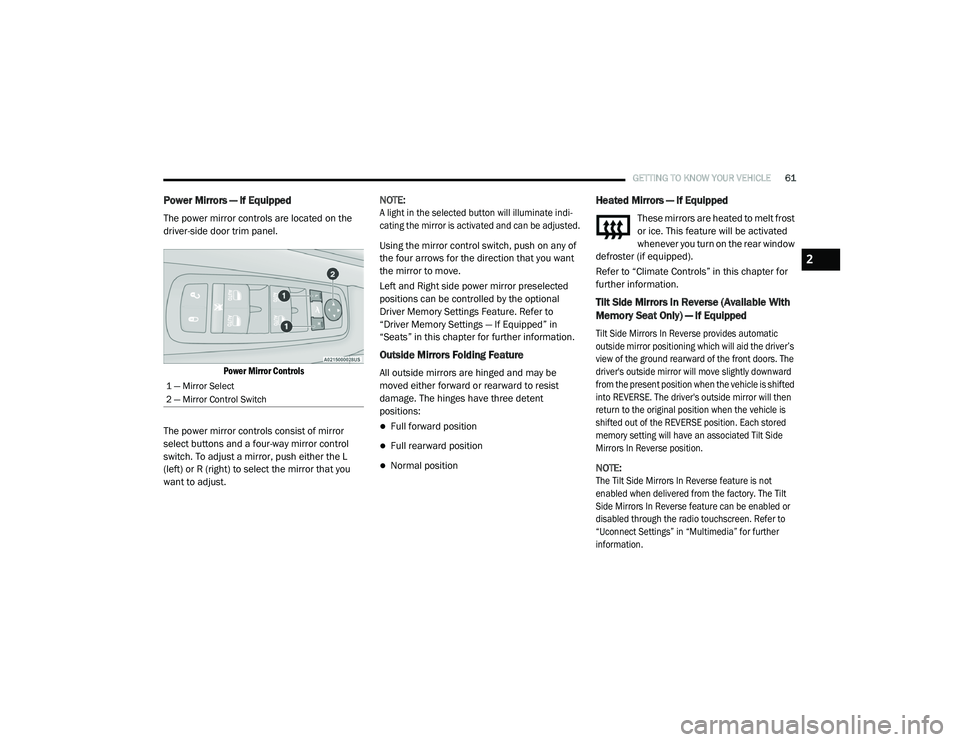
The power mirror controls are located on the
driver-side door trim panel.
Power Mirror Controls
The power mirror controls consist of mirror
select buttons and a four-way mirror control
switch. To adjust a mirror, push either the L
(left) or R (right) to select the mirror that you
want to adjust. NOTE:
A light in the selected button will illuminate indi
-
cating the mirror is activated and can be adjusted.
Using the mirror control switch, push on any of
the four arrows for the direction that you want
the mirror to move.
Left and Right side power mirror preselected
positions can be controlled by the optional
Driver Memory Settings Feature. Refer to
“Driver Memory Settings — If Equipped” in
“Seats” in this chapter for further information.
Outside Mirrors Folding Feature
All outside mirrors are hinged and may be
moved either forward or rearward to resist
damage. The hinges have three detent
positions:
Full forward position
Full rearward position
Normal position
Heated Mirrors — If Equipped
These mirrors are heated to melt frost
or ice. This feature will be activated
whenever you turn on the rear window
defroster (if equipped).
Refer to “Climate Controls” in this chapter for
further information.
Tilt Side Mirrors In Reverse (Available With
Memory Seat Only) — If Equipped
Tilt Side Mirrors In Reverse provides automatic
outside mirror positioning which will aid the driver’s
view of the ground rearward of the front doors. The
driver's outside mirror will move slightly downward
from the present position when the vehicle is shifted
into REVERSE. The driver's outside mirror will then
return to the original position when the vehicle is
shifted out of the REVERSE position. Each stored
memory setting will have an associated Tilt Side
Mirrors In Reverse position.
NOTE:
The Tilt Side Mirrors In Reverse feature is not
enabled when delivered from the factory. The Tilt
Side Mirrors In Reverse feature can be enabled or
disabled through the radio touchscreen. Refer to
“Uconnect Settings” in “Multimedia” for further
information.
1 — Mirror Select
2 — Mirror Control Switch
2
20_RU_OM_EN_US_t.book Page 61
Page 65 of 516
GETTING TO KNOW YOUR VEHICLE63
EXTERIOR LIGHTS
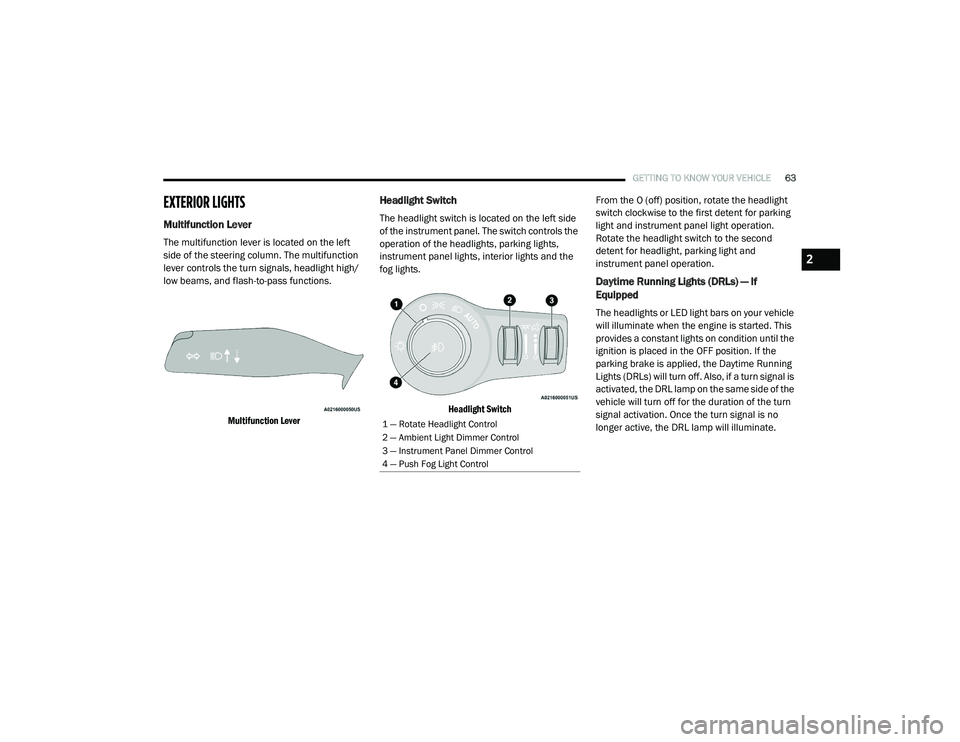
Multifunction Lever
The multifunction lever is located on the left
side of the steering column. The multifunction
lever controls the turn signals, headlight high/
low beams, and flash-to-pass functions.
Multifunction Lever
Headlight Switch
The headlight switch is located on the left side
of the instrument panel. The switch controls the
operation of the headlights, parking lights,
instrument panel lights, interior lights and the
fog lights.
Headlight Switch
From the O (off) position, rotate the headlight
switch clockwise to the first detent for parking
light and instrument panel light operation.
Rotate the headlight switch to the second
detent for headlight, parking light and
instrument panel operation.
Daytime Running Lights (DRLs) — If
Equipped
The headlights or LED light bars on your vehicle
will illuminate when the engine is started. This
provides a constant lights on condition until the
ignition is placed in the OFF position. If the
parking brake is applied, the Daytime Running
Lights (DRLs) will turn off. Also, if a turn signal is
activated, the DRL lamp on the same side of the
vehicle will turn off for the duration of the turn
signal activation. Once the turn signal is no
longer active, the DRL lamp will illuminate.
1 — Rotate Headlight Control
2 — Ambient Light Dimmer Control
3 — Instrument Panel Dimmer Control
4 — Push Fog Light Control
2
20_RU_OM_EN_US_t.book Page 63
Page 70 of 516
68GETTING TO KNOW YOUR VEHICLE
Parade Mode (Daytime Brightness Feature)
Rotate the instrument panel dimmer control
upward to the first detent. This feature
brightens all text displays such as the
odometer, instrument cluster display, and radio
when the position lights or headlights are on.
WINDSHIELD WIPER AND WASHERS
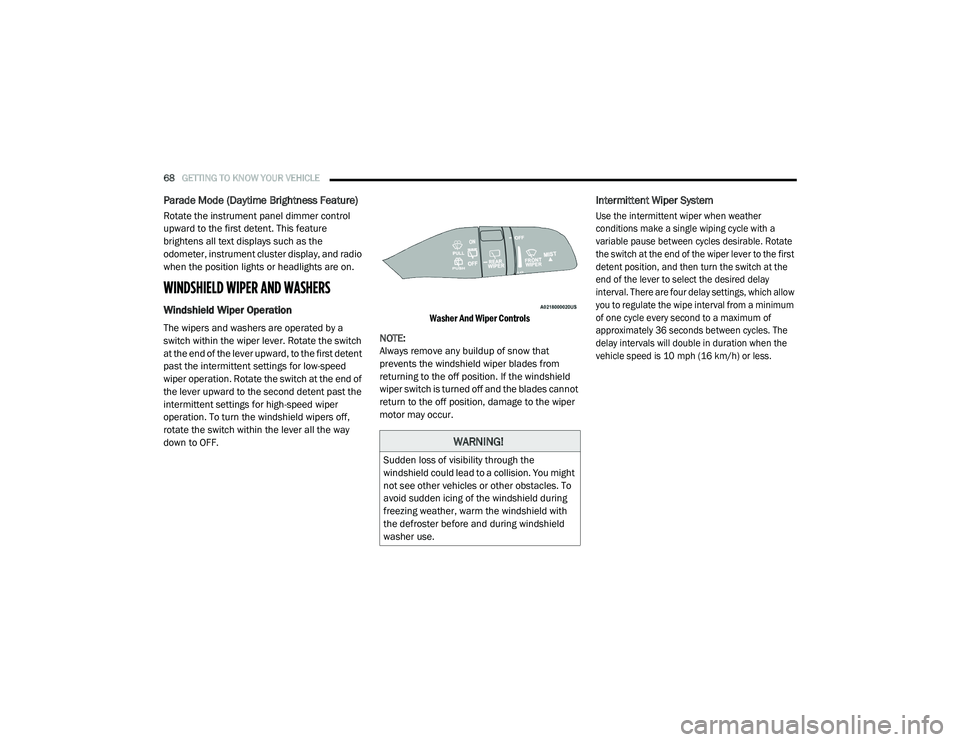
Windshield Wiper Operation
The wipers and washers are operated by a
switch within the wiper lever. Rotate the switch
at the end of the lever upward, to the first detent
past the intermittent settings for low-speed
wiper operation. Rotate the switch at the end of
the lever upward to the second detent past the
intermittent settings for high-speed wiper
operation. To turn the windshield wipers off,
rotate the switch within the lever all the way
down to OFF.
Washer And Wiper Controls
NOTE:
Always remove any buildup of snow that
prevents the windshield wiper blades from
returning to the off position. If the windshield
wiper switch is turned off and the blades cannot
return to the off position, damage to the wiper
motor may occur.
Intermittent Wiper System
Use the intermittent wiper when weather
conditions make a single wiping cycle with a
variable pause between cycles desirable. Rotate
the switch at the end of the wiper lever to the first
detent position, and then turn the switch at the
end of the lever to select the desired delay
interval. There are four delay settings, which allow
you to regulate the wipe interval from a minimum
of one cycle every second to a maximum of
approximately 36 seconds between cycles. The
delay intervals will double in duration when the
vehicle speed is 10 mph (16 km/h) or less.
WARNING!
Sudden loss of visibility through the
windshield could lead to a collision. You might
not see other vehicles or other obstacles. To
avoid sudden icing of the windshield during
freezing weather, warm the windshield with
the defroster before and during windshield
washer use.
20_RU_OM_EN_US_t.book Page 68
Page 72 of 516
70GETTING TO KNOW YOUR VEHICLE
Neutral Wipe Inhibit — The Rain Sensing
feature will not operate when the ignition is
ON, when the transmission gear selector is in
the NEUTRAL position and the vehicle speed
is less than 3 mph (5 km/h), unless the wiper
control on the windshield wiper lever is
moved, the vehicle speed is greater than
3 mph (5 km/h) or the gear selector is moved
out of the NEUTRAL position.
Remote Start Mode Inhibit — On vehicles
equipped with Remote Starting system, Rain
Sensing wipers are not operational when the
vehicle is in the remote start mode. Once the
operator is in the vehicle and has placed the
ignition switch in the ON/RUN position, rain
sensing wiper operation can resume, if it has
been selected, and no other inhibit condi -
tions (mentioned previously) exist.
Rear Wiper And Washer
Rear Window Wiper Operation
Rotate the windshield wiper lever center ring
upwards to operate one of two modes for the
rear window wiper:
First detent — intermittent mode.
Second detent — continuous mode.
Rear Window Washer Operation
Pushing the windshield wiper lever forward
activates the rear window washer. If the lever is
pushed while on the intermittent setting, the
wipers will turn on and operate for several wipe
cycles after the lever is released, and then
resume the intermittent interval previously
selected. If the lever is pushed while the wipers
are in the off position, the wipers will operate
several wipe cycles, then turn off.
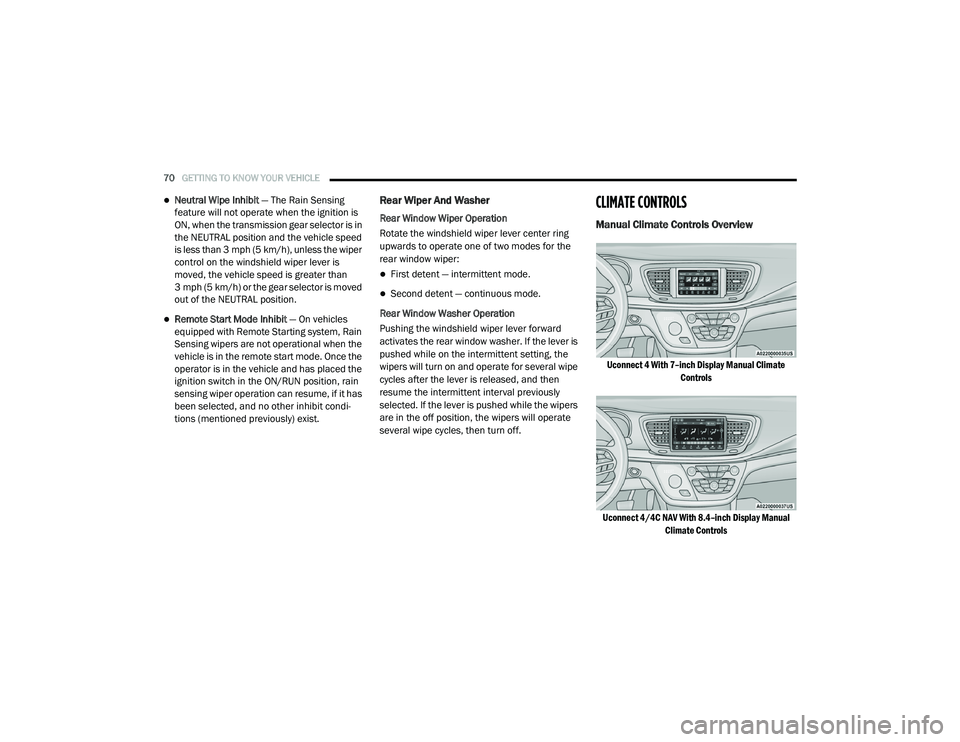
CLIMATE CONTROLS
Manual Climate Controls Overview
Uconnect 4 With 7–inch Display Manual Climate Controls
Uconnect 4/4C NAV With 8.4–inch Display Manual Climate Controls
20_RU_OM_EN_US_t.book Page 70
Page 74 of 516
72GETTING TO KNOW YOUR VEHICLE
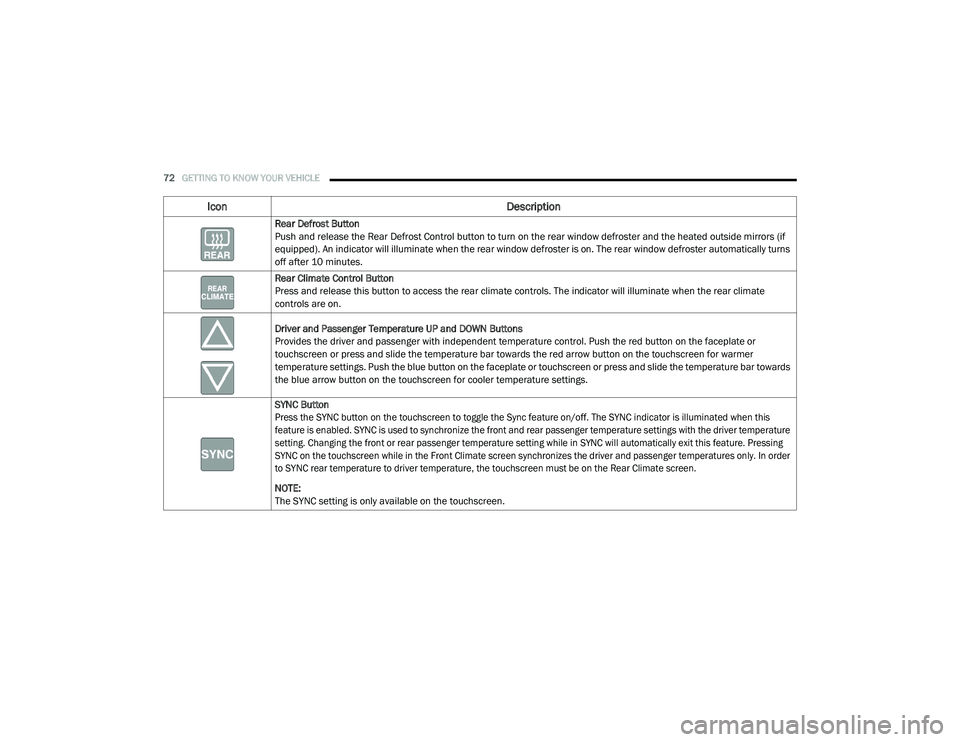
Rear Defrost Button
Push and release the Rear Defrost Control button to turn on the rear window defroster and the heated outside mirrors (if
equipped). An indicator will illuminate when the rear window defroster is on. The rear window defroster automatically turns
off after 10 minutes.
Rear Climate Control Button
Press and release this button to access the rear climate controls. The indicator will illuminate when the rear climate
controls are on.
Driver and Passenger Temperature UP and DOWN Buttons
Provides the driver and passenger with independent temperature control. Push the red button on the faceplate or
touchscreen or press and slide the temperature bar towards the red arrow button on the touchscreen for warmer
temperature settings. Push the blue button on the faceplate or touchscreen or press and slide the temperature bar towards
the blue arrow button on the touchscreen for cooler temperature settings.
SYNC Button
Press the SYNC button on the touchscreen to toggle the Sync feature on/off. The SYNC indicator is illuminated when this
feature is enabled. SYNC is used to synchronize the front and rear passenger temperature settings with the driver temperature
setting. Changing the front or rear passenger temperature setting while in SYNC will automatically exit this feature. Pressing
SYNC on the touchscreen while in the Front Climate screen synchronizes the driver and passenger temperatures only. In order
to SYNC rear temperature to driver temperature, the touchscreen must be on the Rear Climate screen.
NOTE:
The SYNC setting is only available on the touchscreen.
Icon Description
20_RU_OM_EN_US_t.book Page 72
Page 77 of 516
GETTING TO KNOW YOUR VEHICLE75
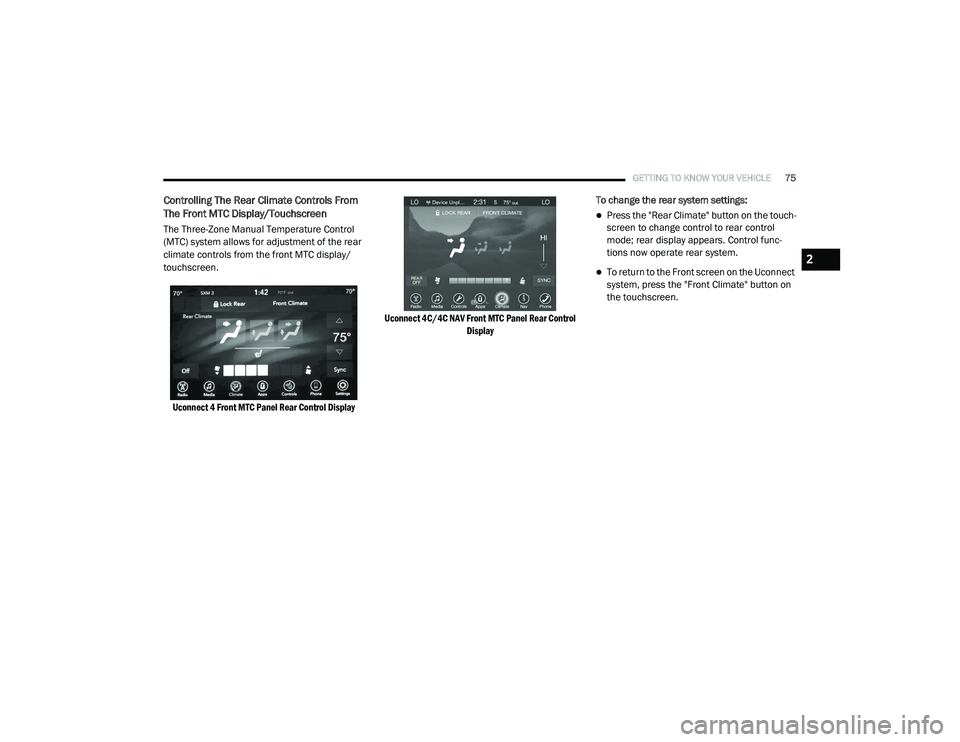
Controlling The Rear Climate Controls From
The Front MTC Display/Touchscreen
The Three-Zone Manual Temperature Control
(MTC) system allows for adjustment of the rear
climate controls from the front MTC display/
touchscreen.
Uconnect 4 Front MTC Panel Rear Control Display Uconnect 4C/4C NAV Front MTC Panel Rear Control
Display
To change the rear system settings:
Press the "Rear Climate" button on the touch
-
screen to change control to rear control
mode; rear display appears. Control func -
tions now operate rear system.
To return to the Front screen on the Uconnect
system, press the "Front Climate" button on
the touchscreen.2
20_RU_OM_EN_US_t.book Page 75
Page 78 of 516
76GETTING TO KNOW YOUR VEHICLE
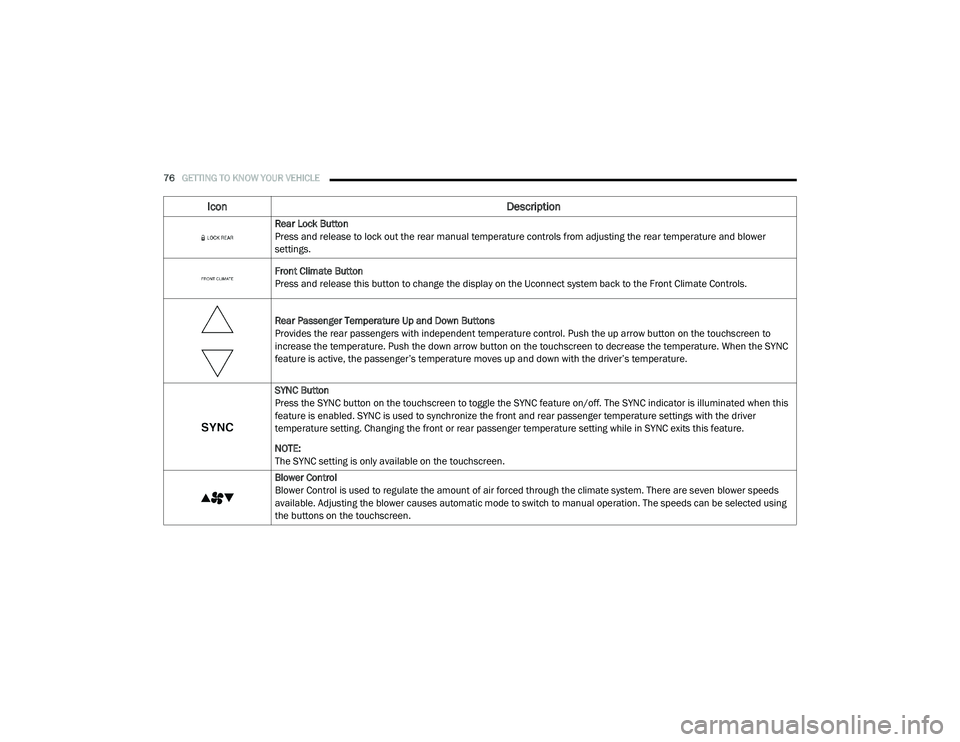
Icon Description
Rear Lock Button
Press and release to lock out the rear manual temperature controls from adjusting the rear temperature and blower
settings.
Front Climate Button
Press and release this button to change the display on the Uconnect system back to the Front Climate Controls.
Rear Passenger Temperature Up and Down Buttons
Provides the rear passengers with independent temperature control. Push the up arrow button on the touchscreen to
increase the temperature. Push the down arrow button on the touchscreen to decrease the temperature. When the SYNC
feature is active, the passenger’s temperature moves up and down with the driver’s temperature.
SYNC Button
Press the SYNC button on the touchscreen to toggle the SYNC feature on/off. The SYNC indicator is illuminated when this
feature is enabled. SYNC is used to synchronize the front and rear passenger temperature settings with the driver
temperature setting. Changing the front or rear passenger temperature setting while in SYNC exits this feature.
NOTE:
The SYNC setting is only available on the touchscreen.
Blower Control
Blower Control is used to regulate the amount of air forced through the climate system. There are seven blower speeds
available. Adjusting the blower causes automatic mode to switch to manual operation. The speeds can be selected using
the buttons on the touchscreen.
20_RU_OM_EN_US_t.book Page 76