instrument panel CHRYSLER PACIFICA 2020 User Guide
[x] Cancel search | Manufacturer: CHRYSLER, Model Year: 2020, Model line: PACIFICA, Model: CHRYSLER PACIFICA 2020Pages: 516, PDF Size: 28.69 MB
Page 76 of 516
74GETTING TO KNOW YOUR VEHICLE
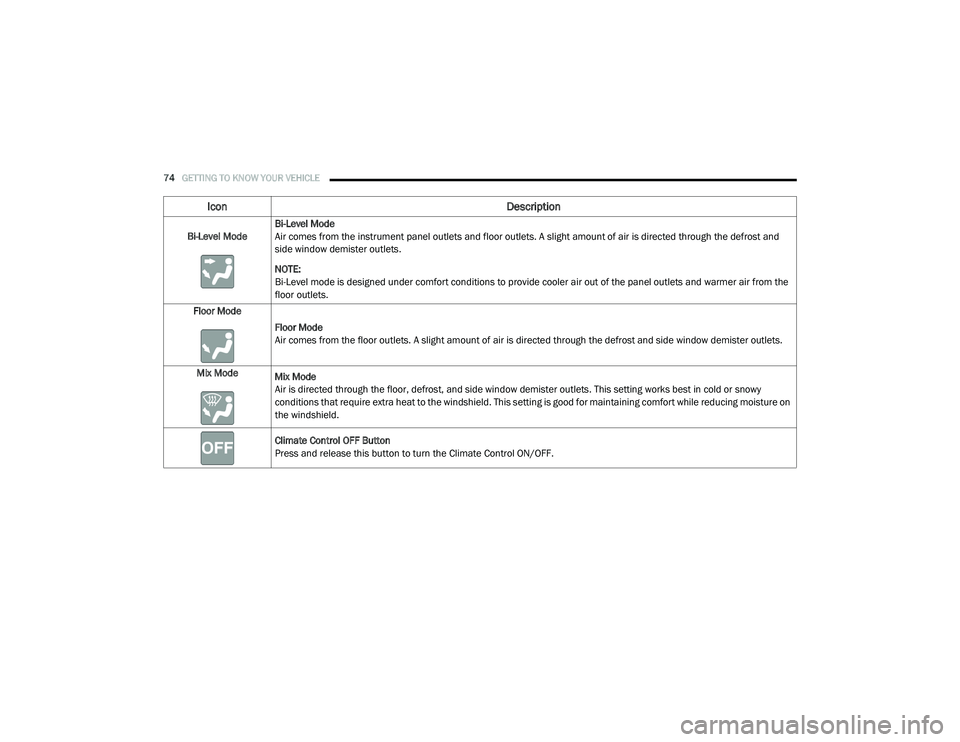
Bi-Level ModeBi-Level Mode
Air comes from the instrument panel outlets and floor outlets. A slight amount of air is directed through the defrost and
side window demister outlets.
NOTE:
Bi-Level mode is designed under comfort conditions to provide cooler air out of the panel outlets and warmer air from the
floor outlets.
Floor Mode
Floor Mode
Air comes from the floor outlets. A slight amount of air is directed through the defrost and side window demister outlets.
Mix Mode Mix Mode
Air is directed through the floor, defrost, and side window demister outlets. This setting works best in cold or snowy
conditions that require extra heat to the windshield. This setting is good for maintaining comfort while reducing moisture on
the windshield.
Climate Control OFF Button
Press and release this button to turn the Climate Control ON/OFF.
Icon Description
20_RU_OM_EN_US_t.book Page 74
Page 79 of 516
GETTING TO KNOW YOUR VEHICLE77
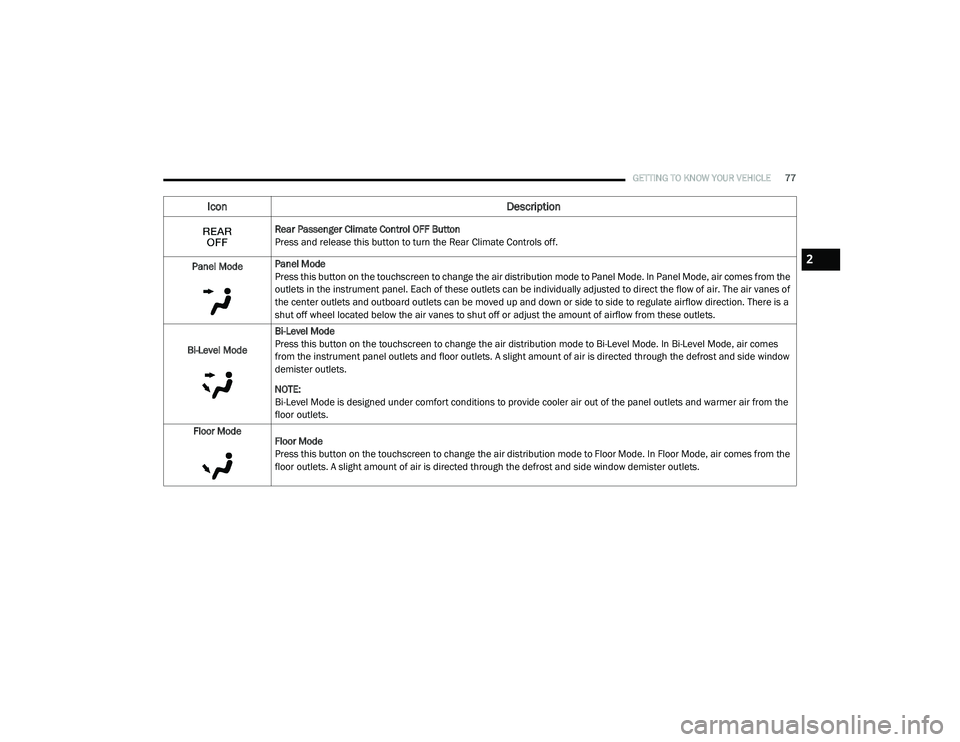
Rear Passenger Climate Control OFF Button
Press and release this button to turn the Rear Climate Controls off.
Panel Mode Panel Mode
Press this button on the touchscreen to change the air distribution mode to Panel Mode. In Panel Mode, air comes from the
outlets in the instrument panel. Each of these outlets can be individually adjusted to direct the flow of air. The air vanes of
the center outlets and outboard outlets can be moved up and down or side to side to regulate airflow direction. There is a
shut off wheel located below the air vanes to shut off or adjust the amount of airflow from these outlets.
Bi-Level Mode Bi-Level Mode
Press this button on the touchscreen to change the air distribution mode to Bi-Level Mode. In Bi-Level Mode, air comes
from the instrument panel outlets and floor outlets. A slight amount of air is directed through the defrost and side window
demister outlets.
NOTE:
Bi-Level Mode is designed under comfort conditions to provide cooler air out of the panel outlets and warmer air from the
floor outlets.
Floor Mode Floor Mode
Press this button on the touchscreen to change the air distribution mode to Floor Mode. In Floor Mode, air comes from the
floor outlets. A slight amount of air is directed through the defrost and side window demister outlets.
Icon Description
2
20_RU_OM_EN_US_t.book Page 77
Page 85 of 516
GETTING TO KNOW YOUR VEHICLE83
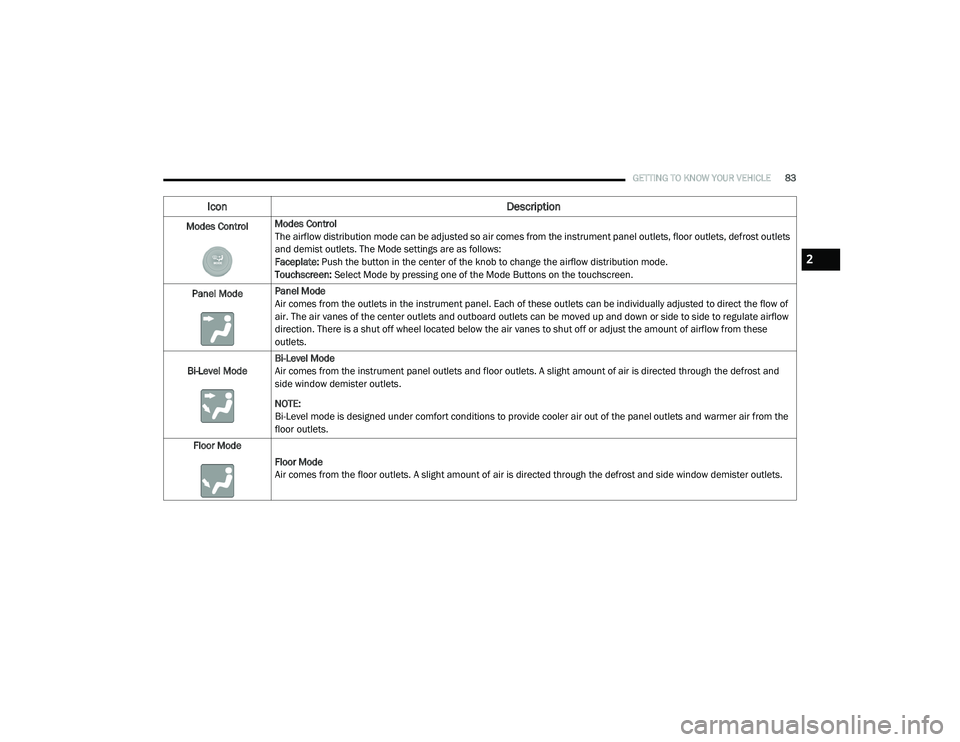
Modes ControlModes Control
The airflow distribution mode can be adjusted so air comes from the instrument panel outlets, floor outlets, defrost outlets
and demist outlets. The Mode settings are as follows:
Faceplate: Push the button in the center of the knob to change the airflow distribution mode.
Touchscreen:
Select Mode by pressing one of the Mode Buttons on the touchscreen.
Panel Mode Panel Mode
Air comes from the outlets in the instrument panel. Each of these outlets can be individually adjusted to direct the flow of
air. The air vanes of the center outlets and outboard outlets can be moved up and down or side to side to regulate airflow
direction. There is a shut off wheel located below the air vanes to shut off or adjust the amount of airflow from these
outlets.
Bi-Level Mode Bi-Level Mode
Air comes from the instrument panel outlets and floor outlets. A slight amount of air is directed through the defrost and
side window demister outlets.
NOTE:
Bi-Level mode is designed under comfort conditions to provide cooler air out of the panel outlets and warmer air from the
floor outlets.
Floor Mode
Floor Mode
Air comes from the floor outlets. A slight amount of air is directed through the defrost and side window demister outlets.
Icon Description
2
20_RU_OM_EN_US_t.book Page 83
Page 99 of 516
GETTING TO KNOW YOUR VEHICLE97
NOTE:
If the sunroof is open, the shade will close to the
half-open position. Pushing the shade close
button again will automatically close both the
sunroof and shade completely.
Closing Power Shade — Manual Mode
To close the shade, push and hold the
sunshade close switch. Any release of the
switch will stop the movement and the shade
will remain in a partially closed condition until
the switch is pushed again.
Pinch Protect Feature
This feature will detect an obstruction in the
closing of the sunroof during the Express Close
operation. If an obstruction in the path of the
sunroof is detected, the sunroof will
automatically retract. Remove the obstruction if
this occurs. NOTE:
If three consecutive sunroof close attempts
result in Pinch Protect reversals, Pinch Protect
will disable and the sunroof must be closed in
Manual Mode.
Sunroof Maintenance
Use only a non-abrasive cleaner and a soft cloth
to clean the glass panel. Periodically check for
and clear out any debris that may have
collected in the tracks.
Ignition Off Operation
The power sunroof switch will remain active for
up to approximately 10 minutes after the
ignition switch is placed in the OFF position.
Opening either front door will cancel this
feature.
NOTE:
Ignition off time is programmable through the
Uconnect System. Refer to “Uconnect Settings”
in “Multimedia” for further information.
HOOD
Opening
If applicable, refer to the “Hybrid Supplement”
for additional information.
The hood release lever (to open the primary
latch) and safety latch (to open the secondary
latch) must be released to open the hood.
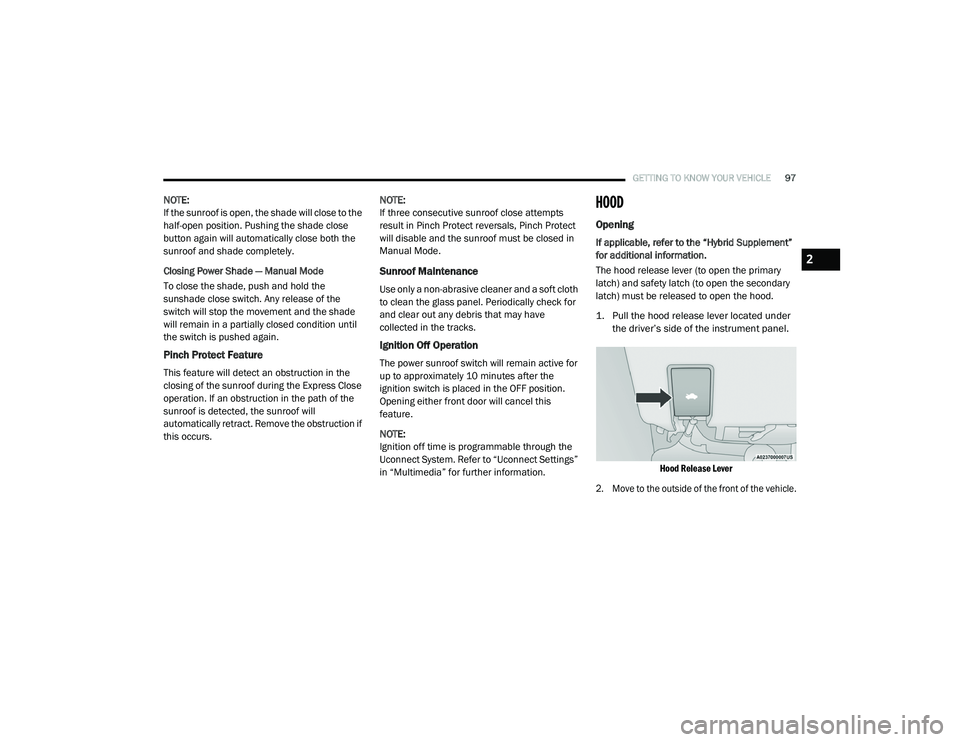
1. Pull the hood release lever located under
the driver’s side of the instrument panel.
Hood Release Lever
2. Move to the outside of the front of the vehicle.
2
20_RU_OM_EN_US_t.book Page 97
Page 115 of 516
GETTING TO KNOW YOUR VEHICLE113
General Information
The following regulatory statement applies to all
Radio Frequency (RF) devices equipped in this
vehicle:
This device complies with Part 15 of the FCC
Rules and with Innovation, Science and
Economic Development Canada license-exempt
RSS standard(s). Operation is subject to the
following two conditions:
1. This device may not cause harmful
interference, and
2. This device must accept any interference received, including interference that may
cause undesired operation.
Le présent appareil est conforme aux CNR
d`Innovation, Science and Economic
Development applicables aux appareils radio
exempts de licence. L'exploitation est autorisée
aux deux conditions suivantes:
1. l'appareil ne doit pas produire de brouillage, et
2. l'utilisateur de l'appareil doit accepter tout brouillage radioélectrique subi, même si le
brouillage est susceptible d'en compro -
mettre le fonctionnement.
La operación de este equipo está sujeta a las
siguientes dos condiciones:
1. es posible que este equipo o dispositivo no cause interferencia perjudicial y
2. este equipo o dispositivo debe aceptar cualquier interferencia, incluyendo la que
pueda causar su operación no deseada. NOTE:
Changes or modifications not expressly
approved by the party responsible for compli
-
ance could void the user’s authority to operate
the equipment.
INTERNAL EQUIPMENT
Storage
Glove Compartment
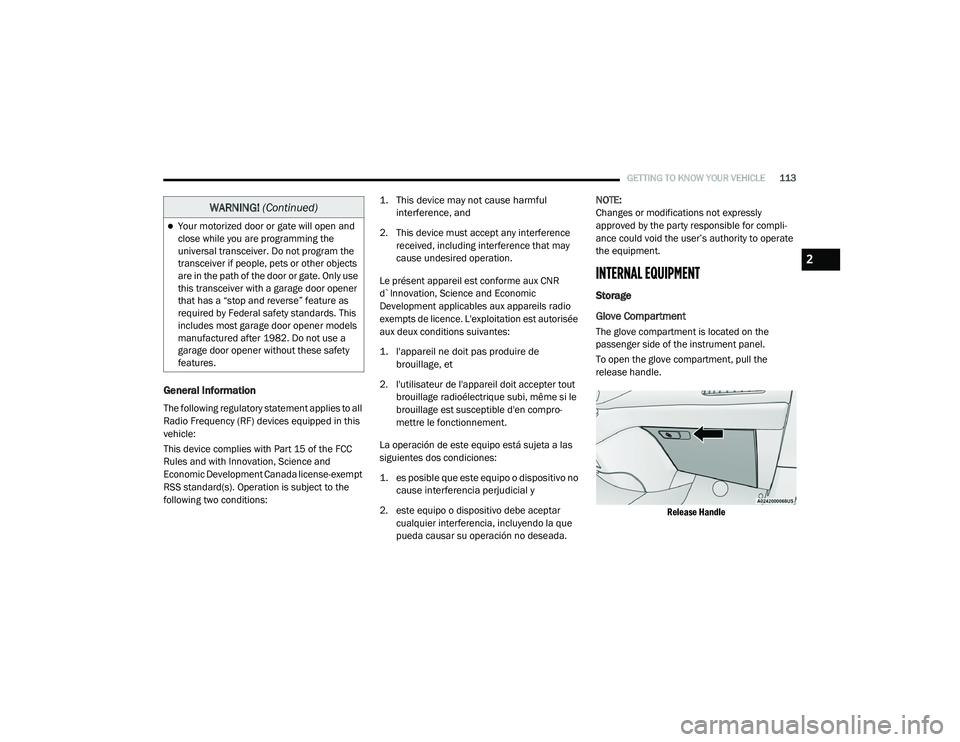
The glove compartment is located on the
passenger side of the instrument panel.
To open the glove compartment, pull the
release handle.
Release Handle
Your motorized door or gate will open and
close while you are programming the
universal transceiver. Do not program the
transceiver if people, pets or other objects
are in the path of the door or gate. Only use
this transceiver with a garage door opener
that has a “stop and reverse” feature as
required by Federal safety standards. This
includes most garage door opener models
manufactured after 1982. Do not use a
garage door opener without these safety
features.
WARNING! (Continued)
2
20_RU_OM_EN_US_t.book Page 113
Page 116 of 516
114GETTING TO KNOW YOUR VEHICLE
Front Door Storage
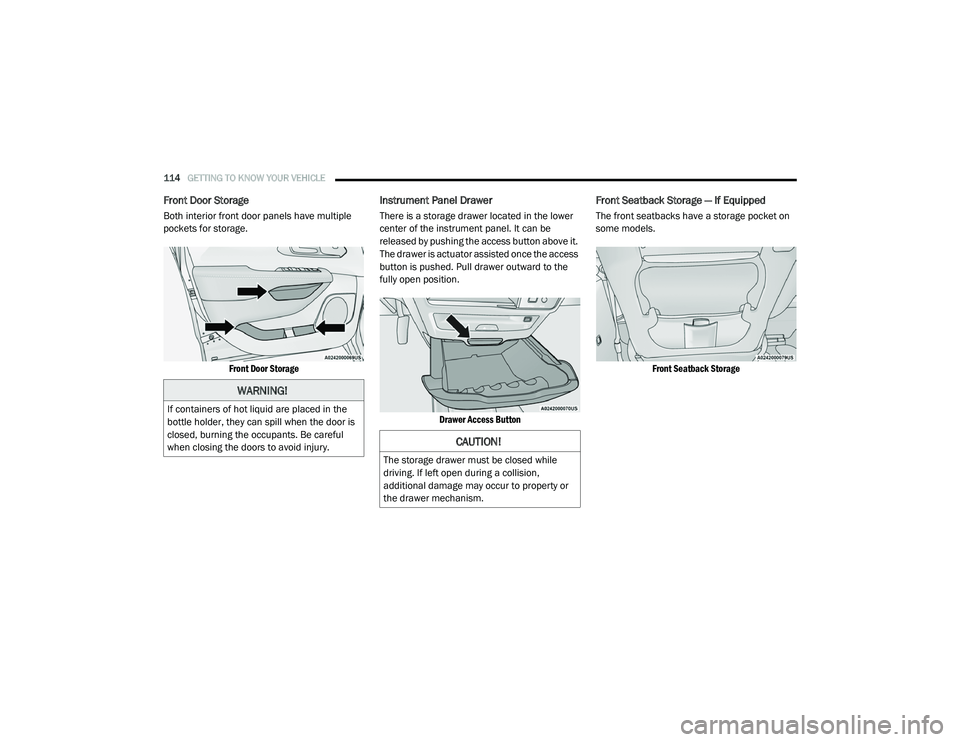
Both interior front door panels have multiple
pockets for storage.
Front Door Storage
Instrument Panel Drawer
There is a storage drawer located in the lower
center of the instrument panel. It can be
released by pushing the access button above it.
The drawer is actuator assisted once the access
button is pushed. Pull drawer outward to the
fully open position.
Drawer Access Button
Front Seatback Storage — If Equipped
The front seatbacks have a storage pocket on
some models.
Front Seatback Storage
WARNING!
If containers of hot liquid are placed in the
bottle holder, they can spill when the door is
closed, burning the occupants. Be careful
when closing the doors to avoid injury.
CAUTION!
The storage drawer must be closed while
driving. If left open during a collision,
additional damage may occur to property or
the drawer mechanism.
20_RU_OM_EN_US_t.book Page 114
Page 120 of 516
118GETTING TO KNOW YOUR VEHICLE
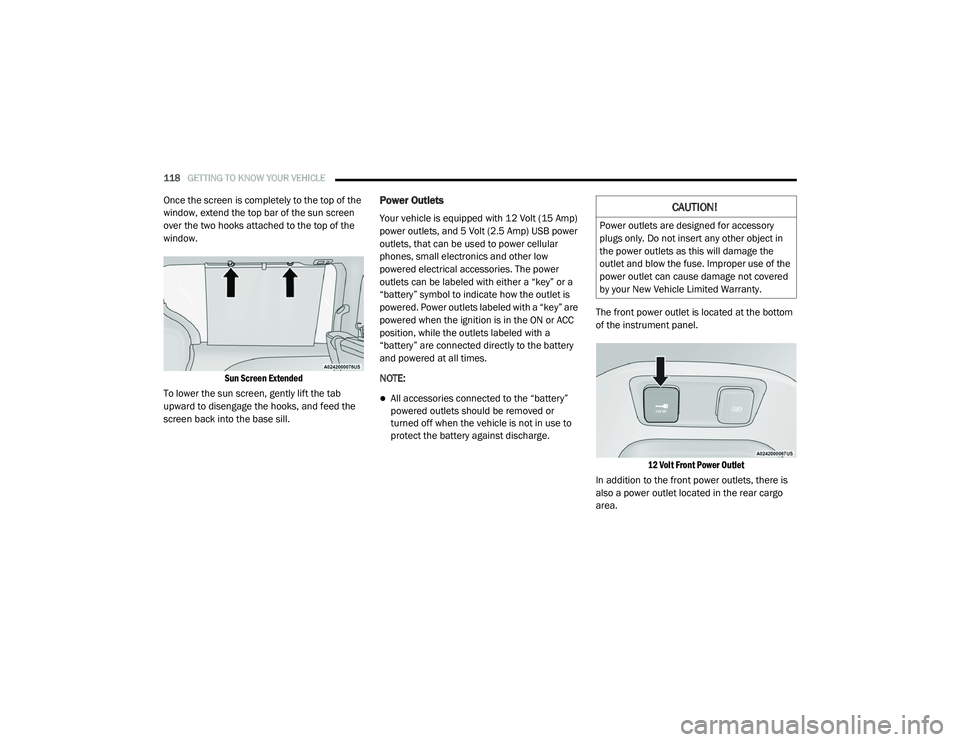
Once the screen is completely to the top of the
window, extend the top bar of the sun screen
over the two hooks attached to the top of the
window.
Sun Screen Extended
To lower the sun screen, gently lift the tab
upward to disengage the hooks, and feed the
screen back into the base sill.Power Outlets
Your vehicle is equipped with 12 Volt (15 Amp)
power outlets, and 5 Volt (2.5 Amp) USB power
outlets, that can be used to power cellular
phones, small electronics and other low
powered electrical accessories. The power
outlets can be labeled with either a “key” or a
“battery” symbol to indicate how the outlet is
powered. Power outlets labeled with a “key” are
powered when the ignition is in the ON or ACC
position, while the outlets labeled with a
“battery” are connected directly to the battery
and powered at all times.
NOTE:
All accessories connected to the “battery”
powered outlets should be removed or
turned off when the vehicle is not in use to
protect the battery against discharge. The front power outlet is located at the bottom
of the instrument panel.
12 Volt Front Power Outlet
In addition to the front power outlets, there is
also a power outlet located in the rear cargo
area.
CAUTION!
Power outlets are designed for accessory
plugs only. Do not insert any other object in
the power outlets as this will damage the
outlet and blow the fuse. Improper use of the
power outlet can cause damage not covered
by your New Vehicle Limited Warranty.
20_RU_OM_EN_US_t.book Page 118
Page 122 of 516
120GETTING TO KNOW YOUR VEHICLE
Certain high-end video game consoles will
exceed this power limit, as will most power
tools.
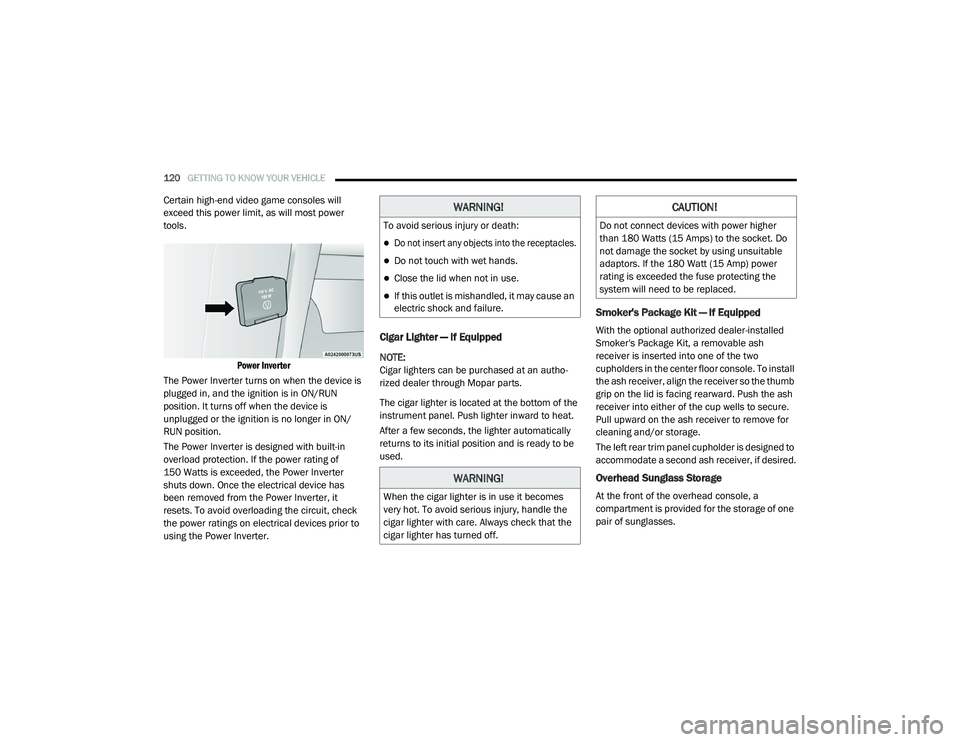
Power Inverter
The Power Inverter turns on when the device is
plugged in, and the ignition is in ON/RUN
position. It turns off when the device is
unplugged or the ignition is no longer in ON/
RUN position.
The Power Inverter is designed with built-in
overload protection. If the power rating of
150 Watts is exceeded, the Power Inverter
shuts down. Once the electrical device has
been removed from the Power Inverter, it
resets. To avoid overloading the circuit, check
the power ratings on electrical devices prior to
using the Power Inverter.
Cigar Lighter — If Equipped
NOTE:
Cigar lighters can be purchased at an autho -
rized dealer through Mopar parts.
The cigar lighter is located at the bottom of the
instrument panel. Push lighter inward to heat.
After a few seconds, the lighter automatically
returns to its initial position and is ready to be
used.
Smoker's Package Kit — If Equipped
With the optional authorized dealer-installed
Smoker's Package Kit, a removable ash
receiver is inserted into one of the two
cupholders in the center floor console. To install
the ash receiver, align the receiver so the thumb
grip on the lid is facing rearward. Push the ash
receiver into either of the cup wells to secure.
Pull upward on the ash receiver to remove for
cleaning and/or storage.
The left rear trim panel cupholder is designed to
accommodate a second ash receiver, if desired.
Overhead Sunglass Storage
At the front of the overhead console, a
compartment is provided for the storage of one
pair of sunglasses.
WARNING!
To avoid serious injury or death:
Do not insert any objects into the receptacles.
Do not touch with wet hands.
Close the lid when not in use.
If this outlet is mishandled, it may cause an
electric shock and failure.
WARNING!
When the cigar lighter is in use it becomes
very hot. To avoid serious injury, handle the
cigar lighter with care. Always check that the
cigar lighter has turned off.
CAUTION!
Do not connect devices with power higher
than 180 Watts (15 Amps) to the socket. Do
not damage the socket by using unsuitable
adaptors. If the 180 Watt (15 Amp) power
rating is exceeded the fuse protecting the
system will need to be replaced.
20_RU_OM_EN_US_t.book Page 120
Page 127 of 516
125
GETTING TO KNOW YOUR INSTRUMENT PANEL
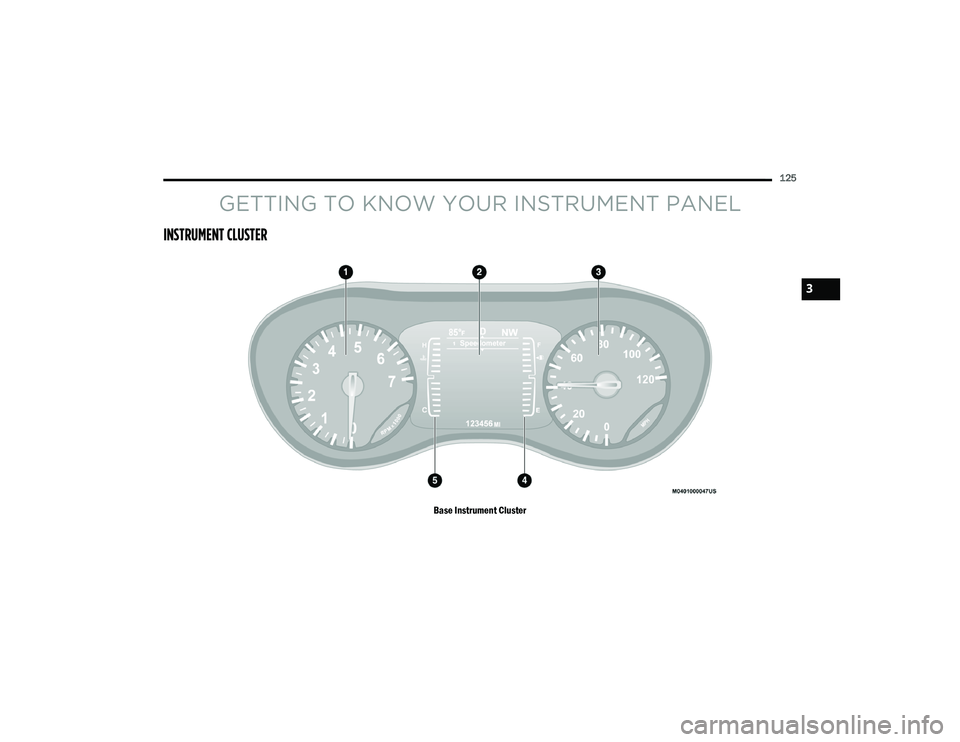
INSTRUMENT CLUSTER
Base Instrument Cluster
3
20_RU_OM_EN_US_t.book Page 125
Page 128 of 516
126GETTING TO KNOW YOUR INSTRUMENT PANEL
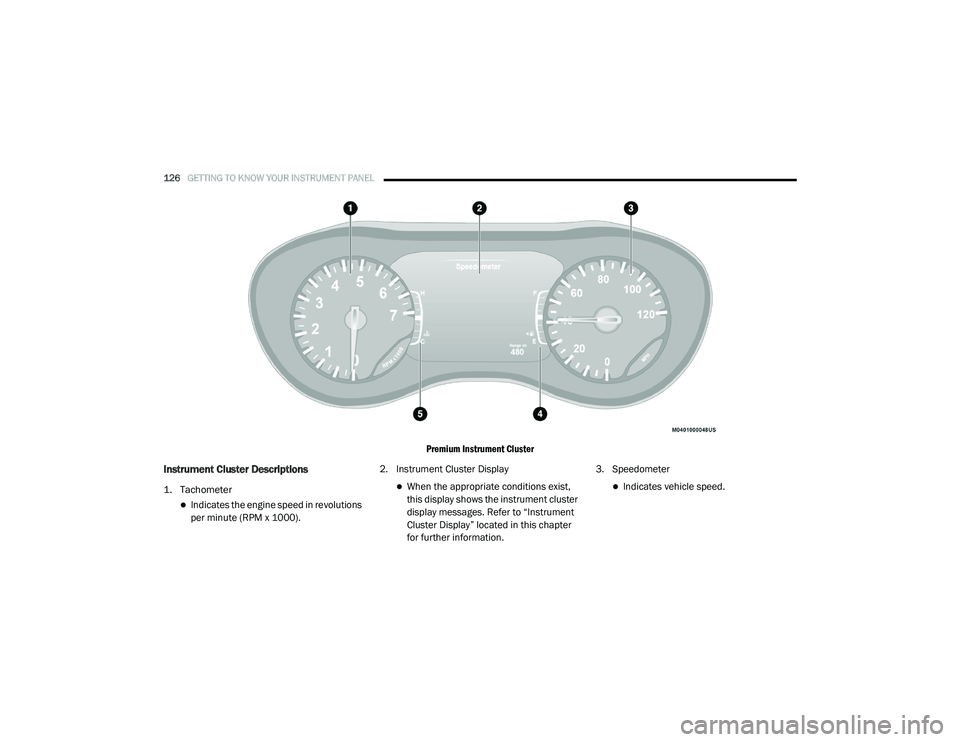
Premium Instrument Cluster
Instrument Cluster Descriptions
1. Tachometer
Indicates the engine speed in revolutions
per minute (RPM x 1000).2. Instrument Cluster Display
When the appropriate conditions exist,
this display shows the instrument cluster
display messages. Refer to “Instrument
Cluster Display” located in this chapter
for further information.3. SpeedometerIndicates vehicle speed.
20_RU_OM_EN_US_t.book Page 126